The short version
- Run two networks. A guest network for renters, and your own network for the smart lock, thermostat, any outdoor cameras and the router's management. Most routers already have a guest network that keeps guests away from everything else: eero says guest devices "cannot communicate with devices connected to the main network nor with each other."
- Keep the owner's devices off the guest network. Then you can change the guest password after every stay without the lock or thermostat dropping offline, and guests can't reach a camera's or hub's settings page.
- Cameras: read the platform's own rules. Airbnb's help center says hosts can't have cameras or recording devices that monitor indoor spaces, "even if these devices are turned off", and that exterior cameras must be disclosed with their location. Vrbo says surveillance devices "are not allowed inside of a vacation rental." Network separation doesn't change either rule.
- Casting needs a decision. Guest isolation blocks a guest's phone from finding the TV. Either let guests use the TV's own apps, use AirPlay's peer-to-peer mode, or put the TV on a guest network where guests can see each other but nothing else.
- Change the guest password between stays, from the router app, and update the password in the listing's arrival guide, which Airbnb says guests receive after they book.
- Cover the whole property, not just the living room. Airbnb's speed test runs on the listing's Wi-Fi, and Airbnb says the speed should be "available throughout the listing." Wired backhaul between mesh units or access points is the most dependable way to get there.
This is a network guide, not legal advice. Platform policies change, and cities, counties and HOAs have their own rules; check the platform's current policy and your local rules before you install or disclose any device.
The layout: two networks, and what goes on each
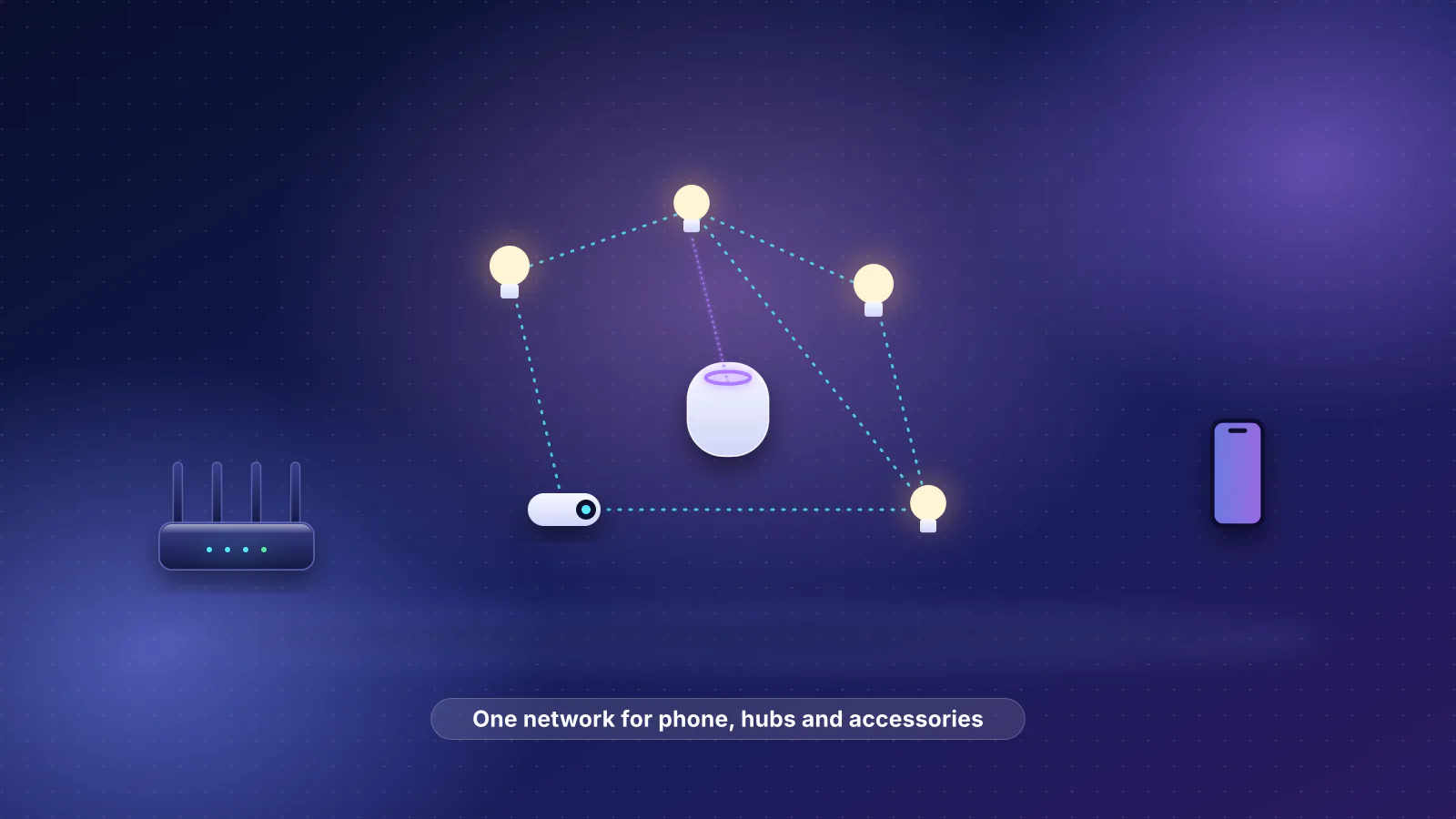
A home network shared with family can be one network. A rental can't, because the people using it change every few days and you aren't there. The simplest layout that works has two networks on the same router or mesh system:
- Guest network: a separate Wi-Fi name and password for renters. Internet access only. Its password changes between stays.
- Owner network: the main network, which guests never get the password to. It carries the devices that run the property and that you manage remotely.
Which device goes where is the main design decision. A suggested split:
| Device | Network | Why |
|---|---|---|
| Guests' phones, laptops, consoles | Guest | Internet only; isolated from your devices |
| Smart lock or its Wi-Fi bridge or hub | Owner | Must stay online through every guest password change; guests shouldn't reach it on the network |
| Thermostat, leak sensors, smart-home hub | Owner | Same reasons; you manage them between stays |
| Outdoor cameras, video doorbell, noise monitor | Owner | Their recordings and settings are yours to protect; platform disclosure rules apply (below) |
| Router or mesh management | Owner (and the maker's app) | Guests should never see the admin page |
| TV or streaming stick | Your choice: see casting | Where it sits decides whether guests can cast to it |
| A casita or ADU rented separately | Its own guest network, or the same one | Depends on whether the two units are booked by different parties |
If you want a third network for smart devices, or wired ports separated too, that's a VLAN design; our VLAN guide compares guest networks, IoT networks and full VLANs by router. For most single-property hosts, a guest network plus the main network is enough, and it needs no new equipment.
Setting up the guest network
Every major consumer router and mesh system has a guest network. What matters for a rental is what it isolates, and that differs by maker. From each maker's own documentation, read November 27, 2026:
| Platform | What the maker says the guest network isolates | Catch |
|---|---|---|
| eero | "Devices connected to the guest network cannot communicate with devices connected to the main network nor with each other." | Guests can't cast to each other's devices either; eero's example is a laptop on the guest network that can't play music on a Sonos speaker also on the guest network |
| TP-Link Deco | "When Deco works in the Router mode, the guest network and the main network are isolated." | In access point mode, an "Allow Local Access" switch controls the isolation, so check it if your Deco sits behind another router |
| ASUS router | An "Access Intranet" setting: disable it "to deny guest devices access to the internal network" | ASUS's page doesn't say which way it's set by default; check it |
| NETGEAR Orbi (older Wi-Fi 5, Cable, Voice and Cellular models) | "Allow guests to see each other and access my local network" is "cleared by default", so guests "cannot access computers or devices that are connected to your Orbi network" | One checkbox controls both guests seeing each other and guests reaching your network |
| UniFi | Separate settings: "Network Isolation to isolate this network/VLAN from all other networks/VLANs", and "Client Device Isolation to prevent communication between clients connected to the same AP" | You set each one yourself, in different menus; Ubiquiti says the tools "operate at different layers and serve distinct purposes." That bears on casting (below) |
Setting it up, in order:
- Turn on the guest network in the router's app or web page. eero puts it under Settings, Guest wifi network; TP-Link under the Deco app's guest network settings.
- Give it a different name and password from the main network. eero requires a different name and recommends a different password.
- Confirm isolation is on: the Deco mode, ASUS's Access Intranet setting or NETGEAR's checkbox, as in the table.
- Leave a password on it. eero and TP-Link both allow a guest network with no password; eero's app asks you to confirm, because anyone in range can then join. Across a shared wall, a patio or a parking area, that's more people than your guests.
- Test it. Join the guest network with your phone and try to open the router's admin page, a camera's app in local mode or a printer. All should fail. Then join the main network and check that the lock and thermostat still respond.
If your router is your internet provider's gateway, its guest network may be all you need; the gateway's manual says what it isolates. If an older smart device won't join because of the security mode, our WPA3 guide covers a separate network for devices that need WPA2.
Keeping locks, thermostats and cameras off the guest network
Three reasons to keep the property's own devices on the owner network, none of which need new equipment:
- Password changes don't break them. Every device on a network has to be given the new password when it changes. If the lock is on the guest network, every turnover means reconnecting the lock, possibly on site. On the owner network, the guest password can change as often as you like.
- Guests can't reach them. With isolation on, a guest's device can't open a camera's local settings page, a hub's interface or a recorder's shared folder.
- Your management stays private. The router app, the lock's app and the camera app run on your phone and the makers' cloud services, not on anything a guest can see.
Isolation also protects guests: one party's laptop can't see the next party's, or another unit's if you rent two. If a smart-home hub needs to reach devices on another network, for example Matter or HomeKit across a VLAN boundary, that takes extra rules; our Matter and HomeKit VLAN guide gives a minimal rule set.
What Airbnb and Vrbo say about cameras and smart devices
Each platform's own pages, read November 27, 2026. Quoted, not summarized from memory; read the current version before you list.
Airbnb
Airbnb announced on March 11, 2024 that it was "banning the use of indoor security cameras in listings globally"; its help center says the rules "took effect on April 30, 2024." The help center article on security cameras and other devices says:
- Indoors: "We do not allow hosts to have security cameras or recording devices that monitor indoor spaces in homes", "even if these devices are turned off." "Hidden cameras have always been prohibited and will continue to be prohibited."
- What counts: "any device that records or transmits video, images, or audio", with a baby monitor and a doorbell camera given as examples.
- Outdoors: "Hosts are allowed to have exterior security cameras and recording devices", but not over exterior areas where guests have a greater expectation of privacy, such as enclosed outdoor showers and saunas. "Home hosts are required to disclose exterior security cameras and recording devices under their control", including their location in the listing's description.
- Noise decibel monitors: devices "that assess sound levels and their duration but do not record audio" are allowed in the home's interior if disclosed, as long as "they are not located in bedrooms, bathrooms, or sleeping areas." Airbnb says hosts aren't required to disclose where they are.
- Smart home devices, which Airbnb defines as "devices that connect and interact with other devices or networks": hosts are "encouraged, but not required, to disclose their presence", and encouraged to "give guests the option of unplugging or disabling smart devices."
Vrbo
Vrbo's Use of Surveillance Devices Policy, which carries no effective date on the page, says:
- Indoors: "Surveillance devices, such as cameras and audio recorders, are not allowed inside of a vacation rental", and they "must not be placed outside and used to capture the inside of the property." "Hidden or disguised surveillance devices are never allowed." In multi-unit buildings, cameras may cover the building's common spaces, such as hallways, reception areas and elevators, but never the inside of the home or a common space where guests have a reasonable expectation of privacy.
- Outdoors: cameras only to monitor a property's access points, not "anywhere that a guest has a reasonable expectation of privacy." "The location and coverage area of the camera is clearly disclosed in the property listing", and "Showing the camera in a photo of the property is not enough." A camera that can see a pool or hot tub must be disclosed in the listing and at the property.
- Smart home devices and noise monitors: "Smart home devices, like smart TVs or voice assistant speakers, may be used if they are disclosed" before booking, with an option for guests to turn them off. Noise monitors must be disclosed and must not "record or transmit any audio."
Two practical points for the network. First, a camera you've removed from indoors should be removed, not just unplugged: Airbnb's ban applies even when devices are off. Second, a voice assistant or smart TV the guests can use is a smart device under both platforms' wording, so the disclosure and the off switch matter as much as which network it's on. If you list on both platforms, follow the stricter wording of each, and check local rules too.
Letting guests cast to the TV
Guests often want to send video from their phone to the TV. Isolation is what stops that. Google's Chromecast help says AP isolation, which routers may call "Client isolation" or "Guest mode", can prevent devices from communicating with Google streaming devices, including "if you're attempting to connect through a guest, hotel or public network with AP or client isolation." For AirPlay, Apple's deployment guide says Bonjour discovery "requires Apple TV devices and AirPrint printers to be on the same IP subnet." Our apartment Wi-Fi guide explains why isolated networks break discovery; for a rental, the options are:
| Option | How it works | Trade-off |
|---|---|---|
| No casting: guests use the TV's own apps | TV on either network; guests sign in to their own streaming accounts on the TV | Simplest; guests should sign out at checkout, so add that to your checkout steps |
| AirPlay peer to peer (Apple TV) | Apple says that to use AirPlay, devices "don't need to be on the same network, or on any network at all." Its deployment guide lists three Apple TV settings, and only "Everyone can use AirPlay" lets users "connect over peer-to-peer or the infrastructure network." On the Apple TV that's Allow Access set to Everyone; turn on Require Password if you want guests to enter one | Works for Apple devices only; Apple lists Apple TV HD with tvOS 9 or later or Apple TV 4K with tvOS 11 or later, and iPhone, iPad and Mac from late 2012 or later |
| TV on the guest network, guests allowed to see each other | Keep the guest network isolated from the owner network, but turn off client isolation within it, so a guest's phone can find the TV. UniFi lists Network Isolation (under Networks) and Client Device Isolation (under WiFi) as separate settings; Ubiquiti's pages don't cover casting, so test it with a phone on the guest network before you rely on it | Guests in the same party can see each other's devices. On eero, guest devices can't see each other at all; on older Orbi, one checkbox also opens your network, so don't use it there |
Two cautions. Google's streaming devices "don't support networks requiring a connection through a captive portal", so a sign-in page on the guest network rules out putting a Chromecast or Google TV Streamer on it. And if the TV sits on the owner network, guests can't cast to it at all, by design.
Changing the guest password between stays
A fresh password per stay means a past guest's devices, or anyone they shared the password with, stop connecting. It's a few taps in most router apps:
- eero: "Once you have enabled your guest wifi network, you can edit the network name and password as needed." The app can also share the details by QR code or by "SMS, email, Slack, and other messaging options." eero notes that turning the guest network off disconnects the devices that were on it.
- TP-Link Deco: in the app's guest network settings, "you can change the guest network SSID and password", and a Share Wi-Fi option sends them to someone. Deco also has a Duration setting that "allows you to choose how long to enable the Guest network" (1 hour, 4 hours, 24 hours, Always or Auto, on supported models); for a multi-day stay, Always with a password change at turnover fits better than a short timer.
- Any router: wherever you change it, change it everywhere guests read it.
On Airbnb, the Wi-Fi password is one of the details hosts can set in the listing's arrival guide, and Airbnb says "Guests receive this information after they book." If you change the password at each turnover, the arrival guide (or your message to the next guest) has to carry the new one before they arrive. Airbnb's wifi speed test article asks hosts entering the network details to "include case sensitive letters (capitalization) as well as spaces, dashes, punctuation, or any special characters."
An illustrative routine, not a requirement: keep the same guest network name, so the arrival guide and any printed card stay right, and change only the password at checkout, then update the arrival guide in the same sitting. Avoid passwords that are hard to type on a TV remote.
Managing the network when you aren't there
Most consumer mesh systems are managed from the maker's phone app, which works from anywhere. TP-Link's Deco X55 datasheet, for example, lists remote management that "Manages your Deco network from a smartphone or tablet via the app, no matter where you find yourself." Before your first booking, check from away (on mobile data, not the property's Wi-Fi) that you can open the router app, change the guest password and see the lock and thermostat online.
If your router is managed only on the local network, with no cloud app, you need a way in from outside. If your connection is behind carrier-grade NAT, port forwarding won't work (what CGNAT is and how to tell); our remote access guide compares mesh VPNs, tunnels and the other options behind CGNAT. Don't open the router's admin page to the internet as a shortcut.
Coverage for the whole property
A guest judges the Wi-Fi in the bedroom, the patio and the casita, not next to the router. Airbnb's speed test is built the same way. Its help article says the test "is only available on the Airbnb app", that you must be "connected to the wifi network in your listing details", and that the speed should be "available throughout the listing." Airbnb's host resource page lists the labels: "50+ Mbps: Fast wifi", "25-49 Mbps: Snappy wifi", "7-24 Mbps: Solid wifi" and "1-6 Mbps: Basic wifi", and says a reading of 50 Mbps or above adds "fast wifi" as a highlight at the top of the listing.
So run it on the guest network, since that's the network in your listing details, and check speed in the rooms guests use most before you rely on one reading. Network Health runs in a browser and can be repeated room by room.
- One router or mesh: our decision table sets out when one router covers a home and when area, floors or block walls call for more points; how many mesh nodes sizes it.
- Wire the backhaul where you can: our wired-backhaul guide compares kits, and running Ethernet in an existing home covers routes through finished walls.
- The pool and patio: Our outdoor Wi-Fi guide covers when indoor Wi-Fi reaches the yard and when an outdoor unit is needed.
- A casita or detached unit usually needs its own access point or mesh unit, ideally with a cable to the main house.
Where the equipment sits
Rental owners often put the modem, router and any switch in a garage, a utility closet or an owner's locked closet, out of guests' reach. Locked is good; hot isn't. Makers publish operating temperature limits, for example:
- TP-Link Deco X55: "Operating Temperature: 0°C~40°C (32°F~104°F)"
- UniFi Cloud Gateway Max: "-10 to 40° C (14 to 104° F)"
An owner's closet inside the conditioned part of the house beats the garage; our network closet guide lists more makers' limits and explains why. If the router has to be somewhere hot, put a mesh unit or access point where guests are and run the cable to the cooler closet.
When new equipment is justified
- Not needed if your router has a guest network with documented isolation, you can change its password from its app while away, and the rooms guests use get a usable speed. That covers many rentals as they are.
- Justified when the router has no guest network or doesn't document what it isolates; when you can't manage it remotely; when coverage fails in bedrooms, the patio or a casita after placement fixes; or when you want guests to cast to the TV without opening your network, which needs a router that sets network isolation and client isolation separately, as UniFi does.
- VLAN-capable gear earns its place for the cases in the layout section, or two rentable units on one connection. The finder below filters for documented VLAN support.
When to get help
Most of this is app settings a host can do. Cable runs to a casita, a patio access point or ceiling access points are different: they mean drilling, outdoor-rated cable and sometimes permits. When the job needs hands on site, RouterHaus can connect you with a licensed contractor; our guide to hiring a low-voltage installer lists what to put in the scope. Start at a network plan request, or see network help in the Phoenix metro.
Frequently asked questions
Should Airbnb guests use my main Wi-Fi network?
Better not. Give guests a separate guest network and keep the lock, thermostat, cameras and router management on your own network. eero, for example, says guest devices cannot communicate with the main network or with each other, and you can change the guest password between stays without disconnecting your own devices.
Can I have security cameras in an Airbnb or Vrbo rental?
Not indoors, by each platform's own pages read November 27, 2026. Airbnb bans cameras and recording devices that monitor indoor spaces, even if they're turned off, and requires exterior cameras to be disclosed with their location. Vrbo allows outdoor cameras only for access points, with location and coverage disclosed. Check the current policy and local rules; this isn't legal advice.
How often should I change the guest Wi-Fi password?
Between stays is a sensible habit, so past guests' devices stop connecting. Change it in the router app and update the password in your listing's arrival guide, which Airbnb says guests receive after they book.
Why can't my guests cast to the TV?
Guest networks usually isolate devices, and Google says AP or client isolation can stop phones communicating with its streaming devices. Options are letting guests use the TV's own apps, AirPlay peer to peer on an Apple TV, or a guest network that's isolated from yours but lets guests' devices see each other.
Does Airbnb's wifi speed test need to run on the guest network?
It runs on the network in your listing details, which for a rental should be the guest network. Airbnb says you must be at the property, using the Airbnb app, and that the speed should be available throughout the listing.
Sources
Read on November 27, 2026.
- Airbnb Help Center: Restrictions on security cameras and other devices in homes
- Airbnb Newsroom: An update on our policy on security cameras (March 11, 2024)
- Airbnb Help Center: Testing your wifi speed
- Airbnb Resource Center: Attract guests with fast, reliable wifi (August 31, 2026)
- Airbnb Resource Center: Make check-in and checkout easy (October 20, 2026)
- Vrbo: Use of Surveillance Devices Policy
- eero Support: How do I share my eero network with guests?
- TP-Link: How to set up a guest network on TP-Link Deco
- TP-Link: Deco X55 (US) 1.0 datasheet (PDF)
- ASUS: How to configure the guest network to deny wireless devices access to the internal network
- NETGEAR Support: How do I set up a guest network on my Orbi WiFi System?
- Ubiquiti Help Center: Best practices, guest WiFi
- Ubiquiti Help Center: Implementing network and client isolation in UniFi
- Ubiquiti tech specs: UniFi Cloud Gateway Max
- Google Streaming Help: I can't establish a Wi-Fi connection to my Chromecast or Google TV Streamer
- Apple Platform Deployment: Use AirPlay with Apple devices
- Apple TV User Guide: Adjust settings for AirPlay and Apple Home on Apple TV 4K