The short version
- Put the closet inside conditioned space, central to the house, with conduit to wherever the provider's line comes in. Every switch, gateway and UPS datasheet we read tops out at 40 °C (104 °F). Phoenix's normal July high is 106.5 °F in outdoor shade, and attics get hotter.
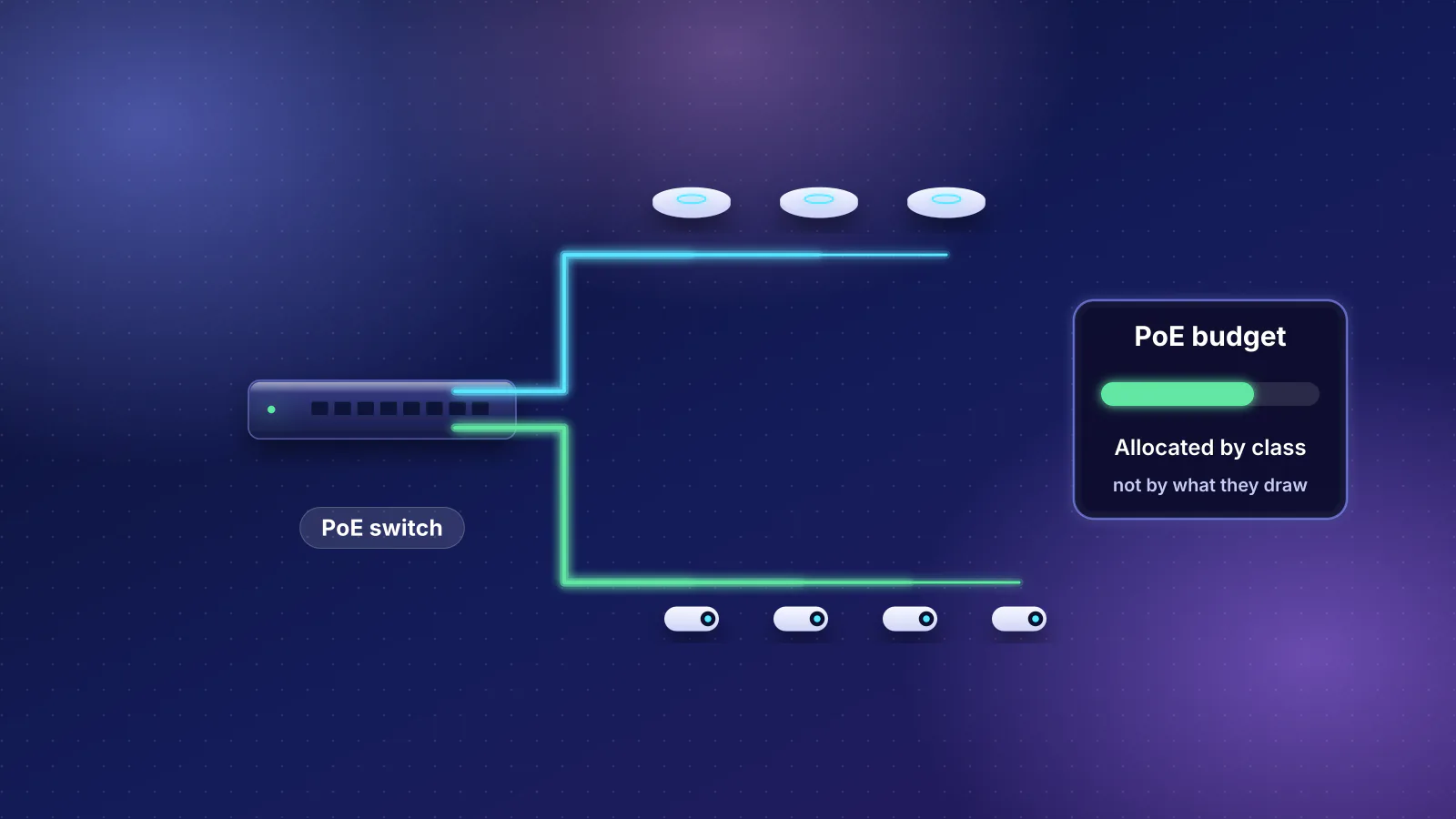
- Our example closet, with three ceiling access points, makes about 75 W of heat, not 255 W. PoE power sent to the access points becomes heat up at the access points; only the switch's own losses stay in the closet. Datasheet BTU figures that include PoE overstate closet heat several times over.
- At that load, a vented door into a cooled room is enough. In Schneider Electric's closet-cooling model, passive ventilation is good to about 700 W; fans and dedicated AC are for much bigger loads.
- Size the UPS by runtime, from the maker's chart. Our example closet, access points included, draws up to about 148 W; APC's chart puts its BR1500MS2 between 66 minutes (119 W) and 32 minutes (240 W) there.
- A structured media can holds only small gear that mounts flat against its back. Leviton's plastic 28-inch can is 3.42 in deep inside. Rack-mount gateways, rack switches, 19-inch patch panels and tower UPS units need a wall rack or a shelf. Keep Wi-Fi out of a metal can.
Our structured wiring guide covers what to pre-wire and gives the closet five lines; this is the long version. Switch PoE budgets are in PoE sizing for access points, the PoE planning guide and PoE for access points and cameras; here the question is where that power ends up as heat.
Where the closet goes
- Central. Ethernet's IEEE distance objectives are 100 m per link, patch cords included, and 10 Gbps on Cat6 reaches less (see the cable table). A central closet keeps the longest run, usually to a far upstairs bedroom or an outbuilding, well inside that.
- Inside the cooled part of the house. A hall closet, an under-stair space or a corner of a laundry room. Leviton's enclosure instructions add one more limit: "Do not use this product near water", such as next to a sink or laundry tub.
- Away from an outside wall if you can. In Schneider Electric's model of a sealed closet, an outside wall in full sun on a 100 °F day raises the inside temperature by 8 to 12 °F.
- Connected to the provider's entry, not necessarily at it. If the fiber or coax comes in on a garage wall, run conduit with a pull string from there to an indoor closet instead of moving the closet. Ask the provider where its fiber box (ONT) or modem goes and what port it hands you. Our multi-gig router guide lists what the major fiber providers document.
Why the garage and attic are out
Published operating temperatures for typical closet gear, from each maker's datasheet, spec page or installation guide:
| Device | Type | Maker's operating range |
|---|---|---|
| Nokia ONT XS-010X-Q | XGS-PON fiber box | −5 to 45 °C (23 to 113 °F) |
| UniFi Dream Machine Pro | Rack-mount gateway | −10 to 40 °C (14 to 104 °F) |
| UniFi Cloud Gateway Max | Compact gateway | −10 to 40 °C (14 to 104 °F) |
| UniFi Cloud Gateway Fiber | Compact gateway | 0 to 40 °C (32 to 104 °F) |
| UniFi Switch Pro Max 16 PoE | PoE switch | −5 to 40 °C (23 to 104 °F) |
| UniFi Switch Lite 8 PoE | PoE switch | −15 to 40 °C (5 to 104 °F) |
| TP-Link Omada SG2210XMP-M2 | PoE switch | −5 to 40 °C (23 to 104 °F) |
| NETGEAR MS108TUP | PoE switch | 0 to 40 °C (32 to 104 °F) |
| Zyxel XMG1915-10EP | PoE switch | 0 to 40 °C (32 to 104 °F) |
| Zyxel XMG-108HP | PoE switch | −20 to 40 °C (−4 to 104 °F) |
| APC Back-UPS Pro BR1500MS2 | Battery backup | 0 to 40 °C (32 to 104 °F) |
The high end is 40 °C on everything except the Nokia fiber box, at 45 °C. That matches Schneider Electric's white paper on wiring-closet cooling: for active closet equipment the vendor maximum "is usually 104°F (40°C)". The paper adds that running at that maximum "will not generally provide the same level of availability or longevity as operating at lower temperatures". It aims for 77 °F (25 °C) or below and says to avoid anything above 90 °F (32 °C).
The National Weather Service's normal July average high at Sky Harbor (1991–2020) is 106.5 °F, which is 41.4 °C. July 2026 averaged 108.3 °F and set a daily record of 117 °F on July 24. That's outdoor shade air, already above the 104 °F limit in the table. We found no published measurements of Phoenix garage temperatures. An unconditioned garage has no cooling, though, so assume it gets at least as hot as the outdoor high. Attics are worse: Building Science Corporation's Joseph Lstiburek writes that summer daytime attic air "pretty much everywhere where people live" gets "to the 120 to 130 degree F range", or 49 to 54 °C.
Heat-load worksheet
Schneider Electric's white paper on cooling loads states the basic rule: the power IT equipment takes from the outlet "is essentially all converted to heat", so heat output in watts equals power drawn in watts. For BTU per hour, the unit HVAC contractors use, multiply by 3.412 (NIST: 1 BTU/h = 0.2930711 W; the paper rounds to 3.41).
PoE power leaves the closet
The paper notes one exception: VoIP routers, which may send up to 30% of their power to remote terminals, so "their heat load may be lower than the electrical power they consume". The paper doesn't mention PoE, but a PoE switch is the same case taken further. The power it delivers becomes heat at the access point or camera, on a ceiling or under an eave, with some lost along the cable: TP-Link's PoE guide gives 30 W at the switch and 25.5 W at the device for PoE+, the difference being "cable losses". In the closet, a PoE switch adds only its own consumption plus its power-conversion losses.
Datasheets don't all count it this way, so read the heat figure's label:
| Switch | Maker's heat figure | What it includes | Closet share at full PoE load (our arithmetic) |
|---|---|---|---|
| UniFi Switch Pro Max 16 PoE (180 W PoE) | 68 BTU/h | "Excluding PoE Output" | 210 W with PoE − 180 W delivered = 30 W, or 102 BTU/h |
| TP-Link SG2210XMP-M2 (160 W PoE) | 665.38 BTU/h | "with 160 W PD connected" (PD is the powered device) | 195.7 W − 160 W = 35.7 W, or 122 BTU/h |
| Zyxel XMG1915-10EP (130 W PoE) | 575.18 BTU/h | Not stated; it's above 163 W × 3.412 = 556, so it appears to include PoE | 163 W − 130 W = 33 W, or 113 BTU/h |
Three caveats. Ubiquiti's 68 BTU/h works out to about 20 W, below the 25 W no-PoE maximum it lists; it doesn't explain why, so the worksheet uses 25 W. The "closet share" column is a worst case at the full PoE budget; fewer access points mean smaller conversion losses. And Ubiquiti doesn't say whether this switch's figures are measured at the wall or at the output of its external 210 W adapter. If at the output, the adapter's own losses add some closet heat. TP-Link's figure is at the wall (it names the 110 V input).
A worked closet
A fiber home with three ceiling access points. The parts are a Nokia XS-010X-Q fiber box, a UniFi Dream Machine Pro gateway, a UniFi Switch Pro Max 16 PoE powering three U7 Pro access points, and an APC BR1500MS2 UPS. Device figures are the makers' maximums, the UPS loss is from ENERGY STAR test data, and the arithmetic is RouterHaus's.
| Line | Source figure | Watts in the closet | BTU/h |
|---|---|---|---|
| Fiber box (ONT) | Nokia: power consumption "<8.6 W" | 8.6 | 29.3 |
| Gateway | Ubiquiti: UDM Pro maximum 33 W | 33 | 112.6 |
| PoE switch, own losses | 210 W with PoE − 180 W PoE budget (above) | 30 | 102.4 |
| Three access points | U7 Pro maximum 21 W each = 63 W | 0 (heats the ceilings) | 0 |
| UPS conversion loss | ENERGY STAR: 98.5% efficient at 25% load (225 W), 3.1 W at no load | 3.4 | 11.6 |
| Total | 75.0 | 256 |
Counting the switch at its 210 W maximum with PoE gives 255 W, or 870 BTU/h: 3.4 times too high, and adding the access points on top would count their power twice. To fill in your own, list each device's maximum draw, enter each PoE switch at its draw minus the PoE it delivers, and leave out anything powered over PoE. Add a few watts for the UPS: Schneider's closet paper says a UPS's own heat "is typically much smaller than the IT load and can safely be ignored". Count a NAS or always-on computer in full, and any closet light, which the paper says should be low-power and switch off when the door closes, or be left out.
What 75 W means for cooling
Schneider's closet paper gives rough limits for each cooling method, aiming at 68 to 77 °F:
- Sealed closet (heat escapes only through the walls): about 400 W in its example, a 10 × 10 × 10 ft drywall room with cooled rooms on all four sides. The paper adds that temperature "increases as room dimensions decrease". A reach-in closet is much smaller than its example. A 28-inch structured media can holds about 0.75 cubic feet (13.70 × 27.53 × 3.42 in inside, our arithmetic).
- Passive vents into a cooled space: below 700 W in the same modeled room, "passive ventilation is effective". In a house that means a louvered or vented door, or a grille high and low, opening into an air-conditioned room.
- Fan-assisted ventilation: 700 to 2,000 W. A dedicated air conditioner: above about 2,000 W.
- A duct from the house HVAC: not recommended. The paper says "simply adding ducts rarely solves closet cooling problems and often makes them worse". The thermostat is somewhere else, the system cycles, it runs on setback schedules, and in winter it heats.
A 75 W closet with a vented door into a cooled hallway is well inside the passive range. Doubling it with a second PoE switch, cameras and a NAS still is. The design errors that cause trouble are a solid door, a sealed metal can, a sun-facing outside wall, or an unconditioned room. For a structured media can, Leviton's spec sheet recommends its vented hinged door "when using active equipment inside enclosure". Leviton says its plastic vented door cools active equipment "by as much as 40 percent more than a traditional vented metal door".
Can, wall rack or shelf: what fits
Most layout problems come down to depth. Every dimension below is from the maker:
| Gear | Structured media can (Leviton 28-in: plastic 3.42 in deep inside, 20 lb load limit; steel 3.85 in deep outside) | 12U wall rack (StarTech RK12WALLOA: 19-in, mounting depth 12 to 20 in, 198.5 lb) | Shelf or backboard |
|---|---|---|---|
| Fiber box (Nokia XS-010X-Q, 13.5 × 13.5 × 3.0 cm) | Fits, wall-mounted | On a rack shelf | Fits |
| Compact gateway (UCG Max 141.8 × 127.6 × 30 mm; UCG Fiber 212.8 × 127.6 × 30 mm) | Only stood on edge or strapped flat to the back: Ubiquiti lists both as desktop units with no wall mount, and laid flat they're deeper than the can | On a rack shelf | Fits |
| Desktop PoE switch (Switch Lite 8 PoE 99.6 × 163.7 × 31.7 mm; SG2210XMP-M2 226 × 131 × 35 mm) | Fits, plus its external power adapter | On a rack shelf | Fits |
| 16-port switch (Pro Max 16 PoE, 325.1 × 160 × 43.7 mm, external 210 W adapter) | Fits flat against the back if mounted on the wall (Ubiquiti lists wall mounting), but the can is crowded with 16 cables and the adapter | Yes: 1U | Fits |
| Rack-mount gateway (UDM Pro, 1U, 442.4 mm wide × 285.6 mm deep) | No: rack-mount only, and wider than the can's 13.70 in (348 mm) inside when level | Yes: 1U, about 11.2 in deep | Fits |
| 24-port patch panel (Leviton 69586-U24 or 49255-H24, 1RU) | No: use the can's own modules | Yes: 1U | Needs a bracket |
| Tower UPS (BR1500MS2, 260 × 100 × 368 mm, not rack-mountable) | No: deeper than the can and over the 20 lb limit | On the floor below | Floor |
In a 12U rack, the patch panel, switch and gateway in this example take 3U, leaving room for a second switch or a cable manager (Leviton's 1RU patch panels come with a cable management bar). The fiber box, desktop gear and power adapters go on a shelf, and the UPS on the floor below. An open-frame rack doesn't box the gear in (StarTech says its design "supports unobstructed airflow"), but the closet door's venting still decides where the heat goes. If you're upgrading a full can, the usual move is to keep it as the termination point for the in-wall cables and move the active gear to a shelf or small rack beside it, with short patch cords between the two.
The gateways in the tables, from the RouterHaus catalog:
| Product | Internet port | Fastest LAN port | Maker's routing, plan or wired-speed figure | Price |
|---|---|---|---|---|
| Ubiquiti UniFi Dream Machine Pro (UDM-Pro) Gateway · no Wi-Fi |
10 Gbps | 10 Gbps | Not published | $417.00 Manufacturer store price incl. US store surcharge (list $379.00), checked October 20, 2026 |
| Ubiquiti UniFi Cloud Gateway Max (UCG-Max) Gateway · no Wi-Fi |
2.5 Gbps | 2.5 Gbps | Not published | $219.00 Manufacturer store price incl. US store surcharge (list $199.00), checked October 20, 2026 |
| Ubiquiti UniFi Cloud Gateway Fiber (UCG-Fiber) Gateway · no Wi-Fi |
10 Gbps | 10 Gbps | Not published | $307.00 Manufacturer store price incl. US store surcharge (list $279.00), checked October 20, 2026 |
If your plan is faster than 1 Gbps, check the switch ports as well as the gateway's. See when a cheap switch beats a pricier router.
Wi-Fi inside a metal can
Leviton's own tech brief says that with traditional media enclosures, "the metal doors at the front of the enclosure absorb Wi-Fi signals, limiting signal strength and reach". It quotes a Leviton specialist: "customers who install a Wi-Fi router inside a metal enclosure will have reduced signal coverage". Leviton and Legrand both sell plastic enclosures for this reason; Legrand calls its On-Q plastic ones "Wi-Fi transparent". Comcast's pre-wire specification for builders requires an "Engineered plastic, Wifi Transparent" media panel when the panel houses network equipment. For existing metal cans, Leviton sells plastic retrofit doors that it says "improve wireless signals transmitted from within the metal enclosure".
A plastic door doesn't fix the location: the router is still in a closet, often low and behind other walls. The better design is a wired-only closet: a gateway without Wi-Fi, like the three above, and access points on ceilings where people use Wi-Fi. That's the argument of mesh vs router plus access points. If you keep a Wi-Fi router or mesh base unit, put it outside the can, or at least behind a plastic door.
Power and battery backup
Outlets and circuits
- Outlets inside the closet. Count the plugs: a fiber box, gateway and switch often each come with a power adapter, and the UPS needs an outlet of its own. Leviton's metal cans have a cutout for an AC power module. Leviton also warns that its can is "not designed to be used as an AC power distribution panel".
- A dedicated circuit is a common recommendation, not a requirement we found in any maker's documents. Load isn't the reason: 148 W is about 8% of a 15 A, 120 V circuit (1,800 W, our arithmetic). The reason is that nothing else on the circuit, such as a garage freezer or a space heater, can trip it and take the network down. Your electrician decides what's allowed.
- Plug the UPS straight into the wall. APC's manual: "connect the input power cord directly to a wall outlet. Do not use surge protectors or extension cords." It also says the UPS is "intended for indoor use only", must not run "in direct sunlight", and needs "adequate space for proper ventilation".
UPS sizing: a worked example from APC's runtime chart
APC's Back-UPS Pro family brochure publishes runtime by load. APC notes that runtime "will vary according to device(s), usage, and power settings".
| Load | BR1000MS | BR1350MS | BR1500MS2 |
|---|---|---|---|
| 40 W | 92 min | 110 min | 150 min |
| 79 W | 53 min | 66 min | 94 min |
| 119 W | 36 min | 46 min | 66 min |
| 240 W | 16 min | 22 min | 32 min |
| 335 W | 10 min | 14 min | 21 min |
During an outage, the UPS also powers the access points, so the load on the battery is higher than the closet's heat. With every device at its maximum (RouterHaus arithmetic):
- Access points: 3 × 21 W = 63 W, plus up to 4.5 W of cable loss each (the PoE+ gap between 30 W at the switch and 25.5 W at the device) = 76.5 W.
- Switch: 25 W of its own, plus up to 5 W of conversion loss (Ubiquiti's 210 W full-load figure minus 180 W of PoE and 25 W) = 30 W.
- Fiber box 8.6 W and gateway 33 W.
- Total: about 148 W, 16% of the BR1500MS2's 900 W rating.
| What stays up | Maximum load | BR1500MS2 chart rows either side | Runtime to expect |
|---|---|---|---|
| Fiber box + gateway | 41.6 W | 40 W (150 min), 79 W (94 min) | Just under 150 min |
| + switch, access points unplugged (wired devices only) | 66.6 W | 40 W, 79 W | Between 94 and 150 min |
| + three PoE+ access points (Wi-Fi up) | 148 W | 119 W (66 min), 240 W (32 min) | Between 32 and 66 min, likely under 58 |
Why "under 58": a straight line between the 119 W and 240 W rows gives 58 minutes at 148 W, but APC's rows show runtime falling fastest at light loads (1.4 minutes per added watt between 40 and 79 W, 0.7 between 79 and 119 W, 0.3 between 119 and 240 W). On a curve that bends that way, a straight line overestimates the runtime between rows, so plan around the lower row. At heavy load it falls fast: ENERGY STAR's test data for the BR1500MS2 shows 14 minutes at half load and 4 at full load. A big UPS on a small load is what buys an hour.
Size for the runtime you want, not the watt rating; this closet uses a sixth of it. Leave margin for an aging battery (see the battery note above). If the closet has a fan and you expect more than 10 minutes on battery, Schneider's paper says the fan must be on the UPS too. Under 10 minutes, the closet's thermal mass keeps the temperature in check. And a UPS at home doesn't keep the provider's network running: ask whether its equipment upstream stays powered in an outage.
Patch panels, keystones and labels
Punch-down panel or keystone panel
Both end each in-wall cable at a numbered port, so the switch connects through short patch cords. The difference is what sits in the panel:
- Punch-down panel. Leviton's 69586-U24 is a 24-port, 1RU Cat6 panel with "standard 110 terminations on the rear". Each cable is punched into the back of a fixed port. It's one assembly with one rating, and the tidiest option in a rack.
- Keystone or modular panel. Leviton's 49255-H24 is a 24-port, 1RU frame for its QuickPort snap-in connectors, made to "enable easy upgrades". You can mix jack types, such as Cat6 and coax, or replace one port. The jacks themselves still terminate by punch-down (Leviton lists its Cat6 QuickPort jack's termination type as "Punchdown"), so the installer's skill is the same.
- Inside a structured media can, both come as snap-in modules sized for the enclosure. Leviton's 28-inch steel can holds up to 12 of them.
Labels and cable management
- Label both ends with the same ID. Comcast's builder spec requires wiring to follow "TIA-570B wiring/labeling standards", a standard Leviton's metal cans also list. A simple scheme (our suggestion): floor, room, jack. "2-BR3-A" is the first jack in the third upstairs bedroom, on the wall plate, the panel port and a printed map taped inside the closet door.
- Leave service loops on every cable in the closet, as the pre-wire guide says, so a jack can be re-terminated.
- Plan for power adapters. Many PoE switches use external bricks (the Pro Max 16 PoE's is a 210 W unit, the SG2210XMP-M2's a 53.5 V adapter). Give them a shelf or a spot on the backboard rather than leaving them hanging off the switch.
- Keep circuit types apart where required. For security and fire alarm wiring in its cans, Leviton calls for at least 1/4 in between power-limited, non-power-limited, telephone and coax circuits, kept apart at the knockouts too.
Grounding and bonding: a pointer
Grounding is a job for your electrician and the provider's installer. Here's what to ask about:
- The provider's entry. Comcast's builder spec calls grounding the cable TV system "a major requirement by the National Electrical Code and State Electrical Code". It requires builders to provide a way to connect its entry box to the home's electrical ground.
- A metal enclosure. Leviton's instructions for its steel cans recommend "a minimum of No. 10, solid conductor, bare copper wire" from the can's grounding screw to the AC power ground, "verified by an electrician and compliant with the National Electrical Code". Its spec sheet lists ANSI/TIA-607, TIA's telecommunications bonding and grounding standard, among those the enclosure meets.
- The code that applies is the edition of the National Electrical Code (NFPA 70) your area has adopted, plus local rules. The code section of our pre-wire guide lists the other points to raise.
Closet checklist
- Location: inside conditioned space, central, not on a sun-facing outside wall, not by water, with conduit and a pull string to the provider's entry.
- Heat: total each device's maximum draw, counting PoE switches at their draw minus delivered PoE. Multiply by 3.412 for BTU/h.
- Ventilation: a vented door or grilles into a cooled room; no duct from the house HVAC; a low-power light on a door switch, or none.
- Layout: measure depth. Only small, wall-mountable gear goes in a can; rack gear and tower UPS units go on a wall rack, shelf or floor. Leave space for power adapters.
- Wi-Fi: no Wi-Fi router behind a metal door. Use a plastic door, or better, a wired gateway with ceiling access points.
- Power: enough outlets for every adapter plus the UPS, ideally on their own circuit. UPS plugged straight into the wall.
- UPS: pick the model from the maker's runtime chart at your on-battery load, including the access points if Wi-Fi should stay up. Put any closet fan on it too.
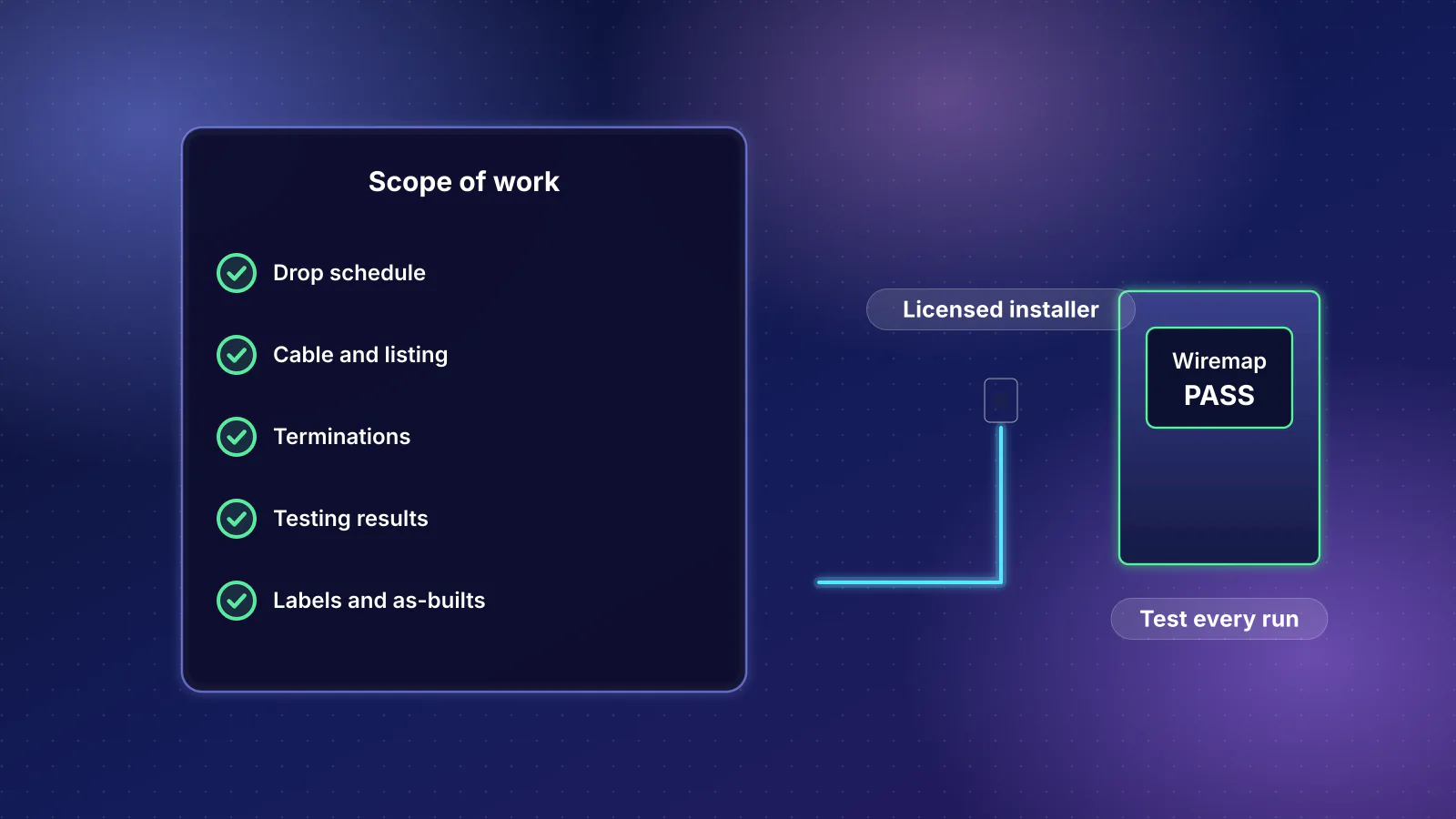
- Termination: patch panel or enclosure modules, matching labels at both ends, a port map on the door, service loops.
- Grounding: the provider's entry grounded as the provider and your local code require, and any metal enclosure grounded as its maker recommends, both checked by an electrician.
Frequently asked questions
Can I put my router and switch in the garage in Phoenix?
Not if you want them to last. Every switch, gateway and UPS datasheet we read lists a maximum operating temperature of 40 °C (104 °F), and the National Weather Service's normal July high for Phoenix is 106.5 °F, in outdoor shade. An unconditioned garage has no cooling, and attic air reaches 120 to 130 °F on summer days according to Building Science Corporation. Put the gear in a closet inside the cooled part of the house and run conduit to the provider's entry.
How much heat does a home network closet produce?
Less than most people expect. A fiber box, a rack gateway, a 16-port PoE switch powering three ceiling access points, and a UPS add up to about 75 W, or 256 BTU per hour, using the makers' maximum figures. That's well inside what a vented door into an air-conditioned room can handle.
Does a PoE switch heat the closet by its full PoE budget?
No. Power delivered over PoE becomes heat at the access points and cameras, and some along the cable. Only the switch's own consumption and conversion losses stay in the closet: about 30 to 36 W at full load for the 130 to 180 W PoE switches in this article. Some datasheets' BTU figures include the delivered PoE, which overstates closet heat several times over.
How big a UPS do I need for my router and switch?
Choose by runtime from the maker's chart, not by the VA rating. APC's chart for the Back-UPS Pro BR1500MS2 gives 150 minutes at 40 W, 66 minutes at 119 W and 32 minutes at 240 W. A fiber box and gateway alone (about 42 W) get close to two and a half hours. Keeping three PoE access points up as well (about 148 W at maximum) gets between 32 and 66 minutes.
Will my Wi-Fi work if the router is inside a structured media panel?
Poorly behind a metal door. Leviton says the metal doors of traditional enclosures absorb Wi-Fi signals and limit signal strength and reach, and it sells plastic doors and enclosures to fix that. A better design keeps the closet wired-only and puts access points on ceilings.
Sources
Read on November 7, 2026.
- Schneider Electric White Paper 68 (Rev 1): Cooling strategies for IT wiring closets and small rooms (PDF) (temperature targets, cooling methods by load, UPS battery life, outside walls, lighting)
- Schneider Electric White Paper 25 (Rev 3): Calculating total cooling requirements for data centers (PDF) (power drawn equals heat; power sent over data lines as the exception)
- NIST SP 811, Appendix B.9: conversion factors (BTU per hour to watts)
- Ubiquiti: Switch Pro Max 16 PoE tech specs, Switch Lite 8 PoE, Dream Machine Pro, Cloud Gateway Max, Cloud Gateway Fiber and U7 Pro (power, heat, dimensions, operating temperature)
- TP-Link Omada: SG2210XMP-M2 specifications (power and heat with PoE load, operating temperature)
- TP-Link Omada: PoE vs PoE+ vs PoE++ (power at the switch and at the device)
- Zyxel: XMG1915 series datasheet (PDF) and XMG-100 series datasheet (PDF)
- NETGEAR: MS108TUP datasheet (PDF) (operating temperature)
- Nokia: ONT XS-010X-Q Quick Reference Guide (Issue 3, June 2025) (operating temperature, size, mounting) and ONT XS-010X-Q datasheet (PDF, as hosted by distributor AMT) (maximum power; Nokia's guide gives only typical and standby figures)
- APC: Back-UPS Pro family brochure (PDF) (runtime chart)
- APC: Back-UPS Pro 120 Vac user manual, JPT92208 (PDF) (installation rules, operating temperature, battery life, maximum load)
- ENERGY STAR: certified UPS record for the APC BR1500MS2 (efficiency, no-load power, dimensions, runtime at 50% and 100% load)
- National Weather Service Phoenix: July 2026 climate summary (PDF) (normal and observed highs at Sky Harbor)
- Building Science Corporation: BSI-074 Duct Dynasty (Joseph Lstiburek, 2013) (summer attic air temperatures)
- Leviton: Smarter homes, smarter networks tech brief (PDF) (metal doors and Wi-Fi, vented plastic door)
- Leviton: 47605 28-in and 42-in metal enclosure specifications (PDF), 49605 28-in wireless enclosure specifications (PDF), metal enclosure instructions (PDF) and wireless enclosure instructions (PDF)
- Leviton: Structured Media Centers (plastic retrofit doors)
- Leviton: 69586-U24 Cat6 patch panel, 49255-H24 QuickPort patch panel and 61110-RE6 Cat6 QuickPort jack
- Legrand On-Q: Structured wiring enclosures (Wi-Fi transparent plastic enclosures)
- Comcast: Xfinity Communities single family home pre-wire specifications (PDF) (Wi-Fi-transparent panel, TIA-570B labeling, grounding)
- StarTech.com: RK12WALLOA 12U wall-mount rack (mounting depth, load rating)
- IEEE 802.3: 2.5G/5GBASE-T objectives (PDF) (100 m reach)
- NFPA: NFPA 70, National Electrical Code