The short version
- WPA3 Personal changes how the password is used, not what you type. It replaces WPA2's pre-shared key handshake with SAE (Simultaneous Authentication of Equals). Cisco says this guards against offline dictionary attacks "by limiting password guesses" and provides forward secrecy. Every WPA3 network also requires protected management frames (PMF).
- Transition mode runs both at once. Devices that can use WPA3 do; older ones fall back to WPA2. Apple calls it WPA2/WPA3 Transitional and recommends it "for compatibility with older devices"; eero calls it Hybrid; NETGEAR's Wi-Fi 7 routers use it by default.
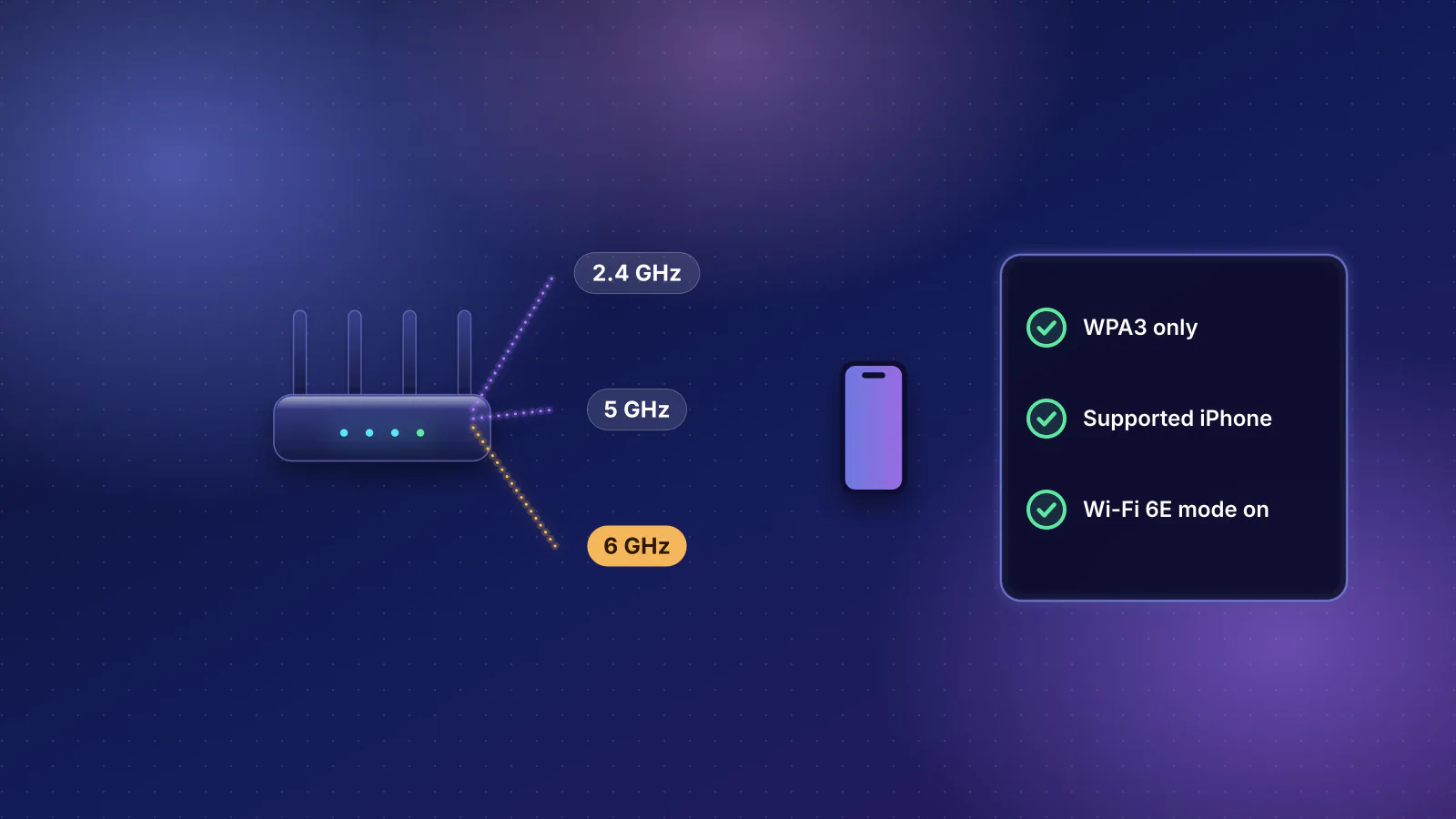
- 6 GHz is WPA3 only. The Wi-Fi Alliance says WPA3's "use is mandatory in the 6 GHz band"; Cisco adds that WPA2 isn't permitted there and PMF is mandatory. A device without WPA3 can't use 6 GHz at all, whatever you set.
- Some devices fail even in transition mode. eero says "Some legacy devices may struggle to connect to any network with Hybrid or Enhanced encryption", and NETGEAR names printers, smart devices and older devices as ones that may need a network with "a lower level of encryption".
- The usual answer: WPA3 on 6 GHz, WPA2/WPA3 transition on 2.4 and 5 GHz, and only for the few devices that still can't join, a separate WPA2 (AES) network. Never WEP, TKIP or WPA/WPA2 mixed.
This article covers WPA2 and WPA3 Personal, the password kind used at home. For an iPhone that won't move to 6 GHz, see iPhone won't connect to 6 GHz, which covers the band's other settings too.
What WPA3 changes over WPA2
Both protect a home network with a password. What differs is the handshake that proves a device knows it, and the protections that come with it.
| WPA2 Personal | WPA3 Personal | |
|---|---|---|
| Password handshake | Pre-shared key (PSK) | SAE. Android's documentation: WPA3 Personal "Uses simultaneous authentication of equals (SAE) instead of pre-shared key (PSK)" |
| Password guessing | No extra protection in the handshake | The Wi-Fi Alliance: "Users of WPA3-Personal receive increased protections from password guessing attempts." Cisco: it protects against offline dictionary attacks "by limiting password guesses" |
| Forward secrecy | Not listed by the sources we read | Cisco lists "Provides forward secrecy" as a key advantage |
| Protected management frames (PMF) | Optional (ASUS offers it with WPA2 too) | Required: the Wi-Fi Alliance says WPA3 networks "Require use of Protected Management Frames (PMF)" |
| Allowed on 6 GHz | No | Yes, and required there |
PMF protects the control messages access points and devices exchange, such as the ones that disconnect a device. The Wi-Fi Alliance says PMF covers unicast management action frames "(protection from eavesdropping and forging)" and multicast ones "(protection from forging)", and that "PMF is required for all new certified devices." ASUS says that when WPA3 is selected, PMF "will be forcibly enabled."
WPA3 isn't a reason to choose a weak password. Apple's advice holds for every mode: "Whichever setting you choose, always set a strong password for joining the network."
How transition mode works
Transition mode is one network name and one password that accepts both handshakes. The Wi-Fi Alliance describes it as letting "client devices that support WPA3 to connect with WPA3 while older devices connect with WPA2". Apple: "WPA2/WPA3 Transitional is a mixed mode that uses WPA3 Personal with devices that support that protocol while allowing older devices to use WPA2 Personal (AES) instead."
What each platform does when it meets one:
- Android: WPA3 support arrived in Android 10. Google's documentation says that on a transition network "Android 10 devices use WPA3 to connect, and devices running Android 9 or lower use WPA2".
- Windows: Microsoft says "your PC will first try to connect using WPA3-Personal, automatically upgrading your existing WPA2-Personal configuration." To see whether a PC's adapter supports WPA3 at all, Microsoft says to run
netsh wlan show driversand look for "WPA3 Personal" under the authentication and cipher list. - Apple: Apple says WPA3 Personal "works with all devices that support Wi-Fi 6 (802.11ax), and some older devices."
In Cisco's configuration steps, a transition network runs with PMF set to optional, so WPA2 devices without PMF aren't turned away for that reason. Cisco also warns that transition mode doesn't rescue everything: "Some older devices (like Wi-Fi 5) may not support transition method and may not be able to associate." eero says the same about its Hybrid mode.
Transition Disable
A transition network leaves one opening: a device that supports WPA3 could still be steered onto WPA2. Transition Disable closes it. Cisco: "Transition Disable is an indication from an AP to a STA" (a device), after which devices "shall disable certain transition modes for subsequent connections." Google says Android 12 supports it. Cisco says it "is not generally recommended" and warns that it "will cause the migrated clients to fail when moved to a location with WPA2 only." At home, leave it off unless your router turns it on for you and nothing breaks.
The 6 GHz rule
On 6 GHz there is no transition mode and no WPA2. The Wi-Fi Alliance says WPA3 "use is mandatory in the 6 GHz band", and Cisco's deployment guide spells out the rest:
- "WPA2 is not permitted in 6 GHz operation."
- "Protected Management Frames (PMF) is mandatory in 6 GHz."
- WPA3 Personal there uses SAE with Hash-to-Element (H2E), which Cisco says is mandatory for Wi-Fi 6E and Wi-Fi 7 because the older method "is prone to brute force dictionary attacks".
- A password-free 6 GHz network uses "Enhanced Open (OWE) for open networks requiring encryption without passwords"; Cisco says Enhanced Open's own transition mode "is not supported with Wi-Fi 6E (6 GHz)".
Home routers follow this. eero: "The 6 GHz band only supports Enhanced (WPA3) encryption, as WPA3 is required for this frequency." So a device that lacks WPA3 won't see a usable 6 GHz network. It joins on 2.4 or 5 GHz instead, under the same name if you use one name for all bands.
Why some devices won't join
A device that doesn't support WPA3 can't join a WPA3-only network, by design. ASUS: "If your wireless devices do not support it, they will not be able to connect to the wireless network properly." eero's WPA3-only Enhanced setting "Uses WPA3 encryption only; devices without WPA3 support cannot connect". Transition mode should let them in, but some still fail on it. What makers document:
| Device or source | What the maker says | What it means |
|---|---|---|
| Nintendo Switch, Switch Lite, Switch OLED | Compatible security: "WEP, WPA-PSK(AES), WPA2-PSK (AES)". WPA3 isn't listed. Nintendo Switch 2 lists "WPA3-SAE(AES)". | The original Switch models need WPA2 (or transition mode) and can't use a WPA3-only network |
| NETGEAR (Wi-Fi 7 Orbi and Nighthawk) | Default is WPA2-PSK + WPA3-Personal, but "some devices such as printers, smart devices (IoT), and older devices are not compatible with this level of encryption" | NETGEAR's fix is a network with WPA2 only; Orbi models have a dedicated IoT network for it |
| eero | "Some legacy devices may struggle to connect to any network with Hybrid or Enhanced encryption." | Its Standard (WPA2) setting is "the most compatible option for networks with older devices" |
| TP-Link Kasa smart plugs and switches | Setup troubleshooting suggests "switching your router's Wi-Fi encryption to WPA2+AES" | Plain WPA2 with AES is the maker's own compatibility fallback |
| Older Windows PCs | WPA3 needs the adapter and driver to support it (netsh wlan show drivers shows whether they do) | A PC whose adapter lists no WPA3 option stays on WPA2 |
The band can look like a security failure too. A device that lacks WPA3 can never use 6 GHz, and some gadgets join only one band, which their spec sheet lists. If a device fails after a router upgrade or a security change, check both the security mode and the band before blaming the device.
Which setting to pick
| Your situation | 2.4 and 5 GHz | 6 GHz | Why |
|---|---|---|---|
| Every device is recent (Wi-Fi 6 or newer, current phones and laptops) | WPA3 Personal | WPA3 Personal | Apple recommends WPA3 Personal "for better security"; every device can use SAE |
| A mix of new and older devices (the usual home) | WPA2/WPA3 transition (Apple: Transitional; eero: Hybrid) | WPA3 Personal (the only option) | Newer devices use WPA3; older ones fall back to WPA2. NETGEAR calls the mix "the best blend of compatibility and security available" |
| One or two devices still won't join in transition mode | Keep transition on the main network | WPA3 Personal | Add a separate network for those devices (below) rather than weakening the main one |
| Your router has no separate network and a needed device fails on transition mode | WPA2 Personal (AES) | WPA3 Personal | Apple: WPA2 Personal (AES) "is appropriate when you can't use one of the more secure modes" |
| Never | WEP, WPA Personal, WPA/WPA2 mixed, anything with TKIP, or no security | Apple lists these as weak or deprecated security to avoid | |
Keep one network name across the bands, as Apple recommends ("a single, unique name (case-sensitive) for all bands"). With WPA3 on 6 GHz and transition mode on the others, a device that supports 6 GHz can move between bands under the same name, and one that doesn't stays on 2.4 or 5 GHz.
A separate network for devices that need WPA2
When a printer, plug or old console won't join even in transition mode, a second network with WPA2 lets it in without dropping the main network to WPA2. Makers build this in:
- NETGEAR: its Wi-Fi 7 Orbi systems "have a dedicated Internet of Things (IoT) network", and for it NETGEAR recommends "WPA2-PSK [AES] as it is the more secure option." Its Nighthawk Wi-Fi 7 routers "do not have a dedicated IoT network".
- ASUS: its PMF help says older devices may not support WPA3 and recommends WPA2 for them, with an IoT network as the alternative.
- Routers with VLANs: a separate network name tied to its own VLAN does the same job and can also keep those devices away from your computers. See VLANs for home networks for the plan and firewall rules.
Two cautions. First, if the separate network is isolated or on its own subnet, phones on the main network may not find devices on it. That's fine for a plug run from a cloud app, but not for a printer you print to or a speaker you cast to, unless the router relays discovery between the networks. Second, keep Apple Home, HomeKit and Matter accessories with their hubs: they rely on local discovery that stops at the network boundary. See HomeKit and Matter across VLANs before moving them, and the Apple Home router settings for what to leave alone.
A device won't join after a security change: what to try, in order
- Check the maker's list. Look up the device's supported security types, as Nintendo publishes them. If WPA3 isn't listed, it needs WPA2 or transition mode.
- Check the band. If the device is 2.4 GHz only, make sure 2.4 GHz is on and not set to WPA3 only.
- Forget and rejoin. If the network's security changed, forget the network on the device and join again with the password.
- Try transition mode on 2.4 and 5 GHz if the main network is WPA3 only.
- Still failing on transition mode? Put the device on a separate WPA2 (AES) network, or the router's IoT network, rather than setting the whole network back to WPA2.
- Check for a firmware update for the device. If it can't join anything newer than WPA2 and has no update, it's a candidate for replacement when convenient, not a reason to weaken everything else.
Frequently asked questions
Is WPA3 worth turning on?
Yes, where your devices support it. WPA3 Personal adds protection against password guessing and requires protected management frames, and the Wi-Fi Alliance says WPA3 is mandatory for Wi-Fi CERTIFIED devices. On a network with older devices, transition mode gets you WPA3 for the devices that support it without locking the others out.
Why does my printer or smart plug only connect when I switch to WPA2?
It either doesn't support WPA3 or fails on the mixed WPA2/WPA3 mode. NETGEAR and eero both say some printers, smart devices and older devices can't join those networks. Keep the main network on transition mode and give those devices a separate WPA2 (AES) network if your router offers one.
Can I use transition mode on 6 GHz?
No. The Wi-Fi Alliance makes WPA3 mandatory on 6 GHz, and Cisco's guide says WPA2 isn't permitted there. Routers such as eero run 6 GHz as WPA3 only whatever you choose for the other bands.
Does WPA3 make my Wi-Fi slower?
None of the sources we read says it does. WPA3 changes how a device joins and protects management frames; the data is still encrypted with AES, as it is on WPA2 with AES. If speed drops after a change, check the band and signal before the security mode.
Should I use WPA/WPA2 mixed mode for an old device?
No. Apple lists WPA/WPA2 mixed and anything with TKIP as settings to avoid. If a device needs something older than WPA2 with AES, it's too old to keep on the network safely.
Is a separate IoT network the same as a guest network?
Often it's built the same way: a second network name, sometimes isolated from your main devices. The difference is what you allow. Devices you control from your phone over the local network, such as printers or HomeKit accessories, may need to stay on the main network or need discovery relayed to them.
Setting up a router from scratch? The Apple TV network settings table covers the other router settings Apple recommends alongside security.
Sources
Read on November 26, 2026.
- Wi-Fi Alliance: Security (WPA3, Wi-Fi Enhanced Open, protected management frames)
- Wi-Fi Alliance: WPA3 deployment options highlights (PDF)
- Cisco: WPA3 deployment guide (updated October 6, 2025)
- Apple Support: Recommended settings for Wi-Fi routers and access points
- Android Open Source Project: WPA3 and Wi-Fi Enhanced Open
- Microsoft Support: Faster and more secure Wi-Fi in Windows
- eero Support: What is encryption in the eero app?
- NETGEAR: How to resolve issues connecting devices to your NETGEAR WiFi 7 network
- ASUS Support: What is WPA3? and What is Protected Management Frames (PMF)?
- TP-Link: Is your Kasa device not connecting? Troubleshooting setup issues
- Nintendo Support: Compatible wireless modes and wireless security types