The short version
- Get the scope in writing before you compare prices. Two quotes for "network cabling" can describe very different jobs. Use the template below to list every drop, the cable, how it's terminated and labeled, how it's tested, and what you get at handover.
- The testing line matters most. A quick continuity check (wiremap) shows each wire lands on the right pin. A certification report compares each run against TIA or ISO limits. Decide which you're paying for, and ask for the results file either way.
- Check the license yourself. Rules differ by state, county and city. In Arizona the Registrar of Contractors (ROC) licenses low-voltage communication work as R-67 (residential), C-67 (commercial) or CR-67 (dual), and the ROC's Contractor Search shows whether a license is active. The handyman exemption covers only casual or minor jobs under $1,000 in total that need no permit.
- Certifications show training, not quality. BICSI installer credentials and maker training programs are worth asking about, but the test results and references tell you more about the job you'll get.
- The installer usually isn't your ISP or your Wi-Fi tuner. Activation stays with the provider, and settings stay with you or a consultant unless the scope says otherwise.
Installer, consultant or ISP: who does what
A low-voltage installer pulls cable, terminates it, mounts hardware and tests what they built. They are not the same trade as a Wi-Fi consultant, who decides where access points go and how the network is set up, or your internet provider, who owns the service up to its own equipment. Some firms do more than one of these jobs, so the useful question is which jobs your contract covers.
- Provider's line and modem or fiber terminal The ISP installs and activates it; the installer can leave conduit or a pull string for it
- Router or gateway You, or a consultant; setup is configuration, not cabling
- Patch panel and in-wall runs The installer: cable, jacks, labels, test results
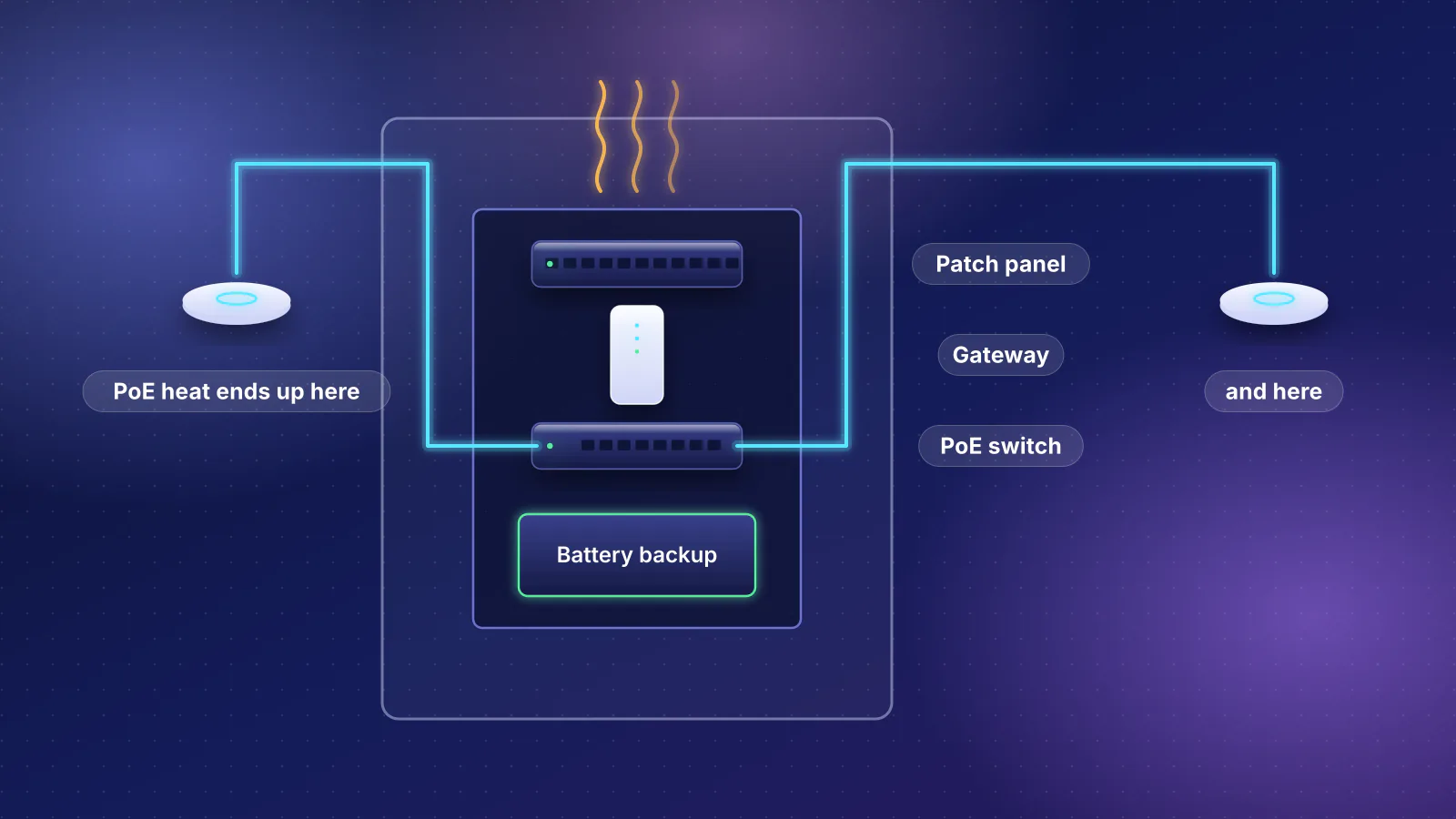
- Switch, PoE and patch cords Either: say in the scope who supplies and connects them
- Access points and Wi-Fi settings The installer mounts them; placement and tuning are design work unless the scope assigns them
What an installer usually won't do unless you ask, and who does it instead:
- Activate internet service. Only the provider can do that. Providers generally support only equipment they supply (see when the provider's equipment is the better choice).
- Choose access point locations. Not every installer does design work, so ask. A plan from a consultant, or your own using suggested drops by room, gives them something to quote against.
- Configure the router, VLANs and Wi-Fi. Ask for it as a separate line if you want it, and keep the admin accounts in your own name.
- Add electrical circuits. An outlet in the network closet is an electrician's job (see the network closet checklist).
- Repair drywall and paint. It may be excluded or limited to rough patching. Get it in writing either way.
A written scope you can copy
Fill this in before you ask for quotes and send the same version to every bidder. Where you don't know the answer, write "installer to propose" so each bidder has to say what they'd do. Below the template, the items that cause the most disputes are explained.
NETWORK CABLING SCOPE OF WORK
Site: [address]   Occupied: [yes/no]
Walls: [open / finished]   Attic/crawl: [yes/no]

1. DROP SCHEDULE
ID   Location        Use          Ports
D01  Office desk     PC, spare    2
D02  Living TV wall  TV, console  2
AP1  Hall ceiling    Access point 1
[add rows; mark AP locations on a floor plan]

2. CABLE
Category: [Cat6 / Cat6a]
Conductor: solid copper (no CCA)
Jacket rating: [CMR / CMP / as code requires]
Outdoor runs: [outdoor-rated cable or conduit]

3. TERMINATION
Wiring pattern: [T568A or T568B], same at
  both ends of every run
Wall end: jacks in [single/dual] wall plates
Closet end: [patch panel, N ports]
AP drops: [jack + patch cord / field plug]

4. CLOSET
Location: [where]
Panel, mounting and cable management: [who supplies]
Service loops: [length at each end]
Switch and patch cords: [installer / owner]

5. LABELING
Same ID on: wall plate, cable near each end,
  patch panel port, as-built drawing

6. TESTING (deliverable: results for every run)
[ ] Wiremap and length, every run
[ ] Certification to [Cat6 / Cat6a] permanent
    link (MPTL limit for plug-ended AP drops)
Format: [PDF + tester's native file]
Failed runs: re-terminated or replaced, retested

7. ACCESS POINTS
Supplied by: [installer / owner]
Mount: [ceiling / wall / drop tile / arm mount]
Height and orientation: per maker's guide
Power: [PoE+ / PoE++ from closet switch]

8. PATHWAYS AND FIRE SAFETY
Penetrations of floors, ceilings and garage walls
  sealed with approved material
Separation from electrical wiring per code and
  cable maker
Permits and inspections: [who obtains]

9. FINISH AND CLEANUP
Holes: [patched / patched and painted / owner]
Debris removed daily: [yes/no]
Protection of floors and furniture: [yes/no]

10. WARRANTY
Workmanship: [term] in writing
Manufacturer system warranty: [offered? which?]

11. HANDOVER
As-built floor plan with every drop ID
Patch panel port map
Test results (as in 6)
Photos of open walls before close-up: [yes/no]
Admin logins for any installed gear, in owner's name

12. EXCLUSIONS AND CHANGES
Listed exclusions: [installer to list]
Price per additional drop: [installer to state]
Change orders: written and signed by both parties
Cable: category, conductor and jacket
Category decides the speed the run is designed for. Our Cat6 vs Cat6a comparison covers the distances; in short, Cat6a is designed for 10 Gbps over full-length runs, and Cat6 handles 1, 2.5 and 5 Gbps over typical home runs.
Conductor is the line people skip. Belden, a cable maker, says copper-clad aluminum (CCA) twisted-pair cables "do not comply with UL and TIA standards, which call for solid or stranded copper conductors", and that CCA "can't legally be installed if the building requires CM, CMG, CMX, CMR or CMP rated cables." Writing "solid copper" into the scope settles it.
Jacket rating says where the cable may go. Cable maker Siemon summarizes the National Electrical Code's main ratings: CM or CMG for general use, CMR for runs "from floor to floor", and CMP for "ducts, plenums, and other spaces used for environmental air". A higher rating can stand in for a lower one, "but not the reverse." Which rating your house needs is set by the code your city has adopted, so it's fair to write "as code requires" and ask the installer to name the rating in the quote.
Termination: T568A or T568B
Both wiring patterns are allowed under ANSI/TIA-568.2-D, and Fluke says there is no performance difference between them. It says T568A is the preferred pattern and the one the U.S. government requires on federal contracts, while "In home networks, either standard can be used, but T568B is more common." What matters is consistency: Fluke warns that "Mixing T568A and T568B can cause confusion and make troubleshooting more difficult." Pick one, write it down and expect it at both ends of every run.
Access point drops have one extra choice. A run can end in a ceiling jack with a short patch cord to the access point, or in a plug fitted straight onto the in-wall cable. Fluke says TIA standards now recognize this plug-ended run, the modular plug terminated link (MPTL), and that it "has become common for connecting everything from PoE lights and surveillance cameras to Wi-Fi access points." It's tested differently from a jack-to-jack run (see testing below), so the scope should say which you'll get.
Labeling
TIA-606 is the industry's voluntary standard for administering cabling, including labels. Label maker Brady, summarizing the C revision, says it requires "a record for each identifier that is printed on a label". For a house you don't need the full scheme. You need one ID per run that appears on the wall plate, on the cable near each end, on the patch panel port and on the as-built drawing, so that "D07" means the same thing everywhere.
Testing: wiremap or certification
Fluke Networks, which makes cable testers, describes three levels:
| Level | What it tells you | What it doesn't |
|---|---|---|
| Verification | Fluke: "basic continuity functions such as wire map and toning". Fluke says a wire map shows each pair is connected to the right pins with good contacts in the terminations. | Fluke: it "will not verify the ability of the cabling to support specific applications." |
| Qualification | Whether an existing run can carry a particular network speed. | Fluke: it "does not perform the certification required by cabling manufacturers." |
| Certification | Measurements across a frequency range, compared with TIA or ISO limits, with a pass or fail for the category (Cat6, Cat6a) on every run. | Nothing about Wi-Fi coverage; it covers the cable only. |
For a home, verification of every run is the floor, and it should be done before drywall goes up while faults are still easy to reach. Certification needs a more capable tester (Fluke calls verification tools "low cost"), but it's the only level that shows a run meets its category. It's worth asking for on Cat6a runs you're paying extra for, and for any job where you want a manufacturer warranty.
If you ask for certification, ask for the right test. Fluke recommends specifying permanent link testing (the fixed run, panel to outlet, up to 90 m) rather than channel testing (the whole path including patch cords, up to 100 m), because with good patch cords "the channel can pass even if the permanent link has failed." Plug-ended access point drops need the MPTL test, which Fluke says is run with a permanent link adapter on one end and a patch cord adapter on the other.
Access point mounting
Mounting hardware varies by model, which is one reason to say who supplies the access points. Ubiquiti, for example, sorts its UniFi access points into two mounting systems; the larger one supports mounting on "walls, ceilings, drop ceiling tiles, and junction boxes", and it sells arm mounts for putting an access point on a wall "while providing similar coverage to a ceiling mount." Write the mount type for each location and leave height and orientation to the maker's installation guide. Whether a ceiling spot is the right one is a design question; when wired access points win covers that choice.
Firestopping and penetrations
Every hole a cable passes through is a gap a fire can pass through too. The International Residential Code, a model code that jurisdictions adopt with their own amendments, requires fireblocking "At openings around vents, pipes, ducts, cables and wires at ceiling and floor level, with an approved material to resist the free passage of flame and products of combustion" (section R302.11). Penetrations of the required wall or ceiling between a house and its garage are covered by the same item (R302.5.3). Your local edition and amendments decide the details, so the scope should simply say penetrations will be sealed with approved material, and the installer should be able to name the product.
Questions to ask and what good answers sound like
| Ask | A good answer | Worth probing if |
|---|---|---|
| What license do you hold, and does its class cover this job? | A license number and class you can look up, for your state and for residential work. | They say no license is needed without saying why, or quote someone else's number. |
| How will you test, and what will I receive? | A named level (wiremap, or certification to a category with a permanent link test), every run, results file at handover. | "We test everything" with no report, or results only for failed runs. |
| What cable will you use? | Category, solid copper, jacket rating and usually a brand or part number. | A price per foot that's far below the other bids, with no brand named. |
| How do you get cable into finished walls? | A route for each drop (attic, crawlspace, interior walls), where they expect trouble, and what that does to the price. | Surface raceway or exterior runs appear only after you've signed. |
| What happens to the holes? | Specific: patched, patched and textured, or left for your painter. | "We'll clean up" with nothing about drywall. |
| Who supplies the switch, access points and patch cords? | A clear split, and an itemized price if they supply hardware. | Hardware is bundled into one number you can't compare. |
| Who on the crew holds the certifications you mention? | Names, and whether that person will be on site. | The company "is certified", but nobody on your job is. |
| What does your warranty cover, and for how long? | A written workmanship term; a manufacturer system warranty only if they can name the program. | A long warranty that exists only verbally. |
| What does an extra drop cost once you've started? | A per-drop price in the quote. | Changes priced "as we go". |
Red flags
- A license you can't find, or a class that doesn't match the job. Arizona's ROC tells homeowners to "Make certain the contractor's license class allows for the work listed in the contract."
- A job split into several small invoices to stay under a licensing threshold. Arizona's exemption explicitly excludes that (see below).
- CCA cable, or no conductor named at all.
- No testing deliverable, or testing only after drywall is up.
- Mixed wiring patterns, unlabeled runs, or plugs crimped straight onto the in-wall cable at wall outlets. Fluke says standards recognize the plug-ended link for devices "where it was deemed impractical or unsafe to deploy an outlet", such as ceiling access points, not as a substitute for wall jacks.
- Demands for full payment up front or cash only. The FTC says "Don't pay the full amount for the project up front", and the ROC advises "Never pay in cash" and "Do not allow payments to get ahead of the work."
- No written contract, or no written change orders. In Arizona, contracts over $1,000 must include specific information (see below).
- The installer keeps the admin accounts for switches or access points they install. You should own every login for your own network.
How to compare quotes line by line
The FTC's advice for any contractor applies: get several written estimates, and "Don't automatically choose the lowest bidder. And ask for an explanation if there's a big difference among the estimates." The ROC suggests at least three. The point of sending everyone the same scope is that the explanation usually turns out to be a difference in what's included. Put the quotes side by side and go down this list:
| Line | Check that each quote says | Why it legitimately changes the price |
|---|---|---|
| Drops | The same count and locations, AP drops included | Each drop is a separate run back to the closet |
| Cable | Category, solid copper, jacket rating | Category and jacket rating change the material, and standard Cat6a is thicker to pull |
| Pathway | Open walls or finished; attic, crawlspace or neither | Fishing cable through finished walls is slower work than running it through open studs |
| Termination hardware | Jacks, wall plates, patch panel, mounting | Sometimes left out or priced separately |
| Closet | Enclosure or rack, cable management, service loops | Hardware and the time spent dressing cables neatly vary between bids |
| Testing | Level, every run, report format | Certification needs a more capable tester than wiremap |
| Labeling and as-builts | Labels at both ends, drawing, port map | Documentation is labor, and it's often what a cheap bid drops |
| Access points | Who supplies, mount type, whether configured | Hardware and setup may be bundled or excluded |
| Fire safety and permits | Firestopping, who obtains any permit | Permit fees and inspection visits |
| Finish | Patching, texture, paint, cleanup | Drywall finishing may be a different trade |
| Warranty | Term, what it covers, in writing | A manufacturer program can require certified testing and accredited installers |
| Changes and payment | Price per extra drop, deposit and progress payments | Not a price difference, but where disputes start |
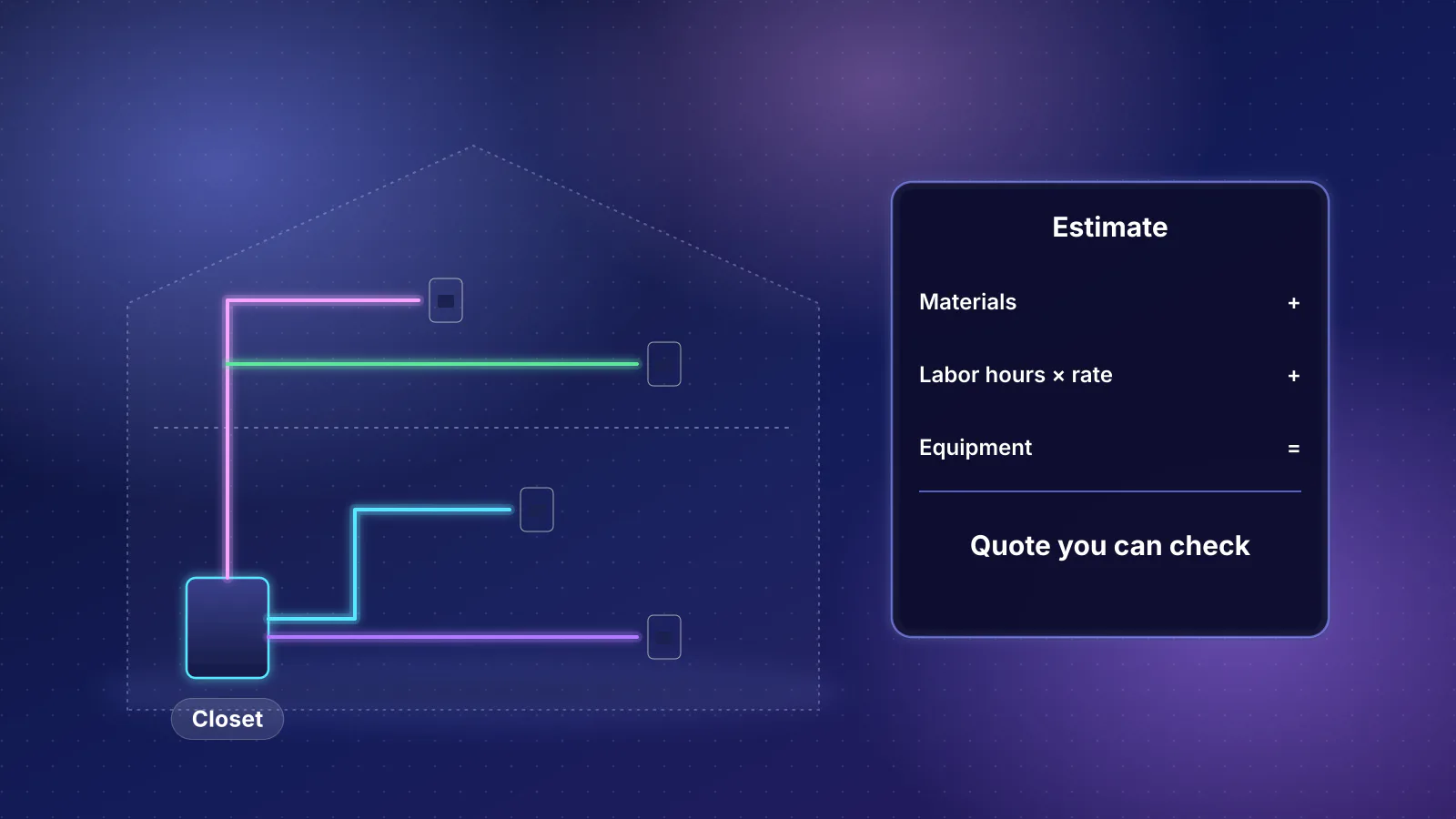
Only once the lines match does a per-drop figure mean anything. Divide each quote's cabling total (without hardware you're buying separately) by its drop count, and the remaining differences are mostly labor rate and how hard each bidder thinks your walls will be. If one bid is far cheaper, look first at the testing, labeling and finish lines.
Licensing and insurance
There is no single US rule. Some states license low-voltage contractors as their own trade, some fold the work into electrical licensing, and cities and counties add permit rules on top. Two examples of how it varies:
- California licenses low-voltage contractors under its C-7 classification, for systems that are "energy limited and do not exceed 91 volts", according to the Contractors State License Board.
- Mecklenburg County, North Carolina notes that North Carolina has a special restricted low-voltage (SP-LV) electrical license, that some low-voltage systems are exempt from licensed installation, and that "Although a license may not be required, permits and inspections are still required."
So check with your state licensing board and your city or county building department before work starts. The FTC's advice is to "Consider only contractors who are licensed and insured", to confirm the license with your state or county, and to "ask the contractor for proof of insurance." A license and insurance are separate things: a license says the state lets them do the work, and insurance pays if they damage your house or someone is hurt.
Arizona: what the Registrar of Contractors requires
Arizona's ROC issues separate licenses for commercial and residential work, plus dual licenses that cover both. Its published classifications for low-voltage communication work are:
| Class | Covers |
|---|---|
| R-67 Low Voltage Communication Systems | Residential work |
| C-67 Low Voltage Communication Systems | Commercial work |
| CR-67 Low Voltage Communication Systems | Both: "the scopes of work permitted by the commercial C-67 ... and the residential R-67" licenses |
The R-67 and C-67 descriptions list alarm, telephone, sound, intercom, public address, television and video systems, low-voltage signaling devices, low-voltage landscape lighting up to 91 volts, and master and program clocks. They don't mention data networks or Ethernet by name. Electrical contractors hold separate classes (R-11, C-11 and the dual CR-11). If you're unsure whether a class covers your job, the ROC's own advice is to contact its license department. Whichever trade you hire, for a house look for a residential or dual license (for specialty trades like these, an R- or CR- class), because several of Arizona's homeowner protections attach to residential licenses.
The handyman exemption. Arizona law (A.R.S. 32-1121(A)(14)) lets an unlicensed person take a job only when the total price, "including labor, materials and all other items", is less than $1,000 and the work is "of a casual or minor nature." The statute leaves certain plug-in electrical appliances out of the price, so equipment you buy may not count toward the $1,000. The exemption doesn't apply when the work needs a local building permit, when it's "only a part of a larger or major operation", or when a bigger job is divided into contracts under $1,000 to evade the law. It also doesn't cover anyone who advertises without including the words "not a licensed contractor". A whole-house cabling job split into several small invoices doesn't qualify. A separate exemption in the same section, paragraph 18, covers cable, satellite and telecommunications providers and their contractors when the work is limited to installing low-voltage cable and telephone, internet or data service. As we read it, that covers your provider's installer, not an independent installer you hire yourself, so ask anyone who says they don't need a license which exemption they rely on.
How to look up a license. Search the contractor's name or license number in the ROC's Contractor Search. Check that the license is active, that the class matches the work, and what bond is on file. The ROC also suggests confirming that the person you're dealing with represents the company by calling the phone number on the license record.
Bonds, the Recovery Fund and complaints. To be licensed, a residential contractor posts a cash deposit or surety bond "of $4,250.00 to $100,000.00" and either pays into the Residential Contractors' Recovery Fund or posts a second bond, according to the ROC. If a residential licensee's work is below standard, a homeowner can file a complaint "within a two-year period from the date of occupancy or date the last work was performed", and under certain conditions may receive up to $30,000 from the Fund. Claims require a residential or dual license, so hiring an unlicensed entity, or a commercial-only licensee for home work, leaves you outside the Fund. The Fund is also limited, with narrow exceptions, to owners and tenants who live or plan to live in the home as their primary residence, so a rental you own doesn't qualify. The ROC is blunt about the alternative: "you, as the property owner, have no recourse through AZ ROC if you hire an unlicensed entity."
Insurance. "With the exception of workman's compensation insurance, the ROC does not require an entity to possess insurance to be licensed." A license number on a truck isn't proof of liability coverage, so ask for proof of insurance, as the FTC suggests.
The contract. For contracts over $1,000, A.R.S. 32-1158 requires, among other things, the contractor's name, business address and license number, the estimated completion date, a description of the work, the total price including taxes, any deposit, the progress payment schedule, and a notice of your right to file a complaint with the ROC. The template above becomes the "description of the work".
Permits in Phoenix. The City of Phoenix's residential permit brochure (revised February 2020) lists projects that need a permit and some that don't, and doesn't mention data cabling in either list. Ask the city's Planning and Development Department or your installer which applies to your job. A required permit also takes the job out of the handyman exemption.
What certifications mean, and what they don't
A license is a legal permission. A certification is voluntary training from an industry body or manufacturer. Both are worth asking about, but neither inspects your job.
- BICSI installation credentials. BICSI, a cabling industry association, offers four on its installation path: Installer 1 (INST1), Installer 2 Copper (INSTC), Installer 2 Optical Fiber (INSTF) and Technician (TECH). INST1 is a certificate for people starting out; BICSI says "No prior ICT industry installation experience is required to sit for the INST1 exam." INSTC, it says, "validates the knowledge and skills needed to install, terminate, test, and document copper systems." TECH is aimed at "experienced telecommunications installation professionals". BICSI describes written and hands-on exams for INST1 and TECH. The design-level RCDD is covered in our guide to Wi-Fi consultants.
- Cabling manufacturer programs. These are tied to system warranties. Panduit's Certification Plus System Warranty, for example, runs 15, 20 or 25 years and is "only available when installed by a Panduit ONE℠ Partner accredited with the Deploy competency", a status that requires, among other things, an RCDD or approved equivalent on staff. Fluke Networks says certification testing "is required by cabling manufacturers to receive a warranty." Programs like this are written around commercial cabling standards, so ask whether a bidder can actually offer one for a house before you weigh it.
- Equipment maker training. Ubiquiti runs "Training and Certification for UniFi Professionals", with certification paths covering its Network, Protect, Access and Identity products and courses such as the full-day UniFi Full Stack Professional (UFSP). This shows familiarity with that maker's equipment, which helps if they're installing and setting it up; it says nothing about cabling.
Certifications belong to people, not companies. Ask who holds them and whether that person will be on your job. Then weigh them below what you can check directly: a license in good standing, references from similar jobs, and test results for every run.
Where RouterHaus fits
RouterHaus plans networks; we don't install cable. A plan gives installers a drop schedule and access point locations to quote against, which is most of the template above. Planning is remote, with on-site walkthroughs available in the Phoenix metro, where block and stucco walls make access point placement and cable routes harder to guess.
Frequently asked questions
Do I need a licensed contractor just to run Ethernet in my house?
It depends on where you live and how big the job is. In Arizona, an unlicensed person may take only casual or minor jobs under $1,000 in total, including labor and materials, that need no building permit and aren't part of a larger job. Above that, hire a licensed contractor; the ROC's low-voltage communication classes are R-67, C-67 and CR-67, and its license department can confirm which class covers your job. A separate exemption covers internet, TV and phone providers and their contractors installing their own service. Other states and cities set their own rules, so check with your state licensing board and local building department.
Should I pay extra for a certification test report?
For Cat6a runs, or any job where you want a manufacturer warranty, it's the only test that shows each run meets its category. For a few Cat6 runs at 1 Gbps, a wiremap and length test on every run, done before the walls close, may be enough. Either way, ask for the results file.
T568A or T568B for a home network?
Either works. Both are allowed under ANSI/TIA-568.2-D and perform the same. T568B is more common in homes; T568A is required on US federal contracts. What matters is using the same one at both ends of every run and writing it into the scope.
Will the installer set up my Wi-Fi?
Only if the scope says so. Many installers mount access points and test the cable but leave configuration to you or a consultant. If they do configure equipment, make sure the admin accounts are in your name.
How do I check a contractor's license in Arizona?
Search the contractor's name or license number in the Arizona Registrar of Contractors' Contractor Search. Check that the license is active, that its class covers the work (R-67 or CR-67 for residential low-voltage), and the bond on file. The ROC also suggests calling the phone number on the license record to confirm who you're dealing with.
Sources
Read on November 7, 2026.
- Arizona Registrar of Contractors: License Classifications (separate residential, commercial and dual licenses; R-67, C-67, CR-67 and R-11, C-11, CR-11 scopes)
- Arizona Legislature: A.R.S. 32-1121, persons not required to be licensed (the under-$1,000 exemption and its conditions; paragraph 18, provider installers)
- Arizona Legislature: A.R.S. 32-1158, contract requirements
- Arizona Registrar of Contractors: Before You Hire a Contractor (license class, estimates, payments, insurance, complaints, Recovery Fund limits)
- Arizona Registrar of Contractors: Recovery Fund (bond amounts, eligibility, owner-occupant limit)
- Arizona Registrar of Contractors: Contractor Search
- City of Phoenix: How to obtain a residential building permit (PDF, rev. 2/20)
- California Contractors State License Board: C-7 Low Voltage Systems
- Mecklenburg County Code Enforcement: Low-Voltage Wiring (North Carolina SP-LV license, permits)
- FTC Consumer Advice: How to avoid a home improvement scam (July 2022)
- International Code Council: 2021 International Residential Code, chapter 3 (R302.11 fireblocking, R302.5.3 garage penetrations)
- Fluke Networks: Importance of cable verification, qualification and certification
- Fluke Networks: Specify channel testing while installing permanent links (90 m permanent link, 100 m channel)
- Fluke Networks: What is the right way to test an MPTL?
- Fluke: Differences between wiring codes T568A vs T568B
- Belden: CCA cable, 5 reasons to stay away (cable maker's view of copper-clad aluminum, August 2015)
- Siemon: Safety first, know your cable jacket ratings (NEC CM, CMR, CMP definitions)
- Brady: Cable labeling standards ANSI/TIA-606-C
- Ubiquiti Help Center: WiFi access point ceiling mounts
- Ubiquiti: Training and certification for UniFi professionals
- BICSI: Cabling installation certifications, with the INST1, INSTC and TECH pages
- Panduit: Certification Plus System Warranty