The short version
- Try the indoor network first. A router or mesh unit near glass doors may reach the patio. Behind stucco, block or brick it often won't: eero says exterior walls "weaken the wireless signal strength going to an outdoor eero device".
- Otherwise, mount an outdoor-rated unit from your mesh system's family (eero, Deco, ASUS AiMesh) or an outdoor access point (UniFi, Omada), ideally on one PoE+ cable. Not an indoor unit on the patio: TP-Link's indoor Deco BE65 is rated to 104 °F.
- Read the IP code and the top operating temperature. The 13 outdoor units below run from IPX5 to IP68 and, at the top of their rated range, from 122 to 158 °F. Phoenix's normal July high is 106.5 °F, and only eero publishes a direct-sun figure (tested at "over 113°F", against 131 °F in shade), so mount in afternoon shade.
- Outdoor 6 GHz needs an AFC access point. FCC rules keep indoor 6 GHz access points, and the phones they control, indoors. Plan the yard on 5 and 2.4 GHz unless you buy an AFC outdoor unit such as the UniFi U7 Pro Outdoor or Omada EAP772-Outdoor.
- Pool controllers and some doorbells are 2.4 GHz-only. Make sure 2.4 GHz reaches the equipment pad and the front door, on a network name that still allows WPA2.
This article is about the yard itself. For finding and fixing weak rooms inside the house, start with why range matters and how to fix dead zones; for how many units the house needs, how many mesh nodes you need.
Start here: what your yard needs
Match your situation to a row. "Outdoor unit" means a weather-rated mesh unit or access point from the comparison further down.
| Your situation | Start with | Why |
|---|---|---|
| Patio just outside a room with a router or mesh unit, through glass doors | Move or add an indoor unit near that wall, then test on the patio | Cheapest fix. Masonry costs far more signal than lighter materials, but metal-coated (low-E) glass can also weaken signal to a patio (what blocks Wi-Fi) |
| Patio or pool behind stucco, block or brick | Outdoor unit on that exterior wall, wired with PoE+ through the wall | The wall is the obstacle; putting the radio outside removes it. A cable gives the unit its full speed and powers it |
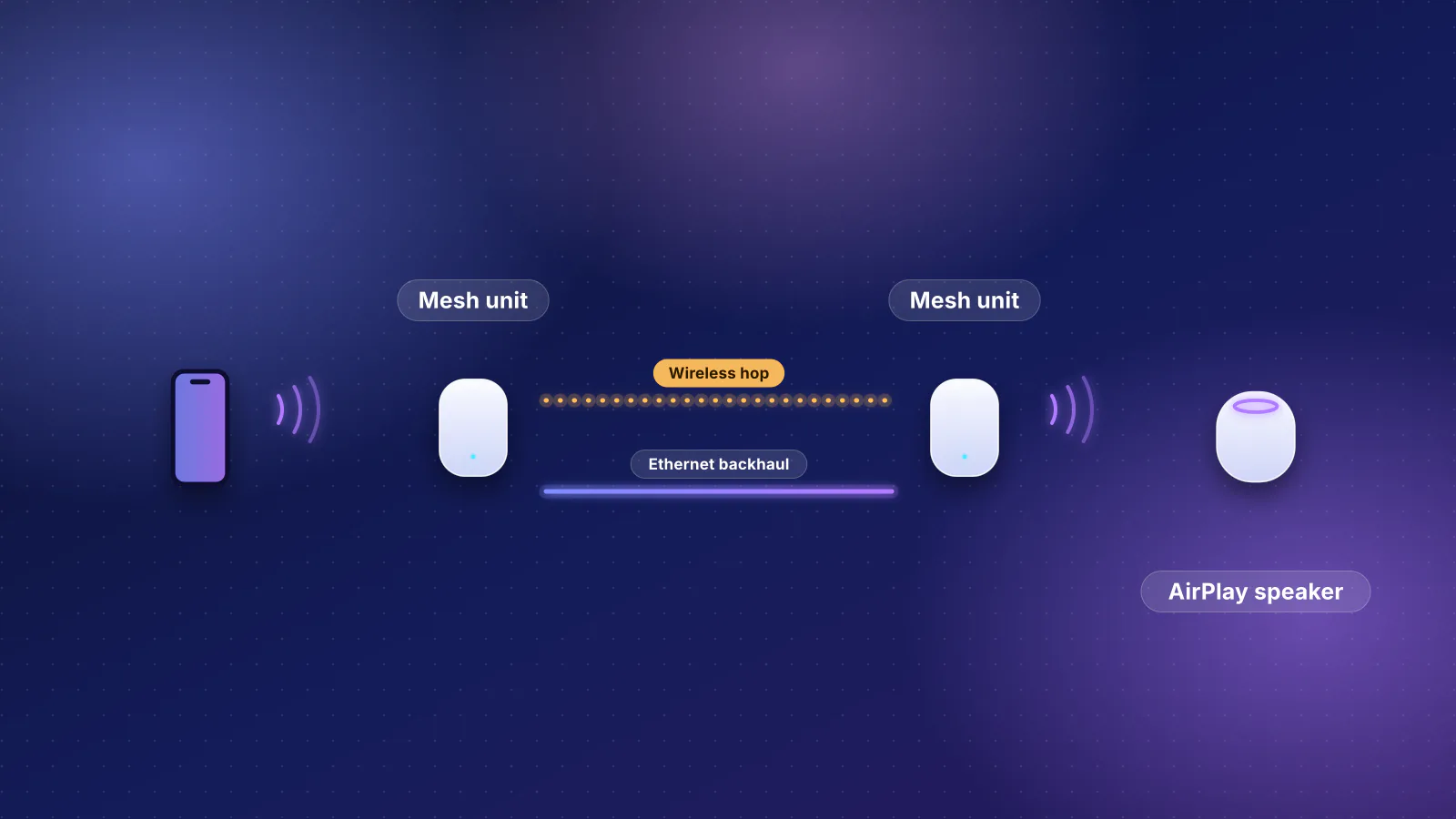
| Same, but no cable can reach the wall | Outdoor mesh unit linked wirelessly to an indoor unit inside the same wall | The backhaul crosses one wall instead of the whole yard. Ubiquiti's target is −60 dBm or better between a meshed unit and its parent |
| Large yard, pool or play area 50 ft or more from the house | Outdoor unit on an eave or wall facing the area, 6 to 15 ft up | eero gives 6 to 15 ft as the best height for its outdoor unit, saying it "ensures proper clearance for the wifi signal to reach the furthest range" |
| One far corner or a long, narrow yard | An outdoor access point with a directional antenna, aimed at it | A directional pattern puts the energy where the devices are (antenna section below) |
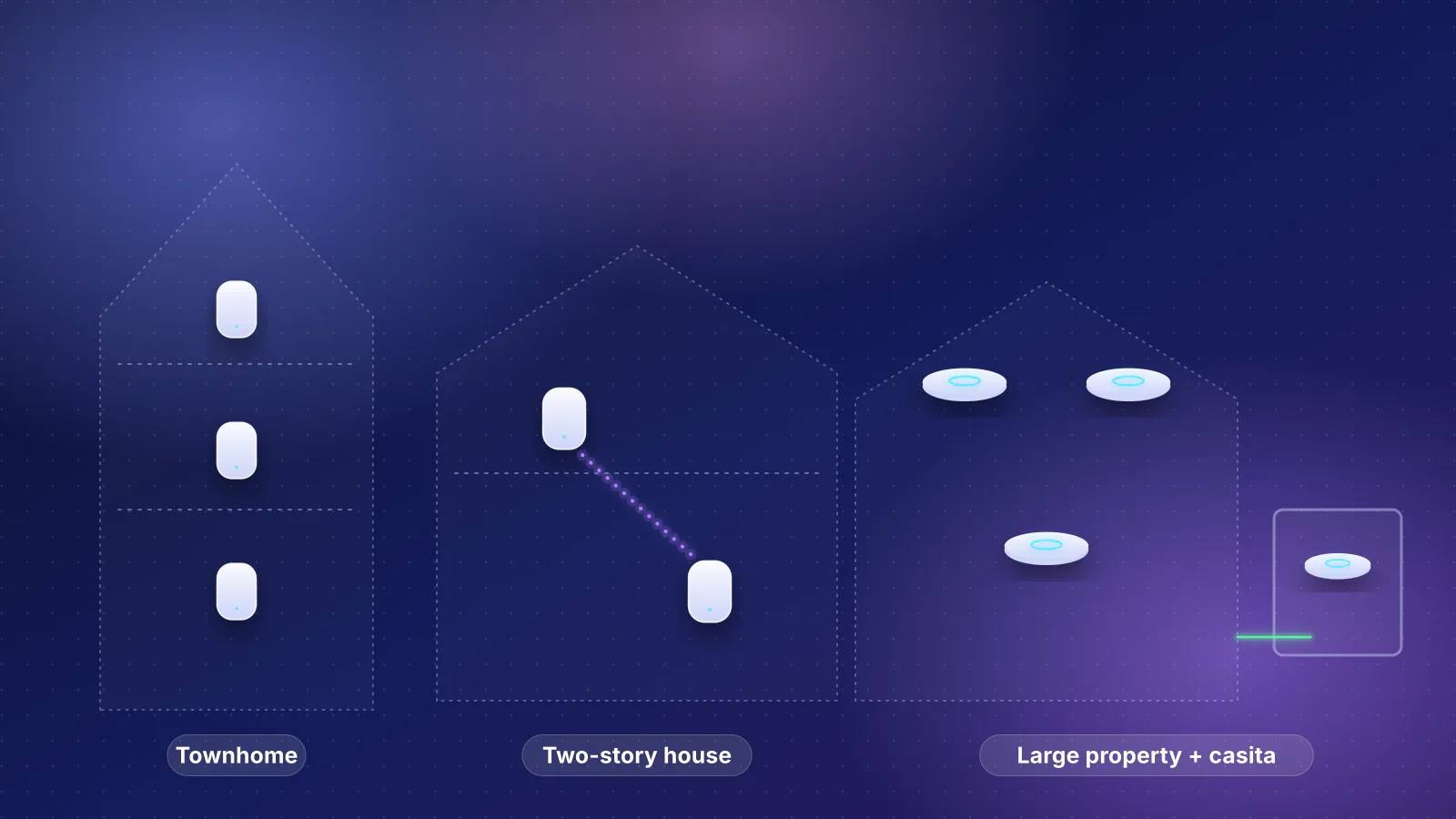
| Detached garage, casita or office | A unit inside that building, fed by buried cable in conduit or a point-to-point bridge | Two exterior walls and the gap between them; covered in outbuilding options |
| Pool controller, sprinkler controller or doorbell drops off | Check 2.4 GHz signal where the device is, and the network's security mode | These are often 2.4 GHz-only and WPA2 devices; a faster band doesn't help them |
| Wired cameras on the eaves | PoE cameras on outdoor-rated runs to a PoE switch indoors | No Wi-Fi involved; the cabling rules below still apply |
| You want 6 GHz on the patio | An AFC outdoor access point, and phones that support 6 GHz | Indoor 6 GHz units aren't allowed outdoors (FCC rule below) |
| The wall gets full afternoon sun | Move the unit to a shaded wall or under the eave, or pick the highest heat rating | Datasheet temperatures are for the air around the unit; eero's direct-sun figure is a tested "over 113°F", below its 131 °F shade rating |
RouterHaus's planner sizes the house only: its whole-home plans leave outdoor units out, so add the yard's unit yourself.
Can the indoor network reach the yard?
Often it can't, for three reasons that have nothing to do with how fast the router is.
- The exterior wall. Exterior walls are often the thickest in the house. RouterHaus's sizing rule allows about 1,000 sq ft per access point with block, brick or stucco walls, against about 1,800 with drywall, because masonry costs so much more signal (methodology). eero's setup guide makes the same point for its outdoor unit: exterior walls "(concrete, brick, stucco, etc.)" weaken the signal reaching it: "Make sure to account for this when deciding where to mount it."
- The indoor unit itself. An indoor router or mesh unit isn't sealed and isn't rated for outdoor temperatures. TP-Link's indoor Deco BE65 lists an operating range of 0 to 40 °C (32 to 104 °F), below Phoenix's 1991–2020 normal July high of 106.5 °F. Hot garages and attics raise the same problem for a provider's box, as our Phoenix provider guide notes.
- 6 GHz is out. An indoor 6 GHz router can't legally serve the patio on that band (the FCC rule below), and Ubiquiti says 6 GHz "will naturally have less range compared to 2.4 or 5 GHz".
So test before you buy. Stand where you'll actually sit, with a phone on the band it will use, and run a speed test and a video call at the times you'll be out there. eero's app runs a placement test for its outdoor unit before you drill anything. If an indoor unit near the door gives you what you need, stop there.
Outdoor units compared, from the makers' datasheets
Every figure below is the maker's own, read on November 7, 2026. Temperatures are the operating range for the air around the unit. "PoE+" is IEEE 802.3at; eero says plain 802.3af PoE "will not provide a large enough power budget" for its outdoor unit.
| Unit | Type | IP rating | Operating temperature | Bands | Power |
|---|---|---|---|---|---|
| eero Outdoor 7 | eero mesh | IP66 | −40 to 131 °F (−40 to 55 °C); tested in direct sun "over 113°F" | 2.4, 5 GHz (Wi-Fi 7) | PoE+ only, one 2.5 GbE port; weatherproof 30 W PoE+ adapter sold with it or separately |
| TP-Link Deco BE65-Outdoor | Deco mesh | IP65 | Datasheet and user guide: −22 to 122 °F (−30 to 50 °C). Web page: "−30°C~60°C (−22°F~140°F)" in the feature text, 0 to 40 °C (32 to 104 °F) in the spec table | 2.4, 5, 6 GHz (Wi-Fi 7); AFC "through subsequent software updates" | 802.3at PoE or AC |
| TP-Link Deco BE25-Outdoor | Deco mesh | IP65 | −22 to 140 °F (−30 to 60 °C) | 2.4, 5 GHz (Wi-Fi 7) | 802.3at PoE or AC |
| TP-Link Deco X50-Outdoor | Deco mesh | IP65 | −22 to 140 °F (−30 to 60 °C) | 2.4, 5 GHz (Wi-Fi 6) | 802.3at PoE or AC |
| ASUS ZenWiFi BD5 Outdoor | AiMesh node or router | IP65 | −22 to 140 °F (−30 to 60 °C) | 2.4, 5 GHz (Wi-Fi 7) | PoE+ (802.3at) or AC |
| NETGEAR Orbi RBS50Y (2017) | Satellite for older Orbi routers | IP56 | −4 to 122 °F (−20 to 50 °C) | 2.4, 5, 5 GHz (Wi-Fi 5) | 12 V adapter |
| UniFi U7 Outdoor | Access point | IPX6 | −22 to 140 °F (−30 to 60 °C) | 2.4, 5 GHz (Wi-Fi 7) | PoE+, 19 W max |
| UniFi U7 Pro Outdoor | Access point | IPX6; IP67 "With cable-gland door kit" | −22 to 140 °F (−30 to 60 °C) | 2.4, 5, 6 GHz (Wi-Fi 7), AFC | PoE+, 21 W max |
| UniFi U7 Mesh | Access point | IPX6 "Installed with the outdoor mount" | −22 to 140 °F (−30 to 60 °C) | 2.4, 5 GHz (Wi-Fi 7) | PoE, 13 W max; PoE adapter included |
| UniFi U6 Mesh | Access point | IPX5 | −22 to 140 °F (−30 to 60 °C) | 2.4, 5 GHz (Wi-Fi 6) | PoE, 13 W max; PoE adapter included |
| TP-Link Omada EAP725-Outdoor | Access point | IP66 | −22 to 158 °F (−30 to 70 °C) | 2.4, 5 GHz (Wi-Fi 7) | 802.3at PoE, 18.4 W max |
| TP-Link Omada EAP772-Outdoor | Access point | IP68 | −22 to 158 °F (−30 to 70 °C) | 2.4, 5, 6 GHz (Wi-Fi 7), AFC | 802.3at PoE, 21.5 W max |
| TP-Link Omada EAP650-Outdoor | Access point | IP68 | −22 to 158 °F (−30 to 70 °C) | 2.4, 5 GHz (Wi-Fi 6) | 802.3at or 48 V passive PoE; included adapter "For Dry Indoor Use Only"; 14.7 W max (US) |
Three things in that table need a word.
- TP-Link gives three temperatures for the Deco BE65-Outdoor. Its web page's feature section says the unit withstands −30 to 60 °C. The same page's specification table says 0 to 40 °C, in a run of rows (dimensions, a USB port, temperatures) that match the table TP-Link prints for the indoor Deco BE65. The downloadable datasheet (V1.6, 2025) and the user guide both say −30 to 50 °C (−22 to 122 °F). The documents that ship with the unit are the figure to plan on: 122 °F, lower than every other outdoor unit here except the old NETGEAR satellite.
- The NETGEAR unit is old. The RBS50Y datasheet is dated 2017 and names Wi-Fi 5 Orbi routers to pair with. NETGEAR's Orbi compatibility table (updated November 2025) also ticks it, with an asterisk it doesn't explain, for several Wi-Fi 6 and 6E Orbi routers. Its product page now leads to a support page, and NETGEAR's satellite page lists no outdoor satellite in its Wi-Fi 7 lines.
- Mesh units lock you to a maker. eero says the Outdoor 7 "is designed to work exclusively with other eero wifi products". The access points are managed with their own maker's software (UniFi Network; Omada's app, controller or a standalone web page), but connect by cable to any router.
The four outdoor mesh units in the RouterHaus catalog, with prices from the catalog:
| Product | Internet port | Fastest LAN port | Maker's routing, plan or wired-speed figure | Price |
|---|---|---|---|---|
| eero Outdoor 7 (1-pack) Mesh system · Wi-Fi 7 |
2.5 Gbps | Not published | Not published | $349.99 Launch price, checked October 20, 2026 |
| TP-Link Deco BE65-Outdoor (1-pack) Mesh system · Wi-Fi 7 |
2.5 Gbps | 2.5 Gbps | Not published | $299.99 Launch price, checked October 20, 2026 |
| TP-Link Deco BE25-Outdoor (1-pack) Mesh system · Wi-Fi 7 |
2.5 Gbps | 2.5 Gbps | Not published | Not published |
| ASUS ZenWiFi BD5 Outdoor (1-pack) Mesh system · Wi-Fi 7 |
2.5 Gbps | 2.5 Gbps | Not published | $179.99 Manufacturer store price, checked October 20, 2026 |
What IP65, IPX6 and IP67 mean
The IP code comes from IEC 60529. The IEC explains it as two numerals: the first grades protection against solid objects "from 0 (no protection) to 6 (no ingress of dust)", the second protection against liquids from 0 to 9. Ubiquiti's help center summarizes the digits that matter outdoors:
| Digit | First digit: solids | Second digit: liquids |
|---|---|---|
| X | Not tested | Not tested |
| 5 | Dust protected | Water jets |
| 6 | Dust-tight | Heavy seas |
| 7 | – | Temporary immersion |
| 8 | – | Continuous immersion |
What that means when you read a datasheet:
- An X is not a zero. IPX6 on the UniFi outdoor units means the water rating was tested and the dust rating wasn't. It tells you nothing either way about dust, so you can't compare dust protection with an IP65 unit from the datasheet alone.
- Higher isn't automatically better for a yard. Rain and sprinklers are spray, not immersion. TP-Link describes the IP68 EAP772-Outdoor as able to be "submerged in water over 1.5 meters deep for 60 minutes": useful in a flood-prone spot, beyond what a sheltered eave needs. For outdoor cameras, Ubiquiti recommends IPX4 or higher.
- The rating assumes the unit is mounted as the maker says. eero's storm rating applies "when mounted as directed in the installation guide"; Ubiquiti's IP67 for the U7 Pro Outdoor needs the cable-gland door kit, and the U7 Mesh's IPX6 needs the outdoor mount. Ubiquiti warns that outdoor access points such as the U6 Mesh and AC Mesh "should not be mounted upside-down", or water can sit in the RJ45 port; eero requires the ports to face down and says otherwise the warranty is void.
Heat and direct sun
An operating temperature is a rating for the air around the unit. Only one maker we found says what direct sun does to it. eero writes that the Outdoor 7 is "tested to operate in direct sun on hot days (over 113°F). In the shade, eero Outdoor 7 will keep working during some of the hottest temperatures on earth, up to 131°F ambient." eero's support FAQ also calls the unit "rated for outdoor use in direct sunlight" across −40 to 131 °F. So eero gives 131 °F as the shade ("ambient") figure and "over 113°F" as the direct-sun test, without saying where between the two its sun limit lies. ASUS says the BD5 Outdoor uses "a powerful heatsink and graphite sheets" for heat; NETGEAR's 2017 datasheet says the RBS50Y is "designed to withstand the rain and sun". Neither gives a sun figure, and neither do Ubiquiti or TP-Link.
Set the ratings against Phoenix. The National Weather Service's July 2026 summary for Sky Harbor gives a 1991–2020 normal average high of 106.5 °F for July, an average high of 108.3 °F in July 2026, and a daily record of 117 °F on July 24, 2026.
| Top of the rated range | Units | vs normal July high | vs 117 °F day |
|---|---|---|---|
| 104 °F | Indoor Deco BE65 (and the BE65-Outdoor's web spec table) | −2.5 °F | −13 °F |
| 113 °F (tested, in sun; not a limit) | eero Outdoor 7 in direct sun | +6.5 °F | −4 °F |
| 122 °F | NETGEAR Orbi RBS50Y; Deco BE65-Outdoor (datasheet and user guide) | +15.5 °F | +5 °F |
| 131 °F | eero Outdoor 7 (ambient, shade) | +24.5 °F | +14 °F |
| 140 °F | UniFi outdoor units, Deco BE25- and X50-Outdoor, ASUS BD5 Outdoor | +33.5 °F | +23 °F |
| 158 °F | Omada EAP650-, EAP725- and EAP772-Outdoor | +51.5 °F | +41 °F |
Airport air temperature isn't what a unit on a sunny stucco wall sees, and we found no maker figure for how much hotter that is. What the table supports is a ranking: in a desert climate, the 104 °F and 122 °F units are a poor bet (the Deco BE65-Outdoor by its datasheet, the NETGEAR satellite, and any indoor unit); the rest have room, more of it in shade. So:
- Pick the wall by its afternoon shade, not only by its view of the pool. Under a deep eave or patio cover, or on a wall that's shaded after midday, check it on a summer afternoon before you drill.
- Don't paint it or cover it. eero says painting or stickers void the Outdoor 7's warranty, and its underside vent lets the unit "vent excess heat". Leave the clearance the maker asks for (eero: a foot above and below the bracket).
- Mind the indoor end too. The PoE switch, injector or adapter belongs indoors and dry. TP-Link's BE65-Outdoor user guide says its AC adapter "should be used indoors where the ambient temperature is lower than or equal to 40 ℃", which a Phoenix garage in July may not be.
- The client devices have limits as well. Ring lists its Battery Doorbell 2K for −5 to 120 °F.
Height, antennas and aiming
Of the makers' guides we read, eero's gives the most specific placement advice: "The optimal installation height for the eero Outdoor 7 is 6 to 15 feet above the ground", at least a foot of space above and below the bracket, away from "large trees, grills, satellite dishes", and mindful that metal surfaces block signal. eero also suggests a spot that won't be hard to reach later, for cleaning or a reset.
Omni or directional
The outdoor mesh units list internal antennas but publish no pattern. Several access points give you a choice of pattern, and their datasheets show the trade:
- UniFi U7 Outdoor: external omnis of 4 dBi on 5 GHz with a "360° x 30°" pattern, or an internal directional antenna of 12.5 dBi at "45° x 45°".
- UniFi U7 Pro Outdoor: 8 dBi omnis at "360° x 15°" on 5 GHz, or 11 dBi directional at "90° x 45°". On 6 GHz the datasheet lists only the directional antenna (10 dBi, 90° × 45°).
- Omada EAP725-Outdoor: switches between external omnis and internal directional antennas, rated for 3,229 sq ft omnidirectional or 5,500 sq ft directional "recommended coverage".
- Omada EAP650 D30-Outdoor: a 30° × 30° directional unit with a recommended installation height of 13 ft and coverage length of 262 ft. TP-Link markets it for warehouse shelving, which says what it's for: long, narrow areas.
The second number in an omni's pattern is its vertical beamwidth, and it is why "mount it as high as possible" isn't always right. A worked example (RouterHaus calculation, inputs stated): with the unit 12 ft up and a phone about 3 ft off the ground, the height difference is 9 ft. The phone is inside a 30° beam (15° each side of horizontal) once it is more than 9 ÷ tan 15° ≈ 34 ft away, and inside a 15° beam only beyond 9 ÷ tan 7.5° ≈ 68 ft. Closer than that, the phone is below the strongest part of the pattern. Close range makes up much of the difference: free-space loss at 20 ft is about 10.6 dB less than at 68 ft (20 × log₁₀(68 ÷ 20), from the free-space path loss formula Ubiquiti publishes). Ubiquiti also notes its patterns are measured in an anechoic chamber and change once installed, so the practical rule is its own: measure before, during and after mounting.
Two placement points for mesh units. If the outdoor unit links wirelessly, put it within easy reach of an indoor unit: Ubiquiti recommends at least −60 dBm between a meshed access point and its parent and "a maximum of two wireless hops". And don't put it so close to an indoor unit that their coverage overlaps heavily; eero suggests placing its outdoor unit "further away from the rest of the indoor eero units" so outdoor devices pick it.
Power and cabling: PoE, outdoor cable, grounding
Every unit in the comparison except the old NETGEAR satellite can run on one Ethernet cable that carries both data and power, and that is the setup to aim for. The path looks like this:
- Router or switch Indoors
- PoE+ switch or injector Indoors and dry; 802.3at for most outdoor units
- Surge protector at the building entry Where the cable leaves the house
- Outdoor-rated, shielded cable Round jacket, drip loop, entering the unit from below
- Surge protector near the unit, then the unit Grounded where its guide calls for it
- Phones, cameras and the pool controller The only wireless hop
- Power budget. The eero Outdoor 7 and every TP-Link and ASUS outdoor unit in the table need 802.3at PoE+; TP-Link's BE65-Outdoor mounting guide asks for a port supplying "at least 24 W". Size the switch or injector for the unit's maximum draw, not its typical one (see PoE sizing).
- The injector stays inside. TP-Link labels the passive PoE adapter in the EAP650-Outdoor box "For Dry Indoor Use Only". eero sells a weatherproof 30 W PoE+ adapter for its unit if you have an outdoor outlet and no cable route.
- Outdoor-rated cable with a round jacket. eero says the cable "must have a round jacket, and be rated for outdoor use", and that a flat cable won't seal in its gland. Ubiquiti's UAP-AC-M-PRO guide says "Shielded Category 5 (or above) cabling should be used for all outdoor wired Ethernet connections and should be grounded through the AC ground of the PoE"; Cisco's outdoor access point guide also specifies "Shielded outdoor-rated" Cat5e or better. Note the second half of Ubiquiti's instruction: the shield is meant to be grounded at the PoE end.
- Seal it, point it down, loop it. Use the gland or seal kit in the box, sized to your cable. Ubiquiti's UAP-AC-M-PRO guide says "Cable feed must be pointed downwards when mounted"; Cisco's installation steps say to "provide drip loops", a downward dip in the cable before it reaches the unit and before it enters the wall, so water drips off the low point instead of following the cable in. Seal the wall penetration as well; running cable on the outside of the house covers raceway, conduit and drilling stucco.
- Grounding and surges. eero's Outdoor 7 has a grounding port for "a #8 stranded copper conductor" and says grounding is "recommended" where surges are frequent, adding that the unit "is not intended to survive a direct lightning strike". TP-Link's Deco outdoor pages carry the footnote that lightning and ESD protection "may be achieved through proper product setup, grounding and cable shielding". Ubiquiti recommends two Ethernet surge protectors, "one near the UAP-AC-M-PRO and the other at the entry point to the building". Wire sizes differ between makers' guides (Cisco's outdoor guide calls for 6 AWG), so follow your unit's guide and local electrical code, and, as eero says, consult an electrician if you're unsure.
- Outbuildings and buried runs. Ethernet's 100 m channel, trenching, conduit and calling 811 are covered in reaching a casita or detached garage.
6 GHz outdoors: what the FCC rule allows
The FCC's 6 GHz rules split access points into classes, and the class decides whether a unit may be outdoors. From 47 CFR 15.403 and 15.407 in the eCFR edition current on November 5, 2026:
| Class | What the rule says | Outdoors? |
|---|---|---|
| Indoor (low-power indoor) access point | Defined as wired-powered, with an integrated antenna, "not battery powered, and does not have a weatherized enclosure"; must be labeled "FCC regulations restrict operation of this device to indoor use only" | No. 15.407(d)(3): transmitters operating under the indoor access point, subordinate device and indoor-client paragraphs "are limited to indoor locations" |
| Subordinate device (an indoor extender) | Works under an indoor access point and "must not be used to connect devices between separate buildings or structures" | No |
| Standard power access point | Operates "pursuant to direction from an Automated Frequency Coordination System" in 5.925–6.425 and 6.525–6.875 GHz; outdoor devices are limited to 125 mW e.i.r.p. above 30° elevation | Yes |
| Very low power devices; geofenced variable power access points | "may not be mounted on outdoor structures, such as buildings or poles" | Not as a mounted unit |
What that means for a yard:
- A 6 GHz router indoors doesn't cover the patio on 6 GHz. Its rules keep it, and the phones connected to it on that band, indoors. Plan outdoor coverage on 5 and 2.4 GHz.
- An outdoor 6 GHz unit has to be standard power, under AFC. Ubiquiti puts it plainly: "Outdoor rated APs require AFC." Its U7 Pro Outdoor and TP-Link's EAP772-Outdoor are sold with AFC (the EAP772-Outdoor has a GNSS receiver for its location). TP-Link's Deco BE65-Outdoor page says AFC "will be supported through subsequent software updates". The other outdoor units in the table have no 6 GHz radio.
- AFC needs internet access and a location, and the power you get varies. Ubiquiti's access points check an AFC service "every 24 hours"; for outdoor units, it says 6 GHz power "can vary up to 36 dBm and lower than 15 dBm, entirely dependent on location, frequency, and channel width". Only the AFC sub-bands listed above are available.
- The phone has to support 6 GHz, and the network has to use WPA3. Ubiquiti lists WPA3 and protected management frames as requirements, which matters for the devices in the next section.
Pool equipment, doorbells and cameras on 2.4 GHz
Some of the devices that most need yard coverage have the simplest radios on the network.
- Pool and spa automation. Hayward's knowledge base says "the networking of all Omni products use the 2.4 GHz Wi-Fi band and support WPA or WPA2 security". If the controller sits at the equipment pad, check 2.4 GHz signal there, not on the patio. If your controller is another brand, check its installation manual for the band and security it supports; we found no official statement from Pentair or Jandy to cite.
- Doorbells. Ring's Battery Doorbell 2K lists "Wi-Fi 4, 2.4GHz" and "Single Band Wi-Fi", and Ring recommends "a minimum upload speed of 10 Mbps" for its 2K devices. Other Ring models in the same comparison are dual-band, so check the model. A doorbell sits on the outside face of the front wall, so it has the same exterior-wall problem as the patio.
- Security mode. Ubiquiti warns that "Some legacy clients and IoT devices do not support WPA3", and that they may be unable to connect, or keep disconnecting, on a network name that also broadcasts 6 GHz. Its fixes are a separate network name without 6 GHz for those devices, or WPA2/WPA3 transition mode. Hayward lists WPA and WPA2, not WPA3, for its Omni products, so plan as if the pool controller is one of those devices. Keep a WPA2 or WPA2/WPA3 network that reaches the yard on 2.4 GHz.
- Wired cameras. PoE cameras on the eaves use the same outdoor cabling, glands, drip loops and surge protection as an outdoor access point. Our VLAN guide covers keeping cameras and other smart devices on their own network.
Placement and cabling checklist
- Test the indoor network first at the spots that matter: patio seating, pool, equipment pad, front door, garage. Note the band and signal.
- Pick the unit by ecosystem, then by datasheet: your mesh maker's outdoor unit, or an access point if you're on UniFi or Omada or want a choice of antennas. Check the IP code and the top operating temperature; in a desert climate, skip anything rated to 104 or 122 °F.
- Choose the wall by shade and line of sight: afternoon shade, a clear view of the area, no metal surface, no trees or grills in front, the clearance the maker asks for.
- Set the height: eero's 6 to 15 ft for its unit is a reasonable starting range for others too. With a narrow-beam omni, higher isn't always better for the area right below it.
- Run the placement test before drilling (eero's app has one), and for a wireless link, confirm the signal to the parent unit (Ubiquiti: −60 dBm or better).
- Power: a PoE+ (802.3at) switch or injector indoors and dry, or the maker's weatherproof adapter on an outdoor outlet.
- Cable: outdoor-rated, round, shielded if the maker asks for it, with the shield grounded at the PoE end; sealed in the supplied gland; entering from below with a drip loop; the wall hole sealed.
- Surge and ground: surge protectors at the building entry and near the unit; ground the unit's ground terminal where the guide or local code calls for it; an electrician if you're unsure.
- Mount ports-down, as the guide shows. Ubiquiti warns that upside-down mounting can let water into the port; for eero, it voids the warranty.
- Configure: 5 and 2.4 GHz for the yard; a WPA2-capable 2.4 GHz network name for the pool controller and older devices; 6 GHz outdoors only on an AFC unit.
- Check again in summer, on a hot afternoon, from the far edge of the yard.
Frequently asked questions
Can I put an indoor mesh unit outside under a covered patio?
It isn't built for it. Indoor units aren't sealed against water and dust, and their temperature ratings are low: TP-Link's indoor Deco BE65 is rated 32 to 104 °F, below Phoenix's normal July high of 106.5 °F. An outdoor-rated unit from the same maker, or an indoor unit just inside the wall, is the safer setup.
Is IP67 better than IP65 for a pool area?
Only for water. The second digit goes from 5 (water jets) to 7 (temporary immersion); rain and sprinklers are spray, so IP65 or IP66 covers a wall or eave. The rating also depends on mounting as the maker shows: Ubiquiti's U7 Pro Outdoor reaches IP67 only with its cable-gland door kit.
Can I use 6 GHz Wi-Fi in my backyard?
Only from an outdoor access point that works under Automated Frequency Coordination, such as the UniFi U7 Pro Outdoor or TP-Link's EAP772-Outdoor. FCC rules limit indoor 6 GHz access points, and the phones connected to them, to indoor locations.
Why won't my pool controller connect to my new Wi-Fi?
Check the band and the security mode. Hayward says all its Omni products use 2.4 GHz with WPA or WPA2, and Ubiquiti warns that some IoT devices can't join a network name that also broadcasts 6 GHz, because 6 GHz requires WPA3. A network name with 2.4 GHz and WPA2 that reaches the equipment pad addresses both.
Does an outdoor access point need to be grounded?
Follow the unit's guide and local electrical code. eero recommends grounding its Outdoor 7 where electrical surges are frequent and says the unit is not intended to survive a direct lightning strike; Ubiquiti recommends shielded cable grounded at the PoE end and a surge protector at each end of the run.
Sources
- eCFR: 47 CFR 15.403, Definitions (indoor access point, subordinate device, standard power access point)
- eCFR: 47 CFR 15.407, General technical requirements (6 GHz power classes; (d)(3), (d)(4) and (d)(8) location restrictions; edition current as of November 5, 2026)
- IEC: Ingress Protection (IP) ratings (the two-numeral IP code from IEC 60529)
- Ubiquiti Help Center: UniFi Device IP and IK Ratings (digit meanings; IPX4 for outdoor cameras; don't mount outdoor APs upside-down)
- National Weather Service Phoenix: July 2026 climate summary (PDF) (Sky Harbor normal and observed July highs; 117 °F daily record)
- eero: eero Outdoor 7 (IP66; direct sun "over 113°F", shade "up to 131°F ambient"; grounding note; painting voids warranty)
- eero Support: eero Outdoor 7 (PoE+ 802.3at required; 802.3af insufficient; 1,000 ft point-to-point bridge)
- eero Support: eero Outdoor 7 Frequently Asked Questions (−40 to 131 °F; works only with eero; placement away from indoor eeros; metal surfaces)
- eero Support: How do I install and set up the eero Outdoor 7? (6 to 15 ft height; clearance; ports down; outdoor-rated round cable; #8 grounding; exterior walls; placement test)
- Ubiquiti: U7 Outdoor tech specs, U7 Pro Outdoor tech specs, U7 Mesh tech specs and U6 Mesh tech specs (IP ratings, temperatures, antennas, power)
- Ubiquiti Store: U7 Pro Outdoor ("extended-range AFC 6 GHz support")
- Ubiquiti Help Center: 6 GHz Extended Range & AFC in UniFi (outdoor APs require AFC; 24-hour check; outdoor power range)
- Ubiquiti Help Center: Getting Started with 6 GHz (WPA3 and PMF; IoT devices without WPA3; shorter range)
- Ubiquiti Help Center: Considerations for Optimal Wireless Mesh Networks (two hops; −60 dBm to the parent)
- Ubiquiti Help Center: AP Antenna Radiation Patterns (anechoic measurements; measure before, during and after)
- Ubiquiti Help Center: Free Space Path Loss (FSPL) (the path loss formula used in the worked example)
- Ubiquiti: UAP-AC-M-PRO Quick Start Guide (shielded cable grounded through the PoE; two surge protectors; cable feed downward)
- Ubiquiti Help Center: Protecting Against Electrostatic Discharge (shielded cable outdoors; surge protectors)
- Cisco: Catalyst 9124AX Series Outdoor Access Point Hardware Installation Guide, Installing the Access Point (drip loops; shielded outdoor-rated cable; 6 AWG ground)
- TP-Link: Deco BE65-Outdoor, Deco BE25-Outdoor, Deco X50-Outdoor and Deco BE65 (indoor) (IP65, web-page temperatures including the BE65-Outdoor conflict, PoE, AFC footnote, lightning footnote); Deco BE65-Outdoor datasheet (PDF, V1.6, 2025), user guide (PDF) and mounting guide (PDF) (−30 to 50 °C; adapter indoors at 40 °C or less; PoE at least 24 W)
- TP-Link Omada: EAP725-Outdoor, EAP772-Outdoor, EAP650-Outdoor and EAP650 D30-Outdoor (IP ratings, temperatures, antennas, power, AFC)
- ASUS: ZenWiFi BD5 Outdoor and tech specs (IP65, −30 to 60 °C, PoE+ or AC, heatsink)
- NETGEAR: Orbi RBS50Y Outdoor Satellite data sheet (PDF, 2017) (IP56, −20 to +50 °C, 12 V adapter, compatible routers)
- NETGEAR: Expand Your WiFi with Orbi Satellites (compatibility table including RBS50Y; current satellites)
- Hayward: How to connect to Wi-Fi network (Omni products: 2.4 GHz, WPA or WPA2)
- Ring: Battery Doorbell 2K (2.4 GHz single band; 10 Mbps upload recommendation; −5 to 120 °F)