The short version
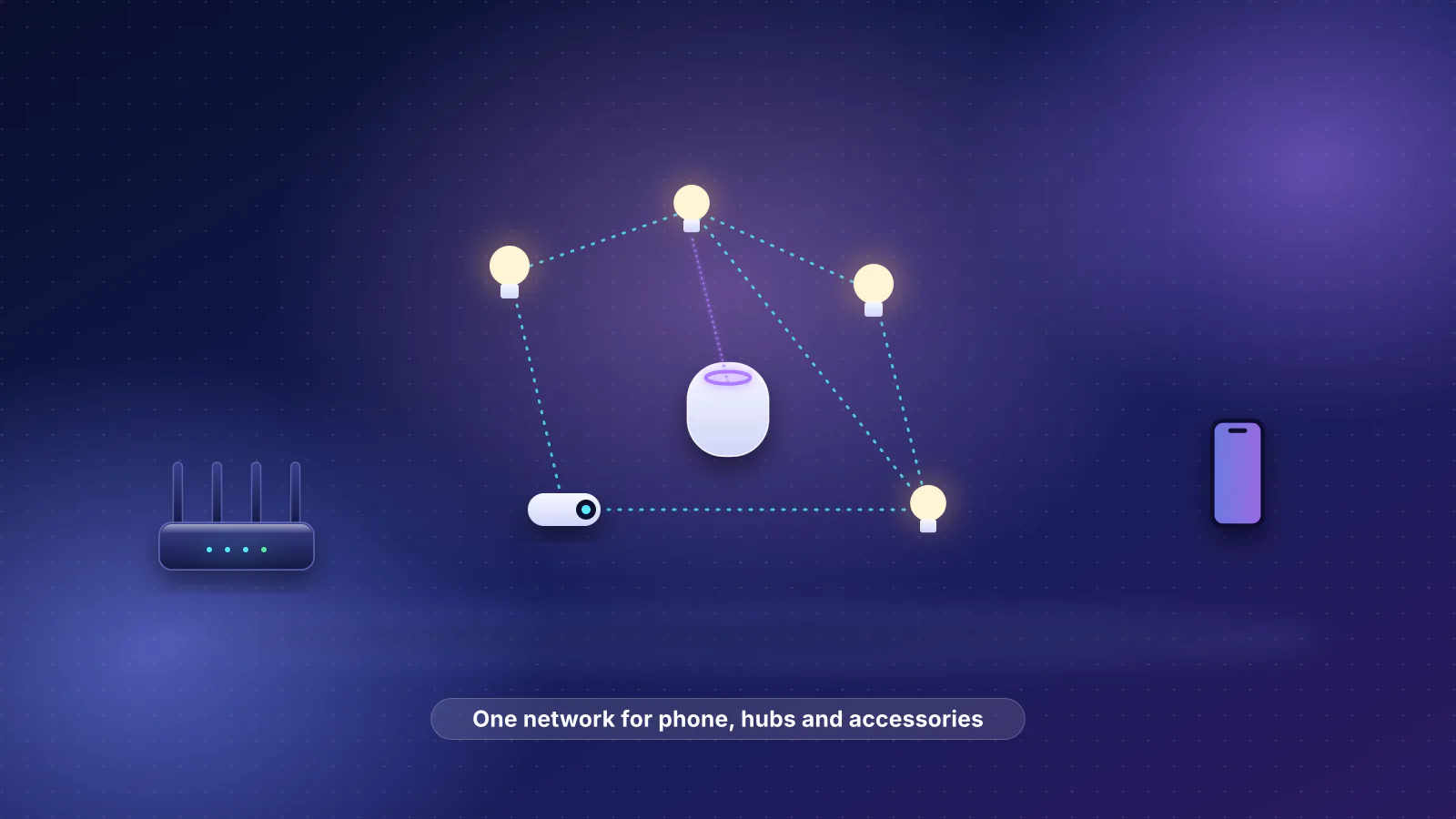
- The simplest setup that matches Apple's documentation: keep your iPhones, home hubs (HomePod, Apple TV) and HomeKit or Matter accessories on one network, and put everything else you don't trust (cloud-only gadgets, cameras outside Apple Home, guests) on separate networks. Apple's troubleshooting asks for the iPhone, accessories and hubs to be on "the same Wi-Fi network".
- Discovery stops at the VLAN edge by design. HomeKit and Matter find devices with multicast DNS (mDNS), which uses link-local addresses (224.0.0.251 and FF02::FB) that routers don't forward. An mDNS reflector on the gateway can copy the announcements across, but that's discovery only.
- A reflector isn't enough for Matter. The accessory also needs a routable IPv6 address on its VLAN, your gateway has to route IPv6 between the VLANs, the firewall has to let some traffic start from the accessory side, and a phone can reach Thread accessories directly only from the border routers' network. UniFi shares all mDNS services by default, but its documented "Auto" list doesn't include
_matter._tcp, the service Matter uses to find devices that are already set up. - No one guarantees it. We found no Apple, CSA, Ubiquiti, TP-Link, Netgate, OPNsense or Firewalla page that documents HomeKit or Matter control working across VLANs. The Matter specification describes one shared network, or Thread networks joined to it through border routers. The documentation for the Matter server behind Home Assistant recommends a flat network, or one VLAN shared by the server, the devices, the border routers and the phone, and says not to enable mDNS forwarders.
Why discovery breaks at the VLAN boundary
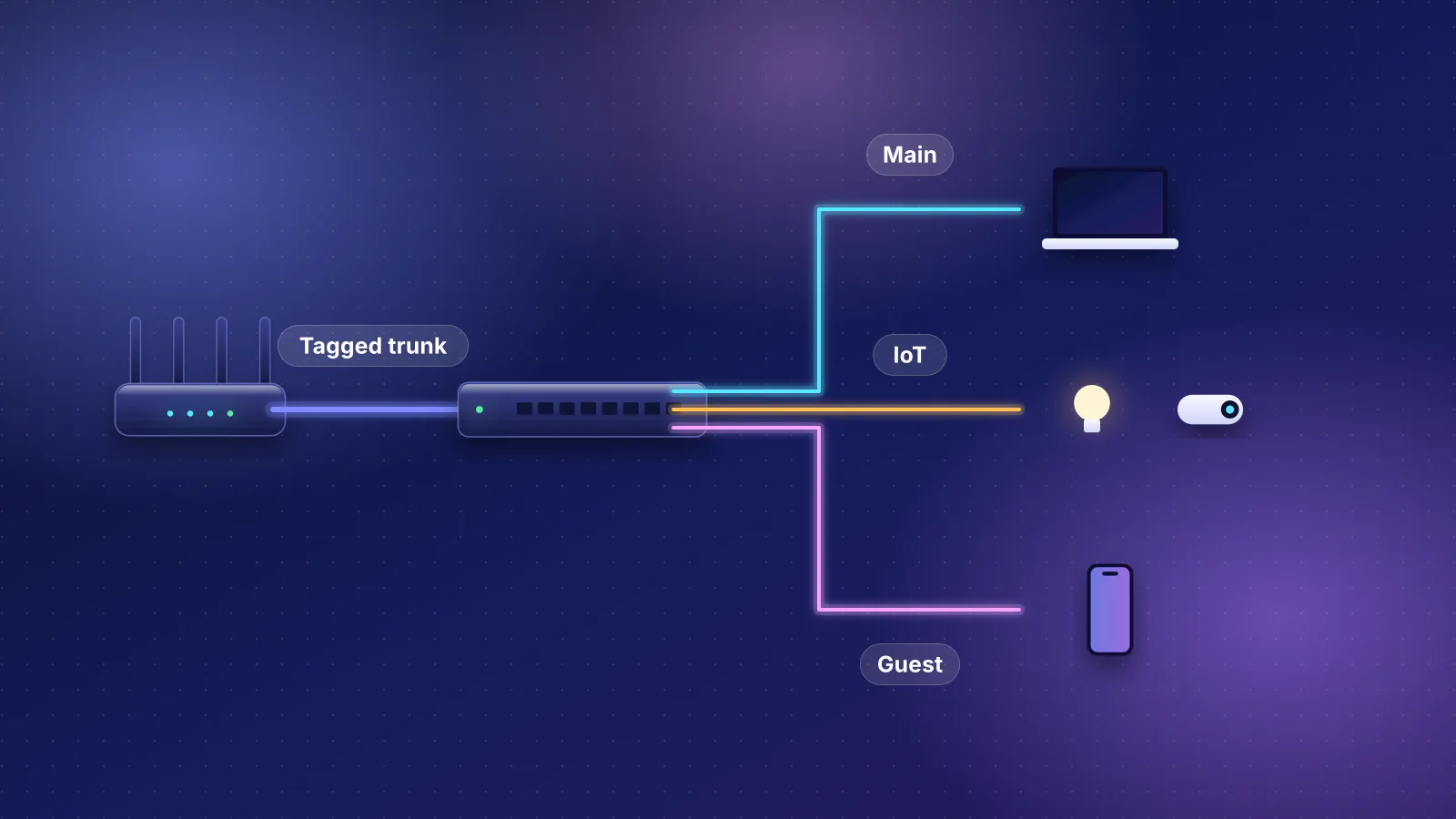
A VLAN is a separate network segment. Ubiquiti's VLAN guide puts it this way: VLANs work at Layer 2, "meaning that communication between multiple VLANs requires Layer 3 routing at the gateway." Three standards decide what that routing does to a smart home:
- mDNS is link-local. RFC 6762 says mDNS queries go to "the mDNS IPv4 link-local multicast address 224.0.0.251" or "its IPv6 equivalent FF02::FB" on UDP port 5353, and that names ending in .local "are meaningful only on the link where they originate." The 224.0.0.0/24 block, per RFC 5771, carries traffic "that is not forwarded off link". And a phone must discard answers sent to it directly (unicast) from outside its own subnet, so answers have to reach it from a relay on its own network.
- DNS-SD rides on it. DNS-Based Service Discovery (RFC 6763) is how a phone asks "which HomeKit accessories are here?" HomeKit accessories advertise
_hap._tcp(the service name in Apple's open-source HomeKit ADK). Matter devices waiting to be set up advertise_matterc._udp, and devices already set up advertise_matter._tcp(the names in the CSA's Matter SDK). Over Wi-Fi and Ethernet those questions and answers travel as mDNS. - IPv6 route announcements are link-local too. A Thread border router tells phones how to reach the Thread mesh with IPv6 Router Advertisements. RFC 4861 says a receiver accepts one only if its hop limit is 255, "i.e., the packet could not possibly have been forwarded by a router."
RFC 8766, the IETF's standard for discovery across links, sums up the problem: "link-local Multicast DNS packets, by design, are not propagated onto other links." It also explains why: multicast is costly on Wi-Fi, where it's "sent at lower data rates, and is not acknowledged." Ubiquiti makes the same point about airtime and recommends VLANs partly to contain discovery traffic, then adds: "Use mDNS relaying only where needed."
What Matter, HomeKit and Thread need from the network
Matter: one network, or Thread networks behind border routers
The Matter 1.6.1 Core Specification (CSA, September 2026) describes two topologies:
- Single network: all devices on one logical network. For Wi-Fi and Ethernet, it "could in fact span multiple Wi-Fi and/or Ethernet segments provided that all the segments are bridged at the link layer." In that case "link-local IPv6 addressing is sufficient - no additional IPv6 network infrastructure is required."
- Star: a hub network ("typically be the customer's home network") with peripheral networks, which "can be of any supported network type" (in this version of the spec that mainly means Thread), joined to it "via one or more Border Routers". Communication that crosses a network boundary "SHALL flow through a Border Router", and the spec gives border routers jobs: advertising routes and proxying discovery.
Two Wi-Fi/Ethernet VLANs joined by an ordinary gateway fit neither description: the segments aren't bridged, and the gateway isn't doing the border router's jobs. That's RouterHaus's reading of the spec, not a CSA statement; the spec does say Matter "supports local communications spanning one or more IPv6 subnets", but the topologies it defines are the two above. Four more details from the spec matter for VLANs:
- Across networks, devices need routable IPv6 addresses. In a multiple-network setup, "both the infrastructure and stub networks require routable IPv6 addresses to communicate across networks", meaning a global (GUA) or unique local (ULA) address. The spec says this about Thread stub networks, but the addressing point holds for any hop through a router. A device that only has a link-local fe80:: address can't be reached from another VLAN, and RFC 8766 says a discovery proxy should suppress link-local addresses for clients off the link for that reason.
- There's no fixed port to open. DNS-SD discovers "both the unicast IPv6 address and port", "freeing Matter from requiring a single preallocated fixed port." The SDK's default is UDP and TCP 5540 (
CHIP_PORTin its configuration), and the spec lists 5540 as the IANA-assigned port for Matter's multicast messages, but a firewall rule that only opens 5540 rests on a default, not a requirement. - Accessories sometimes start the conversation. For long-lived requests (subscriptions are the obvious case, in RouterHaus's reading), "the requester may have changed IPv6 address or port, so the responder may have to discover the current IPv6 address and port of the initiator in order to send the response." Battery-saving devices (Matter's intermittently connected devices, or ICDs) also send a sessionless Check-In message to a registered controller when their subscriptions are lost, Silicon Labs' ICD guide explains. Either way, the accessory side needs to discover and reach the controller.
- Group commands use site-scoped IPv6 multicast (addresses starting FF35, and FF05::FA). Crossing VLANs would need IPv6 multicast routing, which none of the router documentation we read describes for these gateways.
HomeKit over Wi-Fi and Ethernet
In Apple's open-source HomeKit ADK (a reference implementation whose repository Apple archived in 2022), an IP accessory advertises _hap._tcp and runs a TCP server; the controller connects to it, and the accessory sends its event notifications (an EVENT/1.0 message) back over that connection. RouterHaus's reading of that code: for HomeKit-over-IP accessories, a firewall that allows return traffic on connections the hub or phone opened covers control and status, as long as the connection stays open. Apple doesn't document any of this for network admins: its "TCP and UDP ports used by Apple software products" page lists mDNS on UDP 5353 for Bonjour and AirPlay, and no entry for HomeKit or Matter.
Thread: the routes don't cross
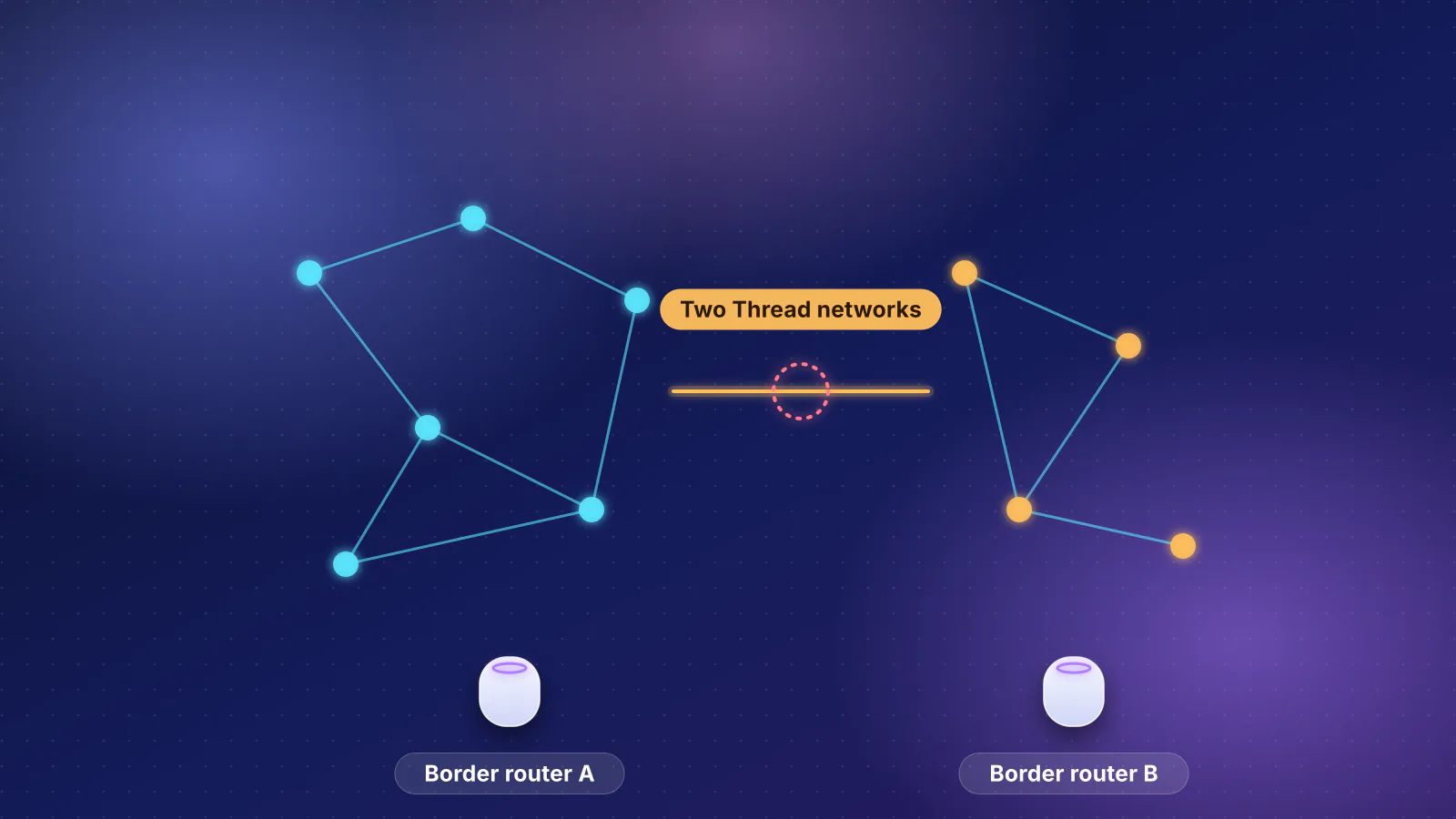
Thread accessories never join a VLAN; they reach your network through border routers, which for Apple Home are your Thread-capable HomePods and Apple TVs. OpenThread's Border Routing Manager advertises the Thread network's prefix "as an IPv6 Route Information Option (RIO)" inside Router Advertisements on the border router's own Wi-Fi or Ethernet link, which the spec calls the adjacent infrastructure network. RFC 4191 defines RIOs as information "from routers to hosts". A phone on another VLAN never receives them, so it sends Thread-bound packets to its default gateway instead.
- iPhone Main VLAN. Sees the accessory via the reflector, but never received the border router's route.
- Gateway Routes between VLANs, but has no route to the Thread prefix unless it learns one
- HomePod mini IoT VLAN. Thread border router; advertises the route on this VLAN only.
- Thread accessory Reachable only through a border router
accept_ra=1 accepts them "if forwarding is disabled"), and none of the gateway makers we checked documents learning Thread routes.Whether the Home app then falls back to sending the command through a hub is something Apple doesn't document. Since your Apple hubs are the border routers, the practical rule is that Thread accessories are effectively on whichever network the hubs are on, and your iPhone belongs there too. Thread 1.4's Thread over Infrastructure feature, which the Thread Group says lets border routers "use Wi-Fi and Ethernet connections to extend the Thread mesh network", is also found through DNS-SD on that link (OpenThread advertises it as _trel._udp). RouterHaus's inference: border routers on different VLANs can't use it to link up unless both its discovery and its traffic cross the boundary, and no maker we checked documents that case.
What Apple, the CSA and router makers document
Checked November 7, 2026:
| Source | What it says | What it doesn't say |
|---|---|---|
| Apple | "Connect your iPhone, iPad, or Mac to the same Wi-Fi network as your accessories." Hubs: "Make sure your Apple TV and your active home hub are on the same network." If everything is on the same network but the hub is unreachable, "Check your router configuration for firewall rules and other settings that may be blocking your home hub." | VLANs, mDNS reflectors, IPv6 or ports for HomeKit and Matter |
| CSA (Matter spec) | Single bridged network, or a star with border routers; routable IPv6 across networks; ports discovered by DNS-SD | Two Wi-Fi/Ethernet subnets joined by a home gateway |
| Home Assistant | Matter "may not integrate well with enterprise networking solutions like VLANs, Multicast filtering, and (malfunctioning) IGMP snooping"; keep Wi-Fi Matter devices and border routers on the same VLAN as Home Assistant. The docs for the Matter server it's built on: "do not enable any mdns forwarders on the network (the option is called mDNS on Unifi for example) as they tend to corrupt or severely hinder the Matter packets on the network." | A supported cross-VLAN design |
| Ubiquiti (UniFi) | mDNS proxy for "AirPlay, AirPrint, or Chromecast" across VLANs; the Auto list includes HomeKit and "Matter Network" | Any statement that HomeKit or Matter control works across VLANs |
| TP-Link (Omada) | mDNS rules forward discovery between a service network and a client network; Omada's troubleshooting steps include "Confirm that the client and server are in the same VLAN and can discover the device." | HomeKit or Matter specifically |
| Netgate, OPNsense | Packages that repeat mDNS between interfaces | Smart-home protocols at all |
| Firewalla | Its Gold reflector enables "AirPlay or Chromecast across different segments"; for VLANs, "You must use mDNS reflection for IoT device discovery (which may not always work)." | Matter |
The options, side by side
RouterHaus's comparison, built from the requirements above. "Breaks" means what the sources say stops working or isn't documented, not a measured failure rate.
| Your goal | Option | What breaks or needs work | Security benefit |
|---|---|---|---|
| Apple Home works as Apple documents it | A. Phones, hubs and Home accessories on one network; everything else segmented | Nothing in Apple's or the CSA's model. Home accessories can reach your phones and computers. | Cloud-only gadgets, cameras outside Apple Home and guests are kept away from your devices |
| Limit accessories without VLANs | B. One network plus per-device controls: a HomeKit-enabled router's protection levels, or Firewalla's VqLAN with the hub allowed | Needs a HomeKit-enabled router (Apple's support page names no models); Apple warns "Restrict to Home" may block "third-party services, like firmware updates" | Accessories can't reach other local devices or the internet beyond what's allowed |
| Keep accessories off the main network | C. Hubs and accessories on an IoT VLAN; phones on the main one; reflector plus rules | Apple's same-network advice and "Network mismatch" checks; AirPlay to those hubs needs two-way rules; Thread from the iPhone directly; routable IPv6 on both VLANs | A compromised accessory reaches hubs, not phones or computers |
| Accessories alone on the IoT VLAN | D. Wi-Fi accessories on IoT; hubs stay with the phones; reflector, IPv6 routing and rules | The most undocumented parts: _matter._tcp reflected both ways, accessory-to-hub traffic allowed, group commands. Thread accessories can't move (they follow the hubs). | As C, but the hubs stay on the trusted side; you still have to let accessories reach them |
| Devices you only use through a maker's cloud app | E. IoT or guest network, no reflector | Nothing local, by design | The strongest: no local path to your devices |
For most homes, A plus E is the answer: segment the devices that aren't in Apple Home, which is also what our Apple Home guide recommends. Option B is the one Apple itself built: on a HomeKit-enabled router, Apple's platform security guide says "Restrict to Home" allows "No access to the internet or the local network except for the connections required by HomeKit", using a per-accessory Wi-Fi key. Firewalla takes a similar approach with VqLAN, which keeps devices in one network but blocks traffic between groups with access lists; for a smart home hub, Firewalla says, "We recommend grouping all smart devices and the home hub in a VqLAN." Note that VqLAN doesn't restrict multicast and broadcast between groups, and works only for devices connected directly to Firewalla hardware.
Option C: moving the hubs to the IoT VLAN
Putting HomePods and Apple TVs next to the accessories keeps hubs, border routers and accessories on one link, so the Thread routes and Matter discovery between them work as designed. The costs:
- Your iPhone is off the hubs' network, which is the situation Apple's "Network mismatch" troubleshooting tells you to fix. With Thread, the phone also loses the direct route described above.
- Media gets harder. AirPlay to an Apple TV or HomePod on the IoT VLAN needs the AirPlay services reflected and more than return traffic: Ubiquiti warns that services "such as AirPlay or screen mirroring, may require devices to establish separate connections and will not work when the receiving device is only allowed to respond."
- The hubs sit next to the devices you distrust. If the reason for the VLAN is that an accessory might be compromised, your hubs are now on its network.
mDNS reflector settings by vendor
If you segment anyway (options C and D), the gateway's mDNS feature is step one. What each maker documents:
| Platform | Setting | Details that matter for HomeKit and Matter |
|---|---|---|
| UniFi | Multicast DNS (mDNS) Proxy on the gateway, per network. Ubiquiti's gateway article lists Auto, Off and Custom modes; its switch-settings article lists All, Auto and Custom. | "Automatically enabled on newly created networks", and both articles say all services are shared by default. If you choose Auto, its documented list has HomeKit (_homekit._tcp, _hap._tcp) and "Matter Network" (_matterc._udp, _matterd._udp) but not _matter._tcp; add it as a custom service or forward all. Gateway limits: the original Express and the Gateway Lite, 2 networks; Dream Router, Dream Machine, Dream Router 7 and Express 7, 30; larger models, 50 (the Enterprise Fortress Gateway, 60). Multicast Filtering on the Wi-Fi can block forwarded traffic. |
| Omada | mDNS rule: Bonjour service, Services Network, Client Network; gateway or AP type | Gateway and AP rules can't be mixed. Custom services use the format _service._protocol.local. If ACLs block inter-VLAN traffic, Omada says to allow UDP 5353. Guest Network blocks the traffic that follows discovery. |
| pfSense | Avahi package, "Enable reflection" ("Repeat mdns packets across subnets") | IPv4 and IPv6 can each be disabled, so check IPv6 is on; an optional filter list limits which services are reflected. Netgate's documentation page says little more. A newer mDNS-Bridge package has no Netgate documentation page; in a community forum thread its author says it filters per interface, and his project page says it forwards both IPv4 and IPv6. |
| OPNsense | os-mdns-repeater (listed under OPNsense's community plugins) | "Requires at least 2 interfaces, and no more than 5". The repeater it installs is IPv4-only in its source code (it opens only IPv4 sockets to 224.0.0.251), and the Matter spec tells Matter software to advertise and query over IPv6 where it can, so it may never see Matter announcements. |
| Firewalla | Built-in reflector (Gold) | On managed switches between segments, Firewalla says you may need to disable IGMP and MLD snooping |
Avahi's own manual adds a warning that applies everywhere: "Make sure to not run multiple reflectors between the same networks, this might cause them to play Ping Pong with mDNS packets." Pick one reflector, on the gateway.
A minimal firewall rule set
A vendor-neutral starting point for options C and D, written by RouterHaus from the requirements above, not taken from any vendor's guide. "Trusted" means the network with your phones; "hubs" means your Apple hubs and any other Matter controller (Home Assistant, for example). Rules are evaluated top to bottom.
Two things first. Give both VLANs routable IPv6 from the gateway (a delegated prefix or a ULA), because link-local addresses don't route; Ubiquiti's IPv6 guide says to set up IPv6 on the WAN before configuring it on VLANs. And make sure every rule below covers IPv6 as well as IPv4; UniFi's policies have an IP version option, and its switch-level L3 Network Isolation "Blocks all IPv4 traffic", which says nothing about IPv6.
| # | Rule | Purpose |
|---|---|---|
| 1 | IoT to any: allow established and related | Lets accessories answer connections phones and hubs open. For HomeKit over IP, status updates ride on the hub's connection. |
| 2 | Trusted and hubs to IoT: allow, IPv4 and IPv6, any port | Control. Matter ports are discovered through DNS-SD, so a port-only rule rests on the 5540 default. |
| 3 | IoT to hubs only: allow new, IPv6 UDP and TCP | Matter accessories may have to reach a controller first (long-lived requests, Check-In). Scope it to the hubs; match by device or MAC where your firewall supports it (UniFi's policies do), because SLAAC addresses can change (RFC 8981). |
| 4 | IoT to gateway: allow DHCP, DNS, ICMPv6, and UDP 5353 if the reflector runs there | Addressing and discovery. RFC 4890 lists Router and Neighbor Solicitations and Advertisements among the ICMPv6 messages a firewall must not drop. Block the rest of the gateway, including its admin pages. |
| 5 | IoT to trusted networks: block, IPv4 and IPv6 | The point of the VLAN. It sits below rules 1 to 3. |
| 6 | IoT to internet: allow, or per device | Firmware updates and cloud features |
Why rule 3 exists when rule 1 already allows return traffic: Matter runs mostly over UDP, and a firewall only remembers a UDP "connection" for a while. Linux's defaults, for example, are 30 seconds, or 120 seconds for what it detects as a UDP stream (your gateway's values may differ). Silicon Labs' ICD examples use idle intervals of 600 and 3,600 seconds, and it explains that the SDK by default sets such a device's subscription liveness interval to its idle interval. A report an accessory sends after a quiet spell that long can arrive as new traffic, not return traffic, and rule 5 would drop it. That's RouterHaus's inference from the documented timers, not a measured result.
Troubleshooting order
- Prove it works on one network. Put a phone, the hub and the accessory on the same network (Omada's troubleshooting makes the same check). If it still fails, it isn't a VLAN problem: work through the single-network checklist.
- Remove Wi-Fi-level blocks on both networks: client isolation, guest mode, and multicast filtering such as UniFi's Multicast & Broadcast Control, which Ubiquiti says blocks cross-access-point discovery. On managed switches, check IGMP and MLD snooping.
- Check discovery from a Mac on the trusted network. In Terminal,
dns-sd -B _hap._tcplists HomeKit accessories,dns-sd -B _matter._tcplists commissioned Matter devices anddns-sd -B _matterc._udplists ones waiting to be set up (the two Matter commands are the ones the Matter SDK documents). Missing? Look at the reflector's service list, whether both networks are enabled, the gateway's network limit, and whether it handles IPv6. - Check the address. The Matter spec's own example:
dns-sd -L <instance> _matter._tcpgives the host name and port, anddns-sd -Gv6 <host>.localgives its IPv6 addresses. Only an fe80:: address usually means the accessory has no routable address on the IoT VLAN; some responders publish just one address (the spec notes Avahi sends a single AAAA record), so check the VLAN's IPv6 settings too. - Check the path both ways. Ping that address from the Mac, then look at the firewall's log (UniFi's Flows page shows which policy blocked traffic). If commands work but status updates go missing after a quiet period, suspect rule 3.
- For Thread accessories, confirm the iPhone and every Apple border router share a network. A reflector can't fix this one.
- Only then restart hubs, update firmware, or remove and re-add the accessory.
If you're still choosing hardware for a segmented home, our UniFi gateway guide covers the models; note the mDNS network limits above: the original UniFi Express and the Gateway Lite allow only two networks, the Express 7 allows 30. For separating guests and business devices, see how each vendor documents separation.
Frequently asked questions
Does turning on mDNS in UniFi make HomeKit and Matter work across VLANs?
It can make discovery work, but not control on its own. Ubiquiti documents the mDNS proxy for AirPlay, AirPrint and Chromecast and says it shares all services by default; if you switch it to Auto, that list includes HomeKit and Matter commissioning services but not _matter._tcp, which Matter uses for devices already set up. Control also needs routable IPv6 on both VLANs, firewall rules in both directions and, for direct Thread control, the iPhone on the border routers' network.
Which port does Matter use?
The Matter SDK defaults to 5540, and the specification lists 5540 as the IANA-assigned port for Matter multicast, but it also says devices advertise their address and port through DNS-SD so no fixed port is required. Write firewall rules by device or address, not by port alone.
Can I put Thread devices on an IoT VLAN?
Not directly. Thread devices don't join Wi-Fi or Ethernet networks; they reach your home network through Thread border routers, which for Apple Home are your Thread-capable HomePods and Apple TVs. They're effectively on whichever network the border routers are on, and the route to them is only advertised there.
Do I need IPv6 from my internet provider to run Matter across VLANs?
Not from the spec's point of view: Matter can run without globally routable IPv6, and on one network link-local addresses are enough. Across VLANs, devices need routable addresses, either from a delegated prefix or unique local addresses. Some gateways make that harder without provider IPv6; Ubiquiti's guide sets up WAN IPv6 before VLAN IPv6.
Is an IoT VLAN more secure than one network for Apple Home?
Only if the rules between the VLANs are strict, and the rules Matter needs (accessories reaching hubs, discovery reflected both ways) narrow the gap. Apple's own way to restrict accessories is a HomeKit-enabled router's Restrict to Home setting. Segmenting devices that aren't in Apple Home gives most of the benefit without breaking anything Apple documents.
Sources
Read on November 7, 2026.
- Connectivity Standards Alliance: Matter Specification R1.6.1, Core (September 16, 2026, PDF) (section 2.3 network topology; 2.5.6 IPv6 addressing and port 5540; 4.2 IPv6 reachability; 4.3 discovery, long-lived requests and dns-sd examples), from the CSA specifications download page
- Matter SDK (connectedhomeip): CHIPConfig.h (CHIP_PORT 5540), ServiceNaming.h (_matter, _matterc, _matterd) and Device discovery from a host computer
- Silicon Labs: Matter Intermittently Connected Devices (ICD) (Check-In protocol, idle interval examples)
- RFC 6762: Multicast DNS, RFC 6763: DNS-Based Service Discovery and RFC 8766: Discovery Proxy for Multicast DNS-Based Service Discovery
- RFC 5771: IANA Guidelines for IPv4 Multicast Address Assignments, RFC 4861: Neighbor Discovery for IPv6, RFC 4191: Default Router Preferences and More-Specific Routes, RFC 4890: Recommendations for Filtering ICMPv6 Messages in Firewalls and RFC 8981: Temporary Address Extensions for Stateless Address Autoconfiguration in IPv6
- OpenThread: Border Routing Manager, OpenThread Border Router and ot-br-posix source (_meshcop._udp and _trel._udp service names)
- Thread Group: Thread 1.4 paves the path for smart devices to work together (September 4, 2024; Thread over Infrastructure)
- Apple Support: If your HomeKit or Matter accessory isn't responding in the Home app and If you can't add a smart home accessory to the Home app
- Apple Support: If Apple TV has a "Network Issue" or "No Internet" and If HomePod has a "Network Issue" or "No Internet" (network mismatch, unreachable home hub)
- Apple Support: Recommended settings for Wi-Fi routers and access points (published July 14, 2026; no mention of multicast, VLANs or IPv6) and TCP and UDP ports used by Apple software products
- Apple Support: Use routers secured with HomeKit and Apple Platform Security: Securing routers with HomeKit
- Apple: HomeKit Accessory Development Kit (open source) (_hap._tcp service, TCP accessory server, EVENT/1.0 notifications; repository archived in 2022)
- Home Assistant: Matter integration and Open Home Foundation Matter Server (matterjs-server): OS requirements (open-source project documentation; the same networking text as the archived python-matter-server it replaced)
- Ubiquiti: UniFi Gateway, Multicast DNS (mDNS) Proxy (modes, gateway limits) and UniFi Switch Settings (Auto service list, L3 Network Isolation)
- Ubiquiti: Managing broadcast traffic with UniFi, Using VLANs for network security and performance, Zone-Based Firewalls in UniFi and Configuring IPv6 in UniFi
- TP-Link Omada: How to configure mDNS via Omada Controller (September 10, 2026) and How to troubleshoot mDNS repeater issues on Omada Gateway (August 21, 2026)
- Netgate: Avahi package, the package's settings page source and Netgate Forum (community): Advantages of mDNS-Bridge vs UDPBroadcastRelay and the author's mdns-bridge project page (IPv4 and IPv6 forwarding, filtering)
- Avahi: avahi-daemon.conf manual (enable-reflector, reflect-filters)
- OPNsense: Multicast DNS Proxy, the os-mdns-repeater plugin and mdns-repeater source (IPv4 only)
- Firewalla: When my network is segmented, will I be able to use AirPlay and Chromecast across networks? and VqLAN: Firewalla microsegmentation
- Linux kernel: Netfilter conntrack sysctl (UDP timeouts) and IP sysctl (accept_ra)