The short version
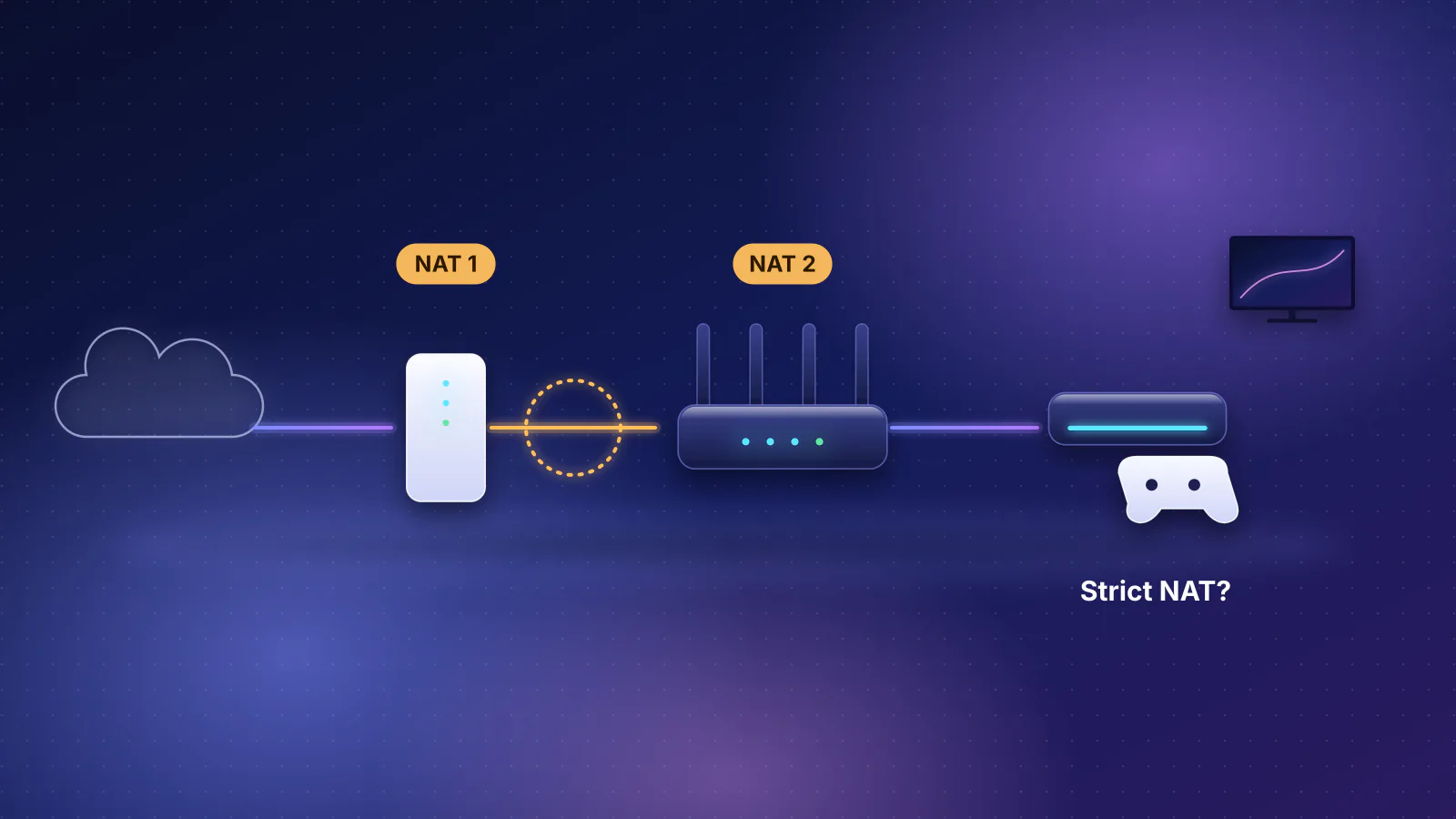
- Carrier-grade NAT (CGNAT) means your provider translates addresses in its own network and shares one public IPv4 address among several customers. Your router sits behind a second NAT that you can't log in to or configure.
- Check it in three minutes: compare the internet (WAN) IPv4 address on your router's status page with the address a "what is my IP" site shows. If they match, you have a public address. If the WAN address is between 100.64.0.0 and 100.127.255.255, that's the shared address space set aside for CGNAT (RFC 6598). Any other mismatch means something in front of your router is translating, either the provider's gateway or the provider's network.
- What it breaks: anything that needs a connection to start from the internet: port forwarding, hosting a game or web server, a VPN server at home, reaching cameras or a NAS directly, and sometimes a console's NAT type. Shared addresses can also trigger CAPTCHAs and rate limits meant for someone else. Browsing, streaming, calls and VPN clients generally work normally.
- No router setting fixes it. The ways out are a public IPv4 address from the provider (Starlink offers one on its Priority plans; some fixed providers sell static addresses), IPv6 where the provider supplies it and your firewall allows the connection, or an outbound-only tunnel such as Tailscale or Cloudflare Tunnel.
What carrier-grade NAT is
Your router already does network address translation (NAT): every device at home gets a private address, and the router translates them all to the one address your provider gives it. With CGNAT the provider does the same thing one level up. RFC 6888, the IETF's requirements for these devices, defines a CGN as a NAT "used to share the same IPv4 address among several subscribers" that "is not managed by the subscribers". It adds that "carrier-grade" says nothing about quality: it means the NAT sits in the provider's network, and subscribers "have limited or no control" over it.
The reason is the shortage of IPv4 addresses. RFC 7021, written by engineers from CableLabs, Time Warner Cable, Rogers and Juniper Networks, notes that IANA (the central pool) and the regional registries for Asia-Pacific (APNIC) and Europe (RIPE NCC) exhausted their IPv4 address space in 2011 and 2012. In 2012, RFC 6598 reserved a block, 100.64.0.0/10 (100.64.0.0 to 100.127.255.255), for the links between a provider's CGN and customers' routers. It's not routed on the public internet, and it's kept separate from the home ranges (10.x.x.x, 172.16.x.x to 172.31.x.x, 192.168.x.x) so that the provider's addresses and yours don't collide.
- Your device Private address, such as 192.168.1.20
- Your router (first NAT) WAN address 100.64.x.x: shared space
- Provider's CGN (second NAT) Public address shared with other customers; inbound connections stop here
- The internet Sees only the shared public address
CGNAT vs double NAT
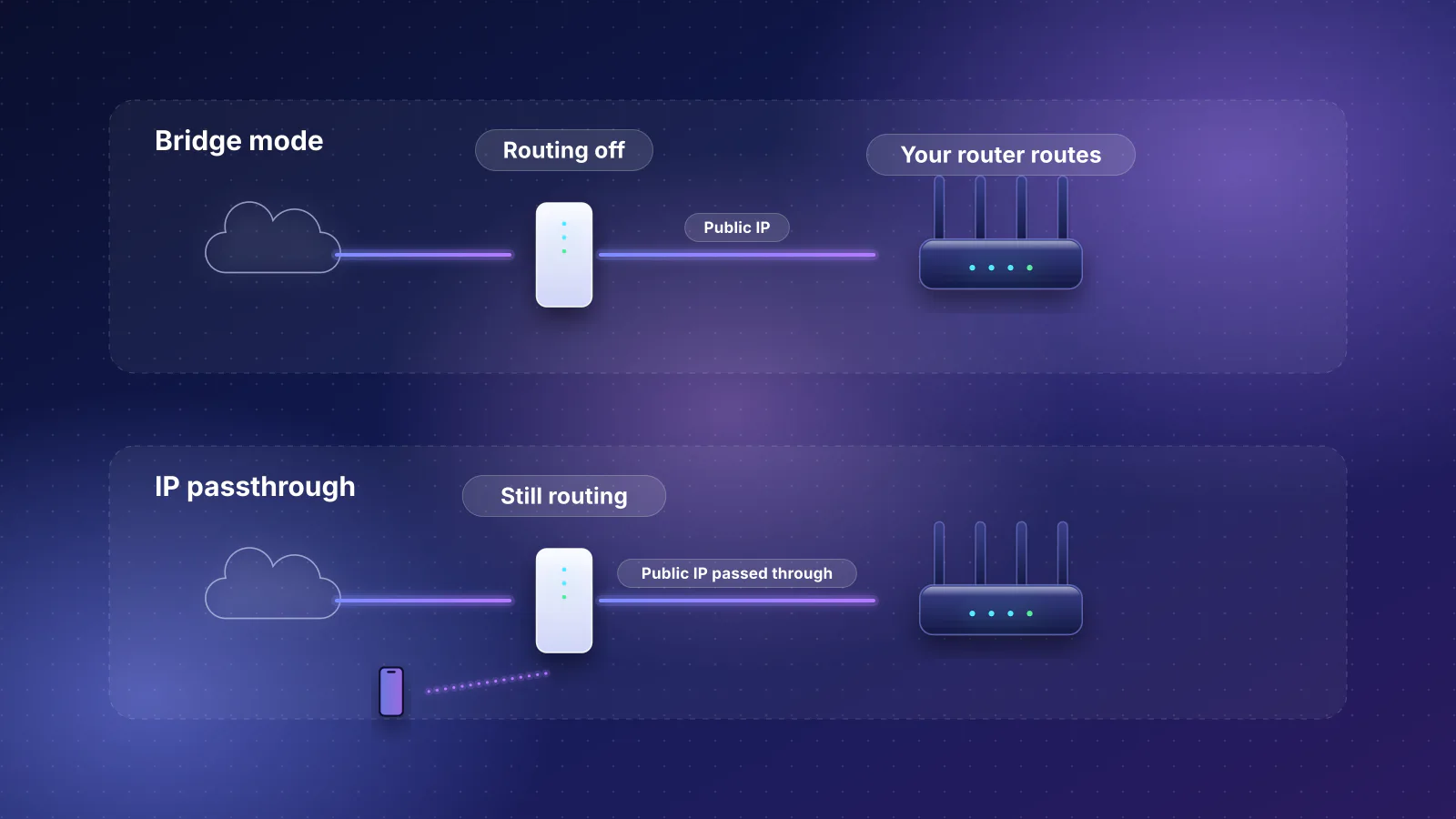
Both put two NATs in a row, and both break port forwarding. The difference is who owns the second one, which decides whether you can fix it. Double NAT is two routers in your own home, usually the provider's gateway and yours. CGNAT is in the provider's network.
| Double NAT | Carrier-grade NAT | |
|---|---|---|
| Where the second NAT is | The provider's gateway in your home | The provider's network |
| Your router's WAN address | Private: 10.x, 172.16.x to 172.31.x or 192.168.x | Usually 100.64.x to 100.127.x; can also be private or even public-looking (see below) |
| Can you configure it? | Yes: bridge mode, IP passthrough, or forwarding on both boxes | No |
| The fix | Make one device route (bridge mode or passthrough) | A public address from the provider, IPv6, or a tunnel |
You can have both at once. On a 5G or satellite connection, the provider's gateway may route inside your home and the provider may run CGNAT behind it. Fixing the double NAT first, by bridging the gateway or using passthrough where the provider allows it, makes the CGNAT check below unambiguous.

How to check
- Find your router's WAN address. Open your router's app or admin page and find the internet or WAN status. Note the IPv4 address. If the provider's gateway is still routing in front of your router, also check the gateway's own WAN or internet status.
- Find your public address. On a device connected to that router, open any "what is my IP" site and note the IPv4 address (many sites show an IPv6 address too; compare IPv4 with IPv4). Turn off any VPN first. On Apple devices, iCloud Private Relay also changes what sites see: Apple says the relay "generates a temporary IP address" for sites you visit in Safari, so test in another browser or turn it off for the test.
- Compare the two using the table below.
This is the same test Plex gives in its remote-access troubleshooting: if the router's WAN IPv4 address and the "what is my IP" result match, "you are not in a Double-NAT situation", and a router address between 100.64.0.0 and 100.127.255.255 identifies CGNAT.
| What you see | What it means | Next step |
|---|---|---|
| WAN address matches the "what is my IP" address | Your router has a public IPv4 address. No CGNAT. | If port forwarding still fails, look at the forward itself, the device's firewall, or ports the provider blocks |
| WAN address between 100.64.0.0 and 100.127.255.255 | RFC 6598 shared address space: carrier-grade NAT | Read what still works; ask the provider about a public IPv4 address |
| WAN address starts with 10., 172.16. to 172.31., or 192.168. | Something in front of your router is routing. Usually the provider's gateway (double NAT); on some services it can be the provider's CGN | Check the gateway's WAN address. Fix double NAT first, then repeat the test |
| WAN address looks public but doesn't match | Still translated somewhere upstream | Treat it like CGNAT: inbound connections won't reach you |
The last two rows are why the comparison matters more than the range. RFC 6598 lets providers number the CGN side with ordinary private (RFC 1918) addresses when they know it won't clash with the customer's network, and it notes that a router's outside address can be "globally unique" but still sit behind a CGN when that address isn't advertised to the internet. RFC 7021's test labs used both private and public addresses between the CGN and customers' routers. A 100.64 address is a strong sign; a mismatch is the proof.
Other tools hint at the same thing. ASUS's DDNS help says that if the router's WAN address is private "or CGNAT IP", "this router may be under a multi-layer NAT network" and its dynamic DNS service "is not able to work under this environment". Xbox's "Double NAT detected" article tells a home that has only the provider's gateway to "contact your internet service provider": with one NAT device at home, the second NAT is upstream, which is where a CGNAT diagnosis leads too.
What it breaks
The rule behind every row: a CGN creates a mapping only when a device inside starts a connection. RFC 6269, the IETF's survey of address-sharing problems, puts it plainly: "Unsolicited inbound UDP will be dropped by address sharing mechanisms", and to accept an inbound connection "the port must also be opened in the CGN", which "makes subscribers dependent on their service provider for this functionality".
| What you're trying to do | Behind CGNAT | Why |
|---|---|---|
| Port forwarding to a game server, website, NAS, camera or Plex or Jellyfin server | Fails | The forward on your router never sees the traffic; it stops at the CGN. Starlink says its default CGNAT "does not allow inbound traffic". |
| Services on standard ports (443 for a website, for example) | Fails unless you have your own public address | RFC 6269: with a shared address, "inbound connections to well-known port numbers will not work in the general case", because other customers share the address. |
| UPnP (automatic port opening by games and apps) | Opens a port on your router only | UPnP talks only to your router; the matching port on the CGN stays closed. |
| A VPN server on your router (WireGuard, OpenVPN) or dynamic DNS | Fails for connections from outside | Both depend on reaching your WAN address from the internet; ASUS says its DDNS can't work behind CGNAT. |
| Console NAT type and peer-to-peer games | Can be restricted | T-Mobile (which doesn't say whether it uses CGNAT) says some gaming systems need "NAT/Port forwarding, UPnP/Static IP" settings that "cannot be configured on the T-Mobile gateway". Microsoft defines a Strict NAT as able to "connect only with consoles that use Open NAT settings". RFC 6598 lists console games failing when two subscribers share a public address. |
| Seeding torrents and other peer-to-peer apps | Reduced or fails | Peers can't start connections to you. RFC 7021's lab found direct seeding failed behind a CGN. |
| Logins, CAPTCHAs and rate limits | More challenges, occasional blocks | Sites that block or challenge an address after too many requests treat all customers sharing it as one. RFC 6269 says one person's failed logins can lock out others on the same address, and spam blocklisting of a shared address affects everyone on it. |
| Location-based services | Can place you in the wrong area | Geolocation finds the CGN, not your home (RFC 6598). T-Mobile attributes the same effect to its changing (dynamic) addresses, which it says "may cause the geolocation to show differently", and says Hulu Live and Sling Live TV aren't compatible with its home internet. |
What usually works: anything your devices start themselves. RFC 7021's lab tests (run in 2010 and 2011) found that "email and web browsing worked normally and as expected" and single video streams generally performed well, and its lab latency measurements, limited to single sessions with no load testing, differed by fractions of a millisecond with and without the CGN. VPN clients for work connect outward, so they generally work too: HughesNet, whose FAQ says static IP "is not available", also says "VPNs can be run over your Hughesnet service". CGNAT is a reachability problem, not usually a speed problem; if your connection is slow, diagnose that separately.
One limit that does affect heavy users: a CGN must be able to cap how many ports each customer uses (RFC 6888, REQ-4), so one household can't starve the others. When the cap is reached, RFC 6888 (REQ-11) says the CGN "MUST drop the original packet" of the new connection and must not delete existing mappings to make room, so new connections fail while old ones carry on. We found no published per-customer limit from the providers below.
What still works for remote access
Get a public IPv4 address from the provider
This removes the CGN from your path and makes port forwarding work again, on your own router. Plex's advice for CGNAT is the same: check whether your provider lets you "use (or purchase) a static Public IP address which would bypass CGNAT". When you ask, ask for a public IPv4 address that isn't behind carrier-grade NAT; "static" only means the address doesn't change. See the provider table below for who documents what.
Use IPv6, if your provider gives it
CGNAT is an IPv4 mechanism: RFC 6888 says the CGN it describes "is IPv4-only". With IPv6 your devices get globally routable addresses, so a connection can reach a device at home without any NAT, on two conditions:
- Your router's IPv6 firewall must allow it. RFC 6092, the IETF's security recommendations for home gateways (an informational document, not a standard), says a gateway should by default turn away unsolicited inbound TCP connections, and should offer an easily selected "transparent mode" that switches that filtering off (which it allows as the default). The safer middle ground is an allow rule for one device and port in your router's IPv6 firewall settings, where the router offers them. Starlink, for example, supports IPv6 on every plan and delegates a /56 prefix, but says its own routers "do not support port forwarding or firewall rules for IPv4 or IPv6", so this route needs your own router.
- The network you connect from must have IPv6 too. A hotel or office network with IPv4 only can't reach an IPv6-only address.
Use an outbound-only tunnel
These work because your device starts the connection, which is exactly what a CGN allows.
- Mesh VPNs such as Tailscale connect your devices to each other directly when they can, using NAT traversal, and fall back to relays when they can't. Tailscale's documentation says it "can't establish a direct connection if both devices are behind a hard NAT", one where each outbound connection gets its own port mapping, and that relayed connections "are generally slower than direct connections and may offer lower maximum throughput". The IETF's NAT rules require the opposite behavior: a NAT must give a device the same outside address and port whatever destination it talks to ("endpoint-independent mapping"), because otherwise peers are forced onto a relay (RFC 4787, which RFC 6888 applies to CGNs). RFC 6888 also recommends "endpoint-independent filtering", the most permissive kind. None of the providers in the table below documents whether its CGN follows these rules.
- Reverse tunnels such as Cloudflare Tunnel publish a service without a public address: Cloudflare says its
cloudflaredsoftware "initiates an outbound connection through your firewall from the origin to the Cloudflare global network", so you can block all inbound traffic. - A VPN service with port forwarding. Some commercial VPNs sell an inbound port on their server. Proton VPN's version is typical of the limits: it works only on its P2P servers, "the VPN server picks a random port number", and the number usually changes when you reconnect. That suits torrent clients, not a game server on a fixed port.
The IETF's own answer is the Port Control Protocol (PCP, RFC 6887), which lets a device ask a NAT, including a CGN, to open a port. RFC 6888 says a CGN "MUST implement a protocol giving subscribers explicit control over NAT mappings" and that it should be PCP. We found no US residential provider whose published documentation says customers can use PCP on its network (RouterHaus didn't test any provider's network), so don't count on it.
What providers document about public addresses
From each provider's own pages, checked October 29, 2026. "Not documented" means we found no official page either way. A provider that doesn't mention CGNAT may still use it, so run the check on your own line.
| Provider | Shared address (CGNAT) | Public or static IPv4 | Notes |
|---|---|---|---|
| Starlink | Yes, by default: "Carrier-Grade Network Address Translation (CGNAT) using private address space from the 100.64.0.0/10 prefix" | Optional public IPv4 on Local and Global Priority plans, set in the account dashboard ("IP Policy", then reboot) | "Truly static IPs are not available"; a reservation keeps the address, but moving the dish or software updates may change it. Starlink's router can't port forward: use your own router. IPv6 on all plans. |
| T-Mobile Home Internet | Not documented | No: "T-Mobile does not have the ability to change IP from dynamic to static" | Gateways can't port forward, change NAT type or use bridge mode. Your own router behind it stays double NATed. |
| Verizon 5G Home | Not documented | Not documented for home plans | Verizon documents port-forwarding settings on its 5G Internet Gateway (LVSKIHP), and IP passthrough on the Verizon Internet Gateway's LAN2 port, which hands "the IP address assigned by the network" to your router. Check that address to see whether it's public. |
| AT&T Internet | Not documented | Static IP blocks: a block of 8 gives 5 usable addresses (16 give 13, 32 give 29, 64 give 61) | AT&T sets the block up on request; contact it for the price, which the page (last updated March 8, 2024) doesn't list. |
| Metronet | Not documented | Static IP add-on, $10 per month | Metronet lists port forwarding and remote access among the uses. |
| Ziply Fiber | Not documented | Static IPv4 and IPv6 included with the 10 Gig and 50 Gig plans | Not documented for other home plans. |
| GFiber | Not documented | Business only: static IPs "are a feature available exclusively for our business customers" | Business plans offer 0, 1, 5 or 13 static addresses. |
| HughesNet | Not documented | No: "With the new Hughesnet, Static IP is not available." | VPN clients work, with HughesNet warning of "significantly" reduced speed. |
If the check points to double NAT rather than CGNAT, the fix is on the provider's gateway: see which providers support bridge mode or passthrough and the provider table in our guide to owning your network.
Frequently asked questions
Will a new or better router get me out of CGNAT?
No. The second NAT is in your provider's network, so no router setting, gaming mode or open-NAT preset can open ports on it. A router matters after the provider gives you a public address, or for running a tunnel or IPv6 firewall rules.
Does CGNAT make my internet slower?
Not usually. In RFC 7021's lab tests, single-session latency with and without a CGN differed by fractions of a millisecond, and browsing and email worked normally. The practical limits are reachability, shared-address side effects such as CAPTCHAs, and a per-customer cap on ports, and so on simultaneous connections, that the providers we checked don't publish.
My router shows 100.64 something. Is that the same as double NAT?
It's carrier-grade NAT, not a second router in your home. Bridge mode on your gateway won't change it. Ask the provider for a public IPv4 address, or use IPv6 or an outbound tunnel.
Can I just pay my provider to turn CGNAT off?
Sometimes. Starlink offers a public IPv4 address on its Local and Global Priority plans, AT&T sells static address blocks and Metronet sells a static address for $10 a month. T-Mobile Home Internet says it can't provide a static address, and HughesNet says static IP isn't available. Ask specifically for a public IPv4 address that isn't behind carrier-grade NAT.
Why do I see more CAPTCHAs on my home connection?
If your public IPv4 address is shared, websites see many customers' traffic coming from one address and may challenge or rate-limit all of them. RFC 6269 describes exactly this side effect of address sharing. IPv6, where sites support it, gives your home its own address.
Sources
Read on October 29, 2026.
- IETF RFC 6598: IANA-reserved IPv4 prefix for shared address space (100.64.0.0/10, April 2012)
- IETF RFC 6888: Common requirements for carrier-grade NATs (April 2013)
- RFC 7021 (Independent Submission, informational): Assessing the impact of carrier-grade NAT on network applications (September 2013)
- IETF RFC 4787: NAT behavioral requirements for unicast UDP (endpoint-independent mapping)
- IETF RFC 6269: Issues with IP address sharing (June 2011)
- IETF RFC 6887: Port Control Protocol (PCP)
- IETF RFC 6092: Recommended simple security capabilities in customer premises equipment for IPv6 (informational, January 2011)
- IETF RFC 1918: Address allocation for private internets
- Starlink: What IP address does Starlink provide?, How do I set my IP address to a public IP? and Can I port forward with the Starlink router?
- T-Mobile: Connect your devices to T-Mobile Internet (gaming systems, bridge mode, NAT type, port forwarding, static or dynamic IP address)
- Verizon: Verizon Internet Gateway - Configure IP Passthrough / Bridge Mode and Verizon 5G Internet Gateway (LVSKIHP) - Set Up Port Forwarding
- AT&T: About static IP addresses (block sizes)
- Metronet: What is a static IP and how do I add one to my services?
- Ziply Fiber: Fastest home internet from Ziply Fiber (10 Gig and 50 Gig plans)
- GFiber: Static IPs for business: features and setup
- HughesNet: Frequently asked questions (static IP, VPN)
- Plex Support: Troubleshooting remote access (detecting double NAT and CGNAT)
- ASUS: DDNS introduction and setup (private WAN and CGNAT addresses)
- Xbox Support: Double NAT detected in your network settings and Microsoft Learn: XblNetworkAddressTranslationSetting (Open, Moderate, Strict)
- Apple Support: About iCloud Private Relay
- Tailscale: What are these 100.x.y.z addresses? and Connection types (direct, relayed, hard NAT)
- Tailscale blog: How NAT traversal works (David Anderson, August 2020)
- Cloudflare: Cloudflare Tunnel
- Proton VPN: Port forwarding