
ISP equipment
Bridge mode vs IP passthrough
What bridge mode and IP passthrough do, which providers support each, and what you give up.
Topic
Gateways, PoE switches and wired access points: more control and capacity, in exchange for more setup.

Prosumer systems split the jobs a consumer router does into separate boxes: a gateway that routes and firewalls, a PoE switch that powers devices over Ethernet, and ceiling or wall access points managed together from one controller. Each part can be upgraded on its own, and each access point gets its own wired link instead of sharing a wireless one.
The trade-offs are setup time, cabling, and some networking knowledge. Security features cost processing power too: makers that publish throughput with intrusion detection and prevention (IDS/IPS) on usually list a lower figure than with it off.
From the catalog
Manufacturer figures under the manufacturer's test conditions (see each product page); RouterHaus hasn't measured them. A figure above the internet port's speed means the maker measured traffic across several ports: your connection to the provider is still limited by the internet port.
| Model | With IDS/IPS on | Routing | Internet port | Manufacturer price |
|---|---|---|---|---|
| Firewalla Gold Pro | 10 Gbps | Not published | 10 Gbps | $999 |
| Ubiquiti UniFi Cloud Gateway Fiber (UCG-Fiber) | 5 Gbps | Not published | 10 Gbps | $307 |
| Ubiquiti UniFi Gateway Fiber (UXG-Fiber) | 5 Gbps | Not published | 10 Gbps | $307 |
| Firewalla Gold Plus | 5 Gbps | Not published | 2.5 Gbps | $649 |
| Ubiquiti UniFi Dream Machine Pro Max (UDM-Pro-Max) | 5 Gbps | Not published | 10 Gbps | $660 |
| Firewalla Gold Plus SFP | 5 Gbps | Not published | 10 Gbps | $829 |
| Ubiquiti UniFi Dream Machine Pro (UDM-Pro) | 3.5 Gbps | Not published | 10 Gbps | $417 |
| Ubiquiti UniFi Dream Machine Special Edition (UDM-SE) | 3.5 Gbps | Not published | 10 Gbps | $549 |
| Ubiquiti UniFi Dream Wall (UDW) | 3.5 Gbps | Not published | 10 Gbps | $1,100 |
| Ubiquiti UniFi Express 7 (UX7) | 2.3 Gbps | Not published | 10 Gbps | $219 |
| Ubiquiti UniFi Cloud Gateway Max (UCG-Max) | 2.3 Gbps | Not published | 2.5 Gbps | $219 |
| Ubiquiti UniFi Gateway Max (UXG-Max) | 2.3 Gbps | Not published | 2.5 Gbps | $219 |
| Ubiquiti UniFi Dream Router 7 (UDR7) | 2.3 Gbps | Not published | 10 Gbps | $307 |
| Ubiquiti UniFi Dream Router 5G Max (UDR-5G-Max) | 2.3 Gbps | Not published | 10 Gbps | $549 |
| Firewalla Orange | 2 Gbps | Not published | 2.5 Gbps | $429 |
| Firewalla Gold SE | 2 Gbps | Not published | 2.5 Gbps | $529 |
| TP-Link Omada ER707-M2 | 1.6 Gbps | 2.4 Gbps | 2.5 Gbps | $119.99 |
| Ubiquiti UniFi Gateway Lite (UXG-Lite) | 1 Gbps | Not published | 1 Gbps | $89 |
| Ubiquiti UniFi Cloud Gateway Ultra (UCG-Ultra) | 1 Gbps | Not published | 2.5 Gbps | $142 |
| Ubiquiti UniFi Dream Router (UDR) | 1 Gbps | Not published | 1 Gbps | $199 |
| Firewalla Purple SE | 500 Mbps | Not published | 1 Gbps | $289 |

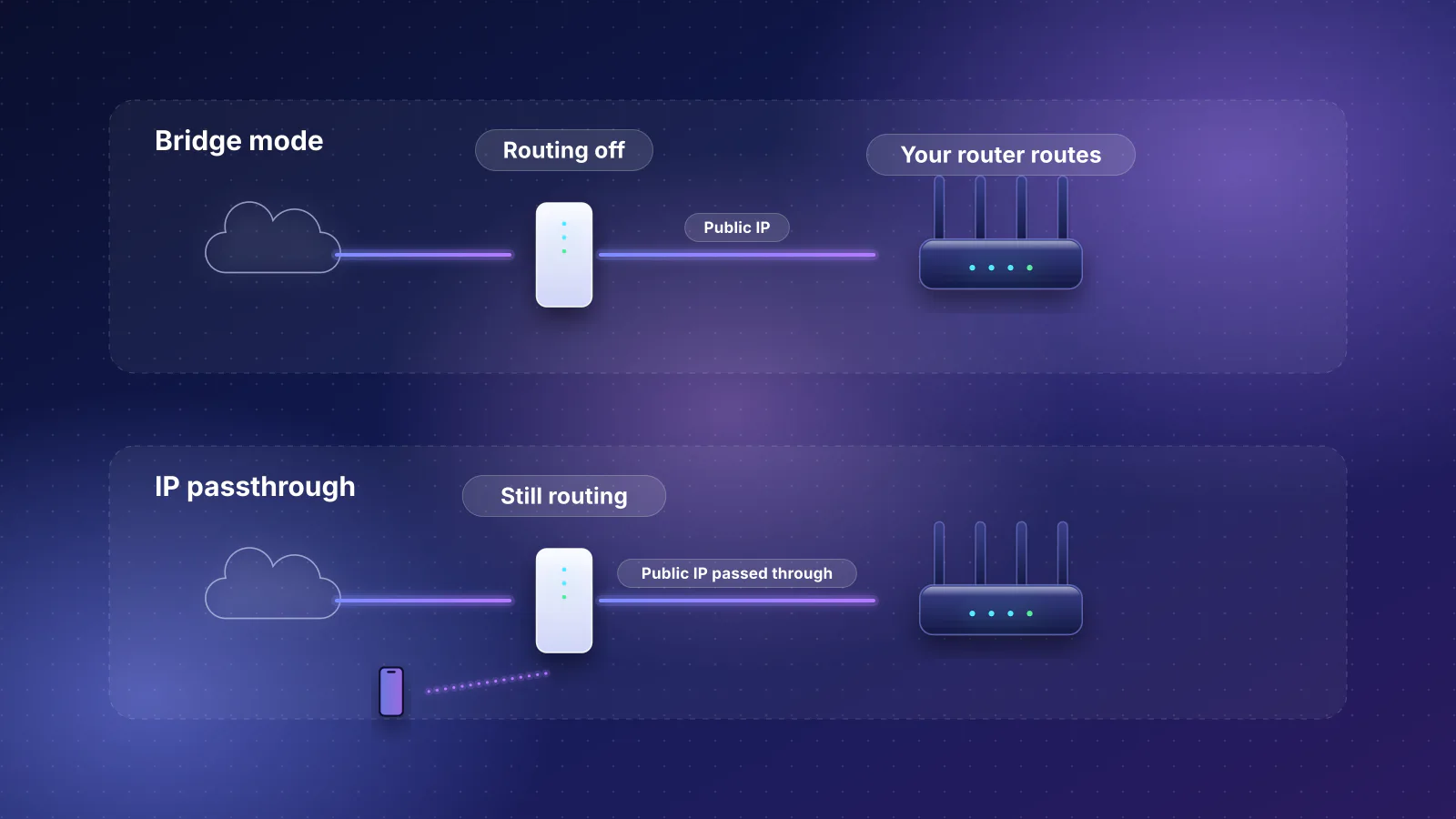
ISP equipment
What bridge mode and IP passthrough do, which providers support each, and what you give up.
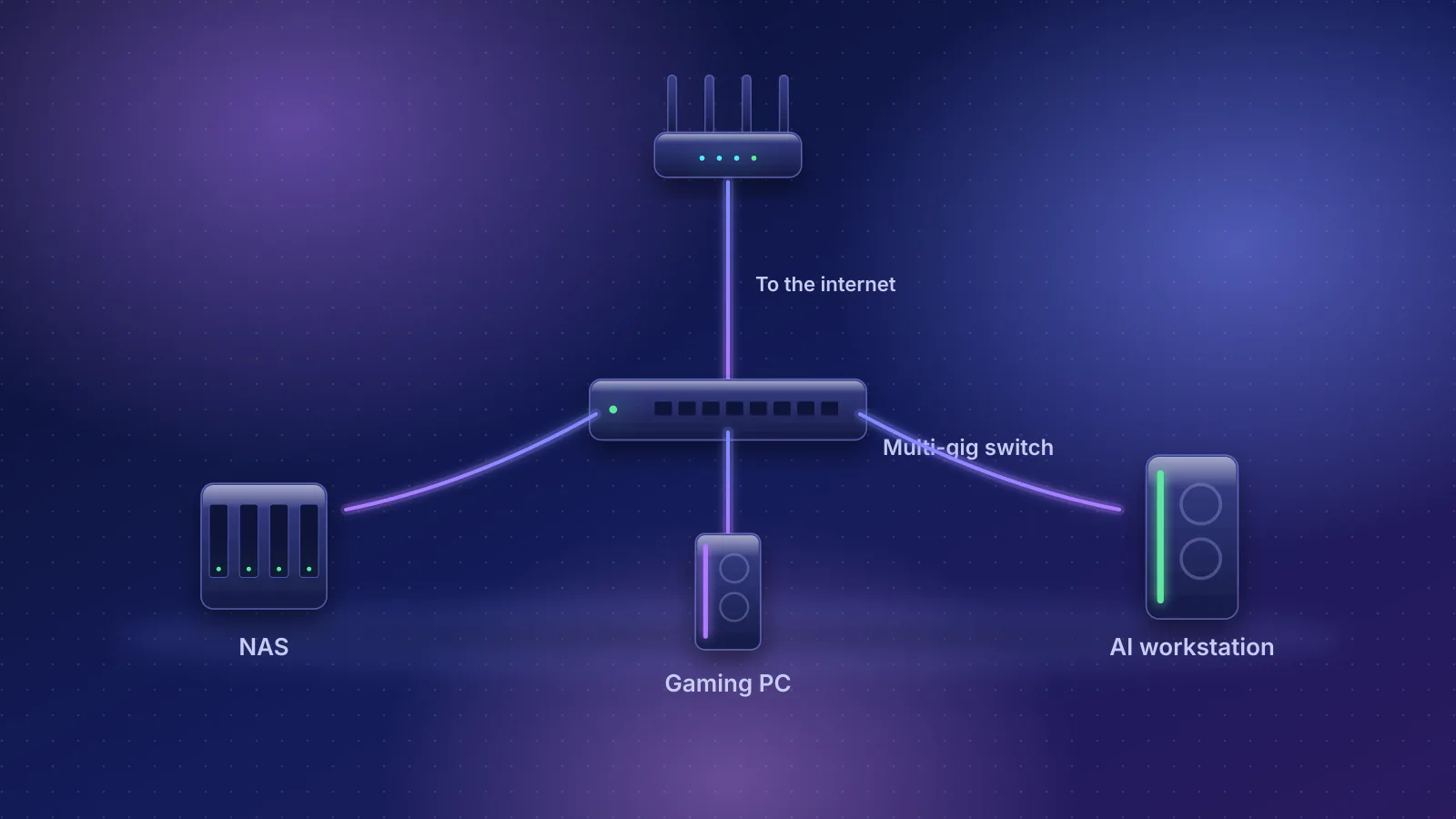
Multi-gig
Where the switch goes, which port speed each machine needs, and three layouts from budget 2.5GbE to all-10GbE.
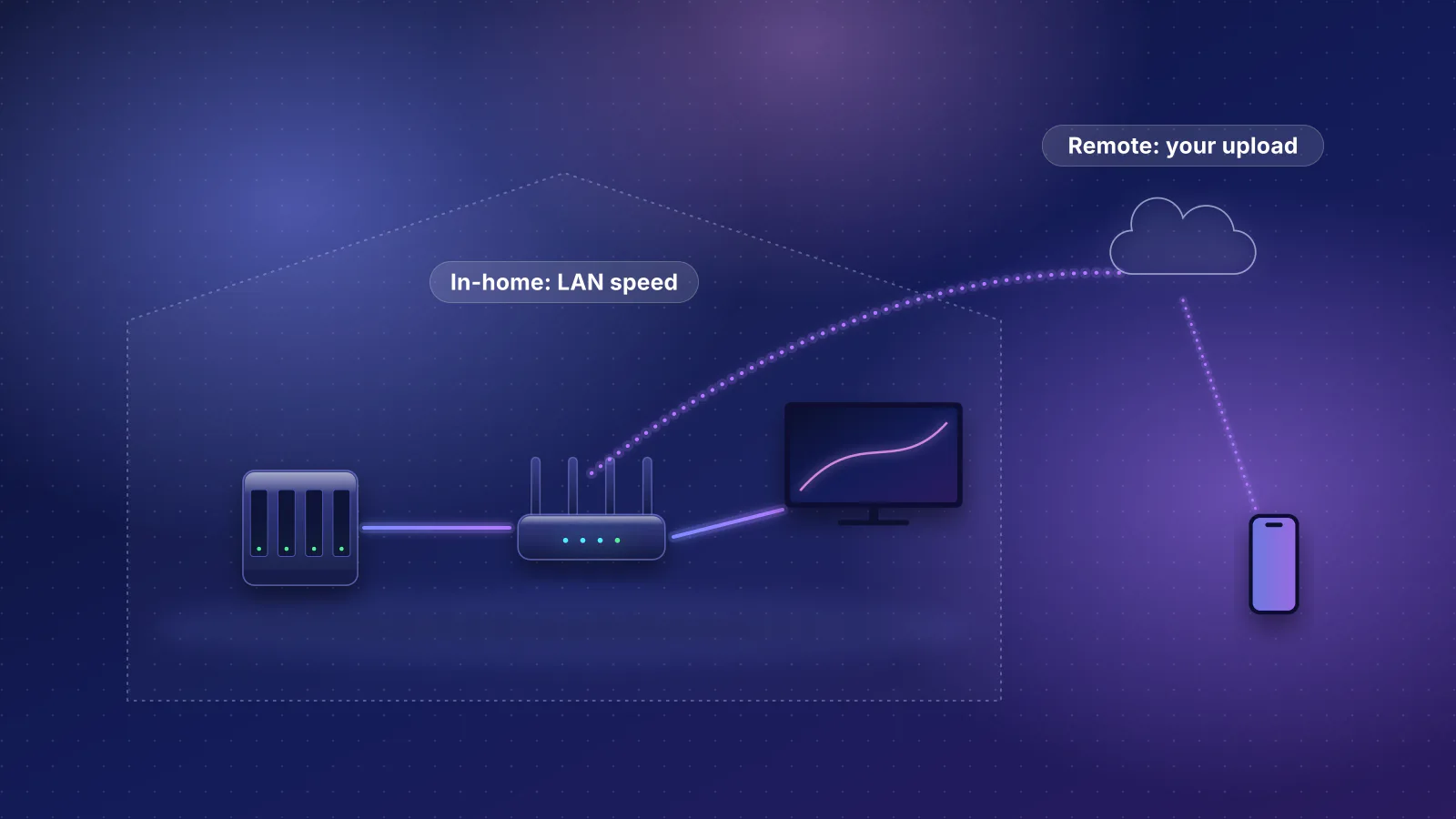
Streaming
Where the server goes, how many streams a 1 or 2.5 GbE link carries, and why remote access fails.
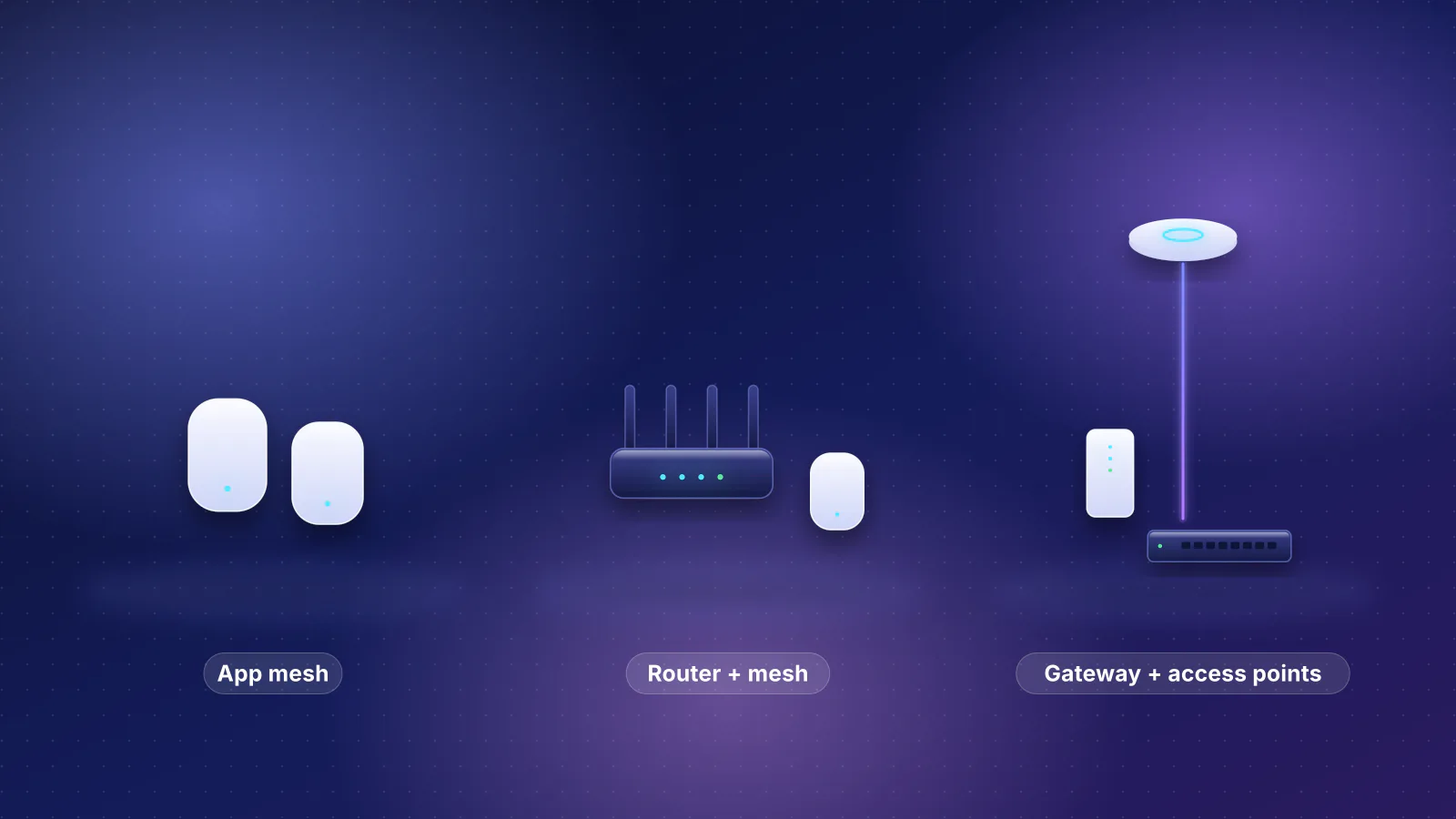
Buying advice
eero, ASUS and UniFi compared on management, subscriptions, VLANs, SQM, VPN, update policies and expansion, with a pick for each type of owner.
Planned for this topic. Each article is published only after it has been fact-checked and approved.