The short version
- A wired satellite is only as fast as the slowest port on its cable path: the free port on the main unit, any switch in between, and the satellite's own port. eero puts it plainly: the connection "runs at the speed of the slowest link in the chain".
- The internet port doesn't tell you the backhaul speed. The Linksys Velop Pro 7 has a 2.5 Gbps internet port, but Linksys wires satellites to the main unit's LAN ports, which are 1 Gbps. On a 2 Gbps plan, everything on that satellite shares about 940 Mbps.
- Count free ports, not ports. On two-port kits (eero 7, Deco BE23, ZenWiFi BD4, Nest Wifi Pro), one port goes to the modem, so a second wired satellite needs a switch, or a chain through the first where the maker documents chaining. The Orbi 370's satellites have one port each, so they can't chain at all.
- A gigabit switch quietly undoes a multi-gig kit. TP-Link's own list of switches verified for Deco backhaul includes a gigabit model, and NETGEAR's backhaul article only asks for switch ports of "1 Gbps or faster".
- The caveat: on a plan of 1 Gbps or less, a 1 Gbps backhaul is rarely the limit. Port speed matters most for multi-gig plans, wired devices plugged into a satellite, and file transfers inside the home.
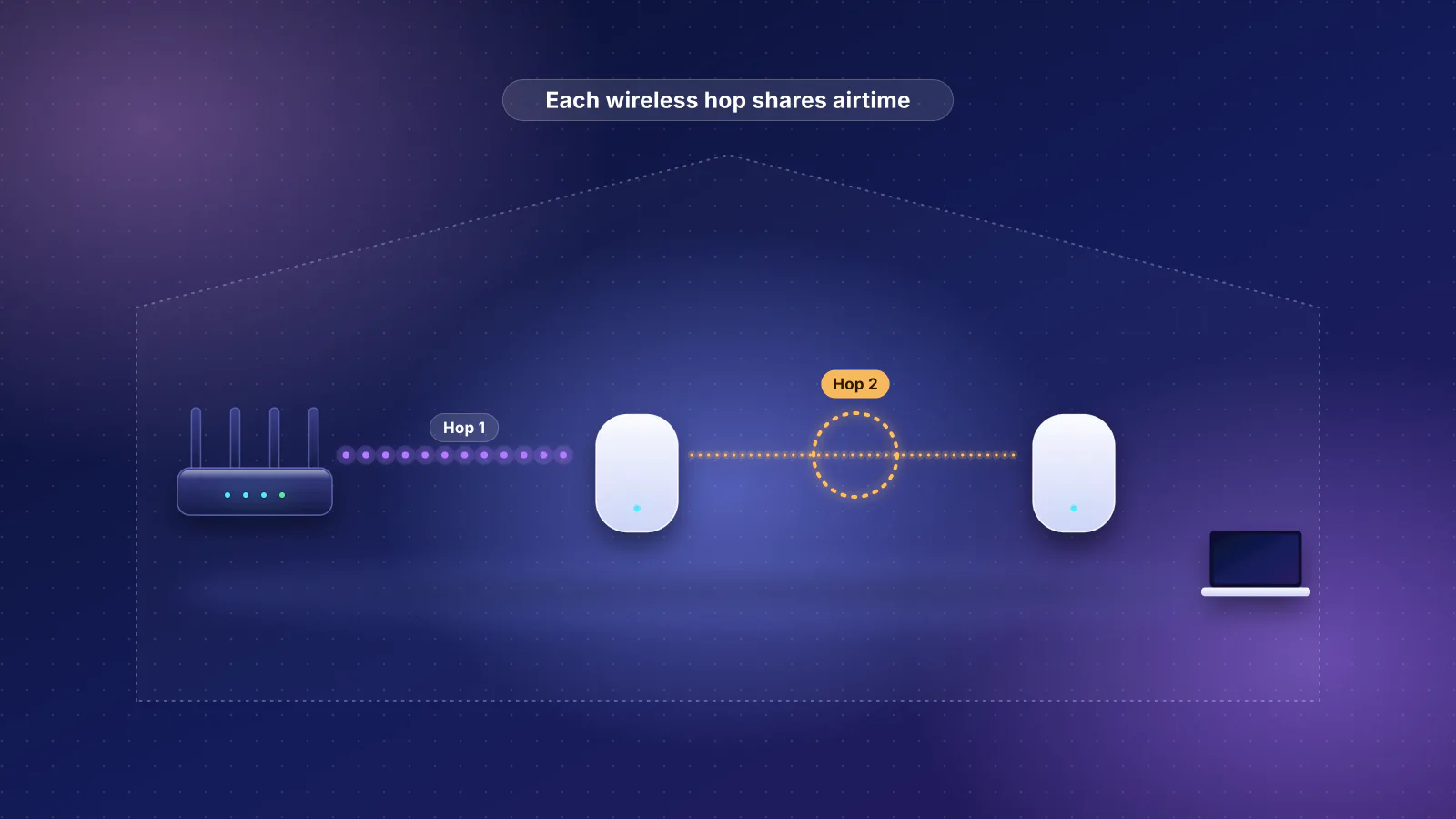
If you haven't decided on mesh yet, start with mesh or a single router, and how many mesh nodes you need. If you already own a mesh and one room is slow, why mesh Wi-Fi doesn't fix every slow room covers placement and the wireless-hop penalty. This article is about buying a kit that uses the cables you have.
Why a 1 Gbps backhaul caps a 2 Gbps plan at the far node
The backhaul is the link between the main unit (the one plugged into your modem or fiber terminal) and each satellite. With a cable, it's an ordinary Ethernet link, and an Ethernet link runs at the fastest speed that both ends and the cable support. A 1 Gbps link carries about 940 Mbps of actual data once packet overhead is taken out (arithmetic in our bottleneck guide).
- Internet plan 2 Gbps
- Main unit internet port 2.5 Gbps
- Main unit LAN port to the satellite 1 Gbps: about 940 Mbps of data
- Satellite Shares that 940 Mbps across every device on it
- Laptop Wi-Fi 7, 2 streams
The cap covers everything on that satellite at once: Wi-Fi devices, wired devices plugged into its spare ports, and copies to a NAS on the other side of the house. On a plan of 1 Gbps or less, the internet connection is already the tighter limit, and a single phone or laptop on Wi-Fi often moves less real data than its link rate suggests (the planner's slowest-link check warns when a device's link rate is less than twice the path's limit for that reason). So the 1 Gbps backhaul bites when the plan is above 1 Gbps and several devices, or a wired one, are busy on the satellite at the same time.
Where the 1 Gbps link hides on current kits:
- The main unit's LAN ports are gigabit even though the internet port isn't. Linksys says to connect a child node's WAN or LAN port "to the LAN port of the parent node", and the Velop Pro 7's are 1 Gbps. ASUS runs the cable from the main router's LAN port to the node's WAN port; the ZenWiFi BT6's WAN port is 2.5 Gbps but its LAN ports are 1 Gbps, so the link runs at 1 Gbps.
- The internet connection uses up the one fast port. The Deco XE75 Pro has one 2.5 Gbps and two 1 Gbps ports per unit. On a multi-gig plan, the 2.5 Gbps port has to be the internet port, leaving 1 Gbps for the backhaul.
- The maker's own wired figure is 1 Gbps. eero lists the eero Pro 6E's wired speed as "Up to 1 Gbps", even though one of its ports is 2.5 Gbps.
When the switch, not the node, is the limit
In many wired homes the cables meet in a closet, so the satellites reach the main unit through a switch. A switch port links at the fastest speed both ends support, so a gigabit switch between two 2.5 Gbps units turns a 2.5 Gbps backhaul into a 1 Gbps one.
- Main unit free port 2.5 Gbps
- Switch in the closet 1 Gbps ports: the bottleneck
- In-wall cable Cat5e or better
- Satellite port 2.5 Gbps
The makers' own switch guidance makes this easy to miss:
- TP-Link lists three switches verified with Deco's Ethernet backhaul; one of them, the TL-SG108, is a 10/100/1000 Mbps model. Fine for gigabit Decos, a 1 Gbps cap for a 2.5 Gbps Deco BE63.
- NETGEAR's Orbi backhaul article says "The Ethernet ports on your Orbi satellites and Orbi router are rated at 1 Gbps. Make sure that the switch ports are 1 Gbps or faster." The article lists Wi-Fi 7 Orbis among the products it applies to, but the Orbi 370, 770 and 970 spec sheets list 2.5 and 10 Gbps ports. With those, a 1 Gbps switch is the limit.
- eero says a gigabit switch "is the best for most homes", but on a plan above 1 Gbps "you may want to consider an Ethernet switch that supports such speeds".
- ASUS's switch article asks for a switch that "supports 10/100/1000Tbase", a minimum rather than a match for multi-gig nodes.
Two more ways a switch limits you. Every satellite behind one switch shares the single main-unit port the switch plugs into, so two satellites on a 2.5 Gbps uplink split 2.5 Gbps between them when both are busy (a daisy chain shares the same way: everything on the second satellite also crosses the link to the first). And a multi-gig switch has to support the speed your units use: a 5 Gbps eero Pro 7 needs switch ports that list 5 Gbps, because some 10 Gbps ports skip it and fall back to 2.5 Gbps (an example is in our multi-gig router guide).
Every current kit, unit by unit
The rule for these tables: every current indoor mesh system in the RouterHaus catalog from eero, TP-Link (Deco), NETGEAR (Orbi), ASUS (ZenWiFi), Linksys (Velop) and Google (Nest Wifi), catalog checked October 20, 2026, with satellite ports from the makers' spec sheets where they differ from the main unit. "Fastest wired backhaul" is arithmetic from the ports and each maker's documented wiring: the fastest free port on the main unit that can reach the fastest port on a satellite, with nothing slower in between. It's a link speed, not a throughput measurement.
Of the 23 current Wi-Fi 7 kits, 10 can run a wired backhaul faster than 2.5 Gbps (two of them only when the internet comes in on a slower port), 10 top out at 2.5 Gbps, 2 at 1 Gbps, and for one, Linksys's own pages disagree. Ports marked WAN/LAN can be either; the first one in use goes to the modem.
| Kit | Ports on each unit | Fastest wired backhaul | Two satellites wired straight to the main unit? |
|---|---|---|---|
| eero 7 | 2 × 2.5 Gbps | 2.5 Gbps | No: one free port. Chain or switch |
| eero Pro 7 | 2 × 5 Gbps | 5 Gbps | No: one free port. Chain or switch |
| eero Max 7 | 2 × 10 Gbps, 2 × 2.5 Gbps | 10 Gbps | Yes: one at 10 Gbps, one at 2.5 Gbps; both at 10 Gbps if the internet uses a 2.5 Gbps port |
| eero PoE 7 (ceiling or wall unit) | 2 × 10 Gbps (one takes PoE+ power) | 10 Gbps | No: one free port. Chain or switch |
| Deco BE23 | 2 × 2.5 Gbps | 2.5 Gbps | No: one free port. Switch (see Deco's rule below) |
| Deco BE25 | 2 × 2.5 Gbps | 2.5 Gbps | No: one free port. Switch |
| Deco BE63 | 4 × 2.5 Gbps | 2.5 Gbps | Yes, both at 2.5 Gbps |
| Deco BE65 | 4 × 2.5 Gbps | 2.5 Gbps | Yes, both at 2.5 Gbps |
| Deco BE68 | 10 Gbps, 2.5 Gbps, 1 Gbps | 10 Gbps if the internet uses the 2.5 Gbps port; 2.5 Gbps if it needs the 10 Gbps port | Yes, at two different speeds |
| Deco BE77 | 10 Gbps (RJ45 or SFP+), 2.5 Gbps, 1 Gbps | Same as the BE68 | Yes, at two different speeds |
| Deco BE85 | 10 Gbps, 10 Gbps (RJ45 or SFP+), 2 × 2.5 Gbps | 10 Gbps | Yes: one at 10 Gbps, one at 2.5 Gbps; both at 10 Gbps if the internet uses a 2.5 Gbps port |
| Deco BE95 | 10 Gbps, 10 Gbps (RJ45 or SFP+), 2 × 2.5 Gbps | 10 Gbps | Same as the BE85 |
| Orbi 370 | Router: 2.5 Gbps internet, 1 × 2.5 Gbps LAN. Satellite: 1 × 2.5 Gbps | 2.5 Gbps | No, and satellites can't chain (one port each): needs a switch |
| Orbi 770 | Router: 2.5 Gbps internet, 3 × 2.5 Gbps LAN. Satellite: 2 × 2.5 Gbps | 2.5 Gbps | Yes, both at 2.5 Gbps |
| Orbi 970 | Router: 10 Gbps internet, 10 Gbps LAN, 4 × 2.5 Gbps LAN. Satellite: 10 Gbps, 2 × 2.5 Gbps | 10 Gbps | Yes: one at 10 Gbps, one at 2.5 Gbps |
| ZenWiFi BD4 | 2 × 2.5 Gbps | 2.5 Gbps | No: one free port. Chain or switch |
| ZenWiFi BD5 | 2 × 2.5 Gbps | 2.5 Gbps | No: one free port. Chain or switch |
| ZenWiFi BT6 | 2.5 Gbps WAN, 3 × 1 Gbps LAN | 1 Gbps (main unit's LAN ports) | Yes, both at 1 Gbps |
| ZenWiFi BT8 | 2.5 Gbps WAN, 2.5 Gbps LAN, 2 × 1 Gbps LAN | 2.5 Gbps to one satellite | Yes: one at 2.5 Gbps, one at 1 Gbps |
| ZenWiFi BT10 | 10 Gbps WAN/LAN, 10 Gbps LAN, 1 Gbps WAN/LAN | 10 Gbps | One at 10 Gbps; chain the second through the first, or use a switch (ASUS doesn't say whether the spare 1 Gbps WAN/LAN port can feed a node) |
| ZenWiFi BQ16 Pro | 10 Gbps WAN/LAN, 10 Gbps LAN, 1 Gbps WAN/LAN, 2 × 1 Gbps LAN | 10 Gbps | Yes: one at 10 Gbps, one at 1 Gbps |
| Velop Pro 7 | 2.5 Gbps internet, 4 × 1 Gbps | 1 Gbps (main unit's LAN ports) | Yes, both at 1 Gbps |
| Velop Micro 7 | Linksys's support page lists one 2.5 Gbps port; its product page also lists four 1 Gbps LAN ports | Not clear | Not clear |
The Wi-Fi 6 and 6E kits in the same rule are mostly gigabit. Two can reach 2.5 Gbps, and one has satellites that can't be wired at all:
| Kit | Ports on each unit | Fastest wired backhaul |
|---|---|---|
| eero 6 | 2 × 1 Gbps; the 3-pack's two extenders have no Ethernet ports | 1 Gbps (extenders: wireless only) |
| eero 6+ | 2 × 1 Gbps | 1 Gbps |
| eero Pro 6E | 2.5 Gbps, 1 Gbps | 1 Gbps (eero's wired-speed figure) |
| Nest Wifi Pro | 2 × 1 Gbps | 1 Gbps |
| Deco X55 | 3 × 1 Gbps | 1 Gbps |
| Deco X55 Pro | 2 × 2.5 Gbps | 2.5 Gbps |
| Deco XE75 | 3 × 1 Gbps | 1 Gbps |
| Deco XE75 Pro | 2.5 Gbps, 2 × 1 Gbps | 2.5 Gbps to one satellite if the internet can use a 1 Gbps port; otherwise 1 Gbps |
| ZenWiFi AXE7800 | 2.5 Gbps WAN, 3 × 1 Gbps LAN | 1 Gbps |
| Velop Pro 6E | 1 Gbps WAN, 1 Gbps LAN | 1 Gbps |
| Velop Micro 6 | Parent: 2.5 Gbps internet, 4 × 1 Gbps. Child nodes (LN1200): no Ethernet | Child nodes: wireless only |
Two traps hide in pack names. eero's 3-pack of the eero 6 is one router and two extenders, which eero says "don't have any Ethernet ports"; its 2-pack is two routers. Linksys lists only a USB-C power port on the Velop Micro 6's child-only LN1200 nodes. If you plan to wire, buy packs where every unit has a port.
Kits that can run the backhaul above 2.5 Gbps
For a plan above 2.5 Gbps, or a NAS and a fast computer on opposite sides of the house, these are the kits from the table above whose cable between units can run at 5 or 10 Gbps. The table below renders prices and the main unit's port speeds from the catalog. Its "Fastest LAN port" column counts only LAN-only ports, so it understates the Decos, whose 10 Gbps ports are all labeled WAN/LAN.
| Product | Internet port | Fastest LAN port | Maker's routing, plan or wired-speed figure | Price |
|---|---|---|---|---|
| eero Pro 7 (1-pack) Mesh system · Wi-Fi 7 |
5 Gbps | 5 Gbps | 5 Gbps | $299.99 Manufacturer store price, checked October 20, 2026 |
| eero Max 7 (1-pack) Mesh system · Wi-Fi 7 |
10 Gbps | 10 Gbps | Not published | $599.99 Manufacturer store price, checked October 20, 2026 |
| eero PoE 7 (1-pack) Mesh system · Wi-Fi 7 |
10 Gbps | 10 Gbps | 9.4 Gbps | $599.99 Manufacturer store price, checked October 20, 2026 |
| TP-Link Deco BE68 (3-pack) Mesh system · Wi-Fi 7 |
10 Gbps | 2.5 Gbps | Not published | $699.99 Launch price, checked October 20, 2026 |
| TP-Link Deco BE77 Mesh system · Wi-Fi 7 |
10 Gbps | 2.5 Gbps | Not published | Not published |
| TP-Link Deco BE85 (3-pack) Mesh system · Wi-Fi 7 |
10 Gbps | 2.5 Gbps | Not published | $1,499.99 Launch price, checked October 20, 2026 |
| TP-Link Deco BE95 (2-pack) Mesh system · Wi-Fi 7 |
10 Gbps | 2.5 Gbps | Not published | $1,199.99 Launch price, checked October 20, 2026 |
| NETGEAR Orbi 970 Series (RBE973S) (3-pack) Mesh system · Wi-Fi 7 |
10 Gbps | 10 Gbps | Not published | $1,999.99 Manufacturer store price, checked October 20, 2026 |
| ASUS ZenWiFi BT10 (2-pack) Mesh system · Wi-Fi 7 |
10 Gbps | 10 Gbps | Not published | $689.99 Manufacturer price (not re-confirmed), checked October 20, 2026 |
| ASUS ZenWiFi BQ16 Pro (2-pack) Mesh system · Wi-Fi 7 |
10 Gbps | 10 Gbps | Not published | $1,699.99 Manufacturer price (not re-confirmed), checked October 20, 2026 |
Two details before buying for speed:
- Count the fast ports, not the fastest port. The Orbi 970 router has one 10 Gbps LAN port, so in a 3-pack one satellite gets 10 Gbps and the other 2.5 Gbps, unless a 10 Gbps switch shares that one port between them. The ZenWiFi BT10 has one 10 Gbps LAN port too, but ASUS documents connecting a node "to your router or another node", so the second satellite can chain through the first's spare 10 Gbps port. On the Deco BE68 and BE77, a plan faster than about 2.5 Gbps takes the only 10 Gbps port.
- Makers rarely publish routing throughput, so a 10 Gbps port isn't proof the main unit can route a 10 Gbps plan. eero rates the eero Pro 7 as "Ideal for internet plans up to 5 Gbps" and says the eero Max 7 is "compatible with internet plans up to 10 Gbps" (the table shows "Not published" for the Max 7 because the catalog doesn't yet record that figure); most others give no figure.
For 2 Gbps plans, any kit in the 2.5 Gbps rows is enough on paper: a 2.5 Gbps link carries about 2.35 Gbps of data. Our mid-range Wi-Fi 7 mesh comparison and Wi-Fi 7 mesh kits under $500 go further into those.
What each maker documents about wired backhaul
All six makers support Ethernet between units; they differ on chaining, switches and managed-switch settings. From each maker's support documentation, checked October 29, 2026. "Not documented" means we found no official page either way.
| Maker | Switch between units | Chain through a satellite | Mix wired and wireless | MoCA (coax) |
|---|---|---|---|---|
| eero | Yes, "via an Ethernet switch" from the gateway eero; unmanaged recommended | Yes: "daisy chain them by connecting each eero to the next" | Yes, including eero 6 Extenders and Beacons, which have no ports | Not documented |
| TP-Link Deco | Yes, on the main Deco's LAN port (router mode); most switches work | Router mode: not among the documented options. Access-point mode: "any Deco unit" | Yes: "You do not need to wire every Deco unit" | Not documented |
| NETGEAR Orbi | Yes | Yes (daisy chain topology) | Each satellite connects wirelessly or by cable | Not documented |
| ASUS ZenWiFi / AiMesh | Yes; on a managed switch, avoid trunk ports | Yes: node to "your router or another node" | Yes, per node; or Ethernet Backhaul Mode for all-wired systems | ASUS sells its own MoCA 2.5 adapter (MA-25), "up to 2.5 Gbps wired backhaul" |
| Linksys Velop | Yes; Linksys recommends the switch "between the primary and secondary nodes" | Yes: further nodes connect "to an upstream node" | Not stated | Not documented |
| Google Nest Wifi | Yes, downstream of the Wifi router only | Yes: "You can chain multiple points over wired Ethernet" | Not stated | Not documented |
Wiring rules that trip people up
- The main unit has to sit between the modem and the satellites. TP-Link: in router mode, satellites "must connect to the LAN port of the main Deco, or to a switch that is itself connected to the main Deco's LAN port"; wiring one to the modem in front of the main Deco "creates a network loop". Among Google's setups to avoid is a switch in front of the Wifi router that also feeds a point: the point then gets its address from the modem, so "the Wifi router isn't able to form the mesh with the Wifi point". eero says to plug a switch into an eero, "not directly into your modem".
- Set up wirelessly first, then cable. TP-Link and Linksys both say to add every unit over Wi-Fi in the app before connecting cables; the wired link then takes over by itself. Google: "Don't connect points that aren't set up yet to a switch."
- Which port on the satellite. ASUS runs the cable to the node's WAN port. Linksys accepts the child's WAN or LAN port. Google's diagrams wire the router's LAN port to a point's WAN port, or a switch to a point's LAN port.
- Managed switches: the makers disagree on spanning tree. eero recommends an unmanaged switch and, on a managed one, "disabling features such as Spanning Tree Protocol (STP/RSTP), Internet Group Management Protocol (IGMP)" and removing VLANs and QoS. Google likewise recommends disabling STP and forwarding BPDUs. Linksys says the opposite for most managed switches: "STP / RSTP status needs to be Enabled", with BPDU handling set to flooding or filtering. Follow your mesh maker's advice, not a general rule.
- Loop protection can block the port. TP-Link says switching from Wi-Fi to Ethernet backhaul "may create a short loop in the network for 1~2s" that a switch's loop detection can react to by blocking the port, and that some switches, "mainly the D-Link switches", don't forward the IEEE 1905.1 packets Deco's backhaul uses. NETGEAR says its managed switches' L2 Loop Protection "conflicts with your Orbi's backhaul detection system".
- Orbi guest Wi-Fi over a managed switch needs a VLAN. NETGEAR says the Orbi guest network uses VLAN-tagged traffic over Ethernet backhaul: VLAN 3890 on the Orbi 370, 4091 on the Orbi 770, 870 and 970. A managed switch has to pass those tags or guest Wi-Fi stops working on the satellites.
- ASUS's all-wired mode changes the radios. With Ethernet Backhaul Mode on, every node must be cabled or it "might lose its uplink connection", and on a tri-band main router the 5 GHz-2 band "used to be a dedicated backhaul by default" opens to your devices.
- An IPTV port can't carry backhaul on Deco. TP-Link says a port selected for IPTV "can't use to establish the ethernet backhaul".
No Ethernet to a room? MoCA over TV coax
A pair of MoCA adapters turns a coax run into an Ethernet link, and to the mesh it looks like a cable. The MoCA Alliance lists MoCA 2.5 at 2.5 Gbps with under 2.5 ms average one-way latency, so a MoCA backhaul tops out around the same speed as a 2.5 Gbps port, and only if the adapters' Ethernet ports are 2.5 Gbps too. Of the six makers, ASUS is the only one we found documenting MoCA for backhaul, and it does so by selling its own adapter. No maker says whether every adapter passes the control traffic its mesh uses (Deco's relies on IEEE 1905.1 packets), so confirm in the app that the satellite reports a wired link. What to check before buying adapters is in our MoCA checklist.
How to choose a kit for the wiring you have
- Count the cables. Note where each Ethernet run ends. If they all meet in one closet, plan on the main unit there with a switch on its LAN port that's fast enough for the kit.
- Match the backhaul to the plan. Up to 1 Gbps: any kit with Ethernet on every unit. 2 Gbps: a 2.5 Gbps backhaul. 5 Gbps or more: the kits in the product table, with a 5 or 10 Gbps switch if more than one satellite needs full speed.
- Count free ports at both ends. The main unit needs one free port per wired satellite, or a switch. A satellite you want to chain through, or plug a TV or desk into, needs two or more ports.
- Wire the hardest link first. If only one run is possible, use it for the satellite across a floor or the thickest wall, and let the others connect wirelessly; eero, TP-Link, NETGEAR and ASUS all document a mix of wired and wireless units.
- Check the result. TP-Link says the Deco app's network map shows each satellite's backhaul type; eero says to verify in its app that nodes are using a wired connection. A wired satellite that tests at about 940 Mbps on a faster plan points to a gigabit port, switch or wall jack somewhere on the path; our multi-gig bottleneck guide shows how to read the speed a link actually negotiated.

If every room you care about has a cable, wired ceiling access points may suit you better than a mesh kit: see mesh vs a router plus access points and the Ubiquiti vs eero vs ASUS comparison. Structured wiring for a new home covers where to run cable, and ports in our router buying guide and the router buying hub cover the router side.
Frequently asked questions
My Ethernet jacks all run to a closet where the ISP modem is. Where does the main mesh unit go?
In the closet, between the modem and everything else: modem to the main unit's internet port, a switch on one of its LAN ports, and the in-wall runs into that switch. Don't plug satellites into the modem while the mesh is routing. If the provider's gateway must keep routing, run the mesh in access-point mode instead, where TP-Link says satellites can be wired to any Deco or to the main router.
Do I need a managed switch for wired backhaul?
No. eero recommends an unmanaged switch, Linksys says unmanaged switches usually need no setting changes, and TP-Link says most switches work. A managed switch adds settings that can break backhaul (spanning tree, loop protection, IGMP snooping, VLAN tags), and the makers' advice on them differs.
What happens to a wired satellite if the cable is unplugged?
Usually it falls back to a wireless backhaul. TP-Link says units return to Wi-Fi backhaul automatically when the cable is removed, and ASUS's Ethernet-first setting switches to wireless when the Ethernet connection is no longer available. The exception is ASUS's Ethernet Backhaul Mode, which requires every node to be cabled.
Is Cat5e cable good enough for mesh backhaul?
For 1 and 2.5 Gbps links, yes. eero lists Cat5e, Cat6 or Cat6a for eero-to-eero links, Google, Linksys and ASUS all give Cat5e as the minimum, and IEEE's 802.3bz objectives set 2.5 Gbps Ethernet over Cat5e up to 100 m. 5 Gbps targets Cat6 (Cat5e only in defined installations), and 10 Gbps depends on category and length; our multi-gig bottleneck guide has the details.
Can wired satellites be farther apart than wireless ones?
Yes, because the cable replaces the wireless link between them. eero says that when its units are all wired together, spacing between them is more flexible, though Wi-Fi coverage in each room still depends on the home's walls and floors.
Sources
Read on October 29, 2026.
- eero: Can I connect my eeros with Ethernet? (switch, daisy chain, extenders without ports)
- eero: Can I connect wired devices to my network using an Ethernet switch? (gigabit switches, managed switch settings)
- eero: Mesh wifi with Ethernet backhaul (slowest link in the chain, verifying in the app)
- eero: Mesh wifi product comparison (ports and wired speeds per model), eero Max 7 (four auto-sensing ports) and How much distance should there be between eeros?
- TP-Link: Deco Ethernet backhaul: setup, wiring rules and troubleshooting (updated April 17, 2026)
- TP-Link product specifications: Deco BE23, Deco BE25, Deco BE63, Deco BE68, Deco BE77, Deco BE85, Deco BE95, Deco XE75 Pro (ports per Deco unit; "All WAN/LAN ports will operate as either WAN or LAN ports")
- NETGEAR: What is Ethernet backhaul and how do I set it up on my Orbi WiFi System? (updated July 7, 2025)
- NETGEAR: How to resolve Orbi Ethernet backhaul issues when using a NETGEAR Fully Managed Switch or Smart Switch (loop protection, guest VLAN IDs)
- NETGEAR technical specifications (PDF): Orbi 370 (RBE373), Orbi 770 (RBE773), Orbi 970 (RBE973SB) (router and satellite ports)
- ASUS: Can I set up wired connection between AiMesh routers (Ethernet backhaul)?
- ASUS: What is Ethernet Backhaul Mode / Backhaul Connection Priority in AiMesh? and How to set up AiMesh or ZenWiFi Ethernet backhaul with a network switch
- ASUS technical specifications: ZenWiFi BD4, ZenWiFi BT6, ZenWiFi BT8, ZenWiFi BT10, ZenWiFi BQ16 Pro
- ASUS: How to install MA-25 (MoCA adapter)
- Linksys: How to add a wired child node to a Velop Cognitive Mesh system and What settings need to be checked when using a managed or unmanaged switch?
- Linksys product support: Velop Pro 7 (MBE7000) FAQs, Velop Pro 6E (MX6200), Velop Micro 6 (LN1100 and LN1200), Velop Micro 7 (LN1600) and the Velop Micro 7 product page
- Google: Hardwire Nest Wifi Pro, Nest Wifi, or Google Wifi with Ethernet (supported setups and setups to avoid)
- Google Store: Nest Wifi Pro tech specs
- MoCA Alliance: MoCA for Wi-Fi backhaul
- IEEE 802.3: Next Generation Enterprise Access BASE-T PHY objectives (802.3bz, PDF) (2.5 and 5 Gbps over Cat5e and Cat6)
- RouterHaus catalog (ports, packs and prices of every kit in the tables, checked October 20, 2026)