The short version
- Test in order, from the provider inward: check for an outage and restart, run a speed test on a cable plugged into the router, then test Wi-Fi beside the router and in the slow room. The first test that comes out slow points to the link at fault.
- Wired slow too? The problem is the provider, the modem or gateway, or your router. Compare the wired result with your plan's typical speed on its broadband label, not the headline speed, and run the provider's own equipment test if it has one.
- Wired fast, Wi-Fi slow? Then the connection into your home is fine. Xfinity says differences between its gateway test and device tests are "most often caused by WiFi connections, rather than by the network itself". Fix coverage before you call the provider.
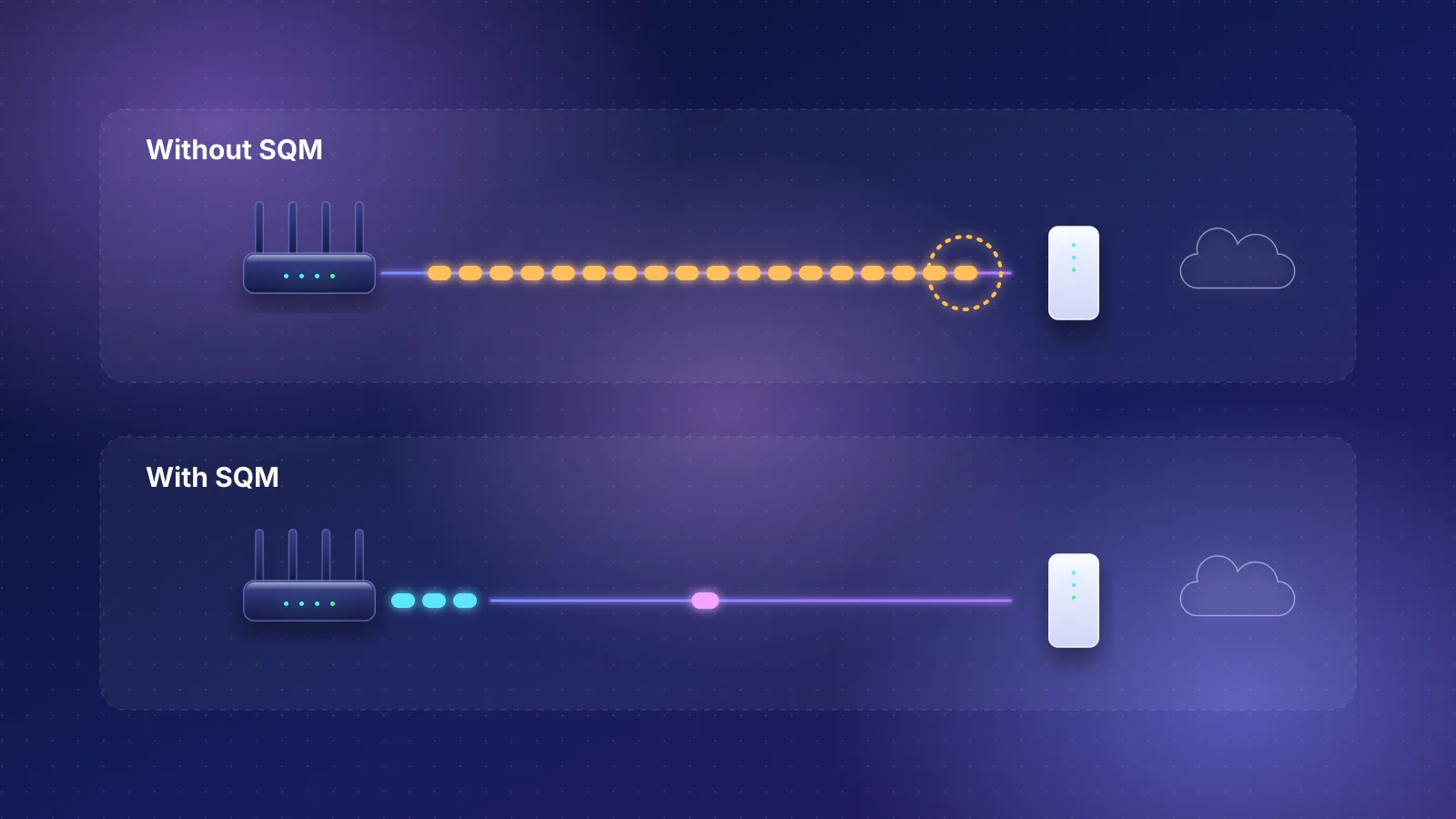
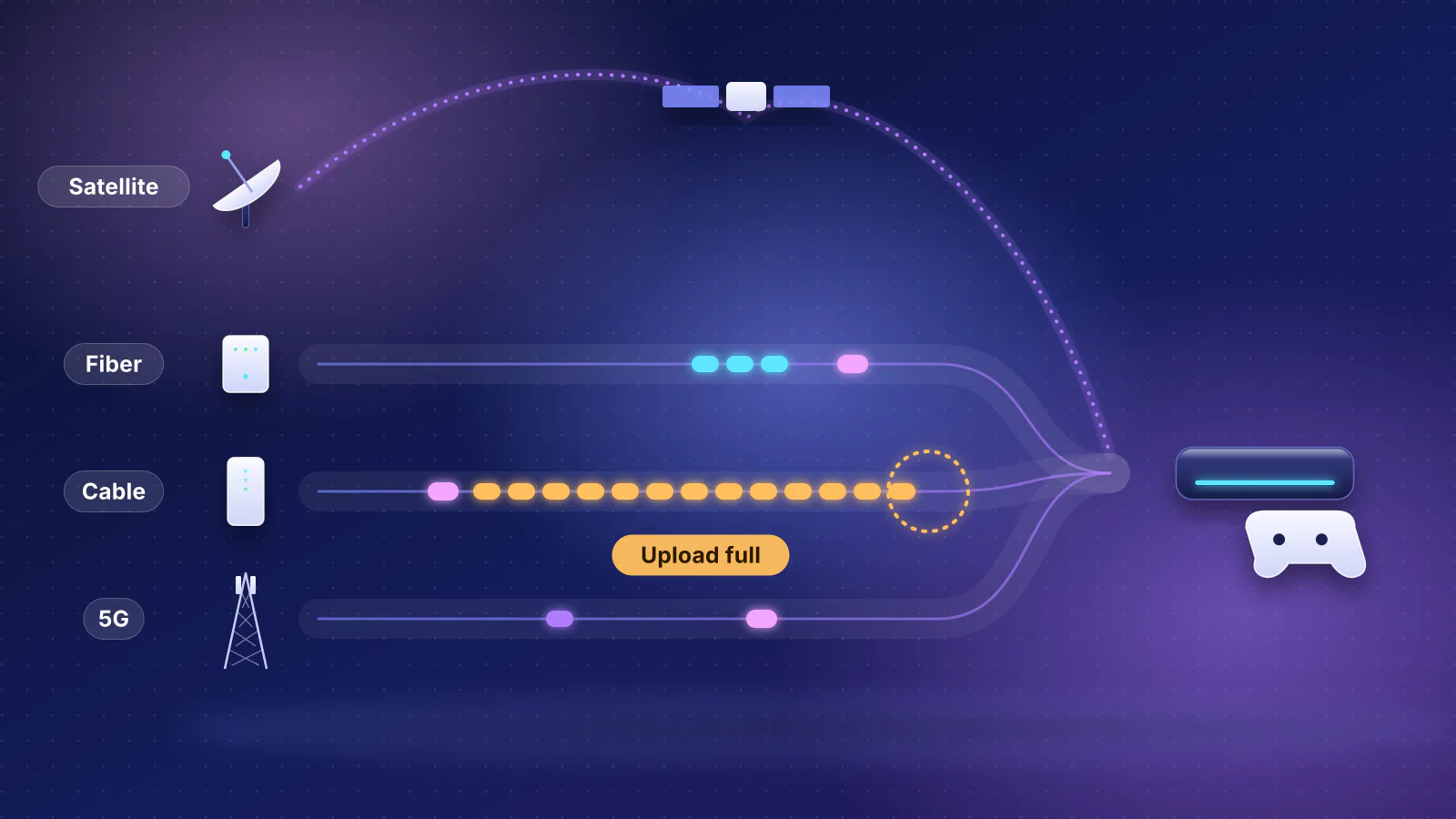
- Speed fine but calls and games stutter? That's latency under load (bufferbloat), not a lack of speed. A normal speed test won't show it; a loaded-latency test will.
- The caveat: one test proves little. Results vary with the server, the device, the app and the time of day, so repeat the test that matters, wired, at the times the problem happens.
Start with the symptom
How it's slow narrows the cause before you run anything. Find the row closest to what you see, then run its first test.
| What you notice | Most likely cause | First test |
|---|---|---|
| Everything is slow or down, on every device, wired too | An outage, or the provider's line or equipment | Outage check and restart, then a wired test |
| Fast beside the router, slow in some rooms | Wi-Fi coverage | Wi-Fi test beside the router, then in the room |
| Speed tests look fine, but calls freeze and games lag when someone uploads or streams | Latency under load (bufferbloat) | Loaded-latency test |
| Slow only in the evening | Busy provider network, or a busy home | Wired tests at peak and off-peak times |
| One device is slow everywhere; others are fine | That device: its Wi-Fi, VPN, security software or age | Same test on another device in the same spot |
| A multi-gig plan stuck near 940 Mbps | A 1 Gbps link somewhere in the chain | The multi-gig bottleneck check |
| Not slow, but port forwarding, remote access or a console's NAT type fails | Double NAT or the provider's carrier-grade NAT | Compare your router's WAN address with your public address |
- Provider's network Outage map; the provider's equipment test
- Modem or gateway Restart; the provider's gateway speed test
- Your router Wired test at a LAN port
- Wi-Fi to the room Test beside the router, then in the slow room
- The device Same test on a second device
Step 1: rule out an outage, then restart
Check your provider's outage page or app before you change anything. Xfinity's app and Outage Map show "the estimated time to fix the outage and status of repairs" for your address, and AT&T has an outage check and outage alerts in its support pages. If there's an outage, nothing at home will fix it; wait for the repair.
If there's no outage, restart the modem or gateway and then the router. Ookla, which runs Speedtest, calls this "the stock advice, but it solves an astonishing number of problems". Xfinity's in-app gateway test does the same when a gateway that matches the plan tests slow: it prompts a restart and tests again.

Step 2: run a clean wired test
This is the test that splits the problem in half. Plug a computer into one of the router's LAN ports with an Ethernet cable and run a speed test. Ookla's advice for a clean result: stop downloads and close programs using the connection, and use a wired connection "to eliminate the possibility of wireless interference". Use the Speedtest app rather than the website, since Ookla says browsers "may provide different results, particularly on high-speed connections". Turn off any VPN for the test, and if results stay oddly low, briefly disable antivirus or firewall software, which Ookla says can intercept test traffic.
If your provider runs its own equipment test, use it too. It measures the connection into your home without your Wi-Fi or devices in the way:
- Xfinity (rented gateways, in the Xfinity app: WiFi, Troubleshoot, Test your whole home network): "If your speed test results are higher than 90% of the speeds included with your Xfinity Internet plan, your network connection is working properly." Below that, it offers a gateway replacement or a restart, and then a technician visit if speeds stay low.
- AT&T (its equipment speed test): "checks the speed between your AT&T All-Fi Hub or Wi-Fi Gateway and our network. It reflects the speed coming into your home."
Verizon and GFiber have similar tests; the multi-gig guide lists them.
Compare it with the right number
- Your plan's broadband label, not the advertised tier. FCC rules (47 CFR 8.1) require a broadband label for each plan a provider sells, and the FCC summarizes the label as having to "disclose typical upload and download speed and typical latency". Providers that offer online account portals must also make each customer's label "easily accessible" there. The FCC's July 2026 order (FCC 26-48) keeps that portal requirement and would let a link or icon satisfy it, but that part of the order has been delayed indefinitely. Look for the label in your account.
- The link's own ceiling. A 1 Gbps Ethernet port carries about 940 Mbps of data after protocol overhead, so a gigabit plan that tests at 940 Mbps is working. The arithmetic is here.
- Units. Speed tests report megabits per second (Mbps); download managers and game stores often show megabytes per second (MB/s). Ookla's example: 100 kilobytes per second is 0.8 megabits per second. Arithmetic: a game store showing 50 MB/s is running at 400 Mbps.
For context, the last fixed-broadband report from the FCC's Measuring Broadband America program (the Thirteenth, released in August 2024 and based on September and October 2022 measurements from test routers in panelists' homes; the program is no longer collecting data) found that eight of the 12 provider and technology combinations it measured delivered 100% or more of advertised download speed at peak hours, and the other four 86% to 90%. On its "80/80" consistency measure (the speed at least 80% of subscribers got at least 80% of the peak time), DSL providers delivered 63% to 72% of advertised speed. A wired result well below your plan on a cable or fiber line is worth a call; on DSL it may be what the line delivers.
What the result tells you: if the wired test or the provider's equipment test is well below the plan after a restart, the problem is outside your Wi-Fi: go to step 5 to see whether it's the time of day, check your own router if you have one, then step 7. If the wired test is close to the plan, your connection is fine and the problem is inside your home: carry on to step 3.
Step 3: test Wi-Fi beside the router, then in the slow room
Run the same test on a laptop or phone a few feet from the router, then where you actually use it. The FCC's report lists the home's Wi-Fi among the bottlenecks its measurements leave out, noting that "some Wi-Fi connections may be limited to tens of Mbps" even on a plan of hundreds. Ookla adds that devices "can have very different Wi-Fi and cellular radio capabilities", so a phone may not be able to show your full speed at all.
| Wired | Wi-Fi beside the router | Wi-Fi in the room | Where to look |
|---|---|---|---|
| Fast | Fast | Slow | Coverage: measure the signal room by room and fix placement, wiring or an extra access point |
| Fast | Slow | Slow | The router's Wi-Fi or the device: try another device, check the band and its link rate (step 6) |
| Fast | Fast | Fast when quiet, slow when the house is busy | Shared airtime and a saturated connection: the many-devices playbook and step 4 |
| Slow | Slow | Slow | Not Wi-Fi: back to step 2 |
If you already have mesh and some rooms are still slow, the usual cause is a weak link between nodes: see why mesh doesn't fix slow rooms. If you're choosing what to add, extender, mesh or access point compares the options.
Step 4: test latency under load
If pages, calls or games feel slow while speed tests look fine, measure latency (the round-trip delay) while the connection is busy. A plain ping measures a quiet line and misses the problem. The FCC began reporting this "working latency" in its Thirteenth report and found that latency under download load "generally is significantly higher than idle latency", with a bigger gap on DSL. Its idle figures, for comparison: fiber 7 to 14 ms, cable 12 to 24 ms, DSL 23 to 34 ms. The FCC also notes that some providers have since added active queue management to their networks and improved.
Two easy tests:
- Speedtest apps for Android and iOS show ping when idle, during download and during upload. Ookla says a high idle ping is "an overall latency problem": test another device, and if both are affected, restart the router.
- On a Mac, type
networkQualityin Terminal (macOS Monterey or later). Apple rates the result Low, Medium or High; Low means connections "might be unreliable" when other devices are using the network heavily.
If latency jumps under load, the fix is usually smart queue management on your router. The bufferbloat guide has more tests, the grades, and the settings for each router brand. For calls specifically, see the work-from-home troubleshooting playbook; for games, check your Wi-Fi hop.
Step 5: check the time of day
The FCC measures provider performance at peak hours, "weeknights between 7:00 p.m. to 11:00 p.m. local time", because that's when local networks see the highest demand. GFiber's support says the same: "internet traffic across the web peaks between 7:00 PM and 11:00 PM." Across the providers it measured, the FCC found "only a slight degradation from off-peak to peak hour performance" for most subscribers.
So run your wired test twice a day for a few days: once between 7 and 11 p.m., and once at a quiet time such as late morning. M-Lab, which runs another widely used test, makes the same point: "testing regularly and looking at the data over time" is much more reliable than one result.
- Wired drops sharply only at peak: likely congestion in the provider's network. Write down the times and results for the call in step 7.
- Wired steady, Wi-Fi drops in the evening: your home is busier then. Streaming takes "a large chunk of your available bandwidth", as GFiber puts it; see how bandwidth splits between devices and how much speed streaming needs.
Step 6: rule out the device
If one device is slow wherever it is while others are fine in the same spot, look at the device. GFiber's list of speed factors starts here: "Older devices, aging operating systems, outdated web browsers, or slow internal network cards can bottleneck your speed", and with a VPN "your speed is capped by how fast the VPN server can process your data". Check, in this order:
- VPN and security software: disconnect the VPN and test again; briefly disable antivirus or firewall software for one test (and turn it back on).
- App vs browser: run the Speedtest app as well as the website.
- The connection itself: a wired port that negotiated 100 Mbps instead of 1 Gbps, or a weak Wi-Fi link, caps everything on that device. How to read the negotiated speed on Windows and Mac.
- Updates and age: update the operating system and Wi-Fi driver. If the device's Wi-Fi is several generations old, it may simply be the slowest thing on the network.
Is it your router?
If the provider's equipment test is fast but your wired test behind your own router is slow, test once with the computer plugged straight into the provider's gateway or modem (where it has a spare port). Fast there and slow behind your router means the router's ports or routing are the limit. To check whether a router feature is the cause, turn off intrusion prevention, VPN and traffic shaping for one test and see whether the result jumps. The multi-gig guide covers internet ports and routing, and when to replace your router covers the age question.
Two things that rarely cause slowness, though they're often blamed: double NAT and carrier-grade NAT. Google's help says that for most people double NAT "doesn't create a noticeable effect", and CGNAT tests in RFC 7021 found browsing and email worked normally. Both break reachability (port forwarding, hosting, remote access), not speed: see double NAT and CGNAT explained.
Why different speed tests disagree
Two tests on the same line can disagree without either being wrong:
- Connections: M-Lab notes that "other popular tests" transfer data "across multiple connections" at once, while its own NDT test uses a single connection, which it says "is more likely to help diagnose problems in the network".
- Server location: M-Lab's tests "are always conducted off-net", outside your provider's network. It says results from servers inside your provider's network "are often higher", because the path is shorter and one provider controls all of it.
- Timing: M-Lab notes that "A test conducted five minutes ago may show very different results from a test conducted twenty minutes ago."
Use one test, on one wired computer, to the same server, when you compare times of day or before and after a change.
Step 7: what to tell your provider
Ookla's advice: once you've tested wired and restarted the modem and router, "you should now have enough evidence to contact your ISP if there's a mismatch between your plan and the speeds you're getting." Make the call short and specific:
- The plan and its label: the plan name and the typical download, upload and latency figures on its broadband label.
- The provider's own equipment test, with the date and time, if it offers one.
- Your wired results: computer plugged into the gateway or router, app used, server, and times, including evening and daytime results from step 5.
- What you've ruled out: outage checked, equipment restarted, VPN off, a second computer tested, Wi-Fi not involved.
- Latency under load, if calls or games are the problem: idle and loaded figures.
- What you're asking for: a line or signal check from their side, a replacement gateway or modem if the equipment test fails, or a technician visit. Xfinity's own flow ends in a technician visit when its gateway test stays under 90% after a restart.
If your provider's equipment is the problem and you'd rather own it, what each provider allows is in our guide to owning your network. What the rental costs, and how many months of fees a modem of your own takes to pay for itself, are in ISP equipment rental fees; which modem to buy is in buying your own cable modem.
Frequently asked questions
Why is my internet slow only at night?
Evening is peak time: the FCC defines peak hours as 7 to 11 p.m. on weeknights, when demand on local networks is highest. Run a wired test at peak and at a quiet time for a few days. If the wired result falls sharply only at peak, report it to your provider with the times. If wired stays steady and only Wi-Fi slows, your home's own traffic is the cause.
My speed test is fine, so why do websites and calls still feel slow?
Speed tests mostly measure how much data the line carries, not how quickly it responds while busy. Test latency under load with the Speedtest mobile app or the networkQuality command on a Mac. The site or game server can also be slow: GFiber points out that it cannot control how fast an external site responds.
Will a new router make my internet faster?
Only if the router is the slowest link. Test wired straight from the provider's gateway or modem, then wired behind your router. If both are slow, a new router won't help; if only the router path is slow, or Wi-Fi is weak in rooms you use, it can.
My download says 50 MB/s but I pay for 500 Mbps. Is that slow?
Not by much. Download managers often show megabytes per second, and speed tests show megabits per second. Multiply by 8: 50 MB/s is 400 Mbps. Then compare a wired speed test with your plan's typical speed.
Does restarting the router really help?
Often. Ookla calls it stock advice that solves an astonishing number of problems, and Xfinity's gateway test prompts a restart when a gateway that matches the plan tests slow. Restart the modem or gateway first, then the router, and test again wired.
Sources
Read on October 29, 2026.
- FCC: Measuring Broadband America, Thirteenth fixed broadband report (released August 9, 2024; September and October 2022 data, PDF)
- eCFR: 47 CFR 8.1, Transparency (broadband consumer label) and FCC 26-48: Empowering Broadband Consumers Through Transparency, Report and Order (adopted July 22, released July 23, 2026, PDF); Federal Register publication of FCC 26-48 (91 FR 52251, August 13, 2026; effective September 14, 2026, except the section 8.1(a) changes, delayed indefinitely)
- FCC: Measuring Broadband America program page (report list; program not collecting data)
- Ookla: Why are my speeds so slow?, I don't understand my results and Why don't my results match the bandwidth I pay for?
- Ookla: Introducing a better measure of latency (loaded latency)
- M-Lab: Frequently asked questions and NDT (Network Diagnostic Tool)
- Apple Support: Test Wi-Fi networks with Apple Network Responsiveness (networkQuality)
- Xfinity: Test your speed to the gateway using the Xfinity app and Check for a service outage
- AT&T: Internet speed tests (device and equipment tests) and Check for outages in your area
- GFiber: Factors impacting gFiber internet speeds
- Google Nest Help: Fix Double NAT when two routers run at the same time
- IETF RFC 7021: Assessing the impact of carrier-grade NAT on network applications
- IETF RFC 6349: Framework for TCP throughput testing (maximum TCP throughput on a 1 Gbps link)