The short version
- Fiber has the lowest lag in the FCC's data. In the FCC's most recent fixed-broadband measurements (the Thirteenth Measuring Broadband America report, data from September and October 2022), the median idle latency during evening peak hours was about 10 ms on fiber, 19 ms on cable and 31 ms on DSL.
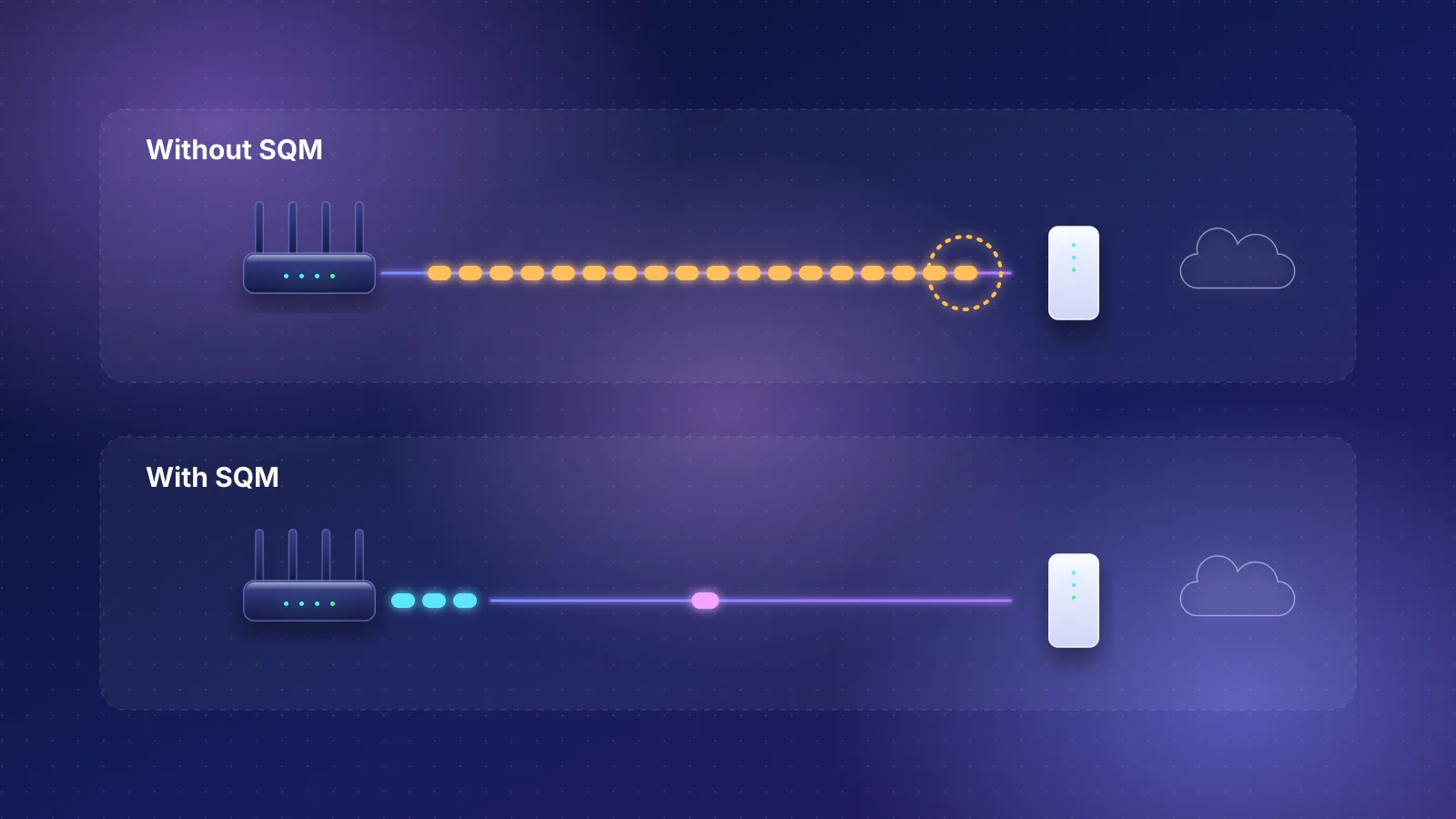
- The bigger difference shows up when the line is busy. While a speed test filled the upload, the fiber providers measured 24 to 41 ms, the cable providers 88 to 252 ms and the DSL providers 181 to 720 ms. On the cable lines, a full upload added 77 to 235 ms, many times the 9 ms idle gap between fiber and cable, and much of that is bufferbloat you can reduce at home with SQM.
- 5G home internet and Starlink aren't in the FCC's fixed measurements. Their own published figures: T-Mobile 16 to 28 ms on its main home plans, Verizon 35 to 70 ms depending on plan, Starlink 25 to 60 ms on land. Geostationary satellite can't go below about half a second, by physics alone.
- Distance and your home network can outweigh the technology. Each 1,000 km of fiber to the game server adds about 10 ms to the round trip, about the same as the idle gap between fiber and cable, and a weak Wi-Fi hop adds spikes no provider can fix.
- Caveat: the FCC data is four years old, covers ten providers and only tiers below a gigabit, and some providers have since changed how their networks queue traffic. Use it to compare technologies, not to rank today's providers.
What the FCC measured, by technology
The FCC's Measuring Broadband America (MBA) program puts a small measurement box (a "whitebox") in volunteers' homes, wired by Ethernet to their router, and has it test against servers at ten major internet exchange points. Each box picks the test server with the lowest round-trip time, so the results describe the provider's own network, not the distance to any particular game. The Thirteenth report, posted in August 2024, is the most recent, and the FCC says the MBA program "is currently not collecting additional data". It covers ten providers, 2,025 panelists' results and twelve provider-and-technology combinations.
It measured latency two ways. Idle latency is the round trip of small test packets when the home is otherwise quiet. Latency under load (the FCC also calls it working latency) is measured during the report's 10-second download and upload speed tests, which fill the line. These are the FCC's figures for weeknight peak hours, 7 to 11 p.m.:
| Technology (providers measured) | Idle: median for the technology | Idle: range across providers | During a download | During an upload |
|---|---|---|---|---|
| Fiber (3) | 9.9 ms | 6.7 to 14.0 ms | 27 to 89 ms | 24 to 41 ms |
| Cable (5) | 19.1 ms | 11.9 to 23.9 ms | 47 to 379 ms | 88 to 252 ms |
| DSL (4) | 31.1 ms | 22.8 to 34.2 ms | 70 to 113 ms | 181 to 720 ms |
| Geostationary satellite | Not in this report. The last edition to report it, the Eighth (September 2017 data), measured median latencies of 594 to 612 ms. | |||
| 5G home internet, Starlink | Never part of the fixed MBA measurements | |||
The loaded figures come from the FCC's chart data, where it shows them without provider names because 2022 was the first year it reported the metric and the metric wasn't announced before the testing period. Three patterns stand out:
- Idle, the technologies sit close together. The fiber and cable medians are about 9 ms apart (arithmetic: 19.1 minus 9.9). For most games, that's a small part of the total round trip.
- Under load, they spread apart. A full upload added 13 to 31 ms on the fiber providers, 77 to 235 ms on the cable providers and 154 to 696 ms on the DSL providers (our arithmetic, loaded minus idle for each provider). On cable and DSL the upload is the narrow direction (the cable tiers measured had advertised upload speeds of 5 to 50 Mbps), so that's where a queue fills.
- Providers vary as much as technologies. During a download, one fiber provider measured 89 ms while one cable provider measured 47 ms. The technology sets the tendency, not the result for your address.
For scale, the FCC itself treats 100 ms or less as "low latency" in its satellite spectrum-sharing rules (cited in its 2026 Section 706 report). Idle, every terrestrial provider in the sample was far below that. During a full upload, four of the five cable providers and all four DSL providers went above it; none of the fiber providers did.
What the FCC data can't tell you
- It's from late 2022. The FCC notes that "some ISPs have since introduced active queue management (AQM) in their networks leading to improved results compared to the measurements from 2022." The report lists the FCC's contractor, SamKnows, as a program participant only through July 2023, and says data from August 1, 2023 onward isn't available. The newest folder in the FCC's MBA download area is still the 2023 one.
- It covers ten providers and the tiers most of their subscribers used. Gigabit tiers were measured but left out of the averages, so the results describe tiers from 1.5 Mbps DSL up to 800 Mbps cable.
- It measures the provider's network, not yours. The whitebox is wired to the router, and the FCC names in-home Wi-Fi as a possible bottleneck outside what it measures, noting that "some Wi-Fi connections may be limited to tens of Mbps."
- It measures to an exchange point, not a game server. The FCC says its metrics "do not necessarily replicate customer experience", because an application's own servers, content networks and routing differ.
- It doesn't chart jitter. The MBA's technical appendix describes a voice test that records jitter, but the Thirteenth report publishes no jitter results by technology.
Idle latency, latency under load and jitter
Three numbers decide how a connection feels in a game:
| Measure | What it is | What sets it |
|---|---|---|
| Idle latency (ping) | The round trip on a quiet line | Distance, the access technology and the provider's routing |
| Latency under load | The round trip while someone in the home is uploading or downloading at full speed | Mostly the size of the queue at the slowest link, usually the provider's line: bufferbloat |
| Jitter | How much the round trip varies from packet to packet | Queues that fill and drain, Wi-Fi contention and retries, and on wireless services, the shared radio channel |
A provider can win on the first and lose badly on the second. A game sends small packets steadily, so a household upload (a cloud photo backup, a video call, a game clip) puts every one of those packets behind a queue. That's why the loaded columns in the FCC table matter more for a busy home than the idle one. Our latency and jitter explainer covers what each feels like in a match.
What the broadband label says about latency
Since April 2024 (October 2024 for providers with 100,000 or fewer subscriber lines), FCC rules have required a "broadband consumer label" for every home internet plan on sale, at the point of sale. The FCC's 2022 order (FCC 22-86) requires providers to show "typical upload and download speeds and typical latency". Its July 2026 order (FCC 26-48, adopted July 22 and published in the Federal Register on August 13, 2026) trims other parts of the label but keeps latency. It also makes latency one of the fields phone sales staff summarize aloud instead of reading the label word for word. That change to the label rule is delayed indefinitely: the FCC says it will announce the effective date in the Federal Register, and it hadn't by October 29, 2026.
The label doesn't standardize how latency is measured. Under the 2022 order, providers in the MBA program may use their MBA results; others may use the MBA method, "internal testing, consumer speed test data, or other data regarding network performance"; and mobile providers without such data may publish a "Typical Speed Range" of speeds and latency that most customers can expect. The FCC also declined to tie the reported figures to peak hours, and nothing on the label covers latency under load. These are the published figures for a few plans, checked October 29, 2026:
| Provider and plan | Technology | Published latency | What the figure is |
|---|---|---|---|
| Verizon Fios 1 Gig | Fiber | 3.97 ms | Median from Verizon's own network testing, February 2026 (performance disclosure) |
| AT&T Internet 1000 (Fiber 1 GIG) | Fiber | 10.7 ms | "Typical latency" on the label |
| Spectrum Internet 1 Gig | Cable | 19 ms | "Typical latency" on the label |
| T-Mobile Home Internet: Amplified, All-In and Rely plans | 5G fixed wireless | 16 to 28 ms | About the 25th to 75th percentile of network tests, from internal analysis and third-party crowd-sourced data |
| T-Mobile Home Internet: Lite and capped plans | 5G fixed wireless | 18 to 36 ms | Same method |
| Verizon 5G Home, Home Plus and Home Ultimate | 5G fixed wireless | 35 to 55 ms on four of the six plan versions; 40 to 60 ms and 50 to 70 ms on the two slower mid-band versions | About the 25th to 75th percentile; "expected network to device (roundtrip) latency" |
| Starlink (all plans) | Low-Earth-orbit satellite | 25 to 60 ms on land; "100+ ms in certain remote locations" | Starlink's specifications page; per-plan figures are on its coverage map |
| Hughesnet 100 GB plan (label dated April 2024) | Geostationary satellite | 750 ms | "Typical latency" on the label |
Read across, fiber's figures are the lowest, cable's and 5G's overlap, Starlink's range overlaps 5G's, and geostationary satellite is in a different league. But the figures aren't comparable to each other or to the FCC's. Verizon's fiber, for example, measured 10.4 ms idle in the FCC's 2022 data and 3.97 ms in Verizon's own 2026 testing: a different year, a different test point and a different method, none of which the label has to state. Treat a label as a quiet-line figure measured the provider's way, and test the loaded behavior yourself.
Each technology, for gaming
Fiber
The lowest idle latency in the FCC data (6.7 to 14 ms by provider) and the smallest penalty under load, with no fiber provider above 89 ms in either direction. The fiber tiers measured also had far higher advertised upload speeds than the cable and DSL tiers (the FCC charts them separately because of the "relatively high upload speeds for optical technology"), so a household upload is less likely to fill the line. If fiber reaches your address, it's the safest choice for low lag.
Cable
Idle latency close to fiber (11.9 to 23.9 ms), but in 2022 most cable providers built up large queues under load, especially on the upload. That weakness is the one SQM targets: shaping the line slightly below its speed in your router moves the queue somewhere it can be kept short. See how to test for bufferbloat before deciding a cable plan is the problem. Check the label's typical upload speed too, since that's the queue that filled.
DSL
The highest idle latency of the wired technologies (22.8 to 34.2 ms) and upload queues of up to 720 ms in the FCC data. Lower-speed DSL tiers were slowest: the FCC's chart data shows 61 ms idle on a 1.5 Mbps tier against about 20 ms on 100 Mbps DSL tiers. Choose it only when nothing wired is faster.

5G home internet
The published ranges (16 to 28 ms for T-Mobile's main plans, 35 to 70 ms for Verizon's) are workable for most games, but they come from the providers, not the FCC, and a cell is shared. T-Mobile lists "how many other customers are attempting to use the same spectrum resources" among the factors that affect performance, and Verizon says that on certain plans "we may prioritize your data behind other traffic". There's also a gaming-specific catch: T-Mobile says its gateways can't change NAT type or forward ports, and that settings some gaming systems need "cannot be configured on the T-Mobile gateway." See which providers support bridge mode and how carrier-grade NAT affects you.
Low-Earth-orbit satellite (Starlink)
Starlink's satellites are close enough that the radio path is short: its latency report puts the speed-of-light travel at "1.8-3.6ms per leg, and usually under 10ms for the round-trip", with the rest coming from ground routing, scheduling on the shared beam and buffers. Starlink reports a US median peak-hour latency of 25.7 ms as of June 2025, with fewer than 1% of measurements above 55 ms, measured from its router to the internet. Starlink also says it added fq_codel queue management to its Wi-Fi router, so that one person's big download doesn't affect another's game. These are Starlink's own measurements, not the FCC's. Two other things matter for gaming: the default plan uses carrier-grade NAT (a public IPv4 address is an option only on Priority plans, and Starlink's own Wi-Fi router doesn't support port forwarding, so opening ports also needs a third-party router), and the dish needs a clear line of sight to the satellites, as an FCC commissioner's statement in the 2026 Section 706 report notes.
Geostationary satellite (Hughesnet, Viasat)
Physics sets the floor. A geostationary satellite orbits about 36,000 km above the surface, by NASA's figure. The ITU's planning value for the path through space between two earth stations at that altitude is 260 ms one way, so a game packet and its reply, each going up and down once, spend about 520 ms in space before any network or processing delay (arithmetic). As a cross-check, 4 × 36,000 km at the speed of light (299,792 km per second) is about 480 ms with the satellite straight overhead. The FCC measured 594 to 612 ms in 2017, and Hughesnet's own support page says satellite adds "about a half-second delay". Hughesnet points customers who need real-time multiplayer games to its Fusion plans, which add a low-latency wireless path. For fast online games, treat standard geostationary service as a last resort.
What matters as much as the technology
- Console on Wi-Fi Two walls from the router: spikes from contention and retries
- Your router SQM on or off decides the loaded latency
- Provider line Fiber about 10 ms idle, cable about 19 (FCC 2022 medians)
- Path to the game server 2,000 km of fiber: about 20 ms round trip on its own
- The server's distance. The ITU's planning value for optical fiber is 5 microseconds per kilometer one way, so every 1,000 km of cable path adds about 10 ms to a round trip (arithmetic). Picking the nearest server region in the game often saves more than switching providers.
- Your Wi-Fi. The FCC measures over a cable for a reason. A wireless hop shares airtime with every other device and resends lost frames; see Ethernet vs Wi-Fi for gaming for what published studies measured.
- Your router's queue. SQM can turn the FCC's "during an upload" column into something close to the idle column on your own line, at the cost of a little speed; it can't fix congestion inside the provider's network or the distance. What no home router can fix sets out the limits.
- The address translation. Two routers in a row, or a provider's carrier-grade NAT, can cause strict NAT types and break voice chat or hosting. That's a different problem from lag; see double NAT symptoms.
How to choose
| If you can get | Choose it when | Check before you sign up |
|---|---|---|
| Fiber | It's available at your address: it led on both idle and loaded latency in the FCC data | The label's typical latency; whether the provider's gateway must stay in place (it can limit your router choice) |
| Cable | Fiber isn't available; idle latency is close to fiber's | The typical upload speed on the label, and a router with documented SQM for the upload queue |
| 5G home internet | Wired service is slow or missing and the provider's range at your address is acceptable | The label for your address, NAT and port-forwarding limits, and the provider's prioritization terms |
| Starlink | Nothing wired is available | A clear line of sight to the sky, and whether you need a public IPv4 address (Priority plans only) and your own router for port forwarding |
| DSL | It's the only wired option and faster than the alternatives at your address | The tier: lower DSL tiers had the highest idle latency in the FCC data |
| Geostationary satellite | Nothing else is available | A hybrid plan with a low-latency path, if offered |
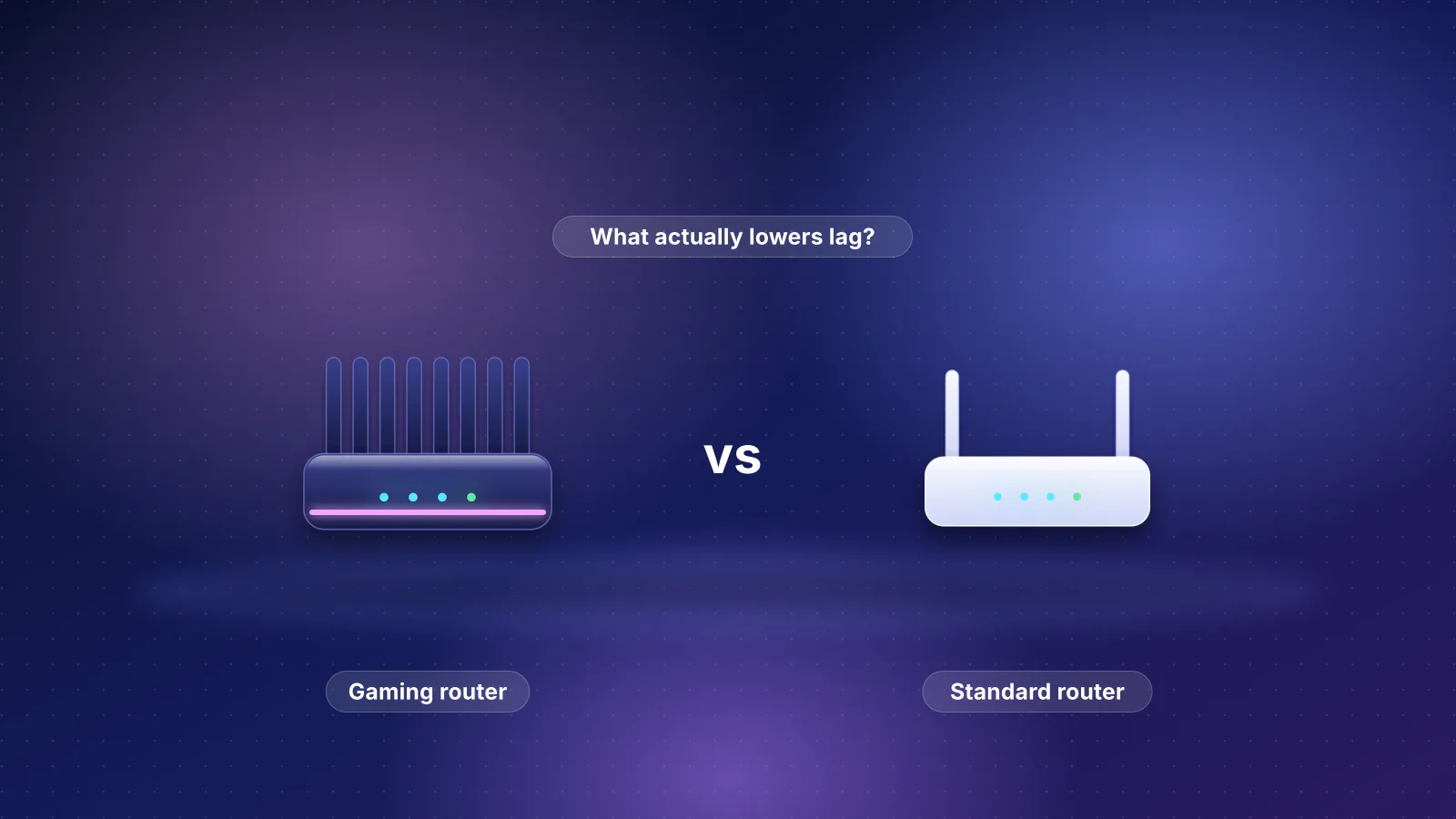
Two common mistakes. First, buying speed for ping. The FCC says higher tiers generally have lower idle latency, "as it takes less time to transmit each packet", but in its tier data each cable or fiber provider's tiers were within about 5 ms of each other, and at Cox and Mediacom the faster of the two tiers measured had the higher idle latency; only the slowest DSL tiers stood out. A gigabit plan speeds up game downloads, not shots. Second, judging a provider by a quiet-line speed test. After installation, run a test that measures latency under load, as the test steps in our latency guide describe, from a wired computer. If the loaded figure is far above the idle one, turn on SQM before blaming the line. Choosing hardware next? Our gaming router comparison lists which models document SQM, and the gaming topic guide collects the rest.
Frequently asked questions
Is 5G home internet good enough for online gaming?
Often, by the providers' own figures: T-Mobile publishes 16 to 28 ms for its main home plans and Verizon 35 to 70 ms depending on plan. Those are ranges from the providers, not FCC measurements, and a cell is shared with other customers. T-Mobile also says its gateways can't forward ports or change NAT type, which some games need.
Does a gigabit plan lower my ping?
Barely. In the FCC's 2022 data, each cable or fiber provider's tiers were within about 5 ms of each other on idle latency, and at two cable providers the faster tier had the higher latency. A faster plan helps most by leaving more room when someone else is downloading, and a router with SQM does more for loaded latency than extra speed.
Can I play online games on Starlink?
Starlink says it is suitable for online gaming and lists 25 to 60 ms on land, with a US median of 25.7 ms at peak hours in its June 2025 figures. Its default plan uses carrier-grade NAT, so hosting games or opening ports needs a public IPv4 address, which Starlink offers only on Priority plans, and a third-party router, since Starlink's own router doesn't support port forwarding.
Why is my ping higher than the latency on my broadband label?
A label's typical latency is measured however the provider chooses, and not to your game's server, which may be hundreds of kilometers further away, and Wi-Fi or a busy upload in your home adds delay that the label doesn't include. Test to your game region from a wired computer, then again while someone uploads.
Is cable internet bad for gaming?
Not when the line is quiet: its idle latency was close to fiber's in the FCC data. The weak spot was the upload queue, which added about 77 to 235 ms on the cable providers measured while an upload ran. Smart queue management on your router targets exactly that, so test for bufferbloat before switching providers.
Sources
Read on October 29, 2026.
- FCC Office of Engineering and Technology: Thirteenth Measuring Broadband America Fixed Broadband Report (PDF)
- FCC: Technical Appendix to the Thirteenth MBA Report (PDF)
- FCC: Measuring Broadband America program page (report list; program not collecting data)
- FCC: Thirteenth MBA report chart data (Charts 6, 7, 16 and 22, spreadsheets)
- FCC: Eighth Measuring Broadband America Fixed Broadband Report (satellite latency, PDF) and Ninth report (satellite providers' participation, PDF)
- eCFR: 47 CFR 8.1, Transparency (broadband consumer labels)
- Federal Register: Empowering Broadband Consumers Through Transparency, FCC 22-86 (December 16, 2022)
- FCC: Empowering Broadband Consumers Through Transparency, Report and Order, FCC 26-48 (adopted July 22, released July 23, 2026, PDF) and its Federal Register publication (91 FR 52251, August 13, 2026; effective September 14, 2026, except the section 8.1(a) changes, delayed indefinitely)
- FCC: 2026 Section 706 Report, FCC 26-55 (PDF)
- Verizon: Network performance
- AT&T: Broadband Facts, Internet 1000 (Fiber 1GIG)
- Spectrum: FCC Broadband Label, Internet 1 Gig
- T-Mobile: Expected Internet Speeds and Performance Metrics and Connect your devices to T-Mobile Home Internet
- Starlink: Specifications, Network Update and What IP address does Starlink provide?
- Starlink: Improving Starlink's Latency (undated, PDF)
- Hughesnet: Broadband Facts, Service Plan 100 GB (April 2024, PDF) and What Is Transmission Latency?
- NASA Earth Observatory: Catalog of Earth Satellite Orbits
- NIST: Speed of light in vacuum
- ITU-T Recommendation G.114: One-way transmission time (2003), Table A.1