
The short version
- One 4K stream needs 15 to 25 Mbps by most services' own figures. Netflix asks for 15, Hulu 16, YouTube 20, and Disney+, the Apple TV app, Paramount+ and YouTube TV 25. HBO Max sets 25 Mbps as its minimum and recommends 50 or more, the highest figure any of them publishes.
- Four 4K TVs at once need 100 to 200 Mbps by that arithmetic: 100 at 25 Mbps each, 200 at HBO Max's 50. A 300 Mbps plan covers four 4K TVs plus video calls with room to spare; a gigabit plan makes downloads faster, not streams sharper.
- Streams use less than the recommendations. Netflix says 4K uses up to 7 GB an hour, about 15.6 Mbps on average; Disney+ says about 7.7 GB an hour, about 17 Mbps. The recommended speeds include headroom.
- Buffering on a fast plan is usually local: a weak Wi-Fi link to the TV, or someone else's big download or upload at the same moment. Fix the link to the TV before buying a faster plan.
- Caveat: these are each service's recommended connection speeds, checked October 29, 2026, not measurements. Prime Video's help pages and Sling give no 4K figure that we could find (Amazon's Fire TV help asks for at least 15 Mbps for 4K on its devices), and no service publishes a playback speed for 8K.
What each service says it needs
From each service's own help pages, checked October 29, 2026. "Not published" means we found no figure in that service's help center.
| Service | 4K | HD and other figures | How the service puts it |
|---|---|---|---|
| Netflix | 15 Mbps | 720p: 3 Mbps; 1080p: 5 Mbps | "15 Mbps or higher" for Ultra HD 4K; Netflix recommends "a stable internet connection speed" |
| YouTube | 20 Mbps | 1080p: 5; 720p: 2.5; 480p: 1.1; 360p: 0.7 Mbps | "Recommended sustained speed" |
| Disney+ | 25 Mbps | HD: 5 Mbps; live content: 8 Mbps | "25.0 Mbps for 4K UHD content" |
| HBO Max | 25 Mbps minimum, 50+ recommended | HD: 5 Mbps minimum | 4K needs the Premium plan and "High speed internet (25 Mbps or higher, 50+ Mbps is recommended)" |
| Prime Video | Not published for the service; Amazon's Fire TV help: at least 15 Mbps for 4K on its devices | SD: 1 Mbps; HD: 5 Mbps | "a minimum download speed of 1 Mb/s for SD content and 5 Mb/s for HD content" (from its live-stream help page) |
| Apple TV app | 25 Mbps | Not published | "Apple recommends a minimum speed of 25 Mbps for 4K streaming", on its page about movies bought or rented in the app; below that, Apple devices switch to a lower-quality version. Apple publishes no separate figure for its Apple TV subscription (formerly Apple TV+) |
| Hulu | 16 Mbps | Streaming library: 3 Mbps; live streams: 8 Mbps | "Sustained download speeds"; reduced quality may work at 1.5 Mbps |
| Paramount+ | 25 Mbps | On demand and live TV: 2 Mbps | "25 Mbps internet speed for 4K UHD and HDR" |
| Peacock | 8 Mbps (shared with live events) | 3 Mbps minimum | 8 Mbps for "certain high-quality live events and ultra-high definition premium content", on its buffering help page |
| YouTube TV | 25 Mbps (4K Plus subscribers) | 13 Mbps: HD "even with other devices using the same network"; 7 Mbps: one HD stream; 3 Mbps: SD | A table of what each speed lets you do |
| Sling TV | Not published | 3 Mbps for a single stream; 25 Mbps for several devices | "at least 3 Mbps for a single stream"; 25 Mbps "for a great experience watching on multiple devices" |
Four things stand out. The figures are per stream, so they add up for each TV in use. Live content gets higher numbers than on-demand at Hulu (8 Mbps for live against 3 for its library) and Disney+ (8 for live against 5 for HD), though Paramount+ gives the same 2 Mbps for both. Only YouTube TV and Sling put a number on room for other devices (13 Mbps for HD alongside other devices, and 25 Mbps for several devices); Hulu just notes that other activity "may require additional bandwidth". The 4K figures cluster at 25 Mbps, with HBO Max's 50 Mbps recommendation the outlier.
What a 4K stream actually uses
Of the services we checked, Netflix and Disney+ publish how much data each quality setting uses per hour. Converting that to an average speed shows how much headroom the recommendations carry. Arithmetic, not a measurement: a gigabyte taken as 1,000 megabytes, so average Mbps = GB per hour × 8,000 ÷ 3,600. If a service means binary gigabytes, the averages are about 7% higher.
| Service and setting | Data per hour (service's figure) | Average speed (arithmetic) | Service's recommended speed |
|---|---|---|---|
| Netflix, High, 4K | Up to 7 GB | About 15.6 Mbps | 15 Mbps |
| Netflix, High, HD | Up to 3 GB | About 6.7 Mbps | 3 to 5 Mbps |
| Netflix, Medium (standard quality) | Up to 0.7 GB | About 1.6 Mbps | Not stated |
| Disney+ on a TV, Automatic (4K UHD and HDR) | About 7.7 GB | About 17.1 Mbps | 25 Mbps |
| Disney+ on a TV, Moderate (1080p) | About 2 GB | About 4.4 Mbps | 5 Mbps |
| Disney+ on a TV, Save data (SD) | About 0.7 GB | About 1.6 Mbps | Not stated |
Netflix's two numbers line up: 15 Mbps sustained for an hour is 6.75 GB, just under its 7 GB ceiling. Disney+ asks for about 1.5 times its 4K average (25 against about 17 Mbps). Neither says how much of that margin is for peaks in the video and how much for other traffic. When the connection can't keep up, the services step down rather than stop: Apple's devices "automatically switch the video quality to a lower-quality version", and HBO Max "adjusts the video quality based on your network bandwidth and connection speed". So on a borderline connection, expect a softer picture before a spinning wheel, at least on the services that say they adapt.
The same arithmetic matters for data caps. Two TVs watching 4K Netflix four hours a day for 30 days is up to 2 × 4 × 30 × 7 GB = 1,680 GB a month. The broadband label for your plan shows the data included under "Data Included with Monthly Price".
Planning for several 4K TVs at once
Arithmetic from the services' figures: 25 Mbps per TV (the most common 4K figure) and 50 Mbps per TV (HBO Max's recommendation, the highest published), with what a 300 Mbps plan has left at the higher figure.
| 4K TVs streaming at once | At 25 Mbps each | At 50 Mbps each | Left on a 300 Mbps plan at 50 Mbps each |
|---|---|---|---|
| 1 | 25 Mbps | 50 Mbps | 250 Mbps |
| 2 | 50 Mbps | 100 Mbps | 200 Mbps |
| 3 | 75 Mbps | 150 Mbps | 150 Mbps |
| 4 | 100 Mbps | 200 Mbps | 100 Mbps |
| 5 | 125 Mbps | 250 Mbps | 50 Mbps |
Then add what else runs in the evening. Zoom recommends 3.0 Mbps down and 3.8 Mbps up for a 1080p group video call, so four 4K TVs at 25 Mbps each plus two such calls come to about 106 Mbps down and 7.6 Mbps up (arithmetic). That already exceeds 100 Mbps, the download half of the FCC's 100/20 Mbps benchmark for fixed broadband, which its 2026 Section 706 report kept. A game update or a phone backup on top takes whatever capacity is left, as fast as it can, so the question is how much is left, not whether the streams fit on paper.
What that means for choosing a plan:
- Up to 100 Mbps: enough for one or two 4K TVs. Four at once fill it, and any download at the same time can push the services down a quality step.
- About 300 Mbps: four 4K TVs even at HBO Max's higher figure, plus calls, with more than 90 Mbps left for everything else. This is the tier where streaming stops being the reason to upgrade.
- 500 Mbps to 1 Gbps: buy it for large downloads, backups or a house full of people working from home, not for streaming quality. A plan above about 940 Mbps also needs router and computer ports faster than gigabit to show up on a speed test; Verizon, for example, lists its 1 Gig Fios plan as "up to 940/880 Mbps", with average wired speeds of 750 to 940 Mbps down. See routers for multi-gig fiber.
Compare plans by the "typical download speed" on each provider's broadband label, not the name of the tier. Spectrum's Internet 1 Gig label, for example, lists a typical download speed of 1,159 Mbps.
Why a fast plan still buffers
If the arithmetic above fits your plan and a TV still buffers, the bottleneck is usually inside the home. The FCC's own broadband measurements are taken by a box wired to the router, and its report names "the Wi-Fi used to connect to the in-home access router" as one of the places a bottleneck can sit and notes that "some Wi-Fi connections may be limited to tens of Mbps".
- Internet plan 300 Mbps: room for four 4K streams
- Router Living room, main TV on Ethernet
- Bedroom TV Built-in Wi-Fi, two walls and a floor away: the weak link
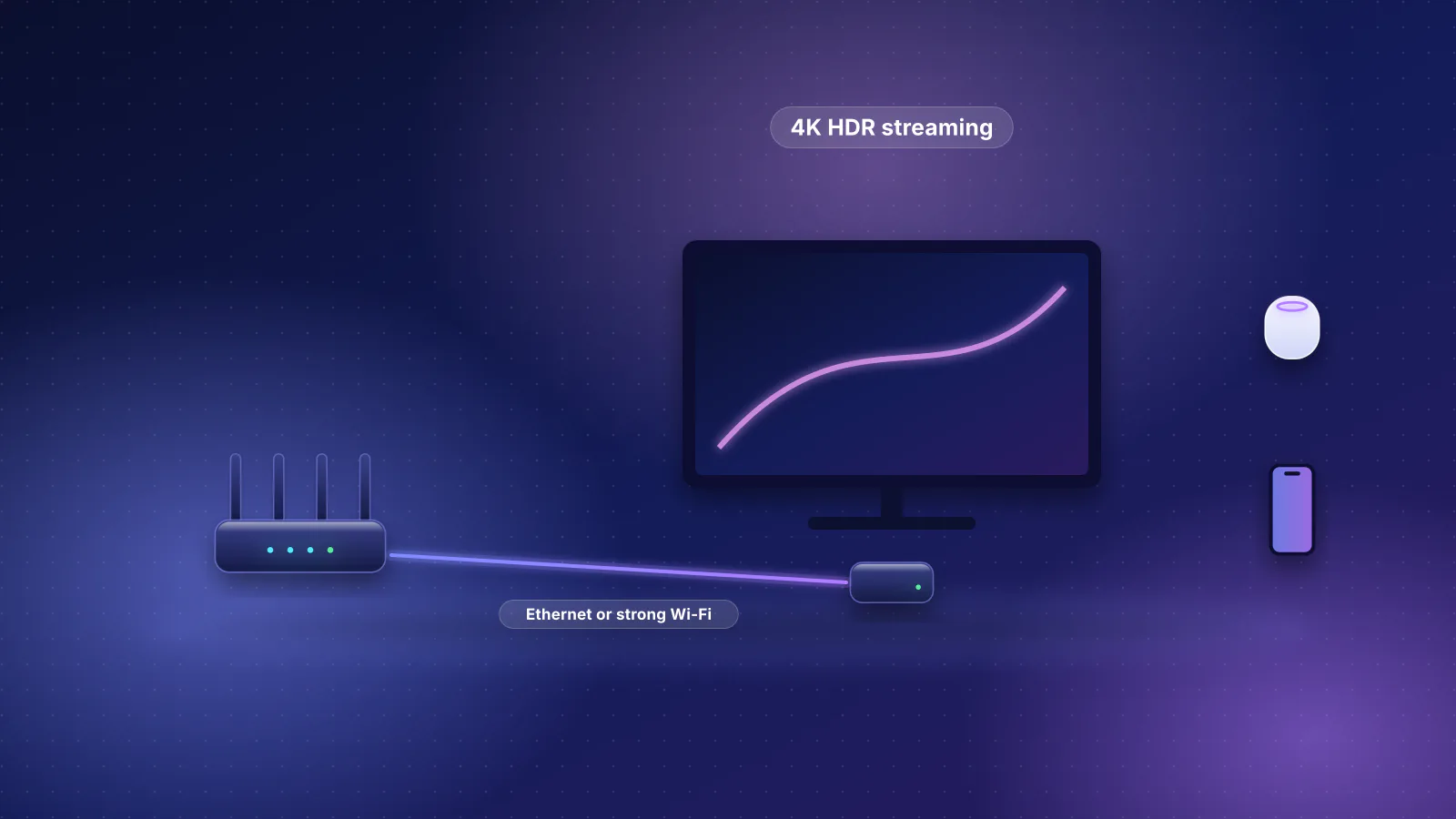
- The link to the TV. A TV's built-in Wi-Fi often has to reach the router through walls and floors. Wire the TV or streaming box if you can; otherwise put a mesh unit or access point in that room and connect the TV to it with a short cable. Our Apple TV 4K and multi-TV guide walks through the layout, and dead-zone fixes, cheapest first covers weak rooms in general. If a wired test is slow too, the problem is upstream of the TV: test the connection in order.
- Other traffic at the same moment. Peacock's help page warns that "playing online games, downloading or uploading large files while trying to watch" on the same network could cause buffering, and Hulu notes that "watching multiple videos or using the internet for other activities may require additional bandwidth". Wi-Fi capacity is shared airtime, so one slow, distant device costs everyone; see how Wi-Fi splits capacity.
- The upload. None of the services we checked publishes an upload requirement, but the household's upload still matters: video calls, cloud backups and cameras share it, and a full upload adds delay to everything else on the line (in the FCC's measurements, latency during a download was generally "significantly higher" than idle, and during an upload it was higher still for most cable and DSL providers). Smart queue management (SQM) on the router keeps one heavy user from stalling the rest; see our bufferbloat and SQM guide. Priority QoS can sit on top of SQM, but it doesn't replace it.
- Casting and discovery. When a phone can't find the TV to cast to, the cause is often network separation (a guest network, client isolation or a separate smart-home network), not speed. The same-network rule for AirPlay explains which router settings break it.

Latency matters less for on-demand streaming than for games or calls, because a player can fetch video ahead of what's on screen. A live stream can't be fetched far ahead, which is our reading of why services ask for more for live content; the services don't say why.
8K: what's published
None of the eleven services publishes a playback speed for 8K on the pages we read, and Netflix, Disney+, HBO Max, Hulu and Paramount+ list nothing above 4K on the pages we read. YouTube accepts 8K uploads, but its playback table stops at 4K (20 Mbps). The only 8K figures YouTube publishes are for creators uploading video:
| YouTube's recommended upload bitrate | Standard frame rate (24 to 30) | High frame rate (48 to 60) |
|---|---|---|
| 8K, SDR | 80 to 160 Mbps | 120 to 240 Mbps |
| 8K, HDR | 100 to 200 Mbps | 150 to 300 Mbps |
| 4K, SDR | 35 to 45 Mbps | 53 to 68 Mbps |
YouTube's 4K playback recommendation, 20 Mbps, is about half its 4K upload bitrate: YouTube converts uploads to its own formats, and its upload page notes that viewing new 4K uploads in 4K needs a browser or device that supports the VP9 codec. So the 8K upload figures are best read as a generous ceiling for planning, not a requirement (our reading, not a YouTube figure). Even at the top standard-frame-rate SDR figure, 160 Mbps, a 300 Mbps plan carries one 8K stream. The harder part is the TV's own link: at those rates, Wi-Fi to the TV needs to be strong, or the TV wired.
Streaming from your own server
A Plex or Jellyfin server streaming to TVs in the same home doesn't touch your internet plan at all; the stream crosses only your own network. Away from home, every stream leaves through your upload. Our Plex and Jellyfin network guide has the upload arithmetic and the server-link choices.
What to check in the router
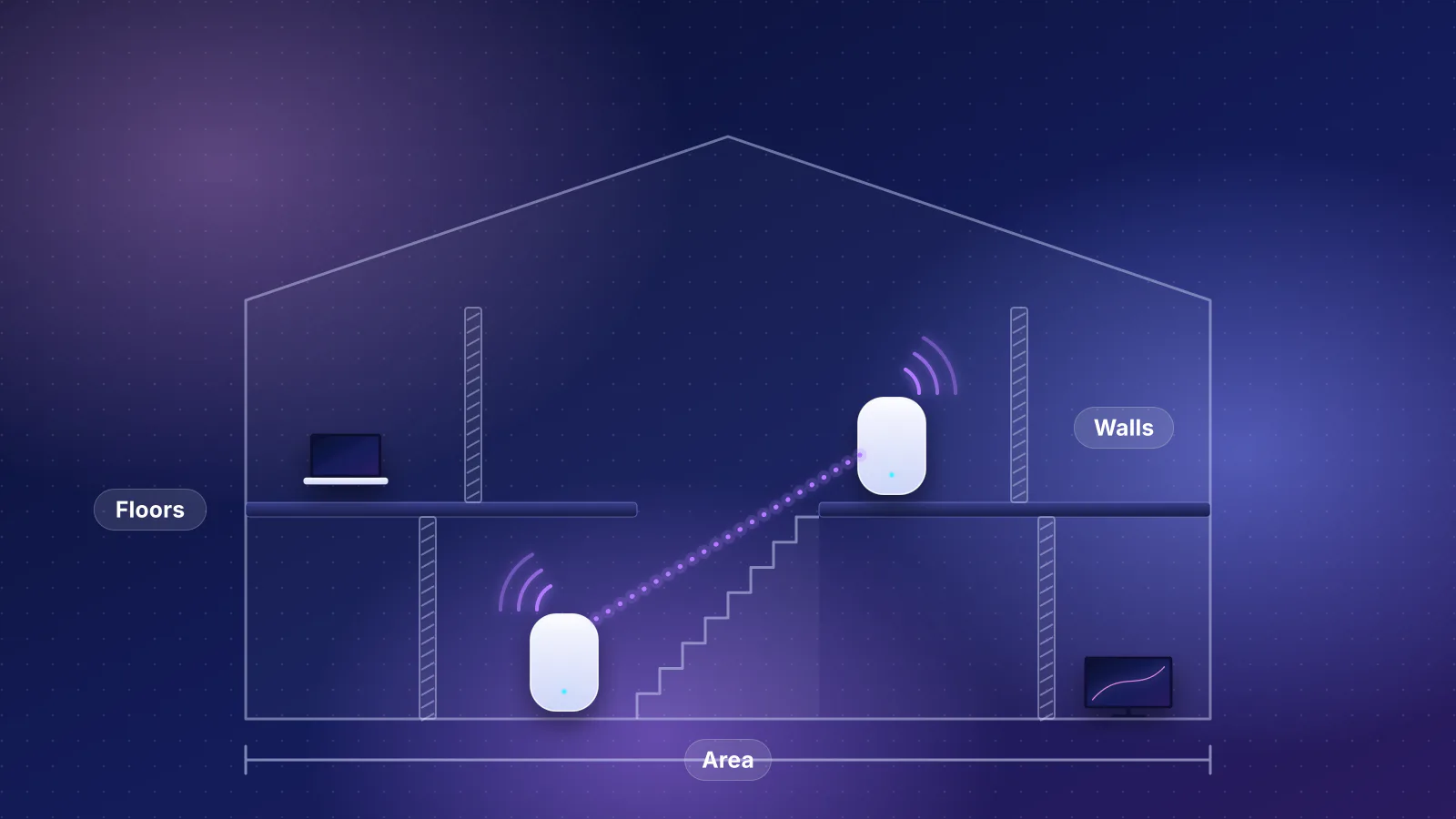
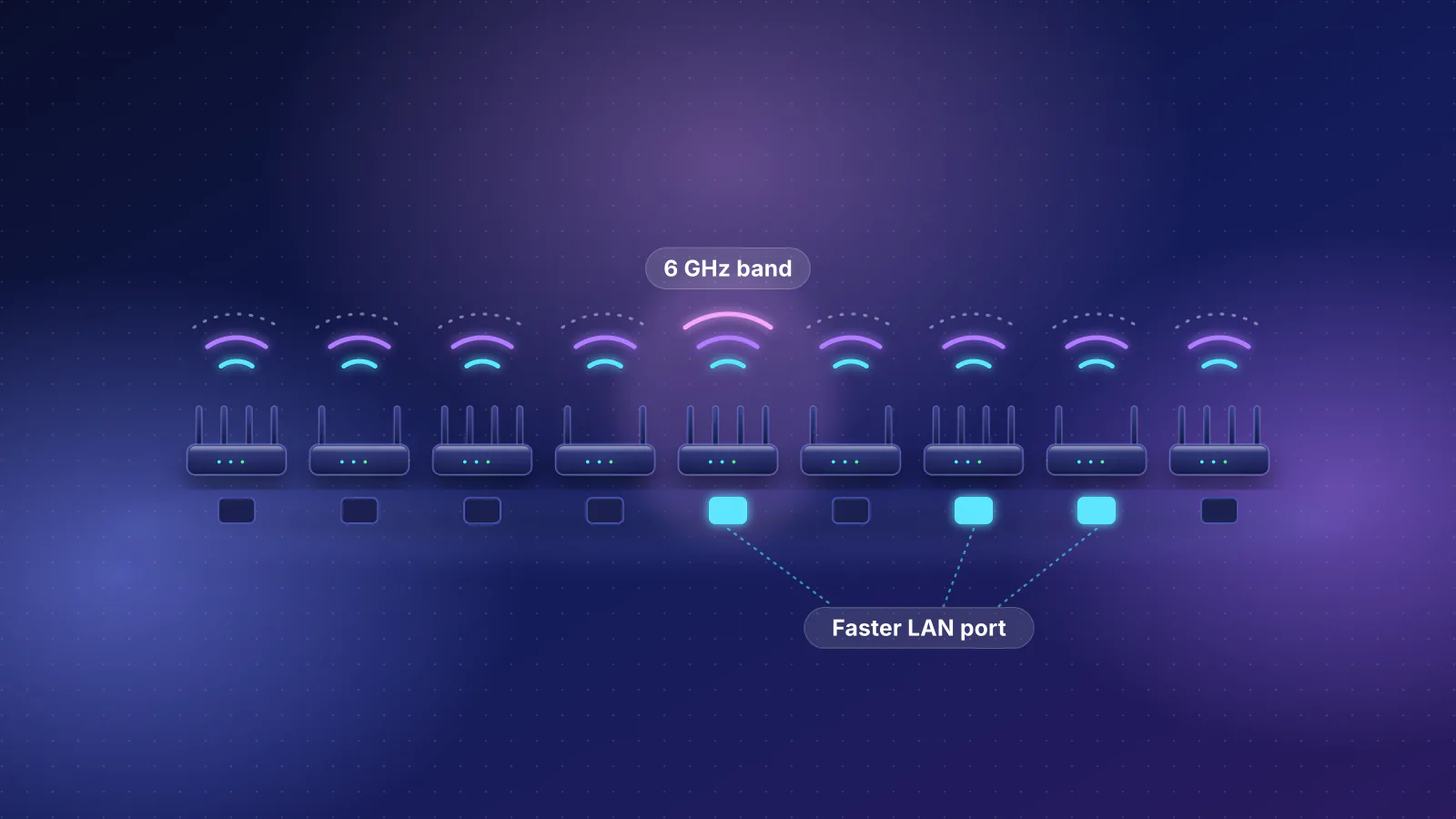
Once the plan has room, the router and Wi-Fi decide whether each TV gets its share. In the planner, choosing streaming as a priority gives extra credit to routers and mesh systems with a third band or 6 GHz, which keeps several 4K streams from competing on one band, and it sizes Wi-Fi coverage for your home's size, floors and walls. If you're adding mesh units for TV rooms, wired links between them help most; see mesh systems with wired backhaul and extender vs mesh vs access point.
Frequently asked questions
Do I need gigabit internet for 4K streaming?
No. By the services' own figures, one 4K stream needs 15 to 25 Mbps, and HBO Max, the highest, recommends 50. Four 4K TVs at once need 100 to 200 Mbps by that arithmetic, so a plan around 300 Mbps covers them. A gigabit plan helps large downloads and backups, not stream quality.
Why does my 4K TV buffer when my speed test is fast?
A speed test on your phone measures the phone's link, not the TV's. The usual cause is the TV's own Wi-Fi link, often a radio behind the screen far from the router, or other traffic at the same moment. Wire the TV or put a mesh unit or access point in the room, then check whether someone was downloading or uploading when it buffered.
Does streaming use upload speed?
Very little, and none of the services we checked publishes an upload requirement. Upload matters for the rest of the household: video calls, cloud backups and cameras share it, and a full upload adds delay for everyone. Smart queue management on the router keeps that from stalling streams and calls.
How much data does 4K streaming use in a month?
Netflix says 4K uses up to 7 GB an hour and Disney+ about 7.7 GB an hour on a TV. Two TVs watching 4K Netflix for four hours a day add up to about 1,680 GB in 30 days. Check the data included on your plan's broadband label if it has a cap.
Is 5G home internet good for 4K streaming?
It can be fast enough, but check the plan's video terms. Verizon says it optimizes video to 1080p on its 5G Home and 5G Home Plus plans and to 4K only on 5G Home Ultimate, so the TV may not receive a 4K stream on the lower plans.
Sources
Read on October 29, 2026.
- Netflix Help Center: Netflix-recommended internet speeds and How to control how much data Netflix uses
- YouTube Help: System requirements and supported devices for YouTube
- YouTube Help: YouTube recommended upload encoding settings
- Disney+ Help Center: Internet speed recommendations and Data usage and streaming quality on Disney+
- HBO Max Help: Stream select HBO Max content in 4K UHD and HBO Max loads slow, buffers, or pauses
- Amazon: Fix live stream issues on Prime Video, How to fix Prime Video streaming issues and Watch Prime Video on your computer; Watch video in 4K Ultra HD on your Fire TV device
- Apple Support: Find movies with 4K, HDR, Dolby Vision, or Dolby Atmos in the Apple TV app and Apple: Apple TV
- Hulu Help Center: Internet speed recommendations
- Paramount+ Help: What are the minimum system requirements for Paramount+?
- Peacock Help: How do I fix issues with slow loading or buffering on Peacock?
- YouTube TV Help: Troubleshoot YouTube TV streaming issues
- Sling TV Help: Buffering and internet issues
- Zoom Support: Zoom system requirements, Windows, macOS, Linux (bandwidth)
- FCC: Thirteenth Measuring Broadband America Fixed Broadband Report (PDF)
- FCC: Technical Appendix to the Thirteenth MBA Report (PDF)
- FCC: 2026 Section 706 Report, FCC 26-55 (PDF)
- Verizon: Network performance (5G Home video optimization; Fios 1 Gig speeds)
- Spectrum: FCC Broadband Label, Internet 1 Gig
.jpg)