
The short version
- The slowest link sets the speed. A multi-gig plan reaches a device only if the provider's port, your router's internet port, its routing, the LAN port or switch, the cable, the device's network adapter and the speed test can all go faster than 1 Gbps.
- A result stuck near 940 Mbps usually means a 1 Gbps link somewhere (or a plan still provisioned at 1 Gig, which the provider's own test shows). That's what 1 Gbps Ethernet carries after protocol overhead, by the arithmetic below. Near 2.35 Gbps points to a 2.5 Gbps link, near 4.7 Gbps to a 5 Gbps link.
- Start with the provider's own equipment test, then test wired from a computer with a multi-gig adapter, and check the speed each link actually negotiated. Only then blame the router or the provider.
- Wi-Fi is usually not the place to look for multi-gig. Apple's fastest current iPhones and Macs top out at a 2,400 Mbps link rate, and real throughput is lower than the link rate. Over Wi-Fi, a multi-gig plan shows up as headroom for many devices, not as one fast test.
This article is about finding the bottleneck in a network you already have. If you're choosing equipment for a multi-gig plan, see how to choose a router for multi-gig fiber.
Read the number first
Each Ethernet speed has a ceiling for real downloads, set by the overhead every packet carries (the arithmetic is in the overhead section). If repeated tests level off at the same number, that number tells you the speed of the slowest wired link:
| Tests level off near | Most likely cause | Ceiling by arithmetic |
|---|---|---|
| 94 Mbps | A link that negotiated 100 Mbps: check that cable first | 93 to 95 Mbps |
| 930 to 950 Mbps | A 1 Gbps port, adapter or switch somewhere in the path | 928 to 949 Mbps |
| 2.32 to 2.37 Gbps | A 2.5 Gbps link | 2,321 to 2,373 Mbps |
| 4.64 to 4.75 Gbps | A 5 Gbps link | 4,642 to 4,746 Mbps |
| 9.28 to 9.49 Gbps | A 10 Gbps link | 9,285 to 9,493 Mbps |
| Anything that varies from run to run | Wi-Fi, the router's processing, the test server or browser, or the provider | No fixed ceiling |
Providers' own figures (checked October 21, 2026) line up with these ceilings. AT&T says that on its 5 GIG plan the "single device wired speed maximum" is 4.7 Gbps. Verizon gives average wired download speeds of 750 to 940 Mbps for its Gig tier and 1.5 to 2.3 Gbps for Fios 2 Gig, so 1.9 Gbps wired on a 2 Gbps plan is normal.
The chain from the street to your device
Here is one way a 2 Gbps plan ends up at 940 Mbps. Every box is multi-gig except one:
- Internet plan 2 Gbps
- Provider's ONT or gateway port 2.5 Gbps or faster
- Router internet port 2.5 Gbps
- Router LAN port 1 Gbps: the bottleneck
- Desktop PC 2.5 Gbps adapter
The provider's equipment and port
The provider's box (a fiber terminal, called an ONT, or a gateway with one built in) has to hand off the plan's speed on a multi-gig port, and your router or computer has to be plugged into that port. From the providers' support pages, checked October 21, 2026:
- AT&T: on the BGW320 gateway, "Blue Ethernet ports support data transmission speeds of up to 5Gbps". On the newer BGW620, the blue ports run "up to 10Gbps". Yellow ports on both are 1 Gbps. AT&T's gateway stays in place, so your router connects to it through IP passthrough (see bridge mode vs IP passthrough).
- GFiber: for multi-gig tiers it says to "connect your computer directly to your router's silver 10G LAN port" to test. Its 5 Gig and 8 Gig pages describe a "10 Gig capable Fiber Jack".
- Verizon Fios: "The Verizon Router provides a 10 Gigabit Ethernet LAN port and two 2.5 Gigabit Ethernet LAN ports." Its other ports matter less; plug the fastest device into the 10 Gigabit one.
- Frontier: its plan disclosures say Fiber 2 Gig "Requires 2 Gbps capable devices and wiring", and the same for 5 and 7 Gig at their speeds.
Two things to check on your own setup: which port your router's internet cable is plugged into (a yellow 1 Gbps port on an AT&T gateway caps everything behind it), and whether the gateway or ONT is the model your plan needs. Our provider table covers how each provider expects your own router to connect.
Your router: internet port and routing
The internet (WAN) port
The router's internet port must be at least as fast as the plan. A 2.5 Gbps port carries a 2 Gbps plan; a 5 Gbps plan needs a 5 or 10 Gbps port, and an 8 Gbps plan a 10 Gbps port. RouterHaus's router finder leaves out routers whose fastest internet port is more than 10% slower than a plan above 1 Gbps.
Watch for ports that can be either internet or LAN. Some routers have two ports labeled WAN/LAN, for example a 10 Gbps and a 2.5 Gbps port on the ASUS RT-BE92U. Whichever one you use for the internet, the other can serve a wired device. If your fastest device ends up on the 2.5 Gbps port, that's its ceiling.
Routing capacity, published or not
Every packet passes through the router's processor, which translates addresses (NAT) and applies firewall rules. A fast port doesn't prove the router can route at that speed. Of the 88 current Wi-Fi routers and mesh systems in the RouterHaus catalog with an internet port faster than 1 Gbps, only five have a routing test, an internet-plan rating or a wired-speed figure from the maker (catalog checked October 20, 2026): two MikroTik routing tests, one eero plan rating and two eero wired-speed claims. Two examples of what those figures show:
- Port speed and rated speed can differ. The eero Pro 6E has "one auto-sensing 2.5 GbE" port, but eero describes its network speeds as "a gigabit wired and 1.6 Gbps wireless". That's a speed claim, not a routing test.
- Routing speed depends on the traffic. MikroTik publishes RFC 2544 lab results (dedicated test equipment, maximum rate at 0.1% packet loss) for the hAP ax3: 2,614 Mbps of routing with 25 firewall rules using 1,518-byte packets, but 1,145 Mbps with 512-byte packets. With one 2.5 Gbps port and four 1 Gbps ports, those are totals across ports, not one connection's speed. MikroTik notes that "different configurations most likely will result in lower results".
Security and VPN features cost speed too. Ubiquiti lists IDS/IPS (intrusion detection and prevention) throughput of 2.3 Gbps for the UniFi Express 7, which has a 10 Gbps internet port. GFiber notes that a VPN caps your speed at "how fast the VPN server can process your data".
LAN ports, switches and cables
The LAN port your device uses
A multi-gig internet port doesn't mean multi-gig LAN ports. Of the 103 current routers, mesh systems and gateways in our catalog with a 2.5 Gbps or faster internet port, 27 have no LAN-only port faster than 1 Gbps (two of those, single-port mesh units, have no LAN-only port at all). Our catalog counts ports labeled WAN/LAN as internet ports, so in four of the 27 a second multi-gig WAN/LAN port can still serve a device. These are the Wi-Fi 7 routers among the 27:
| Product | Internet port | Fastest LAN port | Maker's routing, plan or wired-speed figure | Price |
|---|---|---|---|---|
| ASUS RT-BE55 Router · Wi-Fi 7 |
2.5 Gbps | 1 Gbps | Not published | $129.99 Manufacturer price (not re-confirmed), checked October 20, 2026 |
| ASUS RT-BE58U Router · Wi-Fi 7 |
2.5 Gbps | 1 Gbps | Not published | $149.99 Manufacturer price (not re-confirmed), checked October 20, 2026 |
| NETGEAR Nighthawk RS100 Router · Wi-Fi 7 |
2.5 Gbps | 1 Gbps | Not published | $149.99 Manufacturer store price, checked October 20, 2026 |
| ASUS TUF Gaming BE3600 (TUF-BE3600) Router · Wi-Fi 7 |
2.5 Gbps | 1 Gbps | Not published | $179.99 Manufacturer price (not re-confirmed), checked October 20, 2026 |
| NETGEAR Nighthawk RS150 Router · Wi-Fi 7 |
2.5 Gbps | 1 Gbps | Not published | $199.99 Manufacturer store price, checked October 20, 2026 |
| TP-Link Archer BE670 Router · Wi-Fi 7 |
10 Gbps | 1 Gbps | Not published | Not published |
| ASUS RT-BE50 Router · Wi-Fi 7 |
2.5 Gbps | 1 Gbps | Not published | Not published |
| MikroTik hAP be lite (A42G-HbeP) Router · Wi-Fi 7 |
2.5 Gbps | 1 Gbps | 1.4 Gbps | $79.00 List price, checked October 20, 2026 |
These routers can still use a multi-gig plan across several devices at once (see the FAQ). What they can't do is give one wired device more than about 940 Mbps through a LAN-only port. The Archer BE670 is the exception in this table: its two WAN/LAN ports are 10 Gbps and 2.5 Gbps, so whichever one isn't the internet port can serve a device at multi-gig speed (on a 2 Gbps plan, the 2.5 Gbps one for the internet and the 10 Gbps one for a device). The MikroTik hAP be lite's 1.4 Gbps figure is MikroTik's own routing test.
Switches
A switch between the router and your device has to be multi-gig on both ports in the path: the one from the router and the one to the device. A 1 Gbps switch anywhere in the line caps everything behind it, including a switch built into a mesh unit or a wall plate. GFiber's 8 Gig guidance says splitting full speed across wired devices needs "a specialized Multi-Gig switch rated for 8 Gbps or greater".
Cables and the speed they negotiate
Ethernet ports agree on a speed when they connect, using the fastest one both ends and the cable can support. Apple's support page for its 10 Gigabit Ethernet port lists, for a cable of up to 100 m:
| Cable | 2.5 Gbps | 5 Gbps | 10 Gbps |
|---|---|---|---|
| Category 5e | Yes | Yes | No |
| Category 6 | Yes | Yes | Up to 55 m |
| Category 6a or later | Yes | Yes | Yes |
The standards are stricter than Apple's table. IEEE's 802.3bz objectives target 5 Gbps over 100 m of Cat6, and over Cat5e only in defined installations, and industry guidance (TIA TSB-155, as quoted by Fluke Networks) assures 10 Gbps on Cat6 only to about 37 m, with 37 to 55 m depending on crosstalk between neighboring cables.
Providers are more cautious. AT&T says that above 1 Gbps "you must use at least a Cat6 cable plus an Ethernet port rated for multi-Gbps speeds", and that some older in-building wiring "may not be capable of supporting speeds above 1Gbps to a single device". GFiber asks for Cat5e or newer (Cat6 recommended) for 2 Gig and Cat6A for 5 and 8 Gig. When in doubt, read the category printed on the cable jacket, and use a short new Cat6 or Cat6A cable for testing. For in-wall runs, see Cat6 vs Cat6a.

Check what each connection actually negotiated rather than assuming it:
- Windows: in Settings, go to Network & internet and open the properties of your Ethernet connection, then read "Link speed (Receive/Transmit)". Or run
Get-NetAdapter | Select Name, LinkSpeedin PowerShell. - macOS: System Settings, Network, select the Ethernet adapter, then Details and Hardware. The Speed field shows, for example, 2500Base-T for a 2.5 Gbps link or 1000Base-T for 1 Gbps.
If a device that should be multi-gig shows 1 Gbps (or 100 Mbps), swap the cable first, then try another port, then remove any switch from the path.
The device's network adapter
Many computers still have 1 Gbps Ethernet. GFiber's 2 Gig guide says "Standard devices max out at 1 Gbps" and that without multi-gig hardware, devices "will typically max out at 1 Gbps". Apple's specifications show the range even within one brand: 1 Gbps on the iMac 24-inch, 1 Gbps on the 2024 Mac mini (10 Gbps optional), 2.5 Gbps on the 2026 Mac mini (10 Gbps optional) and 10 Gbps on Mac Studio.
For a laptop or a 1 Gbps desktop, a USB or Thunderbolt adapter is the usual fix. GFiber says a 2.5 Gbps adapter must be in "a high-speed USB port (USB 3.0 or newer)" with current drivers, and for 5 and 8 Gig recommends a 10 Gbps adapter or port, an 8-core processor and a PCIe 4.0 SSD. Verizon's recommended Windows test computer for Fios 2 Gig has a "2.5 Gig (minimum) - 10 Gig Ethernet connection" and an Intel Core i7 at 2.5 GHz or faster. A slow or busy computer can be the bottleneck even with the right port.
Wi-Fi: link rate is not throughput
The "link rate" a phone or laptop shows is the fastest rate its radio can signal at, not the speed downloads reach. Apple defines its published figure as "the highest rate at which a client can transmit data over Wi-Fi". Real throughput is lower: even Intel's best-case estimate below assumes a tenth of the link rate is lost, and the rate a device holds falls with distance and walls.
- Internet plan 2 Gbps
- Router internet port 2.5 Gbps
- iPhone 17, Wi-Fi 7 2,400 Mbps link rate at 160 MHz; real throughput lower
Why a typical device can't reach multi-gig over Wi-Fi:
- Two streams, 160 MHz. Apple lists its Wi-Fi 7 iPhones (iPhone 16 through 18 Pro, Air and Duo, but not the 16e or 17e) and its 2026 MacBook Air, MacBook Pro and Mac mini at a maximum of 2,400 Mbps, using two spatial streams (2x2) and 160 MHz channels. Intel lists its BE202 Wi-Fi card at the same 2.4 Gbps (2x2, 160 MHz, 1024-QAM).
- Even the best case falls short of 5 Gbps. Intel's BE200 and BE201 cards are rated at 5.8 Gbps with 320 MHz channels and 4096-QAM. Intel's footnote puts the theoretical maximum for a two-stream client with 320 MHz channels, 4096-QAM and Multi-Link Operation at 5.76 Gbps and, assuming 90% efficiency in the 6 GHz band, estimates the best over-the-air speed at 5.19 Gbps. A 160 MHz channel is half as wide, so by the same arithmetic about 2.9 Gbps maximum and about 2.6 Gbps after that 10% (arithmetic, not a measurement).
- Providers say the same. GFiber's speed test guide says Wi-Fi results typically max out "around 300–800 Mbps regardless of gigabit capabilities", and its 2, 5 and 8 Gig guides expect "real-world Wi-Fi speeds up to 700 Mbps" with its routers.
So test Wi-Fi to check Wi-Fi, not the plan. A multi-gig plan helps Wi-Fi when several devices download at once; see how bandwidth is shared in a busy home. For what Wi-Fi 7 changes on Apple devices, see the iPhone link-rate table. Mesh units connected to each other wirelessly add another shared wireless hop; wired backhaul avoids it (mesh vs single router).
The speed test itself
A test measures the path to one server, through one app or browser, on one device. Ookla, which runs Speedtest, says:
- Browsers differ: they "have different capabilities and may provide different results, particularly on high-speed connections. Using the Speedtest apps, instead of the website, usually provides more reliable results." GFiber's 8 Gig guide goes further: use the Ookla desktop app "rather than a web browser" at those speeds.
- It uses several connections: the download test opens "multiple connections with the server" and adds more in the first half if needed. A single download from one website or game store can be slower.
- Servers have limits: Ookla's published server requirements, dated June 2020, set a minimum of 1 Gbps of network capacity for a test server. A nearby server can be slower than your plan or busy. Try two or three different servers before drawing conclusions.
- Security software can interfere: Ookla says anti-virus or firewall software "intercepting test traffic" can lower results, and can make the upload test fail.
Why 1 Gbps Ethernet gives about 940 Mbps
A speed test counts only the data inside each packet. The rest of each frame on the cable is overhead. RFC 6349, the IETF's framework for TCP throughput testing, gives the numbers for standard 1,500-byte packets:
- Each full Ethernet frame occupies 1,538 bytes of wire time: 1,500 bytes of packet (the MTU), a 14-byte Ethernet header, a 4-byte checksum, a 7-byte preamble, a 1-byte start delimiter and a 12-byte gap between frames.
- Inside the 1,500 bytes, IPv4 and TCP headers take 20 bytes each, leaving 1,460 bytes of data.
- Many systems also add a TCP timestamp option to every packet, which RFC 7323 says adds "up to 12 bytes including padding". Linux enables it by default. That leaves 1,448 bytes.
- An IPv6 header is "20 octets longer than a minimum-length IPv4 header" (RFC 8200), so IPv6 leaves 20 bytes less.
Arithmetic, not a measurement: data per frame divided by 1,538 bytes, times the link speed.
| Link | IPv4 | IPv4 + timestamps | IPv6 + timestamps |
|---|---|---|---|
| Share of link speed | 94.9% | 94.1% | 92.8% |
| 1 Gbps | 949 Mbps | 941 Mbps | 928 Mbps |
| 2.5 Gbps | 2,373 Mbps | 2,354 Mbps | 2,321 Mbps |
| 5 Gbps | 4,746 Mbps | 4,707 Mbps | 4,642 Mbps |
| 10 Gbps | 9,493 Mbps | 9,415 Mbps | 9,285 Mbps |
RFC 6349's own table lists 949.2 Mbps for a 1,000 Mbps link, matching the first column. These are best cases on a perfect link; AT&T's speed guide also notes that "protocol overheads... reduce internet speed and speed test results". This is why 940 Mbps on a 1 Gbps link is normal, and why a 2 Gbps plan needs a path faster than 2 Gbps to show close to 2 Gbps.
Diagnosis order
Work from the provider inward. Each step either finds the bottleneck or rules out a whole section of the chain.
- Run the provider's equipment test. AT&T's "Check equipment speed" tests "between your AT&T All-Fi Hub® or Wi-Fi Gateway and our network". Verizon says to run its "Router Speed Test rather than a device-level test". The gFiber app's "Your router" test measures the speed "directly from the gFiber network to your router". If this is well below the plan, the problem is on the provider's side: go to step 8.
- Read the number. Compare your usual result with the ceiling table. A steady 940 Mbps means look for a 1 Gbps link; a varying number points to Wi-Fi, processing or the test.
- Test wired, with the right computer. Plug a computer with a multi-gig adapter into the router's fastest LAN port with a short Cat6 or Cat6A cable. Close other apps, pause backups and VPNs, and use the Ookla desktop app. Run it against two or three servers.
- Check every negotiated speed. On the computer (Windows or macOS steps above), and on the router's internet port. Anything at 1 Gbps or 100 Mbps that should be faster is your bottleneck: swap the cable, try another port, then check the port's spec.
- Remove the extras. Take any switch out of the path and turn off intrusion prevention, VPN and traffic shaping for one test. If speed jumps, that feature or the router's processing is the limit.
- Go around the router. If your provider supplied a gateway or router with a multi-gig port (AT&T's blue ports, GFiber's silver 10G port, Verizon's 10 Gigabit port), plug the computer into it and test. Faster there and slower behind your own router means your router's ports or routing are the limit.
- Only then judge Wi-Fi. If wired tests are right and Wi-Fi is slower, that's expected. Check the device's link rate and band against its maker's specs before changing anything.
- Ask the provider, with your equipment-test and wired results in hand:
- What speed is provisioned on my account, and what wired range should a single device see? (AT&T, Verizon and Frontier each publish one.)
- Is my ONT or gateway the right model for this plan, and which of its ports is multi-gig?
- What does your test from your equipment to your network show right now, and can you check the line for errors?
- Is upload the same speed as download on my plan?
- If I use my own router, which port should it connect to, and is bridge mode or IP passthrough needed?
Ookla puts it the same way: after a clean test over a wired connection and a modem and router restart, "you should now have enough evidence to contact your ISP if there's a mismatch between your plan and the speeds you're getting."
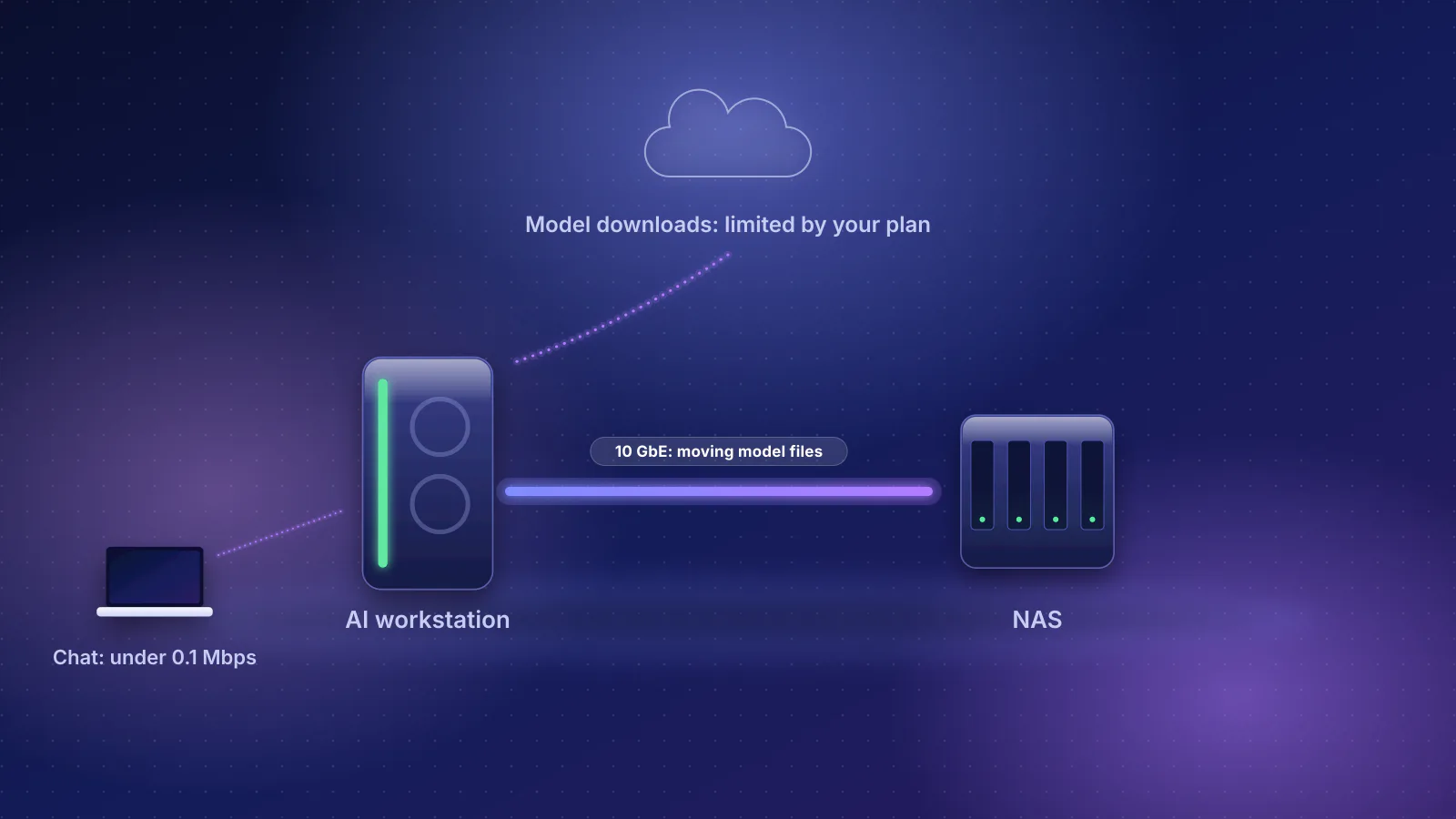
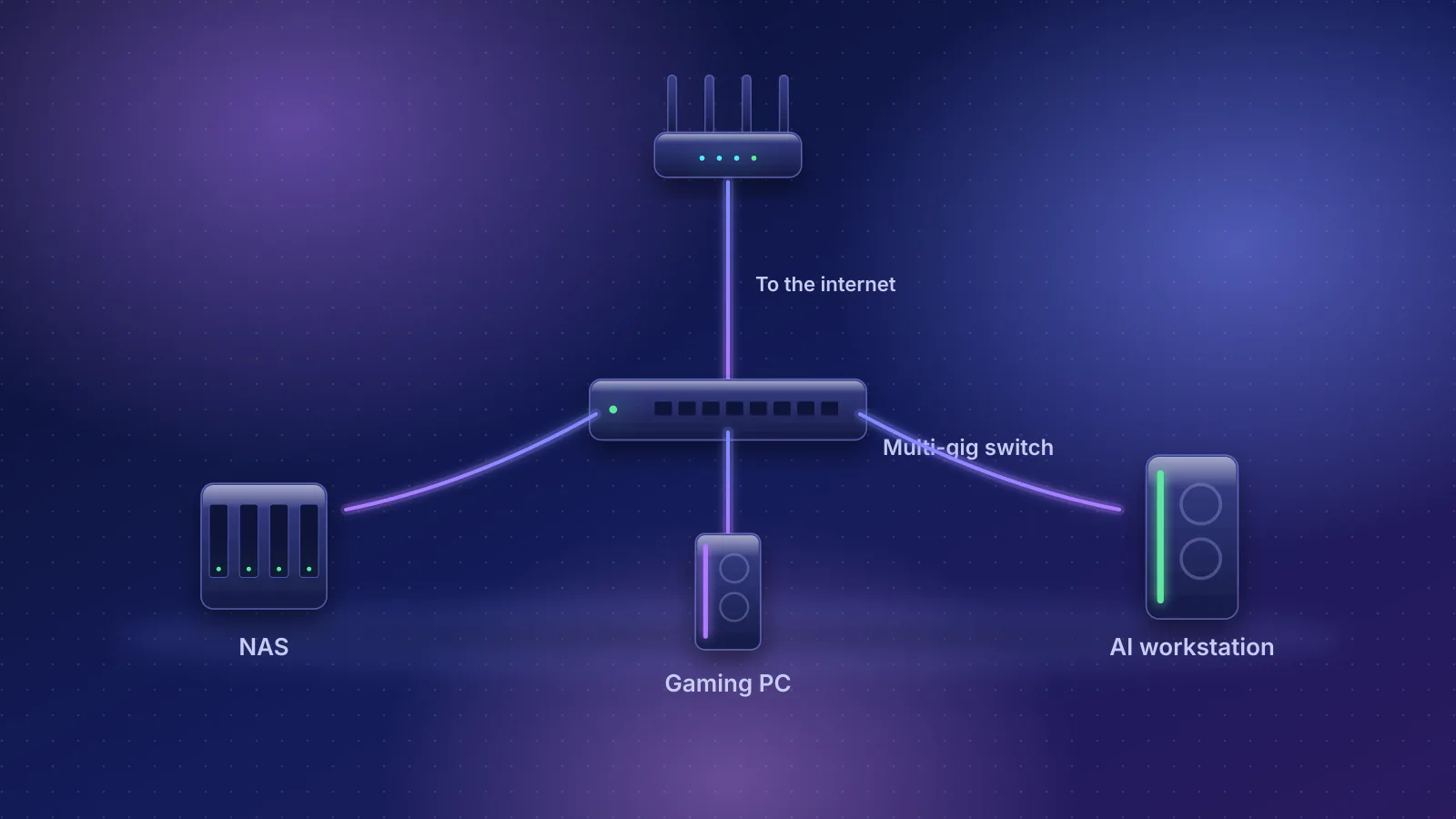
Moving big files inside your home is a different question from internet speed; for that, see how to connect a NAS, gaming PC and AI workstation and what 10GbE needs end to end. For the general buying rules on ports, see the router guide.
Frequently asked questions
Can two devices together use my full 2 Gbps if each has a 1 Gbps port?
Yes, if the router's internet port and routing can carry 2 Gbps. Each wired device is capped at about 940 Mbps by its own 1 Gbps link, but several devices downloading at once can add up to more than 1 Gbps. GFiber describes the main benefit of its 2 Gig plan the same way: shared headroom for the whole household.
Why does my phone test faster or slower than my laptop?
Usually because they aren't testing the same thing. Ookla points out that a Wi-Fi device and a wired one are testing different connections, that the app picks a server by ping unless you choose one, and that Wi-Fi radio quality and MIMO stream handling vary a lot between devices. Test both on the same connection type, to the same server, a few minutes apart.
Why is my upload speed lower than my download speed?
Your plan may simply be asymmetric, so check the plan's upload figure first. If the plan is symmetrical and only upload is low, Ookla's help points to anti-virus or firewall software intercepting test traffic, and suggests restarting the router and modem if it happens on several computers. Then check the same chain as for download.
Does a VPN slow down a multi-gig connection?
Usually, yes. GFiber notes that with a VPN your speed is capped by how fast the VPN server can process your data. VPNs running on the router are limited by its processor too: ASUS, for example, lists WireGuard at up to 300 Mbps on the RT-BE92U. Turn the VPN off when you test the connection itself.
Sources
Read on October 21, 2026. Product port, routing and price data come from the RouterHaus catalog (checked October 20, 2026), published at /data.
- IETF RFC 6349: Framework for TCP throughput testing (section 4.1.1, maximum achievable TCP throughput)
- IETF RFC 7323: TCP extensions for high performance (timestamps option)
- IETF RFC 8200: Internet Protocol, version 6 (IPv6) specification
- Linux kernel documentation: IP sysctl (tcp_timestamps default)
- AT&T: Learn about your All-Fi Hub (BGW320), port colors and Learn about your All-Fi Hub (BGW620)
- AT&T: Gigabit internet plans (5 GIG single-device wired maximum) and AT&T launches simple fiber plans (June 3, 2026)
- AT&T: Understand internet speeds (cabling, protocol overhead) and Internet speed tests (device and equipment tests)
- GFiber: Run a gFiber internet speed test, Factors impacting gFiber internet speeds
- GFiber: 2 Gig plan overview, 5 Gig plan overview and 8 Gig plan overview
- Verizon: Fios 2 Gig FAQs (average wired speeds by tier, device specifications, router speed test) and Verizon Router FAQs (Ethernet ports)
- Frontier: About your Frontier residential fiber internet (speed tiers, device and wiring requirements)
- Ookla: How does Speedtest measure my network speeds?, I don't understand my results, Why don't my results match the bandwidth I pay for?, Why does the download test work, but not the upload test?, Why am I getting different speeds between my computer and my phone/tablet? and Why are my speeds so slow?
- Ookla support: Speedtest server requirements (dated June 5, 2020)
- Apple: Wi-Fi and Ethernet specifications for Apple devices
- IEEE 802.3: 2.5G/5GBASE-T (802.3bz) objectives (PDF) and Fluke Networks: 10GBASE-T field testing requirements (TIA TSB-155, Cat6 37 to 55 m)
- Apple: About the 10 Gigabit Ethernet port on Mac (cable categories) and Change Hardware settings on Mac
- Plugable (adapter maker): How can I check the Ethernet adapter link rate on my Mac? (Speed field values)
- Microsoft Support: Essential network settings and tasks in Windows (connection properties), Microsoft Learn: High-speed network adapters show inaccurate link speeds (Get-NetAdapter reports link speed) and, for the name of the Windows field, Fort Collins Connexion (an ISP): How to check your network interface card speed
- Intel: Wi-Fi 7 series product specifications and Wi-Fi 7 series products (2x2 client speed footnote)
- eero: eero Pro 6E (ports and network speeds)
- MikroTik: hAP ax³ (Ethernet test results, RFC 2544)
- ASUS: RT-BE92U (VPN throughput)
- Ubiquiti: UniFi Express 7 tech specs (IDS/IPS throughput)
.jpg)