The short version
- Ethernet wins on consistency, not just speed. A switched cable is full duplex and private to your device. Wi-Fi is a shared radio channel where every device takes turns, retries lost frames and sometimes sleeps, so the delay of the Wi-Fi hop varies from packet to packet. That variation is what you feel as lag spikes.
- Published measurements show the Wi-Fi hop can dominate. In a 2015 study of 47 routers on a university campus, over half the packets on the three office routers spent more than 20 ms on the Wi-Fi hop alone, and moving one router closer to its users cut its median Wi-Fi delay from 50 ms to 10 ms. Those were older Wi-Fi 4 routers measured on 2.4 GHz; RouterHaus hasn't found an equivalent study of Wi-Fi 7 in homes.
- Wi-Fi 7 helps only if both ends have it. The PS5 Pro lists Wi-Fi 7 and the 6 GHz band. The standard PS5, Xbox Series X|S and Nintendo Switch 2 don't, so a Wi-Fi 7 router doesn't change their radios. All four have an Ethernet port (the Switch 2's is on its dock).
- Wire it if you can; if you can't, wire the access point instead. A mesh unit or access point in the room, connected back by Ethernet or MoCA, plus a short cable to the console, gets you most of the benefit. Powerline works on some wiring and not on others.
- RouterHaus hasn't measured this itself. Everything below comes from published studies and manufacturer documents, with their conditions stated.
Why Wi-Fi adds jitter that a cable doesn't
Latency is how long a packet takes to make the round trip; jitter is how much that time varies. Your router can't shorten the distance to a game server, but the hop between the router and your console or PC is where Wi-Fi and Ethernet differ. Five mechanisms make the Wi-Fi hop variable:
- The air is shared and half duplex. Only one device on a channel transmits at a time, and each one waits for the channel to be quiet before it sends. Researchers who instrumented 47 consumer routers on a university campus broke the Wi-Fi hop into queuing time, "channel backing off time, transmission time and potential packet retrying time" (Pei et al., 2016). The more airtime your devices and your neighbors' networks use, the longer each wait. In that study, when the channel was busy more than 55% of the time, there was over a 67% chance of what the authors call an "undesirable latency experience." A switched Ethernet link has none of this: the researchers behind Linux's Wi-Fi queueing fixes describe the Wi-Fi MAC as "bursty in nature because stations have to contend for the media," in contrast with "full-duplex switched Ethernet" (arXiv version of their paper).
- Lost frames are resent. Interference or a weak signal corrupts frames, and the radio retries them. In the campus study, the retry ratio and signal strength were among the factors most closely tied to latency.
- One slow device slows everyone. A device far from the router transmits at a low rate, so each of its frames occupies the channel longer. In a 2017 testbed with two computers near the access point and one distant, slow one, the slow station used around 80% of the airtime in a one-way UDP test under the default Linux setup (Høiland-Jørgensen et al.). A console sharing a channel with a phone at the far end of the house can end up waiting on that phone's airtime.
- Power saving trades delay for battery. A sleeping Wi-Fi device wakes to check the router's beacons for traffic waiting for it; the Linux wireless documentation notes a device "can sleep at most the duration of the BSS DTIM interval." Android's low-latency Wi-Fi mode, meant for uses such as "real time gaming or virtual reality," spells out the trade: to cut packet latency it may reduce battery life, throughput and how often Wi-Fi scans.
- Scanning and roaming interrupt traffic. Android's documentation says its low-latency mode may reduce how often Wi-Fi scans, and as a result "the device may not roam or switch to the AP with highest signal quality." In other words, background scanning and roaming compete with your game traffic for the radio, and the platform has to choose.
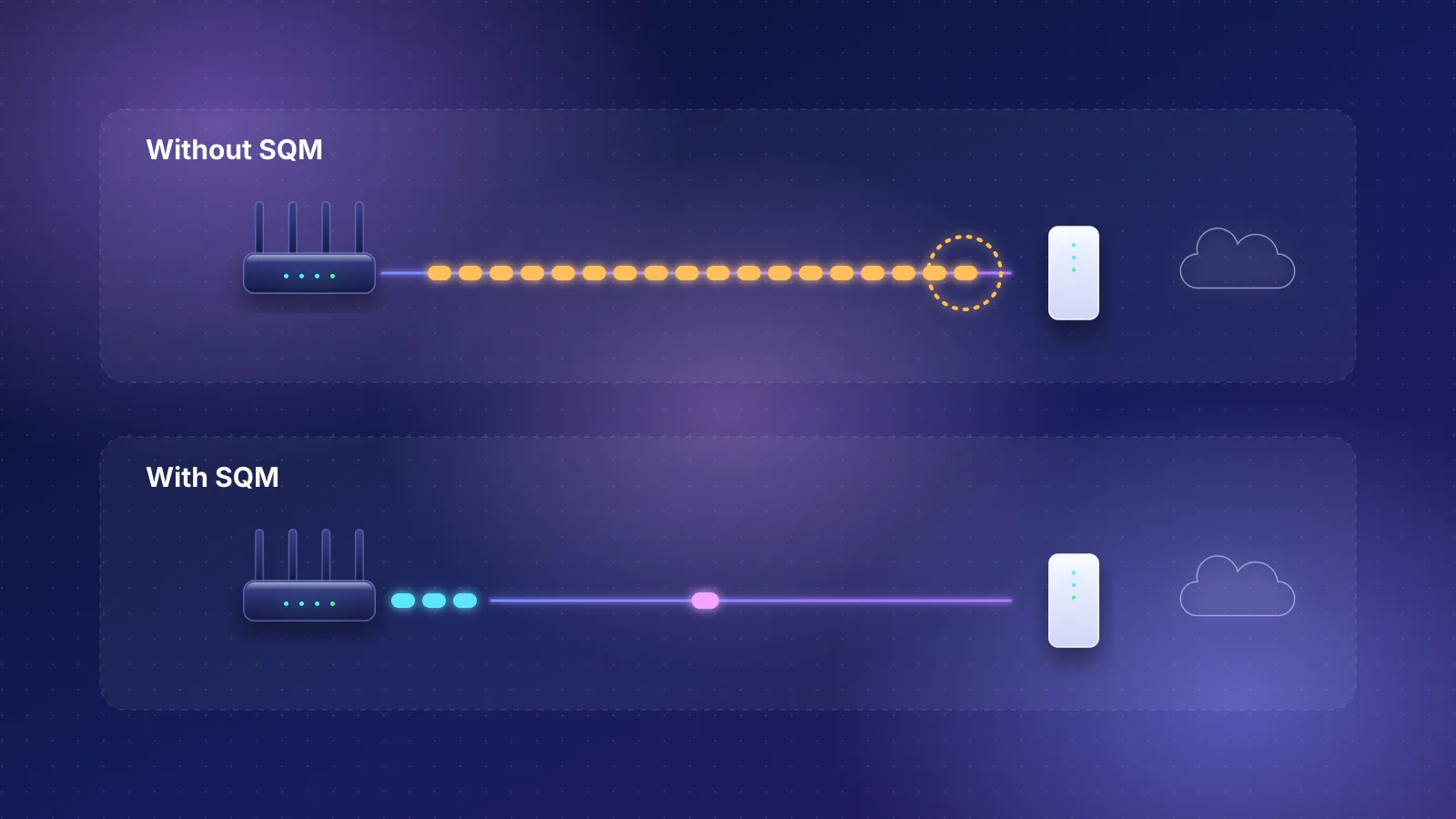
Queues add to all five. When a download fills the router's Wi-Fi queue, game packets wait behind it. That is bufferbloat on the Wi-Fi hop, separate from bufferbloat on your internet connection; the bufferbloat and SQM guide covers the internet side.
For scale, a cable's own contribution is tiny. Arithmetic, not measurement: a full 1,500-byte Ethernet frame takes 1,500 × 8 ÷ 1,000,000,000 seconds, or 12 microseconds, to send at 1 Gbps. The Wi-Fi delays above are measured in milliseconds, a thousand times larger.

What published measurements show
RouterHaus hasn't found a peer-reviewed study that compares Ethernet with Wi-Fi 7 for gaming on current consoles. These are the most relevant independent results, with their conditions; none of them is a Wi-Fi 7 home test.
| Study | Conditions | Finding |
|---|---|---|
| Pei et al., IEEE INFOCOM 2016 | 47 OpenWrt routers (Wi-Fi 4, measured on 2.4 GHz) used by students as their main connection, 44 in dorms and 3 in offices, May to July 2015; latency recorded on the routers | On the office routers, over 50% of TCP packets saw more than 20 ms on the Wi-Fi hop and 10% more than 100 ms; on dorm routers, 10% saw more than 30 ms. In about half the cases the Wi-Fi hop was over 60% of the round trip to domestic servers. Moving one office router closer to its users cut its median Wi-Fi downlink delay from 50 ms to 10 ms; moving a dorm router to a less busy channel cut its largest delay from 250 ms to 50 ms. |
| Høiland-Jørgensen et al., USENIX ATC 2017 | Lab testbed, Wi-Fi 4 (Atheros AR9580), 20 MHz on an unused 5 GHz channel, two near clients and one forced to the lowest rate, ping during TCP downloads | The default Linux setup added several hundred milliseconds under load. Their queueing changes, merged into Linux kernels 4.8 to 4.11, cut it by about an order of magnitude (the airtime-fairness part only for one driver family, ath9k). |
| Carrascosa-Zamacois et al., IEEE/ACM Transactions on Networking, 2024 | Simulation driven by measured 5 GHz channel occupancy in a sold-out football stadium; one access point and one client, two 20 MHz links; also run with cloud-gaming traffic traces | When both links were busy 40% of the time, single-link 95th-percentile delay exceeded 100 ms at higher loads and simultaneous (STR) multi-link operation cut it by about ten times. When one link was much busier than the other (10% vs 70%), multi-link was up to 112% worse at the 95th percentile at light load, though delays there stayed under 10 ms. |
| Mäntylä, Aalto University master's thesis, 2025 | Two enterprise Wi-Fi 7 access points and commercial phones and laptops in an RF-shielded lab, compared with Wi-Fi 6E (aimed at private business networks) | Clear throughput gains, but the tests "failed to see any changes to latency performance," and the devices did not appear to use multi-link operation to its full potential. |
Two lessons carry over to current hardware. First, the large improvements in the campus study came from moving a router and changing a channel, not from new hardware, and both are things you can do with any Wi-Fi generation. Second, multi-link operation is not automatically a latency fix; it depends on how busy each band is and on what the client device implements.
What Wi-Fi 6 and Wi-Fi 7 change
- OFDMA (Wi-Fi 6): splits a channel so the router can serve several devices in one transmission. The Wi-Fi Alliance says it is meant to "lower latency for both uplink and downlink traffic in high demand environments." It helps busy networks; it doesn't remove contention with your neighbors.
- The 6 GHz band (Wi-Fi 6E and 7): the FCC opened 1,200 MHz of spectrum at 6 GHz in 2020, and only Wi-Fi 6E and Wi-Fi 7 devices can use it, so older devices can't crowd it. It is a benefit only if the console or PC has a 6 GHz radio.
- Multi-Link Operation, or MLO (Wi-Fi 7): lets a Wi-Fi 7 device hold links on two or three bands and use whichever is clear. Client implementations differ: Intel's BE200 product brief, for example, lists "MLO - eMLSR," a mode in which one radio listens on several bands but transmits on one at a time. See Wi-Fi 7 MLO: marketing claims vs what your devices support.
- Latency is in the standard's scope. The IEEE 802.11be (Wi-Fi 7) amendment, approved in September 2024, sets out to define at least one mode of operation with improved worst-case latency and jitter. That is a design goal, not a guarantee for any particular router or console.
None of these features change the physics above: the channel is still shared, and a weak signal still means retries.
What your console or PC supports
From manufacturer specifications, checked October 21, 2026. "Not stated" means the maker's spec pages we checked don't say.
| Device | Wi-Fi (maker's spec) | 6 GHz | Wired port |
|---|---|---|---|
| PlayStation 5 (model CFI-2115 manual) | IEEE 802.11 a/b/g/n/ac/ax (Wi-Fi 6) | No: Sony lists 2.4 and 5 GHz for its wireless LAN | Ethernet 10BASE-T/100BASE-TX/1000BASE-T (1 Gbps) |
| PlayStation 5 Pro | IEEE 802.11 a/b/g/n/ac/ax/be (Wi-Fi 7) | Yes: Sony's safety guide for the CFI-7119 lists 2.4, 5 and 6 GHz; MLO not mentioned | Ethernet 10BASE-T/100BASE-TX/1000BASE-T (1 Gbps) |
| Xbox Series X and Series S | 802.11ac dual band (Wi-Fi 5) | No | Ethernet 802.3 10/100/1000 (1 Gbps) |
| Nintendo Switch 2 | Wi-Fi 6 | Not listed (Nintendo says Wi-Fi 6, not 6E) | LAN port on the dock, TV mode only; speed not published |
| Intel Wi-Fi 7 BE200 (PC card) | Wi-Fi 7, 2x2, up to 5.8 Gbps at 320 MHz; MLO as eMLSR (product brief) | Yes | Set by the PC's motherboard or adapter |
| Qualcomm FastConnect 7800 (laptops, phones) | Wi-Fi 7, up to 5.8 Gbps; "High Band Simultaneous" multi-link | Yes | Not applicable |
| MediaTek Filogic 380 (laptops, phones) | Wi-Fi 7, dual-band concurrent 2x2 + 2x2, up to 6.5 Gbps | Yes | Not applicable |
Three details matter for gamers. Sony's PS5 manual itself warns that the 2.4 GHz band "is shared by various devices" and that interference "may reduce the connection speed, shorten the signal range, or cause the connection to be terminated unexpectedly." On Windows, Intel says its Wi-Fi 7 features "are available starting with Windows 11 24H2," and Microsoft says the same, so a Wi-Fi 7 card in an older Windows install doesn't get them; Intel adds that its cards' 6 GHz use relies on Windows 11. And the PlayStation and Xbox consoles all have gigabit ports; a faster port speeds up downloads, but it doesn't lower ping.
When Wi-Fi 7 is good enough, and when to run a cable
Wi-Fi is likely fine when
- The console or PC is in the same room as the router or an access point, or one wall away.
- Both ends support 6 GHz (a PS5 Pro, a Wi-Fi 7 PC card, a recent phone or laptop) and the router has a 6 GHz band. Many "Wi-Fi 7" routers don't; see which ones lack 6 GHz.
- You play casually, and the check below shows a steady ping to your router even while someone else streams or downloads.
Run a cable when
- The device is a standard PS5, an Xbox Series X|S or a Switch 2. A new router can't give them Wi-Fi 7 or 6 GHz. Their Ethernet port is the upgrade.
- You play competitive shooters or fighting games, where occasional spikes matter more than average ping.
- The router is two or more rooms away, or on another floor.
- Your ping to the router swings when others in the house are online. That points to the Wi-Fi hop (airtime contention or a full Wi-Fi queue): a cable removes it, and a closer access point usually reduces it.
- You stream games from a PC to another screen in the house, which puts a constant video stream on the same Wi-Fi channel as everything else.
If you can't run a cable to the console
Wire the access point instead
Put a mesh unit or access point in the gaming room, connect it back to the router with Ethernet, and plug the console into the unit with a short cable. The console then never uses Wi-Fi, and the only wireless traffic left in the room belongs to other devices.
- Router In the network closet or living room
- Ethernet or MoCA backhaul Through walls or existing coax
- Mesh unit or access point In the gaming room
- Console or PC Short Ethernet cable, no Wi-Fi hop
If the mesh link back to the router must be wireless, the console's traffic still crosses Wi-Fi once, but over a link between two fixed units that you can place for a strong signal. Our mesh guide explains why backhaul matters more than the box.
MoCA over existing coax
MoCA adapters carry Ethernet over a home's TV coax. The MoCA Alliance specifies MoCA 2.5 at 2.5 Gbps of MAC throughput with less than 2.5 ms average one-way latency; those are the standard's figures, not independent measurements. Two catches from the adapters in the RouterHaus catalog: Hitron's HTEM4 links at MoCA 2.5 but has only a 1 Gbps Ethernet port, and both Hitron and ScreenBeam (ECB7250) say their adapters aren't compatible with satellite TV or AT&T U-verse coax networks. ScreenBeam also warns that DOCSIS 3.1 cable modems "might conflict (frequency overlap) and cause random disconnects," so check with your provider before buying if your internet also arrives over that coax. You need a coax outlet near the console and one near the router on the same coax network.
Powerline
Powerline adapters send Ethernet over your electrical wiring. TP-Link, which sells them, says the adapter's AV rating "reflects powerline capacity, not the Internet speed you'll receive," that crossing between electrical phases reduces the rate, and that power strips and surge protectors "can significantly reduce the powerline rate." It recommends plugging adapters straight into wall outlets and keeping them away from motor-driven appliances and chargers. TP-Link calls powerline low latency but publishes no latency figure, and how well it works depends on your wiring. Try it with a return window and run the check below.
Move the router or add an access point
The cheapest fix is often distance. In the campus study, moving an office router from another room to near its users cut its median Wi-Fi delay by 80%. Put the router or a mesh unit in the open, in or next to the room you play in; see dead-zone fixes, cheapest first. If you're building or renovating, run the cable now: suggested drops by room covers where.
Check your own Wi-Fi hop in five minutes
You can separate the Wi-Fi hop from the internet by pinging your router instead of a game server. Your router's address is usually shown as the "default gateway" in your network settings (often 192.168.1.1 or 192.168.0.1).
- On a PC or laptop at your gaming spot, run a continuous ping to the router for a few minutes (
ping -t 192.168.1.1on Windows,ping 192.168.1.1on macOS and Linux). Note the typical time and the highest times. - Repeat while someone else in the house streams video or runs a download.
- If you can, repeat over a cable. The wired result is your baseline; anything the Wi-Fi run adds on top, and especially the spikes, is the Wi-Fi hop.
- Then test to a server in your game region, or use the game's own network graph, to see the full path. If the spikes appear only there and only under load, the cause is likely bufferbloat on your internet connection rather than Wi-Fi.
A laptop isn't a console, so this is a proxy: it tells you about the room and the channel, not about the console's own radio.
Frequently asked questions
Is Wi-Fi 7 as good as Ethernet for gaming?
Not for consistency. Close to the router, Wi-Fi 7 link rates can exceed a gigabit cable's speed, but the channel is still shared, frames are still retried, and devices still contend for airtime, so delay varies more than on a cable. Close to the router with a quiet 6 GHz channel the difference may be small; RouterHaus has not measured it.
My PS5 or Xbox is on Wi-Fi. Will a Wi-Fi 7 router help?
Only indirectly. The standard PS5 has Wi-Fi 6 on 2.4 and 5 GHz and the Xbox Series X and S have Wi-Fi 5, so they can't use 6 GHz or Multi-Link Operation. A new router can still help if it is placed better or frees airtime by moving other devices to 6 GHz, but a cable or a wired access point nearby is the bigger improvement.
Does a 2.5 Gbps Ethernet port lower ping?
No. Port speed affects how fast large downloads arrive. A faster port doesn't change how long each packet waits on the way. The PS5, PS5 Pro and Xbox Series X and S all have 1 Gbps ports; Nintendo doesn't publish the speed of the Switch 2 dock's LAN port.
Is MoCA better than powerline for gaming?
MoCA runs over your TV coax, and the MoCA Alliance specifies under 2.5 ms average one-way latency for MoCA 2.5. Powerline shares wiring with appliances, and its maker warns that surge protectors, phase crossings and motor-driven appliances reduce its rate. Neither has independent latency data RouterHaus could cite, so test whichever you choose.
Should I use a Wi-Fi extender for my console?
Avoid a wireless repeater if you can: it adds a second wireless hop, with its own contention and retries, between the console and the router. A mesh unit or access point connected back by Ethernet or MoCA, with a short cable to the console, takes Wi-Fi out of the path entirely.
Sources
Read on October 21, 2026.
- Pei et al., IEEE INFOCOM 2016: WiFi can be the weakest link of round trip network latency in the wild (author PDF)
- Høiland-Jørgensen et al., USENIX ATC 2017: Ending the anomaly: achieving low latency and airtime fairness in WiFi (proceedings PDF) and arXiv version (source of the quoted wording)
- Carrascosa-Zamacois, Geraci, Knightly and Bellalta: Wi-Fi multi-link operation: an experimental study of latency and throughput (IEEE/ACM Transactions on Networking, vol. 32, no. 1, 2024) and arXiv copy
- Mäntylä, Aalto University: Wi-Fi 7 performance evaluation in private wireless networks (master's thesis, 2025)
- IEEE Standards Association: IEEE 802.11be-2024
- Wi-Fi Alliance: Wi-Fi CERTIFIED 6 delivers new Wi-Fi era (2019) and Wi-Fi Alliance introduces Wi-Fi CERTIFIED 7 (2024)
- FCC: FCC adopts new rules for the 6 GHz band, unleashing 1,200 megahertz of spectrum for unlicensed use (April 23, 2020)
- Android Developers: WifiManager (WIFI_MODE_FULL_LOW_LATENCY)
- Linux wireless documentation: Dynamic power save
- Sony: PlayStation 5 instruction manual, CFI-2115 (PDF)
- PlayStation Blog: Getting started with PlayStation 5 Pro (specifications), PlayStation 5 Pro product page and PlayStation 5 Pro safety guide, CFI-7119 (PDF; wireless frequencies)
- Xbox: Xbox Series X and Xbox Series S
- Nintendo: Nintendo Switch 2 tech specs
- Intel: Wi-Fi 7 BE200 specifications and BE200 product brief (PDF)
- Intel: Wireless Wi-Fi drivers for Windows 10 and Windows 11 (24.80.0)
- Microsoft Support: Faster and more secure Wi-Fi in Windows
- Qualcomm: FastConnect 7800
- MediaTek: Filogic 380
- MoCA Alliance: MoCA 2.5
- Hitron: HT-EM4 coax to Ethernet adapter and ScreenBeam: ECB7250 (compatibility notes)
- TP-Link: Wi-Fi 7 router and Deco frequently asked questions (6 GHz device support)
- Carrascosa-Zamacois et al.: Understanding multi-link operation in Wi-Fi 7: performance, anomalies, and solutions (IEEE PIMRC 2023; arXiv copy; EMLSR definition)
- TP-Link: Slow powerline adapter speed, troubleshooting tips and How do powerline adapters work?