The short version
- Buy from your provider's list, for your tier. Every cable provider we checked publishes which modems it allows, by model or by specification, and most split the rules by speed tier. A modem on the list for a slower tier can activate and still cap your plan.
- DOCSIS 3.1 is the practical minimum. Optimum and Sparklight require it, Mediacom's list names only high-split DOCSIS 3.1 modems, Cox lists DOCSIS 3.0 modems only up to its 500 Mbps tier, and none of the eight providers' pages we read lists a retail DOCSIS 4.0 modem.
- For plans above 1 Gbps, get a 2.5 Gbps Ethernet port. A gigabit port carries about 940 Mbps of data, so it caps a 1.2 or 2 Gbps plan. Cox, Astound and WOW say so outright, and Xfinity's own list rates gigabit-port models at 927 to 957 Mbps and 2.5 Gbps-port models at 2.32 to 2.37 Gbps.
- The main caveats: some tiers need the provider's equipment whatever you buy (the first check below), and so does most providers' phone service. Check both before you buy, and keep the receipt.
Four checks before you buy
- Can you use your own modem on your plan at all? Xfinity says "customer-owned modems are not currently compatible with X-Class speeds", its equal-upload tiers. Spectrum says "Customer-owned modems are only authorized for non-symmetrical speed tiers." Astound's 5 Gig by 1 Gig tier needs Astound's modem because "there's no retail modem available yet that supports this speed". Fiber service doesn't use a cable modem: WOW, Sparklight and Astound require their own fiber terminal (ONT or ONU) in fiber areas.
- Is the model on the list for your speed tier? See the provider table below. Spectrum's list stops at tiers "up to 1G"; it names no retail modem for its 2 Gig tier.
- Does its Ethernet port match the plan? Anything above 1 Gbps needs a 2.5 Gbps port, and a router with a matching internet port.
- Do you have the provider's phone service? If so, you usually keep renting its phone modem. Details in phone service below.

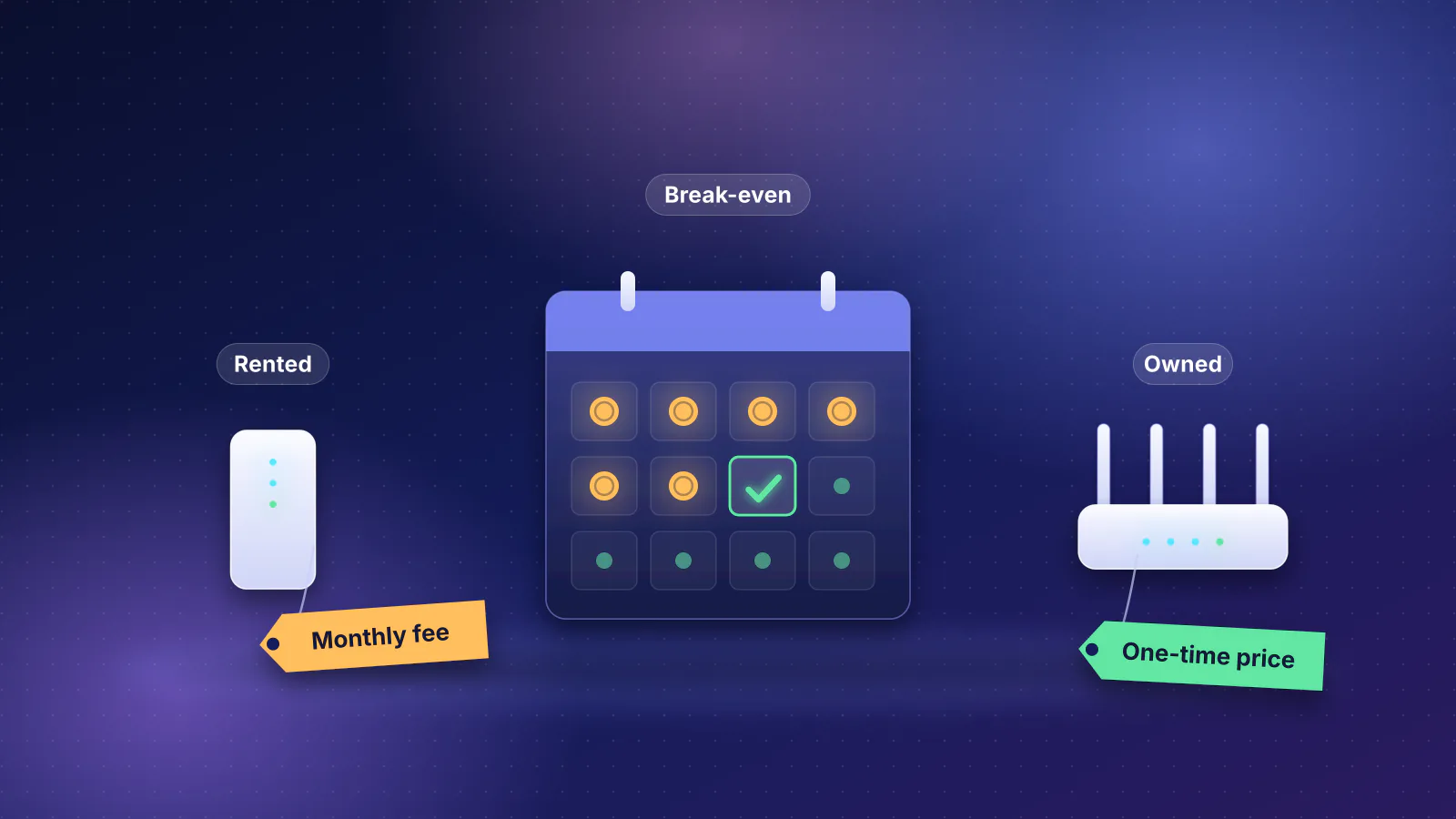
Whether buying pays off depends on what you pay now (Spectrum's modem is already free). Our guide to ISP equipment fees lists each provider's charge and the months a purchase takes to pay for itself.
DOCSIS 3.0, 3.1 and 4.0 in plain terms
DOCSIS (Data Over Cable Service Interface Specification) is the standard cable modems use, written by CableLabs, the cable industry's research consortium. Each generation raised what the network can carry. CableLabs' own summary, which it notes is "based on specifications; deployed network performance will vary across implementations":
| Generation | First specification | Downstream capacity | Upstream capacity | What changed (CableLabs) |
|---|---|---|---|---|
| DOCSIS 3.0 | 2006 | 1 Gbps | 200 Mbps | Channel bonding, IPv6 |
| DOCSIS 3.1 | 2013 | 10 Gbps | 1 to 2 Gbps | OFDM, wide channels |
| DOCSIS 4.0 | 2019 | 10 Gbps | 6 Gbps | Symmetrical multi-gig, higher upload |
Those are network capacities, shared by everyone on a node, not what one modem gets. CableLabs' description of typical modems is closer to what you buy:
- DOCSIS 3.0 bonds several standard channels together. A modem with 32 downstream and 4 upstream channels "could theoretically get a peak throughput of 1 Gbps/100 Mbps". Providers' lists describe these modems by channel count, such as 24x8 or 32x8 (downstream x upstream).
- DOCSIS 3.1 adds wide OFDM channels. A typical modem, with two OFDM channels plus 32 standard ones downstream, "theoretically would get to a throughput of 5 Gbps/1.7 Gbps". ARRIS lists a similar layout for its SURFboard S33 and S34, with more standard upstream channels: "2 downstream x 2 upstream OFDM" and "32 downstream x 8 upstream DOCSIS 3.0 bonded channels".
- Upload depends on the provider's plant, not just the modem. CableLabs gives DOCSIS 3.1 upstream ranges of 100 to 250 Mbps on a low-split plant, 250 to 575 Mbps on a mid-split plant and 1.5 to 1.7 Gbps on a high-split plant. That is why some lists separate modems for upgraded areas: Xfinity groups modems that "support 100 Mbps upload speeds and above in certain markets", and Mediacom requires "a high-split DOCSIS 3.1 certified modem or above".
- DOCSIS 3.1+ is CableLabs' name for 3.1 modems with four or five OFDM channels, which "will enable up to 8 or 9 Gbps on the downstream" where the network has the spectrum. CableLabs says such modems were certified in 2025.
- DOCSIS 4.0 modems have at least five OFDM downstream and seven OFDMA upstream channels. On a full-duplex network, CableLabs says one can reach "up to 6 Gbps on the upstream and 9-10 Gbps or more on the downstream" (4.2 to 6 Gbps upstream on the other, frequency-split design). Its February 2026 update says operators are deploying outside-plant parts first, then network equipment, "and ultimately the cable modems to the customer homes".
What that means for a buyer today: a DOCSIS 3.1 modem with a 2.5 Gbps port covers every retail-modem tier on the lists in this article, and no list includes a DOCSIS 4.0 model. CableLabs says DOCSIS networks are "designed with backward compatibility", but providers still set their own floor: Optimum says "we do not allow DOSCIS [sic] 2.0 or DOCSIS 3.0 modems", WOW won't allow additional DOCSIS 3.0 4x4 or 8x4 modems, and Cox's tables cap DOCSIS 3.0 modems at its 500 Mbps tier.
The Ethernet port is the real speed limit
A modem passes your plan to the router through an Ethernet port. A gigabit (1 Gbps) port carries about 940 Mbps of actual data after protocol overhead (the arithmetic); WOW's own guidelines say the same, that over a 1 Gbps Ethernet port the speed to a single wired device "WILL GENERALLY BE UP TO 940MBPS" (capitals in the original). A 2.5 Gbps port carries about 2.35 Gbps.
- Internet plan 1.2 Gbps (Xfinity Gigabit Extra)
- Modem Ethernet port 1 Gbps: about 940 Mbps, the bottleneck
- Router internet port 2.5 Gbps
- Wired computer 2.5 Gbps adapter
Providers' own documents show the same split:
- Xfinity's list gives a wired download figure for every model: 20 of the 36 are rated at gigabit-port figures of 927 to 957 Mbps, the 16 others at 2.32 to 2.37 Gbps. Several older Xfinity plans still on its broadband labels exceed a gigabit port: Gigabit at up to 1,100 Mbps, Gigabit Extra at 1,200 to 1,300 Mbps and Gigabit x2 at 2,100 Mbps.
- Spectrum's typical download for Internet 1 Gig is 1,045 Mbps, measured at the modem, per its broadband disclosure. A gigabit port can't deliver that figure to your router.
- Cox: "For speeds of 1 Gbps and above, the modem/gateway must have a minimum 2.5 Gbps ethernet port." Its pricing guide says the same for Go Super Fast (1 Gig).
- Astound: its equipment page says a "DOCSIS 3.1 modem with 2.5GE physical LAN port is required for 1 Gigabit speeds and higher"; its bring-your-own-modem page calls a 2.5GE port a recommendation "for speeds above 1000 Mbps".
- WOW: DOCSIS 3.1 is "Recommended" for 1,000 Mbps, and DOCSIS 3.1 "32 x 8 with 2.5GbE Port" is "Required" for 1,200 and 2,000 Mbps.
What each provider's list says
From each provider's own list and support pages, checked October 29, 2026. Lists change when providers upgrade their networks; check yours again on the day you buy.
| Provider | Where the list is | DOCSIS and speed rules | When you can't use your own |
|---|---|---|---|
| Xfinity | "My Device Info" (xfinity.com/support/internet/customerowned); enter your address or sign in for results for your plan | 36 retail models in two groups: modems for up to 35 Mbps upload, and 13 modems "for enhanced speeds" (100 Mbps upload and above in certain markets), six marked Recommended. Wired download figures shown for each. | X-Class (equal-upload) tiers. In apartment communities served over fiber, Xfinity says "Any standard router compatible with your speed tier can be used." |
| Spectrum | Support article 111746, "Using your own equipment on our network" | 26 approved models for non-symmetrical tiers up to 1G and 7 older models for tiers up to 500 Mbps, plus "minimally qualified" modems that Spectrum says it recommends against | Symmetrical tiers (a Spectrum DOCSIS 3.1 modem or fiber ONU is required); no retail model listed for 2 Gig |
| Cox | "Certified Cable Modems" (cox.com/modems) | DOCSIS 3.1 lists for 2 Gig (14 models) and 1 Gig (19); DOCSIS 3.0 lists for 500 Mbps (24x8 or 32x8, 17 models), 250 Mbps (mostly 16x4, 20 models) and 100 Mbps. 2.5 Gbps port for 1 Gbps and up. | Fiber homes use an ONT. Since September 16, 2026, new sales in former Cox areas are Spectrum plans, and Cox's Phoenix pricing guide points those plans to Spectrum's modem policy (Spectrum.com/ModemTerms). |
| Optimum | "Optimum Certified Modems" (optimum.net) | Internet-only customers can use "a DOCSIS-certified DOCSIS 3.1 modem for all internet speeds"; no DOCSIS 2.0 or 3.0. No list of internet-only models. | Phone service: only the Arris TM3402 is certified |
| Mediacom | "Compatible Retail Modems" (PDF dated August 2024) | High-split DOCSIS 3.1 required; two models listed (NETGEAR CM3000, CM2500) | Voice service needs an eMTA (phone modem) |
| WOW | "Modem/Wireless Gateway Compatibility" guidelines (PDF updated February 1, 2024) | By spec, not model: DOCSIS 3.0 24x8 or 32x8 for 600 Mbps or less; DOCSIS 3.1 for 1,000 Mbps; DOCSIS 3.1 32x8 with a 2.5GbE port for 1,200 and 2,000 Mbps | Phone service; fiber-to-the-home areas (WOW ONT required) |
| Sparklight | "Supported Modems" and "Multi-Gig Internet Supported Modems" (support.sparklight.com) | DOCSIS 3.1 required; 17 recommended models, 9 for multi-gig. Any DOCSIS 3.1 modem from six named brands "is expected to function" but is untested. | Phone service (leased Arris eMTAs only); fiber areas (no customer-owned ONUs) |
| Astound | "Bring your own modem (BYOM)" support page | DOCSIS 3.1; six "popular" models; 2.5GE port above 1,000 Mbps. In its Lehigh Valley fiber upgrade zone, the NETGEAR CM3000 is required. | 5 Gig by 1 Gig tier; fiber-to-the-home or Ethernet-delivered service; Digital Phone without an Astound eMTA |
Some details that change the answer:
- Lists differ on the same model. Sparklight recommends the Motorola MB8600; Astound says it "has known issues connecting to Astound's network". Spectrum's approved lists include no Motorola models, while Xfinity, Cox, Sparklight and Astound list the MB8611.
- Lists and rules can disagree inside one provider. Cox's 1 Gig list includes gigabit-port models such as the SB8200 and CM2500, while its disclosures require a 2.5 Gbps port "For speeds of 1 Gbps and above". Mediacom's list requires high-split DOCSIS 3.1, while its broadband disclosures still allow a modem "certified in DOCSIS 3.0 or 3.1". Follow the stricter rule.
- "Compatible" isn't "full speed". Spectrum warns that if you install a listed modem that "doesn't meet the speed tier you ordered", you'll get a message and must acknowledge it. Xfinity says owned devices "should work for service tier speeds available before the recent upgrade" in upgraded areas, which can mean a slower tier.
- Cox is mid-transition. If you're in a former Cox area, find out whether your plan is a legacy Cox plan (Cox's list) or a Spectrum plan (Spectrum's policy) before choosing a list.
Modems that appear on most lists
Buying a model that several providers approve makes it more likely to work if you move to another cable provider (it still has to be activated there). These are the models with 2.5 Gbps-class figures on Xfinity's list that also appear on at least two other lists, plus two common gigabit models for comparison:
| Model | Ports and Xfinity's rating | Built-in Wi-Fi | Listed by |
|---|---|---|---|
| NETGEAR CM3000 | 2.5 Gbps plus two 1 Gbps (NETGEAR); up to 2.33 Gbps | No | All six: Xfinity (Recommended), Spectrum, Cox 2 Gig, Sparklight, Astound, Mediacom (including 2 Gig) |
| ARRIS SURFboard S33 | 2.5 Gbps plus 1 Gbps (ARRIS); up to 2.33 Gbps | No | Xfinity, Spectrum, Cox 2 Gig, Sparklight (both lists), Astound |
| ARRIS SURFboard G36 | One 2.5 Gbps and four 1 Gbps (Astound); up to 2.37 Gbps | Yes | Xfinity (enhanced speeds), Spectrum, Cox 2 Gig, Sparklight (both lists), Astound |
| Motorola MB8611 | One 2.5 Gbps (Astound); up to 2.34 Gbps | No | Xfinity, Cox 2 Gig, Sparklight multi-gig, Astound |
| Hitron CODA56 | Up to 2.33 Gbps | No | Xfinity (Recommended), Spectrum, Cox 2 Gig, Sparklight (both lists) |
| NETGEAR CM2000 | Up to 2.34 Gbps | No | Xfinity, Spectrum, Cox 2 Gig, Sparklight (both lists) |
| NETGEAR CAX80 | Up to 2.37 Gbps | Yes | Xfinity, Spectrum, Cox 1 Gig, Sparklight (both lists) |
| ARRIS SURFboard S34 | 2.5 Gbps plus 1 Gbps (ARRIS); up to 2.32 Gbps | No | Xfinity (Recommended), Spectrum, Cox 2 Gig |
| Ubiquiti UCI | Up to 2.33 Gbps | No | Xfinity (Recommended), Spectrum, Cox 2 Gig |
| ARRIS SURFboard G54 | Up to 2.34 Gbps | Yes | Xfinity (enhanced speeds), Spectrum, Cox 2 Gig |
| Motorola MG8725 | One 2.5 Gbps and three 1 Gbps (Astound); up to 2.34 Gbps | Yes | Xfinity, Cox 2 Gig, Astound |
| NETGEAR CM2500 (gigabit ports) | Two 1 Gbps (NETGEAR); up to 936 Mbps | No | Xfinity (Recommended), Spectrum, Cox 1 Gig, Mediacom (not 2 Gig) |
| ARRIS SURFboard SB8200 (gigabit ports) | Two 1 Gbps (ARRIS); up to 957 Mbps | No | Xfinity, Spectrum, Cox 1 Gig, Sparklight |
Two notes. Check upload as well as download: Xfinity rates its recommended 2.5 Gbps models at 444 to 486 Mbps of wired upload. And on prices, of the makers' pages we read only NETGEAR's store lists one: $299.99 for the CM3000 and $249.99 for the CM2500 (checked October 29, 2026). The ARRIS SURFboard product pages we read show no price.
A modem with built-in Wi-Fi (a gateway, such as the G36) works too, but the Wi-Fi is then tied to the modem, and a router added behind it risks double NAT; a modem without Wi-Fi keeps the roles separate.
Phone service and other services that need the provider's box
Cable phone service runs through a modem with a built-in phone adapter, called an eMTA. Most providers won't let you supply one:
| Provider | Phone service with your own modem |
|---|---|
| Xfinity | Allowed with a voice-enabled model from its list. Three retail models are marked voice-enabled: ARRIS T25 (up to 949 Mbps), Motorola MT8733 (2.33 Gbps) and NETGEAR CM2050V (2.32 Gbps); only the CM2050V is in the enhanced-speeds group. NETGEAR says the CM3000 is "Not compatible with Xfinity Voice plans." |
| Spectrum | No: "Spectrum Home Phone service is not compatible with customer-owned modems." |
| Cox | No for retail combo units: "Combination Internet and Telephone modems purchased or received in new or used condition from third-party retailers are not certified." Cox's own rented modems and gateways are all voice-compatible. |
| Optimum | Only the Arris TM3402 (DOCSIS 3.1, two lines) |
| Mediacom | Needs an eMTA, leased from Mediacom or a compatible retail one; the two listed modems have none |
| WOW | A WOW Advanced Modem/EMTA is required, at "current monthly lease rates" |
| Sparklight | Only on Arris eMTAs leased from Sparklight; you may need a phone modem and an internet modem |
| Astound | You can use your own modem but must keep an Astound EMTA for Digital Phone |
Some provider features also depend on the rented gateway rather than the modem: Xfinity says owned devices don't get "Xfinity-exclusive features like built-in Xfinity CyberSecure or network management tools in the Xfinity app", and Cox's Panoramic Wifi features need its gateway. Support changes too: Spectrum's technicians support "only Spectrum-provided equipment", Cox supports only modems bought or rented from Cox, and Optimum says purchased modems "don't include tech support".
Used modems, expiring certificates and old models
- Buy new. Cox says that if you bought or received a modem used, "it is possible the modem cannot be used with your Internet service", so contact it first. Sparklight lists reasons a second-hand modem may fail, including that it "may be stolen or belong to another Internet Service Provider", and notes you usually can't return a used modem that won't activate.
- Old modems can stop working. Xfinity says DOCSIS security certificates inside modems "have limited lifespans", and lists models that will lose service, or may lose it, when theirs expire; the "may" list includes several Motorola SB5100-series and SB6180/SB6182 units and the NETGEAR CMD31T. Sparklight keeps an "End of Life" category for once-approved models it no longer allows to register.
- The provider can slow an incompatible modem. Cox's disclosures say it "may reduce the download and/or upload speeds available to customers using incompatible modems" and will notify you how to restore service.
Activating it
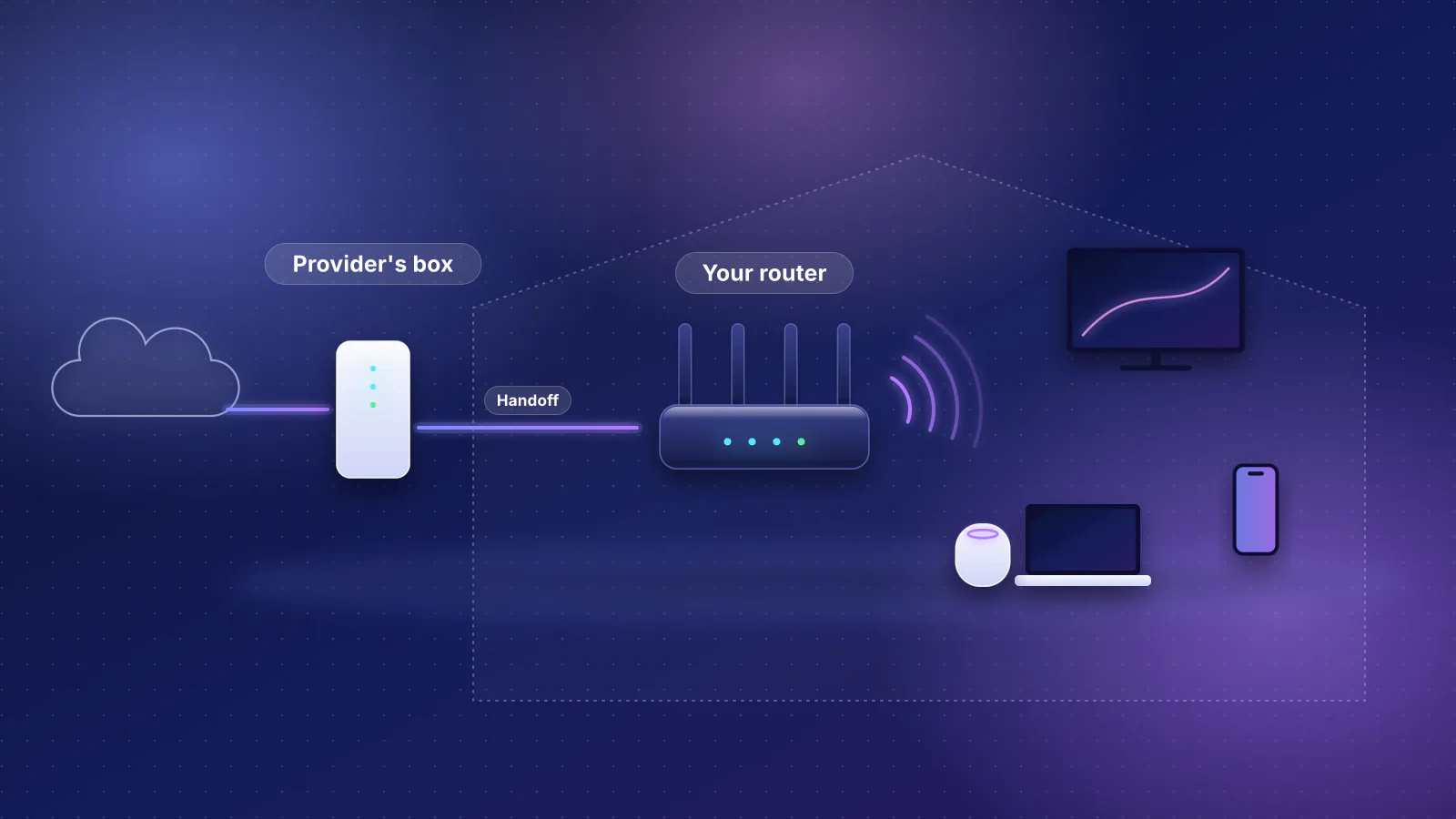
The general order: connect the coax cable and power, wait for the modem's online light, connect your router's internet (WAN) port to the modem, then register the modem with the provider. Spectrum, WOW and Astound ask for its MAC address, printed on the modem's label. What each documents:
| Provider | How to activate a modem you own |
|---|---|
| Xfinity | In the Xfinity app: Account > Set up equipment or devices > Xfinity Gateway or Modem. "You must be the Primary user or a Manager"; activation "should take about 20 minutes". |
| Spectrum | spectrum.net/selfinstall, with the modem's 12-character MAC address ("If your modem has both a MAC and CMAC address, enter the CMAC address"). The online light usually goes solid in two to five minutes, or up to 20 if the modem updates its firmware. |
| Cox | cox.com/activate, which looks up your account and checks that "you have the option to set up your equipment yourself" |
| Optimum | Call the activation number on Optimum's certified-modems page. It isn't fixed: the page showed different numbers on different visits on October 29, 2026, so use the one shown to you or Optimum support at 877-694-9474, the number on its broadband labels. |
| WOW | After a WOW technician completes the outside work, call WOW with the modem's MAC address |
| Astound | Call 1.800.427.8686 with the MAC address, then return the Astound modem "to avoid rental fees" |
| Mediacom, Sparklight | No step-by-step on the pages we read. Mediacom asks you to call 1-855-633-4226 with compatibility questions; Sparklight asks you to contact it before buying a modem that isn't on its list. |
Then return the rented modem or gateway and keep the receipt; unreturned-equipment charges and return deadlines are in our equipment fee guide and move with your network. If you keep the provider's gateway instead, bridge mode is how your own router gets the connection.
Pairing a router with the modem
The router's internet (WAN) port has to match the modem's port, or it becomes the bottleneck: a 2.5 Gbps modem feeding a router with a gigabit internet port still delivers about 940 Mbps. Of the 101 current Wi-Fi routers and mesh systems in the RouterHaus catalog, 88 have a 2.5 Gbps or faster internet port (catalog checked October 20, 2026). For wired devices to see more than a gigabit, the router also needs a LAN port faster than 1 Gbps, which not every multi-gig router has (LAN ports and switches).
The table shows the four cheapest current indoor routers and mesh units in the catalog with 2.5 Gbps or faster internet and LAN ports and a confirmed maker price. One of them, the ASUS GT-AX6000, is also on Cox's own list of "2Gbps Capable Retail Routers", alongside the ASUS GT-AXE16000.
| Product | Internet port | Fastest LAN port | Maker's routing, plan or wired-speed figure | Price |
|---|---|---|---|---|
| eero 7 (1-pack) Mesh system · Wi-Fi 7 |
2.5 Gbps | 2.5 Gbps | Not published | $169.99 Manufacturer store price, checked October 20, 2026 |
| GL.iNet Flint 3 (GL-BE9300) Router · Wi-Fi 7 |
2.5 Gbps | 2.5 Gbps | Not published | $209.99 Manufacturer store price, checked October 20, 2026 |
| Ubiquiti UniFi Express 7 (UX7) Router · Wi-Fi 7 |
10 Gbps | 2.5 Gbps | Not published | $219.00 Manufacturer store price incl. US store surcharge (list $199.00), checked October 20, 2026 |
| ASUS GT-AX6000 Router · Wi-Fi 6 |
2.5 Gbps | 2.5 Gbps | Not published | $219.99 Manufacturer store price, checked October 20, 2026 |
The table shows "Not published" for all four makers' routing figures, so a 2.5 Gbps port isn't proof the router can route a full 2 Gbps; see choosing a router for multi-gig fiber for what is published. For coverage, size the router to the home, not the plan: the network planner does both. For the wider picture of running your own equipment with each provider, see own your home network and the ISP independence hub.
Frequently asked questions
Should I buy a DOCSIS 4.0 modem to future-proof?
Not yet for these providers. CableLabs says operators upgrade the outside plant and network equipment first and put DOCSIS 4.0 modems in homes last, so a modem bought now has to work on today's DOCSIS 3.1 network, and it has to be on your provider's list.
Can I use the same modem if I switch cable providers?
Only if the new provider lists it for your tier and activates it. Models such as the NETGEAR CM3000, ARRIS S33 and G36 appear on most of the lists in this article, which helps, but the new provider still registers it to your account. A cable modem is only for cable service.
What if my modem is on the list but I don't get my plan's speed?
Check that it is listed for your tier, not just a slower one, then check the modem's Ethernet port and the router's internet port against the plan, and test from a wired computer. Spectrum flags a listed modem that doesn't meet your tier, and Cox may slow an incompatible one.
Sources
Read on October 29, 2026.
- CableLabs: DOCSIS 4.0 technology (evolution of DOCSIS table), DOCSIS 3.1 technology, The evolution of DOCSIS technology and DOCSIS technology: what's changed in the past year (February 2026)
- Xfinity: My Device Info, compatible modems, Using your own modem, router, or gateway and Devices certified for enhanced speeds (X-Class)
- Xfinity: Activate a gateway or third-party modem with the Xfinity app, Upgrade devices impacted by expiring DOCSIS certificates, Xfinity WiFi Gateway FAQ and the machine-readable broadband label file (CSV, October 29, 2026)
- Spectrum: Using your own equipment on our network (article 111746), DOCSIS modem policy, Symmetrical speeds (equipment required), Activating a modem (article 111821) and Broadband disclosure (typical speeds)
- Cox: Certified cable modems, Choosing the right cable modem or gateway, Internet service disclosures, cox.com/activate and Phoenix & Tucson pricing guide, October 2026 (PDF)
- Optimum: Certified modems
- Mediacom: Compatible retail modems (August 2024, PDF) and Internet broadband disclosures
- WOW: Modem and wireless gateway compatibility guidelines (February 1, 2024, PDF), Will my cable modem work with WOW? and Using your own modem with self-installation
- Sparklight: Supported modems and Multi-Gig Internet supported modems
- Astound: Bring your own modem (BYOM) and Internet equipment
- NETGEAR: CM3000 and CM2500
- ARRIS SURFboard: S33, S34 and SB8200