The short version
- An unmanaged switch is right when everything plugged into it belongs on the same network: more ports behind the TV, a desk, or a closet feeding a mesh kit or access points that broadcast one Wi-Fi network. Even NETGEAR's basic GS308 honors 802.1p and DSCP priority tags and supports Energy-Efficient Ethernet; you just can't change anything.
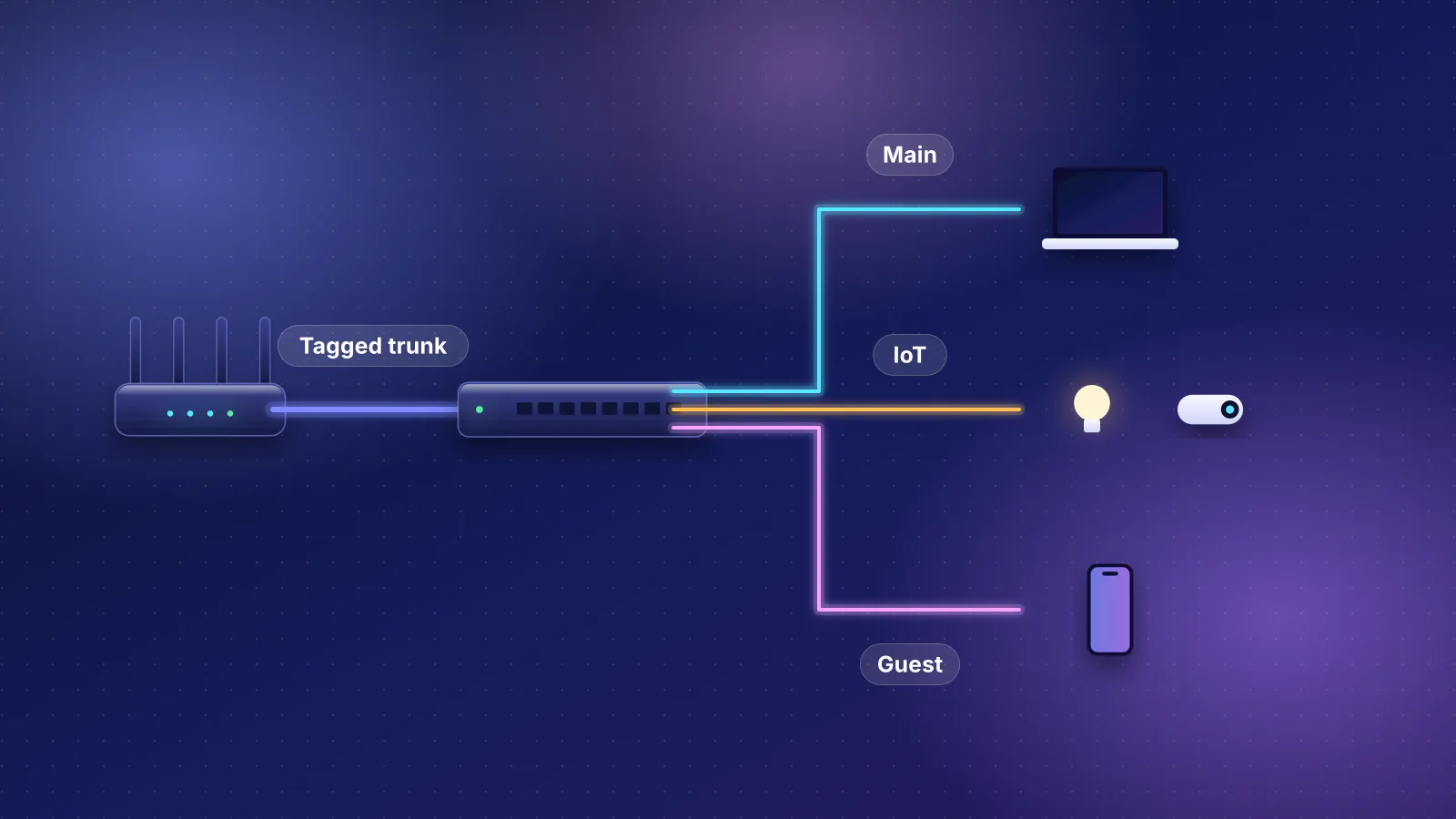
- One home need forces a smart or managed switch: VLANs. If a single cable has to carry more than one network (the run to an access point that broadcasts your main, IoT and guest Wi-Fi) or wired devices on different networks plug into the same switch, that switch has to be configurable. Ubiquiti's setup guide says every port between the access point and the gateway must allow the network's VLAN, and that a third-party switch "will need to be manually configured".
- "Smart" is enough for most homes. NETGEAR's Plus and TP-Link's Easy Smart switches list VLANs, IGMP snooping, QoS, port mirroring and static link aggregation in a web page. Fully managed switches, and some pricier models sold as smart, add negotiated link aggregation (LACP), spanning-tree control, access lists and more. Cloud-managed lines (UniFi, Omada, NETGEAR Insight, Zyxel Nebula) range from smart to fully managed; what they add is one app that configures the switches along with your access points.
- Management doesn't have to cost much more. In our catalog an eight-port unmanaged NETGEAR GS308 lists at $27.99 and a five-port managed UniFi Flex Mini at $29, though the Flex Mini needs a UniFi controller. The real costs are setup time, a controller for some brands, and settings that can break things when they're wrong.
This article is about the switch decision. For what VLANs are and how to plan them, see VLANs for home networks; for switch speed on a fast fiber plan, see when a cheap switch beats a pricier router.
The four kinds of switch, in the makers' words
Every switch forwards Ethernet frames between its ports. The difference between the kinds is how much of that you can change, and from where.
| Kind | How you configure it | What the makers list | Examples |
|---|---|---|---|
| Unmanaged | You don't. NETGEAR: "plug-and-play; no setup required" | Auto-negotiated speed, and on NETGEAR's 300-series datasheet 802.1p priority, honoring DSCP tags, Energy-Efficient Ethernet (IEEE 802.3az) and 9,216-byte jumbo frames | NETGEAR GS308, MS305; TP-Link TL-SG108-M2; Zyxel XMG-108; QNAP QSW-2104-2T-R2 |
| Smart (web-managed, "lightly managed") | A web page on the switch, sometimes a desktop utility | NETGEAR's Plus PoE datasheet: 802.1Q VLAN tagging (64 VLANs), QoS, IGMP snooping, loop detection, port mirroring, static LAGs, per-port PoE control. TP-Link's TL-SG108E: 32 VLANs, IGMP snooping, static link aggregation, port mirroring, loop prevention | NETGEAR GS308EP; TP-Link TL-SG108E; Zyxel XMG1915-10E; MikroTik CSS610 |
| Fully managed | Web page, command line, SNMP | NETGEAR: "comprehensive management features, including advanced security protocols, network monitoring, and remote management capabilities". TP-Link's page for the SG2008P, an Omada model it files as "L2+", lists standalone management "via web, CLI, SNMP, and RMON", spanning tree, link aggregation and loopback detection | MikroTik CRS310-8G+2S+IN; QNAP QSW-M2108-2C; TP-Link SG3210XHP-M2 |
| Cloud- or controller-managed | An app that also manages access points and gateways | Smart or fully managed features, set per network for every switch at once (NETGEAR calls the MS108TUP a "Smart Cloud Switch"; Zyxel calls its XMG1915 series "Smart Managed"). UniFi switches are set up in the UniFi Network application; Omada, NETGEAR Insight and Zyxel Nebula switches can also run standalone | UniFi Switch Lite 8 PoE, Flex Mini 2.5G; Omada SG2210XMP-M2; NETGEAR MS108TUP |
The labels are loose, so read the feature list rather than the name. NETGEAR's GS308E page is titled "Plus Switch" while its breadcrumb files it under Easy Smart. TP-Link's own Omada store sells the SG2008P as a "Smart" switch, while its US product page titles it "Omada Access 8-Port Gigabit Switch with 4-Port PoE+" and labels the Access line "L2+". Our catalog records the SG2008P as smart and the SG3210XHP-M2 as managed because that's how TP-Link's store names them.
Which kind for your setup
| Your setup | Switch | Why |
|---|---|---|
| More ports for a TV, console, desk or printer, all on your main network | Unmanaged | Nothing to configure. Pick it for port count and speed |
| Wired backhaul for a consumer mesh kit (eero, Deco, Orbi) | Unmanaged | eero recommends one; managed-switch features can interfere with mesh backhaul (see what goes wrong) |
| Closet switch powering access points that broadcast one Wi-Fi network | Unmanaged PoE, or smart PoE for per-port power control | One network needs no VLANs. A smart PoE switch lets you restart an access point from an app |
| Access points broadcasting main, IoT and guest Wi-Fi | Smart, or the access points' own ecosystem | The access point's port must carry tagged VLANs (a trunk) |
| Wired cameras, TVs or IoT hubs on their own network, sharing a switch with computers | Smart | Each port must be set to its VLAN (an access port) |
| A desk, room or camera group where every device belongs to one VLAN | Unmanaged, fed from a smart switch's access port, or from a router LAN port assigned to that network if your router allows it | An access port hands over one untagged network, so a plain switch behind it extends that network |
| Provider IPTV that uses multicast | Smart with IGMP snooping | Ubiquiti's IPTV setup turns IGMP snooping on for the TV box's VLAN |
| A NAS with two network ports serving several computers | Smart or managed, with the same kind of aggregation as the NAS (static or LACP) | Aggregation only helps when several clients transfer at once, and both ends must use the same kind |
| A UniFi or Omada gateway and access points | A switch from the same ecosystem | One app sets VLANs on access points and switch ports together |
VLANs: the feature that forces the decision
A VLAN-aware network marks each frame with a VLAN number (an IEEE 802.1Q tag) wherever several networks share a cable. Every switch on that path has to know which ports carry which tags. Ubiquiti's terms are the common ones: the Native VLAN is "the VLAN assigned to 'untagged' traffic passing through a switch port", a trunk port is "a switch port with 'Tagged VLANs'", and an access port "only permits traffic belonging to the Native (untagged) VLAN".
- Gateway Routes and firewalls three networks: Home (untagged), IoT (VLAN 20), Guest (VLAN 30)
- Closet switch, uplink port Trunk: native Home, tagged 20 and 30. This is the setting an unmanaged switch doesn't have
- Closet switch, access point port Trunk again, plus PoE to power the access point
- Ceiling access point Maps "Home", "Home-IoT" and "Home-Guest" to the three networks
- Phone, smart plug, visitor's laptop Each joins one Wi-Fi name and lands on that network
Ubiquiti's instructions for creating a Wi-Fi network say to "ensure all ports between your selected APs and gateway are configured to allow the specified network's VLAN ID", warn that failing to do so "will result in clients being unable to join the WiFi", and add that "UniFi Switches enable all traffic by default, but any third-party switch will need to be manually configured." An unmanaged switch has nothing to configure. None of the unmanaged-switch datasheets we read say whether tagged frames pass through untouched, so plan on an unmanaged switch carrying exactly one network.
That last point also gives you a cheap way out at the edges. A smart switch's access port hands over one network untagged, and Ubiquiti says devices connected to a port "will be placed on this Native VLAN". An unmanaged switch plugged into that port extends that one network to everything behind it: a desk where every device belongs on the main network, or a media cabinet where every device is on the IoT network.
The VLAN plan itself (which networks, which rules between them, and what breaks casting and smart-home control) is in our VLAN guide's hardware section. For keeping card terminals and guests apart in a shop, see the small-office router guide.
The other features, and when a home uses them
IGMP snooping: multicast that doesn't flood every port
A plain switch sends multicast out of every port. RFC 4541, the IETF's informational guide to snooping switches, says this means packets are "flooded into network segments where no node has any interest in receiving the packet" and "significant bandwidth can be wasted by flooding". An IGMP snooping switch listens to devices joining multicast groups and forwards each stream only to the ports that asked for it. Ubiquiti's definition: it "reduces multicast flooding by forwarding traffic only to switch ports with active multicast group members."
At home that matters mostly for multicast IPTV from a provider. Ubiquiti's IPTV setup for its gateways has you turn on "IGMP Snooping - On and enabled for the VLAN on which the IPTV box is connected". Over IPv4 it shouldn't stop AirPlay or Chromecast from finding a speaker: their discovery uses multicast DNS on 224.0.0.251 (RFC 6762), and RFC 4541 says non-IGMP traffic to 224.0.0.x "must be forwarded on all ports". Ubiquiti likewise says traffic in 224.0.0.0/24 "is always flooded". IPv6 is different: multicast DNS also uses FF02::FB, and RFC 4541 exempts only the all-hosts address FF02::1 from MLD snooping (IGMP snooping's IPv6 counterpart), so a switch snooping IPv6 can filter discovery for devices that don't announce their groups. That's why our Matter and HomeKit troubleshooting order has you check IGMP and MLD snooping on managed switches. Discovery problems are covered in our AirPlay troubleshooting guide.
One setting to know about: UniFi's option for multicast that matches no group (Forward Unknown Multicast Traffic) defaults to Drop, and Ubiquiti notes that some devices, "especially in AV and IoT environments", may expect such traffic to be flooded.
QoS: priority inside the switch
Switch QoS chooses which frames leave a port first when more traffic is headed for that port than it can send. Some unmanaged switches do some of this already: NETGEAR's 300-series unmanaged datasheet lists 802.1p priority and "Honors DSCP (DiffServ) Tags". A smart switch lets you choose the rules: TP-Link's TL-SG108E offers "Port-based/802.1p/DSCP priority" with four queues, and NETGEAR's Plus switches add rate limiting.
In most homes the congested link isn't inside the house; it's the internet connection, where queues build in the router or modem. Switch QoS can't touch that queue. Smart queue management on the router can, which is covered in our bufferbloat guide. QoS on a switch earns its keep when a busy link inside the house, such as a backup to a NAS sharing a 1 Gbps uplink, competes with calls or game traffic.
Link aggregation: more lanes, not a faster lane
Link aggregation, standardized as IEEE 802.1AX, "allows parallel point-to-point links to be used as if they were a single link". What it doesn't do is speed up one transfer. Ubiquiti's aggregation FAQ is blunt: the gains "will only occur when multiple clients are passing traffic simultaneously through the aggregated ports", and "most home-users do not need this".
A worked example (RouterHaus's calculation). A NAS with two 1 Gbps ports aggregated to a switch, and two computers copying files from it, each over its own 1 Gbps link. If the two copies travel over different links of the aggregate, each computer gets about 940 Mbps, the usable rate of gigabit Ethernet (why 1 Gbps Ethernet gives about 940 Mbps), and the NAS serves up to about 1.9 Gbps in total. They may not: each conversation is assigned to one link, often by a hash of addresses (Zyxel's XMG1915 datasheet lists a "source/destination IP" algorithm), so two copies can land on the same link and share its 940 Mbps. A single computer copying alone gets the same 940 Mbps it would without the aggregate. If one fast client is the goal, a 2.5 Gbps port at both ends does what aggregation can't; our NAS and workstation guide covers why, and the SMB Multichannel exception.
Aggregation comes in two forms, and both ends must use the same one. Static LAGs are set by hand on both ends; LACP (Link Aggregation Control Protocol, whose statistics are part of IEEE's 802.1AX management definitions) negotiates the group. Ubiquiti, which labels it 802.3ad, says LACP "dynamically manages link aggregation, provides automatic failover, and helps prevent misconfigurations". The entry-level smart lines list only the static kind: NETGEAR's Plus PoE datasheet gives "Static Manual LAGs" (two groups of up to four ports on the 5- and 8-port models), and TP-Link's TL-SG108E lists "Static Link Aggregation". Zyxel's XMG1915, which Zyxel calls "Smart Managed", lists LACP. UniFi supports only LACP, and not on the Flex, Flex Mini or Ultra. Check what your NAS supports before buying for this.
Loops, spanning tree and loop protection
A loop happens when two cables connect the same pair of switches, or a cable runs from one wall jack back to another. Ubiquiti lists what follows: "performance degradation, unexpected port blockages, complete network outages, and device crashes." Spanning Tree Protocol (STP) and what Ubiquiti calls "its advanced version, Rapid Spanning Tree Protocol (RSTP)" block redundant paths so only one stays active. RFC 4541 cites IEEE 802.1D-2004, the MAC bridges standard, for the spanning tree algorithm; IEEE now lists that edition as superseded by 802.1Q. UniFi switches run RSTP by default, though Ubiquiti notes that its "gateway switch ports do not support STP".
Lighter switches use loop detection instead: NETGEAR's 5- and 8-port Plus PoE models list loop detection, TP-Link's TL-SG108E lists loop prevention, and UniFi adds, alongside RSTP, a Loop Protection setting that "disables the port automatically if a switching loop is detected". NETGEAR's 300-series unmanaged datasheet lists no loop feature. In a small home, the main loop risk is a stray patch cable in a closet or between two wall jacks, so a switch that detects loops is worth having where you or a family member re-plug cables.
PoE control: restart an access point without a ladder
An unmanaged PoE switch powers devices up to its budget, but you can't touch that power without pulling the cable. Smart and managed PoE switches add control. NETGEAR's Plus PoE datasheet lists "per port PoE controls" and "Uninterrupted PoE" that "keeps PoE power on even when the switch is updating firmware or performing software reboot" (scheduling is on its 16-port models only). TP-Link's TL-SG108PE has PoE Auto Recovery, which "automatically detects and reboots the PD devices, such as cameras and APs, when they fall offline or go unresponsive". In UniFi, a port's PoE setting "controls whether a port provides PoE power to a connected client". For a ceiling access point or a camera under the eaves, turning its port's power off and on from a web page or app saves a ladder trip.
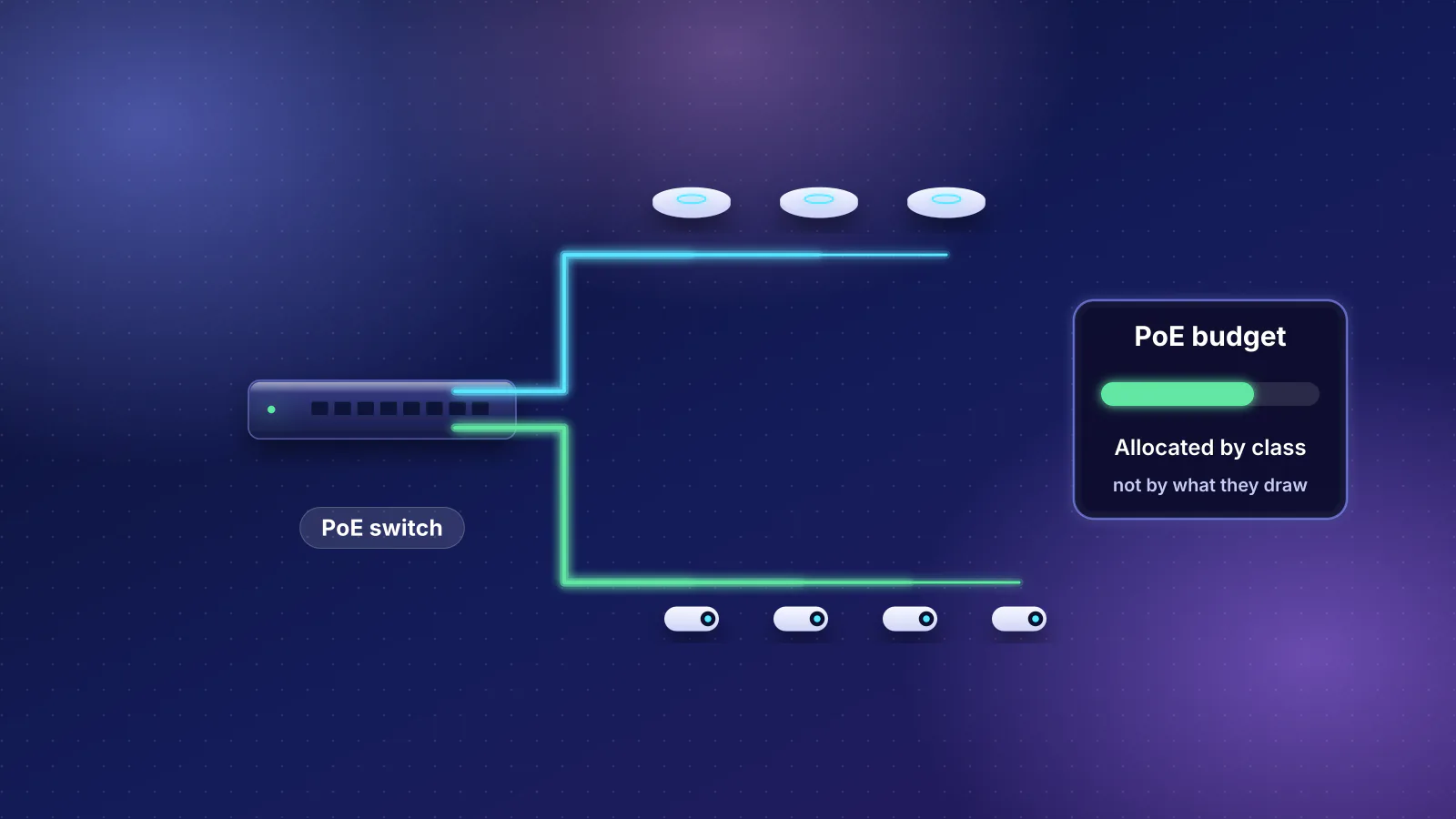
Management doesn't change how much power a switch has. Size the budget by PoE class first: our PoE sizing worked example counts it the way switches allocate it, and the closet design guide covers the heat a PoE switch adds.
Port mirroring: see what a device is sending
Port mirroring copies everything on one port to another, where a laptop running a packet capture tool such as Wireshark can record it. It's how you'd check what a camera or smart plug talks to. NETGEAR's Plus switches, TP-Link's TL-SG108E and UniFi switches all list it. The Wireshark project's capture guide adds a caution: "the monitoring port must be at least as fast as the monitored port, or you will certainly lose packets."
Not reasons to buy a managed switch
Energy-Efficient Ethernet (IEEE 802.3az, which defines a Low Power Idle mode for idle links) and jumbo frames appear on NETGEAR's unmanaged 300-series datasheet as well as on its Plus switches. Multi-gig ports and PoE come in all three kinds too (see the catalog). A managed switch may let you switch these off; it isn't needed to have them.
Cloud- and controller-managed switches
UniFi, Omada, NETGEAR Insight and Zyxel Nebula switches carry the same features as other smart or managed switches; NETGEAR's MS108TUP and Zyxel's XMG1915 are sold as smart. The difference is that you set them for the whole network in one app, so a new VLAN reaches the gateway, the access points and every switch port together. Mix brands and you set each VLAN ID twice: once in the access points' app and once on each switch.
| Platform | What runs the management | Without it | Cost of management |
|---|---|---|---|
| UniFi (Ubiquiti) | The UniFi Network application, on a UniFi Cloud Gateway, a CloudKey, Official UniFi Hosting or a self-hosted server | Ubiquiti documents standalone setup for its access points and wireless bridges; we found none for its switches | No license for Site Manager remote management; a console or hosting is the cost (see who runs the controller) |
| TP-Link Omada | An Omada controller: cloud-based, hardware or free software | Switches can be managed standalone "via web, CLI, SNMP, and RMON" (SG2008P) | TP-Link: "Cloud Essentials and the software controller are available at no additional cost" |
| NETGEAR Insight | NETGEAR's cloud service and app | Models such as the MS108TUP also have a local web interface ("Web browser based management GUI", per its datasheet) | NETGEAR sells Insight as a subscription with a free trial |
| Zyxel Nebula | Zyxel's Nebula cloud | The XMG1915 series switches between standalone and cloud ("NebulaFlex") | Zyxel calls Nebula "license-free", though its datasheet says some Nebula features "may need an extra license" |
Ubiquiti's own guidance shows why staying in one ecosystem helps: it recommends "leaving AP uplink ports 'trunked' to allow all traffic from all relevant VLANs", which its switches do by default. The trade is dependence on the controller and its update cycle, plus a learning curve for settings you may never use.
What the catalog's switches offer at each level
The RouterHaus component catalog has 52 current switches, last verified against the makers' pages on October 20, 2026: 20 unmanaged, 13 smart and 19 managed. Twelve of the managed ones are UniFi models, and all twelve need the UniFi controller.
| Kind | Switches | With multi-gig ports | With PoE output | Published PoE budgets |
|---|---|---|---|---|
| Unmanaged | 20 | 14 | 6 | 63 to 123 W |
| Smart | 13 | 7 | 9 | 60 to 230 W |
| Managed | 19 | 14 | 9 | 42 to 400 W (7 of 9 published) |
Prices for comparable switches, from the same records:
| Need | Unmanaged | Smart | Managed |
|---|---|---|---|
| A few gigabit ports | NETGEAR GS308: 8 × 1 Gbps, $27.99 | MikroTik CSS610-8G-2S+IN: 8 × 1 Gbps plus two SFP+, $119 (our catalog's only priced smart gigabit model without PoE) | UniFi Flex Mini: 5 × 1 Gbps, $29, no surcharge shown (needs the UniFi controller) |
| Five 2.5 Gbps ports | NETGEAR MS305: $134.99 | None in our catalog | UniFi Flex Mini 2.5G: $49 ($54) |
| Eight 2.5 Gbps ports plus a 10 Gbps uplink | Zyxel XMG-108: one SFP+ uplink, $89.99 | Zyxel XMG1915-10E: two SFP+, $199.99 | UniFi Flex 2.5G: a 10 Gbps RJ45/SFP+ combination uplink, per Ubiquiti's store, $159 ($175); MikroTik CRS310-8G+2S+IN: two SFP+, $219 |
| PoE+ for two gigabit access points | NETGEAR GS305P: 4 PoE+ ports, 63 W, $69.99 | TP-Link SG2008P: 4 PoE+ ports, 62 W, $114.99 | UniFi Switch Lite 8 PoE: 4 PoE+ ports, 52 W, $109 ($120) |
| 2.5 Gbps PoE for Wi-Fi 7 access points | Zyxel XMG-105HP: 4 × 802.3bt ports, 70 W, $99.99 | Zyxel XMG1915-10EP: 8 × 802.3bt ports, 130 W, $299.99 | UniFi Flex 2.5G PoE: 8 × 2.5 Gbps 802.3bt ports, $199 ($219, out of stock on October 20), plus a $79 adapter for its 196 W budget; UniFi Pro XG 8 PoE: 8 × 10 Gbps 802.3bt ports, 155 W, $499 ($549) |
Three things stand out:
- There's no fixed management premium. UniFi's managed five-port Flex Mini lists at about the price of NETGEAR's unmanaged eight-port GS308, and its 2.5 Gbps version well below NETGEAR's unmanaged five-port MS305. Elsewhere the step can be large: our catalog's cheapest priced smart gigabit switches ($114.99 with PoE, $119 without) cost about four times the GS308, and Zyxel's smart eight-port 2.5 Gbps model lists at $110 more than its unmanaged one (and adds a second SFP+ slot).
- The cheap managed options assume an ecosystem. The Flex Mini and Flex Mini 2.5G need the UniFi controller; on a non-UniFi network the realistic low-cost choices are smart switches.
- Management doesn't buy PoE budget. The smart SG2008P and the unmanaged GS305P have nearly the same budget; the managed UniFi Lite 8 PoE has less. Our PoE worked example shows that 52 W powers one PoE+ access point and one camera when counted by class.
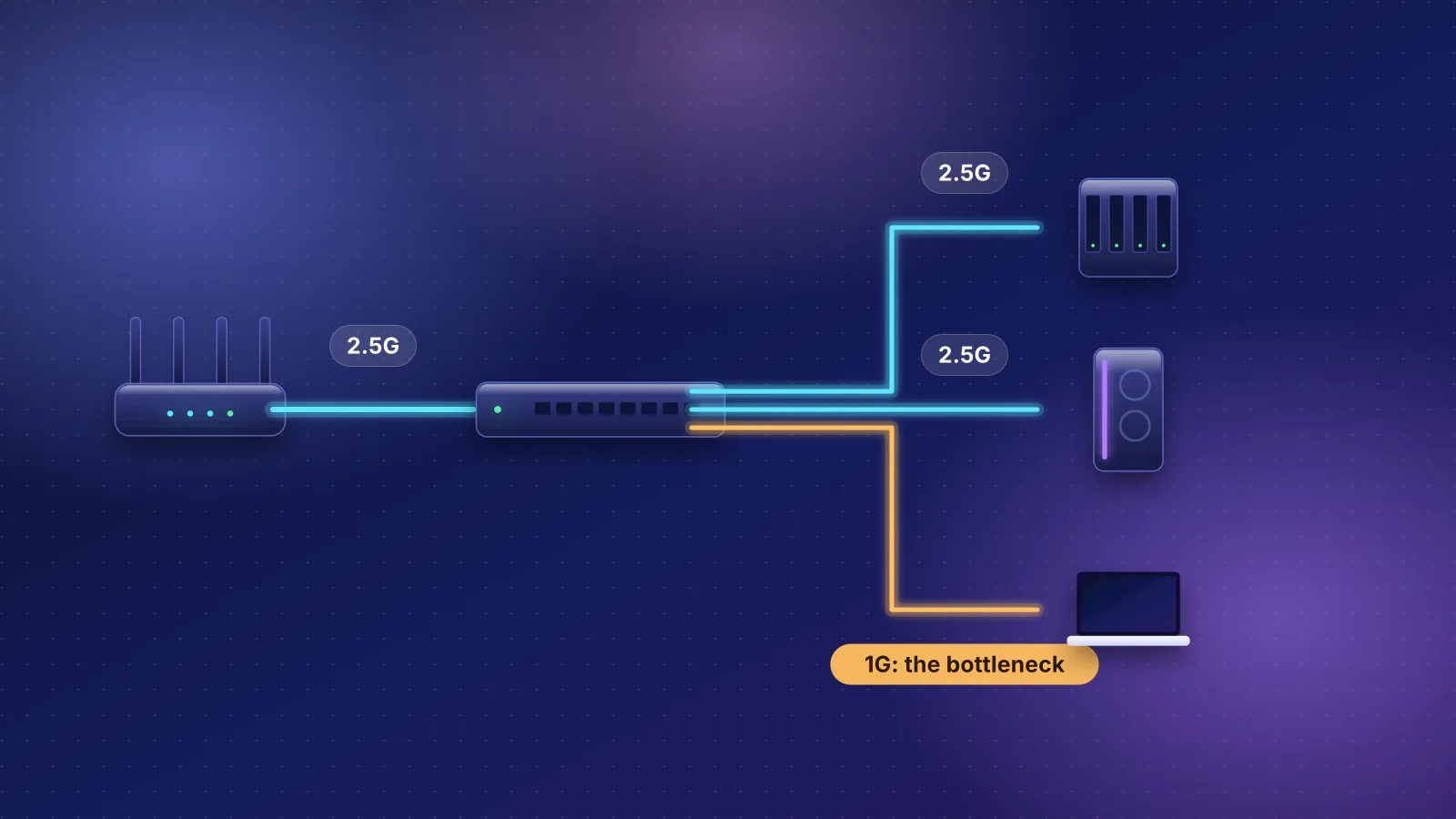
For which port speeds you need behind a multi-gig plan, see LAN ports, switches and cables: a switch is only as fast as its slowest port on the path.
What goes wrong with managed switches
The features above are also the ways a managed switch breaks a working network. From the makers' own documentation:
- The access point port's native VLAN. Ubiquiti: "When connecting an AP to a switch port, the Native VLAN should never be the same as the network being broadcast by that AP (except when VLAN 1 is used). This will break connectivity and clients will not be able to join."
- Locking yourself out. Ubiquiti says setting a switch's management VLAN wrongly "may require a physical reset". Change the port you're connected through last.
- Loop protection that stays tripped. UniFi's Loop Protection "permanently blocks ports upon loop detection" until you re-enable the port in the app.
- Mesh backhaul. eero recommends an unmanaged switch and, if a managed one is used, "disabling features such as Spanning Tree Protocol (STP/RSTP), Internet Group Management Protocol (IGMP), and removing any Virtual Local Area Networks (VLANs) or Quality of Service (QoS) features". NETGEAR says its managed switches' "L2 Loop Protection conflicts with your Orbi's backhaul detection system", and that they "drop incorrectly configured VLAN tagged traffic", which Orbi's guest network uses between router and satellites over Ethernet backhaul. Each mesh maker's rules are collected in our wired-backhaul guide.
- Upkeep. A managed switch has firmware, a password and settings to keep track of. A controller-managed switch also depends on a controller that has to be kept running and updated.
A safe order for a first managed switch: leave every port at its default, connect it, confirm the network works, then change one port at a time, starting with the ports farthest from the one your computer uses. Ubiquiti's advice for aggregation follows the same logic: configure the most downstream switch first and move toward the UniFi console.
Frequently asked questions
Can I use an unmanaged switch on a network with VLANs?
Yes, where everything plugged into it belongs to one network. Plug it into a smart or managed switch's access port, or a router port assigned to one network, and it extends that network. Don't put it on a cable that has to carry several VLANs, such as the run to an access point broadcasting main, IoT and guest Wi-Fi; it has no setting for tagged traffic.
Is a smart switch the same as a managed switch?
Not quite. Smart (web-managed) switches such as NETGEAR's Plus and TP-Link's Easy Smart lines cover VLANs, IGMP snooping, QoS, port mirroring and static link aggregation from a web page. Fully managed switches add features such as LACP, spanning-tree control and access lists, and usually a command line. The labels overlap: Zyxel's XMG1915, sold as Smart Managed, lists LACP and spanning tree. For most homes, smart is enough.
Do I need a UniFi switch with a UniFi gateway?
No, but it's easier. Ubiquiti says UniFi switches allow all VLANs by default, while a third-party switch needs its ports set by hand to carry each network. UniFi switches themselves are set up in the UniFi Network application, so they need a UniFi console, CloudKey or hosted controller.
Will link aggregation make my NAS transfers faster?
Only when several computers transfer at once. Ubiquiti says the gains occur only when multiple clients pass traffic simultaneously, and even then two transfers can be assigned to the same link. One computer copying from a NAS with two aggregated 1 Gbps ports still gets about 940 Mbps; a 2.5 Gbps port at both ends is the way to speed up a single transfer.
Sources
Read on November 7, 2026, except where noted. Ubiquiti Help Center articles were read through Ubiquiti's public Help Center API.
- IEEE SA: IEEE 802.1Q-2022, Bridges and Bridged Networks (VLAN bridges)
- IEEE SA: IEEE 802.1AX-2020, Link Aggregation and IEEE 802.1 Working Group: MIB modules (the 802.1AX MIB includes Link Aggregation Control Protocol statistics)
- IEEE SA: IEEE 802.1D-2004, MAC Bridges (superseded by 802.1Q-2014)
- IEEE SA: IEEE 802.3az-2010, Energy-Efficient Ethernet (Low Power Idle mode; IEEE lists this amendment as superseded)
- IETF RFC 4541: Considerations for IGMP and MLD snooping switches (informational, May 2006)
- IETF RFC 6762: Multicast DNS (224.0.0.251 and FF02::FB)
- NETGEAR: Switch management types explained (unmanaged, lightly managed, fully managed; updated August 25, 2026)
- NETGEAR: GS308 and Gigabit Unmanaged Essentials Switch datasheet (802.1p, DSCP, 802.3az, jumbo frames)
- NETGEAR: GS308E and PoE+ Gigabit Ethernet Plus Switches datasheet (VLANs, IGMP snooping, static LAGs, loop detection, port mirroring, PoE controls)
- NETGEAR: Insight (subscription, free trial), MS108TUP ("Smart Cloud Switch") and its datasheet (DS-MS108TUP-01Apr26: web browser management GUI, access control lists, static LAGs)
- NETGEAR: How to resolve Orbi Ethernet backhaul issues when using a NETGEAR fully managed switch or smart switch
- eero: Can I connect wired devices to my network using an Ethernet switch? (unmanaged recommended, managed-switch settings)
- TP-Link: TL-SG108E Easy Smart switch and TL-SG108PE (PoE Auto Recovery)
- TP-Link Omada: SG2008P, its Omada store listing (title and price as recorded in our catalog on October 20, 2026) and SG2210XMP-M2
- TP-Link Omada: SDN controllers and Omada Software Controller
- Zyxel: XMG1915 series datasheet (Smart Managed, NebulaFlex, extra Nebula licenses, LACP and its source/destination IP algorithm, spanning tree; dated 09/01/25)
- Ubiquiti: Switch port VLAN assignment (trunk and access ports) and Creating UniFi WiFi SSIDs
- Ubiquiti: UniFi switch settings (IGMP snooping, RSTP, loop protection, PoE, mirroring, management VLAN)
- Ubiquiti: UniFi Gateway IGMP proxy (IPTV)
- Ubiquiti: Understand and mitigate network loops (STP)
- Ubiquiti: Port aggregation FAQs
- Ubiquiti: Introduction to UniFi and Standalone access points (without UniFi) (the Help Center also has a standalone pairing article for bridge devices; we found none for switches)
- Wireshark wiki: Ethernet capture setup (port mirroring)
- RouterHaus catalog (switch management types, ports, PoE budgets and maker prices, checked October 20, 2026)