The short version
- Three numbers, not one. Each PoE port has a class maximum (15.4 W for 802.3af, 30 W for 802.3at PoE+, 60 or 90 W for 802.3bt), the switch has one total budget shared by every port, and each device has a maximum draw its maker publishes. A switch with eight 30 W ports and a 45 W budget can't run eight PoE+ access points.
- Switches differ in how they count. Some reserve each device's full class power (Juniper's do in their default mode, unless a device negotiates less over LLDP); NETGEAR says its GS108PP balances power "based on the device needs independent of PoE class". Ubiquiti doesn't say how its switches count, though its help center tells you to size them by the devices' power requirements. Size by class unless the switch's maker documents allocation by need.
- Worked example: three Ubiquiti U7 Pro access points and four cameras need 151.6 W counted by class, but 114.8 W at the devices (Ubiquiti's 21 W maximum per access point, and cameras assumed at the 12.95 W Class 3 limit), or up to 127.2 W at the switch once worst-case cable loss is added. A 123 W switch fails the first test and passes or fails the third depending on your cable runs; a 160 W switch passes all three.
- Check what the budget depends on. UniFi's Switch Ultra has 42 W of PoE on a PoE++ input and 202 W only with a separately sold 210 W adapter. Our planner adds that adapter to the parts list when a build needs it.
- Our planner sizes by class: 30 W per PoE+ access point, and 15.4 W per camera, assumed 802.3af Class 3. That's cautious on purpose. It also can't split a large build across two switches; the second example shows how to do that by hand.
This article goes deeper on the PoE part of two others. Choosing a small-office router sizes PoE for a storefront against gateway and switch budgets, and mesh vs a router plus access points shows how the counting method changes the switch, and the price, of a four-access-point build. Here the subject is the switch itself: how to fill in the budget for your devices, what the published numbers mean, and where builds go wrong.
The classes: power at the switch and at the device
IEEE 802.3 defines PoE in classes. Each class has two numbers: the most the switch (the power sourcing equipment, or PSE) must be able to supply, and the most the device (the powered device, or PD) may draw. The gap between them is what the standard allows for loss in the cable. The Ethernet Alliance's overview of 802.3bt, written by the task force's chief editor and comment editor, gives the full set:
| Class | Standard and type | Usual name | At the switch | At the device | Pairs used |
|---|---|---|---|---|---|
| 1 | 802.3af (Type 1) | PoE | 4 W | 3.84 W | 2 (a Type 3 or 4 switch may use 4) |
| 2 | 802.3af (Type 1) | PoE | 7 W | 6.49 W | 2 (a Type 3 or 4 switch may use 4) |
| 3 (and 0) | 802.3af (Type 1) | PoE | 15.4 W | 12.95 W in 802.3af/at (TP-Link's figure; the Alliance's paper, written to 802.3bt, gives 13 W) | 2 (a Type 3 or 4 switch may use 4) |
| 4 | 802.3at (Type 2) | PoE+ | 30 W | 25.5 W | 2 (a Type 3 or 4 switch may use 4) |
| 5 | 802.3bt (Type 3) | PoE++ | 45 W | 40 W | 4 |
| 6 | 802.3bt (Type 3) | PoE++ | 60 W | 51 W | 4 |
| 7 | 802.3bt (Type 4) | PoE++ (Ubiquiti: PoE+++) | 75 W | 62 W | 4 |
| 8 | 802.3bt (Type 4) | PoE++ (Ubiquiti: PoE+++) | 90 W | 71.3 W | 4 |
TP-Link's Omada guide gives the same pairs for each standard: 802.3af "up to 15.4W at the PSE and up to 12.95W at the powered device", PoE+ 30 W and 25.5 W, 802.3bt Type 3 60 W "(51W at the device)" and Type 4 90 W "(71.3W at the device)". Three details from the Alliance's paper matter when you plan:
- A device with no class is treated as Class 3. An 802.3af device that skips classification is "Class 0", and the switch treats it "as if it requested Class 3", so it's counted at 15.4 W. Juniper's switch documentation lists Class 0 at 15.4 W too.
- Higher classes need all four pairs. Classes 5 to 8 always use four pairs. Type 3 and 4 switches may also power Class 1 to 4 devices over four pairs, which the Alliance says halves cable losses.
- Lower-class ports power a device at their own limit. A PoE+ device on an 802.3af port is "power demoted": the Alliance says it "will recognize it is being powered by an (older) Type 1 PSE, and can only draw 13 W". What the device does with less power is up to its maker (see mistakes).
Makers' labels map onto these names loosely. Ubiquiti lists ports as PoE, PoE+ and PoE++ (its help center maps them to 802.3af, 802.3at and 802.3bt Type 3, and PoE+++ to Type 4), and gives per-port maximums on each switch's spec page: the Switch Flex 2.5G PoE lists 15.4 W for PoE, 32 W for PoE+ and 64 W for PoE++, while the Switch Ultra lists 30 W per PoE+ port. Read the spec page for the switch you're buying rather than assuming a name means a number.
Budget, class and draw: why the totals don't match
A PoE switch has a fixed amount of power for all its ports, its PoE budget. TP-Link's guide puts it plainly: "Total PoE capacity is shared across all active ports." The per-port maximum only says what one port can supply; the budget says what all of them can supply together. The UniFi Switch Lite 16 PoE, for example, has eight PoE+ ports and a 45 W budget, according to Ubiquiti's spec page: enough for one PoE+ access point counted at 30 W.
How a switch charges each device against that budget varies:
- By class. Juniper's EX switches default to a class mode, and without LLDP "the power allocation is determined solely by the class of the PD": a PoE+ access point is charged 30 W whatever it draws. The Ethernet Alliance's paper says that without the optional Autoclass feature, "most PSEs" would allocate a Class 8 device the full 90 W, "the worst-case amount of power the PSE could be expected to source".
- By negotiation or measurement. The standard lets a device ask for less over LLDP after it's powered, and Juniper says LLDP negotiation "can be used to refine the power allocation". Autoclass, optional in 802.3bt, lets the switch measure the device at full load and allocate that plus a small margin; the Alliance's example saves 22.2 W on one 90 W port. NETGEAR's GS108PP page says the switch "automatically balances the PoE power based on the device needs independent of PoE class", and its GS305P page says its four PoE+ ports get "30W each until budget is met".
- Undocumented. We found no Ubiquiti document that says whether its switches charge the budget by class or by measured draw. Its help center does give a sizing rule, and it counts draw: a switch's "PoE Availability must be greater than the sum of all device power requirements", with the U7 Pro listed at 21 W. TP-Link's guide likewise tells you to "Sum the realistic concurrent draw of all connected devices and build in headroom", without a figure for the headroom, and its SG2210XMP-M2 page adds that "Actual PoE power budget is not guaranteed and will vary as a result of client limitations and environmental factors."
So for a switch whose maker doesn't say, count by class. It's the only total you can be sure the switch will honor. Counting by the makers' maximum draw is a fair second check, and the one that matters on switches documented to allocate by need. It's also how Ubiquiti's and TP-Link's sizing advice counts, so a build that passes only by draw relies on the switch allocating that way.
Cable length and loss
The gap between the two columns of the class table is cable loss under the standard's worst case. The Alliance's paper sets that worst case at a "maximum pairset DC loop resistance" of 12.5 Ω, and TP-Link's guide says all three standards deliver power "over a maximum of 100m (328 ft) per cable segment". Shorter cable has less resistance, so it loses less.
The paper also gives the formula a switch can use to budget for a known cable: power at the switch = V × (V − √(V² − 4 × R × P)) ÷ (2 × R), where V is the switch's output voltage, R the loop resistance and P the device's draw. With the standard's minimums (50 V for an 802.3at switch, 12.5 Ω) and 25.5 W at the device, it returns exactly 30 W; with 44 V, the 20 Ω an 802.3af device must tolerate and 12.95 W, exactly 15.4 W. Applied to real devices (RouterHaus's calculation, at the 50 V minimum on two pairs):
| Device at its maker's maximum | Worst-case run (12.5 Ω) | Half that resistance (6.25 Ω) | A quarter (3.1 Ω) |
|---|---|---|---|
| Ubiquiti U7 Pro, 21 W | 23.8 W at the switch (2.8 W lost) | 22.2 W (1.2 W lost) | 21.6 W (0.6 W lost) |
| TP-Link EAP772, 25.4 W | 29.9 W (4.5 W lost) | 27.3 W (1.9 W lost) | 26.3 W (0.9 W lost) |
| Class 3 camera at its 12.95 W limit | 13.9 W (1.0 W lost) | 13.4 W (0.4 W lost) | 13.2 W (0.2 W lost) |
Two assumptions sit in that table. Resistance is taken as proportional to cable length, so "half" stands for a run about half as long as the worst case; your cable's real resistance depends on its gauge and quality. And 50 V is the lowest output the standard allows a PoE+ or 802.3bt Type 3 switch (an 802.3af-only switch may run as low as 44 V, and loses more); a switch running at a higher voltage pushes less current for the same power and loses less. Read the table as an upper bound on loss from a PoE+ or better switch.
In a house, runs are usually well short of the limit: our guide to running Ethernet works out a corner-to-corner run in a 2,500 sq ft single-story home at about 48 m. Cable quality matters too: the same guide notes Fluke Networks' warning that copper-clad aluminum cable has about 55 percent more resistance than copper, and more resistance means more of the budget is lost as heat in the wall.
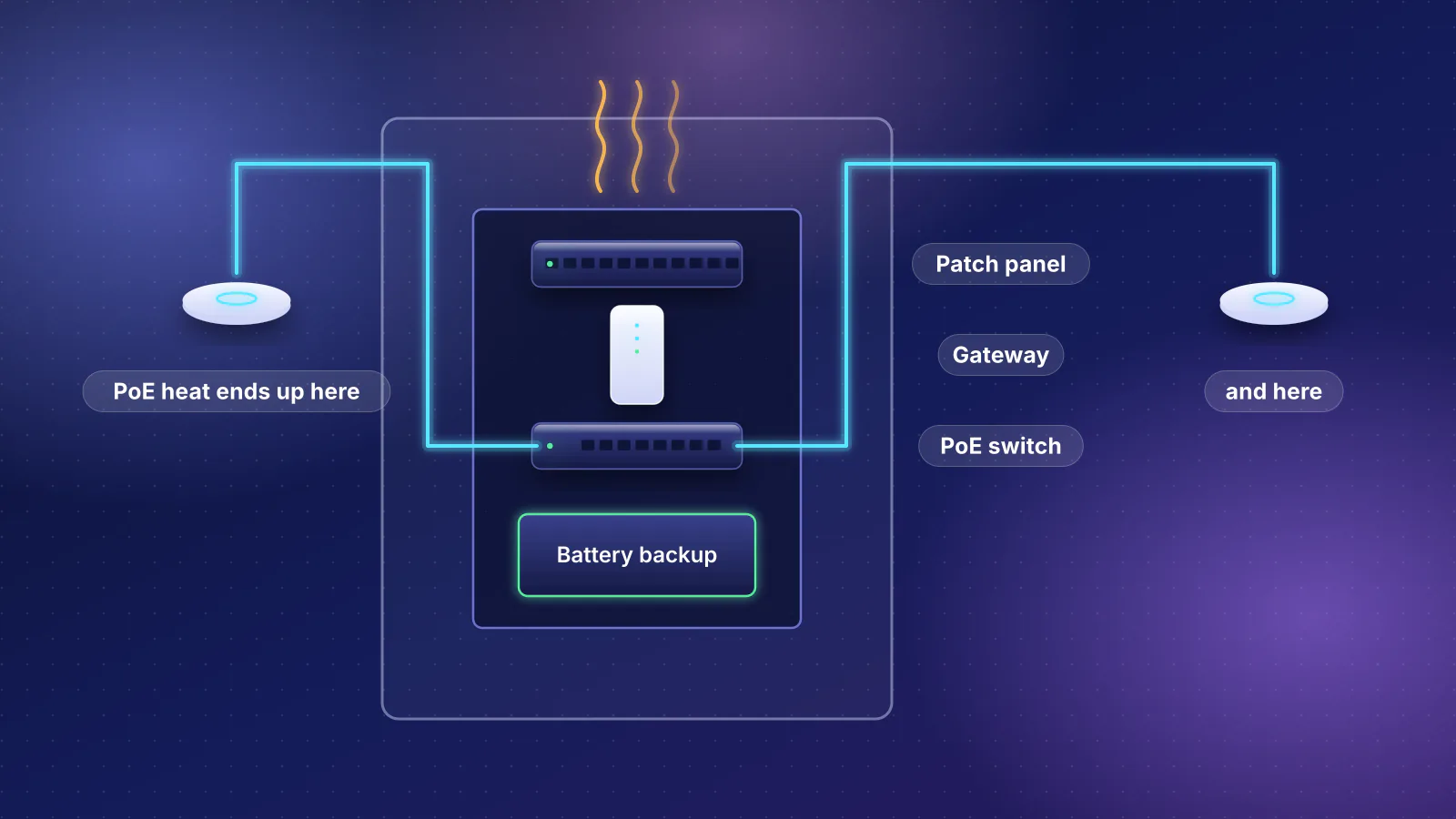
- Outlet and UPS Supply the switch's own draw plus everything it powers
- Switch power supply Sets the PoE budget: 42 W or 202 W on a UniFi Switch Ultra, depending on the supply
- Switch port Charges the budget by class (30 W for PoE+) or by need, depending on the switch
- Cable Loses up to 4.5 W on a worst-case PoE+ run at full PoE+ load (2.8 W for a U7 Pro), far less on a short one
- Access point Draws up to 21 W (U7 Pro, Ubiquiti's figure)
The PoE budget worksheet
One row per kind of device. Fill in the counts from your floor plan and the figures from each device's datasheet.
| Column | What goes in it | Where to find it |
|---|---|---|
| Device and count | Each model and how many | Your plan |
| Port needed | PoE, PoE+ or PoE++, from the device's stated input. If the maker's maximum draw is more than that standard delivers to the device (12.95 W or 25.5 W), use the next standard up. | The device's spec sheet ("power method", "PoE input") |
| By class | 15.4, 30, 60 or 90 W per device, times the count | The class table above |
| Maker's maximum | Published maximum power consumption, times the count | The spec sheet ("max. power consumption") |
| At the switch, worst case | The maximum plus cable loss, from the cable table or the formula | This article |
| Switch check | Enough ports of each class, plus one for the uplink; a budget at least the "by class" total (or the "at the switch" total if the maker documents allocation by need); the budget's power-supply condition | The switch's spec page or datasheet |
Cameras are the row with the least information. If a camera's datasheet gives its PoE class or standard, use it. If it doesn't, our planner assumes 802.3af Class 3, which is also what a switch assumes for a device that doesn't classify. A camera that lists 802.3at, or a maximum draw above 12.95 W, needs a PoE+ port and 30 W by class. For scale, Ubiquiti's help center lists its own G5 and AI cameras at 4 to 11 W and its PTZ Ultra at 42.9 W, so most fixed cameras sit under the assumption and a motorized one can break it.
Worked example 1: three Wi-Fi 7 access points and four cameras
A two-story house wired for three ceiling access points, with four PoE cameras outside. Two Wi-Fi 7 access points from our catalog, each with its maker's published figures: Ubiquiti lists the U7 Pro's power method as PoE+ with a 21 W maximum, and TP-Link lists the Omada EAP772's power as "802.3at PoE" with "25.4 W (For PoE)". The cameras are assumed Class 3, at the 12.95 W device limit for the draw columns. The arithmetic is RouterHaus's.
| Devices | Ports | By class | Maximum draw (makers' figures; cameras assumed) | At the switch, worst-case cable |
|---|---|---|---|---|
| 3 × U7 Pro | 3 PoE+ | 3 × 30 = 90 W | 3 × 21 = 63 W | 3 × 23.84 = 71.5 W |
| 4 × camera (Class 3) | 4 PoE | 4 × 15.4 = 61.6 W | 4 × 12.95 = 51.8 W (assumed) | 4 × 13.92 = 55.7 W |
| Total with U7 Pro | 7, plus an uplink | 151.6 W | 114.8 W | 127.2 W |
| Total with EAP772 instead | 7, plus an uplink | 151.6 W | 128.0 W | 145.2 W |
Against switches in our catalog with room for seven PoE devices and an uplink (budgets are the makers' figures; the UniFi and SG2210XMP-M2 pages were re-read November 7, the others checked for our catalog October 20). The catalog's other switches with that room either have 62 W or less (the GS308EP, GS1915-8EP and Switch 16 PoE) or pass every test (the MS108TUP, SG3210XHP-M2 and Switch Pro Max 24 PoE):
| Switch | PoE ports | PoE budget | By class (151.6 W) | By draw, U7 Pro (114.8 to 127.2 W) | By draw, EAP772 (128.0 to 145.2 W) |
|---|---|---|---|---|---|
| UniFi Switch Lite 16 PoE | 8 PoE+ | 45 W | No | No | No |
| Zyxel XMG-108HP (unmanaged) | 8 PoE++ | 100 W | No | No | No |
| NETGEAR GS108PP (unmanaged) or GS308EPP (smart) | 8 PoE+ | 123 W | No | At the devices, yes; at the switch, about 120.3 W on half-length runs fits, the worst case doesn't | No |
| Zyxel XMG1915-10EP | 8 PoE++ | 130 W | No | Yes, 2.8 W spare even in the worst case | Only 2 W spare at the devices; no once cable loss is counted |
| UniFi Switch Pro XG 8 PoE | 8 PoE++ | 155 W | Yes, 3.4 W spare | Yes | Yes |
| Omada SG2210XMP-M2 | 8 PoE+ | 160 W | Yes, 8.4 W spare | Yes | Yes |
| UniFi Switch Pro Max 16 PoE | 12 PoE+, 4 PoE++ | 180 W | Yes, 28.4 W spare | Yes | Yes |
| UniFi Switch Flex 2.5G PoE | 8 PoE++ | 76 W on its best PoE input; 196 W with the 210 W adapter, sold separately | Only with the adapter | Only with the adapter | Only with the adapter |
| UniFi Switch Ultra | 7 PoE+ (the eighth port is its PoE input) | 42 W on PoE++ input; 202 W with the 210 W adapter, sold separately | Only with the adapter, and every PoE port used | Only with the adapter | Only with the adapter |
| NETGEAR MS108EUP | 4 PoE++, 4 PoE+ | 230 W | Yes | Yes | Yes |
What the table shows:
- The 123 W NETGEAR switches are the borderline case. By class they're 28.6 W short. NETGEAR says the GS108PP balances power by need rather than class, which makes the draw columns the relevant ones (its data sheet for the GS308EPP doesn't say how that model counts), and with three U7 Pro access points the answer then depends on how long your cables are. With EAP772s it fails either way. The GS108PP is also unmanaged, so with access points and cameras on the same switch it can't keep the cameras on their own VLAN; our VLAN guide explains why a switch that mixes networks takes a smart or managed model.
- Exactly enough isn't headroom. The Pro XG 8 PoE passes by 3.4 W. That's a pass by the arithmetic, but counted by class, adding a fifth camera later would mean a second switch.
- The access point changes the answer. The two access points are the same class, so the class total is the same, but the EAP772's higher maximum draw rules out every switch in the table below 155 W, even one that allocates by need.
Worked example 2: six access points and eight cameras
A larger house, or a house with a detached office: six access points and eight cameras, 14 PoE devices. Same inputs as before (RouterHaus's arithmetic):
| Build | By class | Maximum draw (makers' figures; cameras assumed) | At the switch, worst-case cable |
|---|---|---|---|
| 6 × U7 Pro + 8 cameras | 180 + 123.2 = 303.2 W | 126 + 103.6 = 229.6 W | 143.0 + 111.4 = 254.4 W |
| 6 × EAP772 + 8 cameras | 180 + 123.2 = 303.2 W | 152.4 + 103.6 = 256.0 W | 179.2 + 111.4 = 290.5 W |
Only two switches in our catalog have 14 PoE ports or more. The UniFi Switch Pro Max 16 PoE has 16, but its 180 W budget is short however you count. The UniFi Switch Pro Max 24 PoE has 24 (eight PoE+ and 16 PoE++) and a 400 W budget, which covers the class total with 96.8 W to spare. Ubiquiti lists that switch with an internal 550 W supply, so there's no adapter to add.
The alternative is two switches, which also leaves room to grow. Three ways to split the same 14 devices, all checked by class:
- Two identical halves. Three access points and four cameras per switch is example 1 again: 151.6 W each, so two SG2210XMP-M2 switches (160 W each), or two Pro Max 16 PoE switches in a UniFi build.
- Access points and cameras apart. Six PoE+ access points need 180 W by class. The Pro Max 16 PoE's 180 W budget matches exactly, with nothing spare; the Omada SG3210XHP-M2 (240 W, eight PoE+ ports) leaves 60 W. Eight cameras need 123.2 W and nine ports with the uplink, which rules out the 123 W eight-port NETGEAR switches on ports alone; the SG2210XMP-M2's eight PoE+ ports and SFP+ uplinks (160 W) fit.
- Cameras on the gateway. Some gateways have PoE of their own. UniFi's Dream Machine SE has eight PoE ports and 180 W, enough for eight Class 3 cameras by class, which leaves a second switch for the access points only. Our UniFi gateway comparison lists the PoE on each model.
Every split needs its own uplink between the switches or to the gateway, and every switch adds its own power draw to the closet.
Budgets that depend on the power supply
Some switches have a PoE budget that depends on how they're powered, and the larger figure on the box may need a supply that isn't in it. From the makers' pages:
| Switch | How it's powered | PoE budget |
|---|---|---|
| UniFi Switch Ultra (no adapter in the box) | PoE+ input from another switch | 16 W |
| PoE++ input | 42 W | |
| 60 W PoE adapter | 42 W | |
| 60 W AC adapter | 52 W | |
| 210 W AC adapter | 202 W | |
| UniFi Switch Flex 2.5G PoE (no adapter in the box) | PoE+ input | 16 W |
| PoE++ input | 46 W | |
| PoE+++ input (802.3bt Type 4, per Ubiquiti's help center) | 76 W | |
| 210 W AC adapter | 196 W | |
| NETGEAR GS108PP | Its power selector and NETGEAR's "optional / interchangeable power adapters* (sold separately)" | 123 W; NETGEAR says FlexPoE can "reduce the power budget to 83W or even" 60 W with "separately purchased power supply modules" |
Our catalog records this with three fields: poeBudgetW is the budget you get with what's in the box (left empty when nothing in the box powers the switch), poeBudgetMaxW is the largest budget the maker lists, and poeBudgetRequires names the supply that unlocks it, with its price. One more case is worded less clearly: Ubiquiti's spec page for the Switch Pro Max 16 PoE gives its power method as "AC Adapter" and its supply as an external 210 W unit, but unlike the Pro XG 8 PoE's page ("AC/DC Adapter (included)") its text doesn't say the adapter is in the box. The same page's "In The Box" picture does show an external power brick with the switch, and our catalog (and so the planner) counts its 180 W as included; check the box contents when you buy.
Passive 24 V PoE and injectors
Standard PoE starts with a check. The Ethernet Alliance's paper explains that the switch first probes for a 25 kΩ "detection signature", and "IEEE 802.3 Power over Ethernet defines mandatory checks that prevent voltage being applied unless a valid PD is connected". That's why plugging a laptop into a standard PoE switch port is safe. A passive injector is a different matter (below).
The Alliance's paper also notes that "a number of technologies exist that offer power transfer under the name 'PoE'". Passive PoE is one: a fixed voltage on set pairs, from an adapter or port that doesn't run the 802.3 detection and classification steps. Ubiquiti still sells passive converters for its own gear: its Instant Indoor PoE Converter lists a power method of "24V passive PoE (Pairs 4, 5+; 7, 8 return)" and is "Compatible with Ubiquiti UniFi or airMAX PoE devices". MikroTik lists the PoE input on its CSS610 switch, in our catalog, as "Passive PoE" (12 to 57 V), not 802.3af/at. The rules that follow from this:
- Only power a device from passive PoE if its maker documents passive input at that voltage.
- Don't count on an 802.3 switch to power a device documented only for passive input; the switch only powers what passes its detection check.
- Reusing older gear, check its label and spec sheet for the input it takes before you plug it into a switch port or an injector.
An injector (a "midspan" in the standard's terms) adds power to one cable between a non-PoE switch and the device. TP-Link's guide: "A PoE injector adds PoE to a single port on an existing non-PoE switch," and "A practical rule: three or more PoE devices points toward a switch; one or two is often better served by an injector." An injector has a power limit like a switch port does, but not every injector runs the standard's detection check. Ubiquiti's help center says "all UniFi and UISP PoE Adapters are passive, always outputting voltage without any negotiation"; it calls that safe for most PoE devices but warns not to connect their output ports to computers, printers and the like. Its UniFi PoE Adapter (15W) "Delivers up to 15W of PoE", about what an 802.3af port supplies; a U7 Pro, a PoE+ device with a 21 W maximum, needs the larger PoE+ Adapter (30W) that Ubiquiti's store lists as an accessory for it. Injectors also suit the device that doesn't fit the switch budget: eero, for example, says its PoE 7 can run from "a PoE+ capable injector/switch" (see PoE sizing for access points).
How the RouterHaus planner sizes PoE
Our network planner (version 2026.11.2) checks PoE with the cautious reading. In its own code, step by step:
- Each access point gets a PoE standard from its catalog record: its stated input, raised a standard at a time while its published maximum draw is more than that standard delivers to the device (12.95 W for 802.3af, 25.5 W for 802.3at). If the record doesn't say, it assumes PoE+ and says so in the plan.
- Cameras are 802.3af Class 3. The planner has no camera models; each camera you enter is allocated 15.4 W.
- The switch is charged by class at the switch end: 15.4 W per 802.3af device, 30 W per 802.3at device and 60 W per 802.3bt device. It doesn't model 90 W Type 4 devices or cable length.
- One switch carries the access points and the cameras. It needs a port for every device plus one uplink, enough ports of each class (a higher-class port can power a lower-class device), and a budget at least the class total. UniFi builds use UniFi switches; Omada builds use Omada switches or ones outside any other management system. If you choose VLANs as a must-have, this switch has to be smart or managed, because the access points on it carry tagged traffic.
- Supplies are added, not assumed. When a switch's budget is only enough with a separately sold supply, the planner adds that supply to the parts list at the maker's price and shows a caution.
- The pick: among the switches that pass and have a published price (so not the GS308EPP), those with a port at least as fast as the access point's own come first, then the lowest total cost.
Running its switch-picking step with the two examples above: three U7 Pro access points and four cameras get the Switch Flex 2.5G PoE plus its 210 W adapter (the Switch Ultra is cheaper but has only gigabit ports for 2.5 GbE access points); three EAP772s and four cameras get the NETGEAR MS108EUP; six U7 Pro and eight cameras get the Switch Pro Max 24 PoE. Six EAP772s and eight cameras get nothing, because no single Omada-compatible switch in the catalog has 14 PoE ports, and the planner rules that build out rather than splitting it. In plans without wired access points (a mesh kit, say), cameras get a separate PoE switch sized at 15.4 W each. That pick can be unmanaged even with VLANs as a must-have (a mesh plan with four cameras gets NETGEAR's GS305P), by design: a switch that carries only cameras carries one network, which the router can put on its own VLAN at the port the switch plugs into. It's only when a switch mixes networks that it has to be smart or managed.
The limits follow from the rules: no two-switch designs, no use of a gateway's own PoE ports, no camera models, and no credit for a switch that allocates by draw. Those are the cases to work by hand with the worksheet. The methodology page has the planner's other rules.
Mistakes that leave a device dark
- Reading the per-port figure as the budget. Eight ports "up to 30 W" is not 240 W. The Switch Lite 16 PoE pairs eight PoE+ ports with 45 W.
- The right budget, the wrong ports. A device needs a port of its class. The UniFi U7 Pro XGS is listed as a PoE++ device with a 29 W maximum, above the 25.5 W a PoE+ port delivers, so it needs one of the PoE++ ports that switches like the Flex 2.5G PoE and Pro Max models have, and our planner charges it 60 W.
- A PoE+ access point on an 802.3af port. The standard limits it to about 13 W there, and what it does with that is up to its maker. NETGEAR's WBE710 datasheet says that on 802.3af "max throughput will reduce by 50% on 2.4GHz, 25% on 5GHz and No 6GHz". Ubiquiti lists the U7 Lite as "PoE" with a 13 W maximum, just above the 12.95 W an 802.3af port delivers; our planner gives it a PoE+ port.
- Counting a budget the box can't deliver. See power-supply budgets: the Switch Ultra's 202 W is 42 W without the 210 W adapter.
- No room to grow. A build that uses the budget to the last watt can't take another camera. TP-Link's advice is to "build in headroom"; how much is your call, but count the devices you expect to add, not only the ones you have.
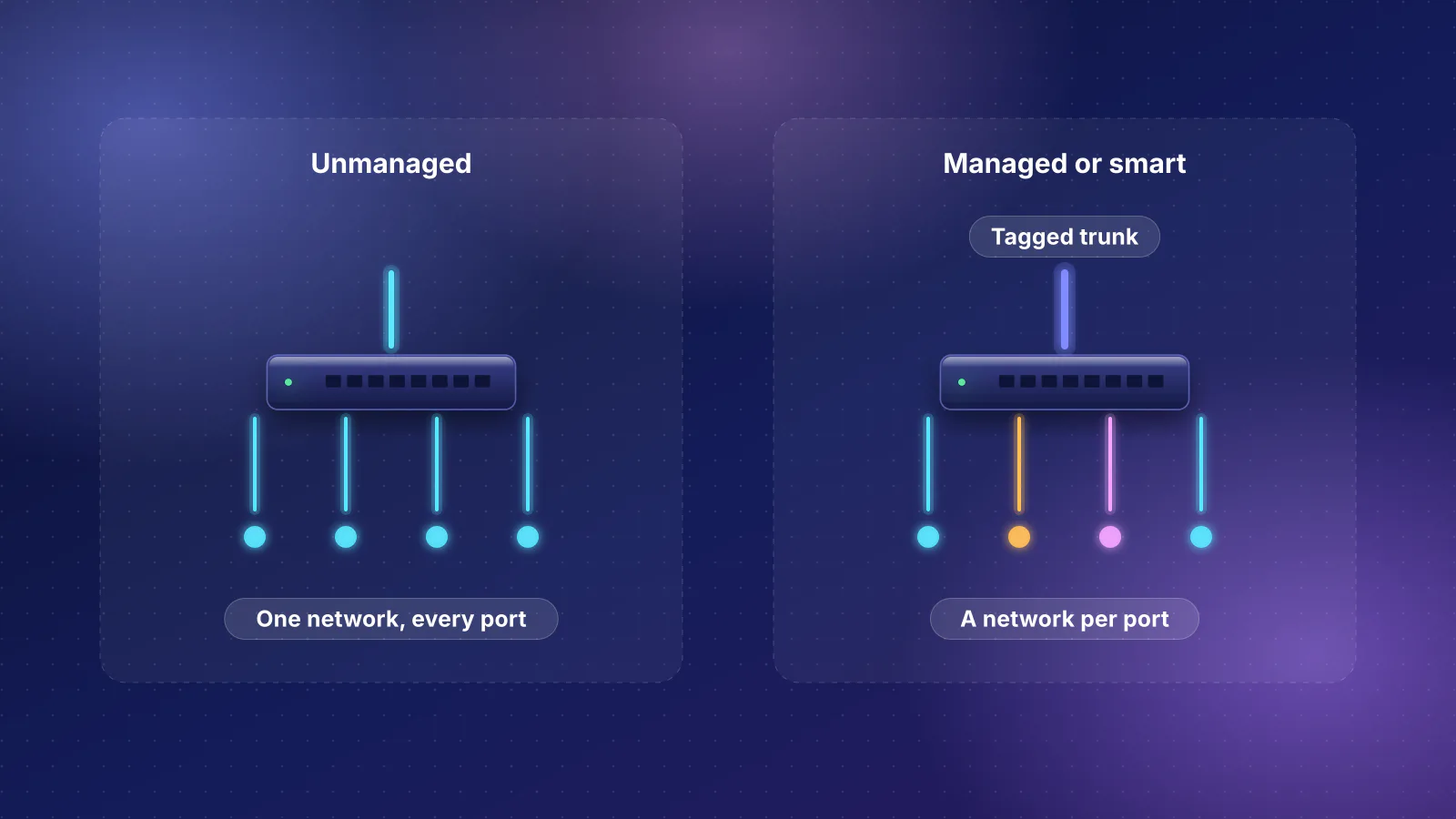
- An unmanaged switch where networks mix. A switch that carries access points (trunks) or devices from more than one VLAN has to be smart or managed; only a switch dedicated to one network, such as cameras alone on a router port assigned to their VLAN, can be unmanaged. Two of the larger-budget eight-port switches in our catalog, the NETGEAR GS108PP (123 W) and Zyxel XMG-108HP (100 W), are unmanaged.
- Sizing the UPS from the PoE budget. A UPS supplies the switch's own draw, its power-supply losses and everything it powers. TP-Link lists the SG2210XMP-M2's maximum as 195.7 W at 110 V with 160 W of PoE devices connected, 35.7 W more than its PoE budget. Use the maker's maximum including PoE, and see our closet guide's UPS sizing example for runtime. Its heat worksheet explains why most of that PoE power doesn't heat the closet.
Frequently asked questions
Can a PoE+ access point run from an 802.3af port?
It depends on the access point. The standard lets a PoE+ device recognize an 802.3af port and limit itself to about 13 W. What it does then is up to its maker: NETGEAR's WBE710 runs with lower throughput on 2.4 and 5 GHz and no 6 GHz; other makers document something different, or nothing. Check the datasheet before you plan on it.
Do PoE cameras need PoE+?
Check the camera's datasheet for its PoE class or standard. Our planner assumes 802.3af Class 3, 15.4 W at the switch, which is also how a switch treats a device that doesn't classify (Class 0). A camera that lists 802.3at, or a maximum draw above 12.95 W, needs a PoE+ port and 30 W by class.
Does a long cable reduce the power an access point gets?
The standard builds the loss into the class figures: a PoE+ port supplies 30 W so that a device can still get 25.5 W over a worst-case run. With the Ethernet Alliance's formula, a U7 Pro at its 21 W maximum takes about 23.8 W from the switch over a worst-case run and about 22.2 W over one half as long, by RouterHaus's calculation. Copper-clad aluminum cable has more resistance and loses more.
Why does my switch run out of PoE before every port is used?
The ports share one budget, and some switches (Juniper's in their default mode, unless a device negotiates less over LLDP) reserve each device's class maximum, 30 W for PoE+, rather than what it actually draws. Some switches' budgets also depend on the power supply: UniFi's Switch Ultra has 42 W of PoE on a PoE++ input and 202 W only with its separately sold 210 W adapter.
Sources
Read November 7, 2026, except where noted. Switch budgets, port counts and device figures not re-read on that date are from the RouterHaus catalog, checked October 20, 2026.
- Ethernet Alliance: Overview of 802.3bt, Power over Ethernet standard (December 2019, PDF) (class table, Class 0, power demotion, 12.5 Ω worst-case loop resistance, the PSE power formula, Autoclass, detection, midspans)
- Omada by TP-Link: PoE vs PoE+ vs PoE++ (power at the switch and at the device, 100 m, shared budgets, sizing advice, injectors)
- Juniper (HPE Networking documentation): Understanding PoE on EX Series switches (class mode by default, LLDP power negotiation, Class 0 at 15.4 W)
- NETGEAR: GS108PP (123 W, FlexPoE, power auto-balance) and GS305P ("30W each until budget is met")
- NETGEAR: PoE+ Gigabit Ethernet Plus Switches data sheet (PDF) (GS308EPP 123 W budget)
- NETGEAR: WBE710 data sheet (PDF) (operation on 802.3af)
- Ubiquiti tech specs: U7 Pro (PoE+, 21 W), Switch Ultra and Switch Flex 2.5G PoE (budgets by power source, per-port maximums)
- Ubiquiti tech specs: Switch Lite 16 PoE, Switch Pro Max 16 PoE, Switch Pro Max 24 PoE, Switch Pro XG 8 PoE, U7 Pro XGS and U7 Lite (budgets, port classes, power methods, maximum draw, power supplies)
- Ubiquiti Help Center: PoE Availability and Modes (PoE labels mapped to IEEE types, device power consumption, sizing rule, passive PoE adapters)
- Ubiquiti store: Instant Indoor PoE Converter (24 V passive output), UniFi PoE Adapter (15W) and U7 Pro (PoE+ Adapter (30W) accessory)
- Omada by TP-Link: EAP772 (802.3at, 25.4 W) and SG2210XMP-M2 (160 W budget and its footnote)
- Read for our catalog on October 20, 2026: Omada SG3210XHP-M2, NETGEAR MS108EUP data sheet (PDF), Zyxel XMG-100 Series data sheet (PDF) and XMG1915 Series data sheet (PDF)
- eero: eero PoE 7 (PoE+ injector or switch)
- RouterHaus: methodology (planner rules) and RouterHaus catalog (budgets, ports, power-supply fields); planner code version 2026.11.2