The short version
- Buy the ports your plan and your devices can use, no more. The internet port must be at least as fast as the plan, and at least one LAN port must be too, or no single wired device ever sees the plan's speed.
- 2 Gbps: a 2.5 Gbps internet port and a 2.5 Gbps LAN port are enough. 5 Gbps: 5 or 10 Gbps for both. 8 to 10 Gbps: 10 Gbps for both, plus a 10 Gbps switch if more than one device needs full speed.
- The common trap is a 10 Gbps internet port with 2.5 or 1 Gbps LAN ports. It carries the whole plan into the router and then caps every wired device below it. A cheap multi-gig switch can add fast ports, but only at the speed of the router's fastest LAN port.
- Most makers don't publish routing throughput, so a fast port isn't proof the router can route at that speed. And Wi-Fi won't carry a 5 or 8 Gbps plan to one device: Apple's fastest current iPhones and Macs top out at a 2,400 Mbps link rate.
Already have a multi-gig plan and see about 940 Mbps? That's a troubleshooting job: see why a 2 Gbps plan may not deliver 2 Gbps.
What your provider hands you
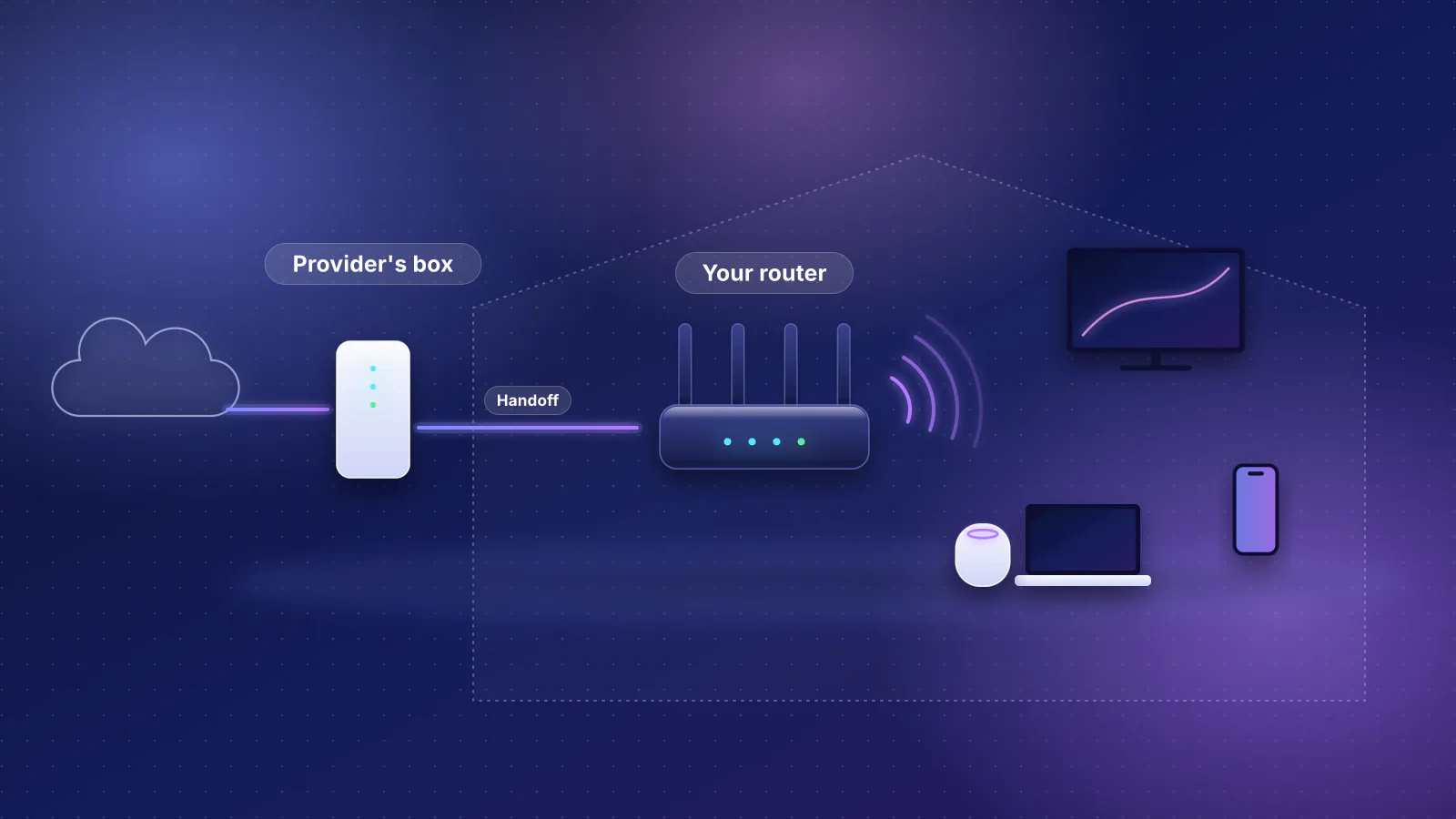
Start with the port your router will plug into. From each provider's support and plan pages, checked October 21, 2026:
| Provider | Your router plugs into | What the provider documents |
|---|---|---|
| AT&T Fiber | AT&T's gateway, which stays in place (IP passthrough) | BGW320: blue ports "up to 5Gbps", also 2.5 Gbps and 1 Gbps. BGW620: blue ports "up to 10Gbps", also 2.5 Gbps and 1 Gbps (AT&T doesn't list 5 Gbps). Yellow ports on both are 1 Gbps. AT&T's June 3, 2026 announcement says that from June 7 its fiber plans come in four speeds: 300 Mbps, 500 Mbps, 1 GIG and 5 GIG, with a "single device wired speed maximum 4.7Gbps" on 5 GIG. |
| GFiber | The Fiber Jack (or a bridged gFiber router where there's no Fiber Jack) | Recommends your own router have a 10 Gbps WAN port for its 2 Gig, Home 3 Gig, 5 Gig and 8 Gig plans, Wi-Fi 6E or 7 (Wi-Fi 7 for 8 Gig), and Cat6 or higher cable. Its 5 and 8 Gig pages describe a "10 Gig capable Fiber Jack". |
| Verizon Fios | The ONT's Ethernet port (Verizon doesn't document own-router setup; Fios TV needs Verizon's router, and some installs feed the router over coax: see our provider table) | Verizon's own router has "a 10 Gigabit Ethernet LAN port and two 2.5 Gigabit Ethernet LAN ports". For 2 Gig it recommends a "2.5 Gig (minimum) - 10 Gig Ethernet connection" on the computer. |
| Frontier | The ONT, after activating service with Frontier's router | "Requires 2 Gbps capable devices and wiring" for Fiber 2 Gig, and 5 or 7 Gbps for its 5 and 7 Gig tiers. Frontier includes an eero Pro 7 (two 5 GbE ports) on 2 Gig and eero Max 7 (two 10 GbE and two 2.5 GbE ports) on 5 and 7 Gig, and supports only routers it supplies. |
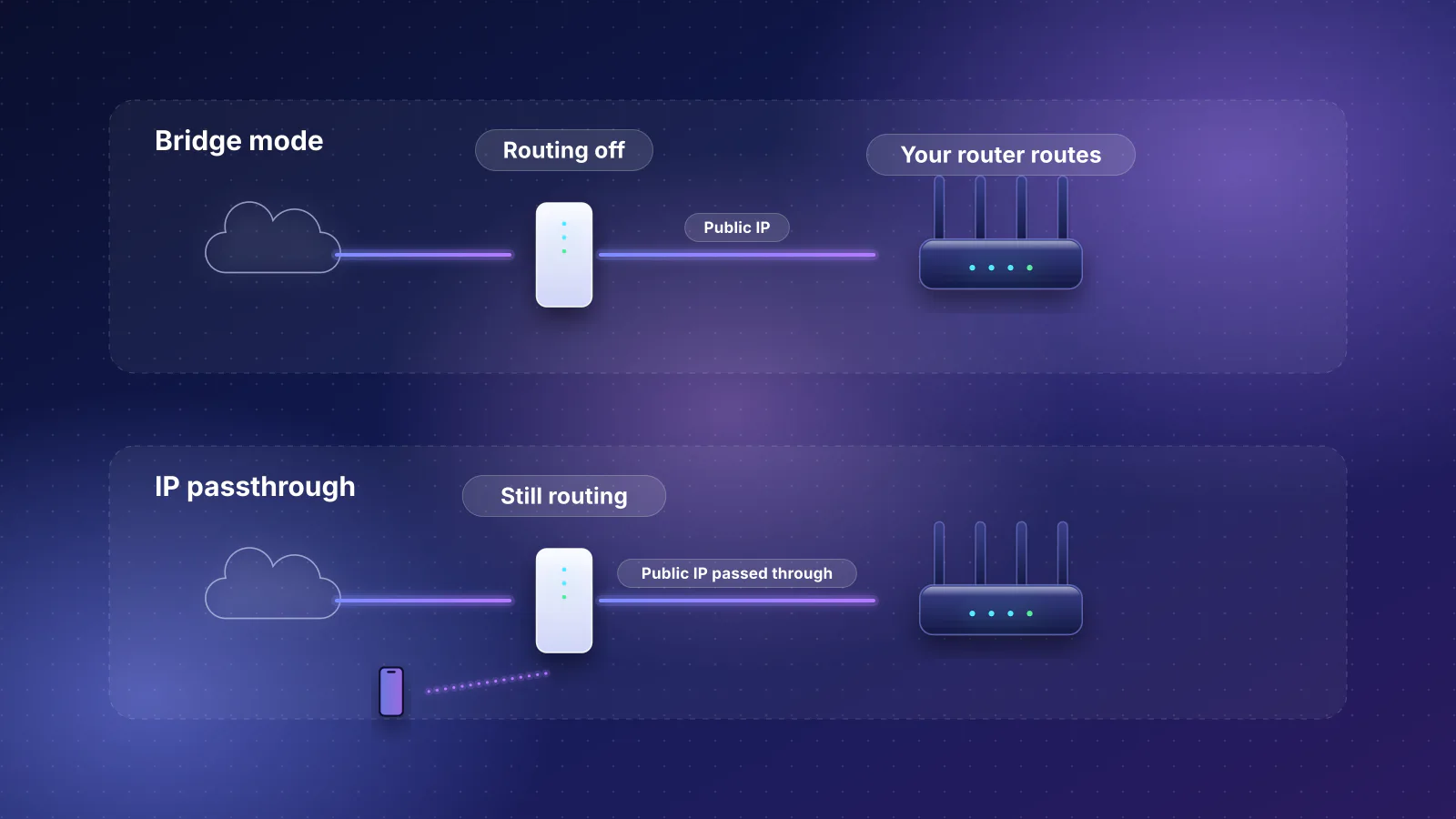
Two things follow. First, the provider's port can cap you before your router does: on an AT&T BGW320 the fastest port is 5 Gbps, so a router behind it never sees more than that. Second, your router's internet port has to run at the speed of the port it's plugged into. A 10 Gbps port that also runs at 5 Gbps works with the BGW320's 5 Gbps port. Ubiquiti, for example, lists the UniFi Express 7's 10 GbE port as "10G/5G/2.5G/1G/100M", but the Cloud Gateway Fiber's 10 GbE port as "10G/2.5G/1G": behind a BGW320's 5 Gbps port, that spec says it would link at 2.5 Gbps. A similar gap exists on the BGW620, whose blue ports AT&T lists at 1, 2.5 and 10 Gbps: whether a router with only 5 Gbps ports (eero Pro 7, Archer GE650) links there at 5 Gbps isn't documented. Check both speed lists before buying. How each provider expects your own router to connect is in our provider table and bridge mode vs IP passthrough.

The three numbers on the spec sheet
- Internet (WAN) port speed. At least the plan speed. RouterHaus's finder leaves out routers whose fastest internet port is more than 10% slower than a plan above 1 Gbps; a 2.5 Gbps port carries a 2 Gbps plan.
- Fastest LAN port speed. What one wired device can get. The planner's "best ports for multi-gig internet" label needs a LAN port within 10% of the plan.
- Routing throughput. How fast the processor can move traffic between the two. Of the 88 current Wi-Fi routers and mesh systems in our catalog with an internet port faster than 1 Gbps, five have a routing test, an internet-plan rating or a wired-speed figure from the maker (catalog checked October 20, 2026). For the rest our tables show "Not published".
Why the third number matters even when you can't get it: the eero Pro 6E has a 2.5 GbE port, but eero describes its network speed as "a gigabit wired and 1.6 Gbps wireless". When a maker does give a figure, read what it means. eero says the eero Pro 7 is "Ideal for internet plans up to 5 Gbps", which is a plan rating, not a routing test. Security features cut it further: Ubiquiti lists IDS/IPS throughput of 2.3 Gbps for the UniFi Express 7 and 5 Gbps for the Cloud Gateway Fiber.
Wired gateways (routers without Wi-Fi) publish more often, but check what the figure covers. Netgate lists 8.75 Gbps of L3 forwarding with iPerf3 traffic for the Netgate 4200, which has "four discrete, unswitched 2.5 Gbps RJ-45 ethernet LAN ports". Netgate doesn't describe the test setup, but no single 2.5 Gbps port can carry 8.75 Gbps, so it must be a total across several ports. Firewalla lists "10 Gbit Software Packet Processing" for the Firewalla Gold Pro, which has two 10 Gbps ports. Gateways need separate Wi-Fi access points.
The 10 Gbps internet, slow LAN trap
A router with a 10 Gbps internet port and 2.5 or 1 Gbps LAN ports looks multi-gig on the box. On a 5 or 8 Gbps plan it carries the full speed into the router, and then no wired device can get more than its LAN port allows: about 2.35 Gbps from a 2.5 Gbps port, about 940 Mbps from a 1 Gbps port (by the overhead arithmetic in our bottleneck guide). Current examples in our catalog, with the catalog's port counts:
- 10 Gbps internet, 2.5 Gbps LAN: UniFi Express 7, UniFi Dream Router 7 (its 10 Gbps internet port is SFP+, below), TP-Link Archer BE600, and the ASUS RT-BE86U and RT-BE92U. These are good 2 Gbps routers; on 5 Gbps and up, their LAN ports are the limit.
- 10 Gbps internet, 2.5 Gbps at best for a device: TP-Link Archer BE670. Its LAN-only ports are 1 Gbps; with the 10 Gbps port as the internet port, its 2.5 Gbps WAN/LAN port is the fastest one left for a device.
When a cheap switch beats a pricier router
A switch adds ports, but everything behind it shares the one router port it's plugged into. So it fixes "not enough fast ports", but not "no fast port". The rule:
- Router with one LAN port at plan speed: add a multi-gig switch for more fast devices, instead of paying for a router with more fast ports. For example, the NETGEAR RS600 has one 10 Gbps LAN port and three 1 Gbps; a 10 Gbps switch on that one port gives you more 10 and 2.5 Gbps ports.
- Router with no LAN port at plan speed: a switch can't help a single device beyond the router's fastest LAN port. Choose a different router, or one whose WAN/LAN ports can be arranged as above.
- Several devices at 2.5 Gbps on a 5 Gbps plan: a switch with a 10 Gbps uplink on a 10 Gbps LAN port lets them share the plan. Each is still capped by its own link.
Some multi-gig switches from the RouterHaus component catalog: the lowest-priced one for each of five port layouts (maker's price checked October 20, 2026; these have no product pages):
| Switch | Ports | Managed | Maker's price |
|---|---|---|---|
| Ubiquiti Switch Flex Mini 2.5G | 5 × 2.5 Gbps | Yes (UniFi) | $54 on Ubiquiti's store with its US surcharge ($49 before it) |
| Zyxel XMG-108 | 8 × 2.5 Gbps, 1 × SFP+ (1 or 10 Gbps) | No | $89.99 on Zyxel's store |
| QNAP QSW-2104-2T-R2 | 2 × 10 Gbps, 4 × 2.5 Gbps | No | $119 on QNAP's store |
| MikroTik CRS304-4XG-IN | 4 × 10 Gbps, 1 × 1 Gbps (management) | Yes | $199 suggested price |
| QNAP QSW-3205-5T | 5 × 10 Gbps | No | $279 on QNAP's store (out of stock or pre-order when checked) |
The QNAP QSW-2104-2T-R2 suits a 5 or 10 Gbps plan with one fast LAN port on the router: one 10 Gbps port to the router, one for a 10 Gbps computer, four at 2.5 Gbps. For 2 Gbps plans, a 2.5 Gbps switch is all you need. For choosing ports for a NAS or workstation, see how to connect a NAS, gaming PC and AI workstation.
Wi-Fi on a multi-gig plan
Multi-gig speed reaches Wi-Fi devices as capacity for many at once, not as one fast device. Per device, from the makers' specs:
- Apple: 2,400 Mbps maximum link rate for its Wi-Fi 7 iPhones (iPhone 16 through 18 Pro, Air and Duo) and the 2026 MacBook Air, using two streams at 160 MHz. See our iPhone link-rate table.
- Intel: 5.8 Gbps for its BE200 and BE201 Wi-Fi cards at 320 MHz, 2.4 Gbps for the BE202 at 160 MHz. Intel's own estimate for the best over-the-air speed of a two-stream client with 320 MHz channels, 4096-QAM and Multi-Link Operation, assuming 90% efficiency in the 6 GHz band, is 5.19 Gbps.
- Providers: GFiber's plan guides expect "real-world Wi-Fi speeds up to 700 Mbps" on its own routers.
What that means for spending: pay for a 6 GHz band if your devices have it, 320 MHz channels only if your devices list them, and enough access points with multi-gig wired links between them. A mesh system's wired backhaul is only as fast as each unit's port: the eero Pro 7 has two 5 GbE ports per unit, the eero 7 2.5 GbE. Link rates are not throughput; the Wi-Fi section of our bottleneck guide explains why.
2 Gbps plans
What to require: a 2.5 Gbps or faster internet port and at least one 2.5 Gbps LAN port. By the overhead arithmetic, 2.5 Gbps Ethernet carries about 2.35 Gbps of downloads, more than the plan. A 10 Gbps internet port is only worth extra if you expect to move to a 5 or 8 Gbps plan, or if, as WAN/LAN, it can serve a 10 Gbps device. GFiber recommends a 10 Gbps WAN port even for its 2 Gig plan, which is stricter than the plan itself needs.
The rule for this table: every current tri-band (6 GHz) Wi-Fi 7 router in the catalog with a 2.5 Gbps or faster internet port and LAN-only port, at a catalog price of $300 or less. Ubiquiti's price includes its US store surcharge, which is why the UniFi Dream Router 7 ($307 with it, $279 before it) isn't here; models with no published price are left out.
| Product | Internet port | Fastest LAN port | Maker's routing, plan or wired-speed figure | Price |
|---|---|---|---|---|
| GL.iNet Flint 3 (GL-BE9300) Router · Wi-Fi 7 |
2.5 Gbps | 2.5 Gbps | Not published | $209.99 Manufacturer store price, checked October 20, 2026 |
| Ubiquiti UniFi Express 7 (UX7) Router · Wi-Fi 7 |
10 Gbps | 2.5 Gbps | Not published | $219.00 Manufacturer store price incl. US store surcharge (list $199.00), checked October 20, 2026 |
| TP-Link Archer BE600 Router · Wi-Fi 7 |
10 Gbps | 2.5 Gbps | Not published | $249.99 Manufacturer price (not re-confirmed), checked October 20, 2026 |
| ASUS TUF Gaming BE9400 (TUF-BE9400) Router · Wi-Fi 7 |
2.5 Gbps | 2.5 Gbps | Not published | $279.99 Manufacturer store price, checked October 20, 2026 |
| ASUS RT-BE92U Router · Wi-Fi 7 |
10 Gbps | 2.5 Gbps | Not published | $289.99 Manufacturer store price, checked October 20, 2026 |
| NETGEAR Nighthawk RS300 Router · Wi-Fi 7 |
2.5 Gbps | 2.5 Gbps | Not published | $299.99 Manufacturer store price, checked October 20, 2026 |
None of these has a routing figure in our catalog. Port counts differ: the UniFi Express 7 has one 2.5 Gbps LAN port, so add a 2.5 Gbps switch if several devices need it. For homes that need mesh, the finder with a 2 Gbps plan shows mesh kits that pass the same port check.
5 Gbps plans
What to require: a 5 or 10 Gbps internet port that runs at your provider's port speed, and at least one 5 or 10 Gbps LAN port. A 5 Gbps link carries about 4.7 Gbps of downloads, the same as AT&T's stated single-device maximum on its 5 GIG plan. This is where the 10 Gbps internet, 2.5 Gbps LAN trap costs the most.
The rule for this table, which also covers 8 to 10 Gbps: every current Wi-Fi router and mesh system in the catalog whose internet port and fastest LAN-only port are both 5 Gbps or faster. Models whose second fast port is WAN/LAN (see the callout above) aren't included.
| Product | Internet port | Fastest LAN port | Maker's routing, plan or wired-speed figure | Price |
|---|---|---|---|---|
| eero Pro 7 (1-pack) Mesh system · Wi-Fi 7 |
5 Gbps | 5 Gbps | 5 Gbps | $299.99 Manufacturer store price, checked October 20, 2026 |
| TP-Link Archer GE650 Router · Wi-Fi 7 |
5 Gbps | 5 Gbps | Not published | $349.99 Launch price, checked October 20, 2026 |
| NETGEAR Nighthawk RS600 Router · Wi-Fi 7 |
10 Gbps | 10 Gbps | Not published | $499.99 Manufacturer store price, checked October 20, 2026 |
| NETGEAR Nighthawk RS700S Router · Wi-Fi 7 |
10 Gbps | 10 Gbps | Not published | $599.99 Manufacturer store price, checked October 20, 2026 |
| eero Max 7 (1-pack) Mesh system · Wi-Fi 7 |
10 Gbps | 10 Gbps | Not published | $599.99 Manufacturer store price, checked October 20, 2026 |
| eero PoE 7 (1-pack) Mesh system · Wi-Fi 7 |
10 Gbps | 10 Gbps | 9.4 Gbps | $599.99 Manufacturer store price, checked October 20, 2026 |
| ASUS RT-BE96U Router · Wi-Fi 7 |
10 Gbps | 10 Gbps | Not published | $629.99 Manufacturer price (not re-confirmed), checked October 20, 2026 |
| ASUS ZenWiFi BT10 (2-pack) Mesh system · Wi-Fi 7 |
10 Gbps | 10 Gbps | Not published | $689.99 Manufacturer price (not re-confirmed), checked October 20, 2026 |
| ASUS GT-BE98 Pro Router · Wi-Fi 7 |
10 Gbps | 10 Gbps | Not published | $699.99 Manufacturer store price, checked October 20, 2026 |
| ASUS GT-BE19000AI Router · Wi-Fi 7 |
10 Gbps | 10 Gbps | Not published | $899.99 Manufacturer store price, checked October 20, 2026 |
| ASUS ZenWiFi BQ16 Pro (2-pack) Mesh system · Wi-Fi 7 |
10 Gbps | 10 Gbps | Not published | $1,699.99 Manufacturer price (not re-confirmed), checked October 20, 2026 |
| NETGEAR Orbi 970 Series (RBE973S) (3-pack) Mesh system · Wi-Fi 7 |
10 Gbps | 10 Gbps | Not published | $1,999.99 Manufacturer store price, checked October 20, 2026 |
Read the rating column carefully: the eero Pro 7's 5 Gbps is eero's internet-plan rating, and the eero PoE 7's 9.4 Gbps is a wired-speed claim, not a routing test. The eero PoE 7 is a ceiling or wall unit powered over Ethernet, sold through installers as well as retail. Mesh prices are for the pack size shown.
8 to 10 Gbps plans
What to require: 10 Gbps for the internet port and at least one LAN port; that's the 10 Gbps rows of the table above. On top of that:
- A 10 Gbps switch if more than one device needs full speed. GFiber's 8 Gig guide says spreading full speed across wired devices needs "a specialized Multi-Gig switch rated for 8 Gbps or greater".
- Cat6A cable to the fast devices. Apple lists Cat 6 at 10 Gbps up to 55 m and Cat 6a at full length, though industry guidance (TIA TSB-155, as quoted by Fluke Networks) assures 10 Gbps on Cat6 only to about 37 m; GFiber requires Cat6A for 5 and 8 Gig. See Cat6 vs Cat6a for in-wall runs.
- A computer that can use it. GFiber's 8 Gig guide names a 10 Gbps port or adapter, an 8-core processor and a PCIe 4.0 SSD.
- Consider a wired gateway plus access points. Gateways with 10 Gbps internet and LAN ports include the UniFi Cloud Gateway Fiber, UniFi Dream Machine Pro Max, eero PoE Gateway and Firewalla Gold Pro. On the UniFi models the 10 Gbps LAN port is SFP+ (below), and so is the Dream Machine Pro Max's 10 Gbps internet port. The planner prices this kind of setup with access points.
SFP+ ports, modules and cables
An SFP+ port is a slot for a 10 Gbps module or cable rather than a fixed RJ45 jack. It's common on gateways and switches. What to know before you rely on one:
- RJ45 devices need a module. Ubiquiti's SFP+ to RJ45 adapter lists 1, 2.5, 5 and 10 Gbps, 100 m on Cat 6A at 10 Gbps, and 1.9 W. MikroTik's S+RJ10 lists 10 Mbps to 10 Gbps but "Distance up to 30m @10Gbps", and says passively cooled devices "may require an extra cooling". Modules differ: check the speeds and reach you need.
- Direct-attach cables are short and may be 10G-only. Ubiquiti's 10 Gbps DAC comes in 0.5, 1 and 3 m and lists 1 and 10 Gbps only, so it can't link at 2.5 or 5 Gbps. Use one between boxes in the same cabinet.
- Combo ports are one or the other. Several TP-Link models list an "RJ45/SFP+ combo" 10 Gbps port in our catalog: use the jack or the slot, not both.
- Check compatibility. MikroTik's page describes the S+RJ10 for MikroTik devices with SFP+ ports. Use a module the equipment maker lists, or one the module maker says works with your equipment.
- It isn't a fiber shortcut. All four providers above document copper Ethernet ports for your router. None of the pages cited here documents plugging the fiber line into your own router's SFP+ port; AT&T's SFP port is on its own gateway, for its "fiber bridge".
For whole-home budgets that include multi-gig, see home network setups by budget; for 10 Gbps between machines, what 10GbE needs end to end. The general port rules are in the router guide, and every spec in this article is in our public dataset.
Frequently asked questions
Is a 10 Gbps internet port worth it on a 2 Gbps plan?
Only if you expect to upgrade to a 5 or 8 Gbps plan, or if the port can be used as a 10 Gbps LAN port for a fast computer or NAS. For the plan itself, a 2.5 Gbps port is enough: it carries about 2.35 Gbps of downloads after overhead. GFiber recommends 10 Gbps anyway, which leaves room to upgrade.
Do I need the provider's router at all?
It depends on the provider. AT&T's gateway stays in place and your router goes behind it using IP passthrough. Frontier lets you replace its router after activation but supports only the routers it supplies. GFiber says using your own router is recommended for advanced users. Our guide to owning your network covers each provider.
Will Wi-Fi 7 let my laptop use a full 5 Gbps plan?
No. Intel's fastest two-stream Wi-Fi 7 cards are rated at 5.8 Gbps link rate with 320 MHz channels, and Intel's own best-case estimate for such a client in the 6 GHz band is 5.19 Gbps over the air, before distance, walls and other devices. Apple lists 2,400 Mbps for its fastest iPhones and the 2026 MacBook Air. Wire the devices that need the full plan.
Is a mesh system fine for a multi-gig plan?
Yes, if the main unit's internet and LAN ports match the plan and the units are wired to each other with multi-gig ports. Wireless links between units share airtime and are slower than the wired ports. Check each unit's port speed, since wired backhaul runs at the slower of the two ends.
Why do the tables show Not published for routing?
Because our catalog has no routing test, internet-plan rating or wired-speed figure from the maker for that model. That doesn't mean the router is slow, only that a fast port is the only evidence. RouterHaus shows unknowns as unknown rather than estimating them.
Sources
Provider and maker pages read on October 21, 2026. Product ports, routing figures and prices come from the RouterHaus catalog (checked October 20, 2026), published at /data.
- AT&T: Learn about your All-Fi Hub (BGW320), port colors and SFP port and Learn about your All-Fi Hub (BGW620)
- AT&T: Launches simple fiber plans (June 3, 2026) and Gigabit internet plans
- GFiber: Set up your own router at home (router compatibility guide), 5 Gig plan overview, 8 Gig plan overview and 2 Gig plan overview
- Verizon: Verizon Router FAQs (Ethernet ports) and Fios 2 Gig FAQs (device specifications)
- Frontier: About your Frontier residential fiber internet, Fiber 2 Gig, Fiber 5 Gig, Fiber 7 Gig and How to use your Frontier router
- eero: eero Pro 7, eero Max 7 and eero Pro 6E
- Ubiquiti: UniFi Express 7 tech specs (port speeds, IDS/IPS throughput), Cloud Gateway Fiber tech specs (port speeds, IDS/IPS throughput), SFP+ to RJ45 adapter and 10 Gbps direct attach cable
- MikroTik: S+RJ10 SFP+ to RJ45 module
- Netgate: Netgate 4200 (L3 forwarding figures, ports) and Firewalla: Gold Pro (packet processing)
- Fluke Networks: 10GBASE-T field testing requirements (TIA TSB-155, Cat6 37 to 55 m)
- Apple: Wi-Fi and Ethernet specifications for Apple devices and About the 10 Gigabit Ethernet port on Mac (cable categories)
- Intel: Wi-Fi 7 series product specifications and Wi-Fi 7 series products (2x2 client speed footnote)
- IETF RFC 6349: Framework for TCP throughput testing (maximum achievable TCP throughput)