The short version
- Both are the same idea: a gateway, switches and access points configured from one controller. The difference is where the controller lives. UniFi's usual home is a UniFi Cloud Gateway, which runs it; Ubiquiti says "In most cases, the best way to get started is with a Cloud Gateway." Omada offers a free cloud controller, a free software controller, hardware controllers (OC200 and up) and gateways with the controller built in.
- Neither needs a subscription for a home. UniFi's management is "license-free" and its self-hosted server costs "Nothing." TP-Link says Omada's Cloud Essentials and software controller are "available at no additional cost"; only Omada Cloud Standard is a paid per-device licence. UniFi's paid extras (CyberSecure, Official UniFi Hosting) are optional.
- Both work with a router you already own, with work on your side. Ubiquiti says UniFi VLANs can live on "third-party gateways" but "must first be created on the gateway"; TP-Link has a guide for Omada access points and switches working with a non-Omada gateway, which must support Multi-Net NAT and "create different VLAN interfaces." Both guides adopt the switches and access points into a controller.
- Remote access is free on both. UniFi uses Site Manager with a UI Account; Omada's hardware controllers "include remote access through Omada Cloud at no additional cost." Both can also run without the cloud.
- Standalone access points are a stopgap on both. Without a controller you lose fast roaming on both and configure each access point by itself; TP-Link recommends standalone only for "fewer than three APs."
- Pick by architecture, not logo. A single all-in-one box for an apartment, a gateway plus PoE switch for a wired house, a controller on your own server for a home lab, a gateway with a built-in controller and guest Wi-Fi for a small shop. The table near the end maps each to a build. Neither Ubiquiti nor TP-Link pays RouterHaus, and nothing here is ranked for a sponsor.
Where the controller runs
A managed Wi-Fi system has two jobs that are easy to confuse. The gateway, switches and access points carry the traffic. The controller holds the configuration: networks, Wi-Fi names, firewall rules, updates. Ubiquiti calls the controller the "control plane" and says devices are managed "directly by a local control plane," with "data, configurations, and control" staying on it, "not in the cloud." TP-Link describes the same thing as a controller "that fits your business": "cloud-based management, on-premises hardware, or software installed on a local server."
| Where it runs | UniFi | Omada |
|---|---|---|
| In the gateway | Cloud Gateways: "A firewall and SD-WAN appliance that runs the UniFi control plane software locally." They run all UniFi applications except on the EFG, which runs Network only. | Omada Fusion gateways ("Gateway & Controller in One") and the ER7212PC. TP-Link's recommended sizes: 30 devices for the Fusion 2.5G PoE; 22 switches and access points, plus two gateways, for the ER7212PC V2. |
| A small dedicated box | CloudKey+: "A compact option for running UniFi Network, Protect, Access and Talk." | Hardware controllers (OC200, OC220, OC300, OC400), "one-time hardware purchases." TP-Link recommends the OC200 for up to 25 devices. |
| Your own computer or server | UniFi OS Server, for Linux, Windows or macOS. Network application only: other apps "must be hosted on a compatible UniFi Console." | Omada Software Controller, for Windows 10 or later, Windows Server 2016 or later, Ubuntu or Debian, "Only support x64 version." No macOS version is listed. |
| The maker's cloud | Official UniFi Hosting, a paid subscription that hosts the UniFi Network application (Ubiquiti's hosting guide adds UniFi Talk Relay), with plans sized for 100 to 1,000 devices | Cloud Essentials (free) or Cloud Standard (paid licence per device) |
Two consequences follow. First, a UniFi network with a Cloud Gateway needs no separate controller at all; a UniFi network with a router from another maker, or with one of Ubiquiti's independent gateways (UXG), needs a CloudKey, UniFi OS Server or hosting. Ubiquiti says most people using those options "will pair it with a UXG for UniFi's routing, VPN and security features." Our UniFi gateway guide goes through the gateway types. Second, an Omada network with an ER605 or ER707-M2 gateway needs a controller somewhere too: TP-Link's pages for both say the Omada app and cloud access require an Omada controller, and list the cloud-based, hardware and software controllers for central management. A Fusion gateway or the ER7212PC carries its own.
What happens when a self-hosted controller is off? Ubiquiti says of UniFi OS Server: "If it goes offline, your devices will continue to run using the last available configuration." You just can't change anything until it's back. The same applies to a computer that sleeps: it has to stay on for the controller to be reachable.
What's free and what's paid
For a home or a small shop, both platforms can be run without any recurring fee. The paid options are for features a home rarely needs or for hosting the controller in the maker's cloud.
| UniFi | Omada | |
|---|---|---|
| Controller software | Free. UniFi OS Server: "Nothing. It is completely license-free and available to all UniFi users." A Cloud Gateway includes it. | Free. Software controller: "Free of Charge." Hardware controllers: "one-time hardware purchases." Fusion gateways: "License-Free Cloud Management." |
| Cloud management | Site Manager: "centralized, license-free management" | Cloud Essentials: "Lifetime Free Cloud Without Additional Fees." Cloud Standard: "a paid license that unlocks advanced capabilities." |
| What the paid tier adds | CyberSecure, per site: a larger IPS signature library (Ubiquiti's table runs from 20,000+ signatures on the Dream Router 7 and Express 7 to 55,000+ on the Cloud Gateway Ultra and Max, and "over 95,000 definitions" only on the EFG and UXG-Enterprise) and Cloudflare filtering with "over 100 granular categories." Ubiquiti describes it as enhancing UniFi Network's "built-in protection" and "standard content filter." | Cloud Standard, compared with Essentials on TP-Link's cloud controller page: MSP mode, Open API, CLI, PPSK, IPS/IDS, DPI, WLAN optimization and VPN types beyond WireGuard. (TP-Link's controller comparison instead shows basic DPI and WLAN optimization on Essentials.) |
| How it's sold | Subscription, activated per site | One licence per managed device, "1 year, 3 years, 5 years, and so on"; one free trial per TP-Link ID of "10 licenses valid for 30 days" |
| If you stop paying | Ubiquiti's CyberSecure page doesn't say. The license-free management and self-hosting above don't depend on it. | TP-Link: the device "will continue to operate with the last applied settings," but cloud management stops and "Portal, Fast Roaming, Schedule, etc." are disabled |
The Omada detail that matters: Cloud Standard is only one of the ways to host an Omada controller. In TP-Link's controller comparison, IPS/IDS is ticked for the hardware and software controllers, Cloud Standard and both integrated gateways, and missing only from Cloud Essentials; the same table prices the hardware controllers, Fusion gateways and ER7212PC as hardware cost, the software controller as free, and only Cloud Standard with a device licence fee. Whether a given network can actually run IPS still depends on the gateway: the ER605's page lists DPI but no IPS. TP-Link publishes no Cloud Standard prices on the public pages we read. Ubiquiti's CyberSecure doesn't cover every gateway: its model table shows only dashes for the original UniFi Express and the Gateway Lite. Current subscription prices for both, and for other makers, are in router subscriptions compared.
Remote access and running without the cloud
- UniFi: remote management goes through Site Manager, which "brokers a direct connection between the administrator and each site's control plane." A UI Account is needed for that. On a self-hosted server it is optional: you "create a UI Account (or sign in with an existing one) to enable remote management." Ubiquiti's Local Management covers people who need "a fully airgapped setup without any cloud management"; you then have to be "connected to the local network where UniFi is running" to make changes.
- Omada: hardware controllers include "remote access through Omada Cloud," and the software controller can be managed "with the Omada app or Web UI from anywhere." TP-Link's comparison notes the trade-off of the cloud-hosted controllers: "management access depends on internet connectivity," while "Most controller-based deployments can continue local management when internet access is unavailable." The Fusion 2.5G PoE adds a one-click remote VPN TP-Link calls Omada LightLink.
If you never want an account with either maker, both allow it with a local controller. If you want to fix your parents' network from your phone, both do that for free too.
Gateway choices
The gateway decides your internet port speed, how much inspection the box can do at your plan's speed, and on some models whether the controller and PoE come in the same box. These are the UniFi and Omada gateways and all-in-one routers in our catalog most relevant to a home or small shop. Where the catalog holds no confirmed price, the table says it isn't published rather than guessing:
| Product | Internet port | Fastest LAN port | Maker's routing, plan or wired-speed figure | Price |
|---|---|---|---|---|
| Ubiquiti UniFi Gateway Lite (UXG-Lite) Gateway · no Wi-Fi |
1 Gbps | 1 Gbps | Not published | $89 Verified Manufacturer store price, checked October 20, 2026 |
| Ubiquiti UniFi Cloud Gateway Ultra (UCG-Ultra) Gateway · no Wi-Fi |
2.5 Gbps | 1 Gbps | Not published | $142 Verified Manufacturer store price incl. US store surcharge (list $129), checked October 20, 2026 |
| Ubiquiti UniFi Cloud Gateway Max (UCG-Max) Gateway · no Wi-Fi |
2.5 Gbps | 2.5 Gbps | Not published | $219 Verified Manufacturer store price incl. US store surcharge (list $199), checked October 20, 2026 |
| Ubiquiti UniFi Express 7 (UX7) Router · Wi-Fi 7 |
10 Gbps | 2.5 Gbps | Not published | $219 Verified Manufacturer store price incl. US store surcharge (list $199), checked October 20, 2026 |
| Ubiquiti UniFi Dream Router 7 (UDR7) Router · Wi-Fi 7 |
10 Gbps | 2.5 Gbps | Not published | $307 Verified Manufacturer store price incl. US store surcharge (list $279), checked October 20, 2026 |
| TP-Link Omada ER605 Gateway · no Wi-Fi |
1 Gbps | 1 Gbps | 943.85 Mbps | Unknown not published |
| TP-Link Omada ER707-M2 Gateway · no Wi-Fi |
2.5 Gbps | 1 Gbps | 2.4 Gbps | $119.99 Verified Manufacturer store price, checked October 20, 2026 |
| TP-Link Omada ER7212PC Gateway · no Wi-Fi |
1 Gbps | 1 Gbps | 947.8 Mbps | Unknown not published |
| TP-Link Omada Fusion 2.5G PoE Gateway · no Wi-Fi |
2.5 Gbps | 2.5 Gbps | Not published | Unknown not published |
How they divide, from the catalog records and the makers' pages:
- Gateway plus controller, no Wi-Fi: UniFi Cloud Gateway Ultra and Max; Omada Fusion 2.5G PoE and ER7212PC. The two Omada boxes also supply PoE: the Fusion page lists "8× PoE+ Ports, 110W Total Budget," and the ER7212PC page lists "8 ports PoE+ output, 110 W PoE Budget," a figure TP-Link says is based on laboratory testing. That can replace a separate PoE switch for a few access points; check the access points' draw against the budget with our PoE worksheet.
- Gateway that needs a controller elsewhere: UniFi Gateway Lite; Omada ER605 and ER707-M2. Both Omada gateways can also run standalone from their own web page.
- Gateway with Wi-Fi and controller in one: UniFi Express 7 and Dream Router 7. Add UniFi access points to either later.
Mixing with other brands
Each controller manages its own maker's hardware; the documentation we read describes adopting only that maker's devices. What both allow is the reverse: their access points and switches behind a router from someone else.
| Situation | UniFi | Omada |
|---|---|---|
| Access points behind your existing router, with a controller | Documented. Ubiquiti's VLAN guide covers networks whose router is a third-party gateway. Adoption is simplest when "the device and UniFi Network application (e.g., CloudKey or self-hosted) are on the same VLAN"; across subnets, routing must allow "TCP port 8080." | Documented. TP-Link's guide for Omada access points and switches "to Work with a Non-Omada Gateway" says "If you use a third-party router, please make sure it supports Multi-Net NAT and can create different VLAN interfaces." Across subnets, TP-Link says that without an Omada gateway "you also can use DHCP Server which supports the option 138 feature." |
| VLANs with your existing router | "UniFi allows VLAN creation on UniFi Gateways and third-party gateways." On a third-party gateway, "VLANs must first be created on the gateway," and "Most third-party gateways block inter-VLAN communication by default." | TP-Link's switch VLAN guide uses a "third-party router" with VLAN interfaces and says "A VLAN-aware router or gateway is required to provide DHCP, internet access, and routing between VLANs." |
| Access points with no controller at all | Possible through the mobile app, but "Each AP must be individually configured," roaming (802.11r/k/v) "is not supported," and there's "No remote management." | Possible from the Omada app or a browser, but "Voucher and Fast Roaming are not available," with no Auto Backup or Upgrade Schedule; TP-Link recommends it for "fewer than three APs." |
| Remote controller in the cloud | Layer 3 adoption, which Ubiquiti says is "only recommended for advanced users" or for Official UniFi Hosting | Cloud Essentials or Cloud Standard; or a local controller reached across the internet using the documented ports (TCP and UDP 29810 to 29817) |
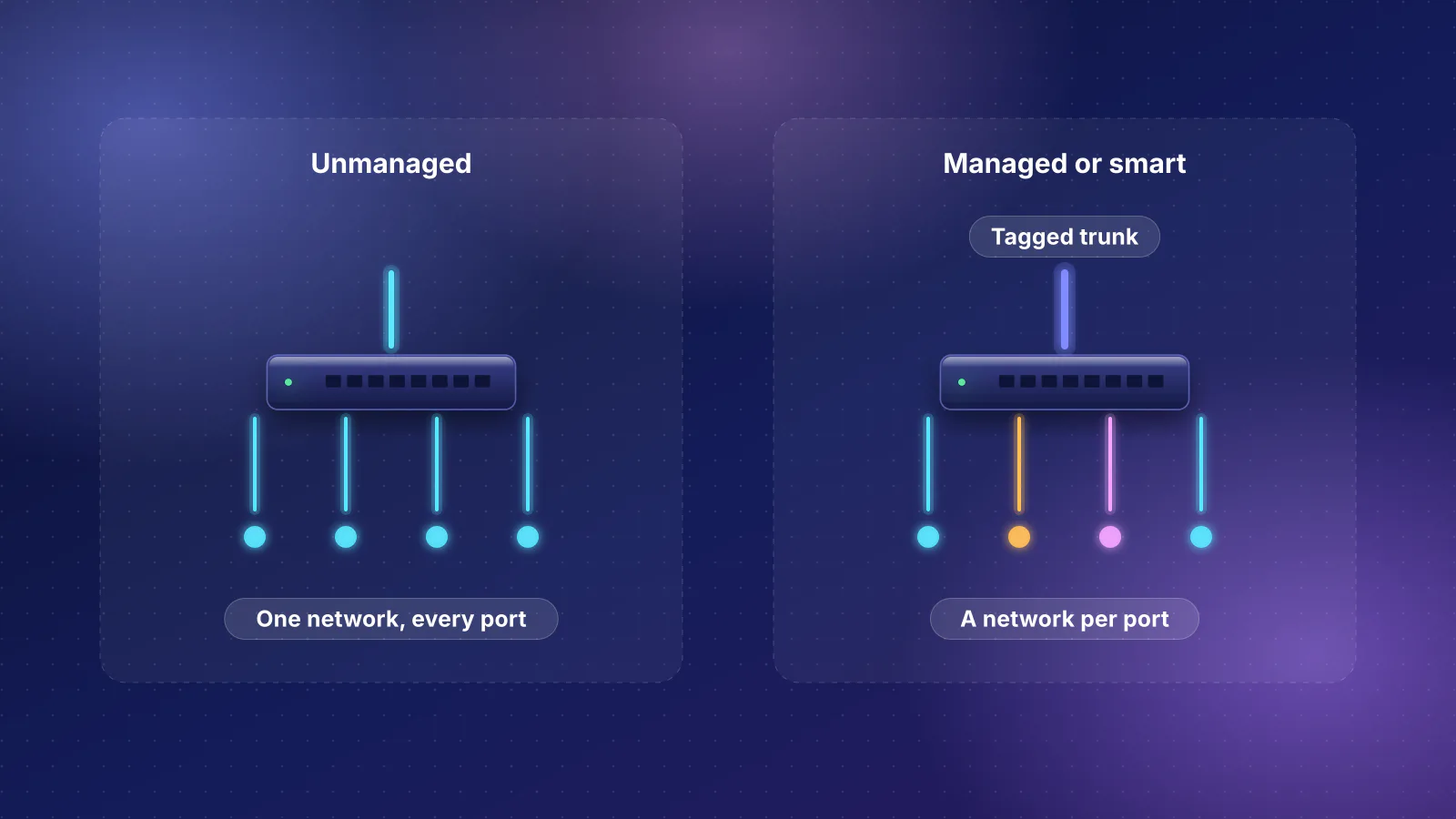
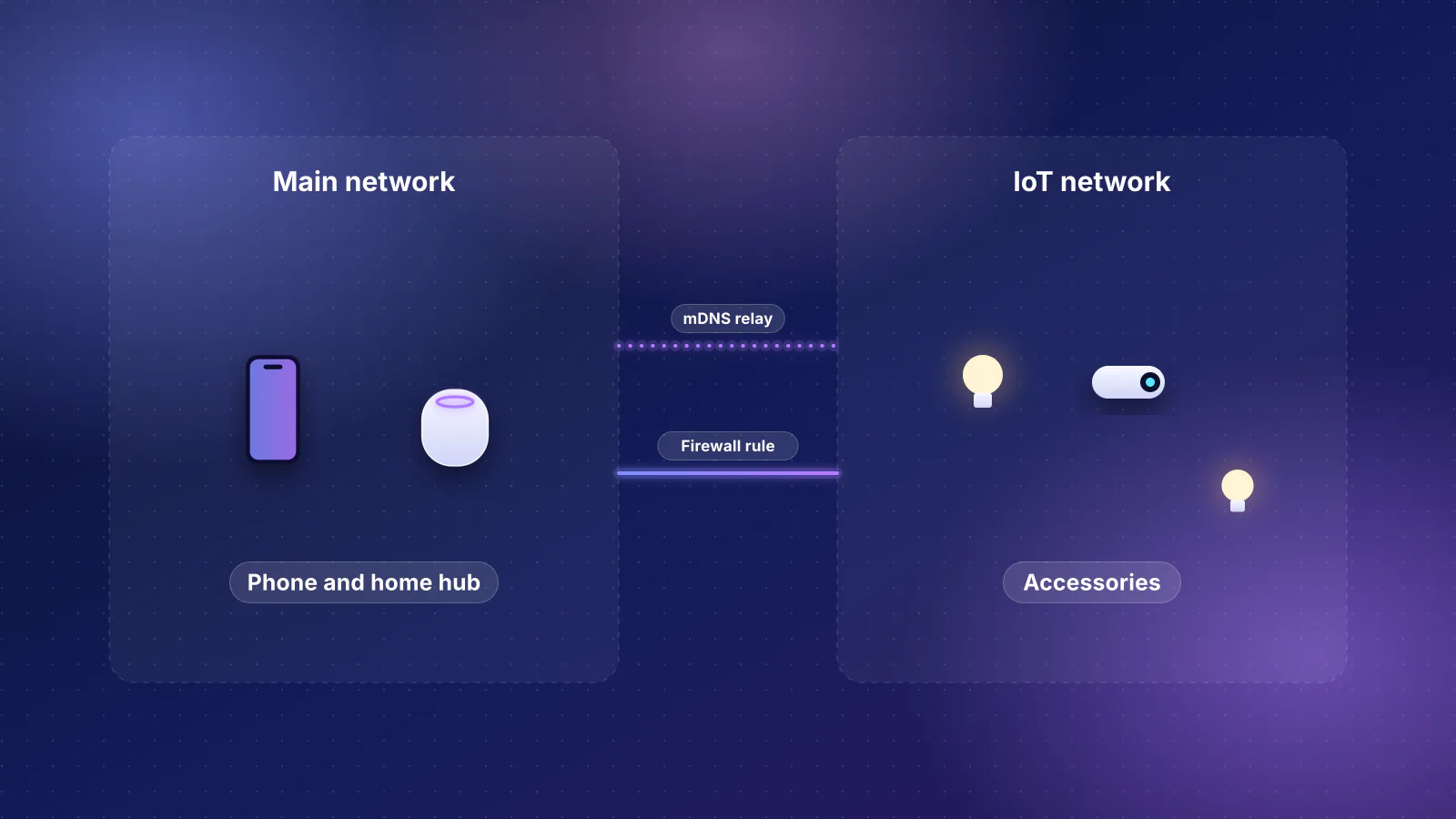
Keeping your router has a real catch: your segmentation is only as good as that router's VLAN support. If it can't create VLAN interfaces, a guest SSID with client isolation still works on either platform (Omada's Guest Network blocks guests "from reaching any private IP subnet"; UniFi's guidance is to "Enable Client Device Isolation"), but a separate IoT network with its own rules needs a VLAN-capable router. See what hardware VLANs need and controller-managed switches.
Guest, IoT and VLAN features
At home scale the two platforms do the same core things: several Wi-Fi names, each tied to a VLAN, plus a guest mode that keeps visitors off your devices.
- UniFi creates networks under Settings, Networks, with options for "VLAN ID, subnet range, DHCP, isolation, content filtering, and DNS." Its guest guidance pairs Client Device Isolation with an optional Hotspot Portal "if you want WiFi clients to authenticate through a captive portal."
- Omada marks an SSID as a Guest Network, so guests "can access the internet but cannot access or download the internal network resources," and documents access-control rules for finer cases. Some guest features depend on a controller: vouchers and fast roaming aren't available in standalone mode, and portal, fast roaming and schedules stop when a Cloud Standard licence expires.
Where they differ is above that: intrusion prevention and DPI depend on the gateway model on both platforms (and, on Omada's cloud-hosted controller, on the paid tier). Check the gateway's own published inspection figure against your plan before you count on it; our UniFi gateway guide does that for UniFi models, and the catalog records for the Omada gateways list TP-Link's figures. For the order to set up an IoT network, follow the VLAN setup sequence.
Firmware and updates
- UniFi: Ubiquiti says "We highly recommend that most users enable automatic updates, or trigger updates through the user interface." You choose a "release channel (i.e., Official or Early Access)," schedule or automate updates, and see every site's updates in Site Manager's Update Manager. "Devices must be online for updates." Self-hosted servers older than version 8.6 must be updated by hand.
- Omada: in controller version 6.4 and later, Automatic Firmware Updates "keeps eligible devices across all sites on the latest Stable firmware," in up to three update windows, with upgrades "performed in batches." You can exclude a model you don't want rebooting on its own. Standalone devices lose Upgrade Schedule and Auto Backup.
On both, a self-hosted controller is also software you update yourself, along with the computer it runs on. A controller in the gateway, the CloudKey or an Omada hardware controller removes that chore.
The learning curve
Neither maker publishes a difficulty rating, so this is what their documentation implies rather than a measured comparison. The simplest path on each is the all-in-one one: a UniFi Cloud Gateway (Ubiquiti's own starting recommendation) or an Omada gateway with a built-in controller, adopting access points on the same network. Difficulty rises with each piece you host or route yourself:
- All-in-one gateway, devices on one network: setup is adopting devices in the app.
- Separate hardware controller (CloudKey+, OC200): one more box to place and keep powered, nothing to install.
- Controller on your own computer: you maintain the operating system, keep it running and back it up. Ubiquiti's general recommendation is 2 cores and 2 GB of RAM for 25 devices; TP-Link's software controller is x64 only.
- Your own router with VLANs, or a controller reached across subnets: you configure VLAN interfaces, DHCP options or inform addresses on hardware the controller doesn't manage. Ubiquiti calls remote adoption advanced.
Which architecture fits whom
Start with what you have: the rooms that need coverage, whether Ethernet reaches them, and whether your current router can do VLANs. Then pick the architecture; the brand follows from it.
| Scenario | Architecture that fits | UniFi build | Omada build |
|---|---|---|---|
| Apartment or small single-floor home | Often neither. If one router covers it, keep it. If you want this kind of system anyway, one all-in-one box. | UniFi Express 7 or Dream Router 7 alone | Your existing router plus one or two standalone Omada APs (TP-Link: fine under three APs, no fast roaming) |
| Larger home with Ethernet to each AP location | Gateway with controller, PoE switch, ceiling access points | Cloud Gateway, UniFi PoE switch, APs | Fusion gateway or ER7212PC powering the APs directly, or ER605/ER707-M2 with an OC200 and a PoE switch |
| Home lab with a server that's always on | Independent gateway or your own router, controller on the server | Gateway Lite or another UXG (or your router) plus UniFi OS Server | ER-series gateway (or your router) plus the free Software Controller |
| Small shop with guest Wi-Fi | Gateway with controller, separate guest network, local management that survives an outage | Cloud Gateway with a guest network and client isolation; Hotspot Portal if you want a sign-in page | Fusion gateway or ER7212PC with a Guest Network SSID; portal and vouchers need the controller, which these boxes include |
For a shop, our small office router guide covers keeping card terminals away from guests. If you're weighing this kind of setup against a mesh kit at all, mesh vs a router plus wired access points compares the two designs, and Ubiquiti vs eero vs ASUS puts UniFi beside two consumer platforms.
The cost shape of a three-access-point build
The parts lists below are the shape of the bill, not a quote: what you buy once, and what, if anything, recurs. Current prices are on the catalog pages linked below the table.
| Build | One-time parts | Controller | Recurring |
|---|---|---|---|
| UniFi, Cloud Gateway | Gateway, a PoE switch with enough budget for three APs, three APs | Included in the gateway | None required; CyberSecure optional per site |
| Omada, gateway with built-in controller and PoE | Fusion 2.5G PoE or ER7212PC, three APs (the gateway's PoE can power them if the budget covers their draw) | Included | None required |
| Omada, separate gateway | ER605 or ER707-M2, PoE switch, three APs | OC200 (one-time), or the free software controller or Cloud Essentials | None, unless you choose Cloud Standard (per device, per term) |
| Either, keeping your router | PoE switch or three PoE injectors, three APs | UniFi: CloudKey+ or free UniFi OS Server. Omada: OC200, free software controller or Cloud Essentials | None required |
Warranty is the other cost-of-ownership difference. TP-Link's US table, for products bought on or after September 1, 2023, gives "Omada by tp-link Gateways 5 Years," hardware controllers 5 years and access points other than outdoor models 5 years. Ubiquiti's limited warranty runs "two years after the date of delivery" for its web store and one year from shipment for products bought through distributors or resellers.
What moves the total most is the number and model of access points and whether your gateway supplies PoE; the controller line is either zero or one small box. Compare the access points and switches with current prices in the access point finder and the switch finder. For a priced side-by-side, our UniFi vs Omada ecosystem page builds the same wired 3,000 sq ft home in each from the catalog, with a five-year cost, and the UniFi and Omada records list each maker's documented terms with their sources. To bias the Builder toward one maker, use its brand question (prefer UniFi, prefer Omada).
When is new equipment justified at all? When one router leaves rooms with weak Wi-Fi that a second, wired access point would fix, or when you need a separate IoT or guest network your router can't make. If neither is true, the router you have is enough. After any change, check each room with RouterHaus's Network Health check. If the job needs cable run to ceiling locations, RouterHaus can connect you with a licensed contractor; ask for a network plan.
Frequently asked questions
Is Omada free like UniFi?
For a home, yes. TP-Link says Omada Cloud Essentials and the software controller are available at no additional cost, hardware controllers are one-time purchases with cloud remote access included, and Fusion gateways need no device licence. Only Omada Cloud Standard is a paid per-device licence. UniFi's controller software and Site Manager are license-free; CyberSecure and Official UniFi Hosting are optional paid services.
Do I need a CloudKey or OC200?
Not if your gateway runs the controller: a UniFi Cloud Gateway does, and so do Omada Fusion gateways and the ER7212PC. With a UniFi Gateway Lite, an Omada ER605 or ER707-M2, or a router from another maker, you need a controller somewhere: a CloudKey or OC200, the free self-hosted software, or a cloud controller.
Can I use UniFi or Omada access points with my current router?
Yes, both document it, but you still need a controller for roaming and central settings. For separate IoT or guest VLANs, your router has to create the VLANs: Ubiquiti says they must first be created on a third-party gateway, and TP-Link says a third-party router must support Multi-Net NAT and create different VLAN interfaces.
Can UniFi manage Omada access points, or the other way round?
No. Each controller manages its own maker's gateways, switches and access points, and the documentation we read describes adopting only that maker's devices. You can still put either system's access points behind the other maker's router as ordinary network devices.
What happens if the controller goes offline or a licence lapses?
The network keeps running. Ubiquiti says devices on a self-hosted UniFi server continue with the last configuration if it goes offline. TP-Link says devices keep their last applied settings when a cloud licence expires, though controller-dependent features such as Portal, Fast Roaming and Schedule stop. You can't change settings until the controller is back.
Sources
Read on November 27, 2026. Product facts and prices come from the RouterHaus catalog, rendered at build time.
- Ubiquiti Help Center: Understanding UniFi Cloud Architecture and Choosing the Right UniFi Control Plane
- Ubiquiti Help Center: Self-Hosting UniFi (UniFi OS Server) and Getting Started with Official UniFi Hosting
- Ubiquiti Help Center: Standalone Access Points without UniFi, UniFi Device Adoption and Remote Adoption (Layer 3)
- Ubiquiti Help Center: Creating Virtual Networks (VLANs) and Best Practices: Guest WiFi
- Ubiquiti Help Center: UniFi Local Management, UniFi Updates and Advanced Updating Techniques
- Ubiquiti Help Center: UniFi CyberSecure, Enhanced by Proofpoint and Cloudflare
- Ubiquiti: Limited warranty
- TP-Link Omada: Omada controller options and Omada Controller Comparison: Cloud-Based vs. Hardware vs. Software vs. Integrated Gateways (August 21, 2026)
- TP-Link Omada: Omada Software Controller, Omada Cloud Essentials and Omada Cloud-Based Controller
- TP-Link Omada: General Questions About Omada Cloud-Based Controller and Omada license
- TP-Link Omada: Getting Started Without an Omada Controller and Getting Started with an Omada Controller
- TP-Link Omada: How to Configure Multiple SSIDs with Different VLANs on Omada EAPs and Switches to Work with a Non-Omada Gateway (August 31, 2026), How to Configure 802.1Q VLAN on Omada Switches in Controller Mode and How to Use an Omada Controller to Manage Omada Devices Across Different Subnets Over the Internet
- TP-Link Omada: How to Configure a Guest Network on an Omada Controller and How to Set Up Access Control to Create a Guest SSID
- TP-Link Omada: Configuration Guide for Firmware Upgrade Management in Omada Controller v6.4 and Above (November 2, 2026)
- TP-Link Omada: Fusion 2.5G PoE, ER7212PC, ER605, ER707-M2 and US replacement warranty