The short version
- On hardware alone, mesh costs less at every size we priced. With Ethernet to every unit, the cheapest qualifying mesh kit costs about $180 to $340 less than the cheapest wired access-point build for the same home and Wi-Fi tier (catalog prices checked October 20, 2026).
- Wired access points need a cable to every spot. The cable carries data and power (PoE), so the access point can go on the ceiling. A mesh kit works without that cable and falls back to wireless links between units when there isn't one.
- Extra access points are cheap once the switch is in. After the gateway and PoE switch, each extra ceiling access point costs $109 to $208 in our tables, until the switch runs out of PoE ports or power. Sizing that power by IEEE class, as our planner does, can move a build up a switch size, which is why the gap didn't shrink at four access points.
- The caveat: the totals leave out cable runs, which may cost more than the price difference, and a mesh kit with every unit wired gets most of the performance benefit. Pick wired access points when the cable is already there or the walls are open, the home needs four or more access points, or you want ceiling placement, VLANs and a local controller.
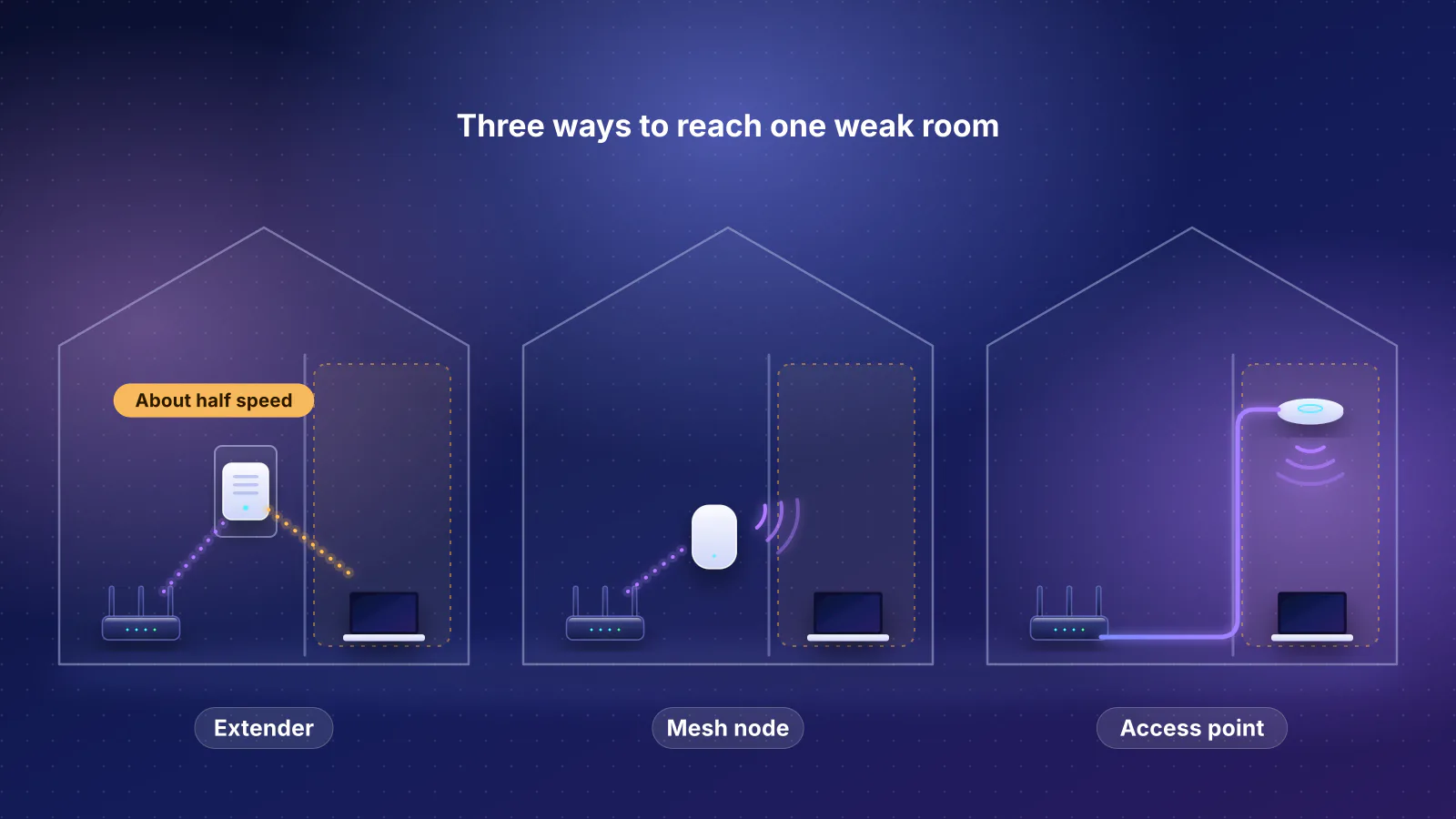
Deciding what to do about one weak room rather than the whole house? Start with extender, mesh or access point for one weak room. Not sure you need more than one access point at all? See mesh or a single router.
Two ways to put a radio in every area
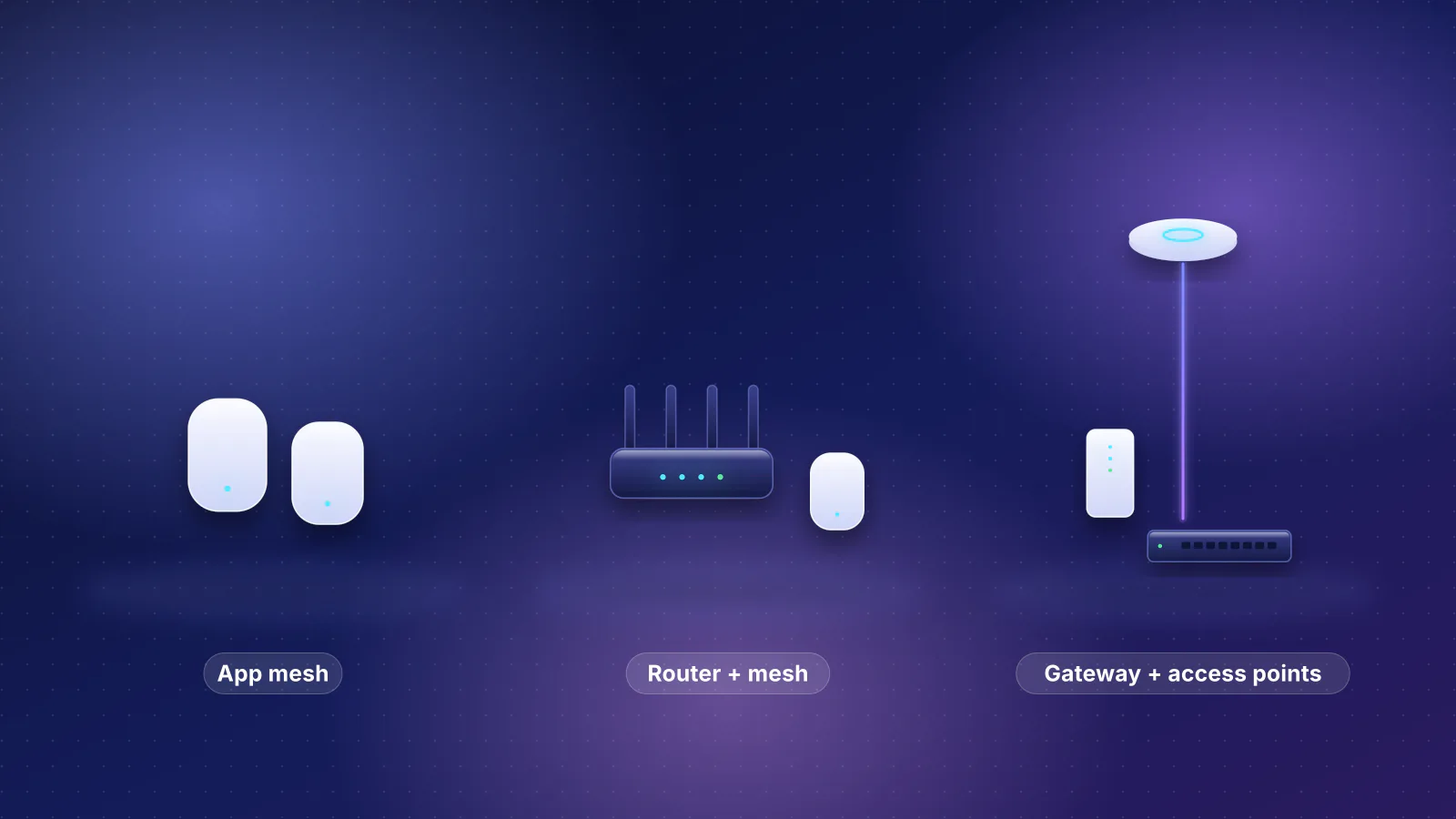
- A consumer mesh kit (eero, TP-Link Deco, NETGEAR Orbi and similar) is a set of routers or satellites from one maker. Each unit plugs into a wall outlet and sits on a shelf. The units link to each other over Wi-Fi by default and use Ethernet where you connect it. TP-Link says that when you cable two Decos, "Wi-Fi backhaul between those units disconnects automatically", and if the cable is removed, "The units will return to Wi-Fi backhaul automatically." eero says its units can use Ethernet or connect wirelessly, and that where hardwiring isn't possible, "eeros are designed to find the best path".
- A gateway with wired access points splits the jobs. A gateway with no Wi-Fi routes; a PoE switch powers each access point over its Ethernet cable; the access points provide Wi-Fi from the ceiling or a wall. In UniFi the controller software runs on the gateway: Ubiquiti lists the UniFi Network application on the Cloud Gateway Ultra. Omada needs a separate controller (see what the totals leave out).
The cable is the defining requirement. Ceiling access points can mesh wirelessly as a fallback: Ubiquiti lists "Wireless Meshing" on the U7 Pro and U7 Lite, and TP-Link documents Omada mesh with up to three hops and four downlink access points per uplink, managed by an Omada controller. But a meshed access point still needs power at its spot, from a PoE injector or a DC adapter, and every wireless hop pays the relay penalty, "about 50%" per hop in Cisco Meraki's guide. If you can't wire most access-point spots, a mesh kit designed for wireless backhaul is the more natural fit; see why a wireless hop halves your speed.
- Gateway Routes and runs the controller (UniFi) or uses a separate one (Omada)
- PoE switch One port and a share of the PoE budget per access point
- Ethernet run to the ceiling Carries data and power; the part the price totals leave out
- Phone or laptop Connects to the nearest ceiling access point
How many access points: three example homes
We sized three homes with the RouterHaus coverage rule from our methodology: about 1,800 sq ft per access point with drywall, 1,400 with plaster and 1,000 with block, brick, stucco or concrete, and at least one per floor in homes of two or more floors over about 1,200 sq ft in total. It's a planning estimate, not a site survey. The sizes are ones the network planner offers, so you can rerun them.
| Home | Rule applied (arithmetic) | Access points |
|---|---|---|
| A: 2,500 sq ft, two floors, drywall | 2,500 ÷ 1,800 = 1.4, rounded up to 2; one per floor is also 2 | 2 |
| B: 5,000 sq ft, two floors, drywall | 5,000 ÷ 1,800 = 2.8, rounded up to 3 | 3 |
| C: 3,500 sq ft, one floor, block or stucco walls | 3,500 ÷ 1,000 = 3.5, rounded up to 4 | 4 |
Makers' own coverage figures vary and don't state the walls they assume. Ubiquiti lists 1,500 ft² for the U7 Pro and 1,250 ft² for the U7 Lite, both below the rule's drywall figure; eero lists up to 2,000 sq ft per PoE 7. If you're pulling cable, a spare drop near each likely spot lets you add or move an access point later, as our guide to pre-wiring for access points suggests. For more on counting units, see how many mesh nodes you need.
What each design costs
All prices are manufacturer prices from the RouterHaus catalog (products version 2026.10.20.5, components 2026.10.20.3, catalog checked October 20, 2026), before tax, shipping, cabling and installation. Ubiquiti prices include the US surcharge its store adds, as our catalog and product tables show them. Every setup assumes a 1 Gbps internet plan and Ethernet to every unit. We compare like with like in two tiers: dual-band Wi-Fi 7, and Wi-Fi 7 with 6 GHz on every unit. Every mesh unit and access point in the tables links at 2.5 Gbps or faster; the gateways' own LAN ports are a separate limit (see below).
How the rows were chosen:
- Mesh: the lowest total from the catalog's pack prices among current indoor mesh kits in the tier whose main unit has a 2.5 Gbps or faster LAN port, leaving out kits whose catalog price is marked unverified. That port rule leaves out ASUS's ZenWiFi BT6, whose LAN ports are gigabit. Where the main unit has too few LAN ports to cable every other unit, we add an 8-port 2.5 Gbps switch (Zyxel XMG-108, $89.99), so the comparison is wired against wired.
- Wired access points: the parts list RouterHaus's network planner software (engine 2026.10.6) generates for each home with Ethernet to every access point: its cheapest gateway in that ecosystem for a 1 Gbps plan, and its cheapest PoE switch with enough ports, 2.5 Gbps PoE ports and enough PoE budget sized by class (see PoE sizing). The access points are each ecosystem's cheapest current Wi-Fi 7 ceiling models in the catalog for the tier.
| Setup | Home A (2) | Home B (3) | Home C (4) |
|---|---|---|---|
| Mesh, lowest-cost qualifying kit | $284.99: eero 7 2-pack | $389.96: Deco BE23 3-pack + XMG-108 switch | $659.97: eero 7 3-pack + 1-pack + XMG-108 switch |
| Omada: ER707-M2 gateway, PoE switch, EAP723 access points | $499.96 (XMG-105HP switch) | $689.95 (XMG-108HP) | $979.94 (XMG1915-10EP) |
| UniFi: Cloud Gateway Ultra, Flex 2.5G PoE switch and its 210 W adapter, U7 Lite access points | $658 | $767 | $876 |
| Setup | Home A (2) | Home B (3) | Home C (4) |
|---|---|---|---|
| Mesh, lowest-cost qualifying kit | $449.99: Deco BE63 2-pack | $699.99: Orbi 770 3-pack | $899.98: 2 × Deco BE63 2-pack |
| Omada: ER707-M2 gateway, PoE switch, EAP772 access points | $629.96 (XMG-105HP switch) | $884.95 (XMG-108HP) | $1,239.94 (XMG1915-10EP) |
| UniFi: Cloud Gateway Ultra, Flex 2.5G PoE switch and its 210 W adapter, U7 Pro access points | $856 | $1,064 | $1,272 |
| eero: PoE Gateway and eero PoE 7 ceiling units | $1,699.97 | $2,299.96 | Not priced: eero doesn't say one PoE Gateway powers four (see PoE sizing) |
Arithmetic from the tables: the cheapest wired build costs $179.97 (Home A), $184.96 (Home B) and $339.96 (Home C) more than the cheapest mesh in the 6 GHz tier, and $214.97, $299.99 and $216.03 more in the dual-band tier, where UniFi's U7 Lite build becomes cheaper than Omada's at four access points. The mesh kits need no extra switch in the 6 GHz tier because the Deco BE63 and Orbi 770 main units each have three 2.5 Gbps LAN ports. With no cables at all, the mesh totals drop by the $89.99 switch where one was added: $299.97 for Home B and $569.98 for Home C in the dual-band tier.
Two notes on the mesh rows. The Deco BE23, Deco BE63 and Orbi 770 records are ones our catalog marks as medium confidence. The BE23 and BE63 prices are TP-Link's regular prices (lower sale prices showed when the catalog was checked), and on October 29, 2026 NETGEAR's store showed the Orbi 770's $699.99 as its original price, with a lower sale price. The catalog's notes also record a BE63 3-pack at $599.99 regular price, which isn't in its structured pack list; at that price it would be the cheapest 6 GHz option for Home B.
| Product | Internet port | Fastest LAN port | Maker's routing, plan or wired-speed figure | Price |
|---|---|---|---|---|
| eero 7 (1-pack) Mesh system · Wi-Fi 7 |
2.5 Gbps | 2.5 Gbps | Not published | $169.99 Manufacturer store price, checked October 20, 2026 |
| TP-Link Deco BE23 (3-pack) Mesh system · Wi-Fi 7 |
2.5 Gbps | 2.5 Gbps | Not published | $299.97 Manufacturer store price, checked October 20, 2026 |
| TP-Link Deco BE63 (2-pack) Mesh system · Wi-Fi 7 |
2.5 Gbps | 2.5 Gbps | Not published | $449.99 Manufacturer store price, checked October 20, 2026 |
| NETGEAR Orbi 770 Series (RBE773) (3-pack) Mesh system · Wi-Fi 7 |
2.5 Gbps | 2.5 Gbps | Not published | $699.99 Manufacturer store price, checked October 20, 2026 |
| TP-Link Omada ER707-M2 Gateway · no Wi-Fi |
2.5 Gbps | 1 Gbps | 2.4 Gbps | $119.99 Manufacturer store price, checked October 20, 2026 |
| Ubiquiti UniFi Cloud Gateway Ultra (UCG-Ultra) Gateway · no Wi-Fi |
2.5 Gbps | 1 Gbps | Not published | $142.00 Manufacturer store price incl. US store surcharge (list $129.00), checked October 20, 2026 |
| eero PoE Gateway Gateway · no Wi-Fi |
10 Gbps | 10 Gbps | Not published | $499.99 Manufacturer store price, checked October 20, 2026 |
| eero PoE 7 (1-pack) Mesh system · Wi-Fi 7 |
10 Gbps | 10 Gbps | 9.4 Gbps | $599.99 Manufacturer store price, checked October 20, 2026 |
Access points and switches have no product pages yet, so here are their catalog figures:
| Item | What it is | PoE | Price |
|---|---|---|---|
| TP-Link EAP723 | Dual-band Wi-Fi 7 ceiling access point, 2.5 Gbps port | 802.3at (PoE+), 17.83 W max | $139.99 |
| TP-Link EAP772 | Tri-band Wi-Fi 7 ceiling access point with 6 GHz, 2.5 Gbps port | 802.3at, 25.4 W max | $204.99 |
| Ubiquiti U7 Lite | Dual-band Wi-Fi 7 ceiling access point, 2.5 GbE | "PoE", 13 W max | $109 ($99) |
| Ubiquiti U7 Pro | Tri-band Wi-Fi 7 ceiling access point with 6 GHz, 2.5 GbE | PoE+, 21 W max | $208 ($189) |
| Zyxel XMG-108 | 8 × 2.5 Gbps switch | None | $89.99 |
| Zyxel XMG-105HP | 5 × 2.5 Gbps, 4 with PoE++ | 70 W budget | $99.99 |
| Zyxel XMG-108HP | 8 × 2.5 Gbps, all PoE++ | 100 W budget | $149.99 |
| Zyxel XMG1915-10EP | 8 × 2.5 Gbps PoE++, 2 × 10G SFP+, smart managed | 130 W budget | $299.99 |
| Ubiquiti Flex 2.5G PoE | 8 × 2.5 GbE PoE++, 10G uplink | 196 W with the 210 W adapter | $219 ($199) |
| Ubiquiti AC Adapter 210W | Power supply for the Flex 2.5G PoE's full budget | n/a | $79 |
The gateways matter more on faster plans. The Cloud Gateway Ultra's LAN ports are gigabit. TP-Link lists every ER707-M2 port except one 2.5 Gbps WAN as WAN/LAN, including a second 2.5 Gbps port; the catalog models its LAN side as one gigabit port, which is why its product table shows 1 Gbps. That's no limit on a 1 Gbps plan, but on a faster one the Cloud Gateway Ultra caps the link to the switch at 1 Gbps, and the ER707-M2 needs its 2.5 Gbps WAN/LAN port set as the LAN link; see which UniFi gateway fits a home and the $1,000 tier in our budget guide.
PoE sizing: why the switch changes the price
A PoE switch has one shared power budget for all its ports. Each IEEE standard has a maximum at the switch and a smaller one at the device, after cable losses. TP-Link's Omada guide gives them: 802.3af (PoE) "up to 15.4W at the PSE and up to 12.95W at the powered device", 802.3at (PoE+) 30 W and 25.5 W, and 802.3bt Type 3 (PoE++) 60 W and 51 W.
Switches can account for that budget two ways. Some reserve each device's class maximum: Juniper's EX switches allocate by classification by default, where a Class 4 (PoE+) device is allotted 30 W. A switch can also allocate less: Juniper's can lower a port's allocation through LLDP power negotiation, and TP-Link's guide sizes a switch by realistic concurrent draw plus headroom. The Zyxel datasheets and Ubiquiti pages we read don't say which their switches do. RouterHaus's planner takes the cautious reading, as our methodology describes: 15.4, 30 or 60 W per device by class, and a device whose published maximum draw exceeds what its class delivers (12.95 W for 802.3af) is treated as the next class up.
That rule moves real money in these builds (arithmetic):
- Four EAP723s: 4 × 30 W = 120 W by class, more than the XMG-108HP's 100 W, so the planner steps up to the $299.99 XMG1915-10EP (130 W). By maximum draw they'd need 4 × 17.83 W = 71.3 W, which fits the $149.99 switch. If your switch allocates by draw, Home C's Omada build costs $150 less.
- Four EAP772s exceed 100 W either way: 4 × 25.4 W = 101.6 W.
- U7 Lite: Ubiquiti lists its power method as "PoE" with a 13 W maximum, just above the 12.95 W an 802.3af port delivers, so it's sized as a PoE+ device (30 W).
- Flex 2.5G PoE: Ubiquiti lists 196 W of PoE with its 210 W adapter, but only 76, 46 or 16 W when powered over PoE from another switch. With the adapter, class sizing fits six PoE+ access points (180 W), not all eight ports.
- eero PoE Gateway: eero lists "100W of pooled power" and says it powers up to eight eero PoE 6 or six Outdoor 7 units; it gives no number for the PoE 7. The PoE 7 needs PoE+ ("Standard PoE (802.3af) will not provide a large enough power budget"), and eero lists its power as "PoE+ 25.5W (802.3at)". By class, three fit (90 W); four would need 120 W by class, or 102 W at 25.5 W each. The Outdoor 7 is also a PoE+ unit, so eero's six-unit figure means the gateway doesn't reserve 30 W per port, but without a PoE 7 number we haven't priced four. eero says the PoE 7 can also run from "a PoE+ capable injector/switch", which is one way to power a fourth.
Upgrades follow the same logic: a future access point may need a higher class. The catalog lists Ubiquiti's U7 Pro XGS as an 802.3bt (PoE++) device, which a PoE+ port can't power. Every PoE port on the Flex 2.5G PoE and the Zyxel switches above is PoE++.
What the totals leave out
- Cable runs. Each ceiling access point needs its own run to the switch, and labor and length vary too much to price. In an existing house without cable, this is often the deciding cost. Zyxel says 2.5 Gbps runs over existing Cat 5e, so a house that already has cable may need none; for new construction, see what to pre-wire in a new home.
- A controller for Omada. TP-Link's ER707-M2 and EAP spec pages say centralized management, app and cloud access, Omada Mesh and Seamless Roaming need an Omada controller. TP-Link says its software controller and Cloud Essentials are "free of charge with no ongoing subscription fees"; the software controller is "a free application you can install on your own server", so it needs a computer that stays on, and hardware controllers are a separate purchase our catalog doesn't price. UniFi's Cloud Gateway runs its controller, so the UniFi totals are complete.
- Subscriptions, checked October 29, 2026. None of these setups needs one to provide Wi-Fi. eero Plus is $9.99 a month or $99.99 a year, and eero says the PoE Gateway and PoE 7 work with it. Ubiquiti's CyberSecure threat signatures are an optional add-on, from $99 per unit billed annually on its US store. TP-Link's Omada Cloud Standard is "a paid license that unlocks advanced capabilities"; Cloud Essentials stays free. Per the catalog, Deco's HomeShield and NETGEAR's Armor have paid tiers. For a side-by-side, see router subscriptions compared.
- Mounting and power. TP-Link's EAP723 and EAP772 and Ubiquiti's U7 Pro and U7 Lite include ceiling and wall mounts. Mesh units need an outlet at each spot instead.

What each design wins on besides price
From each maker's documentation, checked October 29, 2026:
| Consumer mesh kit | Gateway and wired access points | |
|---|---|---|
| Backhaul | Wireless by default; Ethernet where you cable it, with automatic fallback (Deco documents both directions) | Ethernet to every access point; wireless meshing is a fallback (UniFi, Omada), with power still needed at the spot |
| Power and placement | A wall outlet per unit, on a shelf | One cable for data and power; ceiling or wall mounts included |
| Management | Usually an app: eero's setup and management need the eero app | UniFi Network on the Cloud Gateway; Omada controller (free software or cloud, or hardware) |
| Roaming help | Varies: eero has a client steering setting; TP-Link says Deco uses 802.11k/v/r | Ubiquiti lists 802.11k, v and r on the U7 Pro and U7 Lite; Omada's 802.11k/v/r needs a controller |
| VLANs for your own devices | None of the kits in our tables documents them, per the catalog | Documented for the UniFi and Omada gateways, per the catalog |
| Growing and upgrading | Add units of the same system; eero says all eeros work together, but warns that combining its Pro 6E with older-generation eeros "may result in reduced performance" | Add or replace one access point at a time on the same cable, while the switch has ports and PoE budget |
Roaming help is only help: your device still decides when to move. eero says "different devices have different thresholds for when to roam". Whichever design you pick, stay in one system (see the FAQ below). For the management and subscription side in more depth, see Ubiquiti vs eero vs ASUS.
When each design wins
Choose a mesh kit when
- You can't run cable to most unit spots, and there's no TV coax for MoCA. Mesh is built to work over the air and falls back to it on its own.
- The home needs two or three access points and hardware cost matters most. In our tables mesh saved $180 to $300 at those sizes.
- You want app setup and nothing in a closet, or you rent and can't mount anything.
- You can wire some units: a mesh kit with wired backhaul gets most of the benefit for the mesh price. See mesh systems with wired backhaul.
Choose a gateway with wired access points when
- Cable already reaches the ceiling spots, or the walls are open in a build or remodel. Then the extra cost is the $180 to $340 in our tables, not a wiring job.
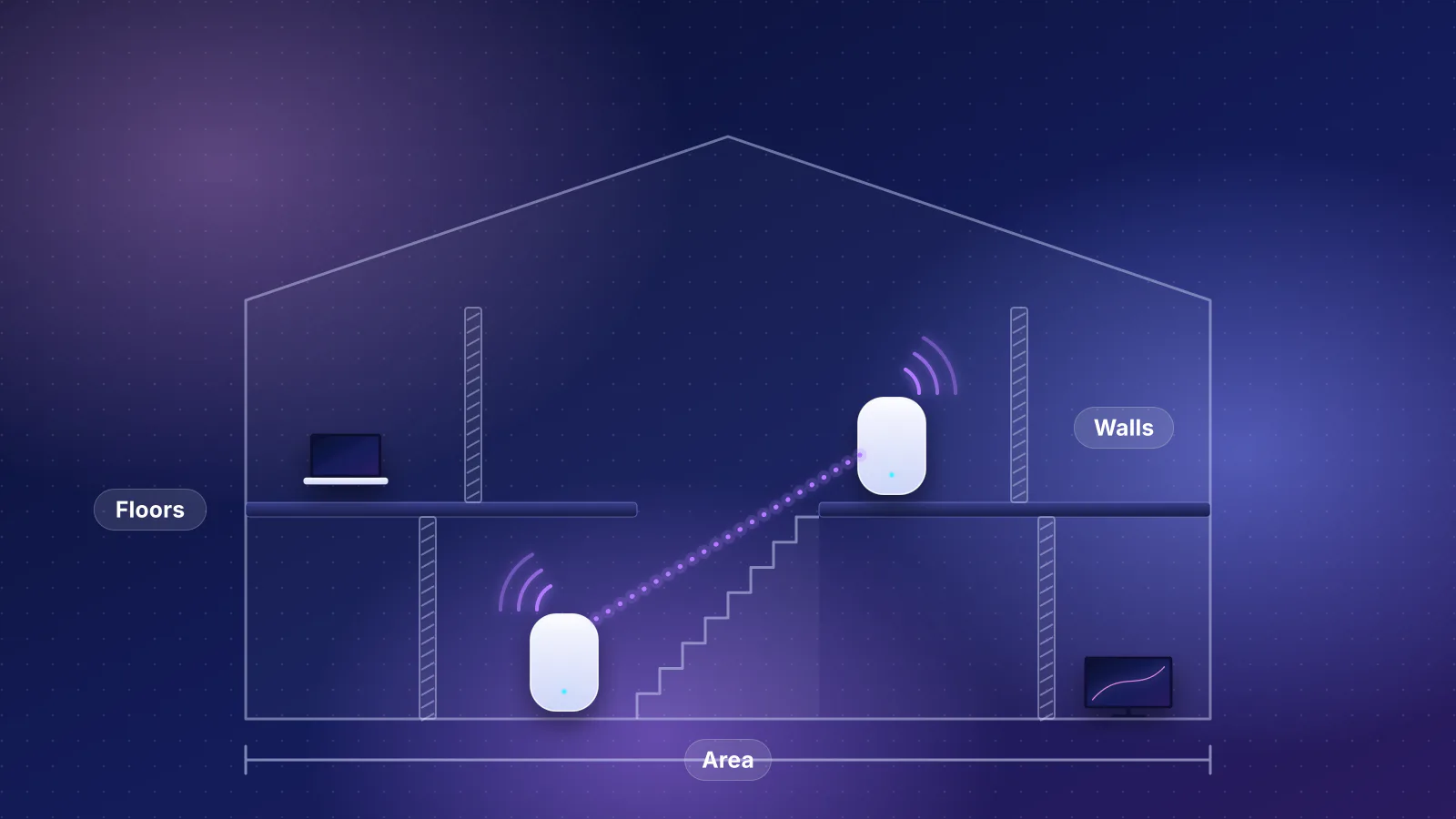
- The home needs four or more access points, or has block or concrete walls and floors that weaken the wireless links between mesh units; our article on walls and floors gives the ITU's planning figures.
- You want ceiling placement, VLANs or a local controller, or want to add or replace one access point at a time. On the UniFi switch above, a fifth or sixth U7 Pro adds $208 each with no new switch.
Both designs share the same weak spot: a rule of thumb can't see your floor plan. Over about 5,000 sq ft, or with block walls on two or more floors, our methodology suggests talking to a person; RouterHaus offers remote network design consultations, with on-site visits in the Phoenix metro, where block and stucco homes are common.
Frequently asked questions
Can I mix a mesh kit with ceiling access points?
Only within one system. eero's PoE 7 is a ceiling or wall unit, and eero says all eeros work together, so it can join an eero mesh. Across systems it doesn't work: TP-Link says its own Deco, OneMesh, EasyMesh and Omada lines can't form one mesh and that seamless roaming between them isn't supported. Mixing brands means running separate networks.
Is MoCA a substitute for Ethernet to an access point?
For a mesh unit or an access point near a coax outlet, yes in principle: the MoCA Alliance lists MoCA 2.5 at 2.5 Gbps with under 2.5 ms average latency. The MoCA adapters in our catalog have no PoE output, so a ceiling access point on MoCA still needs a power supply or injector at that spot.
Why does the planner size PoE by class instead of actual draw?
Because some switches reserve each device's full class allowance, 30 W for a PoE+ access point, and the small switches in these builds don't say how they allocate. Sizing by class can't overload a switch; sizing by draw can be cheaper if your switch allocates that way.
Will wired access points be faster than mesh?
Not automatically. A mesh unit with Ethernet backhaul and a ceiling access point with the same radios reach your device over the same kind of link. The wired design's advantages are guaranteed backhaul, placement on the ceiling and room to grow; a mesh unit relaying over Wi-Fi is where speed is lost.
Sources
Read on October 29, 2026. Product specs and prices are from the RouterHaus catalog (products 2026.10.20.5, components 2026.10.20.3, checked October 20, 2026), which records each maker's page; the pages below were opened to confirm the facts used in the text.
- RouterHaus: How we recommend routers (coverage rule, planner setups, PoE sizing by class) and RouterHaus catalog data
- TP-Link: Deco Ethernet backhaul setup (automatic switch between wired and Wi-Fi backhaul)
- TP-Link: Can Deco Mesh, OneMesh, EasyMesh and Omada Mesh work together? (no unified mesh, roaming protocols)
- eero: Can I connect my eeros with Ethernet? and Are all eeros the same?
- eero: eero PoE Gateway (100 W pooled power, units it powers) and eero Outdoor 7 (needs PoE+)
- eero: eero PoE 7 (PoE+ 25.5 W, PoE+ switch or injector, app setup, mounting) and eero PoE 7 shop page (coverage, price)
- eero: Why doesn't my device connect to the closest eero?
- eero: eero Plus (prices)
- Ubiquiti: U7 Pro tech specs and U7 Lite tech specs (coverage, power, mounting, wireless meshing, 802.11k/v/r)
- Ubiquiti store: U7 Pro and Cloud Gateway Ultra (prices including the US surcharge)
- Ubiquiti: Cloud Gateway Ultra tech specs (ports, UniFi Network application)
- Ubiquiti: Switch Flex 2.5G PoE tech specs (PoE budget by power source)
- Ubiquiti store: CyberSecure by Proofpoint
- NETGEAR: Orbi 770 store page (original and sale price, October 29, 2026)
- Omada by TP-Link: EAP772 and EAP723 (power, mounting, controller requirements)
- Omada by TP-Link: ER707-M2 (controller requirement, ports)
- Omada by TP-Link: SDN controllers (free software controller and Cloud Essentials, paid Cloud Standard)
- Omada: Frequently asked questions about EAP mesh network (hop and downlink limits, controller)
- Omada: PoE vs PoE+ vs PoE++ (power at the switch and at the device, shared budgets)
- Juniper: Understanding PoE on EX Series switches (class-based allocation, class power table)
- Zyxel: XMG-100 Series datasheet (PDF) (PoE++ ports and budgets, 2.5 Gbps over Cat 5e) and XMG1915 Series datasheet (PDF) (XMG1915-10EP ports and 130 W budget)
- Cisco Meraki: Mesh deployment guide (throughput per hop)
- MoCA Alliance: MoCA for Wi-Fi backhaul