The short version
- Every router here routes traffic and provides Wi-Fi without a subscription. What you pay for is extra: threat blocking, content filters and time limits, activity history, and apps for your phones and laptops (VPN, antivirus, password manager).
- Where the paywall sits differs a lot. eero puts ad blocking, content filters and threat protection in eero Plus ($9.99 a month or $99.99 a year). NETGEAR splits security (Armor, $99.99 a year) from parental controls ($69.99 a year, on the models NETGEAR lists for it). TP-Link keeps basic parental controls free and sells threat protection as Security+ ($35.99 a year). ASUS includes its intrusion prevention, malicious-site blocking and parental controls free. UniFi includes intrusion prevention, ad blocking and a basic content filter free, and sells larger threat-signature sets as CyberSecure ($99 a year per gateway).
- Over three years at today's annual prices, a family that wants both threat blocking and parental controls pays $0 on ASUS, $161.94 on TP-Link, $299.97 on eero and $509.94 on a NETGEAR router that supports Smart Parental Controls (arithmetic; prices checked October 29, 2026). The eero and NETGEAR totals also buy apps for your phones and laptops, such as antivirus and a VPN; the TP-Link and ASUS totals don't.
- The main caveat: these pages describe what each service does, not how well it works. No maker here publishes detection rates on them, so this article compares features, prices and terms, not protection.
What each maker charges
Prices from each maker's own US pages, checked October 29, 2026. "Billed yearly" prices are for one year; most plans renew automatically until you cancel.
| Maker | Paid plan | Price | Trial or included time |
|---|---|---|---|
| eero | eero Plus | $9.99/month or $99.99/year | 1 month (monthly plan) or 2 months (yearly plan) |
| eero | eero Plus 100 (adds more eero Signal cellular backup data) | $199.99/year | eero's Signal article offers it at 50% off ($99) in the first year |
| NETGEAR | Armor; Armor Plus | $99.99/year; $149.99/year | 30 days on compatible routers |
| NETGEAR | Smart Parental Controls Premium (not listed for the Orbi 370 or 770; see below) | $7.99/month or $69.99/year | 30 days |
| TP-Link (Deco and Archer) | HomeShield Security+ | $4.99/month or $35.99/year | 1 month for new users |
| TP-Link | HomeShield Total Security | $69.99 first year, then $129.99 | None; some Deco and Archer models include a year |
| TP-Link | Advanced Parental Controls | $2.99/month or $17.99/year | 1 month for new users |
| ASUS | None for AiProtection; optional ASUS SecureGo (McAfee device security) | SecureGo: ASUS lists $39.99 first year, then $149.99, "for reference only" | Not stated on ASUS's SecureGo page |
| Ubiquiti (UniFi) | CyberSecure (Enhanced Cyber Security) | $99/year per gateway ($499 for its enterprise firewalls and gateway) | None listed |
TP-Link notes that its prices are for the US, may vary by region, and that "the information on the Deco/Tether app prevails in case of conflict". NETGEAR's support article also says Armor's price depends on region and promotions, and to check the Orbi or Nighthawk app. Ubiquiti's store lists hardware with a separate US surcharge; it shows no surcharge for CyberSecure. Google's Nest Wifi Pro and Linksys's current mesh kits have no paid add-on recorded in our catalog.
Free vs paid, maker by maker
Each table lists what the maker's own pages put in the free tier and what needs the paid plan. "Not offered" means the maker's pages don't list the feature at all.
eero: most extras are in eero Plus
| Feature | Free with eero | eero Plus |
|---|---|---|
| Threat and malicious-site blocking | No | Yes ("active threat protection") |
| Ad blocking | No | Yes, at the DNS level |
| Content filters per family member | Profiles, pausing and "limit online access" | Content filters, app blocking, advanced scheduling |
| History and remote access | Speed tests, network health check | Activity history, remote network access, Dynamic DNS |
| Apps for your devices | None | Guardian VPN (up to 5 devices), Malwarebytes (up to 20 devices), 1Password, identity protection |
| Automatic software updates, WPA3, guest Wi-Fi | Yes | Yes |
eero says the network stays secure without the plan: "eero Plus is not required for an eero network to continue to receive our security updates." Two limits matter before you pay. eero Plus "doesn't cover devices that are on the guest network". And if your eeros run in bridge mode behind another router, you lose "all eero Plus features except partner services from Malwarebytes, 1Password, and Guardian VPN" and can't subscribe at all. One plan covers up to five networks on the same account, and the plan is for Wi-Fi 6 or later eeros only.
NETGEAR: security and parental controls are separate plans
| Feature | Free | Paid |
|---|---|---|
| Threat blocking, web protection, vulnerability scans | No (after the trial) | Armor |
| Intrusion detection | No | Armor ("Exploit Prevention/Intrusion Detection System", using Bitdefender's engines) |
| Pause the internet, choose a child's devices | Yes (Smart Parental Controls) | Yes |
| Content filtering, time limits, bedtimes, website history | No | Smart Parental Controls Premium |
| VPN with ad blocker in the device app | No | Armor: 200 MB a day per device; Armor Plus: unlimited |
| Antivirus on your devices | No | Armor app, up to 50 devices |
| Extended warranty and priority support | No | Armor (paid, non-trial subscribers; warranty for models bought in the US, UK or Canada within 3 years) |
NETGEAR's support article is explicit about the trial: "you must subscribe to Armor to continue using the service after your trial expires." The routers themselves include WPA3, automatic firmware updates and what NETGEAR calls Advanced Router Protection without Armor. Smart Parental Controls doesn't cover every model: NETGEAR's feature and setup articles (updated July 7, 2025) list Wi-Fi 5 and Wi-Fi 6 Orbi and Nighthawk models and, among Wi-Fi 7 models, the Nighthawk RS models and the Orbi 970, but not the Orbi 370 or 770, and its plans article lists no Wi-Fi 7 model at all. NETGEAR says that if the app's Parental Controls tile doesn't appear, "you might need to update your router's firmware to the latest version." On a supported model, wanting both security and the full parental controls means two subscriptions: $169.98 a year at the annual prices (arithmetic).
TP-Link: a real free tier, with security and antivirus extra
| Feature | HomeShield (free) | Paid |
|---|---|---|
| Firewall, security scan, guest and IoT network isolation | Yes | Yes |
| Ad filtering, Wi-Fi access control, device isolation | Yes, on supported models | Yes |
| Web protection, intrusion prevention, real-time IoT protection | No | Security+ |
| Profiles, age presets, content filter | Yes | Yes |
| Bedtime schedules | Listed as free on the HomeShield page (see below) | Also listed under Advanced Parental Controls |
| Time limits, app blocker, SafeSearch, reward time, advanced content filtering | No | Advanced Parental Controls |
| Antivirus (up to 5 devices), VPN, dark web monitoring, password manager, 50 GB backup | No | Total Security |
TP-Link marks several free items "Feature availability may vary by model and software version", so check the app for your model. Its own pages disagree on bedtimes: the HomeShield page lists "Bedtime Schedules" as free with HomeShield, but the comparison table on the same page lists "Bedtime Scheduling" under the Advanced Parental Controls add-on, and TP-Link's plans FAQ says that add-on "helps you manage your kids' online time and bedtime". Treat bedtimes as possibly paid until the app shows otherwise. Total Security includes everything in Security+; Advanced Parental Controls is a separate add-on. TP-Link's HomeShield page currently advertises a free year of Total Security with eligible models, including the Deco BE65, BE68, BE77 and BE85, and says "Subscription required after complimentary period."
ASUS: the security suite is free
| Feature | AiProtection (free) | Paid |
|---|---|---|
| Two-way intrusion prevention | Yes | None needed |
| Malicious-site and infected-device blocking | Yes | None needed |
| Ad and tracker blocking | Yes | None needed |
| Parental controls: presets, content filter, schedules, activity dashboard | Yes | None needed |
| Router-level VPN (VPN Fusion, site-to-site) | Yes | None needed |
| Antivirus and VPN on your devices away from home | No | ASUS SecureGo (McAfee) |
ASUS calls AiProtection "a subscription-free, built-in network security solution" and adds that "feature support may vary by model". One exception to "no fees" is in a footnote, not a subscription page: on the ROG Strix GS-BE18000, ASUS says "AFC service included for the first 4 years; additional charges apply thereafter". AFC (automated frequency coordination) lets a 6 GHz router use higher standard-power levels. ASUS's GS-BE12000 page carries the same footnote. ASUS doesn't publish the later charge.
UniFi: security is built in, CyberSecure adds signatures
| Feature | Free (UniFi Network) | CyberSecure |
|---|---|---|
| Intrusion detection and prevention (IDS/IPS) | Yes, with UniFi's built-in signatures | Larger signature set from Proofpoint; the count depends on the gateway (see below) |
| Content filtering | "Basic" policy: malicious, explicit and adult domains, with schedules and SafeSearch | "Enhanced" policy: Cloudflare, 100+ categories |
| Ad blocking | Yes | Yes |
| VLANs, firewall, VPN servers (WireGuard, OpenVPN, Teleport) | Yes | Yes |
| Apps for your devices (antivirus, VPN service) | Not offered | Not offered |
CyberSecure is per site: it covers "a single site's gateway deployment". Ubiquiti gives two sets of signature counts. Its CyberSecure help article (updated October 27, 2026) lists 25,000+ for the smaller all-in-one gateways (Dream Router, Dream Router 7, UniFi Express 7), 70,000+ for most Cloud Gateways and 110,000+ for its enterprise firewalls; the tech-spec pages list "20,000+ with CyberSecure" and "55,000+ with CyberSecure" for the first two groups. Either way the larger gateways get more than twice as many. The help article lists no CyberSecure signatures for the Gateway Lite or the original UniFi Express, and the store doesn't offer it for them; the original Express's spec sheet doesn't list intrusion prevention at all. Ubiquiti's store also sells UI Care, a five-year replacement and priority-support plan priced per product, and Official UniFi Hosting (from $29 a month), a cloud controller a home with its own UniFi gateway doesn't need. For which gateway runs what, see which UniFi gateway fits a home.
What the paid security features do
Router security plans combine a few different mechanisms. Knowing which one you're buying tells you what it can and can't see.
- DNS filtering checks the website name a device looks up against a list and refuses bad ones. Ubiquiti describes its content filter as working "by redirecting DNS traffic to the UniFi Gateway for inspection", and eero says its ad blocker works "at the DNS level". It needs no software on your devices, so it covers TVs and cameras.
- URL and reputation blocking goes a step further. ASUS says AiProtection "detects and blocks specific URLs rather than generic domain names", using Trend Micro's cloud database. TP-Link's privacy policy says its Real-Time Protection records "a device's attempted URL connections" to block malicious sites.
- Intrusion detection and prevention (IDS/IPS) inspects traffic for patterns of known attacks, called signatures. Ubiquiti's explanation: IDS "monitors network traffic for suspicious activity and alerts", while IPS "also takes proactive steps to block detected threats". ASUS's two-way IPS also checks outbound traffic for infected devices. NETGEAR's Armor includes an "Exploit Prevention/Intrusion Detection System"; TP-Link sells intrusion prevention in Security+.
- Device apps (antivirus, VPN, password managers) aren't router features at all. They're licenses for software on your phones and laptops, bundled into the plan: Malwarebytes and 1Password with eero Plus, the Armor app with NETGEAR, a third-party antivirus with TP-Link Total Security.
Inspection costs processing power. Ubiquiti says enabling intrusion prevention "increases CPU and memory utilization" and "maximum routing performance may be reduced", and it publishes an IDS/IPS throughput for its gateways (2.3 Gbps for the Dream Router 7, for example). NETGEAR says Armor doesn't slow your internet and TP-Link says the same of HomeShield ("Not at all"), but neither gives a throughput figure, and none of eero's or ASUS's pages cited here gives one for their security features. If your plan is faster than about 1 Gbps and you want IPS on, a published figure is what tells you in advance whether the router keeps up; when you ask for IDS/IPS, our planner rules out a router whose maker's IDS/IPS figure is more than 10% below your plan.
Does the router work without the app or an account?
A subscription needs an account to bill. Some systems need one even without a subscription.
| System | Account to set up or manage | Local management | Paid plan needs |
|---|---|---|---|
| eero | Yes: eero app and eero account; internet for setup | None: "can only be managed using the mobile app" | eero app |
| Google Nest Wifi Pro | Yes: Google Account and Google Home app | Not documented on Google's setup page | No paid plan in our catalog |
| TP-Link Deco | Yes: a TP-Link ID ("required") and the Deco app | Web page on some models after setup, signed in with your TP-Link ID | Deco app |
| TP-Link Archer | No: web page (tplinkwifi.net) with an admin password you set | Yes, no internet needed | Tether app |
| NETGEAR Nighthawk and Orbi | For the app (NETGEAR account); not for the web interface | Yes: routerlogin.net with the local admin password | Orbi or Nighthawk app, NETGEAR account |
| ASUS | No account in ASUS's web interface guide | Yes: web interface | Nothing (AiProtection asks you to accept Trend Micro's license) |
| UniFi | Optional UI account (app or browser setup) | Yes, including fully offline ("airgapped") setups | CyberSecure needs Remote Access, so a UI account |
Two details stand out. eero's privacy notice says that if you have eero delete your personal information as a network owner, "your eero Devices will automatically reset as access points and you will have to create a new Account". And Ubiquiti's setup guide calls the UI account optional ("Though optional, we strongly recommend creating a UI Account"), but CyberSecure lists "Remote Access must be enabled for the subscription to successfully activate." If local-only management matters to you, see the management comparison in Ubiquiti vs eero vs ASUS.
What the privacy terms say
A security service has to look at traffic, and parental controls record activity by design. This is what each maker's own documents say about it; we quote them and draw no conclusions beyond the text.
- eero (privacy notice updated June 12, 2024): "eero Networks do not track where you go on the internet." It does collect network data such as "the volume of data transferred and the protocol of packets", device MAC addresses, hostnames and types, and nearby Wi-Fi signals, and it shares personal information with vendors to "provide you with additional services through an eero subscription service, including VPN software, anti-virus software, password management software".
- NETGEAR (privacy policy updated March 5, 2026): it collects internet speed, configuration, Wi-Fi settings and feature usage from your device, and "except for our Smart Parental Control service, we do not collect information about your interactions with non-NETGEAR sites." For Armor, "we share Personal Information with Bitdefender in connection with your subscription and the operation of the solution."
- TP-Link (privacy policy updated September 26, 2024): it collects "a device's browser history and access time" for devices under Parental Controls, and records "attempted URL connections" only when Real-Time Protection is on. "Data will no longer be collected after you turn off this feature."
- ASUS: the Trend Micro license prompt in ASUS's online demo of its router interface says "your information will be collected by Trend Micro through AiProtection, Traffic analyzer, Apps analyzer, Adaptive QoS and web history", that ASUS "is not responsible" for the agreement between you and Trend Micro, and that you can turn sharing off under Advanced settings > Administration > Privacy.
- Ubiquiti: "The only data retained is that of the attacker's IP address." When a detection fires, "timestamps, IP addresses, ports, protocols and signatures temporarily pass through an encrypted communication channel with our cloud before it is ultimately deleted." Its camera app keeps video local: "There's no cloud backup of your video by default."
What it costs over three years
Three years is a convenient horizon for comparing plans. The table multiplies today's prices; it isn't a forecast, and it ignores trials and any included first year. The rows don't buy identical bundles: eero Plus and Armor also include antivirus and VPN apps for your devices, which TP-Link's Security+ and ASUS's AiProtection don't.
| What you want | Plan | 1 year | 3 years |
|---|---|---|---|
| eero: security, filters and device apps | eero Plus | $99.99 | $299.97 |
| eero, paying monthly | eero Plus monthly | $119.88 | $359.64 |
| NETGEAR: security | Armor | $99.99 | $299.97 |
| NETGEAR: security and parental controls (models with Smart Parental Controls) | Armor + Smart Parental Controls Premium | $169.98 | $509.94 |
| TP-Link: security | Security+ | $35.99 | $107.97 |
| TP-Link: security and parental controls | Security+ + Advanced Parental Controls | $53.98 | $161.94 |
| TP-Link: security and device antivirus | Total Security (first-year price, then renewal) | $69.99 | $329.97 |
| ASUS: security and parental controls | AiProtection | $0 | $0 |
| UniFi: larger IPS signature set | CyberSecure, one gateway | $99 | $297 |
Put those numbers next to hardware prices. Three years of eero Plus ($299.97) costs more than an eero 7 unit, and three years of Armor plus parental controls ($509.94) costs more than 6 of the 8 current NETGEAR models in our catalog that NETGEAR lists for Smart Parental Controls (all but the RS700S and Orbi 970). That doesn't make the plans poor value if you'd buy antivirus and a VPN anyway; it means the subscription belongs in the price comparison, as our router buying guide suggests.
How many catalog models come with a paid option
Our catalog records any paid add-on a maker documents for each model in a subscription field. Counting current models (catalog checked October 20, 2026), all device types, by brand:
| Brand | With a paid option | What's recorded |
|---|---|---|
| eero | 9 of 9 | eero Plus |
| NETGEAR | 11 of 11 | Armor; the catalog also records Smart Parental Controls Premium for 9, but NETGEAR's own lists differ (they include the RS150 and RS200 but not the Orbi 370, Orbi 770 or RAX9) |
| TP-Link Archer and Deco | 28 of 29 | HomeShield paid tiers (the Archer AX21 has none recorded) |
| TP-Link travel routers and Omada gateways | 1 of 5 | Optional Omada Cloud Standard license on the Omada ER605 |
| Ubiquiti | 11 of 12 | CyberSecure (not the Gateway Lite) |
| Firewalla | 6 of 6 | Optional Firewalla MSP plans; standard features need none |
| Netgate | 3 of 3 | Optional paid support; pfSense Plus included |
| ASUS | 2 of 32 | The AFC charge after four years on two ROG Strix models |
| Google, Linksys, D-Link, GL.iNet, MikroTik, MSI, Synology | 0 of 25 | None documented |
One catalog note to check before buying: our catalog records CyberSecure for the Dream Router 5G Max from its store page, which offers the add-on, and its tech-spec page lists "20,000+ with CyberSecure", but neither the CyberSecure store page's model list nor the help article's model table names it (checked October 29, 2026). The router finder's no-paid-add-ons filter uses the same field, so it is strict: it also drops UniFi models, whose add-on is optional.
Which fits you
- You want no recurring cost and a free security suite: ASUS, where AiProtection includes IPS, site blocking and parental controls, or UniFi, which includes IPS, ad blocking and a basic content filter. UniFi suits homes that can run Ethernet to access points; see Ubiquiti vs eero vs ASUS.
- You want the simplest system and will pay for extras: eero, budgeting $99.99 a year for eero Plus if you want filters, ad blocking or threat protection. Its single plan also covers device apps you might otherwise buy separately.
- You mainly want parental controls: TP-Link's free tier already has profiles and content filters (its pages disagree on whether bedtimes are free); time limits and app blocking cost $17.99 a year. ASUS includes schedules and content filters free. NETGEAR's free Smart Parental Controls tier only pauses and assigns devices, and NETGEAR doesn't list the Orbi 370 or 770 for it.
- You want antivirus and a VPN on phones and laptops too: compare the bundle against buying those apps directly. eero Plus, Armor and TP-Link Total Security each include one, with different device limits (Malwarebytes on 20 devices, Armor on 50, TP-Link's antivirus on 5).
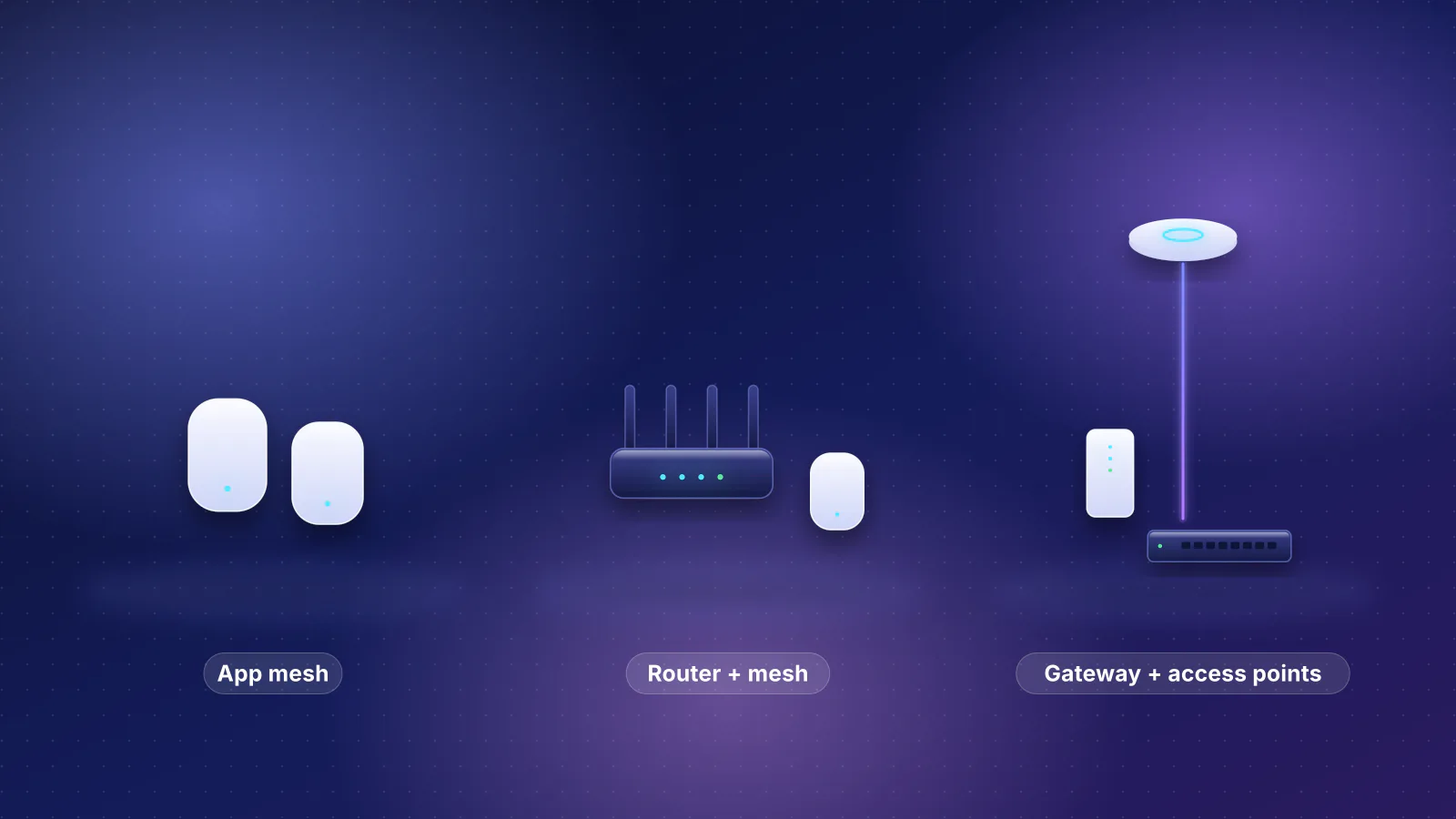
- Your router won't be the one routing (mesh in access-point mode behind a provider gateway): skip router security plans; they mostly can't see the traffic.
Frequently asked questions
Will my router stop working if I cancel the subscription?
No. None of these plans is needed to route traffic or provide Wi-Fi. eero says eero Plus is not required to keep receiving security updates, and features exclusive to eero Plus are grayed out in the app without it. NETGEAR says you must subscribe to keep using Armor after the trial. The free tiers described above stay.
Does eero Plus protect devices on my guest network?
Not at the moment. eero's support article says eero Plus does not cover devices on the guest network. Put devices you want protected on the main network or a profile.
Is router security a replacement for antivirus?
The makers don't present it that way. NETGEAR describes Armor as adding another layer on top of the router, and eero says safety online goes beyond your network. Network filtering and IPS see traffic on your home network only, which is why eero Plus, NETGEAR Armor and TP-Link Total Security bundle apps for your devices away from home.
Do I need CyberSecure on a UniFi gateway?
No. Intrusion prevention, ad blocking, a basic content filter, VLANs and VPN servers are part of UniFi Network without it. CyberSecure adds a larger Proofpoint signature set and Cloudflare category filtering, costs $99 a year per gateway, and needs Remote Access turned on.
Why does an ASUS router mention Trend Micro?
AiProtection and some traffic features use Trend Micro's cloud database. The router asks you to accept Trend Micro's license terms, whose prompt says your information will be collected by Trend Micro through those features. ASUS shows where to turn that sharing off: Advanced settings, Administration, Privacy.
Sources
Read on October 29, 2026.
- eero: eero Plus (features, prices, trials, Wi-Fi 6 or later only)
- eero: What is eero Plus? (feature list, guest network, five networks, security updates without eero Plus)
- eero: What features do I lose if I put my eeros in bridge mode?
- eero: Does eero support VPNs? (Guardian VPN on up to five devices)
- eero: What is the eero App? (app-only management, internet for setup)
- eero: eero Signal network management statement and eero Signal (eero Plus 100 price)
- eero: Privacy Notice (last updated June 12, 2024)
- NETGEAR: Armor (plans, prices, built-in router security, extended warranty terms)
- NETGEAR: What is Armor Plus and how is it different from Armor? and Armor's features
- NETGEAR: How much does Armor cost? and How do I subscribe after my free trial expires?
- NETGEAR: Smart Parental Controls and Premium features and subscription plans (models each article applies to), setup and starting a Premium subscription (firmware note)
- NETGEAR: How do I log in to my NETGEAR router? (app with NETGEAR account, or routerlogin.net)
- NETGEAR: Privacy Policy (last updated March 5, 2026)
- TP-Link: HomeShield (free and paid tiers, comparison table, included year of Total Security, speed FAQ)
- TP-Link: HomeShield plans, pricing and how to subscribe (updated May 11, 2026)
- TP-Link: Deco common questions (TP-Link ID required) and Deco web management page
- TP-Link: Router login and web management page
- TP-Link: Privacy Policy (last updated September 26, 2024)
- ASUS: AiProtection and Ways to achieve network security (Trend Micro cloud database)
- ASUS: SecureGo powered by McAfee (reference prices)
- ASUS online router interface demo (demoui.asus.com): Trend Micro End User License Agreement prompt (the prompt's text as ASUS hosts it; ASUS publishes no separate support page with this wording)
- ASUS: How do I enter my router's setting page using the web GUI?
- ASUS: ROG Strix GS-BE18000 and ROG Strix GS-BE12000 (AFC footnote)
- Ubiquiti store: CyberSecure by Proofpoint (supported models and prices) and Official UniFi Hosting
- Ubiquiti: UniFi CyberSecure Enhanced by Proofpoint and Cloudflare (signature counts, requirements, Remote Access; updated October 27, 2026)
- Ubiquiti: Intrusion Detection and Prevention (IDS/IPS) (performance and privacy notes)
- Ubiquiti: Content and domain filtering in UniFi
- Ubiquiti: How to set up UniFi (UI account optional) and UniFi local management
- Ubiquiti: How UniFi Protect protects your data
- Ubiquiti: Dream Router 7 tech specs (IDS/IPS throughput, signature count), Cloud Gateway Max, Dream Router 5G Max and UniFi Express tech specs (signature counts, feature lists)
- Google Nest Help: Set up Nest Wifi Pro or Nest Wifi
- RouterHaus catalog (subscription field, model counts)