The short version
- The evening is the internet's rush hour. The FCC measures providers at peak hours, "weeknights between 7:00 p.m. to 11:00 p.m. local time", because "the network traffic rate increases as more people access the Internet." Cox puts internet rush hour at "about 6 p.m. to 10 p.m. weekdays".
- Two places get busy at once. The shared part of your provider's network (the cable segment or fiber splitter your street shares, and the links beyond it), and your own home. The FCC's report says "home networks are a significant source of end-to-end service congestion".
- Home-side causes also peak at night: several TVs streaming, phones starting iCloud backups once they're on the charger and on Wi-Fi, background update downloads, and the neighbors' networks crowding the same 2.4 GHz channels when everyone is home.
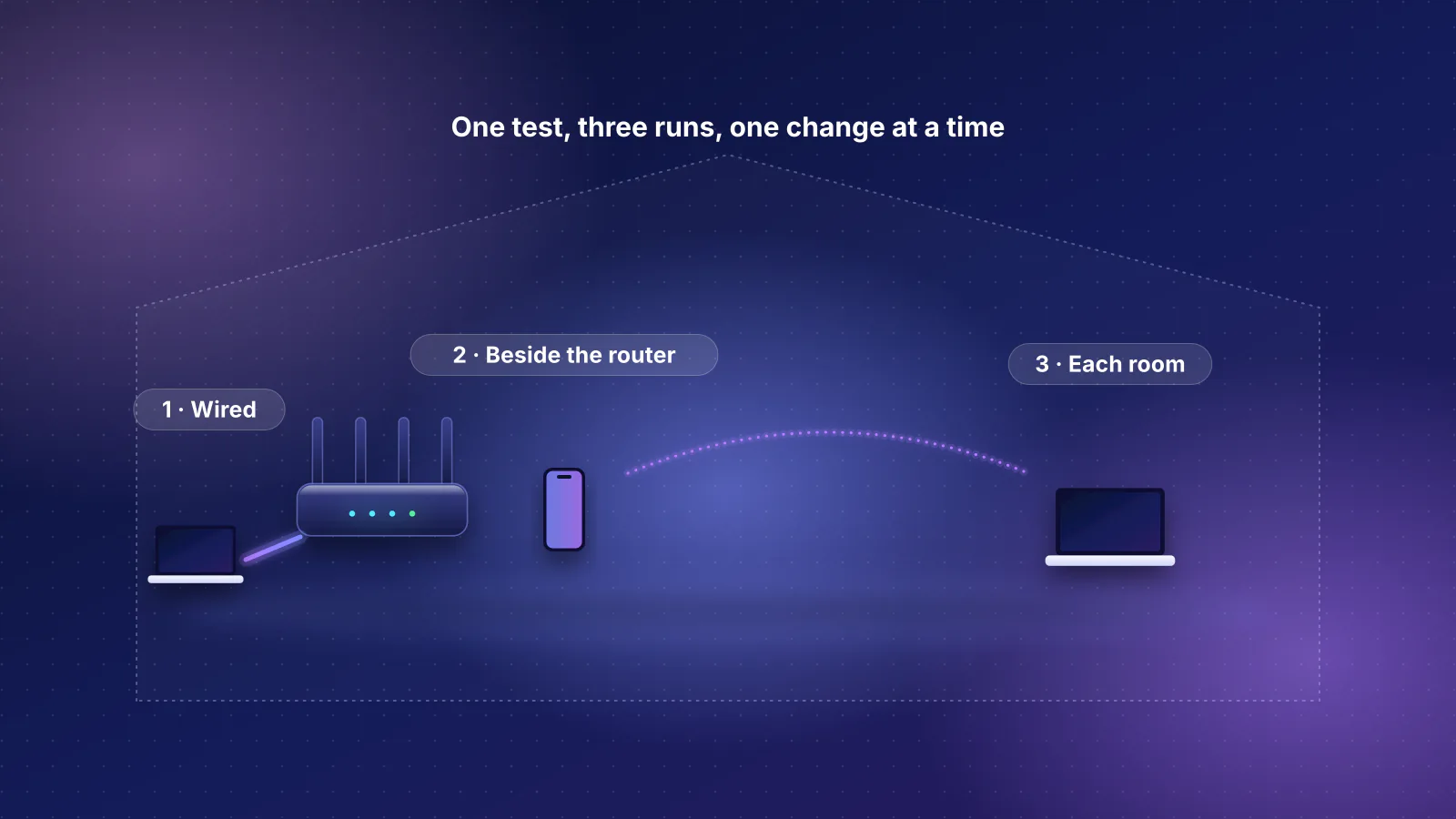
- The proof is a matched log. For three to five days, run the same test wired and over Wi-Fi at about 8 p.m., about 10 p.m. and a quiet morning hour, with the house quiet for the wired run. RouterHaus's Network Health keeps up to 20 results in your browser with the time, so the log builds itself.
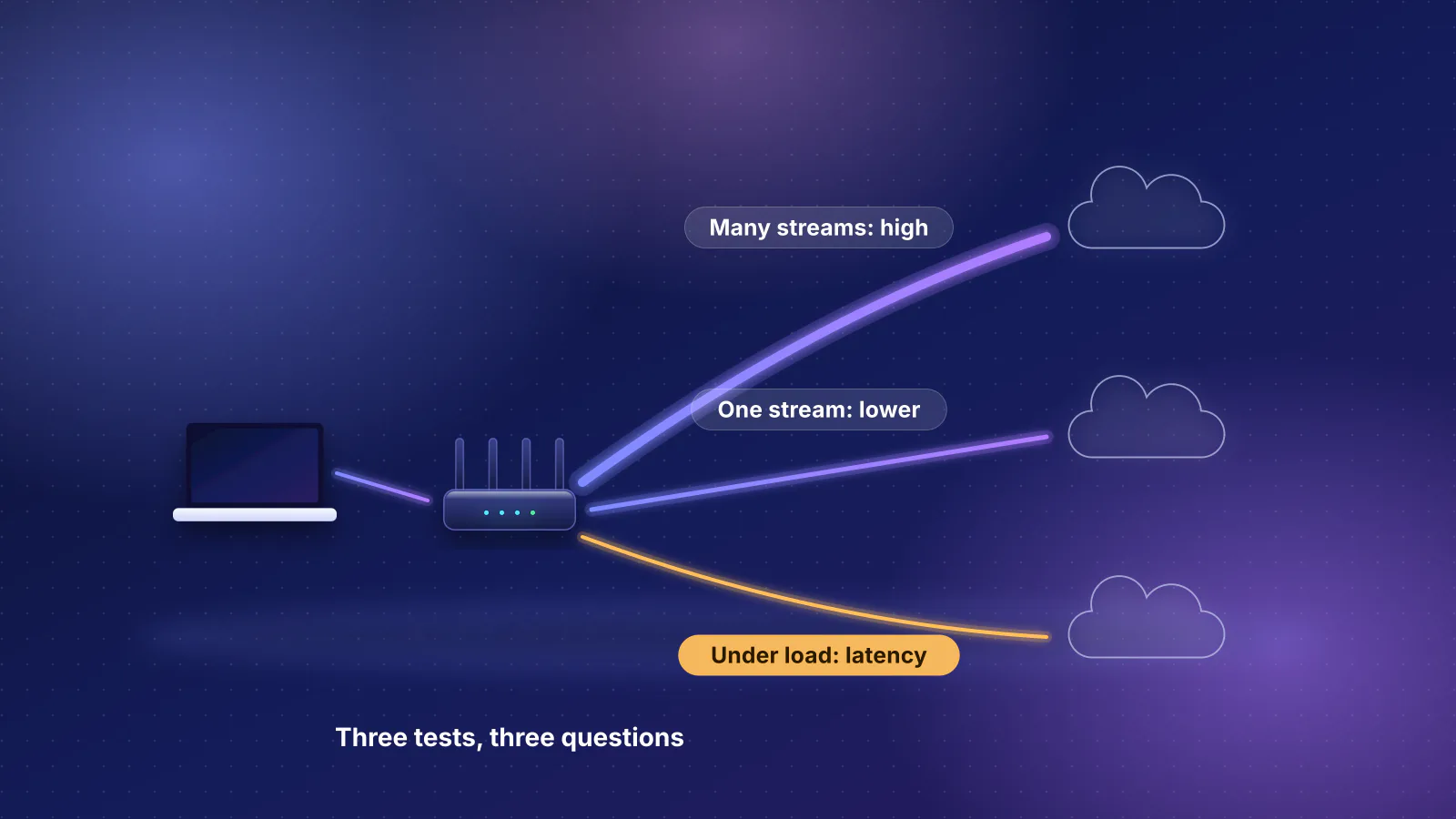
- Read it like this: wired steady but Wi-Fi drops at night is your home; wired drops at night even with the house quiet is the provider's network or a path beyond it; speed fine but lag under load is bufferbloat, which smart queue management fixes.
- Buy nothing until the log says so. A faster plan only helps when your own evening use is what fills the line, and a new router only when the router or its Wi-Fi is the limit.
If your internet is slow at every hour, this isn't the right page: start with the step-by-step slow internet diagnosis. For why two speed tests disagree and how to run one well, see which speed test result to trust.
Why the provider's network slows at peak
Your plan isn't a private pipe all the way to the internet. Part of the path is shared with the homes around you, and the rest is shared with everyone else using the same links.
- Cable: CableLabs explains that data "travels via fiber to an optical node", and "only the last half a mile or so" to the homes is coaxial cable. Every home on that segment shares its capacity; CableLabs describes splitting nodes into "multiple shorter coaxial networks that serve fewer subscribers" as a way of "increasing the bandwidth capacity available to each customer service group."
- Fiber: the ITU's overview of its passive optical network standards describes "splitter-based" systems, including "single channel TDMA systems". In a splitter-based network, one fiber from the provider is split to several homes; TDMA (time-division multiple access) means they share it by taking turns in time. How much capacity is shared depends on the standard and the provider, but it is still shared.
- Beyond your neighborhood: the FCC notes that bottlenecks "may exist at various points: within the ISP's network, beyond its network". M-Lab, which runs tests from servers outside providers' networks, points to the "peering points" where providers connect to the rest of the internet. The IETF's RFC 9330 lists "network interconnections, e.g., some public Internet exchange points" among the persistent bottlenecks queues can form at.
- The far end: GFiber says "internet traffic across the web peaks between 7:00 PM and 11:00 PM". Traffic across the web includes the servers you connect to, which your provider doesn't control.
How much it matters varies. In the FCC's Thirteenth Measuring Broadband America fixed report (measurements from September and October 2022), "most ISP subscribers experience only a slight degradation from off-peak to peak hour performance". A big, repeatable evening drop on a quiet, wired computer is therefore not normal, and it's worth reporting. The FCC's program page says that since August 1, 2023 it no longer works with its former contractor on fixed data collection and is continuing the program internally. The page names no newer fixed report.
- Your device on Wi-Fi Shares airtime with your other devices and with neighbors on the same channel
- Your router and modem or fiber terminal Where your own evening traffic queues up
- The shared neighborhood segment Cable node or fiber splitter, shared with nearby homes
- Provider's network and interconnections Links to other networks, busiest at peak
- The server or service Its own capacity, and its own peak
Home-side causes that also peak at night
The same hours that load your provider load your house. Cox's rush-hour advice is aimed at the home side too. It warns that "Applications can be quietly running in the background of your devices, using data without you even realizing it", suggests disconnecting idle devices, and has a section headed "Schedule Big Downloads for Other Times of the Day". The usual evening loads:
- Streaming. Netflix recommends at least 5 Mbps for Full HD and 15 Mbps for 4K. Illustrative arithmetic: two 4K streams and one Full HD stream come to 2 × 15 + 5 = 35 Mbps, which would use under an eighth of a 300 Mbps plan. Streaming matters most on a slow plan or a weak Wi-Fi link. Per-service figures are in internet speed for streaming.
- Phone backups. Apple's conditions for an automatic iCloud Backup are that the device is connected to power, connected to Wi-Fi and its screen is locked, which is what a phone on its charger in the evening looks like. Each backup is an upload, and a full upload can make everything else lag (how to tell if upload is the bottleneck).
- Update downloads. Windows can download updates in the background. In Windows 11, Microsoft's Delivery Optimization settings let you set an "Absolute bandwidth limit" or a "Percentage of measured bandwidth" for background downloads, under Settings > Windows Update > Advanced options > Delivery Optimization. Game consoles and game stores download large updates too; check when yours are set to run them.
- The neighbors' Wi-Fi. In the 2.4 GHz band, NETGEAR notes there are only three non-overlapping channels in the US, "channels 1, 6 & 11", and that "When four or more channels are used in the same area, the level of interference can increase notably." Networks on the same channel take turns, and the neighbors are home and streaming in the same hours you are. Apple recommends 20 MHz width on 2.4 GHz "especially near other Wi-Fi networks" and suggests moving more devices to 5 GHz. In a flat or condo, crowded channels covers the settings that help.
None of these shows up in a wired test on a quiet house, which is exactly why the test plan below keeps the wired run quiet and the Wi-Fi run normal.
A test plan that proves where it is
One evening test proves little. M-Lab warns that "A test conducted five minutes ago may show very different results from a test conducted twenty minutes ago", and that "testing regularly and looking at the data over time" is much more reliable. So build a small log instead.
- Pick three times and keep them: about 8 p.m. and about 10 p.m. on weeknights (inside the FCC's 7 to 11 p.m. peak), and one quiet hour, such as mid-morning. Three to five days is enough to see a pattern.
- Wired, house quiet. At each time, plug one computer into the router or gateway with an Ethernet cable. Pause what you can while the test runs: TVs, consoles, downloads, the VPN. In Network Health, set "This device is on" to Ethernet cable and "Is anyone else using the internet?" to "No, it's quiet".
- Wi-Fi, house normal. Straight after, run the same test over Wi-Fi in the room where the problem shows, with the household doing whatever it normally does at that hour. Answer the busy question honestly, and use the room name field to label it.
- A second server, once each evening. Network Health tests to the nearest Cloudflare server. Once each evening, also run a different test that uses another network, such as M-Lab's (Google says it "partners with Measurement Lab (M-Lab) to run this test" when you search for a speed test), on the same wired computer. M-Lab's servers sit outside your provider's network, while many popular tests are, in M-Lab's words, "often inside the ISP's networks".
- Write down what else is happening if the evening result is bad: what was streaming, whether a backup or update was running, and what the slow thing was (a TV, a call, a game, every site).
Network Health keeps up to 20 tests in your browser, with when and where each was run, and can compare any two. Arithmetic: three times a day, wired and Wi-Fi, is six tests a day, so three days fill 18 of the 20. If you test for longer, note the results down as you go.
What each result means
| What the log shows | What it means | What to do |
|---|---|---|
| Wired steady day and night; Wi-Fi drops only in the evening | Your home's Wi-Fi: shared airtime, crowded channels, or your own devices busy | Home fixes; how airtime splits |
| Wired fine when the house is quiet, slow when the house is busy, at any hour | Your own use fills the line, or the queue does | Check loaded latency; reschedule backups and updates; then the plan question |
| Speed fine at night, but latency under load jumps and calls or games stutter | Bufferbloat in your modem or router queue | Smart queue management |
| Wired well below the morning result in the evening, house quiet, on both servers | Congestion on the shared part of the provider's network serving you | Report it with the log |
| Wired slow in the evening to one server or one service only; the other test is fine | A busy path beyond your provider's local network, or the service itself | Report both results; the provider may be able to route around it, the service may not be theirs |
| Idle latency (house quiet, wired) climbs every evening | A queue past your router: the provider's network or beyond | Report it; SQM at home won't reach that queue |
| Slow at every hour, wired too | Not an evening problem | The full diagnosis |
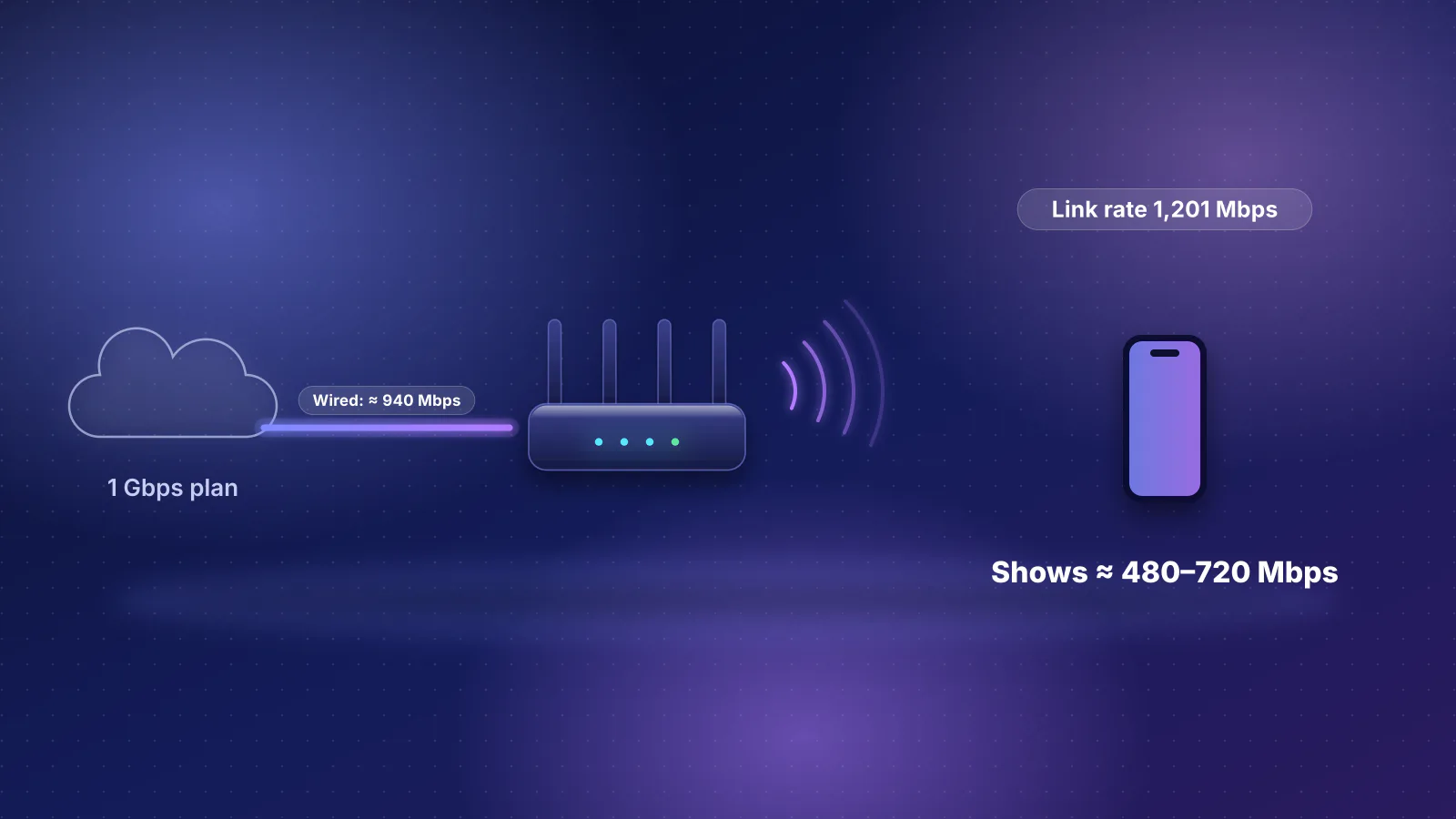
Compare the wired results with your plan's broadband label, too. The FCC requires providers to "list typical download and upload speeds" on it. But read the word "typical" carefully: in the 2022 label order (FCC 22-86), the FCC "declines to adopt a requirement that providers tie their actual speed reporting to 'peak usage periods'". Providers that use the Measuring Broadband America results or method must disclose mean speeds by tier during the "busy hour"; others may use their own testing or other data. So the label isn't necessarily an evening number. It is still the figure the provider published, and a quiet wired evening result well below it is worth a call.
If it's your home: the free fixes first
- Move heavy uploads and downloads out of the evening. Let large backups and game updates run overnight, and cap Windows background downloads in Delivery Optimization. Backup apps often have their own bandwidth settings; upload speed explained covers taming them.
- Get the busy devices off 2.4 GHz. TVs, laptops and phones that support 5 GHz or 6 GHz should be on it; leave 2.4 GHz to smart plugs and other devices that need it (2.4 GHz-only devices). Set the router's 2.4 GHz channel to Auto, or to 1, 6 or 11, and its width to 20 MHz.
- Wire what sits still. A TV or console on Ethernet stops taking Wi-Fi turns from everything else. Cox's rush-hour advice suggests an Ethernet cable for devices near the router, too.
- Turn on smart queue management if latency jumps under load. It keeps your own queue short so one big transfer doesn't stall calls and games. It manages the queue at your router only: if the provider's shared segment is what's full, the queue builds past your router where SQM can't reach it, which is why the bufferbloat guide lists congestion past your line among the things it can't fix.
If it's your provider: what to tell them
The general call checklist (plan, label, equipment test, what you've ruled out) is in what to tell your provider. For an evening problem, add what only your log shows:
- The pattern, in one line: for example, "Wired results are close to my plan every morning and drop well below it between 8 and 10 p.m. on weeknights, with nothing else in the house running." Use your real figures.
- The log itself: date, time, wired or Wi-Fi, test and server, download, upload, idle and loaded latency.
- Both servers: whether the drop shows on two different tests, which tells them whether to look at the local segment or a particular path.
- The question to ask: whether the part of their network serving your address is congested at peak, and whether a fix such as a node split or added capacity is planned. Ask for a ticket number and a date to check back.
- A line check, too: ask them to check the signal and their equipment from their side, so a fault on your own line is ruled out.
If the problem stays after the provider has had a fair chance to fix it, the FCC takes complaints, with "Speed" listed as an issue ("not receiving advertised speeds or latency"). For a service complaint, the FCC says it forwards the complaint to the provider (not every complaint is served on one), and the provider "has up to 30 days" to respond to you and the FCC. The FCC also says it "cannot resolve all individual complaints", so treat it as a way to get a written answer, not a guaranteed fix.
When a plan change, SQM or a different provider is justified
| Change | Justified when | Not justified when |
|---|---|---|
| Nothing | Evening wired results are close to the morning ones and the label; the slowdown went away when backups and updates moved | The log shows a repeatable drop you've reported and still have |
| SQM on your router | Latency under load jumps, especially while uploading, and the line's speed holds up in the evening | The wired speed itself collapses at peak with the house quiet |
| A faster plan | Wired results reach the label when quiet, and your household's own evening use adds up to more than it | The line drops at peak with the house quiet. Our reasoning, not a provider rule: if the shared segment is what's full, a faster tier on it may not change that, so ask the provider first |
| A new router or access point | The wired test is fine but Wi-Fi is slow even in the morning, or the router can't run SQM at your plan's speed | Wired results are slow too; see what a new router won't fix |
| A different provider | A documented peak-only wired drop persists over weeks after a ticket, and another provider or technology reaches your address | The log points inside your home |
If you do shop around, compare the new provider's broadband labels, remembering that "typical" may not mean peak, and ask how its figures were measured. In Arizona, cable or fiber walks through that comparison for the main providers.
Two related questions people ask. Is it throttling? Deliberate traffic management is something providers describe in their broadband disclosures. Comcast, for example, says it "currently does not maintain a separate system to assist with managing times of congestion." Read your provider's disclosure and ask. And when is outside help worth it? If the log points to Wi-Fi and the fix is Ethernet to the TV, the office or an access point, RouterHaus can connect you with a licensed contractor when the job needs hands on site, through a network plan request. A fault on the line itself is the provider's technician's job.
Frequently asked questions
Why is my internet fast in the morning and slow at night?
Evening is peak time. The FCC measures providers on weeknights from 7 to 11 p.m. because traffic rises as more people go online, and your own home is busier then too. A few days of wired and Wi-Fi tests at the same times show whether the slowdown is in your home or on the provider's side.
Is my provider throttling me in the evening?
A slowdown that starts with the evening rush and shows on every server looks like congestion. Deliberate traffic management is described in a provider's broadband disclosures; Comcast, for example, says it does not currently run a separate congestion management system. Read your provider's disclosure and ask, with your test log.
Will a faster plan fix evening slowdowns?
Only if your household's own evening use is what fills the line, which shows as wired tests that reach the label when the house is quiet. If the line drops at peak even with the house quiet, the provider's side is the likely limit. Our reasoning, not a provider rule: if the shared segment is what's full, a faster tier on it may not change that. Ask the provider first.
Does the speed on my broadband label apply in the evening?
Not necessarily. The label lists typical speeds, but the FCC chose not to require providers to tie them to peak usage periods. Providers that use the Measuring Broadband America method report busy-hour figures. Ask your provider how its label figures were measured.
Will smart queue management fix evening slowdowns?
It fixes the lag your own traffic causes, when latency jumps under load. It manages the queue at your router, so it can't fix congestion in the provider's network or at an interconnection.
Sources
Read on November 27, 2026.
- FCC: Measuring Fixed Broadband, Thirteenth Report (PDF)
- FCC: Measuring Broadband America program page
- FCC: Glossary of terms used for consumer broadband labels
- FCC 22-86: Empowering Broadband Consumers Through Transparency, final rule, 87 Fed. Reg. 76959 (December 16, 2022, PDF)
- FCC Consumer Complaint Center: How the FCC handles your complaint
- FCC Consumer Complaint Center: Internet form, descriptions of complaint issues
- Cox: Internet rush hour, how to survive the speed slowdown (updated August 28, 2023)
- GFiber Support: Factors impacting gFiber internet speeds
- Xfinity: Internet broadband disclosures
- CableLabs: Hybrid fiber-coaxial (HFC) networks
- ITU-T Study Group 15: ITU-T passive optical network solutions (overview flyer, PDF)
- IETF RFC 9330: Low Latency, Low Loss, and Scalable Throughput (L4S) Internet Service: Architecture
- M-Lab Support: Why are my M-Lab results different from other speed tests?
- M-Lab: How fast is my Internet? Speed tests, accuracy, NDT and M-Lab (March 26, 2019)
- Google Search Help: Test your internet speed
- Netflix Help Center: Netflix-recommended internet speeds
- Apple Platform Support: Back up an unmanaged iPhone or iPad with iCloud Backup
- Microsoft Support: Delivery Optimization in Windows (bandwidth limits for background downloads)
- NETGEAR: Selecting wireless channels
- Apple Support: Recommended settings for Wi-Fi routers and access points
- Apple Support: Resolve Wi-Fi and Bluetooth issues caused by wireless interference