The short version
- Three-floor townhome, 1,500 sq ft, no Ethernet, 1 Gbps: the planner estimates three units, one per floor, and ranks an eero 6 2-pack plus a 1-pack first ($189.98). Put the main unit on the middle floor if one cable can bring the internet there; otherwise wire the top-floor unit first.
- 3,500 sq ft two-story with block or stucco walls, some rooms wired, 2 Gbps: four units, two per floor. The top-ranked plan is two MSI Roamii BE Pro 2-packs ($599.98, a price our catalog marks as not re-confirmed). Cable the floor crossing first; if every unit can be wired, the top pick changes to an ASUS ZenWiFi BD4 setup at $459.98 (also not re-confirmed).
- 7,000 sq ft on two floors, masonry, Ethernet possible, four PoE cameras, VLANs: seven units. The planner ranks seven GL.iNet Flint 3 routers as a wired EasyMesh system first ($1,593.92, with a camera switch and a five-port 2.5 Gbps switch for the backhaul cables, which uses every port on the main router).
- Outbuildings aren't in any of these counts. A casita or detached garage needs its own unit, fed by a buried cable in conduit or a point-to-point wireless bridge.
- These are one run's results. Planner engine 2026.11.2 on catalog 2026.10.20.5 (prices checked October 20, 2026), run November 7, 2026. As prices and products change, so will the picks.
If you're choosing by spending limit rather than by house, network setups by budget covers the same catalog by price tier. This article starts from the building: how many radios the shape of the home needs, where they go, and which cables earn their cost.
How these plans were made
Each scenario was run through the RouterHaus network planner's engine in Node, with the same answers the planner form sends, against the catalog the site publishes at /data. The engine is deterministic: the same answers on the same catalog give the same output. It estimates how many access points the home needs, builds every candidate setup from the catalog (mesh kits, routers used as mesh, and a gateway with a PoE switch and wired access points), rules out any that can't cover the home or carry the internet plan (or, for ASUS AiMesh, that need more units than ASUS recommends), and ranks the rest by its published weights. RouterHaus didn't install or test any of this hardware.
| Answer | Townhome | Two-story | Large property |
|---|---|---|---|
| Size option | 1,000–2,000 sq ft (1,500) | 3,000–4,000 (3,500) | Over 6,000 (7,000) |
| Floors | Three or more | Two | Two |
| Walls | Drywall or wood | Block, brick or stucco | Block, brick or stucco |
| Ethernet between units | No | Some rooms | Yes, or it can be run |
| Internet plan | About 1 Gbps | 2 Gbps | 2 Gbps |
| Other answers | None | Priorities: 4K streaming, smart home | Full control; advanced: 4 PoE cameras, configurable VLANs |
The unit count comes from the methodology's cautious rule of thumb: one access point per about 1,800 sq ft with drywall, 1,400 with plaster and 1,000 with block, brick or stucco, and at least one per floor once a multi-floor home passes 1,200 sq ft. That gives three for the townhome (1,500 ÷ 1,800 rounds up to one, raised to one per floor), four for the two-story (3,500 ÷ 1,000 = 3.5, rounded up) and seven for the large property (7,000 ÷ 1,000). The reasoning and six more worked homes are in how many mesh nodes you need.
What the planner recommended
| Scenario | Units | Top-ranked plan | Total | Other labeled picks |
|---|---|---|---|---|
| Townhome | 3 | eero 6 2-pack (2 routers) + 1-pack, wireless between units | $189.98 | Best long-term investment: NETGEAR Orbi 370 3-pack, $349.99 |
| Two-story | 4 | MSI Roamii BE Pro, two 2-packs | $599.98 | Best value: eero 7 3-pack + 1-pack, $569.98. Best for smart homes: 4 × ASUS RT-BE92U as AiMesh, $1,159.96. Prosumer: Omada ER707-M2 + PoE switch + 4 × TP-Link EAP723, $979.94 |
| Large property | 7 | 7 × GL.iNet Flint 3 as EasyMesh with Ethernet backhaul, plus a NETGEAR GS305P PoE switch for the cameras and a Ubiquiti Switch Flex Mini 2.5G for the backhaul cables (see below) | $1,593.92 | Best plug-and-play: 7 × Synology WRX560 as Synology Mesh, $1,638.92. Best budget option: UniFi Cloud Gateway Ultra + Switch Pro Max 16 PoE + 7 × U6+ (Wi-Fi 6), $1,575. Prosumer: Omada ER707-M2 + Ubiquiti Pro Max 24 PoE + 7 × EnGenius ECW516L, $3,092.99 |
The planner suggests a consultation for the two-story ("block or brick walls across floors make placement hard to predict"; "four or more nodes without Ethernet between them lose a lot of speed") and for the large property, where it adds that "homes over 5,000 sq ft usually do better with planned access points than consumer mesh". The sections below take each plan from parts list to floor plan.
Townhome: three floors, 1,500 sq ft, no Ethernet
What the planner picked and why. Three eero 6 units, bought as eero's 2-pack of two routers plus a single unit. The planner buys the cheapest mix of the maker's pack sizes, and at $189.98 that mix undercuts eero's own 3-pack ($199.99), which pairs one router with two extenders. It is also the more useful kit: each router unit has two Ethernet ports for a wired TV or later backhaul, and the catalog records no Ethernet port on the eero 6 Extender. The planner's reasons are simply "3 access points for the 3 we estimate" and Wi-Fi 6; it ranks first mainly on cost: it is the cheapest complete plan, and it ties for the planner's highest simplicity score. Its cautions: dual-band mesh "shares one radio between devices and the link between units", management needs eero's app and account, and eero Plus is an optional paid add-on.
The limit to know before buying. eero says each eero 6 "supports wireless speeds up to 500 Mbps and 900 Mbps wired", so on a 1 Gbps plan the planner's slowest Wi-Fi link is that 500 Mbps figure, and it doesn't estimate the wireless link between units. If you want Wi-Fi closer to the full plan, its long-term pick, the Wi-Fi 7 Orbi 370 3-pack ($349.99), has 2.5 Gbps ports, and the catalog records no maker Wi-Fi figure below 1 Gbps for it; it is also dual-band.
Where the units go
A townhome stacks its floor area: at 1,500 sq ft on three floors, each floor is about 500 sq ft, so the walls inside a floor matter less than the two floors in the way. The design question is which floor the main unit sits on, because the main unit has to be where the internet arrives.
| Floor | Unit | Where | Why |
|---|---|---|---|
| Top (bedrooms) | Satellite | Hall or landing, roughly above the middle-floor unit, on a shelf at mid-height | Keeps the path to the unit below short and open; eero advises a height "halfway between the floor and the ceiling, not on the ground" |
| Middle (living, kitchen) | Main unit, if the internet can reach this floor | Central, out in the open, not in a media cabinet | Both satellites are then one floor away: a star with one wireless hop each |
| Ground (entry, garage) | Satellite, or the main unit if the modem must stay here | Near the stair, not inside the garage | NETGEAR says a garage or basement usually needs "a dedicated satellite node for that space" |
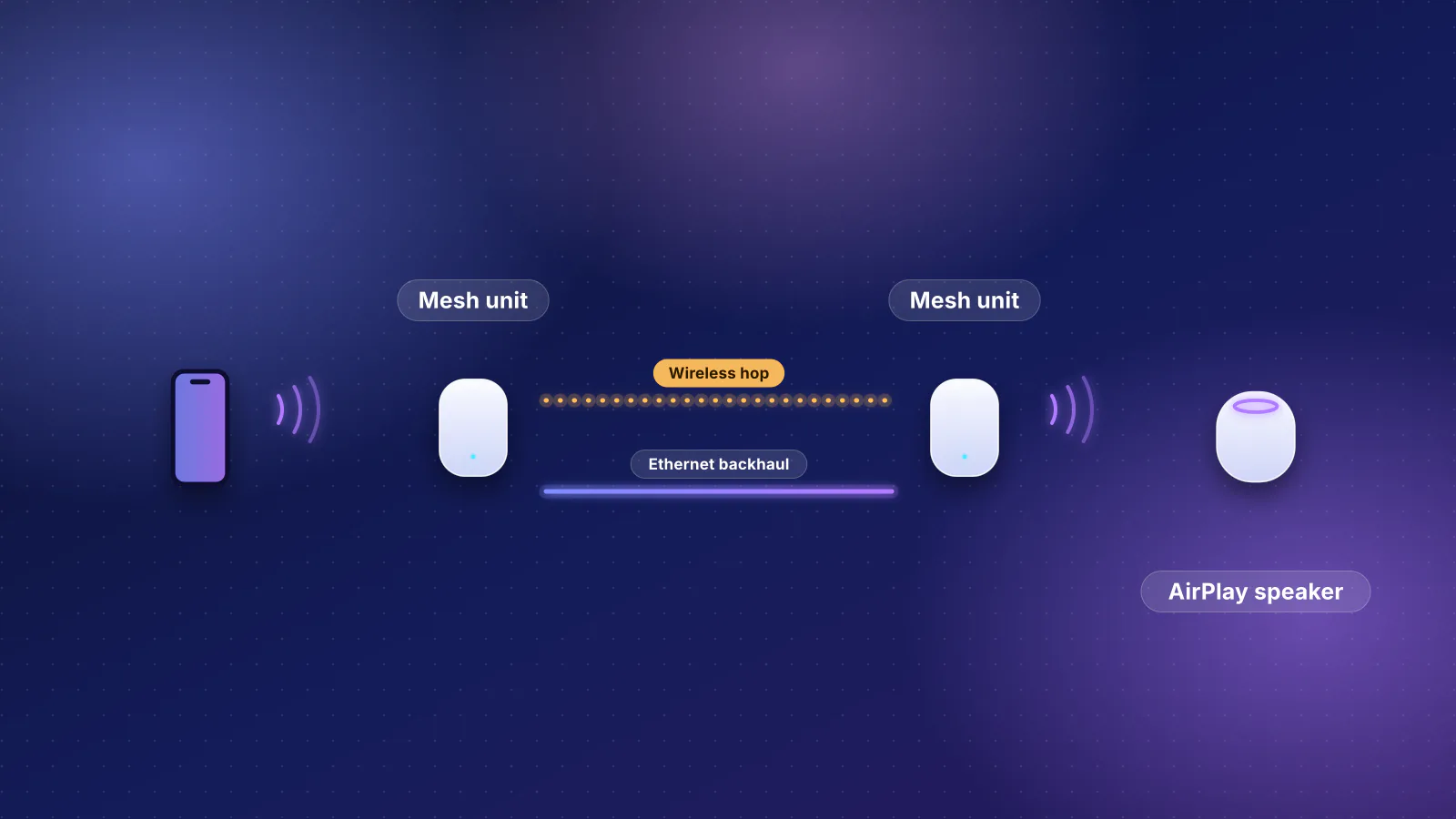
If the provider's line enters on the ground floor and nothing can be moved, the main unit sits there and the top-floor unit is two floors away. A dual-band unit that relays over the radio its devices also use pays for each hop: EnGenius says capacity "is reduced by 50% at each hop", a quarter after two. eero's spacing rule for wireless units ("no more than 50 feet from another eero") is easy to meet in a narrow townhome, but floors, not distance, are the problem here.
The one cable worth running
The scenario says no Ethernet, but one run changes this design more than any upgrade. In order of value (RouterHaus's reasoning):
- Modem to the middle floor. Moving the main unit to the center turns a chain into a star, so no unit is more than one hop away.
- Ground floor to the top-floor unit, if the main unit has to stay downstairs. That replaces the two-floor wireless link, the weakest one in the house, with a cable; the middle unit stays one hop from the main unit.
Either way, each eero 6 router unit has an Ethernet port free for the cable, and eero says that when units are wired, "spacing between eeros is more flexible". If the townhome has TV coax on each floor, MoCA can stand in for that cable (see no Ethernet at all). Planner: townhome answers.
Two-story house: 3,500 sq ft, block or stucco, some rooms wired
What the planner picked and why. Two MSI Roamii BE Pro 2-packs (four units), ranked first for coverage and simplicity: "Tri-band radios can dedicate a band to the link between units", 6 GHz, and a 2.5 Gbps internet port for the 2 Gbps plan. It carries five of the planner's labels, including best overall and best long-term investment. Two cautions the label doesn't show:
- Its price isn't re-confirmed. The catalog marks the $299.99 per 2-pack as a manufacturer price that couldn't be re-confirmed at the October 20 check. The planner's "Best value" label skips plans with unconfirmed prices, which is why it went to the eero 7 (3-pack plus 1-pack, $569.98, eero store price) rather than the cheaper ZenWiFi BD4 setup ($459.98, also not re-confirmed). eero lists the eero 7 with "two auto-sensing 2.5 GbE ports and wireless speeds up to 1.8 Gbps"; it is dual-band.
- The smart-home tick didn't change the top pick. It raised the weight on control and gave the smart-home label to four ASUS RT-BE92U routers as AiMesh ($1,159.96), the plan with configurable VLANs for separating smart-home and guest devices. The catalog has no published VLAN support for the Roamii BE Pro.
"Some rooms wired" is scored as wireless backhaul, because the planner can't know which rooms. That is where a floor plan matters.
Where the units go
Four units on two floors means two per floor, about 1,750 sq ft each. In a stucco or block house the exterior walls are usually denser than anything inside, so the units belong toward the interior, not against the outside walls of the rooms they serve.
| Floor and zone | Unit | Where | Cable? |
|---|---|---|---|
| Ground, the end where the internet arrives | Main unit | Living area or office, open shelf, away from the exterior wall | To the modem or fiber terminal |
| Ground, the far end (kitchen or family room) | Satellite | Inside wall, toward the house's center | Second priority |
| Upstairs, above the main unit | Satellite | Landing or hall; NETGEAR notes "higher satellite placement can offer a clearer signal path and also reach devices upstairs" | First priority: this link crosses the floor |
| Upstairs, far bedrooms | Satellite | Hall outside the bedrooms, not inside one | Optional: one wireless hop from the wired upstairs unit |
Use the rooms you already have wired to fill this table, not the other way around: if the existing drops are in an upstairs office and the family room, put satellites there and accept a slightly off-center spot. A wired unit in the wrong room still beats a wireless one in the right room once a floor or a block wall is in the way. MSI lists four 2.5 Gbps Ethernet ports on each Roamii BE Pro unit (the catalog records one WAN and three LAN), so the main unit can take up to three wired satellites directly; with a two-port kit such as the eero 7, the second wired satellite needs a switch or a daisy chain through the first satellite's spare port (see when the switch is the limit).
For the streaming priority, the planner's output is the same with or without it (we re-ran it to check). The design change is to plug the main TV or streaming box into a satellite's spare Ethernet port where one is next to it, so the TV doesn't share that unit's radio.
If every unit can be wired, the planner's answer changes. With "Yes, or it can be run", the top pick becomes two ASUS ZenWiFi BD4 2-packs ($459.98, a catalog price also marked not re-confirmed): wired backhaul removes the need for a third radio. That's the case for running the cables before buying.
Large property: 7,000 sq ft on two floors, wired, with cameras
What the planner picked and why. Seven GL.iNet Flint 3 routers, one as the main router and six as EasyMesh nodes on Ethernet backhaul, plus a NETGEAR GS305P PoE switch for the four cameras and a Ubiquiti Switch Flex Mini 2.5G, a five-port 2.5 Gbps switch, for the backhaul runs ("Switch for wired backhaul (6 node runs; the router has 3 LAN ports)"): $1,593.92. Its reasons: "Mesh units can use your Ethernet for wired backhaul", Wi-Fi 7 with 6 GHz, 2.5 Gbps ports, and configurable VLANs. GL.iNet's mesh guide, which lists the Flint 3 among supported models and says the feature arrived in firmware v4.10, allows "One main router and up to eight nodes", so seven units fit. The planner's caution: it is "Priced as 7 of this router; smaller EasyMesh nodes can cost less."
Three things to check before buying this plan:
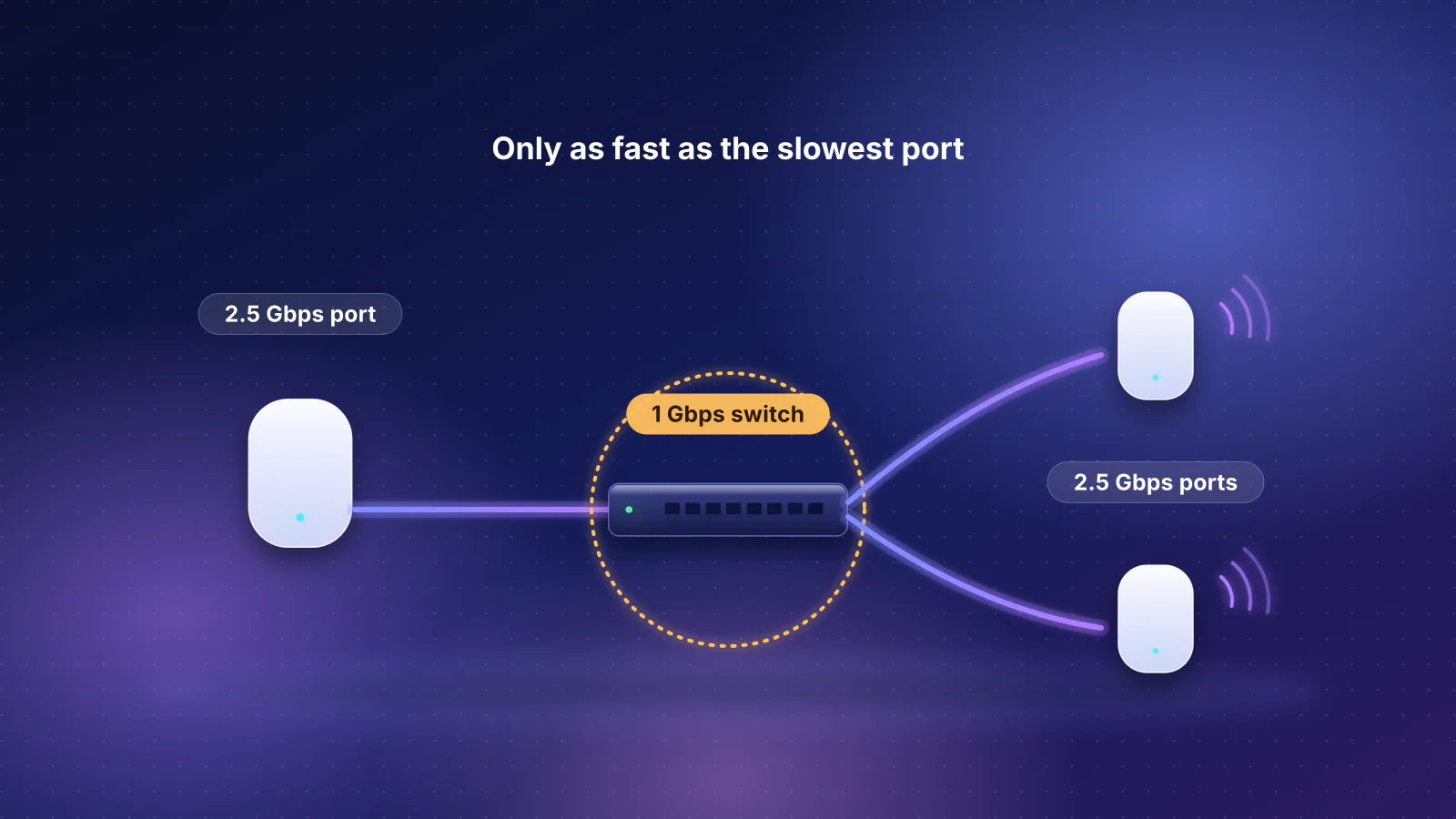
- The backhaul switch has no spare port. GL.iNet lists three 2.5 Gbps LAN ports on the Flint 3 plus one LAN port that can be switched to WAN, and its mesh guide says to connect each node's WAN port "to the main router's LAN port", so six wired nodes need a switch. Because the plan uses VLANs and the Flint 3's ports are 2.5 Gbps, the planner adds the cheapest smart or managed switch with 2.5 Gbps ports and enough of them: Ubiquiti's Flex Mini 2.5G ($54 with Ubiquiti's US surcharge, $49 before it; catalog price checked October 20, 2026), which Ubiquiti lists with five 2.5 GbE ports and which is managed through Ubiquiti's UniFi software. It fits only if all four Flint 3 LAN ports are used (LAN1 included): one to the switch, one to the camera switch and two to nodes, with the other four nodes on the switch and no port spare; those four share one 2.5 Gbps link to the router. GL.iNet's guide doesn't specifically describe nodes behind a switch, so confirm that layout with GL.iNet before buying.
- The camera switch is sized for low-power cameras. The planner assumes 802.3af cameras at 15.4 W each (61.6 W for four); the catalog records NETGEAR's 63 W budget for the GS305P. Four PoE+ cameras would need up to 120 W by class, so check your cameras' class first.
- No ASUS router mesh at this size. ASUS says "The best experience is the mesh system of 5 routers. (1 AiMesh router + 4 AiMesh nodes)." The planner follows that guidance and leaves out any AiMesh setup of more than five units, whether routers or a mesh kit. The runner-up, and the best plug-and-play pick, is seven Synology WRX560 routers ($1,638.92 with the same camera switch and a gigabit Flex Mini for the backhaul, matching the WRX560's gigabit LAN ports; the router price is Synology's launch price). Synology's recommended maximum for a fully wired mesh is "1 primary Wi-Fi point + 12 supplemental Wi-Fi points", so seven fits. It is Wi-Fi 6, and the planner notes its fastest LAN port is 1 Gbps.
If you'd rather have ceiling access points, the planner's prosumer pick combines a TP-Link Omada gateway, a Ubiquiti switch and seven EnGenius access points ($3,092.99), equipment from three makers, each with its own management tools. The highest-ranked single-brand build is UniFi: a Cloud Gateway Ultra, a Switch Pro Max 24 PoE and seven U7 In-Wall access points ($2,170), or seven tri-band U7 Pro ceiling access points with 6 GHz for $2,478. Ubiquiti lists 400 W of PoE on that switch and 21 W maximum per U7 Pro, so seven access points plus four cameras fit with room to spare. Every wired build here carries one limit the planner flags: a 1 Gbps link from the gateway to the switch, which caps all Wi-Fi traffic together at 1 Gbps on a 2 Gbps plan. On the Omada gateway, one of its 2.5 Gbps ports can be set to LAN; the Cloud Gateway Ultra's LAN ports are gigabit, so the fix there is a different gateway (see the callout in the $1,000 tier). How the two designs compare on cost is in mesh kit or router plus wired access points.
Where the units go
Seven units on two floors of 3,500 sq ft each splits four and three; this example gives the extra unit to the ground floor. Give it to whichever floor has more separate wings or more rooms in daily use. Every unit gets a home run to one network closet, so its position is set by the rooms, not by distance to the main router.
| Floor | Zone | Unit | Cable run |
|---|---|---|---|
| Ground | Network closet or office, where the internet arrives | Main router, both switches | Modem or fiber terminal |
| Ground | Great room and kitchen | Node 1 | Home run to the closet switch |
| Ground | Primary suite wing | Node 2 | Home run |
| Ground | Guest wing, or the garage side | Node 3 | Home run |
| Upper | Landing above the great room | Node 4 | Home run |
| Upper | Bedroom wing A | Node 5 | Home run |
| Upper | Bedroom wing B or bonus room | Node 6 | Home run |
| Exterior | Eaves at the four camera positions | Cameras | Outdoor-rated runs to the PoE switch |
In the closet, connect the backhaul switch to one Flint 3 LAN port, the camera switch to another and two nodes to the remaining two. That gives the cameras their own router port, which you can put on a separate network if the router lets you assign a LAN port to a VLAN (the catalog records VLAN support for the Flint 3; check GL.iNet's current documentation for how ports are assigned). A ceiling access-point build follows the same zoning, with the access point centered on the zone's ceiling. Ubiquiti lists a coverage area of 1,500 sq ft for the U7 Pro, more generous than the 1,000 sq ft the rule allows for masonry, which is why the rule, not the spec sheet, sets the count.
Seven units across masonry walls is where a rule of thumb is least reliable. A wiring plan made before the walls are closed or cable is bought is worth more here than any choice between models; pre-wiring for access points covers the drops. Planner: large property answers.
A casita, guest house or detached garage
None of the planner's counts include an outbuilding: it sizes the main house only. Size the outbuilding on its own with the same rule (a 600 sq ft casita is one unit), then choose how to connect it. A unit inside the house has to reach through two exterior walls and the yard between them, so it rarely covers the other building well.
| Option | What it takes | Limits |
|---|---|---|
| Buried Ethernet in conduit | A trench, outdoor-rated cable in conduit with a pull string, a mesh unit or access point in the outbuilding | Ethernet's 100 m (328 ft) channel; IEEE set 100 m on Cat 5e as the 2.5 Gbps objective. Longer runs need fiber or a bridge |
| 60 GHz point-to-point bridge (Ubiquiti UniFi Building Bridge) | A pair of PoE-powered radios with line of sight, one on each building | Ubiquiti lists 1.7 Gbps at 60 GHz, an 866.6 Mbps 5 GHz backup radio, 500 m (1,640 ft) and one GbE port, so about 1 Gbps reaches the outbuilding |
| Mesh bridge (two eero Outdoor 7 units) | Two outdoor units "spaced up to 1,000 feet apart with a clear line of sight", then indoor eeros in the outbuilding | Extends an eero network only; eero says each Outdoor 7 has one 2.5 GbE port that powers it by PoE+ |
| MoCA over existing coax | Coax already running between the buildings, an adapter at each end | Depends on that coax; see the no-Ethernet section |
If you dig, call 811 first: it is "the free national before-you-dig service" that has buried utilities marked. Lay conduit rather than direct-burying the cable, so a damaged or outdated cable can be replaced, and the trench can later carry fiber. Ubiquiti recommends shielded cable "especially when installing devices outdoors" and surge protectors throughout the network, to guard against electrostatic discharge, which it describes as current released by "a voltage difference between two physically connected points". Local code governs trench depth and which cable types may run between buildings; ask the installer or inspector.
If you bridge, the bridge carries the network like a long cable, so the outbuilding's own unit connects to it by Ethernet. In the large-property plan, that would be an eighth Flint 3: a seventh node, within GL.iNet's limit of eight. For a townhome's detached garage, an outdoor-rated mesh unit on the wall facing the garage may be enough; the outbuilding example lists the outdoor units in the catalog.
What changes with no Ethernet at all
Each scenario was run again with the Ethernet answer set to "No", and once more with TV coax in most rooms (an advanced planner answer that adds MoCA plans, which carry the link between units over coax):
| Scenario | No Ethernet | No Ethernet, coax in most rooms |
|---|---|---|
| Townhome | As above (the scenario already has none) | Same top pick; the highest-ranked MoCA plan is the Orbi 370 3-pack with four Hitron HTEM5 adapters (two 2-packs), $669.97 |
| Two-story | Same top pick (MSI Roamii BE Pro, $599.98); every wired access-point plan drops out | Same top pick; the highest-ranked MoCA plan is two ZenWiFi BD5 2-packs with four HTEM5 adapters, $919.96 |
| Large property | Same seven Flint 3 units, now all linked wirelessly; every wired access-point plan drops out | Same top pick; the highest-ranked MoCA plan is the seven Flint 3 units with eight HTEM5 adapters and the camera switch, $2,179.88 |
The top picks barely move because the planner doesn't estimate the wireless link between units; it says so on every wireless plan. A floor plan does. For the townhome and the two-story, wireless backhaul is workable: each satellite can be one hop from the main unit or a wired one, and a tri-band kit can carry the link on a band its devices use less, depending on how the maker assigns it. For the large property, seven wireless units across masonry is a different network. GL.iNet's mesh allows "Up to three wireless hops"; its guide says wireless backhaul runs on 5 GHz, which devices on that band share, with 6 GHz backhaul listed as "Coming soon". By EnGenius's 50%-per-hop rule a third hop on a shared radio leaves an eighth of the first link's capacity (arithmetic, not a measurement). At that size, without cable, MoCA or a new wiring plan, a consultation before buying is the sensible step.
MoCA needs a coax outlet near each unit, and the planner lists, without a price, a point-of-entry MoCA filter at the coax entry if your provider hasn't installed one. The MoCA Alliance describes MoCA as a way to carry Wi-Fi backhaul over a home's existing coax. The fixes for an existing mesh that underperforms, from moving nodes to MoCA, are in why mesh Wi-Fi doesn't fix every slow room.
Specs and prices behind the plans
| Product | Internet port | Fastest LAN port | Maker's routing, plan or wired-speed figure | Price |
|---|---|---|---|---|
| eero 6 (1-pack) Mesh system · Wi-Fi 6 |
1 Gbps | 1 Gbps | 900 Mbps | $89.99 Manufacturer store price, checked October 20, 2026 |
| NETGEAR Orbi 370 Series (RBE373) (3-pack) Mesh system · Wi-Fi 7 |
2.5 Gbps | 2.5 Gbps | Not published | $349.99 List price, checked October 20, 2026 |
| MSI Roamii BE Pro Mesh System (MRBE110) (2-pack) Mesh system · Wi-Fi 7 |
2.5 Gbps | 2.5 Gbps | Not published | $299.99 Manufacturer price (not re-confirmed), checked October 20, 2026 |
| eero 7 (1-pack) Mesh system · Wi-Fi 7 |
2.5 Gbps | 2.5 Gbps | Not published | $169.99 Manufacturer store price, checked October 20, 2026 |
| ASUS ZenWiFi BD4 (2-pack) Mesh system · Wi-Fi 7 |
2.5 Gbps | 2.5 Gbps | Not published | $229.99 Manufacturer price (not re-confirmed), checked October 20, 2026 |
| ASUS RT-BE92U Router · Wi-Fi 7 |
10 Gbps | 2.5 Gbps | Not published | $289.99 Manufacturer store price, checked October 20, 2026 |
| GL.iNet Flint 3 (GL-BE9300) Router · Wi-Fi 7 |
2.5 Gbps | 2.5 Gbps | Not published | $209.99 Manufacturer store price, checked October 20, 2026 |
| Synology WRX560 Router · Wi-Fi 6 |
2.5 Gbps | 1 Gbps | Not published | $219.99 Launch price, checked October 20, 2026 |
| Ubiquiti UniFi Cloud Gateway Ultra (UCG-Ultra) Gateway · no Wi-Fi |
2.5 Gbps | 1 Gbps | Not published | $142.00 Manufacturer store price incl. US store surcharge (list $129.00), checked October 20, 2026 |
| TP-Link Omada ER707-M2 Gateway · no Wi-Fi |
2.5 Gbps | 1 Gbps | 2.4 Gbps | $119.99 Manufacturer store price, checked October 20, 2026 |
| Item | Role in the plans | Price |
|---|---|---|
| NETGEAR GS305P | 4 PoE+ ports, 63 W budget: the cameras in the large-property plan | $69.99 |
| Ubiquiti Switch Flex Mini 2.5G | 5 × 2.5 Gbps, managed (UniFi), no PoE out: the backhaul switch in the Flint 3 plan | $54 ($49) |
| Ubiquiti Switch Flex Mini | 5 × 1 Gbps, managed (UniFi), no PoE out: the backhaul switch in the Synology plan | $29 (no surcharge listed) |
| Ubiquiti Switch Pro Max 24 PoE | 24 ports, 400 W PoE: the UniFi and prosumer wired builds | $880 ($799) |
| Ubiquiti U7 Pro | Tri-band Wi-Fi 7 ceiling access point, 2.5 GbE, PoE+ | $208 ($189) |
| Hitron HTEM5 | MoCA 2.5 adapter kit (two adapters), priced per kit in the planner's MoCA plans | $159.99 per kit |
Frequently asked questions
Why does a 1,500 sq ft townhome need three mesh units?
Because it has three floors. Floors block Wi-Fi more than most interior walls, so the planner's rule gives each floor its own unit once a home passes about 1,200 sq ft, even though one unit could cover 1,500 sq ft on a single level.
Do I need to wire every mesh unit?
No. Wire the link that crosses a floor or the densest wall first. In the two-story plan that is the upstairs unit above the main one; the far upstairs unit can then be one wireless hop from a wired unit. Wiring every unit lets the planner pick a cheaper kit, because a dedicated wireless backhaul radio no longer matters.
Should a detached garage or casita get its own access point?
Usually, yes. Size it on its own and connect it with a buried cable in conduit, within Ethernet's 100 m channel, or a point-to-point wireless bridge such as a pair of 60 GHz radios. The planner sizes only the main house, so add the outbuilding's unit yourself.
Will these recommendations stay the same?
No. They come from planner engine 2026.11.2 on catalog 2026.10.20.5, run on November 7, 2026. When prices or products in the catalog change, the ranking can change too, so run the planner with your own answers before buying.
Sources
Read on November 7, 2026. Planner output is from the engine in the RouterHaus source (version 2026.11.2) on catalog version 2026.10.20.5; product specs and prices are from the catalog, which records each maker's page and the date checked.
- RouterHaus: How we recommend routers (coverage rule, planner constraints and weights) and RouterHaus catalog data
- eero: eero 6 (pack options; "wireless speeds up to 500 Mbps and 900 Mbps wired")
- eero: eero 7 (two 2.5 GbE ports, wireless speeds up to 1.8 Gbps, pack prices)
- eero Support: How much distance should there be between eeros? (50 feet when wireless; more flexible when wired)
- eero Support: Where should I place my eeros? (mid-height, out in the open)
- eero: Introducing eero Outdoor 7 (point-to-point bridge, up to 1,000 feet with clear line of sight) and eero Support: eero Outdoor 7 (2.5 GbE PoE+ port, IP66)
- NETGEAR: How many mesh WiFi satellites do I need? (higher placement; garage and basement nodes) and Orbi 370 Series (RBE373)
- EnGenius: Wireless backhaul network deployment best practices (50% capacity per repeater hop)
- GL.iNet docs: Mesh (firmware v4.10, supported models, one main router and up to eight nodes, up to three wireless hops, 5 GHz wireless backhaul, Ethernet backhaul)
- GL.iNet: Flint 3 (GL-BE9300) datasheet (PDF; port layout)
- ASUS: How to set up an AiMesh system ("The best experience is the mesh system of 5 routers")
- MSI: Roamii BE Pro Mesh System specifications (four 2.5G Ethernet ports per unit)
- Synology Knowledge Center: How do I deploy a mesh Wi-Fi system? (recommended maximum number of Wi-Fi points)
- Ubiquiti: Cloud Gateway Ultra tech specs (four 1 GbE LAN ports), Switch Pro Max 24 PoE (400 W PoE) and U7 Pro (21 W maximum, 1,500 ft² coverage area)
- Ubiquiti: UniFi Building Bridge tech specs (1.7 Gbps at 60 GHz, 5 GHz backup, 500 m, GbE port, PoE)
- Ubiquiti Help Center: Protecting Against Electrostatic Discharge (shielded cable outdoors, surge protectors)
- NETGEAR: GS305P PoE+ switch (63 W budget)
- Ubiquiti: Switch Flex Mini tech specs (five 1 GbE ports) and Switch Flex Mini 2.5G (five 2.5 GbE ports)
- Hitron: HTEM5 MoCA 2.5 coax-to-Ethernet adapter and MoCA Alliance: MoCA for Wi-Fi backhaul
- IEEE 802.3: 2.5G/5GBASE-T objectives, approved March 2015 (PDF; 100 m reach)
- 811 (Common Ground Alliance): "the free national before-you-dig service"