The short version
- Size, not budget, sets the floor. For a one-floor home under about 1,800 sq ft on a plan up to 1 Gbps, the planner's top pick is the same $99.99 router at every budget setting. More money buys more units, faster ports and wired access points, not a better single box.
- $200 covers one router, or two to four eero 6 units, on plans up to 1 Gbps. $500 buys a three-unit Wi-Fi 7 mesh with 2.5 Gbps ports, or two wired ceiling access points. $1,000 adds 6 GHz on every unit, ports for 5 Gbps plans, or three ceiling access points. $2,000 buys four wired ceiling access points with 6 GHz and 2.5 Gbps links, or a mesh with 10 Gbps ports.
- The main caveat: totals add up manufacturer prices from our catalog (checked October 20, 2026), before tax, shipping, cabling, installation and subscriptions. Wired setups assume Ethernet you may not have yet.
- Watch the slowest link. A gateway with gigabit LAN ports caps an $885 access-point build at 1 Gbps; one port setting, or a $77 gateway upgrade on UniFi, fixes it.
How these setups were chosen
Every product, spec and price comes from the RouterHaus catalog (version 2026.10.20.5, published at /data), which records each maker's figures and price with the date checked. RouterHaus has no commercial relationship with these makers and didn't test any of the hardware. Each tier shows two setups, picked by fixed rules:
- The planner's pick: the top-ranked setup, or the one it labels for the tier's purpose (such as "Best ports for multi-gig internet"), when we ran the network planner (engine 2026.10.6) for a reference home.
- The cheapest wired build with a stated spec: among the complete-price access-point setups the planner assembles, the cheapest with Wi-Fi 7 (at $500), or with 6 GHz and a 2.5 Gbps port on every access point (at $1,000 and $2,000).
The planner rules out setups that can't cover the home, carry the plan or fit the budget, then scores the rest. Its published method weights coverage 3, speed 2, ease 2, cost 2, control 1 and data confidence 1, so the cheapest setup doesn't always rank first, and the budget setting only decides which setups pass; it never changes their scores.
The coverage rule behind every tier
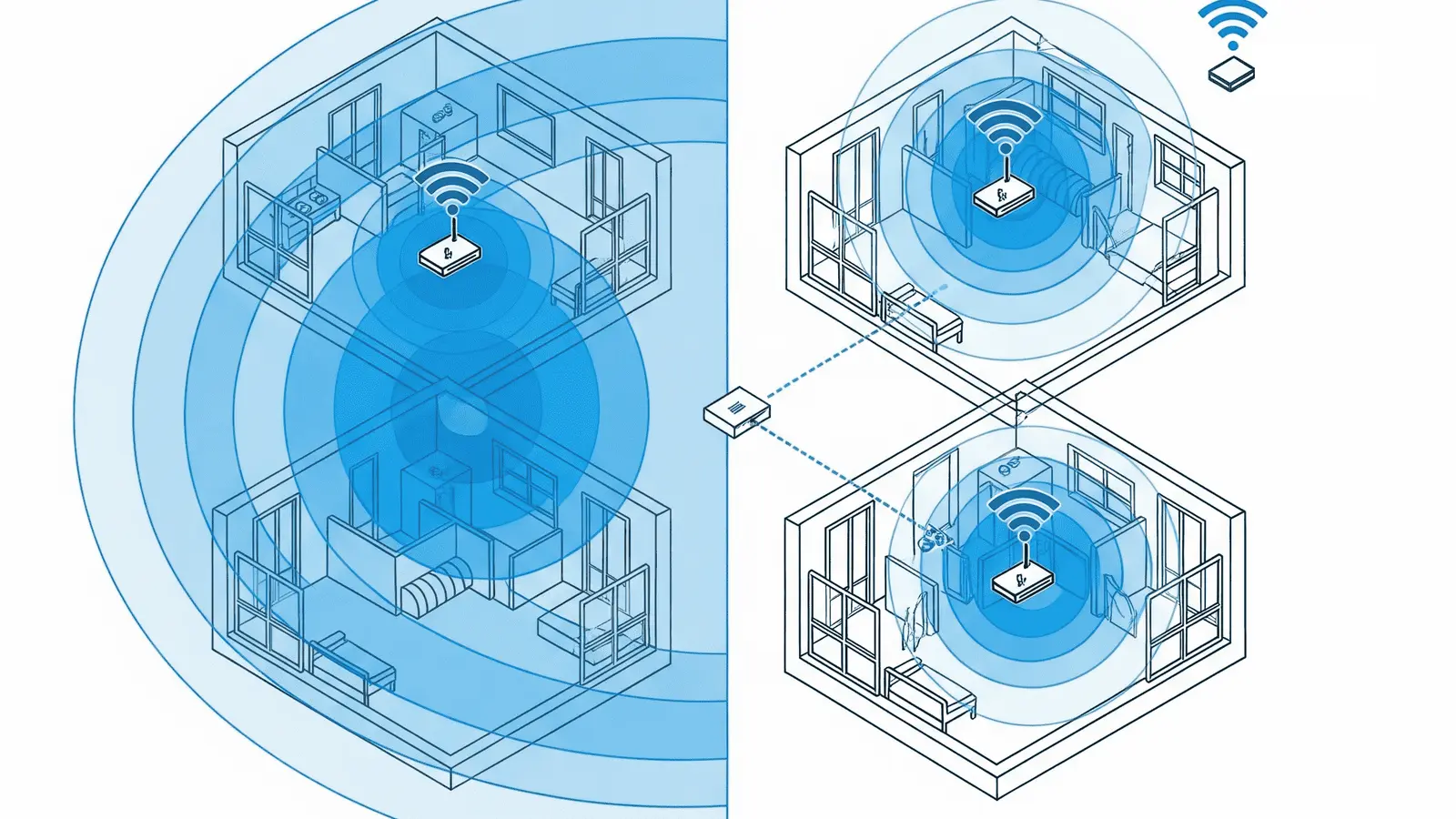
The planner and this article use the methodology page's cautious rule of thumb, not makers' coverage claims: one access point (a router, mesh unit or ceiling access point) per about 1,800 sq ft with drywall or wood, 1,400 with plaster and 1,000 with block, brick, stucco or concrete, and at least one per floor in homes with two or more floors over 1,200 sq ft. Each planner size button counts as one number: "3,000–4,000 sq ft" is 3,500, or two access points with drywall, while a 4,000 sq ft home needs three (4,000 ÷ 1,800 = 2.2, rounded up). Near the top of a range, choose the next size up.
| Planner size option | Drywall | Plaster | Masonry |
|---|---|---|---|
| Under 1,000 sq ft | 1 / 1 / 1 | 1 / 1 / 1 | 1 / 1 / 1 |
| 1,000–2,000 | 1 / 2 / 3 | 2 / 2 / 3 | 2 / 2 / 3 |
| 2,000–3,000 | 2 / 2 / 3 | 2 / 2 / 3 | 3 / 3 / 3 |
| 3,000–4,000 | 2 / 2 / 3 | 3 / 3 / 3 | 4 / 4 / 4 |
| 4,000–6,000 | 3 / 3 / 3 | 4 / 4 / 4 | 5 / 5 / 5 |
| Over 6,000 | 4 / 4 / 4 | 5 / 5 / 5 | 7 / 7 / 7 |
Why one radio per area matters more than a pricier radio is covered in mesh vs a single router and why mesh Wi-Fi doesn't always fix coverage.
What the planner picked at each budget setting
The planner's top-ranked setup for five homes at each of its budget settings, run on October 21, 2026 with drywall and no priorities ticked ("Ethernet" means cable can reach each unit):
| Home (planner answers) | $200 | $400 | $800 | $1,500 |
|---|---|---|---|---|
| Under 1,000 sq ft, one floor, 1 Gbps (1 access point) | NETGEAR RAX9, $99.99, at every setting | |||
| 2,000–3,000 sq ft, two floors, 1 Gbps (2) | eero 6 2-pack, $99.99, at every setting | |||
| 3,000–4,000 sq ft, two floors, 1 Gbps, some rooms wired (2) | eero 6 2-pack, $99.99, at every setting | |||
| 4,000–6,000 sq ft, two floors, 2 Gbps, Ethernet (3) | Nothing fits | NETGEAR Orbi 370 3-pack, $349.99 | ||
| Over 6,000 sq ft, three floors, 5 Gbps, Ethernet (4) | Nothing fits | 4 × ASUS RT-BE86U as mesh, $1,079.96 | ||
Budget only matters when it blocks something: a bigger one adds options lower in the list but never changes the top pick. Home size and plan speed set the minimum. With no budget set, the cheapest setup the planner passes is $299.97 for the 4,000–6,000 sq ft, 2 Gbps home (a TP-Link Deco BE23 3-pack) and $876 for the four-access-point, 5 Gbps home (four UniFi Express 7 units as mesh), which is why the $200 and $800 settings find nothing for them.
The tiers below fall between the planner's settings, so each links to the nearest lower one. Some add a switch the planner doesn't price: wired backhaul needs one when the main unit has a single LAN port for the other units.
$200: one good router, or a budget mesh for a gigabit plan
Who it fits: apartments and one-floor homes up to about 1,800 sq ft with drywall (one access point), or homes needing two to four units on plans up to 1 Gbps. No wiring needed.
| Setup | Parts | Total |
|---|---|---|
| One router, small home | NETGEAR Nighthawk RAX9, $99.99 (list price) | $99.99 |
| Three units, larger home on a 1 Gbps plan | eero 6 2-pack, $99.99, plus a 1-pack, $89.99 (eero store) | $189.98 |
The RAX9 (Wi-Fi 6, a gigabit internet port and four gigabit LAN ports) is the planner's top pick for one-access-point homes on plans up to 1 Gbps. Tick gaming and it becomes a single eero 6 ($89.99), because eero documents Smart Queue Management, a setting that keeps latency down when the line is busy.
On a 2 Gbps plan, the planner's top pick for the same home is the ASUS RT-BE55 ($129.99, a price our catalog marks as not re-confirmed); the cheapest with a confirmed price is the NETGEAR Nighthawk RS100 ($149.99, NETGEAR store). Both are dual-band Wi-Fi 7 with a 2.5 Gbps internet port but gigabit LAN ports, so a wired device still gets at most 1 Gbps.
The eero 6 pack is the planner's top pick at $200 for a 4,000–6,000 sq ft home on a 1 Gbps plan: cheaper than eero's 3-pack ($199.99, one router and two extenders), and all three are full routers with two gigabit Ethernet ports. A two-unit home needs only the 2-pack; add an 8-port NETGEAR GS308 gigabit switch ($27.99, NETGEAR store) for $127.98 if you have several wired devices.
What it still can't do: offer 6 GHz (every router here is dual-band), carry more than about 900 Mbps on the eero 6 (eero says each unit "supports wireless speeds up to 500 Mbps and 900 Mbps wired"), or cover three access points on a 2 Gbps plan. The eero 6 is also managed only in eero's app, with some features behind eero Plus (see costs the totals leave out). Planner: $200, 1,000–2,000 sq ft, one floor, 1 Gbps.
$500: Wi-Fi 7 mesh with 2.5 Gbps ports, or a first wired setup
Who it fits: homes that need two or three access points (roughly 1,800–5,400 sq ft with drywall, or any two-floor home over 1,200 sq ft) on plans up to 2 Gbps.
| Setup | Parts | Total |
|---|---|---|
| Three-unit Wi-Fi 7 mesh with a multi-gig switch | NETGEAR Orbi 370 3-pack, $349.99 (list price); Zyxel XMG-108 8-port 2.5 Gbps switch, $89.99 (Zyxel store) | $439.98 |
| Two wired ceiling access points | TP-Link Omada ER707-M2 gateway, $119.99 (Omada store regular price); Zyxel XMG-105HP PoE switch, $99.99 (Zyxel store); 2 × TP-Link EAP723 access point, $139.99 each (Omada store list price) | $499.96 |
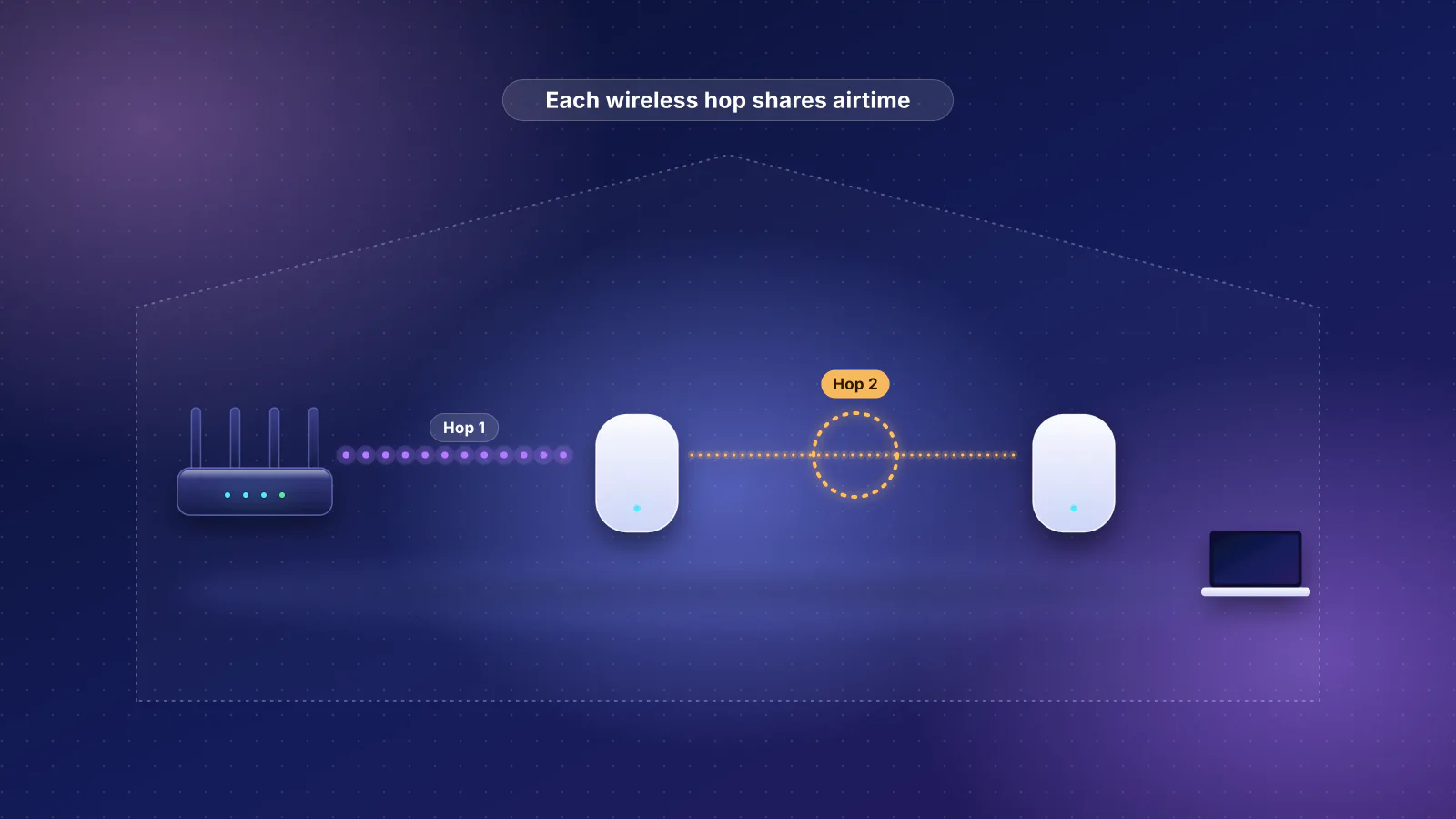
The Orbi 370 is the planner's top pick, from the $400 setting up, for a 4,000–6,000 sq ft two-floor home on a 2 Gbps plan with Ethernet. NETGEAR lists one 2.5 Gbps internet port and one 2.5 Gbps LAN port on the router, so wiring both satellites back to it takes the switch. It's dual-band, so without Ethernet the units share their radios between your devices and the links between units. The planner's cheapest alternative is the TP-Link Deco BE23 3-pack, $299.97 (TP-Link store regular price; a lower sale price showed when checked). For a two-unit home that wants 6 GHz, its long-term pick is the tri-band ASUS ZenWiFi BT6 2-pack, $369.99 (ASUS store), with a 2.5 Gbps WAN port and three gigabit LAN ports per unit.
The Omada setup is the cheapest complete-price Wi-Fi 7 wired build the planner assembles for two access points, and its prosumer pick for a 2,000–3,000 sq ft two-floor home. (The cheapest wired build of all, with Wi-Fi 6 EAP650s, is $429.96, so none fits the $400 setting.) Each EAP723 is a ceiling-mount, dual-band Wi-Fi 7 access point with a 2.5 Gbps port, powered over the Ethernet cable (802.3at PoE, also called PoE+). TP-Link notes that Omada mesh, seamless roaming and cloud access require an Omada controller (see controllers).

What it adds over $200: Wi-Fi 7, 2.5 Gbps ports and the option of access points on Ethernet. What it still can't do: carry plans above 2.5 Gbps (every internet port here is 2.5 Gbps), give 6 GHz to three units, or run four wired access points. Planner: $400, 4,000–6,000 sq ft, two floors, 2 Gbps, Ethernet.
$1,000: 6 GHz everywhere, multi-gig plans, or three ceiling access points
Who it fits: homes needing three access points on plans from 2 to 5 Gbps, and wired homes on plans up to 2 Gbps that want ceiling access points with 6 GHz. If you're on multi-gig fiber, see choosing a router for multi-gig fiber.
| Setup | Parts | Total |
|---|---|---|
| Tri-band mesh rated for 5 Gbps plans | eero Pro 7 3-pack, $799.99 (eero store); Zyxel XMG-108 switch, $89.99 (Zyxel store) | $889.98 |
| Three wired tri-band access points | TP-Link Omada ER707-M2, $119.99; Zyxel XMG-108HP PoE switch, $149.99 (Zyxel store); 3 × TP-Link EAP772, $204.99 each (Omada store list price) | $884.95 |
The eero Pro 7 is the planner's multi-gig pick at the $800 setting for a 4,000–6,000 sq ft home on a 2 Gbps plan. eero says it's "Ideal for internet plans up to 5 Gbps", with two 5 GbE ports and 6 GHz on each unit. With one port on the internet, the main unit has one left for the other units, hence the switch, which caps those links at 2.5 Gbps. For a 5 Gbps plan in the same home, the planner's top pick at $800 is the TP-Link Deco BE68 3-pack at $699.99 (launch price), which TP-Link lists with a 10 Gbps WAN/LAN port; its other ports are 2.5 Gbps and 1 Gbps, so a wired device gets at most 2.5 Gbps.
The Omada build is the cheapest complete-price wired setup the planner assembles for that home with 6 GHz and a 2.5 Gbps port on every access point. It passes at the $1,500 setting, not $800; the planner's prosumer label at $800 goes to the EAP723 version ($689.95), which has no 6 GHz. Each EAP772 adds 6 GHz with 320 MHz channels. The XMG-108HP's ports share a 100 W PoE budget, and the planner sizes each 802.3at device at 30 W, the most an 802.3at port supplies: three access points take 90 W, so a fourth needs a bigger switch.
What it adds over $500: 6 GHz on every unit and internet ports rated for 5 or 10 Gbps. What it still can't do: give a wired device more than 2.5 Gbps through these switches. Four access points on a 5 Gbps plan start just under $1,000: the cheapest setup the planner passes for that home is four UniFi Express 7 units used as mesh ($876; with Ethernet backhaul it also needs a switch, because the main unit has one LAN port), and a wired UniFi build with four dual-band U7 Lite access points is $953.
Planner: $800, 4,000–6,000 sq ft, two floors, 2 Gbps, Ethernet. For three of these ecosystems side by side, see Ubiquiti vs eero vs ASUS.
$2,000: four ceiling access points with 6 GHz, or a 10 Gbps mesh
Who it fits: homes needing four or more access points (over about 6,000 sq ft with drywall), plans of 5 Gbps or more, and owners who can run Ethernet to every access point.
| Setup | Parts | Total |
|---|---|---|
| Four wired Wi-Fi 7 access points with 6 GHz and 2.5 Gbps links | UniFi Express 7, $219 ($199); Ubiquiti Flex 2.5G PoE switch, $219 ($199); Ubiquiti AC Adapter 210W, $79 (no surcharge shown); 4 × Ubiquiti U7 Pro, $208 ($189) each | $1,349 |
| Four-unit mesh with a multi-gig switch, no ceiling work | eero Pro 7 3-pack, $799.99, plus a 1-pack, $299.99 (eero store); Zyxel XMG-108 switch, $89.99 (Zyxel store) | $1,189.97 |
For a home over 6,000 sq ft on three floors with a 5 Gbps plan and Ethernet, the planner at $1,500 ranks four ASUS RT-BE86U routers as an AiMesh system first ($1,079.96; $269.99 each at the ASUS store): ASUS lists a 10 Gbps WAN/LAN port and three 2.5 Gbps LAN ports, enough to wire the other units without a switch, but it's dual-band, with no 6 GHz. The eero Pro 7 four-pack is its multi-gig pick. In the UniFi build, the cheapest complete-price wired setup it assembles with 6 GHz and a 2.5 Gbps port on every access point, the UniFi Express 7 is the gateway (Ubiquiti lists a 10 GbE internet port and a 2.5 GbE port) and runs the UniFi Network application that manages everything. Ubiquiti rates the Flex 2.5G PoE at 196 W of PoE only with the separately sold 210 W adapter; four U7 Pro access points (21 W maximum each, per Ubiquiti) fit easily. Two limits are worth the arithmetic before spending more:
- The link to the gateway is shared. All four access points reach the internet through the UniFi Express 7's single 2.5 GbE LAN port, so on a 5 Gbps plan the whole Wi-Fi network together tops out at 2.5 Gbps. A gateway with a 10 Gbps LAN port, such as the Cloud Gateway Fiber ($307 with surcharge, $279 before it), removes that limit, but connecting it to the switch's 10 Gbps uplink needs an SFP+ module or cable our catalog doesn't price.
- Faster access-point ports help groups, not single devices. Apple lists its Wi-Fi 7 iPhones, and its MacBook Pro and MacBook Air models with the N1 chip, at a maximum PHY (link) rate of 2,400 Mbps at 160 MHz, and real throughput is lower than link rate. One such device can't fill a 2.5 Gbps port, so 10 Gbps access points pay off only when several fast devices share one access point, and only with a 10 Gbps switch and gateway.
The mesh alternative at this price is the quad-band NETGEAR Orbi 970 3-pack, $1,999.99 (NETGEAR store), with a 10 Gbps internet port and 10 Gbps plus 2.5 Gbps LAN ports; as three units, it suits three-access-point homes, not the four-unit home above.
What it adds over $1,000: a fourth access point with 6 GHz and a 2.5 Gbps link, and PoE budget to add more. What it still can't do: know your floor plan. At this size placement matters more than the model, and a rule of thumb is no substitute for a site survey.
Planner: $1,500, over 6,000 sq ft, three floors, 5 Gbps, Ethernet. The methodology suggests a consultation for homes over 5,000 sq ft, where the rule of thumb is least reliable; a network design consultation can place the access points on your floor plan before you buy cable.
Specs and prices behind the setups
| Product | Internet port | Fastest LAN port | Maker's routing, plan or wired-speed figure | Price |
|---|---|---|---|---|
| NETGEAR Nighthawk RAX9 (4-Stream AX1800) Router · Wi-Fi 6 |
1 Gbps | 1 Gbps | Not published | $99.99 List price, checked October 20, 2026 |
| ASUS RT-BE55 Router · Wi-Fi 7 |
2.5 Gbps | 1 Gbps | Not published | $129.99 Manufacturer price (not re-confirmed), checked October 20, 2026 |
| NETGEAR Nighthawk RS100 Router · Wi-Fi 7 |
2.5 Gbps | 1 Gbps | Not published | $149.99 Manufacturer store price, checked October 20, 2026 |
| eero 6 (1-pack) Mesh system · Wi-Fi 6 |
1 Gbps | 1 Gbps | 900 Mbps | $89.99 Manufacturer store price, checked October 20, 2026 |
| TP-Link Deco BE23 (3-pack) Mesh system · Wi-Fi 7 |
2.5 Gbps | 2.5 Gbps | Not published | $299.97 Manufacturer store price, checked October 20, 2026 |
| NETGEAR Orbi 370 Series (RBE373) (3-pack) Mesh system · Wi-Fi 7 |
2.5 Gbps | 2.5 Gbps | Not published | $349.99 List price, checked October 20, 2026 |
| ASUS ZenWiFi BT6 (2-pack) Mesh system · Wi-Fi 7 |
2.5 Gbps | 1 Gbps | Not published | $369.99 Manufacturer store price, checked October 20, 2026 |
| TP-Link Omada ER707-M2 Gateway (no Wi-Fi) · no Wi-Fi |
2.5 Gbps | 1 Gbps | 2.4 Gbps | $119.99 Manufacturer store price, checked October 20, 2026 |
| Product | Internet port | Fastest LAN port | Maker's routing, plan or wired-speed figure | Price |
|---|---|---|---|---|
| eero Pro 7 (1-pack) Mesh system · Wi-Fi 7 |
5 Gbps | 5 Gbps | 5 Gbps | $299.99 Manufacturer store price, checked October 20, 2026 |
| TP-Link Deco BE68 (3-pack) Mesh system · Wi-Fi 7 |
10 Gbps | 2.5 Gbps | Not published | $699.99 Launch price, checked October 20, 2026 |
| ASUS RT-BE86U Router · Wi-Fi 7 |
10 Gbps | 2.5 Gbps | Not published | $269.99 Manufacturer store price, checked October 20, 2026 |
| Ubiquiti UniFi Express 7 (UX7) Router · Wi-Fi 7 |
10 Gbps | 2.5 Gbps | Not published | $219.00 Manufacturer store price incl. US store surcharge (list $199.00), checked October 20, 2026 |
| NETGEAR Orbi 970 Series (RBE973S) (3-pack) Mesh system · Wi-Fi 7 |
10 Gbps | 10 Gbps | Not published | $1,999.99 Manufacturer store price, checked October 20, 2026 |
Access points and switches have no product pages yet, so here are their catalog figures:
| Item | What it is | Price |
|---|---|---|
| NETGEAR GS308 | 8 × 1 Gbps, no PoE | $27.99 |
| Zyxel XMG-108 | 8 × 2.5 Gbps, no PoE | $89.99 |
| Zyxel XMG-105HP | 5 × 2.5 Gbps, 4 with PoE++, 70 W budget | $99.99 |
| Zyxel XMG-108HP | 8 × 2.5 Gbps, all PoE++, 100 W budget | $149.99 |
| TP-Link EAP723 | Dual-band Wi-Fi 7 ceiling AP, 2.5 Gbps, PoE+ | $139.99 |
| TP-Link EAP772 | Tri-band Wi-Fi 7 ceiling AP with 6 GHz, 2.5 Gbps, PoE+ | $204.99 |
| Ubiquiti U7 Pro | Tri-band Wi-Fi 7 ceiling AP with 6 GHz, 2.5 GbE, PoE+, 21 W max | $208 ($189) |
| Ubiquiti Flex 2.5G PoE | 8 × 2.5 Gbps PoE++; 196 W budget with the 210 W adapter | $219 ($199) |
| Ubiquiti AC Adapter 210W | Power supply for the Flex 2.5G PoE's full budget | $79 |
Costs the totals leave out
Every total above is hardware only. Plan for these too:
- Cable runs. Each wired unit needs an Ethernet run, which the planner lists without a price because labor and length vary. Zyxel says 2.5 Gbps runs over existing Cat 5e cable, so a wired house may need no new cable for 2.5 Gbps links. For new runs, see what to pre-wire in a new home.
- PoE power. Each PoE standard has a per-port maximum at the switch (15.4 W for 802.3af, 30 W for 802.3at, 60 W for 802.3bt Type 3, per TP-Link's PoE guide), all ports share one budget, and some budgets need a separately sold supply, like the $79 adapter in the UniFi build.
- Controllers. Omada's software controller (on a computer you keep on) and its Cloud Essentials are free; hardware controllers cost extra and aren't in our catalog. UniFi's cloud gateways, including the UniFi Express 7, run the UniFi Network application themselves; Ubiquiti's "Gateway" models need a CloudKey, UniFi hosting or UniFi OS Server.
- Subscriptions. None of these setups needs one to route traffic or provide Wi-Fi, but several makers sell add-ons, checked October 21, 2026:
| Maker | Add-on | Price | What it adds (maker's description) |
|---|---|---|---|
| eero | eero Plus | $9.99/month or $99.99/year | Threat protection, ad blocking, Guardian VPN, Malwarebytes, 1Password, identity protection; the annual plan includes backup data for eero Signal, eero's cellular backup device |
| NETGEAR | Armor, Armor Plus | $99.99/year; $149.99/year | Bitdefender protection for the home network and up to 50 devices on the go, VPN; a free trial comes with compatible routers |
| TP-Link (Deco) | HomeShield Security+, Total Security | Not published on TP-Link's US HomeShield page | Basic HomeShield is free with the router; advanced features need a paid tier |
| Ubiquiti | CyberSecure (Enhanced Cyber Security) | $99 per unit, billed annually | Proofpoint threat signatures with real-time updates for the gateway's threat protection |
Over three years at the yearly rate, eero Plus or Armor comes to $299.97, more than the whole $200 setup (arithmetic, not a forecast of future prices). Also check how your provider's gateway fits in: if it keeps routing in front of your new system you get double NAT, which bridge mode or IP passthrough usually fixes.
Frequently asked questions
Can I start at a lower tier and upgrade later?
Yes, if you stay in one system. Mesh makers sell single units to add later, and a wired access-point setup grows by adding access points to the same PoE switch, as long as it has free PoE ports and power budget. Units from different brands generally can't join one mesh, so mixing brands means managing separate networks.
Do mesh systems need a PoE switch?
Most don't: mesh units usually plug into a wall outlet. PoE matters for ceiling or wall access points, which take power over the Ethernet cable from a PoE switch or an injector. Some, like TP-Link's EAP723, can also use a DC power adapter, sold separately.
Do these totals include a modem?
No. They cover the router or gateway and everything after it. Your provider's modem or fiber terminal, or its gateway in bridge mode or IP passthrough, stays in front of the setup.
Sources
Read on October 21, 2026. Product specs and prices are from the RouterHaus catalog (version 2026.10.20.5, prices checked October 20, 2026), which records each maker's page; the pages below were opened to confirm the facts used in the text.
- RouterHaus: How we recommend routers (coverage rule, planner requirements and weights) and RouterHaus catalog data
- eero: eero 6 (pack options, 500 Mbps wireless and 900 Mbps wired)
- eero: eero Pro 7 (internet plans up to 5 Gbps, two 5 GbE ports, pack prices)
- eero Support: What is Smart Queue Management (SQM)?
- eero: eero Plus (features and price)
- NETGEAR: Nighthawk RAX9 and Nighthawk RS100
- NETGEAR: Orbi 370 Series (RBE373) and Orbi 970 Series (RBE973S)
- NETGEAR: GS308 8-port gigabit switch
- NETGEAR: Armor (plans and prices)
- TP-Link: Deco BE23 and Deco BE68
- TP-Link: HomeShield
- Omada by TP-Link: ER707-M2 multi-gigabit VPN gateway
- Omada by TP-Link: EAP723 and EAP772
- Omada by TP-Link: SDN controllers (free software controller and Cloud Essentials)
- Omada by TP-Link: PoE vs PoE+ vs PoE++ (power per port by standard)
- Zyxel: XMG100 Series 2.5G switches (PoE budgets, Cat 5e note)
- ASUS: ZenWiFi BT6 tech specs and RT-BE86U tech specs
- Ubiquiti: UniFi Express 7 tech specs and store page (CyberSecure add-on)
- Ubiquiti: U7 Pro tech specs and store page
- Ubiquiti: Flex 2.5G PoE tech specs (PoE budget by power source) and AC Adapter 210W
- Ubiquiti: Cloud Gateway Ultra (1 Gbps IPS routing), Cloud Gateway Max tech specs, Cloud Gateway Max store page (no-storage option) and Gateway Max (managed with a CloudKey, UniFi hosting or UniFi OS Server)
- Apple: Wi-Fi and Ethernet specifications for Apple devices