The short version
- Failover keeps you online; it doesn't keep you connected. When the router switches lines, your traffic leaves from a different public address. Calls, most VPN tunnels and logins that were open have to reconnect, and the switch back to the main line interrupts them again.
- The router only switches when its health checks fail. Most send pings or DNS lookups across the internet and declare a line down after several misses. ASUS's defaults take "at least 60 seconds". Ubiquiti doesn't publish timing for its default check; pfSense averages results over 60 seconds; eero's Signal cellular backup waits until the main line has stayed offline for "up to a minute".
- Cellular and satellite backups usually can't accept incoming connections. T-Mobile's gateways can't forward ports, Starlink's default address sharing "does not allow inbound traffic", and NETGEAR's Orbi 5G manual says the cellular provider gives the router a private address. A VPN server or camera you reach from outside goes dark until the main line returns.
- Pick a backup that fails differently (cellular, satellite or a second wired provider on a different technology), cap its data, put everything on a UPS, and test the switch before you rely on it.
Failover or load balancing
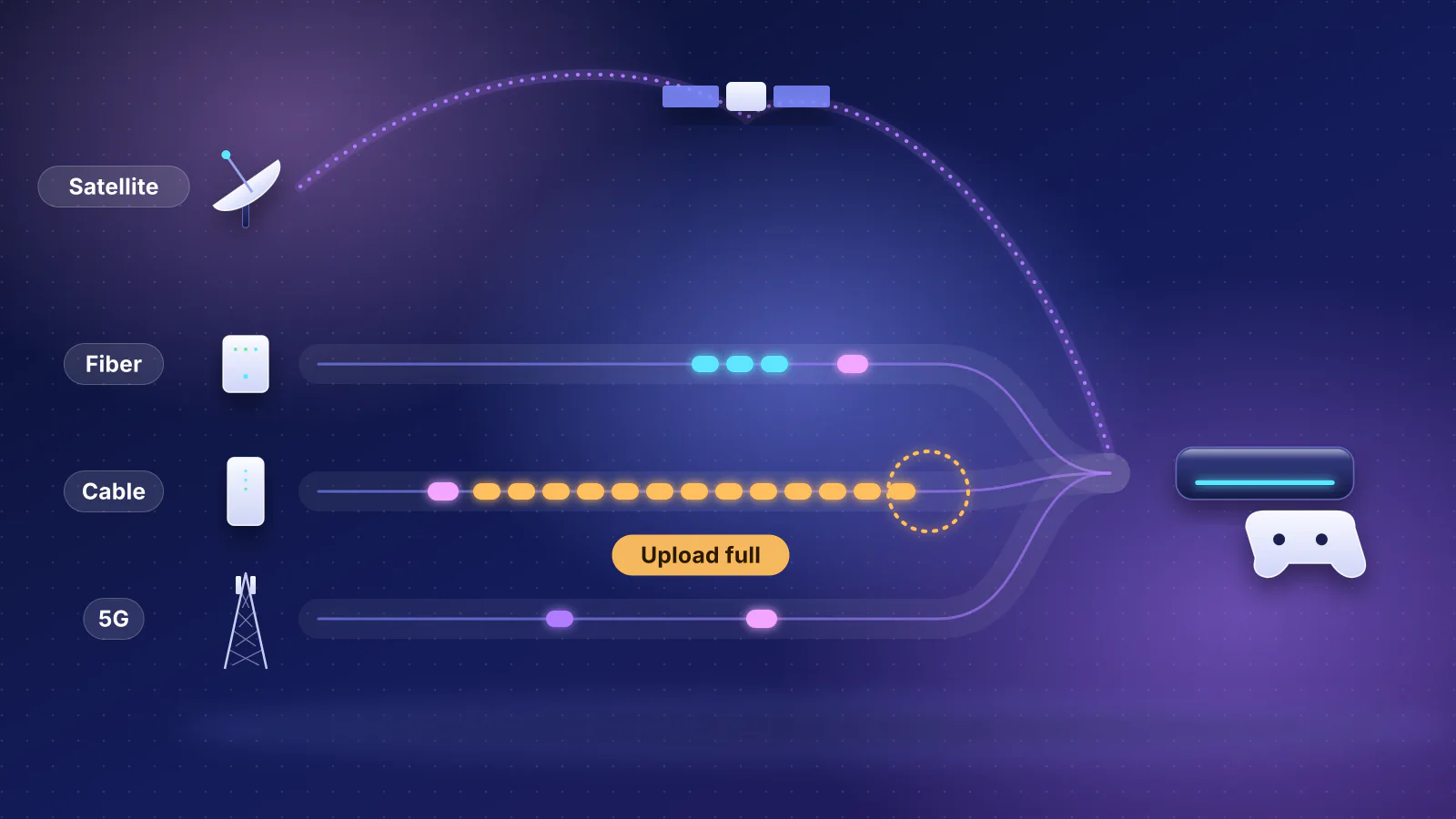
Most platforms below offer two ways to use a second line. In failover, the main line carries everything and the backup waits. In load balancing, both lines carry traffic: Ubiquiti describes it as distributing "new outbound connections across multiple WAN interfaces based on configurable traffic splits", where "a given session stays on the same WAN until it ends". A single download or call never gets the two lines' combined speed; ASUS says failover "cannot provide a way to combine the bandwidth of both connections" either.
For a backup that's metered, slower or shared with a phone, use failover. TP-Link's own example sets a usage-billed line as the backup "to minimize Internet costs". Load balancing makes sense with two unmetered wired lines, and it has its own catches: Netgate notes that sites storing the client's address, "more common with banks and other security-minded sites", can break when connections leave from different addresses. ASUS says port forwarding and dynamic DNS are bound to the primary line and "may not be used normally" in load-balancing mode.
Our small-office router guide summarizes each vendor's modes; this article covers how the switch is triggered, how long it takes, what breaks and how to test it.
How a router decides the main line is down
A line can fail in two ways. Sometimes the cable between the router and the modem goes dead, because the modem lost power or the cable was pulled, and the router sees the link drop at once. In other outages the modem stays on and the cable stays connected while the provider's network behind it stops passing traffic. Only a check that crosses the internet notices that. GL.iNet spells out the difference: turn its tracking off and "the router will determine the interface status by the physical status (such as whether the network cable is plugged in or not)".
So routers probe. They ping or look up names on servers out on the internet through each line, and declare a line down after enough failures in a row or too much loss over a time window. The thresholds trade speed against false alarms. ASUS lays out the trade-offs plainly: DNS checks respond quickly but can be fooled by cached answers, while with pings, "Some ISPs consider frequent pings as an attack and it results in the Internet connection being disconnected by the ISP."
From each maker's documentation, read November 7, 2026. "Not published" means we found no figure in the maker's pages.
| Platform | How it checks | Default timing | Switching back (failback) |
|---|---|---|---|
| UniFi (Ubiquiti) | "Auto": a ping to ping.ui.com and DNS lookups of ui.com through 1.1.1.1 and 8.8.8.8. A line is down when "any two out of three probes fail". Custom checks can use your own servers, with packet-loss, latency and jitter limits. | Not published for Auto. Custom checks set their own interval and averaging period. | Automatic: "Once the primary WAN recovers, traffic returns to it." |
| TP-Link Omada | Online Detection: in Auto, DNS lookups of built-in public domain names (TP-Link's example is www.google.com) through the line's DNS server; Manual sets your own ping and DNS targets, and controller mode can also ping a custom echo server | No default published. In controller mode the Online Detection Interval can be turned off, picked from a list or set anywhere from 1 to 3,600 seconds; TP-Link says a shorter interval responds faster and sends more probes | Recover Mode "Always Link Primary" (the default) returns to the main line; "Link Backup" stays on the backup "until the backup WAN becomes unavailable" |
| ASUS (Dual WAN) | DNS queries or pings to targets you choose | A check every 5 seconds; switches after 12 failures in a row, so "at least 60 seconds". ASUS advises no fewer than 3. | Only with Allow Failback ticked. Then 4 successful checks in a row, "at least 20 seconds"; you can raise it to 20 to stop flapping. |
| pfSense (Netgate) | Continuous pings to a monitor address per line | A ping every 500 ms, averaged over 60 seconds; down above 500 ms latency or 20% loss | Traffic returns to the preferred tier when it's back online. Separate settings decide whether connections on the backup are cut at that point. |
| GL.iNet | Pings to track addresses you can change; Normal, Low Data or Strict detection modes | Not published; a sensitivity setting trades speed against flapping | Automatic: "Once a higher-priority connection is restored, the router will automatically switch back to it." |
| eero (Hotspot Backup and eero Signal) | Not documented | Not published for Hotspot Backup. For eero Signal, its cellular device, eero says the main line "must go completely offline first (and stay offline up to a minute)" and "Short outages might not trigger backup". | Automatic for both: Hotspot Backup "detects when an outage is over and automatically switches back"; Signal "switches back to the primary internet when it's available again" |
| NETGEAR Orbi 5G (NBR750) | Not documented in the manual | Not published | The manual says it uses the wired line "by default" and fails over "only if the wired Internet connection is down"; it doesn't describe the return |
Two practical points follow. First, detection is the long part of most failovers. A router on ASUS's defaults has already been offline for a minute before it moves. Netgate explains the same trade-off for its averaging window: a longer one "will take more time for latency or loss to trigger an alarm, but it is less prone to be affected by erratic behavior". Shortening the checks speeds up failover but makes a router more likely to jump to the backup on a brief blip. Second, failback is a second outage. ASUS calls "Temporary disconnections while executing failover or failback" normal, and a flaky main line that comes and goes can bounce you between lines all day. ASUS suggests turning failback off or raising its threshold in that case; Omada's "Link Backup" recover mode does the same thing.
What doesn't survive a failover
A TCP connection is tied to addresses. RFC 9293, the current TCP standard, says "A connection is defined by a pair of sockets", and a socket is "the concatenation of an Internet Address with a TCP port". Your router's address translation (NAT) puts your public address into every connection it carries. When traffic moves to the other line, it carries the other line's public address, which the far end has never seen, so the existing connection can't continue there. Routers say as much: Omada redirects "new traffic sessions" to the backup, and Netgate warns that with its default settings "clients may have to wait for connections to timeout after a WAN failure".
- Main line fails The modem stays on; traffic stops somewhere in the provider's network
- Health checks miss ASUS default: at least 60 seconds before it switches
- Router switches lines New connections leave from the backup's public address
- Backup carries traffic Often cellular, behind address sharing, with a data allowance
- Apps reconnect Calls rejoin, VPN clients redial, some sites ask you to sign in again
- Calls in progress. Expect the call to freeze, then reconnect or drop; how quickly it recovers is up to the app or phone system. Netgate's settings let a VoIP group keep its connections when the main line comes back "to avoid interrupting active calls", which helps on failback only.
- Work VPNs. Most tunnels have to redial from the new address. Whether the client does that by itself depends on the VPN software, and the gap includes the router's detection time. WireGuard is the exception by design: its documentation says both ends send "to the most recent IP endpoint for which they authentically decrypted data", so a WireGuard client behind the router carries on once its packets arrive from the new address. For VPN and call settings, see VPN without the lag.
- Anything reached from outside. Port forwards, a VPN server at home, remote access to cameras or a NAS: all of these point at the main line's address. On the backup they're unreachable if the backup can't accept incoming connections, which is common on cellular and satellite (next section). Dynamic DNS needs to follow the line: pfSense can move a dynamic DNS entry "between WANs in failover mode", while ASUS says its dynamic DNS is bound to the primary line.
- A phone line from your provider. If your phone plugs into the provider's modem or gateway, it never passes through your router, so your router's failover can't move it. eero also warns that Hotspot Backup "may not support VoIP (Voice over IP) calling equipment provided by your internet service provider (ISP)".
- Location-based services. T-Mobile says streaming services that use your IP address for location "are not compatible with T-Mobile Home Internet", naming Hulu Live and Sling Live TV, because its dynamic addresses can geolocate elsewhere.
- IPv6. ASUS's Dual WAN "only supports IPv4". Meanwhile T-Mobile says third-party VoIP services and devices "that support IPv6 are compatible" with its home internet, so check that your VoIP gear supports IPv6 if a T-Mobile line will carry it.
Why the backup usually can't accept incoming connections
Cellular and satellite providers commonly share one public IPv4 address among many customers (carrier-grade NAT, or CGNAT), and a provider gateway in front of your router adds a second NAT of its own. What the makers and providers document:
- NETGEAR (Orbi 5G manual): dynamic DNS, port forwarding and VLAN bridging don't work over the cellular connection, because "your LTE provider assigns the router a private IP address."
- T-Mobile Home Internet: "T-Mobile gateways do not have the ability to enable and disable NAT/port forwarding" and can't turn on bridge mode, so your own router behind one is double NATed.
- Starlink: the default IPv4 policy is CGNAT, and it "does not allow inbound traffic". A public IPv4 address is an option only on the Local and Global Priority plans.
Outgoing traffic (browsing, calls, VPN clients, cloud backups) works normally through all of these. If you need remote access to survive an outage, an outbound tunnel keeps working on any line: see tunnels that work behind CGNAT, our comparison of remote-access options behind CGNAT, and the three-minute check for whether a line is behind CGNAT.
If calls must not drop: bonding through a tunnel
The one design that keeps sessions open sends all traffic through a tunnel to a server elsewhere, over both lines at once, and lets it exit to the internet from there. Because traffic leaves from the tunnel's far end, the outside world sees that end's address, which doesn't change when one of your lines dies. Peplink sells this as SpeedFusion: it "aggregates all available connections into a single high-capacity tunnel", and its Hot Failover feature, Peplink says, "ensures that active sessions remain online without interruption", unlike "traditional failover methods that wait for a link to drop before reacting." The far end has to be a SpeedFusion endpoint: Peplink sells cloud endpoints for its routers as SpeedFusion Connect, with usage plans and a firmware requirement, and its SpeedFusion Connect app for phones and laptops connects to SpeedFusion Connect locations in "30 cities around the world".
The trade-offs: traffic takes a detour through the endpoint, your public address is the endpoint's rather than your own, and you're tied to one vendor's hardware and service. Check Peplink's current plans and terms before you buy. For most homes, a call that rejoins after a minute is acceptable; for a call center or a live broadcast it may not be.
Choosing the second line
The backup should fail for different reasons than the main line: a different provider and a different technology, not a second modem on the same cable. Netgate notes another catch with two cable modems from one provider: if they share a gateway address, "an intermediate NAT device must be used on all but one of them". This table matches common situations to the backup that fits and the limitation to plan for (RouterHaus's summary of the documentation cited in this article).
| Your situation | Backup that fits | Expect |
|---|---|---|
| Working from home, outages rare and short | Your phone: USB tethering on an ASUS router that supports it, or eero Hotspot Backup over Wi-Fi | Someone has to be home with the phone. Uses your phone plan's hotspot allowance. ASUS's tethering works only on certain models and firmware. |
| Working from home, can't miss meetings | A second line that's always on: 5G home internet on a second WAN port, or a 5G/LTE backup device your router supports | A gap while the router detects the failure, then calls rejoin. No port forwarding through a T-Mobile gateway. Check the backup plan's data allowance and whether its terms allow backup use. |
| Shop with card terminals | A cellular backup managed by the gateway (UniFi 5G or LTE backup, an Omada USB LTE modem, eero Signal) with a data cap | Limit which networks use it (UniFi can turn backup off per network; eero per device). Ask your payment provider how terminals behave on a cellular backup. |
| You host a VPN server, cameras or a NAS for remote access | A second wired provider with a public IPv4 address, or any backup plus an outbound tunnel | Dynamic DNS has to follow the active line. Behind CGNAT, only outbound tunnels work. |
| Rural home on DSL or fixed wireless | Starlink as the second line | No inbound connections by default; Starlink's router can't port forward, so use your own router (see 5G and Starlink equipment). |
| Calls or sessions must not drop at all | A bonding service such as Peplink SpeedFusion | Traffic exits from the tunnel endpoint; vendor hardware and service terms |
Cellular backup hardware, by platform
- UniFi: the LTE Backup Pro, 5G Backup and 5G Max connect to a PoE LAN port and reach the gateway through a GRE tunnel, so they can sit "where cellular signal is strongest" without using a WAN port. The 5G Max and 5G Backup can also run as a regular WAN. Ubiquiti lists the LTE Backup Pro at 150 Mbps down and 50 Mbps up on AT&T's network (US only), with a data-only SIM. The 5G Max lists AT&T and T-Mobile among its certifications. The Dream Router 5G Max has the modem built in.
- TP-Link Omada: the ER707-M2's USB port "Supports USB storage, and LTE backup" with an LTE USB modem (dongle); TP-Link publishes a compatibility list of supported 4G/3G modems, and its US list named two (ZTE MF861 and Inseego USB800) when we read it, so check the list before buying a modem.
- ASUS: USB can be the primary or secondary WAN. On supported 802.11ax models and firmware, ASUS documents plugging in an iPhone with Personal Hotspot on, or an Android phone with USB tethering, as the backup.
- eero: Hotspot Backup joins a phone hotspot or a nearby Wi-Fi network (up to eight); "USB and Ethernet based backup internet sources are not supported", and it doesn't work on bridge-mode networks. eero Signal is eero's plug-in cellular backup device, also not supported in bridge mode; eero Business includes "100 GB of backup data per month", and eero's Signal troubleshooting page says eero Plus includes 10 GB a year and eero Plus 100 includes 100 GB a month. When Signal's data runs out it "will stop providing backup internet" and the app offers to sell more.
- NETGEAR: the Orbi 5G (NBR750) has a built-in modem and a "Use Ethernet as Primary and failover to Mobile Network" mode; the manual we read is dated August 2021, and NETGEAR's product page for the related NBK752 kit now redirects to a support page.
Some current Wi-Fi routers in the RouterHaus catalog have a cellular backup route (a built-in modem, a USB modem or phone tethering) noted in their records, alongside a wired internet port. For wired gateways with several WAN ports and USB backup, see the small-office gateway shortlist.
| Product | Internet port | Fastest LAN port | Maker's routing, plan or wired-speed figure | Price |
|---|---|---|---|---|
| Ubiquiti UniFi Dream Router 5G Max (UDR-5G-Max) Router · Wi-Fi 7 |
10 Gbps | 2.5 Gbps | Not published | $549.00 Manufacturer store price incl. US store surcharge (list $499.00), checked October 20, 2026 |
| ASUS TUF Gaming BE6500 (TUF-BE6500) Router · Wi-Fi 7 |
2.5 Gbps | 2.5 Gbps | Not published | $219.99 Manufacturer price (not re-confirmed), checked October 20, 2026 |
| GL.iNet Flint 2 (GL-MT6000) Router · Wi-Fi 6 |
2.5 Gbps | 1 Gbps | Not published | $169.99 Manufacturer store price, checked October 20, 2026 |
| MikroTik Chateau PRO ax (H53UiG-5HaxQ2HaxQ) Router · Wi-Fi 6 |
1 Gbps | 1 Gbps | 3.3 Gbps | $199.00 List price, checked October 20, 2026 |
The catalog records the Dream Router 5G Max as certified with AT&T and T-Mobile, with Verizon not supported when it was checked, and notes Ubiquiti's requirement for a data-only plan: T-Mobile Home Internet SIMs are not supported. Before you buy any cellular device, check that it supports your carrier, and that the carrier allows the plan you intend to put in it.
Other failover features compared
Load balancing, cellular options and the caveats each maker documents, read November 7, 2026:
| Platform | Load balancing | Cellular backup | Worth knowing |
|---|---|---|---|
| UniFi | Yes, by percentage, with sessions kept on one line | Ubiquiti's LTE and 5G devices; modem built into the Dream Router 5G Max | Up to eight WANs (one port stays LAN). Policy-based routing can pin a network or device to one line; its kill switch decides whether that traffic may fail over. |
| TP-Link Omada | Yes, by weight; a Timing mode switches lines on a schedule | USB LTE modem on supported gateways | In standalone mode, Link Backup "won't work normally" unless load balancing is enabled. With two main lines, the backup can start when any one fails or only when all fail. |
| ASUS | Yes, by session ratio (for example 3:1), with routing rules per device | USB WAN; phone tethering on supported models | IPv4 only. Port forwarding and dynamic DNS are bound to the primary line. Dual WAN and WAN aggregation can't run together. |
| pfSense | Yes: lines on the same tier share load, up to five tiers | Not covered in the pages we read | Optional "sticky" connections keep each device on one line. Dynamic DNS can follow a failover group. |
| GL.iNet | Yes, by load ratio; failover and load balancing are mutually exclusive | Tethering and cellular interfaces, by model | Low Data Mode checks a line only when there's a network error, for limited data plans, at the cost of slower reconnection. |
| eero | Not documented | Phone hotspot or Wi-Fi network; eero Signal with eero Business | Hotspot Backup needs eero Plus, eero Business or a qualifying provider or Ring plan; eero offers it free "for a limited time" to retail buyers. eero "does not guarantee zero disruption". |
| NETGEAR Orbi 5G | Not documented | Built-in modem | On cellular, dynamic DNS, port forwarding, VLAN bridging and access point mode don't work. |
Data on the backup line
A backup that's on a metered or capped plan can run up costs in a long outage, or when something heavy (camera uploads, cloud backups, updates) moves onto it. Plan terms vary by carrier and change often, so check yours for the monthly allowance, what happens after it, and whether the plan permits use as a home backup. What the makers document:
- Set a cap. Ubiquiti: "U-LTE and 5G Backup automatically purchases additional data unless a limit is set", so it calls defining a cap "essential for cost control". eero tells customers to "confirm with their service provider how much data usage is allowed" before relying on Hotspot Backup for long.
- Keep heavy traffic off it. UniFi can turn cellular backup off per network (VLAN); eero lets you untick devices that shouldn't use the backup; UniFi's policy-based routing with the kill switch on keeps chosen traffic on one line.
- Mind the health checks. Probes cost data too. Netgate notes that on "links that need monitored but have high data charges, even a small ping every second can add up".
How much, on pfSense's defaults (RouterHaus's calculation): a probe every 500 ms is 2 per second, or 5,184,000 in a 30-day month. Each probe is a request and a reply, so 10,368,000 packets. Netgate's default ping carries 1 byte of data. Counting only the IPv4 packets (a 20-byte IP header, an 8-byte ICMP header and 1 byte of data, so 29 bytes each), that's 300,672,000 bytes, about 0.3 GB a month. That's a floor: we found no published figure for how carriers count traffic, and Netgate notes that any ping payload under 60 bytes is padded so that it's "equivalent on the wire". If a carrier counted every probe at that 60-byte payload (88-byte packets), the same arithmetic gives about 0.9 GB a month. Netgate says the probe interval "can be safely increased" as long as it stays at or below the alert interval (1 second by default, so raise that too) and fits the averaging period; a probe every 2 seconds instead of every 500 ms would use a quarter as much. On a large backup allowance this hardly matters; on a small one, it's worth the change.
Power: the outage failover can't fix
A second line does nothing in a power cut unless the gear that uses it stays on. eero's fine print applies to every platform: the backup "Will require backup power if the power goes out." Put the modem or fiber box, the router, any PoE switch powering the cellular device or access points, and the cellular device itself on a UPS. Ubiquiti lists the 5G Max at 14.5 W maximum and the LTE Backup Pro at 8.5 W (excluding its PoE passthrough); add those to the UPS load. For sizing a UPS by runtime from the maker's chart, see UPS sizing in our network closet guide. A UPS at home doesn't keep the provider's equipment up the street running, which is one more reason the backup should be a different technology.
Test it before you need it
A failover setup that has never been tested is a guess. Pick a quiet time, warn anyone on the network, and work through these steps. Write down the times; they're your real failover numbers, which no maker publishes for your line.
- Record the baseline. On the router's status page, note each line's WAN address and which line is active. Visit a "what is my IP" site and note the public address. If the router shows a WAN address between 100.64.0.0 and 100.127.255.255 on a line, that line is behind CGNAT (see the full check).
- Set the data cap first. Set a limit and an alert on the backup line (or on the cellular device) before you start, so the test can't run up a bill.
- Start something that shows the gap. On a wired computer, run a continuous ping to a public address (on Windows,
ping -t 1.1.1.1; on a Mac or Linux,ping 1.1.1.1). Start a test call with a second device that's on cellular data, not your Wi-Fi, and connect your work VPN if you use one. - Fail the main line upstream, not at the router. Unplug the provider's line from the modem (the coax for cable, the phone line for DSL) and leave the modem powered and its cable to the router connected. This is the realistic outage, and the one only health checks can catch. For fiber, leave the fiber alone; power the fiber box off instead and note that this is the easier case, because the router sees its port go down.
- Time the switch. Note when pings stop and when they resume. Compare with your router's documented timing (ASUS's defaults: at least 60 seconds). Check the router's log or status page for the failover event.
- Check what came back. The "what is my IP" site should now show a different address. Did the call reconnect on its own, and how long did it take? Did the VPN redial? Do your important services (point-of-sale, phones, cameras) show as online?
- Test inbound from outside. From the phone on cellular (Wi-Fi off), try your VPN server, camera app or anything else that reaches into the home. If it fails on the backup, you now know, and can decide whether an outbound tunnel is worth setting up.
- Restore the main line and time the failback. Plug the line back in and watch for the switch back (ASUS: at least 20 seconds once the line is good, if failback is on). Expect the call and VPN to drop again. Check that the public address is the main line's again.
- Read the data counter. Note how much the test used on the backup, and multiply up to judge a day-long outage.
- Test the power. With the UPS plugged in, pull its plug from the wall. The modem, router and cellular device should stay up, and the backup should still carry traffic if you also unplug the main line.
Repeat the test after firmware updates or any change to the lines, and keep the notes with the network's other records.
Frequently asked questions
How long does internet failover take?
It depends mostly on the router's health checks. ASUS's defaults check every 5 seconds and switch after 12 failures, which ASUS says takes at least 60 seconds, and switching back takes at least 20 seconds. pfSense averages its pings over 60 seconds by default. eero says its Signal cellular backup switches only after the main line has stayed offline for up to a minute. Ubiquiti doesn't publish the timing of its default check. Time it yourself by unplugging the provider's line from the modem during a continuous ping.
Will my Zoom or Teams call stay connected when the internet fails over?
Usually not with ordinary failover. The call's connection is tied to your old public address, so after the switch the app has to reconnect from the backup's address, and switching back interrupts it again. Only designs that tunnel all traffic over both lines, such as Peplink's SpeedFusion, claim to keep active sessions open.
Can I use T-Mobile or Verizon 5G home internet as a backup line?
Yes: plug the provider's gateway into a second WAN port on your router and set that port as the failover line. Expect double NAT and no port forwarding on T-Mobile, whose gateways can't forward ports or use bridge mode, and check the plan's terms for data limits and whether it suits a backup role.
Is a second line from the same provider a good backup?
Not as your only backup. It can fail along with the main line for the same reason, such as a provider outage or a cut cable. Netgate also notes that two cable modems from one provider sharing a gateway address need an extra NAT device in front of all but one. A different provider on a different technology, such as cellular or satellite, fails for different reasons.
Do I need a UPS if I have a cellular backup?
Yes, if you want the backup to work in a power cut. The modem, router, any PoE switch and the cellular device all need power; eero's documentation says its backup will require backup power if the power goes out. Size the UPS by runtime from the maker's chart.
Sources
Read on November 7, 2026. Product prices and specifications in the table are from the RouterHaus catalog, with the check dates shown there.
- Ubiquiti: WAN failover, load balancing and port remapping on UniFi gateways (Auto check, custom checks, failback, session stickiness, LTE on a LAN port; read through Ubiquiti's public Help Center API)
- Ubiquiti: UniFi 5G and LTE backup best practices (GRE tunnel over the LAN, per-network backup, primary WAN mode, automatic data purchase) and UniFi gateway policy-based routing (kill switch)
- Ubiquiti tech specs: LTE Backup Pro (AT&T network, speeds, 8.5 W) and UniFi 5G Max (certifications, 14.5 W)
- TP-Link Omada: How to configure link backup on Omada gateway via Omada Controller (Recover Mode, echo server, detection interval), link backup in standalone mode (Online Detection, load balancing requirement) and load balancing vs link backup and How to configure Online Detection for WAN link testing (Auto, Manual and Always Online modes; interval range in controller mode)
- TP-Link Omada: ER707-M2 (USB LTE backup) and Omada router 3G/4G modem compatibility list (US list)
- ASUS: Dual WAN introduction and setup, failover and load balance (failback option, port forwarding and DDNS binding, IPv4 only), How to configure Auto Network Detection with Dual WAN (default intervals and trigger counts) and Understanding Dual WAN failover (bandwidth isn't combined)
- ASUS: Turn your ASUS router into a 4G/5G hotspot (4G/5G auto mobile tethering) (iPhone and Android USB tethering, supported firmware)
- Netgate: Gateway settings (probe interval, thresholds, averaging period, data payload, data-charged links) and Advanced miscellaneous settings (state killing on gateway failure and recovery)
- Netgate: Load balancing and failover with gateway groups (tiers, sticky connections, address-sensitive sites) and Multi-WAN caveats and considerations (shared gateway addresses, dynamic DNS)
- GL.iNet: Multi-WAN (status tracking, detection modes, failback, load ratio, interfaces)
- eero: What is eero Hotspot Backup?, How do I set up and manage eero Hotspot Backup? (unsupported USB and Ethernet sources, bridge mode, provider VoIP equipment), How do I troubleshoot eero Signal? (failover waits up to a minute, short outages, bridge mode, data allowances by plan) and eero for Business (eero Signal, 100 GB a month)
- NETGEAR: Orbi 5G WiFi 6 Mesh System (NBR750) user manual, August 2021 (PDF) (automatic failover mode, features that don't work on mobile broadband) and NBK752 support page
- Peplink: SpeedFusion technology (bonding tunnel, Hot Failover), SpeedFusion Connect (cloud endpoints, usage plans, supported routers) and SpeedFusion Connect app (connect locations)
- T-Mobile: Connect your devices to T-Mobile Home Internet (NAT and port forwarding, bridge mode, dynamic addresses and live TV, IPv6 VoIP, VPN)
- Starlink: What IP address does Starlink provide? (default CGNAT, no inbound traffic, public IPv4 on Priority plans)
- IETF RFC 9293: Transmission Control Protocol (TCP) (a connection is defined by a pair of sockets) and WireGuard: Built-in Roaming (endpoints follow authenticated traffic)
- RouterHaus catalog (cellular backup notes, carrier certification, ports and prices)