The short version
- Cable reaches most Valley homes; fiber depends heavily on the city. In the FCC's latest map data (as of December 31, 2025), fiber at 100/20 Mbps or faster reaches about 27% of residential units in Phoenix, 46% in Mesa and 69% in Queen Creek, but about 1% in Paradise Valley. Cable reaches 58% to 95%. Check your own address on the map; city averages don't decide anything.
- Cox customers now live under two rulebooks. Since September 16, 2026, new orders in former Cox areas are Spectrum plans, which follow Spectrum's modem list. Spectrum's list of approved retail modems stops at "tiers up to 1G", and symmetrical tiers need Spectrum's modem. Existing Cox plans keep Cox's list, which does include 2 Gig modems.
- Quantum Fiber (owned by AT&T since February 2026) puts a router in the wall. Quantum's datasheet calls its multi-gig SmartNID a "fiber router", and Quantum asks for your own Wi-Fi gear to run in access-point mode. GFiber, in Mesa, Chandler and Queen Creek, is the simplest: your router plugs into the Fiber Jack.
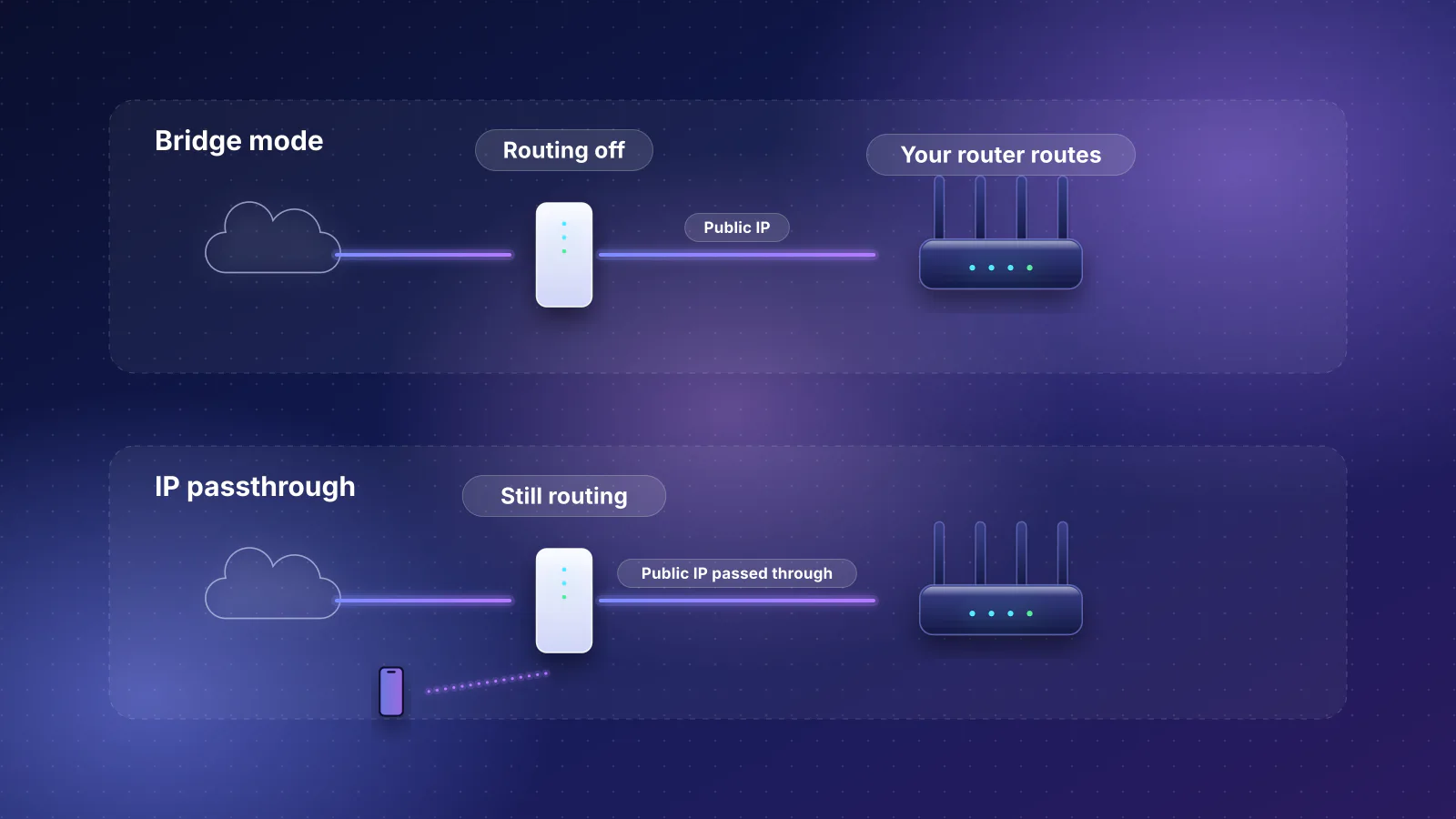
- T-Mobile, Verizon 5G Home and Starlink gateways stay in place. Verizon offers IP passthrough and Starlink a bypass mode; T-Mobile has neither, and Starlink's default plan uses carrier-grade NAT whatever router you add.
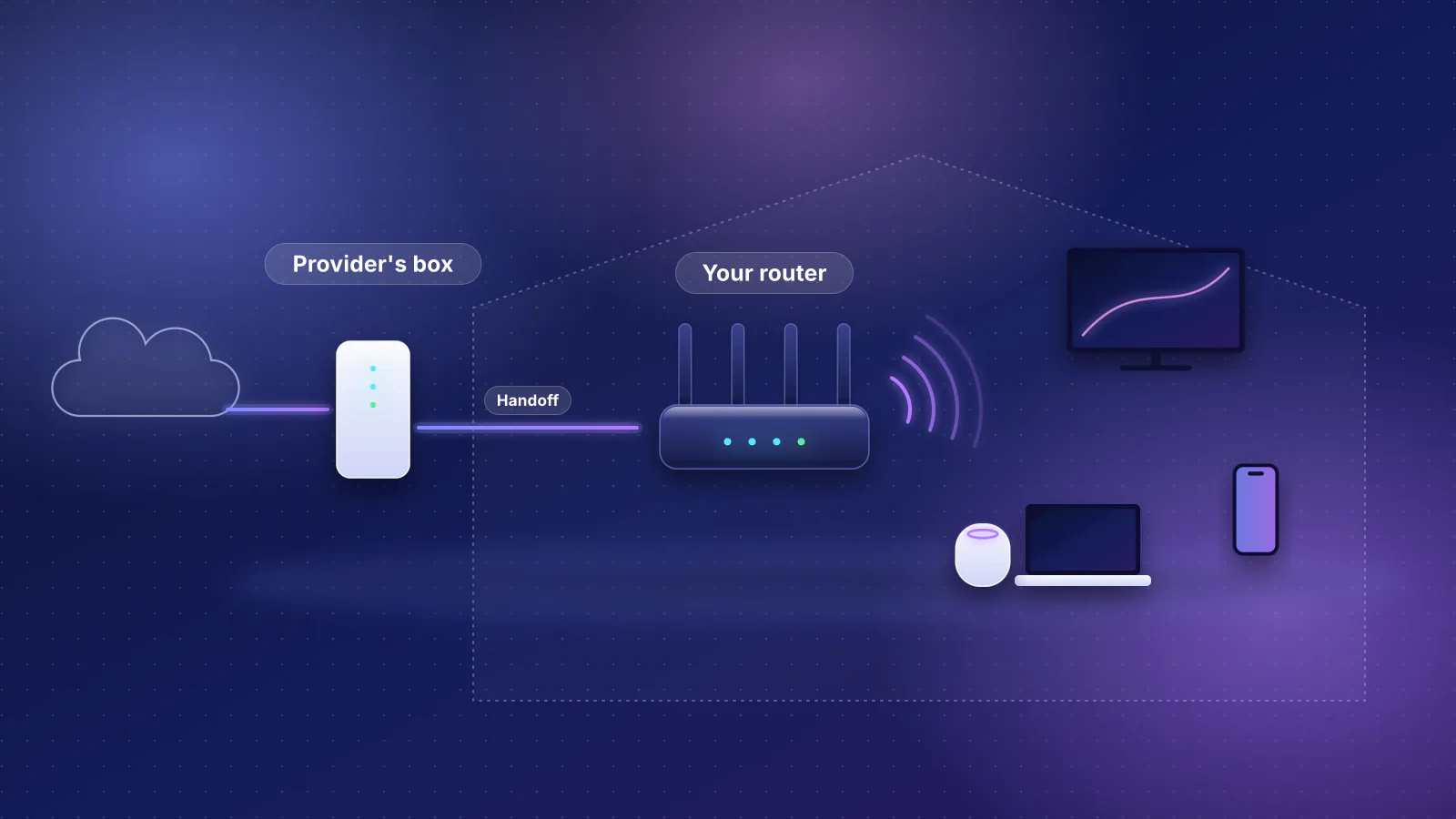
The general rules for owning your router are in our own your home network guide. This article covers what's specific to the Phoenix metro, with provider pages checked October 29, 2026.
Who serves the Valley, from the FCC's map
Every internet provider that runs its own network must report to the FCC, twice a year, where it offers service to homes and small businesses, location by location. The National Broadband Map shows those filings. Its latest data are as of December 31, 2025, and the map was last updated October 19, 2026. The FCC's area summaries give, for each city, the share of residential units where providers report a given technology and speed:
| City | Units (FCC count) | Fiber, 100/20 Mbps or faster | Cable, 100/20 Mbps or faster | All terrestrial, 1,000/100 Mbps or faster |
|---|---|---|---|---|
| Phoenix | 704,385 | 27% | 74% | 73% |
| Mesa | 255,835 | 46% | 74% | 76% |
| Scottsdale | 153,450 | 45% | 58% | 58% |
| Chandler | 124,259 | 36% | 72% | 68% |
| Gilbert | 113,183 | 35% | 74% | 80% |
| Glendale | 105,297 | 30% | 75% | 70% |
| Tempe | 95,699 | 22% | 68% | 60% |
| Queen Creek | 29,515 | 69% | 61% | 78% |
| Paradise Valley | 10,320 | 1.4% | 95% | 90% |
The FCC's top 10 providers for the city of Phoenix, by share of residential units they report serving with any technology: EchoStar, Viasat and SpaceX (Starlink) at about 100%, Cox 89%, Lumen 86%, Wi-Fiber 77%, T-Mobile 69%, AT&T 56%, Verizon 55% and AirFiber WISP 54%. In Mesa, the list also includes Google LLC, at 21%. Four things to keep in mind when you read these numbers:
- The data predate this year's ownership changes. Providers filed them as of December 31, 2025, so Quantum Fiber still appears under Lumen, which sold it to AT&T on February 2, 2026, and Cox appears as Cox, although Charter (Spectrum's parent) completed its purchase of Cox effective August 19, 2026.
- A listing is the provider's own report that it offers service there. It isn't a promise of a speed, a price or an install date, and a city-wide share says nothing about your street.
- Cities are city limits. The FCC's "place" for Phoenix doesn't include Scottsdale or Glendale; county islands and unincorporated areas have their own figures.
- Satellite providers report service almost everywhere, which is why EchoStar, Viasat and SpaceX top every list. That says nothing about latency or price.
How to check your address
- Search your address at broadbandmap.fcc.gov. The location summary lists the providers that report they can serve that exact location, with the types of service and speeds offered.
- Read the "Data As Of" date beside the results. Providers file data as of June 30 (due September 1) and December 31 (due March 1), so the map always runs several months behind. Anything built or sold since then won't show.
- Treat each listing as a lead, then confirm with the provider using its own availability check, which is what decides whether you can order.
- If a listing is wrong, the FCC lets you file an Availability Challenge from the map (a provider listed that can't actually serve you) or a Location Challenge (your home is missing or misplaced).
Then look up how that provider handles your own equipment in the table below.
Using your own router with each provider
From each provider's own pages, checked October 29, 2026. "Not documented" means we found no official page either way. The methods (bridge mode, IP passthrough, access-point mode) are explained in bridge mode vs IP passthrough.
| Provider | Technology | Your own equipment | Watch for |
|---|---|---|---|
| Spectrum (new orders in former Cox areas since September 16, 2026) | Cable; symmetrical tiers in some locations | Your own modem from Spectrum's authorized list, then any router | Spectrum's retail modem list covers "tiers up to 1G" and up to 500 Mbps; symmetrical tiers need Spectrum's modem; Spectrum Home Phone doesn't work with customer-owned modems. |
| Cox (existing plans) | Cable, plus fiber to the premises in some areas | Own modem from Cox's certified list, or the Panoramic gateway in bridge mode | Bridge mode isn't compatible with fiber service or MoCA services such as IPTV, and turns off Panoramic Wi-Fi and extenders. |
| Quantum Fiber (owned by AT&T) | Fiber | Your own Wi-Fi gear behind Quantum's SmartNID or gateway, in access-point mode | Quantum won't troubleshoot your equipment. Its C4000, C3000 and C3510 gateways can't run as access points. |
| AT&T | AT&T Fiber where available; Internet Air (fixed wireless) | On AT&T Fiber, IP passthrough on AT&T's gateway | Which network and gateway a Phoenix AT&T Fiber order uses isn't documented. We found no AT&T page on own routers with residential Internet Air. |
| GFiber (Mesa, Chandler, Queen Creek; Tempe "coming soon") | Fiber | Plug your router into the Fiber Jack | GFiber recommends a 10 Gbps WAN port on 2 Gig and faster plans, and won't support third-party router setups. |
| T-Mobile Home Internet | 5G | Your router behind the gateway, by Ethernet | No bridge mode, no port forwarding, no change of NAT type. Turn the gateway's Wi-Fi off in the T-Life app. |
| Verizon 5G Home | 5G | IP passthrough on the Verizon Internet Gateway, router on LAN2 | The gateway's Wi-Fi turns off and LAN1 loses internet. |
| Starlink | Satellite | Bypass mode in the Starlink app | Default IPv4 is carrier-grade NAT; bypass mode is undone only by a factory reset. |
Lumen kept "its copper-based consumer services" when it sold Quantum Fiber to AT&T, so CenturyLink's DSL stays with Lumen. If you're on DSL and add your own router, the connection may need a PPPoE username and password; see the moving section of our guide.
Cox and Spectrum: which rules apply to you
The October 2026 Phoenix and Tucson pricing guide has two halves. The Spectrum half is "available for customers residing in former Cox service areas beginning September 16, 2026". The Cox half lists plans that "are no longer available for new purchases", although "existing customers may continue to manage their current services, including eligible upgrades and downgrades". Cox's own FAQ tells existing customers they "can continue using your current equipment and apps". So which modem rules apply depends on which plan you're on.
| Spectrum plan (new orders) | Legacy Cox plan | |
|---|---|---|
| Plans in the guide | 500 ($85), 1 Gig ($105) and 2 Gig ($125) a month; uploads 20, 35 and 35 Mbps | Go Even Faster (500 Mbps), Go Super Fast (1 Gbps), Go Beyond Fast (2 Gbps) |
| Provider's equipment | "Modem or gateway lease, if applicable": no charge. Panoramic WiFi $10 a month, included with 1 Gig and 2 Gig. | Panoramic WiFi Gateway $15 a month |
| Your own modem | Must be on Spectrum's authorized list; the retail list covers tiers up to 1G | Cox-approved DOCSIS 3.0 or newer; Cox's list includes modems for 2 Gig |
| Symmetrical or fiber service | Customer-owned modems are "only authorized for non-symmetrical speed tiers" | The guide says Go Beyond Fast "requires a compatible Optical Network Terminal device, provided by Cox", although Cox's modem list also names cable modems for 2 Gig; bridge mode isn't compatible with fiber |
Prices are the guides' standard monthly rates before taxes and promotions. The detail most buyers miss is in the modem lists. Cox's list of modems for its 2 Gig tier includes the Arris S33 and S34, Netgear CM2000 and CM3000, Hitron CODA56 and Ubiquiti UCI. Spectrum's page, shown for a Phoenix ZIP code, lists the same models only under "Non-symmetrical Spectrum Internet tiers up to 1G" and has no list for 2 Gig. Spectrum doesn't say outright whether a customer-owned modem can run its 2 Gig tier, so if you're ordering 2 Gig, ask before you buy a modem. Spectrum also says "only Spectrum-provided equipment is supported by our technicians", and Cox says the same of its customer support. If you'd rather not buy a modem at all, Spectrum's lease is free on its current plans; for the trade-offs, see buying your own cable modem, and for other providers' fees and the break-even arithmetic, ISP equipment rental fees.
On a gigabit plan, check the router as well as the modem. Cox says Go Super Fast "requires DOCSIS 3.1 modem w/ 2.5 Gbps ethernet port", and for 2 Gbps service it asks for a router with "at least 2.5Gbps Ethernet WAN interface" and LAN port. Gigabit Ethernet carries about 940 Mbps of TCP data, so a 1 Gbps port caps a gigabit plan just under its rating. Cox's list of 2 Gbps-capable retail routers includes the ASUS ROG Rapture GT-AX6000, which our catalog lists with a 2.5 Gbps internet port and a 2.5 Gbps LAN port. For other tiers, see routers for 2 Gbps plans.
Quantum Fiber: the router is in the wall
Quantum Fiber sells 500 Mbps, 1 Gig, 2 Gig, 3 Gig and 8 Gig tiers on its Phoenix page, in "select locations", with symmetrical speeds on most plans (its 2 Gig tier uploads at 1 Gig). Its equipment works differently from cable:
- The SmartNID routes. Quantum's datasheet for the C6500XK, the SmartNID it installs on multi-gig plans, calls it a "10G XGSPON fiber router" with one 10 Gbps and one 1 Gbps Ethernet port. It has no Wi-Fi of its own and is permanently fixed to the wall; Quantum says not to remove it when you move or cancel.
- Your Wi-Fi gear goes behind it, in access-point mode. Quantum's bring-your-own page asks for equipment that "supports manual configuration in 'access point' or AP mode; can disable DHCP", and warns that a router not in AP mode "could impact performance for gaming, VPN, internet voice service, some IoT devices, and printing". That is double NAT, which access-point mode avoids.
- Bridge mode exists but is "rare". The SmartNID's status-light table includes "Transparent bridge mode (rare; manual setting for advanced user)", and Quantum's service disclosure says: "If using an additional gateway, enable bridge mode on the Quantum Fiber gateway." Quantum doesn't document what your router then needs to connect.
- Specs it asks for: Wi-Fi 5 minimum (Wi-Fi 6 or 6E preferred), and equipment "built to support 2.5 Gbps" for multi-gig speeds.
- Support stops at the SmartNID. Quantum "is not able to install or troubleshoot your Wi-Fi or Ethernet function on equipment you provide yourself", and you lose its 360 WiFi features (security, parental controls, Wi-Fi optimization).
AT&T said when it announced the deal that "over time, these subscribers will transition to be AT&T Fiber customers". AT&T Fiber keeps its own gateway in place and uses IP passthrough instead. As of October 29, 2026 quantumfiber.com still sells Quantum plans in Phoenix and AT&T's Phoenix page separately advertises AT&T Fiber with "limited availability", and neither says which equipment a new Phoenix order gets.
GFiber: Mesa, Chandler and Queen Creek
GFiber (formerly Google Fiber) lists Chandler, Mesa and Queen Creek among its cities and Tempe as "coming soon". Its Mesa page lists 1 Gig at $70, 3 Gig at $100 and 8 Gig at $150 a month, each with a GFiber router included "or connect your own".
It is the simplest provider here for your own router. GFiber's instructions: connect an Ethernet cable from the Fiber Jack to your router's WAN port, then set up Wi-Fi in your router's app. It recommends a 1 Gbps WAN port and Wi-Fi 6 for 1 Gig, and a 10 Gbps WAN port for its 2 Gig and faster plans, with Cat6 or better cable. Two caveats: "Using your own router is recommended for advanced users", and GFiber support covers the signal to the Fiber Jack but not "third-party router configurations". Keep GFiber's equipment; you need it if you cancel or move. GFiber announced in March 2026 that it will combine with Astound Broadband, with closing expected in the fourth quarter; as of October 29, 2026 its blog had no closing announcement.
5G home internet and Starlink
With these, the provider's gateway or router always stays, and the question is how much of it you can switch off. In order of how much control you get:
- Starlink: "Bypass mode allows you turn off the Starlink router and connect a third-party router directly to Starlink", which completely disables the Starlink router's Wi-Fi. To undo it "you will need to perform a factory reset". The default IPv4 service is carrier-grade NAT, which "does not allow inbound traffic"; a public IPv4 address is an option only for Local and Global Priority customers. Every Starlink gets a /56 IPv6 prefix.
- Verizon 5G Home: IP passthrough on the Verizon Internet Gateway passes the network's address to the device on the LAN2 port. "All Wi-Fi radios are automatically turn off" and "Internet access is no longer available through Wi-Fi or the LAN1 Ethernet port." Verizon lists the router as included.
- T-Mobile Home Internet: "T-Mobile gateways do not have the ability to enable and disable bridge mode", can't change NAT type, and can't set up port forwarding. Your router connects to the gateway's Ethernet port, so it sits behind the gateway's NAT, and you turn off the gateway's Wi-Fi in the T-Life app. T-Mobile lists "No monthly equipment fees".
If you need to reach something at home from outside (cameras, a game server, a NAS), check whether you're behind carrier-grade NAT before you buy a router to fix it.
What Valley homes add to the decision
The provider decides what arrives at the wall; the house decides how far Wi-Fi gets from there. Three local points, consistent with our Phoenix metro planning page:
- Block and stucco walls. Our coverage rule of thumb allows about 1,000 sq ft per access point for block, brick, stucco or concrete, against about 1,800 for drywall. A 2,500 sq ft block home is three access points by that rule, which is why wired backhaul matters more here than router speed. See mesh with Ethernet backhaul.
- Heat. Quantum's C6500XK datasheet gives an operating temperature of 32 to 104 °F. Our Phoenix planning page notes that summer attic and garage temperatures in the Valley routinely exceed the operating range printed on consumer networking gear. If the provider's box is in one of those places, ask the provider about moving it before you plan the rest of the network around it.
- Power cuts. GFiber includes an Internet Battery Backup "for up to 2 hours of power loss" with its 8 Gig plan and offers it as an add-on with 3 Gig. With other providers, a battery backup for the modem, ONT and router is up to you.
Frequently asked questions
I have Cox. Do I need to replace my modem now that Cox is Spectrum?
Not as long as you stay on your existing Cox plan. Cox's FAQ says existing customers can continue using their current equipment, and legacy plans still point to Cox's modem list. If you move to a Spectrum plan, Spectrum's authorized modem list applies, so check your model is on it for your speed tier, and remember that symmetrical tiers need Spectrum's modem.
Can I put Quantum Fiber's SmartNID in bridge mode and use my own router?
Quantum lists a transparent bridge mode on the C6500XK but calls it rare and a manual setting for advanced users, and it doesn't document what your router then needs to connect. Its documented path is to keep its device routing and run your own Wi-Fi equipment in access-point mode with DHCP turned off.
Does the FCC map show prices or real speeds?
No. It shows which providers report offering service at a location, with the types of service and speeds offered. Prices, plan availability and install dates come from the provider. The map's data also run several months behind, because providers report as of June 30 and December 31 each year.
Which provider is easiest for using my own router in the Valley?
From the providers' own documentation, GFiber: your router plugs straight into the Fiber Jack. Cable is next, with your own modem from the list for your plan. Quantum Fiber, AT&T Fiber and the 5G services keep the provider's device in the path, so you rely on access-point mode or IP passthrough.
Sources
Read on October 29, 2026.
- FCC National Broadband Map: area summary for Phoenix, AZ (data as of December 31, 2025; the same summaries for Mesa, Scottsdale, Chandler, Gilbert, Glendale, Tempe, Queen Creek and Paradise Valley) and About the map (filing dates, challenges)
- Cox/Spectrum: Phoenix & Tucson product and pricing guide, October 2026 (PDF)
- Spectrum: Using your own equipment on our network (authorized retail modems) and DOCSIS modem policy
- Cox: Certified cable modems (modem lists, 2 Gbps router requirements)
- Cox: Enabling bridge mode on the Panoramic Wifi gateway
- Cox: Spectrum and Cox, your service stays the same (FAQ) and Charter: Cox transaction customer letter
- Charter: Form 8-K on completing the Cox transaction (effective August 19, 2026)
- Quantum Fiber: Fiber internet in Phoenix, AZ and About Quantum Fiber
- Quantum Fiber: Bring your own Wi-Fi and Internet service disclosure
- Quantum Fiber: C6500XK SmartNID user guide, C6500XK datasheet (PDF) and Multi-gig speed FAQs
- Lumen: Form 8-K on completing the sale to AT&T (February 2, 2026) and press release (copper consumer services retained)
- AT&T: announcement of the Lumen fiber purchase (May 2025) and AT&T: Home internet in Phoenix, AZ
- GFiber: Mesa, AZ plans, Tempe (coming soon) and city list
- GFiber: Set up your own router at home and GFiber and Stonepeak's Astound to combine (March 2026)
- T-Mobile: Connect your devices to T-Mobile Internet and 5G Home Internet plans
- Verizon: Verizon Internet Gateway, configure IP passthrough / bridge mode and 5G Home Internet
- Starlink: What is bypass mode? and What IP address does Starlink provide?
- RouterHaus catalog (ASUS GT-AX6000 ports)