The short version
- The front door is a hard spot for Wi-Fi. The doorbell is outside the house, usually far from the router, with an exterior wall in the way. In a 1998 study of three houses in Blacksburg, Virginia, measured at 5.85 GHz, Durgin, Rappaport and Xu's conclusion says "home penetration attenuates signals at an average of 14 dB" (their Section IV gives an average of 16.3 dB), and their model put 10.2 dB on the brick exterior of one of those houses. That's three houses at one frequency, not a figure for every home.
- Read the doorbell's own check first. Ring shows a signal reading (RSSI) in Device Health: 0 to −60 is "Great", −60 to −70 "Could be improved", −70 to −80 brings "Possible delays and interruptions in service", and −80 or worse means "Intermittent service or falling offline". Arlo asks for full signal bars where the device is mounted.
- Check the band. eufy says its devices "cannot be connected to a 5GHz network", Wyze says the Video Doorbell v2 "only supports 2.4 GHz networks", and Arlo's direct-to-Wi-Fi doorbell joins 2.4 GHz. Some Ring models, Google's Nest Doorbell (battery) and Nest Doorbell (wired, 3rd gen), and the Wyze Video Doorbell Pro and Duo Cam Doorbell can also use 5 GHz. Ring's own fix list suggests trying 2.4 GHz "instead of 5GHz".
- Check the power. Ring says hardwiring gives a battery doorbell only a trickle charge, and that weak Wi-Fi makes it keep reconnecting, which "can make your battery run out faster." Wired doorbells need a transformer in the maker's range; Google's wired Nest doorbells need 16 to 24 VAC and 10 to 40 VA.
- Move signal toward the door before buying anything. A router out of a cabinet, or a mesh unit you already own moved to a room near the entry, often closes the gap. A Ring Chime Pro or a new mesh unit is the next step; a PoE doorbell on its own Ethernet cable is the fix that takes Wi-Fi out of the picture.
If everything in the house drops, not just the doorbell, start with why Wi-Fi keeps disconnecting instead. If the doorbell won't join Wi-Fi during setup at all, the usual cause is the phone sitting on 5 GHz; connecting 2.4 GHz-only devices covers that step by router brand.
Why the front door is a hard spot
Three things stack up at a front door that rarely stack up anywhere else in the house:
- Distance. Routers usually sit where the provider's line comes in or near the TV, and the front door is often at the opposite end. Google's Nest help says a camera or doorbell "might lose its connection if it's too far from your Wi-Fi router."
- The exterior wall. The signal has to leave the house through the outside wall or the door frame. Google's interference page says "Materials such as wood and clear glass don't have much of an effect" but "denser materials such as concrete, brick and metal can make it difficult to connect." Ring lists brick, stucco and metal among the things that weaken Wi-Fi, and eero says "walls of brick, stone, and metal will be hard for your wifi to penetrate."
- The direction of the traffic. A doorbell mostly sends: live view and recorded events go up to the maker's cloud. A doorbell's small radio has to be heard by the router, not just hear it. Ring lists upload needs per device from 1 Mbps at 720p to 15 Mbps at 4K.
What the published measurements say
The two studies below report losses through walls, not whether any given doorbell will work. Loss is counted in decibels: every 3 dB halves the signal power, and 10 dB leaves a tenth.
- Three houses at 5.85 GHz. Durgin, Rappaport and Xu (IEEE Transactions on Communications, 1998) measured three houses in Blacksburg, Virginia (two brick, one wood-sided) at 5.85 GHz, near the upper edge of the 5 GHz Wi-Fi band. Their conclusion says "home penetration attenuates signals at an average of 14 dB"; the penetration-loss section of the same paper gives an average of 16.3 dB for the three houses, and the paper doesn't reconcile the two. In their partition model for one of the brick houses, the brick exterior came to 10.2 dB and the interior plaster walls 4.7 dB each; the authors suggest that "typical value of 4.7 dB" may suit interior walls in other homes too, but they measured only these houses. In the one house with foil-backed insulation, they write that it "may add as much as 4 dB to the penetration loss."
- In the laboratory, NIST's study of construction materials (NIST IR 6055, 1997) measured brick, masonry block, concrete, glass and drywall from 0.5 to 2 GHz and 3 to 8 GHz, so it brackets 2.4 GHz rather than measuring it. RouterHaus's guide to Wi-Fi placement in stucco and block homes reads its figures for block, concrete and drywall into one table.
- Stucco depends on what's behind it. Stucco can sit over wood framing, which puts a metal lath across the wall, or over concrete block. The sources we read include no measurement of a stucco-over-lath wall at Wi-Fi frequencies; the stucco section of that guide explains how to tell which you have and what the related measurements suggest.
The practical point, as we read those figures: in that one brick house the exterior wall cost about twice as many decibels as an interior wall, so a doorbell that's one room and one exterior wall from a mesh unit is in a very different position from one that's four rooms and an exterior wall from the router.
- Internet plan Upload well above what the doorbell needs
- Router Back of the house, inside a media cabinet
- Interior walls Several rooms between router and entry
- Exterior wall to doorbell Brick, block or stucco on lath, then the doorbell's small radio sending video back: the weak link
- Maker's cloud and your phone Live view and recorded events
A safe check: read the doorbell's own numbers
None of these steps changes a setting. Do them with the doorbell mounted where it lives, because a reading taken on the kitchen counter during setup says nothing about the door.
- Read the maker's signal check.
- Ring: in the Ring app, open the doorbell's Device Settings, tap the Device Health tile and look at Signal Strength. Ring's Wi-Fi page calls this "the received signal strength indicator (RSSI)" and rates it as in the table below. Signed in on ring.com, the doorbell's Device Health section also shows Transmit Speed, which Ring describes as "the speed of the direct connection between your Ring device and your local network": "More than 20 Mbps" is good, 10 to 20 Mbps okay and "Less than 10 Mbps" poor.
- Arlo: Arlo's knowledge base says "make sure your cameras display full signal strength in the area where you intend to install them", and that devices can work on one or two bars but may drop out of range from time to time.
- Google Nest: we couldn't find a signal-strength reading for Nest doorbells on Google's help pages. Google's advice is to "Use a phone or tablet to do a speed test near your device."
- eufy: its requirements page lists a 2.4 GHz network and "at least 2Mbps upload speed"; we couldn't find a signal-strength threshold on its pages. For wired doorbells, eufy's app has a Voltage Diagnosis test (see power, below).
- Run a speed test at the door. Stand at the doorbell with your phone on the same Wi-Fi network (not cellular) and run a speed test, as Google suggests. Look at the upload figure and compare it with the maker's minimum for your model (table below). A phone's radio isn't the doorbell's, so treat this as a rough guide: if the phone struggles at the door, the doorbell is likely to as well.
- Run the same test next to the router. Ring says to contact your internet provider if a test next to the router shows "less than 1 Mbps" or "less than 60% of the internet speed you're paying for." That separates a plan or line problem from a front-door problem.
- Note when it drops. A rough guide, from how these problems usually show up rather than a maker's rule: offline every evening or when the house is busy points at shared upload; offline after the battery runs low, or on hot or cold days, points at power; offline at random with a weak reading points at signal.
What each result means
| What you see | What it likely means | Go to |
|---|---|---|
| Ring RSSI 0 to −60 ("Great"), still drops | Signal isn't the limit; look at power, upload or the router | Power, then upload |
| Ring RSSI −60 to −70 ("Could be improved") | Workable but marginal; events may lag when the house is busy | Placement |
| Ring RSSI −70 to −80 ("Possible delays and interruptions") or −80 or worse ("Intermittent service or falling offline"); Arlo one or two bars; poor speed test at the door | The front-door link is the problem | Placement, band, then extending |
| Good signal, but Ring Transmit Speed under 10 Mbps | The link to the router is slow; often a busy band or a distant access point | Band, placement |
| Slow test next to the router too (under 1 Mbps or under 60% of your plan, by Ring's rule) | The internet line or provider, not the door | Your internet provider |
| Battery drains fast or doorbell drops as the battery runs low | Weak signal causing reconnects, or a power problem | Power, placement |
Ring's RSSI scale is Ring's own; other makers don't publish one, so don't hold an Arlo or Nest doorbell to Ring's numbers.
What each maker publishes
Each entry below is from the maker's own support or spec page or manual, read November 27, 2026. They're the makers' figures, not RouterHaus measurements, and they aren't stated the same way (some are minimums, some maximums), so compare within a brand rather than across brands.
| Maker | Wi-Fi bands | Signal check | Upload the maker gives |
|---|---|---|---|
| Ring | "All Ring devices are compatible with 2.4 GHz"; "some" also 5 GHz. The Video Doorbell Pro 2 uses 5 GHz "via channels 100 and above" ("Channels 36-64 are not available") | RSSI and Transmit Speed in Device Health | Per device: 720p 1 Mbps, 1080p 2 Mbps, 1536p 2.5 Mbps, 2K 10 Mbps, 4K 15 Mbps; "at least 1 Mbps to work" |
| Google Nest Doorbell (battery) | 2.4 and 5 GHz (802.11a/b/g/n/ac) | None we found; speed test near the device | Maximum upload: 0.7 Mbps on High (2.0 during events); 1.0 Mbps on Max |
| Google Nest Doorbell (wired, 3rd gen) | 2.4 and 5 GHz ("802.11ac-ready") | None we found | Maximum upload: 3.3 Mbps on Max video |
| Arlo Video Doorbell (direct to Wi-Fi) | "can connect directly to a 2.4 GHz WiFi network"; for direct-to-Wi-Fi connections "a Wi-Fi router with a 2.4GHz band is required". Arlo's US manual for the Essential Video Doorbell Wired: it "can only connect to a 2.4 GHz WiFi network" | Signal bars; full strength where mounted | 2 Mbps per video doorbell, listed as average use |
| eufy | 2.4 GHz only: "eufy devices cannot be connected to a 5GHz network" | None we found; Voltage Diagnosis for wired doorbells | "at least 2Mbps upload speed" |
| Wyze | Video Doorbell v2: "only supports 2.4 GHz"; Video Doorbell Pro and Duo Cam Doorbell are listed as working with 5 GHz | None on the pages we read | None on the pages we read |
eufy's and Wyze's pages show no date and Ring's only a relative "last updated", so their figures are as read November 27, 2026. Arlo's knowledge-base page on range shows 06/10/2024. Arlo's band and upload quotes come from English-language pages on Arlo's European sites, because its US pages didn't load as readable text; the US manual quoted above agrees on the 2.4 GHz limit, but we couldn't read Arlo's US page for the 2 Mbps figure. For how these upload figures add up when you have cameras too, see how much bandwidth security cameras use.
Fix 1: move the signal toward the door
This costs nothing, and it's where the makers' own advice starts:
- Get the router into the open. Ring says "Make sure your wifi router isn't blocked behind a couch or in a closet" and to move it "off the floor onto a coffee table." eero says to place units "at a height halfway between the floor and the ceiling, not on the ground" and "try not to place your eeros inside a media console or cabinet."
- Shorten the path. Google says to "Move your Wi-Fi router and camera or doorbell closer." If the router can't move, a mesh unit you already own often can: a hallway, entry table or front room inside the door is a better spot than a back bedroom.
- Mind the mesh spacing. eero says to place units "20 to 30 feet apart (no more than 50 feet)" and halfway between the previous unit and the dead zone, with "direct line of sight between eeros" where possible. Putting a node right inside the front door only helps if that node itself still has a good link back to the rest of the system, so check the node's own connection in the mesh app after moving it.
- Restart before you judge. Ring's offline checklist includes unplugging the router and modem for 30 seconds. Test again afterwards, at the door.
After each move, read the doorbell's own signal again. The reading at the door is the only one that counts. For measuring signal room by room with a phone or laptop, see why range matters and how to find dead zones.
Fix 2: put it on the right band
Two different problems hide here, and the makers point in different directions:
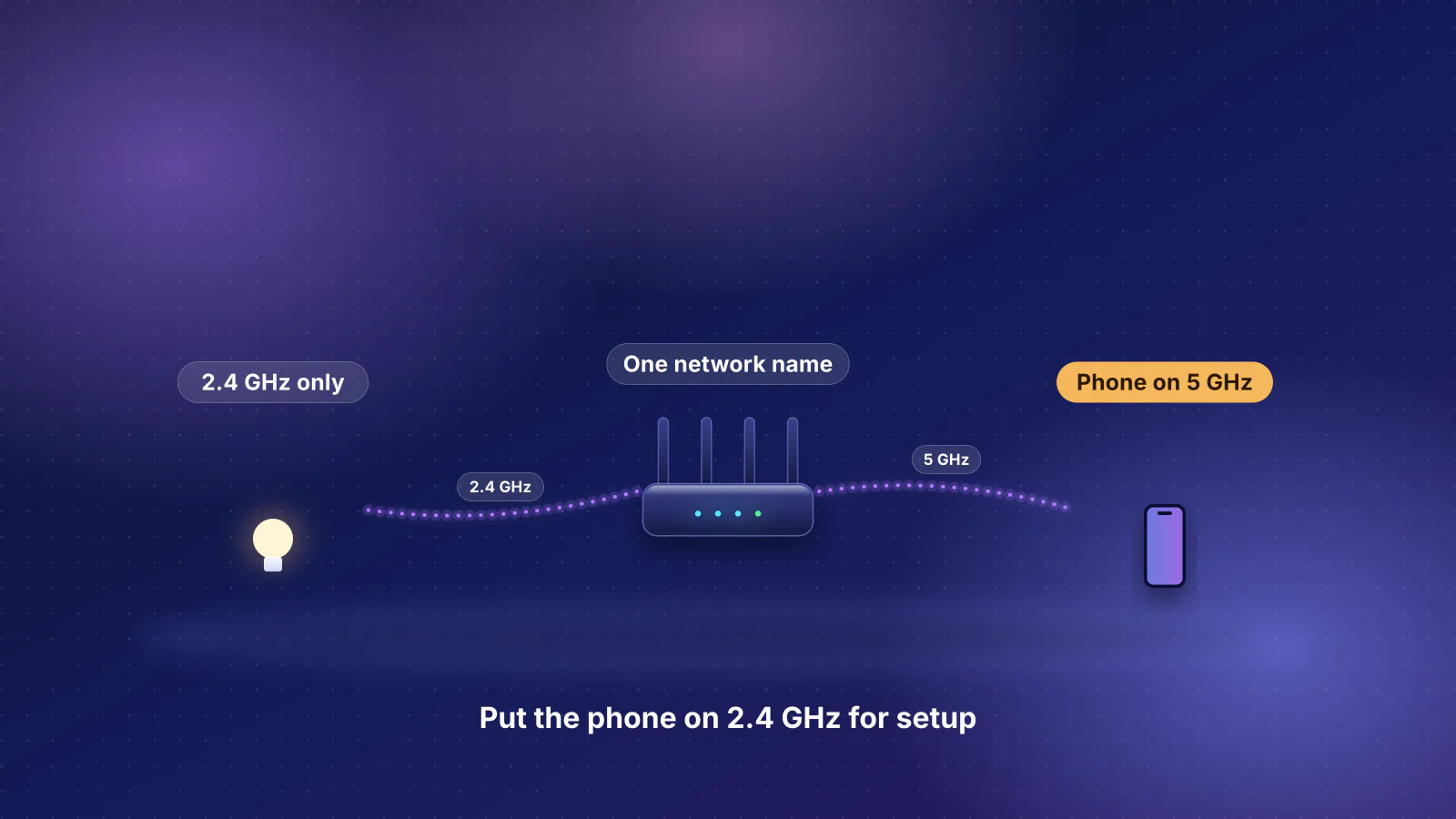
- A 2.4 GHz-only doorbell (eufy, Wyze Video Doorbell v2, Arlo's direct-to-Wi-Fi doorbell) can only use the 2.4 GHz radio. It works fine under a combined network name once it's set up, but setup needs the phone on 2.4 GHz too. Arlo notes that on mesh networks with one name for both bands, the doorbell can't use 5 GHz and connects to 2.4 GHz on its own. The 2.4 GHz setup guide has each router maker's way to do this.
- A dual-band doorbell on 5 GHz at a distant door may do better on 2.4 GHz. Ring's offline checklist says: "Try connecting the device to a different 2.4GHz wifi network, instead of 5GHz." Google's interference page suggests the opposite trade for crowded homes: "If other products in your home are using a 2.4 GHz connection, try switching to the 5 GHz frequency." Try the one your doorbell supports that reads better at the door.
- The Ring Video Doorbell Pro 2's channel rule. Ring says it joins 5 GHz only on channels 100 and above and that "Channels 36-64 are not available"; its fix is to change the router's channel or combine the 2.4 and 5 GHz networks into one.
If your router only lets you split bands by turning one off, put it back afterwards: other devices in the house may rely on it.
Fix 3: make room in the upload
If the signal reads well and the doorbell still lags or misses events when the house is busy, the shared upload may be full. Ring's example adds a doorbell and a camera together ("2 + 3.5 = 5.5 Mbps"), and every camera, video call and backup draws on the same upload. Two free changes:
- Lower the video quality where the app allows it. Google's maximum upload figures for the Nest Doorbell (battery) run from 0.7 Mbps on High to 1.0 Mbps on Max, so a lower setting sends less.
- Find what else is uploading when it fails: a cloud backup, a photo library sync or another camera recording, and pause it to see whether the doorbell recovers.
Fix 4: rule out power
A doorbell that's starved of power can look exactly like one with bad Wi-Fi: it reboots, drops off and reconnects. Check power before buying network gear.
Battery doorbells
- Weak Wi-Fi drains the battery. Ring says a weak connection means the device "might keep losing connection and then reconnecting," and "This can make your battery run out faster." So fixing the signal can help battery life too.
- Wiring a battery doorbell doesn't make it a wired doorbell. Ring says battery doorbells wired to the chime "only receive a trickle-charge from the wiring and are primarily powered by the battery."
- Temperature matters. Ring says rechargeable batteries "will drain faster when it is cold outside." Google lists the Nest Doorbell (battery) operating and charging temperatures as −20 to 40 °C, with charging only above 0 °C, and says a "Wired installation will still require charging the battery indoors with charge cable" below 0 °C (32 °F). A door in direct sun or deep cold can sit outside a model's range; check your model's spec page.
- Start full. Ring says shipping rules mean its batteries can't be packaged fully charged, and recommends charging to 100% "for at least six to eight hours before installing."
Wired doorbells and the transformer
Wired doorbells run from the low-voltage doorbell transformer, and each maker gives a range for each model. Ring and Google warn against power sources outside that range or of the wrong type. This table is for checking compatibility, not a wiring guide: follow your doorbell maker's own installation instructions, and leave anything beyond them to an electrician.
| Doorbell | Transformer the maker specifies |
|---|---|
| Ring battery doorbells (wired to an existing doorbell system) | 8 to 24 VAC, 50/60 Hz, 5 to 40 VA |
| Ring Video Doorbell Wired | 10 to 24 VAC, 50/60 Hz, 8 to 40 VA |
| Ring Wired Doorbell Plus, Pro, 2K Plus and 4K Pro | 16 to 24 VAC, 50/60 Hz, 10 to 40 VA |
| Google Nest Doorbell (wired, 2nd and 3rd gen) | 16 to 24 VAC, 10 to 40 VA |
| Google Nest Doorbell (battery), wired option | 8 to 24 VAC, 10 VA, 50 to 60 Hz |
| Reolink Video Doorbell PoE, hardwired option | 12 to 24 VAC 50/60 Hz, or 24 VDC |
Other points from the makers' pages:
- Ring says "Intercom systems and DC transformers aren't compatible", warns "Do not use a halogen or garden lighting transformer to power your Ring device", and that "Using incompatible power sources can damage your device and cause electric shock." Some Ring models need its Pro Power Kit with the existing chime; its hardwiring page lists which.
- eufy says to run the app's "Voltage Diagnosis test to verify the transformer provides sufficient power" before Wi-Fi setup on its wired doorbell.
- Google says that if the system "doesn't meet the power and voltage requirements, or if you're not sure, contact a local certified electrician."
If you can't find the transformer or tell its rating, or it's below your doorbell's range, that's a job for an electrician, not a Wi-Fi fix.
Fix 5: extend Wi-Fi to the door
If the free moves leave the doorbell reading poor, the door needs signal of its own. In rough order of cost and effort:
- A maker's own extender. Ring describes the Chime Pro as "a wifi extender that was designed to work with Ring devices"; its product page lists "Dual-Band 2.4GHz & 5GHz Wifi Connectivity." Ring says an extender's best place is "halfway between a router and an electronic device", and that it needs to be "about 20 feet max" from the router. The Ring app has a Chime Pro placement test (Chime Pro, Device Settings, Chime Pro Network, Run Placement Test) that lists connected devices "in order of weakest to strongest signal"; Ring says to repeat it "until you achieve a good result."
- Know the limits of extenders. Ring says "Wifi extenders will stretch a wifi signal, but they don't strengthen the signal," and suggests them for homes of "1500 square feet or under", with mesh as the better fit for larger homes and for signals that must pass brick, stucco or metal. Google warns that "Your main Wi-Fi router sometimes has a better connection than your network extenders," and suggests moving the extender closer to the doorbell or turning it off if problems continue.
- A mesh unit near the entry. If phones are also weak at the front of the house, the problem isn't only the doorbell, and a mesh unit or access point serving the front rooms fixes it for everything. Extender, mesh or access point compares the options; an access point or mesh unit on an Ethernet cable avoids the extra wireless hop entirely.
When new equipment is justified
Buy nothing until you've read the doorbell's signal at the door after moving the router or a mesh unit, and ruled out power. New equipment makes sense when:
- The doorbell still reads poor after the free moves, and it's the only weak device: a maker's extender such as the Chime Pro (for Ring) is the smallest purchase that targets it.
- Phones and other devices are also weak at the front of the house: one more mesh unit or a wired access point serves the doorbell and the rooms.
- You can get an Ethernet cable to the door: a PoE doorbell takes Wi-Fi out of the picture. Ring describes PoE as "a way to wire power and internet together" and gives a "maximum recommended cable length is 100 meters (328 ft)"; its Video Doorbell Elite uses it. Reolink's Video Doorbell PoE lists "IEEE 802.3af" power and a 10/100 Mbps Ethernet port, and says existing doorbell wires "cannot replace the Ethernet data connection", so a PoE doorbell needs a new cable to the door, not the old chime wires. Reolink also says it "cannot directly operate a traditional mechanical chime." Products are named here as examples of the approach, not as picks. For power budgets on PoE gear, see PoE planning for access points and cameras.
- Your router has no way to get a 2.4 GHz-only doorbell set up (no band split, no pause, no IoT network). That's rare; see when new equipment is justified for 2.4 GHz devices.
A faster internet plan is justified only if the wired or next-to-router test shows the upload itself is the limit, not the door.
When to get professional help
- The transformer. If your transformer is below your doorbell's range or you can't tell, Google's and Ring's own pages point to a qualified or certified electrician; Ring notes that "Installation by a qualified electrician might be required in your area." Leave transformer replacement and any other electrical work to an electrician.
- A cable to the door. Running Ethernet through an exterior wall for a PoE doorbell, or to an access point near the entry, means drilling, weatherproofing and fishing cable through finished walls. Running Ethernet in an existing home shows what's involved, including outside runs and when to hand the job to an installer. It covers network cable only; doorbell transformer and mains wiring stay with an electrician.
When the job needs hands on site, RouterHaus can connect you with a licensed contractor through a consultation request.
Frequently asked questions
What is a good RSSI for a Ring doorbell?
Ring rates 0 to −60 as Great, −60 to −70 as Okay (could be improved), −70 to −80 as Poor (possible delays and interruptions) and −80 or worse as Very poor (intermittent service or falling offline). The reading is in Device Health in the Ring app. Other makers don't publish the same scale.
Should my video doorbell be on 2.4 GHz or 5 GHz?
On whichever band it supports that reads better at the door. eufy, the Wyze Video Doorbell v2 and Arlo's direct-to-Wi-Fi doorbell use 2.4 GHz only. Ring suggests trying 2.4 GHz instead of 5 GHz for an offline device; Google suggests 5 GHz when the 2.4 GHz band is crowded. Read the doorbell's signal on each and keep the better one.
Will a mesh system fix my doorbell going offline?
If you place a unit so the front door is one wall from it and that unit still has a good link back, often yes. A mesh unit left in the same spot as the old router changes little. Try moving a unit you already own toward the entry before buying one.
Does hardwiring a battery doorbell stop it going offline?
Not by itself. Ring says a wired battery doorbell only gets a trickle charge and still runs mainly from the battery, and weak Wi-Fi drains the battery faster through reconnects. Wiring helps the battery; it doesn't fix a weak signal.
Do I need a new internet plan for a video doorbell?
Rarely. Makers' figures are a few Mbps per doorbell at 1080p and below (Ring lists 2 Mbps at 1080p, though 10 Mbps at 2K and 15 Mbps at 4K; Arlo lists 2 Mbps per video doorbell as average use). Test next to the router: if upload there is fine, the problem is the path to the door, not the plan.
Sources
All read on November 27, 2026. Ring's pages show only a relative "last updated" date and eufy's and Wyze's show none, so treat their figures as of that day.
- Ring: Understanding wifi recommendations for Ring devices (RSSI scale, upload per device, the 1 Mbps and 60% rules)
- Ring: Fixing offline devices (2.4 GHz instead of 5 GHz, router restart)
- Ring: Finding your Ring device's transmit speed
- Ring: Understanding wifi extenders and mesh networks
- Ring: Using the Chime Pro placement test to optimize wifi and Ring support: Chime Pro (features and tech specs)
- Ring: Doorbell and security camera FAQ (bands, trickle charge, transformer types)
- Ring: Guidelines for hardwiring your Ring Video Doorbell
- Ring: Troubleshooting battery performance and Top Video Doorbell Tips
- Ring: What to do when your Ring Video Doorbell Pro 2 has trouble connecting to 5GHz wifi
- Ring: Understanding Power over Ethernet
- Google Nest Help: Fix issues with your Nest camera or doorbell Wi-Fi
- Google Nest Help: Troubleshoot wireless interference
- Google Nest Help: Internet bandwidth and speed requirements for Nest cameras
- Google Store: Nest Doorbell (wired, 3rd gen) tech specs and Nest Doorbell (battery) tech specs
- Google Home Help: Get professional help to upgrade the doorbell system transformer
- Arlo: What are the minimum requirements for installing and using my Arlo system? and How do I connect my mobile device to a 2.4 GHz WiFi network to set up my Arlo camera? (English-language pages on Arlo's Danish site; the US versions of these pages didn't load as text)
- Arlo: Essential Video Doorbell Wired user manual, US (PDF) (2.4 GHz only)
- Arlo Knowledge Base: How can I increase the range of my Arlo devices? (last updated 06/10/2024)
- eufy: Requirements for using eufy devices and Failed to connect eufy Wired Video Doorbell to WiFi network
- Wyze: Does Wyze Video Doorbell v2 support 5 GHz? and Which Wyze devices work with 5 GHz?
- Reolink: Reolink Video Doorbell PoE (specifications)
- eero: Where should I place my eeros?
- Durgin, Rappaport and Xu: Measurements and models for radio path loss and penetration loss in and around homes and trees at 5.85 GHz, IEEE Transactions on Communications, November 1998 (PDF)
- NIST: Electromagnetic signal attenuation in construction materials, NISTIR 6055 (W. C. Stone, 1997, PDF)