The short version
- Quantum Fiber is now part of AT&T, and nothing changes yet. AT&T closed its purchase of Lumen's consumer fiber business on February 2, 2026. Quantum's FAQ about the change, which sits on its Instant Internet pages, says "There will be no changes to your existing Quantum Fiber services at this time" and "You will continue using your existing internet equipment"; we found no separate version for other Quantum plans. AT&T said when it announced the deal that "Over time, these subscribers will transition to be AT&T Fiber customers", without a date.
- There's no bare fiber terminal to plug your router into. Quantum's SmartNID "combines the functions of a modem and a fiber-optic network terminal into one device", and its datasheet calls the multi-gig model a "fiber router". It stays on the wall and keeps routing.
- Quantum's documented path is access-point mode. Your router or mesh plugs into the SmartNID and must support "access point" or AP mode with DHCP turned off. Left in router mode, it creates double NAT, which Quantum warns can affect gaming, VPNs and internet voice.
- VLAN 201 and PPPoE are the SmartNID's job, not yours. Quantum's own pages don't mention a VLAN. The SmartNID itself signs in with a PPP username and password. The "VLAN tagging 201" requirement appears only on CenturyLink's undated page about non-CenturyLink modems, which doesn't say whether it applies to DSL, fiber or both. A transparent bridge mode exists on the SmartNID but Quantum calls it "rare" and doesn't document what your router would then need.
- CGNAT and IPv6 aren't documented on Quantum's pages we checked. Quantum does publish static IP setup steps for the SmartNID. Run the check on your own line before buying anything to fix remote access.
- On multi-gig plans, plug your gear into the SmartNID's 10 Gbps port and give it at least a 2.5 Gbps port, which Quantum also asks for. If you're moved to AT&T Fiber, expect AT&T's gateway to stay, with your router on IP passthrough; an AT&T small-business support page says "Bridged mode is not possible on the AT&T platform."
This guide covers Quantum Fiber specifically, from Quantum's and AT&T's own pages read November 27, 2026. For the Phoenix-area picture across every provider, see Phoenix internet providers and your own router; for the general case for owning your equipment, see the own your home network guide.
Quantum Fiber is now AT&T: what changes for your equipment
AT&T's newsroom announced on February 2, 2026 that it "has closed its previously announced transaction" for "substantially all of Lumen's Mass Markets fiber business", which it says brings more than 1 million fiber subscribers and more than 4 million customer locations across 11 states. AT&T's May 21, 2025 announcement of the deal said Lumen keeps its "Mass Markets copper-based customers", so CenturyLink's DSL service stays with Lumen, and that the fiber subscribers "will transition to be AT&T Fiber customers" over time.
For now, Quantum is still a separate service with its own equipment. AT&T's Quantum page says "Quantum Fiber is now part of the AT&T family", and Quantum's FAQ about the change answers the two equipment questions directly. That FAQ is on a page titled "Quantum Fiber Instant Internet - AT&T FAQs", and its account answer points to the Instant Internet sign-in, so it may be written for Instant Internet customers; its answers speak of "your Quantum Fiber service" without naming a plan, and we found no equivalent page for other Quantum customers. If you're on another Quantum plan, treat it as the best available guide and check any notice you received:
- Service: "There will be no changes to your existing Quantum Fiber services at this time."
- Equipment: "No. You will continue using your existing internet equipment."
- Terms: your service moves to AT&T's terms and conditions 30 days after the notification you receive.
Neither company gives a date for moving Quantum customers onto AT&T Fiber or says which equipment they'll get when it happens. In Phoenix, both brands sell service as of November 27, 2026: Quantum's Phoenix page lists 500 Mbps to 8 Gig plans with "Ltd. avail/areas", and AT&T's Phoenix page lists AT&T Fiber plans from 300 Mbps with "Limited availability". So the rules below are Quantum's, with AT&T Fiber's covered in their own section in case your service moves.
What Quantum installs
- The SmartNID is the box on the wall where the fiber arrives. Quantum's settings guide covers three models, the C5500, C6500 and Q1000. The C6500XK, used on multi-gig plans, is described on its datasheet as a "10G XGSPON fiber router with a two-port LAN switch": one 10 Gbps Ethernet port (WAN/LAN) and one 1 Gbps LAN port. The SmartNID "does not have built-in wireless capabilities", and Quantum says not to remove or return it when you cancel or move.
- 360 WiFi pods provide the Wi-Fi. The wired Wi-Fi 7 pod (W1700K) "will be plugged in to the SmartNID", with an optional wireless pod (W1701K). They're leased, and 360 WiFi "is not compatible with a non-Quantum Fiber modem".
- Older installs may have a gateway instead: Quantum's FAQ names the C4000XG and C3510XZ as "gateway modem/router units". Its bring-your-own page says the C4000, C3000 and C3510 "cannot be configured in access point mode".
The SmartNID's settings page (at 192.168.0.1) lists the controls of a full router: WAN and broadband settings, DHCP and DHCP reservations, port forwarding and DMZ hosting. That's the key fact for everything below: on Quantum, the provider's box is the router, and your own equipment sits behind it.
- Quantum fiber line XGS-PON to the C6500XK on multi-gig plans
- SmartNID (fiber terminal and router) Signs in to Quantum, routes, hands out addresses; 10 Gbps port on the C6500XK
- Your router or mesh, in access-point mode Its uplink port sets the ceiling: 1 Gbps caps a 2 Gig plan
- Your devices Wi-Fi from your access points; wired devices on its ports or a switch
Can your router connect straight to the fiber terminal?
Not in any setup Quantum documents. Because the fiber terminal and the router are one device, there's no separate ONT port to move your router to. Quantum lists two sets of requirements for equipment you bring:
| Quantum page | What it asks for |
|---|---|
| Using your own Wi-Fi equipment | "Supports manual configuration in 'access point' or AP mode; can disable DHCP"; Wi-Fi speeds up to 1 Gbps on standard plans, and "for multi-gig speeds, equipment should be built to support 2.5 Gbps". It warns that cable and DSL modems "will not work", and that "even a fiber modem will only work with the correct configuration". |
| Equipment and modem FAQs | Bandwidth at least equal to your plan, a "1 Gbps Ethernet WAN port", "DHCP to obtain WAN IP Address", Wi-Fi as new as your devices (802.11ac or 802.11ax with at least 2x2 radios), accurate auto-channel selection, and firewall support (recommended) |
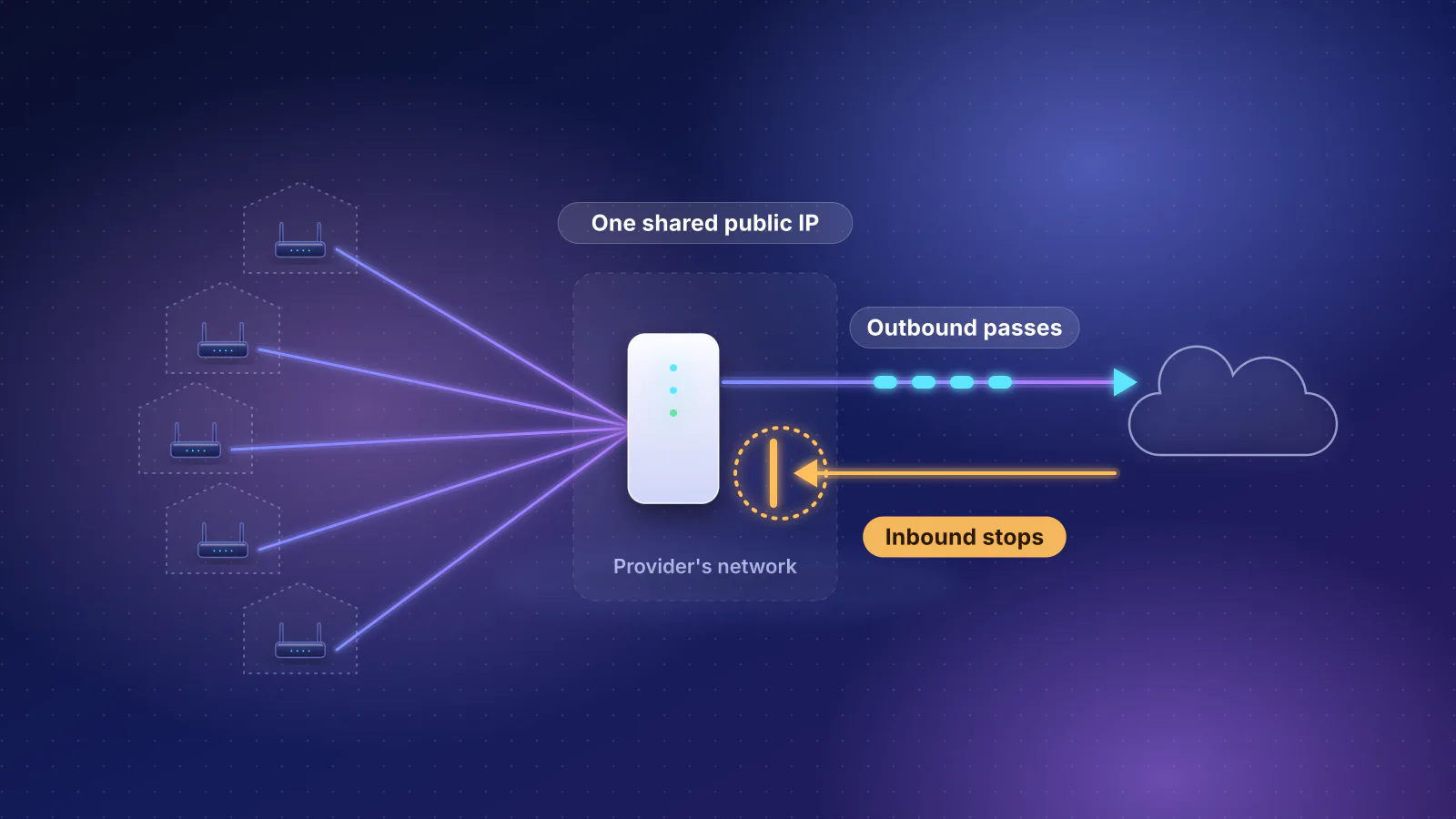
The two pages look like they disagree, but they describe two different setups. The FAQ's "DHCP to obtain WAN IP Address" is what a router does in router mode: its internet (WAN) port takes an address from the SmartNID, which is on the SmartNID's own private network (its settings page is at 192.168.0.1), so two routers translate addresses in a row. The bring-your-own page instead asks for access-point mode with your device's DHCP turned off, and warns that a router not in AP mode "could impact performance for gaming, VPN, internet voice service, some IoT devices, and printing". In AP mode, the SmartNID hands out every address, your gear just extends the network, and there's one NAT.
What to do: plug your router or mesh into the SmartNID with an Ethernet cable and use access-point mode, which is the setup Quantum's bring-your-own page asks for. Use router mode, with its internet port set to get an address automatically (DHCP), only if your device can't run as an access point or you need its own router features, and accept double NAT if you do. Either way, the FAQ's port and Wi-Fi requirements still apply.
Many retail mesh systems switch themselves into the right mode: Quantum says "many retail mesh solutions auto-detect and self-configure", while "most combination modem-router devices or gateways do not self-configure". To set it by hand, look for "access point", "AP mode" or "bridge mode" in your router's app (makers use different words), then confirm with the double NAT check: the router's own status page should no longer show a separate internet address.
VLAN 201, PPPoE and bridge mode
Search results for Quantum and your own router are full of "VLAN 201" and PPPoE settings. Here is what the official pages actually say; none of them shows a publication date:
| Setting | What the official page says | What it means for you |
|---|---|---|
| VLAN tagging | No Quantum page we found mentions a VLAN. CenturyLink's page on using a non-CenturyLink modem says it "must support VLAN tagging 201", without saying whether that's for DSL, fiber or both. | Behind the SmartNID, your router needs no VLAN setting. Don't apply CenturyLink's figure to Quantum without asking Quantum. |
| PPPoE | Quantum's SmartNID settings guide says "The PPP username and password are needed to connect to the Quantum Fiber network and get internet access." CenturyLink's modem page tells you to ask support for the PPPoE username and password. | The SmartNID signs in, not your router. Behind it, your router uses DHCP (or is an access point and needs nothing). |
| Bridge mode | The C6500XK guide lists "Transparent bridge mode (rare; manual setting for advanced user)" in its light table, with no steps. Quantum's service disclosure says "If using an additional gateway, enable bridge mode on the Quantum Fiber gateway." | Possible on some equipment, but neither page says which equipment or what your router then has to do to sign in. Ask Quantum for the exact settings before you rely on it. |
If you want your own router doing the routing anyway, for its firewall, a VPN server, VLANs or smart queue management, you're choosing between two imperfect options: ask Quantum about bridge mode, or keep double NAT and forward what you need through the SmartNID, whose settings page lists port forwarding and DMZ hosting (Quantum doesn't document using its DMZ for a second router). Either way, know where Quantum's support stops. Its disclosure recommends "not attaching any additional gateway/router devices not sold/approved by Quantum Fiber" behind its gateway, and says that using your own Wi-Fi instead of 360 WiFi "will limit the Quantum Fiber support center's ability to troubleshoot beyond the integrated ONT and modem device", and that you could be charged for a technician visit if the problem turns out to be your own Wi-Fi. If you want a router with VLAN settings in case you need them, the finder's VLAN filter lists models whose makers document configurable VLANs.
What you give up by replacing 360 WiFi
Quantum's equipment FAQ lists what you can't use with your own router:
- "Security features such as malware protection, antivirus, and content protection"
- Access controls (parental controls) that block devices at set times
- "Wireless optimization, including dynamic channel optimization and band steering"
- "Technical support and troubleshooting help from our Fiber Customer Success Team"
- "Proactive security monitoring"
Quantum also says it "is not able to install or troubleshoot your Wi-Fi or Ethernet function on equipment you provide yourself", and "can only verify the speed from our network to the SmartNID or modem when the configuration is unchanged". Keep the pods (or remember how they were connected) so you can put the original setup back before you call about a slow line.
When the pods are enough: Quantum says "Most locations will have plenty of coverage with a single Wi-Fi 7 pod", and its multi-gig page puts 360 WiFi at 1.4 to 1.7 Gbps "under ideal conditions". If your coverage and speeds are fine, there's nothing to buy. Your own equipment is worth it when you need coverage the pods don't reach, wired access points, or features 360 WiFi doesn't offer; it isn't a way to make the line itself faster.
IPv6, CGNAT and public addresses
- CGNAT: not documented on any Quantum page we checked, either way. A provider that doesn't mention carrier-grade NAT may still use it, so check your own line: compare the SmartNID's internet (WAN) address with what a "what is my IP" site shows (how to run the CGNAT check).
- Static IP: Quantum publishes setup steps for a single static address or a block on the SmartNID, and separate steps for the C4000XG gateway. The values arrive by email after an order, and your own router or computer then uses the "Start Address". Who can order one, and the price, aren't on those pages.
- IPv6: Quantum's pages we read don't say whether its fiber service offers IPv6, natively or through 6rd (a tunnel over IPv4). CenturyLink's "enable IPv6" help page has you set a "6rd State" and enter addressing values, and warns that "IPv6 is not available in all areas". That page doesn't name Quantum, so don't assume it applies. Quantum's SmartNID static IP steps do include an "IPv6 Addressing State" setting (set to Disabled in both static IP options) without saying what the service provides. To see what your line gets, use the IPv6 check.
- Filtered ports: Quantum's disclosure says it "filters port 25" and "may filter User Datagram Protocol (UDP) port 1900", and may block or rate-limit other ports.
If you're moved to AT&T Fiber
AT&T Fiber works differently: AT&T's gateway stays, and your router gets the gateway's internet address through IP passthrough instead of running as an access point. AT&T's small-business support page on bridge mode (updated December 7, 2022) says "Bridged mode is not possible on the AT&T platform"; it's written for AT&T's DSL and broadband gateways and doesn't name AT&T Fiber, and we found no AT&T home support page that offers bridge mode instead. AT&T's passthrough steps name its BGW210 and BGW320 gateways (page last updated January 9, 2023):
- Open the gateway's settings and choose IP Passthrough.
- Set Allocation Mode to Passthrough and Passthrough Mode to DHCPS-fixed.
- Enter your router's MAC address in the Passthrough Fixed MAC address field.
- Save and restart. AT&T notes you may have to reboot your computer and the gateway to force a new address.
We found no AT&T support page with passthrough steps for the newer BGW620, so if you get one, ask AT&T how to set up passthrough on it. If you don't want two Wi-Fi networks, turn off the gateway's own Wi-Fi. How passthrough differs from bridge mode, and what still runs on the gateway, is in bridge mode vs IP passthrough.
The gateway's ports matter on fast plans. On the BGW320, "Blue Ethernet ports support data transmission speeds of up to 5Gbps" (AT&T, updated October 13, 2026); on the BGW620 they run "up to 10Gbps" (updated September 23, 2026). Yellow ports on both are 1 Gbps, so plug your router into a blue one. AT&T's fiber plans since June 7, 2026 are 300 Mbps, 500 Mbps, 1 GIG and 5 GIG, with a "single device wired speed maximum 4.7Gbps" on 5 GIG. AT&T doesn't say whether former Quantum customers on 8 Gig would keep that speed.
| Quantum Fiber (now) | AT&T Fiber | |
|---|---|---|
| Provider's box that stays | SmartNID (fiber terminal and router in one) | Gateway (BGW320 or BGW620), connected to the fiber through an ONT or, on the BGW320, a fiber bridge in its SFP port |
| Documented way to add your gear | Your router or mesh in access-point mode, DHCP off | IP passthrough to your router's MAC address (AT&T's steps name the BGW210 and BGW320) |
| Bridge mode | "Rare" transparent bridge mode; no steps | "Not possible on the AT&T platform" (small-business page) |
| Who routes | The SmartNID | Your router (the gateway still sits in the path) |
| Fastest port | 10 Gbps on the C6500XK | 5 Gbps (BGW320) or 10 Gbps (BGW620) |
Which ports a 2 Gig, 3 Gig or 8 Gig plan needs
Quantum's Phoenix page lists 2 Gig as "Up to 1 Gig upload/2 Gig download", and 3 Gig and 8 Gig as symmetrical. Quantum's multi-gig page says to plug "into the 10G LAN port on the bottom of your 6500XK", use "a CAT6 or CAT6a Ethernet cord", and add a 10G switch for more than four wired devices. Because the SmartNID routes, the port that matters on your side is the one your equipment uses to connect to it (the uplink or WAN port, even in access-point mode). The ceilings below are arithmetic on Ethernet overhead, from our multi-gig bottlenecks guide, not measurements:
| Quantum plan | Port on your equipment | Why |
|---|---|---|
| 500 Mbps or 1 Gig | 1 Gbps is enough | A 1 Gbps link carries about 940 Mbps, which is normal on a 1 Gig plan |
| 2 Gig (2 down, 1 up) | 2.5 Gbps or faster, plus a 2.5 Gbps port or switch for the fast device | A 2.5 Gbps link carries about 2.35 Gbps; a 1 Gbps port caps the plan at about 940 Mbps |
| 3 Gig | 5 or 10 Gbps for full speed to one device | A 2.5 Gbps link tops out near 2.35 Gbps |
| 8 Gig | 10 Gbps, with Cat6 or Cat6a cable and a 10 Gbps switch for several wired devices | Only 10 Gbps links carry more than about 4.7 Gbps |
Two shortcuts follow from the SmartNID doing the routing. First, on 3 Gig and 8 Gig you don't need a router that can route at 8 Gbps: a 10 Gbps switch on the SmartNID's 10G port can feed fast wired devices directly, and your access points only need to carry Wi-Fi. Second, Wi-Fi won't reach multi-gig speeds on its own; Quantum says a wired connection is needed for top speeds. For router picks by tier, see routers for 2 Gbps plans and 8 to 10 Gbps plans.
Decision table
| Your situation | What to do | What you give up |
|---|---|---|
| SmartNID with 360 WiFi pods, and coverage and speed are fine | Keep it. Buy nothing. | Nothing |
| Weak Wi-Fi in parts of the house, no need for port forwarding | Your own mesh or access points in AP mode, plugged into the SmartNID | 360 WiFi's security, parental controls and Wi-Fi support |
| You want your own router's firewall, VPN server, VLANs or smart queue management | Ask Quantum about bridge mode; otherwise run your router behind the SmartNID and forward ports through it | Quantum support for your network; double NAT if bridging isn't offered |
| Older install with a C4000, C3000 or C3510 gateway | These can't be access points. Quantum's disclosure says to enable bridge mode on its gateway if you add one; ask Quantum how | The gateway's Wi-Fi, and support for your gear |
| Cameras, a game server or remote access don't work | Run the NAT and CGNAT checks first; ask Quantum about a static IP | Nothing until you know the cause |
| 2 Gig, 3 Gig or 8 Gig plan | Connect to the SmartNID's 10G port with a 2.5, 5 or 10 Gbps port as in the table above | Nothing, if your current gear already has the port |
| Your service has moved to AT&T Fiber | IP passthrough on AT&T's gateway, router on a blue port, gateway Wi-Fi off | AT&T's gateway stays in the path |
When new equipment is justified, and when to get help
- Justified: your plan is 2 Gig or faster and your equipment's port is 1 Gbps; parts of the home have no usable Wi-Fi after you've moved the pod to a central spot; or your current router can't run as an access point and you want your own Wi-Fi.
- Not justified: buying a router to fix remote access before you've run the CGNAT and double NAT checks, or buying a faster router for a line whose speed at the SmartNID is already the problem. Quantum tests to the SmartNID, so start there.
- Heat: the C6500XK's datasheet gives an operating range of 32 to 104 °F. If your SmartNID or your own router sits in a garage or exterior closet that gets hotter, ask Quantum about its location before you plan the rest of the network around it.
- Professional help: when the fix is a cable from the SmartNID to a central spot or to ceiling access points, RouterHaus can connect you with a licensed contractor when the job needs hands on site. Ask for a network plan.
Frequently asked questions
Do I need to set VLAN 201 on my router for Quantum Fiber?
Not behind the SmartNID. Quantum's own pages don't mention a VLAN, and the SmartNID signs in to Quantum itself with a PPP username and password. The VLAN tagging 201 requirement comes from CenturyLink's undated page about non-CenturyLink modems, which doesn't say whether it covers fiber. If Quantum puts your SmartNID in bridge mode, ask Quantum for the exact settings.
Can I remove the Quantum SmartNID and plug my router into the fiber?
No. Quantum says the SmartNID combines the modem and the fiber terminal, stays on the wall, and must not be removed or returned. Your equipment connects to it by Ethernet.
Does Quantum Fiber use CGNAT?
Quantum's pages we checked don't say. Compare the SmartNID's internet address with what a what-is-my-IP site shows: a match means a public address, and an address between 100.64.0.0 and 100.127.255.255 means carrier-grade NAT. Quantum does publish static IP setup steps for the SmartNID.
Will my own router still work when Quantum becomes AT&T Fiber?
Quantum's AT&T FAQ, published on its Instant Internet pages, says nothing changes for now and you keep your equipment. If you're later moved to AT&T Fiber, AT&T's gateway stays and your router connects through IP passthrough; an AT&T small-business support page says bridged mode isn't possible on its platform. Neither company has published a date or the equipment migrating customers will get.
What port does my router need for Quantum's 2 Gig plan?
At least 2.5 Gbps, connected to the SmartNID's 10G port. Quantum asks for equipment built to support 2.5 Gbps on multi-gig plans, and by Ethernet overhead arithmetic a 2.5 Gbps link carries about 2.35 Gbps, while a 1 Gbps port caps the plan at about 940 Mbps.
Sources
Read on November 27, 2026. Quantum Fiber and CenturyLink pages show no publication date; dates are given where a page states one.
- AT&T: AT&T completes acquisition of Lumen's Mass Markets fiber business (February 2, 2026)
- AT&T: announcement of the Lumen fiber purchase (May 21, 2025, press release filed with the SEC)
- AT&T: Quantum Fiber is now part of the AT&T family and Quantum Fiber Instant Internet: AT&T FAQs
- Quantum Fiber: Using your own Wi-Fi equipment and Equipment and modem FAQs
- Quantum Fiber: C6500XK SmartNID user guide and C6500XK datasheet (PDF)
- Quantum Fiber: SmartNID settings
- Quantum Fiber: 360 WiFi FAQs
- Quantum Fiber: Multi-gig speed FAQs and Fiber internet in Phoenix, AZ
- Quantum Fiber: Internet service disclosure (bridge mode, non-certified equipment, filtered ports)
- Quantum Fiber: Static IP setup and How to set up static IP on a SmartNID
- CenturyLink: Using a non-CenturyLink modem (VLAN tagging 201) and Enable IPv6 (6rd)
- AT&T Business: Bridge mode with AT&T (DSL and broadband gateways, updated December 7, 2022) and AT&T: Get help with DMZ+ zone devices, BGW210/BGW320 IP Passthrough steps (updated January 9, 2023)
- AT&T: Learn about your All-Fi Hub, BGW320 (updated October 13, 2026) and BGW620 (updated September 23, 2026)
- AT&T: Launches simple fiber plans (June 3, 2026) and AT&T: Home internet in Phoenix, AZ