The short version
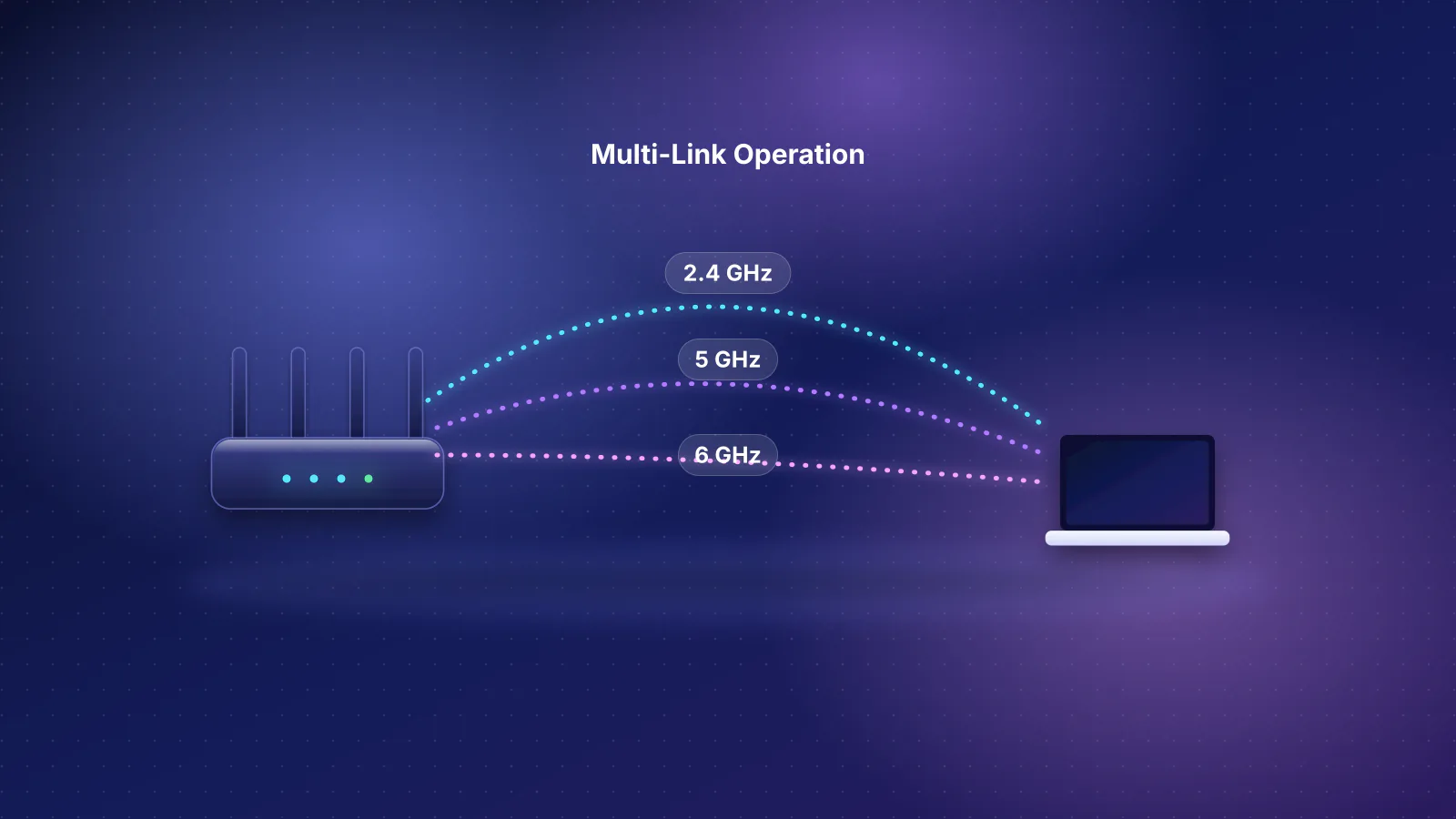
- All four are tri-band Wi-Fi 7 kits with 2.4, 5 and 6 GHz radios, 320 MHz channels on 6 GHz and multi-link operation (MLO). The differences that matter are price at the number of units your home needs, ports, and how you manage the system.
- Price at three units (regular manufacturer prices in our catalog, checked October 20, 2026): Deco BE63 $599.99, Orbi 770 $699.99, eero Pro 7 $799.99, ZenWiFi BT8 $849.99. That's $200.00 to $283.33 per node. Our catalog marks the BT8's pack prices as not re-confirmed with ASUS, though ASUS's store listed the same figures on October 29.
- Ports: only the eero Pro 7 has 5 Gbps ports and a maker rating for 5 Gbps plans, but it has two ports per unit. The Deco has four 2.5 Gbps ports per unit, the Orbi router four (one for the internet). The BT8 mixes one 2.5 Gbps LAN port with two gigabit ports.
- Management: eero is app-only and puts filtering and threat blocking in eero Plus. ASUS and NETGEAR document a full web interface; ASUS includes its security suite and a WireGuard server free. TP-Link's own FAQs disagree on whether Deco can be managed in a browser.
- The caveat: RouterHaus didn't test these. Every speed here is a maker's link rate, not throughput, and the makers' coverage claims are more generous than the rule of thumb we use to size a home.
The four kits at a glance
These are mid-priced tri-band Wi-Fi 7 mesh kits from the four brands with the most Wi-Fi 7 mesh models in our catalog (TP-Link 10, ASUS 7, eero 5, NETGEAR 4, counting current and older models; catalog checked October 20, 2026): one each from eero, TP-Link Deco, NETGEAR Orbi and ASUS ZenWiFi. Each brand also sells cheaper dual-band kits and pricier flagships; for the cheaper options, see Wi-Fi 7 mesh kits under $500.
| Product | Internet port | Fastest LAN port | Maker's routing, plan or wired-speed figure | Price |
|---|---|---|---|---|
| eero Pro 7 (1-pack) Mesh system · Wi-Fi 7 |
5 Gbps | 5 Gbps | 5 Gbps | $299.99 Manufacturer store price, checked October 20, 2026 |
| TP-Link Deco BE63 (2-pack) Mesh system · Wi-Fi 7 |
2.5 Gbps | 2.5 Gbps | Not published | $449.99 Manufacturer store price, checked October 20, 2026 |
| NETGEAR Orbi 770 Series (RBE773) (3-pack) Mesh system · Wi-Fi 7 |
2.5 Gbps | 2.5 Gbps | Not published | $699.99 Manufacturer store price, checked October 20, 2026 |
| ASUS ZenWiFi BT8 (2-pack) Mesh system · Wi-Fi 7 |
2.5 Gbps | 2.5 Gbps | Not published | $599.99 Manufacturer price (not re-confirmed), checked October 20, 2026 |
The product table shows each kit at the pack size our catalog tracks: one eero, two Decos, three Orbis, two ZenWiFis. That makes the eero look cheapest and the Orbi most expensive, which says more about pack sizes than about prices.
Price per pack and per node
All four brands sell more than one pack size. Here are the regular manufacturer-store prices our catalog records for each size, with the price per node (arithmetic, rounded to the cent). Prices were checked October 20, 2026; on October 29 the four stores listed the same regular prices, and TP-Link's and NETGEAR's stores also showed temporary sale prices below them.
| Kit | 1 unit | 2 units | 3 units |
|---|---|---|---|
| eero Pro 7 | $299.99 | $549.99 ($275.00 a node) | $799.99 ($266.66 a node) |
| Deco BE63 | Sold, price not in our catalog** | $449.99 ($225.00 a node) | $599.99 ($200.00 a node) |
| Orbi 770 | Satellite only, to add to a system ($299.99) | $549.99 ($275.00 a node) | $699.99 ($233.33 a node) |
| ZenWiFi BT8 | $329.99 | $599.99 ($300.00 a node)* | $849.99 ($283.33 a node)* |
* Our catalog marks the BT8's pack prices as not re-confirmed with ASUS. ASUS's US store listed $329.99, $599.99 and $849.99 for one, two and three units on October 29. ** TP-Link's store listed a single Deco BE63 at $299.99 (regular price) on October 29; that price isn't in our catalog, so it isn't used here.
Three things stand out. The Deco is the cheapest at both two and three units. The order of the others changes with pack size: at two units the eero and Orbi cost the same, at three the Orbi is $100 cheaper, because its per-node price drops most with the bigger pack. And the eero, Deco and ZenWiFi are each sold as a single unit that can run a network on its own, while NETGEAR sells the lone Orbi 770 unit as a satellite to add to an existing system. For a small home that might need a second unit later, that matters more than the per-node price.

Radios: same three bands, different layouts
"Tri-band" hides real differences. Each maker publishes its radio layout (the number of spatial streams per band, written 2x2 or 3x3) and the maximum link rate per band. Link rates are the theoretical signaling speed between a router and an ideal device, not the throughput you'll measure; the BE number on the box is the sum of all three radios, which no single device can use at once.
| Kit | 2.4 GHz | 5 GHz | 6 GHz |
|---|---|---|---|
| eero Pro 7 (BE10800) | 2x2 | 2x2 | 2x2 |
| Deco BE63 (BE10000) | 574 Mbps, listed as 802.11ax (Wi-Fi 6) | 4,324 Mbps | 5,188 Mbps, 320 MHz |
| Orbi 770 (BE11000) | 2x2, 688 Mbps | 2x2, 4,320 Mbps at 240 MHz | 2x2, 5,760 Mbps at 320 MHz |
| ZenWiFi BT8 (BE14000) | 2x2, 688 Mbps | 3x3, 4,323 Mbps | 3x3, 8,643 Mbps |
eero lists channel widths of 20 to 320 MHz, including 240 MHz, but publishes no per-band rates. TP-Link lists "2×2 MU-MIMO" and six streams for the Deco and says 320 MHz is "only available on the 6 GHz band". Details worth knowing:
- The BT8 is the only one with three streams on 5 and 6 GHz, which is where its higher BE14000 rating comes from. ASUS lists channel widths of 20/40/80/160/320 MHz, with no 240 MHz. Its 4,323 Mbps on 5 GHz is what three streams at 160 MHz add up to; the Orbi reaches about the same 4,320 Mbps with two streams at 240 MHz (arithmetic from the published figures).
- The Deco's 2.4 GHz radio is Wi-Fi 6. TP-Link lists it as 802.11ax at 574 Mbps; NETGEAR and ASUS list 802.11be (Wi-Fi 7) at 688 Mbps. The BE63 page doesn't say whether 2.4 GHz can join the Deco's MLO network.
- Your devices set the ceiling. A Wi-Fi 7 iPhone tops out at a 2,400 Mbps link rate with two streams at 160 MHz (see which iPhones support Wi-Fi 7), and all four kits offer 160 MHz or wider on 5 and 6 GHz. A third stream or a 240 MHz channel only helps a device that has one too.
The link between units
Without Ethernet, every satellite relays your traffic over the air, and that link usually decides how fast a far room is (see why mesh doesn't automatically fix coverage). The makers describe it differently:
- Orbi 770: NETGEAR's spec sheet says MLO combines two bands for the backhaul, "shared 5 GHz & 6 GHz", and the same two bands for your devices.
- Deco BE63: TP-Link says Deco "combines wired and tri-band Wi-Fi 7 connections with Multi-Link Operation (MLO)" for the link between units, without naming the bands.
- ZenWiFi BT8: ASUS says its backhaul uses MLO, "automatically aggregating or switching across multiple bands". Its AiMesh guide adds a limit: with several Wi-Fi 7 nodes, "only the first node can use MLO Backhaul", and only between identical models. So in a three-pack, only one of the two satellites can use it.
- eero Pro 7: eero doesn't publish which bands the backhaul uses; it says its TrueMesh software looks for "the optimal path" for traffic.
Ports on every node
Ports matter twice: for wired devices near each unit, and for wiring the units together (wired backhaul), which beats any wireless link. Per the makers' spec pages:
| Kit | Main unit | Each satellite | USB |
|---|---|---|---|
| eero Pro 7 | 2 × 5 Gbps (one goes to the modem) | 2 × 5 Gbps | None |
| Deco BE63 | 4 × 2.5 Gbps (one goes to the modem) | 4 × 2.5 Gbps | 1 |
| Orbi 770 | 2.5 Gbps internet + 3 × 2.5 Gbps LAN | 2 × 2.5 Gbps | None |
| ZenWiFi BT8 | 2.5 Gbps WAN + 2.5 Gbps LAN + 2 × 1 Gbps LAN | Same as main unit | 1 (USB 3.0) |
What that means in practice, using the usual Ethernet ceilings (about 940 Mbps of data on a gigabit port, 2.35 Gbps on 2.5 Gbps and 4.7 Gbps on 5 Gbps; eero itself quotes "wired speeds up to 4.7 Gbps"):
- Plans over about 2 Gbps: eero says the Pro 7 is "Ideal for internet plans up to 5 Gbps". The other three have a 2.5 Gbps internet port, which caps a faster plan at about 2.35 Gbps, and none of them publishes a routing figure.
- Wiring two satellites: the Deco and Orbi main units have three free multi-gig ports, enough for both. The eero main unit has one free port and the BT8 one free 2.5 Gbps port, so wiring two satellites at full speed needs a multi-gig switch (eero also documents daisy-chaining each unit to the next). For every kit's wiring options, see mesh with Ethernet backhaul.
- Wired devices at the satellites: a wired satellite uses one of its ports for the cable back to the router. ASUS runs that cable to the node's WAN port, which leaves three on a BT8 (one 2.5 Gbps, two gigabit), three on a Deco, and one on an eero or an Orbi satellite.
Apps, subscriptions and support
This is where the four differ most, and it's the part you live with for years. From each maker's documentation, checked October 29, 2026:
| eero Pro 7 | Deco BE63 | Orbi 770 | ZenWiFi BT8 | |
|---|---|---|---|---|
| Setup and management | eero app only; no browser | Deco app is the listed interface; the spec also lists a web server "to manage and configure device through web", with its scope undocumented | Orbi app (free NETGEAR account) or browser, including setup | Web interface or ASUS Router app |
| Paid add-on | eero Plus: $9.99/month or $99.99/year | HomeShield Security+: from $4.99/month or $35.99/year; Total Security: from $69.99 first year, then $129.99 | Armor: $99.99/year; Armor Plus: $149.99/year (30-day trial) | None needed for AiProtection |
| VPN server (to reach home) | None (passthrough only) | OpenVPN, PPTP, L2TP/IPsec | OpenVPN | WireGuard, OpenVPN, IPsec, PPTP |
| Bufferbloat control | SQM switch (not in bridge mode) | QoS by device; not described as SQM | The manual doesn't document QoS settings | Adaptive and traditional QoS; not described as SQM |
| Published update commitment | Security updates at least through October 31, 2031 | Maintenance usually ends 3 years after end of sale | Service usually ends 3 years after the last sale date | UK and Australia: December 31, 2028; Singapore: December 30, 2027 (no US date) |
The details behind that table:
- eero says the network "can only be managed using the mobile app". Free features include guest Wi-Fi, profiles, device pausing, WPA3 and automatic updates; eero Plus adds ad blocking, content filters, threat protection, remote network access and bundled apps including a Guardian VPN client. eero guarantees security updates for at least five years from purchase on eero.com or Amazon, or through October 31, 2031 if later, and says: "When software security updates end, your eero device will still work and can still provide wifi."
- TP-Link lists "Deco App" as the BE63's management interface (alongside a default web server whose scope it doesn't describe), and HomeShield's free tier includes an IoT network with isolation; web protection, intrusion prevention and real-time IoT protection are in the paid Security+ tier. Its FAQs conflict on browser access: one (updated August 5, 2026) says "Web-based or computer management is not available", another (April 17, 2026) describes a web page at tplinkdeco.net after app setup, on models that support it. TP-Link's end-of-life policy says that after maintenance ends, "the product's functionality may be limited (e.g., it may only connect to a local network or cease to work entirely)".
- NETGEAR's Orbi 770 manual describes setup in a browser at orbilogin.com for anyone without a compatible phone, an OpenVPN server and separate main, IoT and guest networks. NETGEAR's store lists a 1-year warranty, and NETGEAR says end of service generally comes three years after a product's last sale date.
- ASUS calls AiProtection "a subscription-free, built-in network security solution" and says the BT8's parental controls work "without subscriptions". ASUS publishes dated support commitments only under regional regulations: a consolidated page for the UK and Australia, where the BT8 is listed until December 31, 2028, and a separate page for Singapore's labeling scheme, where it is listed through December 30, 2027 with "extended support" possible. ASUS doesn't say whether those dates apply to US units. More on the brands' policies in Ubiquiti vs eero vs ASUS.
Over five years, eero Plus or Armor at the yearly rate costs $499.95 (arithmetic: 5 × $99.99), close to the price of a two-pack. None of the four needs a subscription to route traffic or provide Wi-Fi. For every maker's plans side by side, see router subscriptions compared.
Coverage claims vs the units your home needs
Each maker publishes a coverage figure. They're the makers' claims, measured in conditions they don't fully describe:
| Kit | Maker's claim | Per unit (arithmetic) |
|---|---|---|
| eero Pro 7 | 2,000 sq ft per unit (eero's support spec table says 2,500) | 2,000 |
| Deco BE63 | 5,800 sq ft (2-pack) | 2,900 |
| Orbi 770 | 5,500 sq ft (2-pack), 8,000 sq ft (3-pack); 2,500 per unit in its router-and-satellite table | 2,667 to 2,750 |
| ZenWiFi BT8 | 3,000 sq ft (1-pack), 5,900 sq ft (2-pack) | 2,950 to 3,000 |
Our recommendation rules use a more cautious figure for every brand: about 1,800 sq ft per access point in drywall homes, 1,400 with plaster and 1,000 with masonry, and at least one per floor in a home of two or more floors over about 1,200 sq ft in total. By that rule, a 4,000 sq ft two-story drywall home needs three units of any of these kits (4,000 ÷ 1,800 = 2.2, rounded up to 3; the floor rule asks for at least two), even though every maker's figures put two units at 4,000 sq ft or more. So the useful comparison is the three-unit row of the price table, not the box claims. For the full calculation, see how many mesh nodes you need.
Which fits whom
No kit wins every row. Pick by the difference that applies to your home:
| If you… | Fits | Documented reason | Watch out for |
|---|---|---|---|
| Need two or three units at the lowest price | Deco BE63 | Lowest catalog price per node at both pack sizes; four 2.5 Gbps ports on every unit | App-first management, paid HomeShield tiers for threat blocking, 2.4 GHz radio is Wi-Fi 6 |
| Have, or plan, internet faster than 2.5 Gbps | eero Pro 7 | The only one with 5 Gbps ports and a maker rating for 5 Gbps plans | Two ports per unit, app only, no VPN server, filtering in eero Plus |
| Want to start with one unit and add later | eero Pro 7 or ZenWiFi BT8 (or a single Deco BE63) | Single units that run a network: $299.99 and $329.99; the Deco 1-pack's price isn't in our catalog | The Orbi 770's single unit is a satellite only |
| Want browser management and a VPN server, no subscription | ZenWiFi BT8 or Orbi 770 | ASUS: web interface, WireGuard server, free AiProtection. NETGEAR: browser setup and management, OpenVPN server | BT8 costs most at three units (pack prices not re-confirmed in our catalog) and has gigabit ports beside its 2.5 Gbps pair; Orbi's security suite is paid |
| Want to wire every unit without a switch | Deco BE63 or Orbi 770 | Three free multi-gig ports on the main unit | Wired links run at 2.5 Gbps, not 5 |
| Want a dated update promise | eero Pro 7 | Security updates at least through October 31, 2031 | Only eero publishes a US date |
What would change this advice: a firmware update that adds browser management to the Deco, new pack prices, or independent measurements of these kits in a home like yours. If none of the four fits the budget, the dual-band and two-unit options are in Wi-Fi 7 mesh kits under $500; if you can run cable to every room, compare mesh with a single router and wired access points first.
Frequently asked questions
Which of the four is fastest?
RouterHaus didn't test them, and the makers publish link rates, not measured throughput. On paper the ZenWiFi BT8 has the most streams and the eero Pro 7 the fastest Ethernet ports, but a typical two-stream phone or laptop can't use a third stream, and real speed in a far room depends mostly on the link between units and the walls in between.
Can I add units from the same brand later?
Yes, with caveats. eero says any eero works with others, but mixing the Pro 7 with older generations may reduce performance and eero recommends turning MLO off in a mixed network. ASUS AiMesh mixes models, but only the first Wi-Fi 7 node gets MLO backhaul and only with the same model. TP-Link says all Decos work together, with MLO needing compatible firmware across the network. NETGEAR sells an Orbi 770 satellite to add later.
Do I need a 6 GHz device to benefit from these kits?
Not to use them, but to use their third band. Older Wi-Fi 5 and Wi-Fi 6 devices connect on 2.4 or 5 GHz. And on the Orbi 770, which NETGEAR says links its units over 5 and 6 GHz together, the backhaul uses 6 GHz whatever your devices support.
Can I manage any of them without the maker's phone app?
The ZenWiFi BT8 and Orbi 770, yes: ASUS routers have a full web interface, and the Orbi 770 manual describes setup and management in a browser at orbilogin.com for people without a compatible phone. eero says its network can only be managed in the mobile app. TP-Link's FAQs disagree on Deco: one says web management isn't available, another describes a web page on supported models after app setup, signed in with your TP-Link ID.
Sources
Read on October 29, 2026.
- eero: eero Pro 7 (pack prices, ports, plan rating, coverage) and eero Pro 7 support specifications
- eero: eero Plus and What is the eero App?
- eero: What is Multi-Link Operation (MLO)?
- eero: What is Smart Queue Management (SQM)? and Does eero support VPNs?
- eero: Software security updates and Can I connect my eeros with Ethernet?
- TP-Link: Deco BE63 overview and specifications
- TP-Link US store: Deco BE63 2-pack and 3-pack (pack prices, including the 1-pack's)
- TP-Link: HomeShield and HomeShield plans and prices (FAQ 3007)
- TP-Link: Deco frequently asked questions (FAQ 2427) and How to log in to your Deco web management page (FAQ 2641)
- TP-Link: Wi-Fi 7 router and Deco FAQ (FAQ 3594) (MLO network, mixing Deco models)
- TP-Link: End-of-life policy
- NETGEAR: Orbi 770 Series (RBE773) (pack prices, coverage, router and satellite ports, warranty)
- NETGEAR: RBE773 technical specifications (PDF) (streams, ports, backhaul bands) and RBE771/RBE770 user manual (PDF, June 2024) (radio rates and channel widths, browser setup, OpenVPN)
- NETGEAR: Armor and End of service products
- ASUS: ZenWiFi BT8, tech specs and ASUS US store (pack prices)
- ASUS: AiProtection
- ASUS: How to set up an AiMesh system (MLO and backhaul notes), Can I set up wired connection between AiMesh routers? and Duration of security update support (only for Singapore); Networking product duration of security update support (UK and Australia, updated October 5, 2026)
- RouterHaus catalog (models, ports, pack prices, checked October 20, 2026)