The short version
- Most current plans sold in Arizona list no cap. Spectrum (in the former Cox areas), Quantum Fiber, AT&T at Internet 100 and above, AT&T Internet Air, current Xfinity plans, T-Mobile, Verizon 5G Home, Starlink Residential, Hughesnet and Viasat Unleashed all describe their data as unlimited. Not every provider serves every area: the Xfinity Arizona pages we found are all for the Tucson area, for example.
- A few plans still have a monthly allowance with charges. Xfinity's older (legacy) plans have a 1.2 TB limit, and AT&T's slower tiers (768 Kbps to 75 Mbps) a 1.5 TB allowance; both add $10 for each 50 GB over. CenturyLink's non-fiber (DSL and fixed wireless) plans have a 1.0 TB limit, but CenturyLink says it doesn't currently charge for going over.
- Unlimited isn't always the same speed all month. T-Mobile prioritizes home internet lines that pass 1.2 TB in a bill cycle last; Verizon deprioritizes 5G Home lines above the average of its top 5% of users (1.83 TB as of June 2026); Starlink, Hughesnet and Viasat rank some plans or heavy users behind others. Most providers tie this to busy or congested periods; Hughesnet's policy leaves its heavy-user step to its own discretion.
- Check two places: the "Data Included with Monthly Price" line on your plan's broadband label, and the usage meter in your provider's app or account. A new router changes neither.
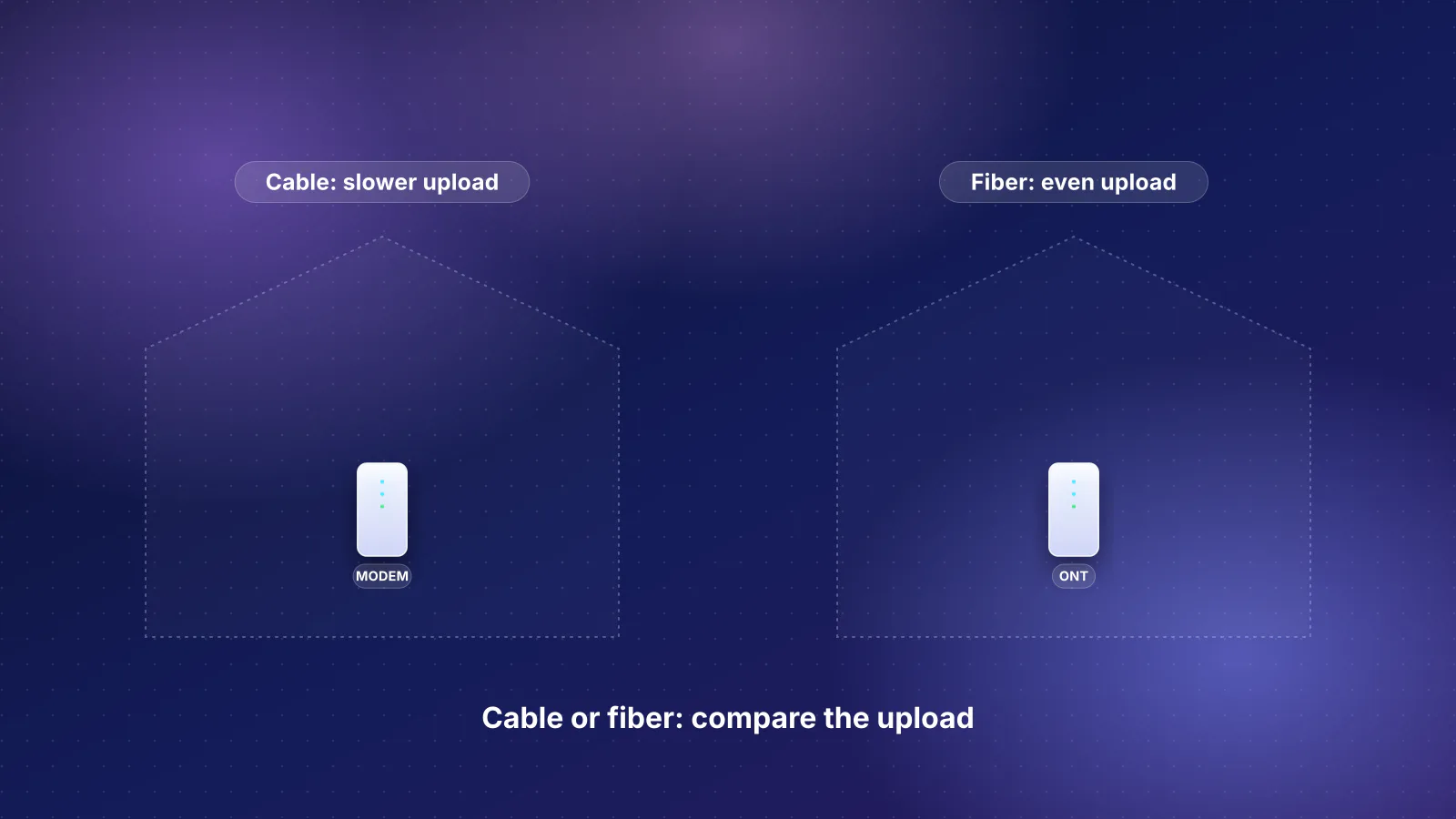
If you're still choosing a provider, the bigger differences are speed, upload and equipment, covered in cable vs fiber in Arizona and Phoenix internet providers and your own router. This page is only about how much data a plan lets you use, and what happens past that point.
Two different limits: a cap and a priority line
Providers use two kinds of limit, and they cost you different things:
- A data cap (allowance) is an amount of data included in the price, with a charge or a cut in service when you go over. The FCC's label glossary defines "Data Included with Monthly Price" as "the amount of data the plan provides before extra fees are charged", and adds: "This is also sometimes called a data cap." If a plan has one, the glossary says, "the provider must disclose on the label any charges or reductions in service."
- A priority threshold keeps your data unlimited but moves your traffic behind other customers' once you pass a set amount, usually only while the network is congested. It costs nothing extra; it shows up as slower speeds at busy times late in your bill cycle.
Wired providers in Arizona mostly use neither on current plans. Wireless and satellite providers mostly use the second.
What each Arizona provider says about data
Each row comes from the provider's own pages, read November 27, 2026. These are general pages, not a label for a specific Arizona address, so the label for your own plan is what counts. Where each provider says it serves Arizona, also from its own pages: Spectrum publishes a Phoenix and Tucson pricing guide; Quantum Fiber, AT&T, T-Mobile and Verizon have Phoenix pages; CenturyLink has an Arizona page; the Xfinity Arizona pages we found are for Tucson and nearby communities such as Marana and Oro Valley; Starlink lists the United States among its Residential countries. Every one of them says availability depends on the address, and Hughesnet and Viasat also sell by address. To see who reports service at yours, use the FCC map as described in how to check your address.
| Provider | Data on the plans described | Past the line |
|---|---|---|
| Spectrum (cable, former Cox areas) | "All Spectrum Internet plans as of September 16, 2026 include free unlimited data." Customers who signed up before then are told to review plan details in My Account. The Phoenix and Tucson guide (November 2026) lists data as "Unlimited" on current plans, and an optional unlimited data plan among the services available before September 16, 2026. | Current plans: additional data "No Charge". A pre-September 16 plan may differ, so check My Account. |
| Quantum Fiber | "Quantum Fiber does not currently place data usage limits on fiber internet customers." | "does not include usage-based fees" |
| CenturyLink (non-fiber: DSL and fixed wireless) | "a 1.0 terabyte (TB) monthly data usage limit" under its Excessive Use Policy for residential internet, counting "all uploaded and downloaded data". "Residential fiber internet plans are also not subject to data usage limits." | "CenturyLink does not currently charge customers a fee for excessive data usage." |
| AT&T Fiber and AT&T Internet | Unlimited on "Internet 100 or higher" and "AT&T Internet Air". 1.5 TB a month on speed tiers "768KB through 75MB"; 150 GB on DSL. An unlimited add-on is $30 a month. | "we'll automatically add more data in 50GB increments, at a cost of $10 for 50GB", up to $100 a bill period ($200 on DSL) |
| Xfinity | Unlimited on current plans. "The 1.2 TB data limit only applies to older (legacy) internet plans." Arizona isn't among the states Xfinity lists as exempt from it. The Xfinity Arizona pages we found are for the Tucson area. | "$10 for each 50 GB over the limit", up to $100 a month, with "a courtesy month" under its current policy |
| T-Mobile Home Internet | Each plan on the plans page lists "Unlimited data". T-Mobile's FAQ names two exceptions: Home Internet Backup, which after "100 hours of monthly full speed data" runs at "up to 600 kbps", and the AWAY plan, which slows to 128 kbps after its monthly allotment. | Since May 8, 2024, lines that "exceed 1.2TB of data usage for the current billing cycle" are "prioritized last on the network" |
| Verizon 5G Home | "5G Home Internet offers unlimited data", subject to its terms of service | Lines above the average of the top 5% of users over the preceding six months ("as of June 2026, 1.83 TB") may be prioritized behind other traffic during congestion for the rest of the cycle |
| Starlink Residential | "All Residential plans include unlimited data." | Residential Max is the "Highest network priority Residential plan"; on Residential 200 and 100 Mbps, "Speeds may be slower during peak hours compared to Residential Max" |
| Hughesnet (satellite) | "Hughesnet Service Plans allow unlimited downloading and uploading": a plan's Priority Data, then unlimited Standard Data | "Standard Data is prioritized behind Priority Data"; Hughes "may, at its discretion," put subscribers using more than 1 TB of Standard Data a month behind other subscribers' Standard Data |
| Viasat Unleashed (satellite) | "Viasat Unleashed and Viasat Unleashed Max plans each come with unlimited data." | Unleashed: trending above 360 GB in any 30-day period, "reduced priority during times of network congestion"; above 850 GB, "significantly slower speeds during congestion". Unleashed Max: 840 GB and 1,640 GB |
A few details behind the rows:
- Xfinity. Its data usage FAQ (modified August 31, 2026) says the 1.2 TB plan doesn't apply to newer plans at 300 Mbps or higher, among others. It sends an email at 75% of the limit and email and text alerts at 90% and 100%. Xfinity's label data also lists a charge called "Unlimited data for customer-owned modems" on many plans; our equipment rental fees guide covers that line, and using your own router with Xfinity covers xFi Complete, which the FAQ names as another way to unlimited data on a legacy plan.
- AT&T. Its usage article (last updated August 26, 2026) applies the 1.5 TB allowance by speed tier, not by technology, so a low-speed fiber plan can have one. Our cable vs fiber comparison found 1.5 TB on two low-speed fiber plans in AT&T's label file.
- T-Mobile. The 1.2 TB line is in its network management practices page, which dates it from May 8, 2024. Its home internet FAQ adds that during congestion internet customers "may notice speeds slower than customers using other T-Mobile services", with "further reduction if using >1.2TB/mo." What T-Mobile's gateway does and doesn't let you change is in using your own router with T-Mobile Home Internet.
- Verizon. The 1.83 TB figure is from Verizon's important plan information page (last updated October 15, 2026), which says that without congestion heavy users "will experience little, if any, effect". Because it's an average over the preceding six months, the figure can change.
- Starlink. Starlink's fair use policy exists so its customers aren't "negatively impacted by a small number of users consuming unusually high amounts of data"; Starlink's help pages carry no dates. Equipment and IP details are in using your own router with Starlink.
- Satellite. Hughesnet's policy (last revised December 19, 2023) gives no Priority Data figure per plan, so check your plan's label for it. Its Video Data Saver streams "at DVD quality (up to 480p)". Viasat's figures are from version 20 of its Unlimited Data Policy (October 8, 2026), the version its legal page links to. It says Unleashed and Unleashed Max "do not have data usage that resets monthly", so the thresholds are rolling 30-day figures. Viasat's other plans in the same policy (such as Viasat Essentials, Choice and Discovery) include a set amount of High-Speed Data, then unlimited Standard Data that "Viasat may prioritize" behind other customers during congestion, and a separate Data Allowance Policy (version 30) covers older plans, some of which Viasat says it will "significantly slow and/or restrict" past their allowance. Hughesnet's plans page adds that "Standard Data may be slower than other traffic during high-traffic periods."
How to read the data line on your label
The FCC requires providers to make each customer's label "easily accessible to the customer in their online account portal", and to give it to an existing customer on request. To check yours:
- Sign in to your provider's account and open the broadband label for the plan you have, not the one on the sales page.
- Find "Data Included with Monthly Price". "Unlimited" means no allowance. A number (such as 1.2 TB) is your allowance for each bill period.
- If there's a number, look for the charge for extra data, such as $10 for each 50 GB, and any limit on it.
- Open the label's network management or data policy link. That's where a priority threshold is described; the data line can say "Unlimited" on a plan that still slows heavy users at busy times.
- Read the monthly fees section too. A fee tied to unlimited data can sit there rather than on the data line.
What the result means, and what to do:
| What you find | What it means | What to do |
|---|---|---|
| "Unlimited", no priority threshold in the policy | Use what you like; data isn't the limit | Nothing. If the internet is slow, look at speed and Wi-Fi instead. |
| "Unlimited", with a priority threshold | No charge, but speeds can drop at busy times once you pass it | Compare your monthly usage with the threshold; only act if you pass it and notice slowdowns |
| A number, with a charge per block | A cap with overage charges | Check your usage history; if you're near the allowance, ask about the provider's current unlimited plans or add-on |
| A number, but no charge (CenturyLink) | A limit the provider says it doesn't currently charge for | Watch for a notice from the provider; nothing to pay today |
Where each provider shows your usage
The provider's meter is the one that decides charges and priority, so use it first:
- Xfinity: the Xfinity app or the usage meter on its website; you "must sign in as a Primary user or Manager" to see it.
- AT&T: account overview, then My Internet, then "See usage details". AT&T notes usage may not be measurable on DSL, and says that in that case you won't be charged for going over.
- Verizon 5G Home: the Data Usage Dashboard in My Verizon.
- T-Mobile: T-Mobile's usage help page describes the T-Life app and the Usage menu on T-Mobile.com, and says usage "typically updates every two hours". It doesn't mention home internet lines, so if yours isn't listed, ask T-Mobile.
- Starlink: "your account page on starlink.com or in the Starlink app."
- Hughesnet: the Hughesnet Mobile App, or Customer Care, then "Check My Usage", at my.hughesnet.com.
- Viasat: the Usage Meter "in My Viasat under the 'Usage' tab".
- Spectrum: its plans FAQ links a Data Usage page; Quantum Fiber's disclosure describes no meter, which fits a plan with no limit.
What counts toward your usage
Nearly everything that crosses the line between your home and the provider, in both directions:
- Xfinity: "Almost all internet activity counts", including anything you "stream, download, upload, or use online".
- AT&T counts data you download and upload over wired and Wi-Fi connections, including streaming over your home network. It says standard video through its wireless TV receiver doesn't count, while pay-per-view, software updates and DVR scheduling do, and that speed tests may count too.
- Starlink "measures data usage on a per-byte basis at the Point of Presence (PoP)", which is on Starlink's network, not in your home.
Two things follow. Uploads count, so cloud backups and cameras that record to the cloud add up even though you never watch them (our upload speed guide has the makers' figures). And traffic that stays inside your home, such as a computer copying files to a NAS or a phone casting to a TV from local storage, doesn't reach the provider at all.
How a home's usage adds up
The services publish their own figures. Netflix's High setting uses "up to 7 GB" an hour per device in Ultra HD (4K) and up to 3 GB in HD; Google lists a Nest Cam IQ recording around the clock on High at 400 GB a month, among what it calls "high-end estimates of monthly data usage". Our streaming speed guide has more services.
Illustrative example, not a measurement: one TV watching 4K Netflix three hours a day and a second TV two hours a day, for 30 days, plus one Nest Cam IQ on High recording 24/7:
- TV 1: 3 × 30 × 7 GB = 630 GB
- TV 2: 2 × 30 × 7 GB = 420 GB
- Camera: 400 GB
- Total: about 1,450 GB, or 1.45 TB, before phones, computers, game downloads and backups
Those are maximums and high-end estimates, so a real month is likely lower. Against the published lines: past Xfinity's legacy 1.2 TB (250 GB over, five 50 GB blocks at $10, or $50 by Xfinity's per-block price, unless it's a courtesy month), just under AT&T's 1.5 TB, past T-Mobile's 1.2 TB priority line, under Verizon's 1.83 TB, and well past Viasat Unleashed's 850 GB. On current Spectrum plans, Quantum Fiber or AT&T at Internet 100 and above, it doesn't matter.
Tracking usage at your router
Many routers can count internet traffic themselves, which helps you see which month or which part of the day uses the most. Two examples from the makers' own pages:
- NETGEAR (Nighthawk and other models; article last updated July 7, 2025): ADVANCED, then Advanced Setup, then Traffic Meter. You can set a monthly volume limit (download only or both directions), a counter start date to match your bill cycle, and an action at the limit: blink the Internet LED, or disconnect and disable the internet connection. Choose the LED unless you really want the internet to stop.
- ASUS (FAQ updated November 15, 2024): Traffic Analyzer, then Traffic Monitor, which shows internet, wired and wireless traffic in each direction. ASUS notes that with dual WAN it tracks only the active WAN.
A router's count won't match the provider's exactly: the provider measures on its own network, as Starlink says it does, and the router's counter starts and resets when you set it. Use the router to find what uses data, and the provider's meter for what you'll be charged. A traffic meter is worth having, not worth buying a router for: your provider's meter is free, and on an unlimited plan neither matters much.
If speeds drop late in your bill cycle
On a plan with a priority threshold, the sign of passing it is slower speeds at busy times, mostly in the evening, that recover when the new cycle starts. The safe check is to test at the slow time now, then again at the same time early in the next cycle, and compare both with your usage meter. If the slowdown tracks the cycle and your usage is past the threshold, priority is the likely cause, not your Wi-Fi. If it happens every evening whatever your usage, see why internet is slow at night.
What to change, in order:
- Find the big users. 4K streams, 24/7 cloud cameras and large backups are the usual ones. Lower streaming quality on a small screen, switch a camera to event recording, or schedule backups.
- Check your plan. On an Xfinity legacy plan or an AT&T tier below Internet 100, ask about current plans; Xfinity says its new plans include "unlimited data and equipment at no extra cost". On Starlink, Hughesnet or Viasat, the plan sets your priority.
- Change provider only if the limit is the real problem. Where a wired plan with no cap is available at your address, it removes both the cap and the priority threshold. New equipment doesn't: a router, mesh or modem of your own carries the same data over the same plan.
Nothing here needs hands on site. If you're rearranging the network anyway, our guide to owning your home network covers the rest, and RouterHaus can connect you with a licensed contractor when a job does need someone on site.
Frequently asked questions
Do Arizona internet providers have data caps?
Mostly not on current plans. Spectrum, Quantum Fiber, AT&T at Internet 100 and above, AT&T Internet Air, current Xfinity plans (the Xfinity Arizona pages we found are for the Tucson area), T-Mobile, Verizon 5G Home, Starlink Residential, Hughesnet and Viasat Unleashed describe their data as unlimited. Xfinity legacy plans (1.2 TB) and AT&T tiers from 768 Kbps to 75 Mbps (1.5 TB) still have allowances with charges, and CenturyLink's non-fiber plans have a 1.0 TB limit it says it doesn't currently charge for. Availability depends on your address.
Is T-Mobile Home Internet really unlimited?
The data is: T-Mobile's plans list unlimited data. But lines that pass 1.2 TB in a bill cycle are prioritized last on the network, so speeds can drop during congestion. Home Internet Backup is different: 100 hours of full-speed data a month, then up to 600 kbps. So is the AWAY plan, which slows after its monthly data allotment.
Where do I see my data cap on the broadband label?
On the line called Data Included with Monthly Price. Unlimited means no allowance; a number is your allowance for each bill period, and the label must also show any charge or reduction in service for going over. Priority thresholds are usually in the network management policy the label links to.
Do uploads count toward a data cap?
Yes, at the providers that say: Xfinity counts anything you stream, download or upload, AT&T counts data you download or upload, and CenturyLink's 1.0 TB limit counts both. Cloud backups and 24/7 cloud cameras can add hundreds of gigabytes a month.
Will a new router get around a data cap?
No. The provider counts the data that crosses its network (Starlink, for example, measures at its Point of Presence), so any router carries the same usage. A router with a traffic meter can show you which month or time of day uses most, but your provider's own meter is free and is the one that sets charges.
Sources
Read on November 27, 2026. Provider policies change; dates are given where the page shows one. Starlink's help pages and several provider disclosures show no date.
- FCC: Broadband consumer labels and Glossary of terms used for consumer broadband labels
- Spectrum on cox.com: Internet plans (unlimited data FAQ) and Phoenix & Tucson product and pricing guide, November 2026 (PDF)
- Arizona availability pages: Xfinity: Tucson, CenturyLink: Internet in Arizona, AT&T: Phoenix, Quantum Fiber: Phoenix, T-Mobile: Home Internet in Phoenix and Verizon: Home internet in Phoenix
- Quantum Fiber: Internet service disclosure (Excessive Use Policy)
- CenturyLink: Internet service disclosure (Excessive Use Policy)
- AT&T: Get home internet data usage info (last updated August 26, 2026)
- Xfinity: Internet 1.2 TB data plan FAQs (modified August 31, 2026)
- T-Mobile: 5G Home Internet plans, Home Internet FAQ, Network management practices and Check your usage
- Verizon: 5G Home Internet (plans and FAQ), Important plan information (last updated October 15, 2026) and Home internet high usage FAQs
- Starlink: What are the Residential plans?, What is Starlink's fair use policy? and How do I manage my data?
- Hughesnet: Fair Access Policy for customers subscribing on or after December 19, 2023 and Plans
- Viasat: Unlimited Data Policy, version 20 (October 8, 2026, PDF), Residential Data Allowance Policy, version 30 (February 18, 2026, PDF) and Viasat Unleashed plan FAQs
- Netflix Help Center: How to control how much data Netflix uses
- Google Nest Help: Internet bandwidth and speed requirements for Nest cameras
- NETGEAR: How do I monitor Internet traffic on my Nighthawk router? (last updated July 7, 2025)
- ASUS: [Wireless Router] Introduction of Traffic Monitor (last updated November 15, 2024)