The short version
- A modem or ONT connects your home to the provider. A cable modem talks DOCSIS over coax, a DSL modem works over the phone line, and a fiber ONT (GFiber's Fiber Jack, Verizon's ONT) converts the light on the fiber into Ethernet. None of them, on its own, shares the connection or makes Wi-Fi.
- A router shares the connection. It gives your devices private addresses (DHCP), translates them to the one public address (NAT), blocks unsolicited traffic from outside (firewall) and usually broadcasts Wi-Fi.
- A gateway is both in one box. Xfinity calls its gateway "an all-in-one modem and router"; CenturyLink says "A gateway is a combination modem and router" and that "Most CenturyLink modems are gateways." 5G home internet arrives as a gateway with the radio inside.
- Tell them apart by the line in, the lights and the sticker. Coax, a phone jack, a fiber or a SIM card tells you the service. Wi-Fi lights, or a default Wi-Fi name and password on the label, mean the box is also a router.
- What you can replace depends on the service. On cable you can often replace the modem and the router. On fiber the provider installs the ONT, and the router is the box you choose. On 5G home internet the gateway stays. To add your own router behind a gateway, use bridge mode, IP passthrough or, if neither exists, access point mode on your router.
This is the definitions page. For using your own equipment with a specific provider, see what the major providers document; for whether owning saves money, see ISP equipment fees.
The chain from the street to your devices
Whatever the service, the same jobs happen in the same order. Sometimes each job is a separate box; sometimes one box does several.
- The provider's line Coax (cable), a copper phone pair (DSL), a fiber (fiber) or a cellular radio link (5G and fixed wireless)
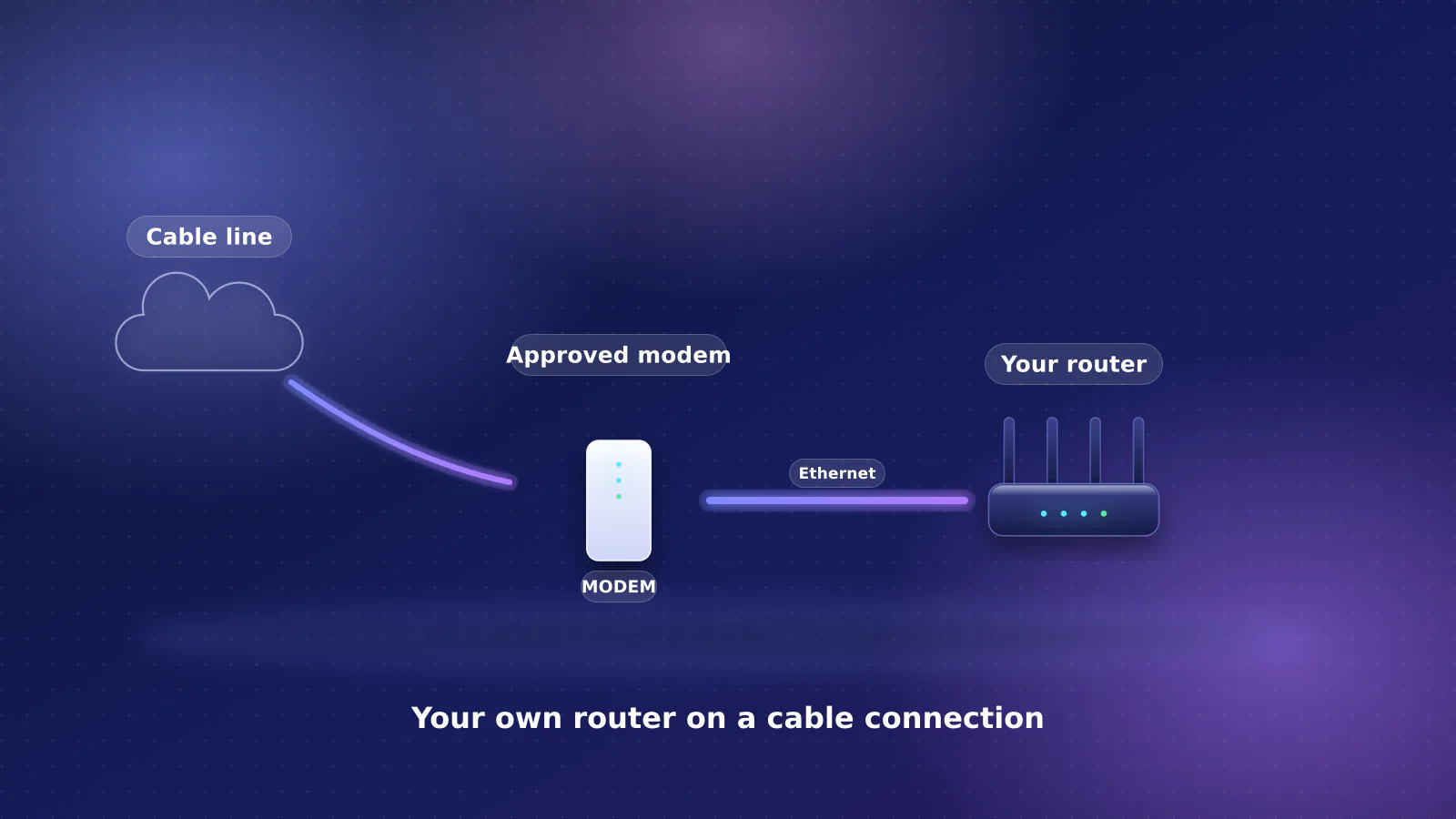
- Modem, ONT or 5G radio Speaks the line's own technology and hands you Ethernet; the end of the provider's network
- Router One public address in, private addresses out: NAT, DHCP and the firewall
- Switch, access points or mesh More Ethernet ports and more Wi-Fi coverage; no routing
- Your devices Over Wi-Fi from the router or access points, or by cable
Modems: cable and DSL
A modem translates between the provider's line and Ethernet. Xfinity puts it as "a device that connects your home" to your internet provider, and notes that a modem has the public IP address that identifies your connection on the internet.
Cable modems and DOCSIS
Cable internet runs over a hybrid fiber-coax (HFC) network. CableLabs, which writes the standard, says DOCSIS stands for "Data Over Cable Service Interface Specification" and exists so that "different cable industry vendors" can build equipment that works together. In its description the cable modem is "the piece of network equipment that sits in the home", and at the other end is the CMTS, "a head-end traffic controller that routes data between the modem in the home and the internet." The network has a fiber portion and a coaxial portion, and CableLabs notes that "the remaining portion of the HFC network is coaxial cable", which is why a cable modem screws onto a coax outlet.
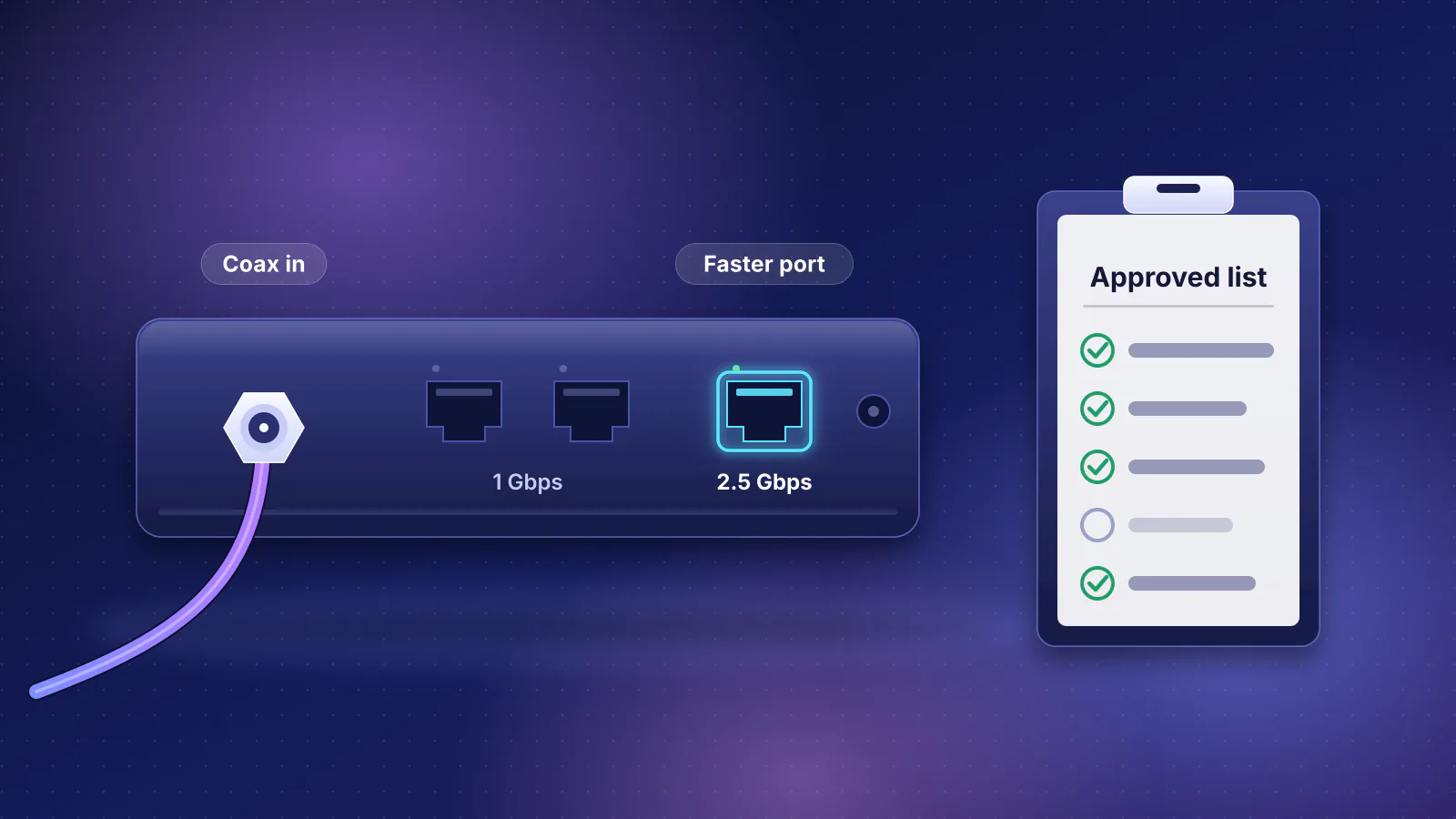
DOCSIS versions (3.0, 3.1, 4.0), channel counts and each provider's approved list are covered in buying your own cable modem.
DSL modems
DSL runs over the copper phone line. AT&T's own summary of internet types says DSL "Uses phone lines" and is "Still around in some more rural areas, usually the slowest of the modern options." CenturyLink's cord check says to "Plug the green DSL cable into the green DSL port on back of the modem, then into an active phone jack." CenturyLink's DSL equipment is usually a gateway rather than a bare modem: it says most of its modems are gateways. Its page for customers bringing their own modem asks for one that supports "VLAN tagging 201", with the account's PPPoE credentials from support, without saying whether that applies to DSL, fiber or both.
The ONT: where fiber ends
Most home fiber is a passive optical network (PON). The ITU-T's G-PON flyer names the two ends of the line the OLT (optical line termination) and the ONU (optical network unit). Between them, the optical distribution network "is composed of fibres, passive splitters and connectors", and the optics are designed to work "bidirectionally over a single strand of single mode optical fibre." Because one fiber is split among homes, the downstream is broadcast and the ITU lists protocol-level security for downstream traffic "due to the broadcast nature of PON."
The unit in the home is what providers call an ONT (optical network terminal). The ITU flyers use "ONU" throughout; the G-PON flyer uses "ONT" only once, for the ONT management and control channel in its G.988 section. GFiber describes its Fiber Jack as "the wall-mounted unit that acts as the network gateway", "Also known as an optical network terminal (ONT)", which works by "converting incoming optical light signals into digital Ethernet signals that the router can process." Verizon says its ONT "converts the optical signal coming through the fiber into separate signals for TV, voice, and data", and that it "is installed with Fios service on either the outside or inside of your home", such as a garage, basement, closet or living room.
The PON standard sets the line rate of the fiber that all the homes on a splitter share. The ITU's overview lists G-PON at up to 2,488.32 Mbit/s downstream, and XGS-PON at a symmetric 9.95328 Gbit/s each way. Your plan is the provider's choice within that.
When the ONT is inside the gateway. Some providers connect the fiber to the gateway itself. AT&T's BGW320 has a red ONT Ethernet port that connects it to AT&T Fiber and "isn't used for connecting your devices", plus an SFP port that takes a fiber bridge and "connects your Wi-Fi® gateway to AT&T Fiber Internet." In every example here, the box that faces the fiber comes from the provider. On Quantum Fiber the box on the wall, the SmartNID, routes too: its settings page lists DHCP, DHCP reservations, NAT, an IPv4 firewall, port forwarding and DMZ hosting, and Quantum's page on using your own Wi-Fi equipment asks for gear that "Supports manual configuration in 'access point' or AP mode; can disable DHCP". What that means for your own router is covered separately.

5G home internet and fixed wireless gateways
AT&T's summary says "5G home internet, also known as fixed wireless, doesn't require digging or wiring", and that "A wireless gateway in your home connects to nearby 5G (and sometimes 4G LTE) towers and then broadcasts a Wi-Fi connection." There is no separate modem: the cellular radio, the router and the Wi-Fi are one box. T-Mobile's Gen4 gateway page lists a SIM card socket and a screen that "displays up to five bars, indicating signal strength", with an "X" when it isn't connected to the cellular network. Verizon's 5G Home support pages call its box the Verizon 5G Internet Gateway (one model is the LVSKIHP).
Because the radio and router can't be separated, you keep the gateway and decide only whether your own router goes behind it (see the settings below).
What a router does
The internet standards call the home router a customer edge router: RFC 7084 describes "a node intended for home or small-office use" that "connects the end-user network to a service provider network." Its WAN interface faces the provider, its LAN interface faces your home. The jobs it does in between:
- Private addresses. Your devices get addresses from ranges reserved for private networks by RFC 1918: 10.0.0.0 to 10.255.255.255, 172.16.0.0 to 172.31.255.255 and 192.168.0.0 to 192.168.255.255.
- DHCP. The router hands those addresses out automatically. DHCP, per RFC 2131, "provides a framework for passing configuration information to hosts", and a dynamically assigned address is held for a limited period called a lease.
- NAT. Network Address Port Translation, as RFC 3022 defines it, is "a method by which many network addresses and their TCP/UDP ports are translated into a single network address and its TCP/UDP ports." That is how a whole house shares one public IPv4 address.
- Firewall. RFC 6092's recommendations for IPv6 home gateways have them block traffic from outside unless a device inside started the exchange, by requiring filter state "activated by traffic originating at interior network nodes."
- Wi-Fi. Most home routers include a Wi-Fi access point, which is why "router" and "Wi-Fi" are often used as if they were the same thing. They aren't: the routing is the job above; the Wi-Fi is a radio attached to it.
ASUS's description of its own operating modes shows the split clearly: in the default wireless router mode, NAT, the firewall and the DHCP server are on by default, and the router "connects to the Internet via PPPoE, DHCP, PPTP, L2TP, or Static IP", the WAN connection types providers use.
Access points, mesh and switches
- Access point. Adds Wi-Fi without routing. In ASUS's access point mode the router "connects to a wireless router through an Ethernet cable to extend the coverage of wireless signal", with NAT, IP sharing and the firewall off.
- Mesh. Several access points managed as one network. The Wi-Fi Alliance describes Wi-Fi EasyMesh networks as using "multiple APs that work together to form a unified network." In a typical setup one unit routes and the rest extend its Wi-Fi; eero, for example, says that when its bridge mode is switched off, the network "will resume managing DHCP and NAT."
- Switch. More wired ports. NETGEAR says a switch "is used in a wired network to connect to other devices using Ethernet cables." It doesn't replace the router.
How these compare with extenders, and when each is the right fix, is in extender vs mesh vs access point.
How to tell which box you have
- Follow the line in. A screw-on coaxial cable means a cable modem or cable gateway. A phone cord into a port marked DSL means DSL. A thin fiber into a small wall box, or a port marked PON, ONT or SFP, means fiber. A box with only power and Ethernet, a SIM slot and signal bars is a 5G or fixed wireless gateway.
- Read the lights. A plain cable modem's lights describe the line: NETGEAR's cable modems have Power, Downstream, Upstream and Internet lights, where a blinking Internet light means "The cable modem is synchronizing with the cable provider's cable modem termination system (CMTS)" and solid means "The cable modem is online." CenturyLink's C4000 DSL gateways have a DSL light on the back that is green when "Connected to our network; line is active". A fiber terminal may have a PON light, as in the photo above. Lights for 2.4 GHz, 5 GHz or WLAN mean the box makes Wi-Fi, so it routes: it's a gateway (if it also faces the line) or a router.
- Read the sticker. A default Wi-Fi network name and password on the label means a Wi-Fi radio inside; T-Mobile's gateway label, for example, shows the "default Wi-Fi network name and Wi-Fi password." A label with no Wi-Fi details points to a modem or ONT.
- Count the boxes. One box with Wi-Fi is a gateway. Two boxes, where the first has no Wi-Fi, is a modem or ONT and a router. Two boxes that both have Wi-Fi is usually a gateway with a router behind it, which is the setup the settings below are for.
- If in doubt, look the model up. Search the model number on the provider's or maker's support site; the provider pages cited here, such as AT&T's BGW320 page and T-Mobile's Gen4 gateway page, describe each model's ports and lights.

What provider pages mean by gateway, modem and router
Providers don't use these words consistently, so go by what the box does, not what it's called:
| Word on the page | What it usually means | Watch for |
|---|---|---|
| Gateway, Wi-Fi gateway, hub | Modem or fiber terminal plus router and Wi-Fi in one box (Xfinity Gateway, AT&T's BGW320, T-Mobile's 5G Gateway, Verizon Internet Gateway) | GFiber also calls its Fiber Jack, an ONT with no router, the unit that "acts as the network gateway" |
| Modem | Strictly, the box that faces the line, with no routing | Used loosely for gateways: CenturyLink calls its gateways modems |
| Router | The box that does NAT, DHCP and the firewall, usually with Wi-Fi | CenturyLink says "We sometimes call it a router when talking about WiFi", even when it's a gateway |
| ONT, fiber jack, fiber terminal | The fiber's end point, handing out Ethernet | On some services it routes too: Quantum Fiber's wall-mounted SmartNID has DHCP, NAT and a firewall in its settings |
| Provider's router, customer premises equipment (CPE) | Whatever routing box the provider supplies; RFC 6092's title uses "Customer Premises Equipment (CPE)" for the IPv6 home gateways it covers | A rental fee on your bill or broadband label usually belongs to this box |
The practical test is the last column of the next section: does the provider's box route, and if so, can it stop?
What you have, and what you can swap
From the provider pages cited here; individual plans and tiers have exceptions, which the linked articles cover.
| Service | What you usually have | What you can replace | Setting if you add your own router |
|---|---|---|---|
| Cable | A modem, or a gateway | Often the modem (from the provider's list, for your tier) and the router; a gateway can be replaced by your own modem and router | None behind a plain modem; bridge mode on a gateway |
| DSL | Usually a gateway | Some providers accept your own modem: CenturyLink's needs VLAN 201 tagging and your PPPoE details | Ask the provider; access point mode on your router if the gateway can't hand over routing |
| Fiber, separate ONT | An ONT and a router or gateway | The router; the ONT is installed by the provider (GFiber's wall-mounted Fiber Jack, Verizon's ONT installed with Fios), and neither page offers a way to swap it | None: plug your router into the ONT, then check the provider's page for any WAN settings it lists |
| Fiber, terminal and router in one | A gateway that faces the fiber | Nothing; your router goes behind it | IP passthrough (AT&T) or access point mode (Quantum Fiber) |
| 5G and fixed wireless | A gateway with the radio inside | Nothing; your router goes behind it | IP passthrough where offered (Verizon documents it on its Internet Gateway); otherwise access point mode or accept double NAT (T-Mobile, which can't bridge) |
For cable, the tier and phone-service exceptions are in four checks before you buy a modem; Spectrum's own rules are in using your own router with Spectrum.
Bridge mode, IP passthrough and access point mode
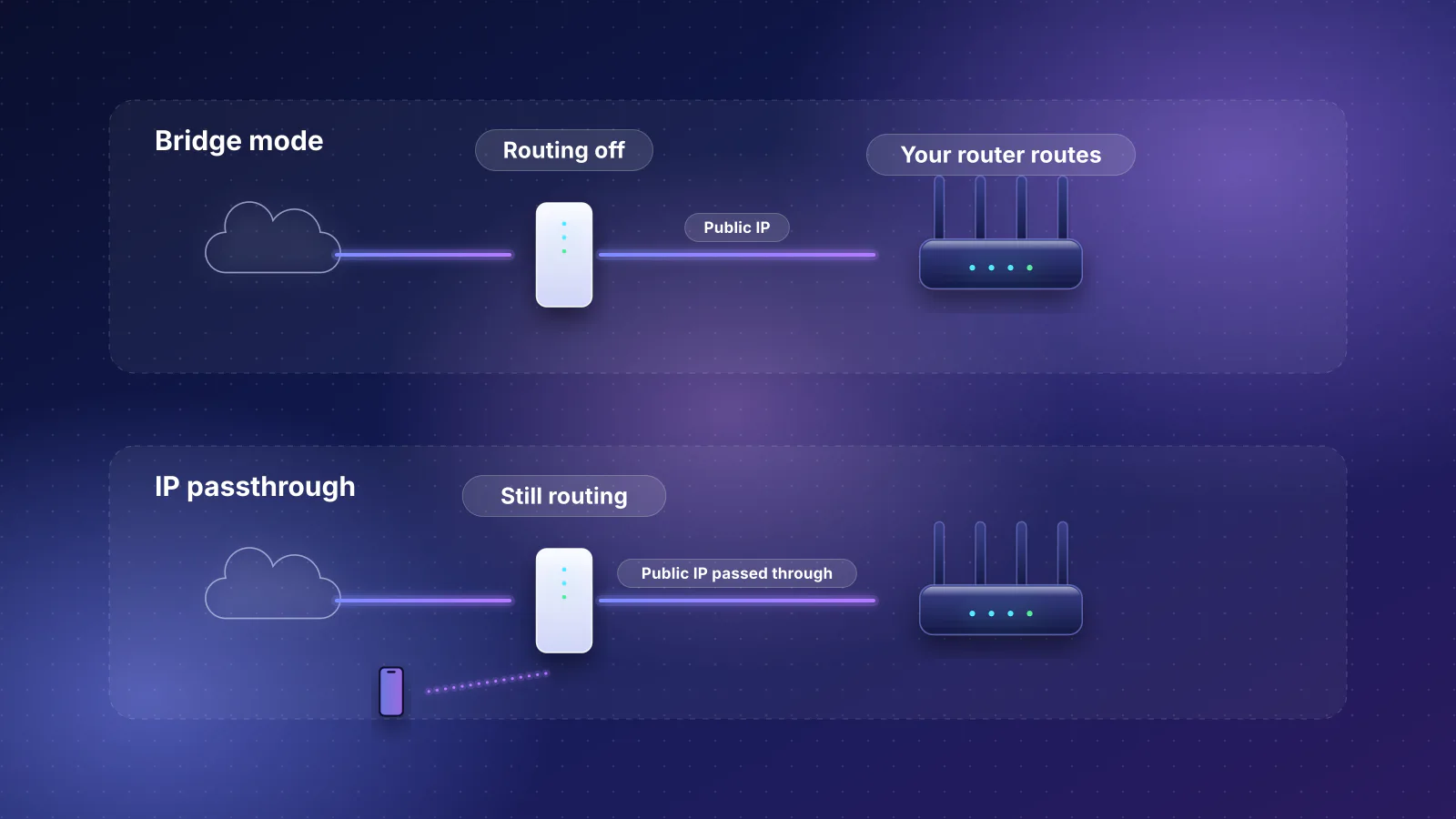
If the provider's box is a gateway, it is already routing. Adding your own router in its default mode puts a second router behind the first, and two layers of NAT (double NAT). Xfinity warns that without a settings change both devices may try to do the same job. One of three settings fixes it, in this order of preference:
- Bridge mode, on the gateway. The gateway stops routing and acts as a modem. Xfinity: "You'll need to turn on Bridge Mode to let your personal router handle your home network." Your router then gets the public address.
- IP passthrough, on the gateway. The gateway keeps its connection to the provider but hands its public address to your router. AT&T says "the AT&T provided gateway shares its Dynamic WAN IP address with a single device on the LAN", and warns it "will remove firewall protection provided by the AT&T gateway", so your router's firewall does that job. Verizon's passthrough page for its Verizon Internet Gateway (it doesn't name a model or service) says passthrough works on the LAN2 port, and the gateway's Wi-Fi radios turn off automatically.
- Access point mode, on your router. When the gateway can do neither, your router stops routing and only provides Wi-Fi and ports, with the gateway doing NAT, DHCP and the firewall. It is the option left on T-Mobile, which says its gateways "do not have the ability to enable and disable bridge mode", and it is the setup Quantum Fiber's bring-your-own page asks for. Some mesh apps call this setting "bridge mode": eero says bridge mode on its units "turns off their network services but allows the eeros to continue providing wifi access."
Set only one box to stop routing. If the gateway is bridged and your router is also in access point mode, nothing hands out addresses. Which providers offer which setting, and the steps, are in bridge mode vs IP passthrough.
When new equipment is justified
- Buy nothing if the provider's gateway covers your home, its Wi-Fi reaches where you use it, and it costs nothing extra. The cases where the provider's box is the better choice include plans and services that need it.
- Buy a cable modem only when you pay a rental fee, the model is on your provider's list for your tier, and the fee adds up to more than the modem's price within the time you'll keep the service; the break-even rule does the arithmetic.
- Buy a router or mesh system when the gateway's Wi-Fi doesn't cover the home, or you need features it lacks. The ONT and the 5G gateway come from the provider, and none of the provider pages cited here offers a way to replace them, so on those services the router is the box worth choosing.
If the box that faces the line sits in a garage or closet far from where the router should go, the fix is a cable run, not a new box. Verizon notes that the Ethernet cable it sends is 6 feet long, so "Your ONT and router must be in the same room" unless you use a longer one. When that run needs hands on site, RouterHaus can connect you with a licensed contractor: ask for a network plan.
Frequently asked questions
Is a gateway the same as a modem?
No. A gateway is a modem (or fiber terminal, or 5G radio) and a router in one box. Xfinity describes its gateway as both a modem and a router, and CenturyLink says a gateway is a combination modem and router. A plain modem only connects to the provider's line and doesn't share the connection or make Wi-Fi.
Do I need a modem with fiber internet?
Not a modem as such. Fiber ends at an ONT, which converts the light on the fiber to Ethernet; GFiber calls its ONT the Fiber Jack. You plug a router into it. Some providers put the fiber connection inside their gateway instead, in which case your router goes behind the gateway.
Can I use my own router with 5G home internet?
Behind the provider's gateway, yes; in place of it, no, because the cellular radio is inside the gateway. Verizon documents IP passthrough on the LAN2 port of its Verizon Internet Gateway; check that the page matches your model. T-Mobile says its gateways can't turn on bridge mode, so your router either runs in access point mode or sits behind the gateway with double NAT.
Is a mesh system a router?
Usually one unit is. In a typical mesh system, the main unit routes (NAT, DHCP and firewall) and the others are access points that extend the Wi-Fi. Behind a gateway that can't bridge, you can run the whole mesh as access points instead.
How do I know whether my provider's box is a gateway?
Look for Wi-Fi: lights labelled 2.4 GHz, 5 GHz or WLAN, or a default Wi-Fi name and password on the sticker, mean it has a router inside. If it also connects to the coax, phone line, fiber or a cellular signal, it's a gateway.
Sources
Read on November 27, 2026.
- ITU-T Study Group 15: ITU-T passive optical network solutions (overview flyer, PDF)
- ITU-T Study Group 15: G.984 G-PON (flyer, PDF)
- CableLabs: A "101" on DOCSIS technology, the heart of cable broadband (October 14, 2020)
- IETF RFC 1918: Address Allocation for Private Internets
- IETF RFC 2131: Dynamic Host Configuration Protocol
- IETF RFC 3022: Traditional IP Network Address Translator (Traditional NAT)
- IETF RFC 6092: Recommended Simple Security Capabilities in Customer Premises Equipment (CPE) for Providing Residential IPv6 Internet Service
- IETF RFC 7084: Basic Requirements for IPv6 Customer Edge Routers
- AT&T: Types of internet connections
- AT&T Support: Learn about your BGW320
- AT&T Business Support: Configuring IP Passthrough and DMZplus
- Xfinity Support: Using a router with your gateway
- Xfinity: Modem vs router
- GFiber Support: Fiber Jack
- Verizon Support: Ethernet self install for Fios Internet speed upgrade (the ONT)
- Verizon Support: Verizon Internet Gateway, configure IP passthrough / bridge mode
- Verizon Support: Verizon 5G Internet Gateway (LVSKIHP), install and set up 5G Home
- T-Mobile Support: T-Mobile 5G Gateway Gen4
- T-Mobile Support: Connect your devices to T-Mobile Internet
- CenturyLink Help: Modem and internet equipment support
- CenturyLink Help: Using a non-CenturyLink modem
- CenturyLink Help: C4000 modem lights guide
- Quantum Fiber: Using your own Wi-Fi equipment
- Quantum Fiber: SmartNID settings
- NETGEAR Support: What do the LEDs on my NETGEAR multi-gig speed cable modem mean?
- NETGEAR Support: What is a switch? An introduction
- ASUS Support: Introduction of operation mode (wireless router)
- eero Support: What is bridge mode?
- Wi-Fi Alliance: Wi-Fi EasyMesh