The short version
- First ask whether the sites need to reach each other at all. If every app the staff use is a cloud service (cloud POS, Microsoft 365, a cloud phone system), each location can simply use its own internet line. Microsoft, for one, recommends against routing its traffic through a central office: it wants "internet egress local to the users".
- A tunnel is for something that lives at one site and is needed at the other: a file server, an on-premises accounting or inventory system, a recorder, a printer, or a phone system on site.
- A classic site-to-site VPN (IPsec, usually) works between different brands, but you set the same parameters by hand on both gateways, and at least one end has to be reachable from the internet.
- A maker's auto VPN (UniFi SD-WAN, Omada Auto IPsec, Meraki Auto VPN, Peplink SpeedFusion) builds the tunnels for you, but only between that maker's gateways, and each has its own rules about public addresses and NAT.
- Plan addresses before you connect anything. Meraki: "Site-to-site VPN requires unique and non-overlapping subnets." If both sites use the same range, fix that first or use a translation feature where the maker offers one.
- SD-WAN is about the lines, not just the tunnel. It earns its keep when a site has two internet connections and you want traffic moved off a failing one. With one line per site, a plain tunnel does the same job.
This article is about joining the networks of two or more locations. Choosing the router for one location is in choosing a router for a small office or storefront; reaching one network from a laptop or phone, rather than joining two sites, is in remote access behind CGNAT.
Do the two sites need to be connected?
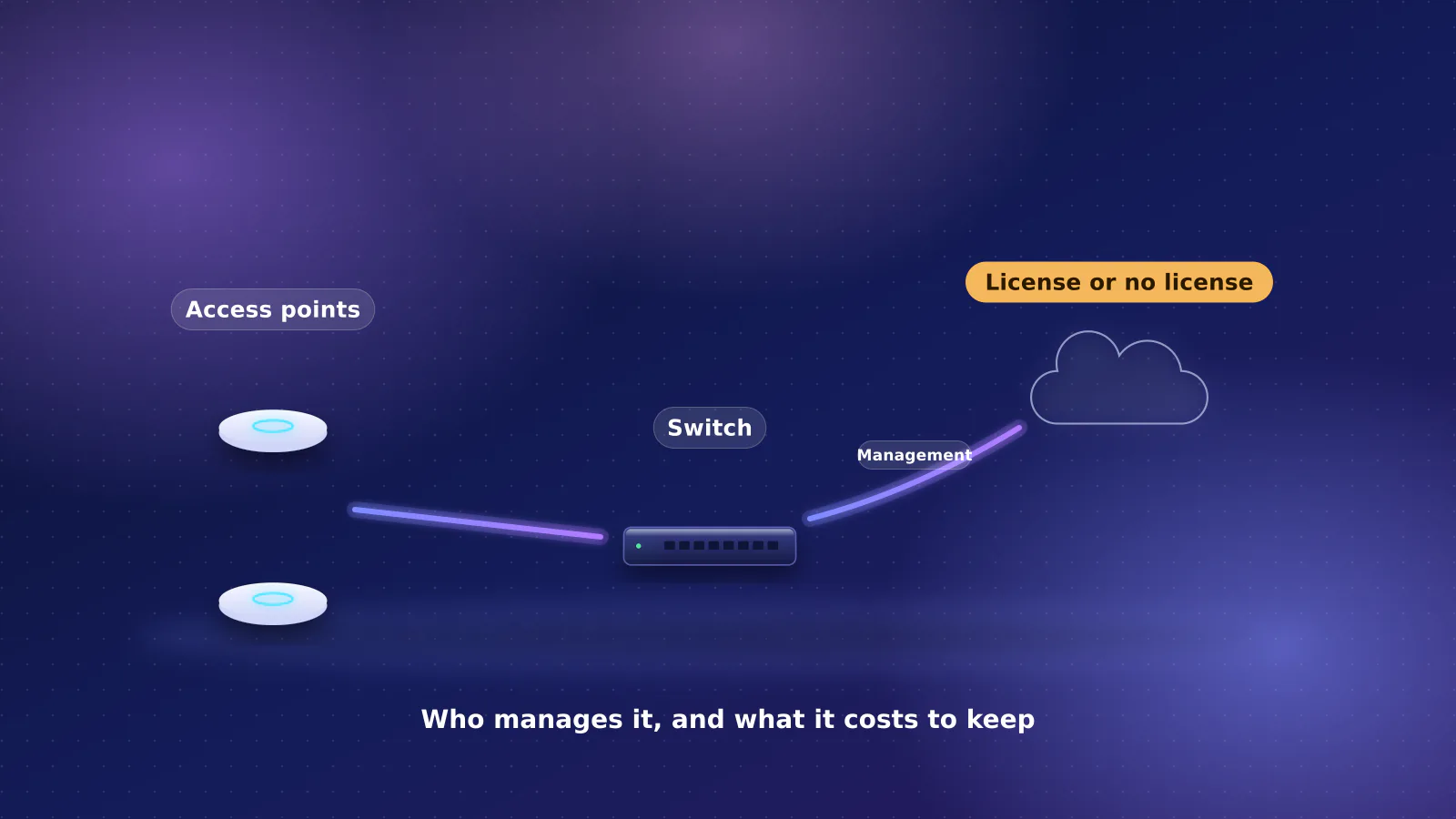
Managing two sites and connecting two sites are different things. A cloud dashboard can show and configure every location's gear from one login without any traffic passing between the sites; which platforms do that, and what it costs in licensing, is covered in our licensing comparison. A site-to-site tunnel is something else: it lets a device at one location open a connection to a device at the other as if they were on the same private network.
Work through what actually crosses between the sites:
| What the second site uses | Needs a tunnel? | Why |
|---|---|---|
| Cloud POS, cloud email and documents, a hosted phone service, web apps | Usually no | Each site reaches the service over its own internet line. Sending that traffic to the other site first adds a detour (Microsoft's term is a "network hairpin"). |
| A file server, NAS or database at the main site | Yes, or move it to a cloud service | The device has a private address that the other site can't reach without a tunnel. |
| A camera recorder viewed from the other site | Not always | Many camera systems have their own app or cloud viewing. A tunnel is the alternative to exposing the recorder. |
| One owner or bookkeeper who needs the office server from home | No site-to-site tunnel | That is remote access for one person; the remote access options fit better. |
Microsoft's connectivity principles describe the cost of routing cloud traffic through a central office: "Enterprise WANs are often designed to backhaul network traffic to a central company head office for inspection before egress to the internet", and it says "Direct internet access should be prioritized for the Microsoft 365 domains by reducing reliance on wide area network (WAN) backhauling". If nothing on the list above needs a tunnel, the cheapest and simplest design is two independent networks, each with its own firewall, managed from the same dashboard if you like. Buying nothing extra is a legitimate answer.
The three approaches
All three put an encrypted tunnel between a gateway at each site. They differ in who sets the tunnel up, which brands can be on each end, and what they need from the internet line.
| Classic site-to-site VPN | Maker's auto VPN | SD-WAN | |
|---|---|---|---|
| What it is | An IPsec tunnel (UniFi also lists OpenVPN for site-to-site) configured by hand on both gateways | Tunnels the maker's controller or cloud builds between its own gateways | Tunnels plus policies that pick which internet line each kind of traffic uses |
| Mixed brands | Yes, if both support the same settings | No, both ends must be the maker's gateways | Generally the maker's own gateways at every site |
| Reachable address | At least one end | Depends on the maker (below) | Depends on the maker |
| Main work | Matching parameters and subnets on both sides | Choosing sites and topology in the dashboard | Defining lines, health checks and rules |
The term SD-WAN is used loosely. The Mplify Alliance (formerly MEF Forum) publishes an SD-WAN service standard, MEF 70.1 (now listed as superseded, with MEF 70.2 as an amendment), which says "It is important to distinguish between the SD-WAN Service and the Underlay Connectivity Services", meaning the internet lines or private circuits underneath. Ubiquiti uses "SD-WAN" for its automatic site-to-site tunnels; Fortinet uses it for a gateway that does "Real-time path monitoring and dynamic steering across broadband, 5G, MPLS." Read each maker's page for what its version actually includes.
Classic site-to-site VPN
This is the option when the two sites have different brands of gateway, or when you want no dependence on a maker's cloud. Both ends have to agree on every setting. Ubiquiti's guide for tunnels to third-party gateways says "the following information needs to match" and lists the VPN type, key exchange version, encryption, Diffie-Hellman groups and the pre-shared key. TP-Link says the same for Omada: "The gateways at both ends must use the same negotiation mode, pre-shared key, and encryption algorithm".
Two choices decide how much work it is:
- Route-based or policy-based. Ubiquiti says "UniFi gateways use Route-Based VPNs by default", using a virtual tunnel interface and static routes or OSPF, while a policy-based VPN exchanges a list of local and remote subnets. Both gateways must use the same type.
- IKE version. Ubiquiti says "Both IKEv1 and IKEv2 are supported on UniFi gateways"; if a policy-based VPN won't establish or keeps disconnecting on IKEv2, it suggests separating the IKEv2 networks or switching to IKEv1; TP-Link recommends IKEv2 "unless the peer device only supports IKEv1 negotiation mode."
On the wire, IKE, the protocol that sets up IPsec tunnels, "normally listens and sends on UDP port 500" and may also use UDP 4500 (RFC 7296); RFC 3948 defines how IPsec packets are wrapped in UDP "for traversing Network Address Translators". If your gateway sits behind a provider's router, that router has to pass this traffic through, and Ubiquiti warns that "Any performance or port forwarding issues on the upstream router can cause the VPN to disconnect." Putting the provider's box in bridge mode avoids the problem; see fixing double NAT.
Cloud-managed auto VPN
If both sites run the same maker's gateways, its automatic option removes most of the manual matching. What each maker documents, read November 27, 2026:
| Maker's feature | Both ends | Public address | Overlapping subnets |
|---|---|---|---|
| Ubiquiti UniFi SD-WAN (Site Magic) | UniFi gateways with the same account owner or in the same Fabric; legacy USG models not supported; UniFi Express can't be a hub-and-spoke spoke | Hub-and-spoke: the hub needs "At least one device with a public IP address." Mesh: "At least one gateway must have a public IP address." | Hub-and-spoke can source-NAT spokes ("Auto-Scale and NAT Spoke VPNs"); in mesh, "overlapping subnets cannot exist within an SD-WAN group." |
| TP-Link Omada Auto IPsec | Omada gateways managed by the same controller, on different sites (controller v4.3 and later) | "If the Omada gateway is behind a NAT device, Auto IPsec is not applicable"; TP-Link points to Manual IPsec instead | Not addressed on the Auto IPsec page; TP-Link's Manual IPsec guides say "Avoid conflicts between the Remote Subnet and the Local Subnet" |
| Cisco Meraki Auto VPN | Meraki MX, Z-series and Cisco Secure Routers in the same organization; Meraki says Auto VPN needs connectivity to the Meraki cloud to set up and keep its tunnels | Automatic NAT traversal by UDP hole punching is "the recommended (and default) option"; Meraki's best-practice page says to use manual NAT traversal (a forwarded public IP and UDP port) when "There is an unfriendly NAT upstream", and separately recommends static IPs for VPN concentrators | "Site-to-site VPN requires unique and non-overlapping subnets"; Meraki points to VPN subnet translation for overlaps |
| Peplink SpeedFusion (PepVPN) | Peplink units, each with a profile per peer | "at least one of the two VPN peers must specify" the other's address; it uses "TCP port 32015 and UDP port 4500" | Peplink's manual offers Virtual Network Mapping "In case of a network address conflict with remote peers" |
Two things to weigh before choosing this route. First, the tunnel ties every site to one maker: adding a third location later means another of that maker's gateways. Second, some auto VPNs depend on the maker's cloud. Meraki says so directly; its devices also need a valid license, and what happens when one lapses is in our Meraki licensing section. Where each platform's controller runs is compared in UniFi vs Omada.
Ubiquiti's two pages differ in emphasis on overlap: its introduction says Site Magic works "without concern for subnet overlap or NAT traversal", while its detailed SD-WAN article says overlap is handled only in hub-and-spoke with the NAT option, and "NAT is unsupported" in mesh. Plan as if the stricter one applies.
The public IP and CGNAT question
A tunnel has to start somewhere. One gateway reaches out to the other, so the other has to be reachable from the internet, or a maker's service has to broker the connection. Every maker above documents some version of this rule:
- UniFi SD-WAN needs a public IP on the hub, or on at least one gateway in a mesh.
- Omada Manual IPsec, if only one side has a public IP, puts that gateway in Responder Mode with a remote gateway of 0.0.0.0 ("IPsec negotiations initiated by all IPs are accepted") and the other in Initiator Mode pointing at it.
- Peplink needs at least one peer to name the other's address; "Otherwise, VPN connections cannot be established".
- Meraki brokers the connection through its VPN registry, "a cloud service that is used to keep track of the contact information" of each appliance. Its pages we read don't mention carrier-grade NAT.
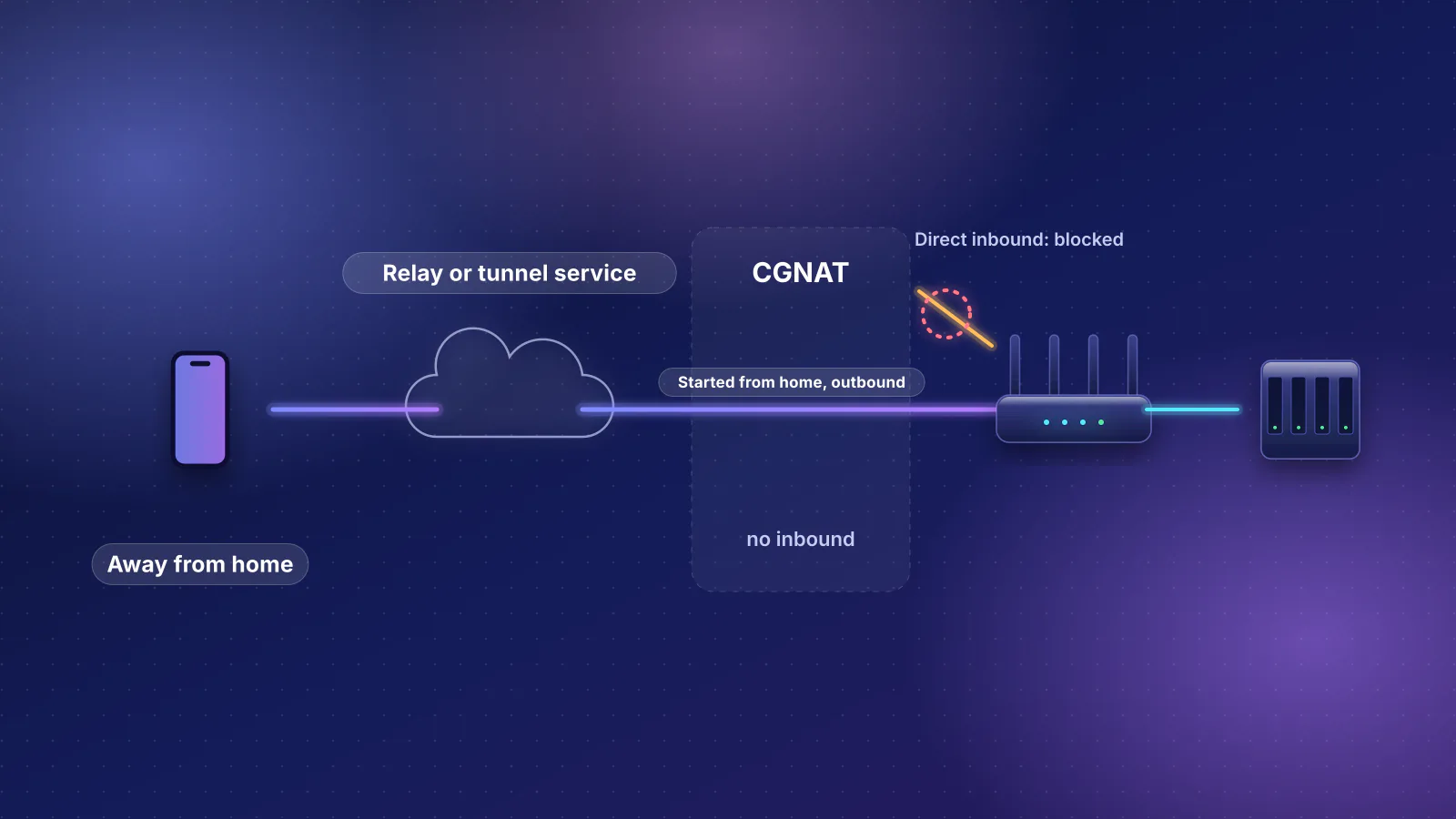
Carrier-grade NAT is where this breaks. Behind CGNAT, a site's gateway often gets an address from the range set aside for the link between a provider's NAT equipment and its customers (RFC 6598 reserves 100.64.0.0/10 "to number the interfaces that connect CGN devices to Customer Premises Equipment"), and nothing on the internet can start a connection to it. One CGNAT site can usually join another site that has a public address, because the CGNAT site reaches out. Two CGNAT sites can't meet this way. Check each line before you plan; how to check for CGNAT walks through it, and what providers document about public addresses covers asking for one.
If neither site can get a public address, the remaining routes are a mesh VPN overlay with a subnet router at each site, or a relay on a rented server, both covered in remote access behind CGNAT. A 5G or LTE backup line is often behind CGNAT too, which matters when that line is the only one up; see what doesn't survive a failover.
Dynamic addresses are a smaller problem. Meraki says it is "highly recommended to assign static IP addresses to VPN concentrators". TP-Link's Omada guide lets the remote gateway be a name rather than a number ("Enter the WAN IP address/domain name for Gateway B"). It doesn't mention dynamic DNS, so this is our reading rather than a documented step: where a gateway accepts a hostname there, a dynamic DNS name that follows the other site's address is one way to cope with an address that changes. Ubiquiti says that if a gateway's WAN IP changes, "SD-WAN will stay connected."
Address planning: do this first
A tunnel joins two private networks, so their address ranges must not collide. RFC 1918, which set aside the private ranges (10.0.0.0/8, 172.16.0.0/12 and 192.168.0.0/16), warned of exactly this: networks numbered independently face "a risk that address uniqueness would be violated" if they later connect, and merging them "may require renumbering". If a device at site A and a device at site B have the same address, the gateway can't tell which one a packet is for. Ubiquiti puts it this way: overlapping subnets "typically prevent communication because traffic cannot be differentiated by origin or destination."
Check whether both sites still use the range their gateways shipped with. If they match, renumber one site before you build the tunnel. A simple pattern is one block per site, with a /24 inside it for each network (staff, POS, cameras, guests). The plan below is illustrative, not a requirement:
| Network | Site 1 (illustrative) | Site 2 (illustrative) | Crosses the tunnel? |
|---|---|---|---|
| Staff and office devices | 10.1.10.0/24 | 10.2.10.0/24 | Yes |
| Servers and printers | 10.1.20.0/24 | 10.2.20.0/24 | Yes |
| Card terminals and POS | 10.1.30.0/24 | 10.2.30.0/24 | Only if the POS maker requires it |
| Cameras | 10.1.40.0/24 | 10.2.40.0/24 | Only to a recorder or viewer that needs it |
| Guest Wi-Fi | 10.1.90.0/24 | 10.2.90.0/24 | No |
Three rules go with it:
- Don't use 100.64.0.0/10 inside the business. RFC 6598 says it is "distinct from RFC 1918 private address space because it is intended for use on Service Provider networks", and a site behind CGNAT may already be using it on the WAN side.
- Leave room for the third site. Meraki's guidance is that "The appropriate subnets should be configured before proceeding with the site-to-site VPN configuration"; renumbering later is the expensive part.
- Only send the networks that need to cross. Guest Wi-Fi and, usually, card terminals stay local. The separation inside each site is the same as for one site; the POS and guest layout explains it.
If renumbering isn't possible, the translation features in the table above (UniFi's spoke NAT, Meraki's VPN subnet translation, Peplink's Virtual Network Mapping) exist for this case, with limits: Ubiquiti says sessions through its spoke NAT "can only be initiated by the spoke."
Hub-and-spoke or mesh, split or full tunnel
- Device at site 2 Opens a file on the server at site 1 (10.1.20.x)
- Site 2 gateway Sees a route for 10.1.0.0/16 into the tunnel; everything else goes straight to the internet (split tunnel)
- Both sites' upload and download The file leaves site 1 at site 1's upload speed and arrives at site 2's download speed
- Site 1 gateway Decrypts and forwards to the server, if its firewall rules allow site 2's range
- Server at site 1 Answers over the same tunnel
Check both lines' upload speeds on their broadband labels, and the gateway's spec sheet for a VPN or IPsec throughput figure if the maker lists one. The lowest of those numbers is roughly the most the tunnel can carry.
With two sites, topology barely matters: there is one tunnel. It starts to matter from the third site on:
- Hub-and-spoke. Every branch connects to one or more hubs, and branches reach each other through the hub. Meraki calls this "the recommended VPN topology for most SD-WAN deployments". Ubiquiti says its hub-and-spoke mode "Supports up to 1,000 tunnels", with hub capacity varying by model from 100 to 1,000.
- Mesh. Every site connects directly to every other. The tunnel count grows quickly: Meraki's example is 50 appliances with two uplinks each, giving 4,900 tunnels. Ubiquiti caps its mesh at "20 sites".
Split or full tunnel is the other choice. Meraki describes split tunnel as branches sending traffic across the VPN only "if it is destined for a specific subnet", and full tunnel as sending "all traffic that the branch or remote office does not have another route to" to a hub; its recommended design is split tunnel from branches. Microsoft's guidance points the same way for its services. Full tunnel makes sense only if all internet traffic must pass one firewall, and then the hub's line carries every site's browsing.
When SD-WAN is worth it
SD-WAN's distinctive part is what it does with more than one internet line at a site. Fortinet's product page says it will "Automatically detect problems, then reroute traffic to maintain app performance". Peplink's manual says SpeedFusion can "bond multiple Internet connections to increase site-to-site bandwidth and reliability", and "Unless all the WAN connections of one site are down", the VPN stays up.
That points to a simple test:
- One line at each site: there is nothing to steer between. A site-to-site VPN or a maker's auto VPN does the job, and an SD-WAN label adds nothing you'll use.
- Two lines at a site that can't stop: plain failover already moves traffic when the main line dies; what a second line can and can't do covers it. SD-WAN adds what Fortinet calls "intelligent application steering" and health checks on each line (FortiOS documentation says its performance SLAs "are used to measure the health of links" and, when a link fails all its checks, removes that link's routes from the SD-WAN group) and, on Peplink, a tunnel that stays up while any of the site's lines is. That is worth paying for when calls, card payments or a hosted desktop drop on a plain failover and that costs the business.
- Many sites, one IT person: a maker's dashboard that builds and monitors every tunnel saves time, whatever it is called.
Which approach fits
| Situation | Approach |
|---|---|
| Every app is in the cloud | No tunnel. Each site gets its own gateway and firewall; manage them from one dashboard if your platform offers it. |
| Two sites, same maker's gateways, at least one public IP | The maker's auto VPN. |
| Two sites, different brands | Classic IPsec with matched settings, or replace one gateway so both match. |
| One site behind CGNAT | Let that site initiate to the one with a public address (Omada initiator mode, a UniFi spoke, a Peplink peer that names the other's address). |
| Both sites behind CGNAT | Ask a provider for a public address, or use a mesh VPN overlay. |
| A site with two lines whose calls or payments must not drop | SD-WAN, or at least failover with a tested plan. |
When you are choosing the gear itself, small office network platforms compares how each ecosystem is managed, and business firewalls compares the IDS/IPS figures makers state and what each says you keep paying for. New hardware is justified when a site's gateway can't do the VPN type the other end needs, or when you're standardizing every location on one platform for its auto VPN. If the existing gateways already support a matching IPsec tunnel, try that first.
Joining networks also joins their problems: a compromised device at one site can reach whatever the tunnel lets through. Allow only the ranges and services that need to cross, and test from each side after setup. When the job needs cabling, a rack or a provider handoff at a new site, RouterHaus can connect you with a licensed contractor; ask for a consultation.
Frequently asked questions
Do two store locations need a VPN between them?
Only if something at one site has to be reached from the other, such as a file server or an on-premises system. If both sites use only cloud services, each can use its own internet line, which is what Microsoft recommends for its own services.
Can I connect two sites if one is behind CGNAT?
Usually, if the other site has a public address: the CGNAT site starts the tunnel. UniFi SD-WAN, Omada Manual IPsec and Peplink all document needing at least one reachable end. Two CGNAT sites need a public address from a provider or a mesh VPN overlay.
Is SD-WAN the same as a site-to-site VPN?
Not quite. Both use tunnels between sites, but SD-WAN also chooses which internet line each kind of traffic uses and moves it when a line degrades. With one line per site, a site-to-site VPN does the same job.
Can a UniFi gateway connect to a different brand?
Yes, with a classic IPsec site-to-site VPN. Ubiquiti lists the settings that must match on both ends, including the key exchange version, encryption and pre-shared key. Its SD-WAN feature works only between UniFi gateways.
Why can't my two offices see each other after setting up a VPN?
The most common cause is that both sites use the same address range, which Ubiquiti and Meraki say prevents routing. Other causes are firewall rules that don't allow the other site's range and a provider router in front of the gateway that blocks the VPN traffic.
Sources
Read on November 27, 2026.
- Ubiquiti: Setting up SD-WAN with UniFi Site Manager and Fabrics (updated November 23, 2026), Introduction to VPNs (updated November 12, 2026) and Site-to-Site IPsec VPN with third-party gateways (updated October 11, 2026) (read through Ubiquiti's public Help Center API)
- TP-Link Omada: Site-to-Site Auto IPsec VPN tunnels in controller mode (August 28, 2026) and Site-to-Site Manual IPsec VPN tunnels via Omada Controller v5 (July 17, 2026) and IPsec VPN on Omada gateways, Controller v6.2 and above (August 14, 2026)
- Cisco Meraki: Site-to-site VPN settings (modified November 17, 2026) and Meraki Auto VPN general best practices (modified September 17, 2026)
- Peplink user manual, firmware 8.6.0 (November 2026): SpeedFusion VPN and full manual (PDF), section 10.1 for Virtual Network Mapping
- Fortinet: What is Secure SD-WAN and FortiOS 7.6.7 administration guide: SD-WAN performance SLA
- Mplify Alliance (formerly MEF Forum): MEF 70.1 SD-WAN service attributes and service framework (November 2021)
- Microsoft Learn: Microsoft 365 network connectivity principles (updated August 26, 2026)
- IETF RFC 1918: Address allocation for private internets (February 1996)
- IETF RFC 6598: IANA-reserved IPv4 prefix for shared address space (April 2012)
- IETF RFC 7296: Internet Key Exchange protocol version 2 (IKEv2) (October 2014)
- IETF RFC 3948: UDP encapsulation of IPsec ESP packets (January 2005)