The short version
- A guest network is necessary, but usually not enough. It keeps customers' phones away from everything else. Your card terminals, though, still sit on the main network with whatever else is plugged in or signed in there: the office PC, staff phones, the music system, the cameras.
- The payment devices get a network of their own. The PCI Security Standards Council's small-merchant guide says that if you offer free Wi-Fi, "use another network for your payment system". Its scoping guidance says that in a "flat network", "the entire network is in scope" of an assessment.
- The Council calls segmentation recommended, not required. Its information supplement says segmentation "is not a PCI DSS requirement" but is "strongly recommended" because it may reduce the scope, cost and risk of meeting the standard. The guidance itself "does not address PCI DSS compliance" and points merchants to their acquirer (merchant bank) or the payment card brands. Neither this article nor your router's settings page can tell you whether your setup meets your obligations.
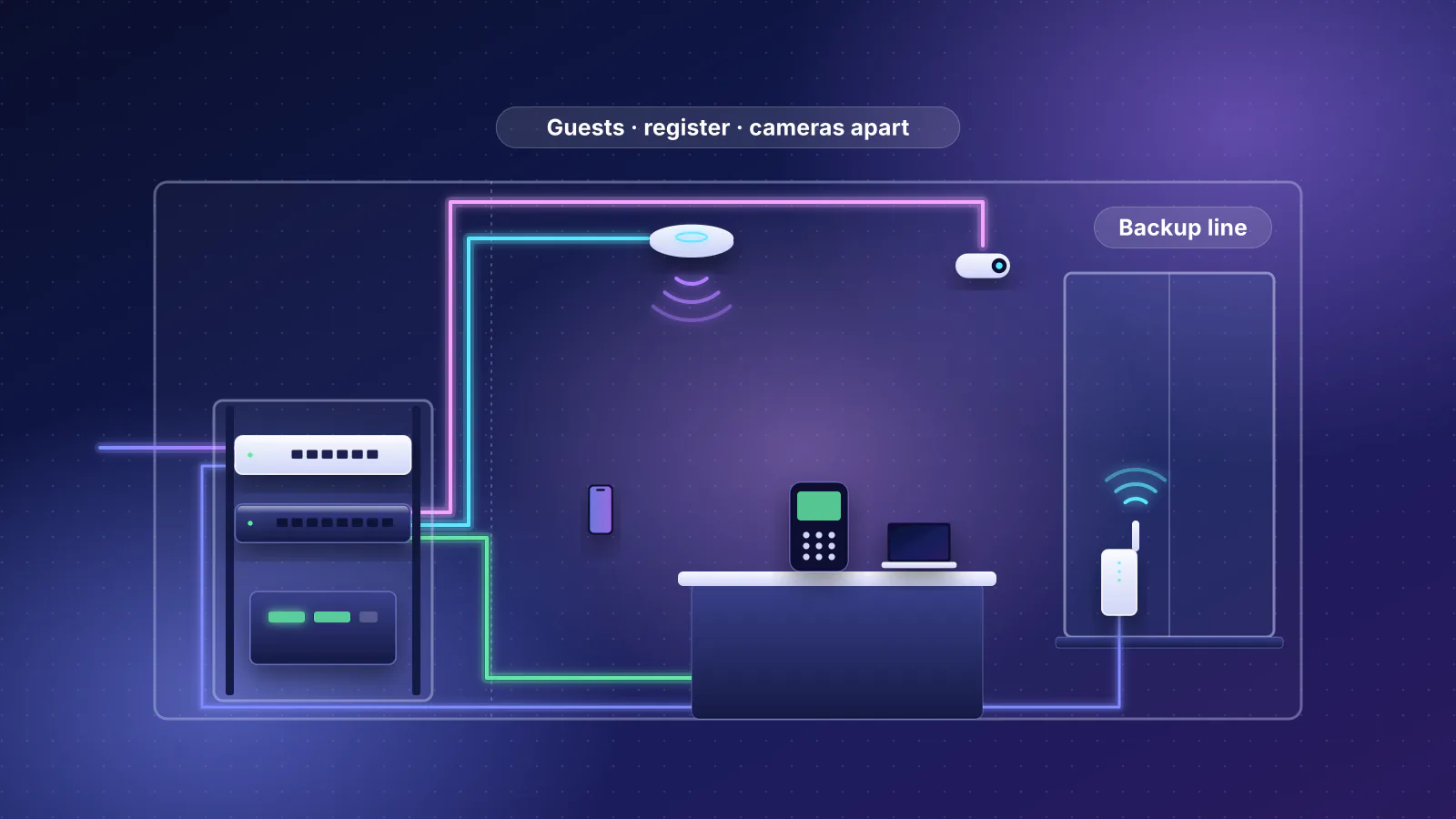
- A practical layout has four networks: guest Wi-Fi, a POS network that carries only payment devices, a staff and back-office network, and a camera network. The decision table says what goes where.
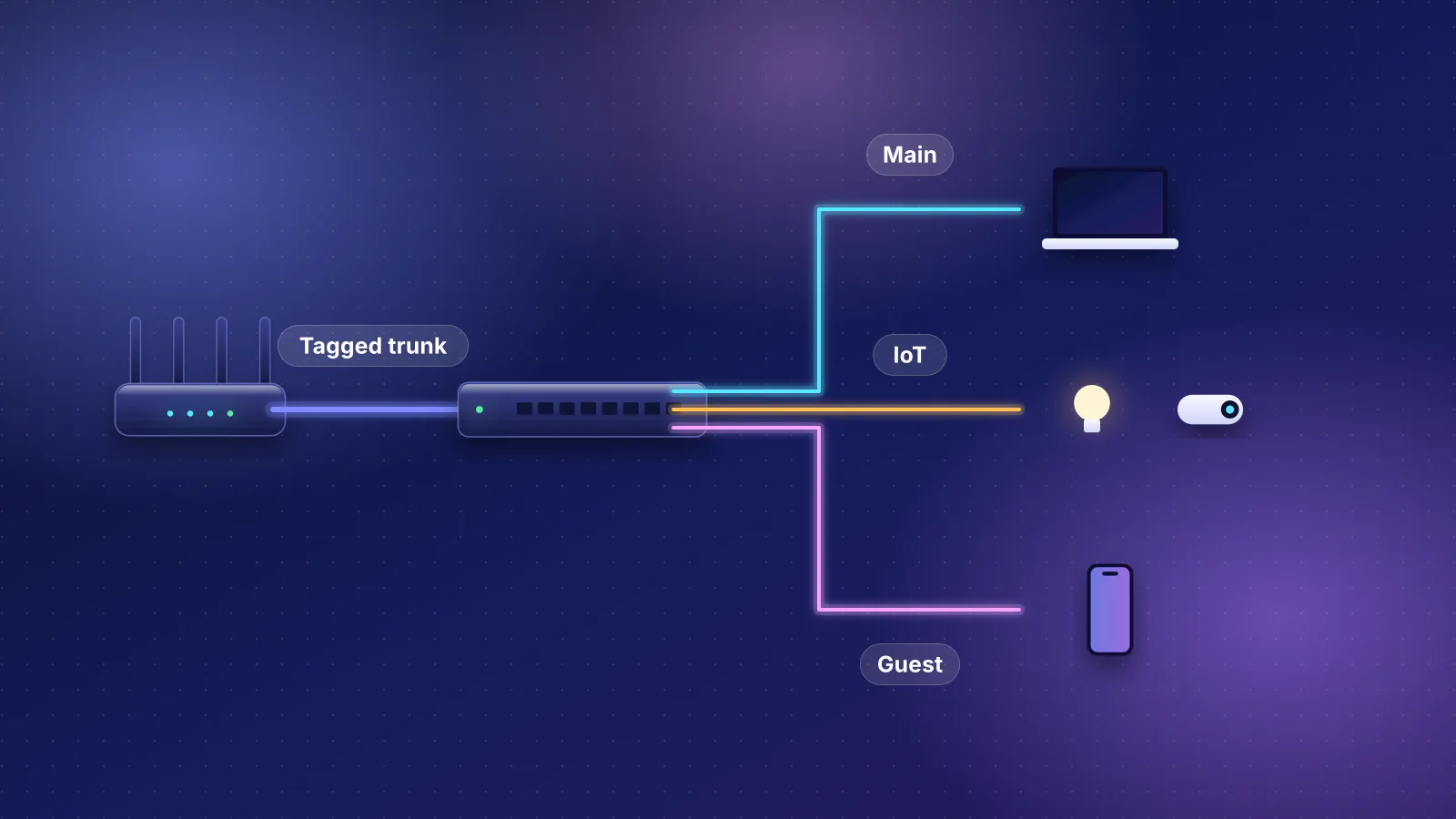
- Wired terminals are the catch. A guest network is a Wi-Fi feature. A register plugged into a switch is only on its own network if that switch port is assigned to a VLAN, which takes a gateway and switch that support VLANs.
- Cellular terminals can change the picture. If a terminal sends payments only over its own cellular connection, that traffic doesn't cross your network. The Council's FAQ notes that a PTS-approved terminal using "cellular or wireless connections" can still be eligible for the IP-terminal questionnaire if the merchant meets every criterion. Ask your processor how your terminals connect before you buy network gear.
This article is about the layout. For choosing the router or gateway itself, see our small-office router guide; for what a VLAN is, see VLANs for home networks.
Why the card devices go on their own network
Every device on a network can, by default, try to reach every other device on it. On a single shared network, a staff laptop that picks up malware from an email attachment sits next to the device that reads cards. Putting the payment devices on their own network, with a firewall rule between it and everything else, removes that path.
The Council's scoping guidance frames this as scope. A system counts as out of scope only when several things are all true, including that it does "NOT store, process, or transmit" card data, is "NOT on the same network segment or in the same subnet or VLAN" as those systems, and "cannot connect to or access any system" in the cardholder data environment (CDE, the Council's term for the systems that handle card data). Systems that can reach the CDE are "connected to" systems and stay in scope. In practice that means the smaller and more closed off the payment network is, the fewer of your devices are pulled into the question.
Two more points from the same document matter for a small shop:
- Separate isn't the same as segmented. "The existence of separate network segments alone does not automatically create PCI DSS segmentation." The Council gives "firewalls and router configurations to prevent traffic passing between out-of-scope networks and the CDE" as examples of the controls that do the work. A second network with nothing blocking traffic between it and the first isn't segmentation in the Council's sense.
- The guidance isn't a compliance ruling. It says it "does not address PCI DSS compliance" and that entities "should contact their acquirer (merchant bank) or payment card brand directly".
What the Council's documents say about wireless and segmentation
The current version of the standard is PCI DSS v4.0.1. The Council announced it in June 2024 as "a limited revision" with "no additional or deleted requirements", and said v4.0 would be retired on 31 December 2024. The Council published v4.0.1 versions of its self-assessment questionnaires (SAQs) in October 2024 and said the v4.0 ones would stay active only until v4.0 was retired. The requirement text quoted below is from the Council's v4.0 SAQ B-IP (April 2022), the questionnaire for merchants whose standalone terminals connect to the processor over IP, because the v4.0.1 files in the Council's document library would not open when we checked. The Council's bulletin on the v4.0.1 questionnaires says their requirement content was aligned with v4.0.1 and names specific eligibility and requirement changes only for other SAQs, not SAQ B-IP, but check the current v4.0.1 SAQ B-IP before relying on any wording here.
| Document | What it says | What it means for your layout |
|---|---|---|
| Guidance for PCI DSS Scoping and Network Segmentation (information supplement, version 1.1, May 2017) | Segmentation "is not a PCI DSS requirement" but is "strongly recommended"; without it, "the entire network is in scope" | Give payment devices a network that the other networks can't reach |
| Data Security Essentials for Small Merchants: Guide to Safe Payments (version 3.0, April 2024) | "If your shop offers free Wi-Fi for your customers, make sure you use another network for your payment system"; "Think carefully about whether you really need extra features such as Wi-Fi, remote access software" | Guest Wi-Fi never shares a network with the terminals; keep the payment side simple |
| SAQ B-IP, eligibility | The IP-connected terminals "are not connected to any other systems within the merchant environment", which "can be achieved via network segmentation"; "The only transmission of account data is from the approved PTS POI devices to the payment processor" | A POS network holding only the terminals, with internet access to the processor |
| SAQ B-IP, requirement 1.3.3 | Network security controls "are installed between all wireless networks and the CDE, regardless of whether the wireless network is a CDE", with wireless traffic into the CDE denied unless it has an authorized business purpose | Your guest and staff Wi-Fi sit behind a firewall rule, not just a different password |
| SAQ B-IP, requirements 1.3.1 and 1.3.2 | Inbound and outbound CDE traffic restricted "To only traffic that is necessary", with "All other traffic is specifically denied" | Ask your processor which addresses and ports the terminals need, and allow only those if your gateway can |
| SAQ B-IP, requirements 1.2.3, 2.3.1 and 11.4.5 | An accurate network diagram showing "all connections between the CDE and other networks"; "all wireless vendor defaults are changed at installation or are confirmed to be secure"; if segmentation is used, penetration tests "At least once every 12 months and after any changes to segmentation controls/methods" | Draw the layout, change default passwords, and expect the segmentation to be tested if your questionnaire includes it |
Which questionnaire applies to you, if any, depends on how your terminals connect and what your processor and acquirer require. SAQ B-IP itself says to confirm eligibility against its criteria and to contact "the entity(ies) to which the Attestation of Compliance (AOC) will be submitted". Read the table as what the Council's documents say, not as a list of what your business must do. The separation section of our small-office router guide quotes the SAQ D questionnaire too.
Is a guest network enough?
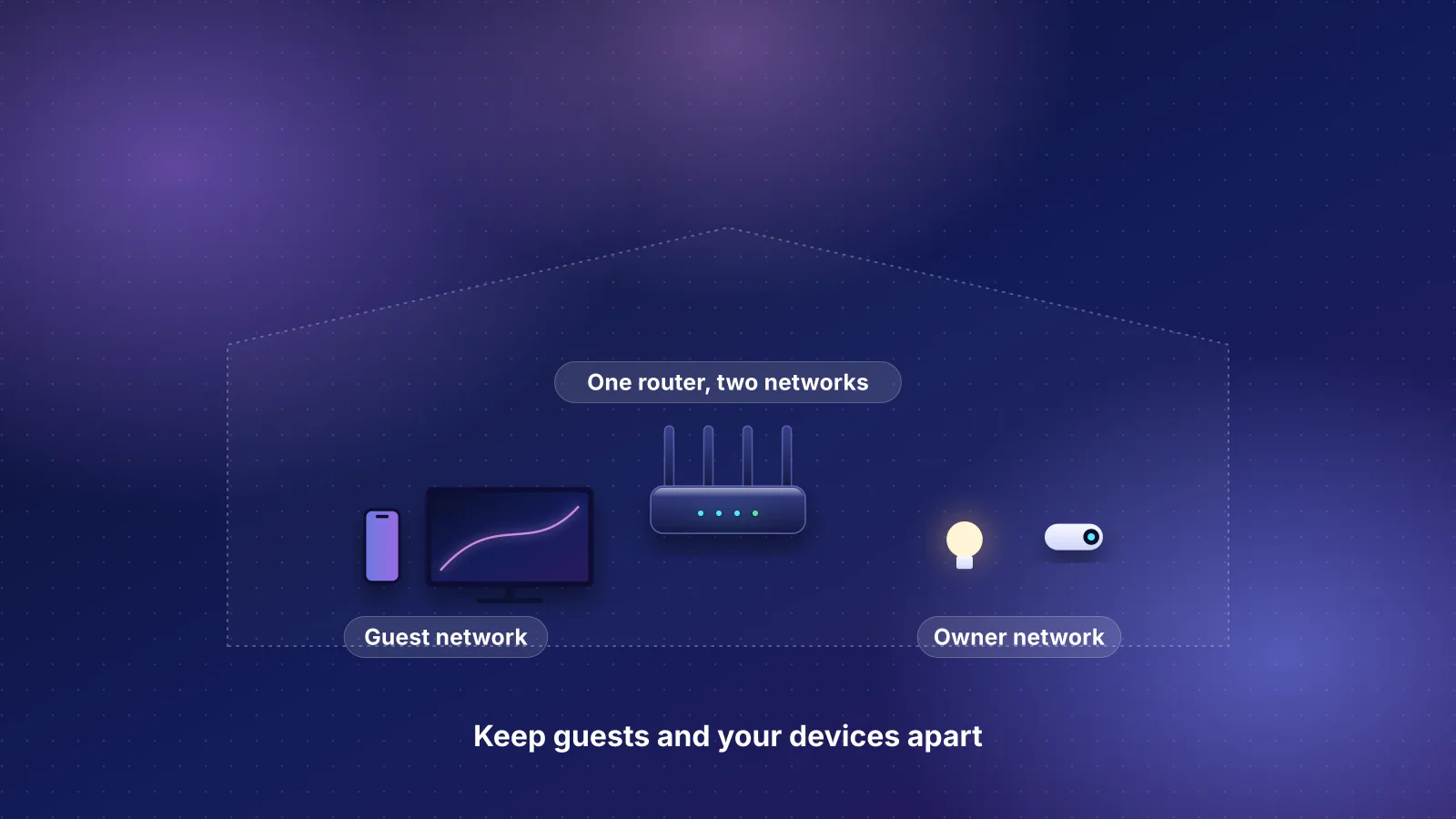
It solves half the problem. A guest network is a second Wi-Fi name that reaches the internet and nothing else. Meraki Go, for example, says its guest setting ensures devices "will only be able to access the internet, and nothing else"; TP-Link says guests on an Omada guest network "cannot access or download the internal network resources". That keeps a customer's phone away from your terminals.
What it doesn't do is separate the terminals from everything on the main network. Three common gaps:
- Wired devices. The guest setting applies to a Wi-Fi network. Every device plugged into the router's LAN ports, or into an unmanaged switch hanging off them, shares one network: registers, the office PC, a printer, the camera recorder.
- Staff on the main Wi-Fi. If employees' phones and the manager's laptop join the main Wi-Fi, they share the terminals' network too.
- Settings that aren't on. Isolation is often a setting you have to turn on yourself. Ubiquiti's guest best-practice guide lists Network Isolation, Client Device Isolation and switch-level Device Isolation (ACL) as settings to enable. Check what your router actually blocks: which platforms allow traffic between networks out of the box.
So the answer depends on what else is on your main network. If the only devices on it are the payment terminals, and staff and guests are both elsewhere, a router with a well-isolated guest network can come close. If anything else shares the main network, the terminals need a network of their own.
A practical layout: four networks
- Internet line Modem or provider gateway
- Gateway with firewall Routes between the networks; blocks traffic between them by rule
- Managed switch Each port assigned to one network: registers to POS, office PC to staff, cameras to cameras
- Access point Broadcasts guest Wi-Fi and staff Wi-Fi, each tied to its network
What goes on each network, as a suggested starting point:
| Network | What goes on it | What it can reach | Wi-Fi or wired |
|---|---|---|---|
| Guest | Customers' phones and laptops | Internet only; client isolation on so guests can't reach each other | Wi-Fi |
| POS | Card terminals and readers, registers or tablets that run the checkout, receipt and kitchen printers the POS drives | The processor and the POS maker's services; nothing else on your premises | Usually wired; a separate Wi-Fi network only if your terminals need it |
| Staff and back office | Office PC, staff phones, the music system, the printer for paperwork | Internet; the camera recorder for viewing, if you allow it; not the POS network | Both |
| Cameras | Cameras and their recorder | The recorder, and the maker's cloud service if you use one; not the POS or staff networks | Usually wired, often PoE |
Some judgment calls:
- The POS back office. If your POS's reports and menu editor are a website, the office PC reaches them over the internet and doesn't need to be on the POS network. If they run on a local server, ask the POS maker what that server must reach.
- Printers. A kitchen or receipt printer the POS sends orders to belongs with the POS. A printer the office uses for invoices belongs on the staff network.
- Smart speakers and TVs that staff cast to go on the staff network with the phones that control them.
- Network management. The admin pages of the gateway, switch and access points shouldn't be reachable from the guest network. Some setups give them a management network of their own.
Which layout fits your shop
| Your situation | Layout that fits | What it takes |
|---|---|---|
| Terminals run on their own cellular connection; nothing payment-related is plugged into your router | Guest Wi-Fi plus one main network for staff | A router with an isolated guest network. No new gear for payments; confirm with your processor how the terminals connect. |
| One or two Wi-Fi terminals, no wired registers, staff happy on the guest network | Main network for the terminals only; guest network for customers and staff phones | An isolated guest network, a main Wi-Fi password only the owner knows, and nothing else on the main network. Fragile: one extra device on the main network undoes it. |
| Wired registers or terminals, an office PC or wired cameras | All four networks | A gateway with VLANs and firewall rules, a managed or smart switch, and access points that tie each Wi-Fi name to a VLAN |
| A processor or acquirer questionnaire that asks about segmentation or testing | All four networks, documented | The same gear, a network diagram, and the rules written down so they can be tested |
If you run a short-term rental alongside the shop, the same thinking applies there; see the rental network layout.
How common small-business gear does it
Two different features get called "separation". A guest network isolates one Wi-Fi network from the rest. VLANs create as many networks as you need, on Wi-Fi and on wired switch ports, with rules between them. Only VLANs can put a wired register on its own network. From each maker's documentation, checked November 27, 2026:
| Platform | Guest network | Wired ports on separate networks | Between networks by default |
|---|---|---|---|
| Ubiquiti UniFi | Network Isolation ("isolate this network/VLAN from all other networks/VLANs"), Client Device Isolation and an optional hotspot portal | Yes: switch ports can be restricted to VLANs; Device Isolation (ACL) completes client isolation "at the switch level" | Allowed: "By default, the firewall on UniFi Gateways allows communication between different VLANs." Turn isolation on or add rules. |
| TP-Link Omada | A Guest Network checkbox on a Wi-Fi network (TP-Link's guide covers Omada Controller 5.9 and later) | Yes, with VLANs on Omada switches | Allowed until you add deny rules; see our VLAN guide |
| Cisco Meraki Go | A Guest network checkbox: internet only | Yes: Meraki Go's own example sets switch ports for point-of-sale devices to an access VLAN, and tags a point-of-sale Wi-Fi network with its VLAN | Not stated as blocked by default; the Secure option "will deny inter-VLAN traffic on the LAN" |
| NETGEAR Orbi Pro WiFi 6 | A guest network "isolated from internal VLANs" is the white paper's example use; it lists the ability "to isolate clients on the same VLAN" | Yes: one setup step is "Map Ethernet ports to VLANs"; Employee, IoT and Guest VLANs are created by default | Not stated in the white paper; check the settings after setup |
| A consumer router or mesh system | Usually, with varying defaults | Usually not | Varies; see guest, IoT and VLAN support by router |
Meraki Go adds two cautions worth repeating for any platform: "Changing VLAN settings will disrupt your network", and when changing the uplink port "you risk taking devices offline". Make changes outside opening hours. For how UniFi and Omada compare beyond separation, see UniFi vs Omada; for ASUS ExpertWiFi, eero Business, pfSense and MikroTik, see how each vendor documents separation; for what a managed or smart switch adds, see managed vs unmanaged switches.
Wi-Fi passwords and security modes
- Change the defaults. The Council's small-merchant guide warns that equipment "(including your payment terminal) often come with default (preset) passwords", and SAQ B-IP requirement 2.3.1 asks that "all wireless vendor defaults are changed at installation or are confirmed to be secure". Start with the router's admin password; see securing the admin page.
- Use different passwords for each Wi-Fi network, and change the guest password on a schedule you'll keep.
- Check the terminal's security support before switching to WPA3 only. If a terminal joins Wi-Fi, its maker's documentation says which security modes it supports. An older device that only speaks WPA2 won't join a WPA3-only network; which security setting to pick covers the trade-offs.
Cellular or processor-managed terminals
The Council's documents describe two setups in which your own network carries less of the payment traffic, or none of it. Ask your processor whether your terminals work either way; either can change how much of your network matters for payments:
- Cellular terminals. If a terminal sends payments only over its own cellular connection, that payment traffic doesn't cross your network; whether yours works that way, or can also use your Wi-Fi or a cable, is a question for your processor. The Council's FAQ 1313 (a December 2014 answer) says a terminal using "cellular or wireless connections" can be eligible for SAQ B-IP if it is PTS-approved and the merchant meets all the criteria, and that "merchants should always consult with their acquirer (merchant bank) or the payment brands".
- Validated point-to-point encryption (P2PE). The Council's SAQ P2PE is for merchants who "process account data only via a validated" PCI-listed P2PE solution, where "The only systems in the merchant environment that store, process or transmit account data are the payment terminals". Whether a solution is validated is shown on the Council's list, and your processor can tell you whether yours is one.
Neither one is a reason to leave guest Wi-Fi on your main network. Your staff PC, cameras and back office still deserve to be kept away from customers' devices. But if your terminals send payments only over cellular, you may not need a POS network at all; confirm that with your processor before you buy anything.
Check that the separation works
A setting that looks right in the app isn't proof. After setup, outside opening hours:
- Write down each terminal's IP address from the terminal's network screen or the router's client list.
- From a phone on the guest Wi-Fi, try to reach a terminal's address (a ping app works), another guest phone, and the router's login page. All should fail. TP-Link's own check for Omada is a ping between two guest clients: "The ping fails", while both still reach the internet.
- From the office PC on the staff network, try the same terminal address. It should fail unless you deliberately allowed it.
- Run a test transaction on each terminal, so you know the rules didn't block the processor.
- Draw the result: each network, what's on it and what it may reach. SAQ B-IP asks that "An accurate network diagram(s) is maintained", and a diagram is also the quickest way to explain your setup to a contractor or your processor.
Repeat the check after any change to the gateway, switch or Wi-Fi. It is not the penetration test that SAQ B-IP requirement 11.4.5 describes: where segmentation is used, that test applies "At least once every 12 months and after any changes to segmentation controls/methods".
When new equipment is justified
Buy nothing yet if your terminals are cellular, or if everything that handles payments is on Wi-Fi and your router's guest network is genuinely isolated with nothing else on the main network. Ask your processor first in either case.
New equipment is justified when:
- Wired registers or terminals share a network with an office PC, cameras or anything else, and your router can't put its own ports on separate networks. That usually means a gateway with VLANs and firewall rules.
- The switch is unmanaged. It can't assign ports to networks, so everything plugged into it ends up on one. A managed or smart switch fixes that without replacing the gateway, if the gateway supports VLANs.
- Your Wi-Fi can't tie a network name to a VLAN, so staff and POS Wi-Fi can't be separated.
- Your processor or acquirer asks for something your gear can't do, such as restricting the terminals' outbound traffic to specific destinations.
When to get help
Do it yourself if the job is settings: turning on guest isolation, moving a few Wi-Fi devices, changing passwords. Get help when it needs hands on site: new cable runs to registers or cameras, a rack or closet, replacing the gateway and switch during a weekend you can't be closed, or more than one location. RouterHaus can connect you with a licensed contractor when the job needs that; our installer guide has a written scope you can copy.
Network work is not a compliance assessment. If your processor's questionnaire includes segmentation testing, ask your acquirer who may perform it and what they accept.
Frequently asked questions
Can my card terminal use the guest Wi-Fi?
It shouldn't. The PCI Security Standards Council's small-merchant guide says that if you offer customers free Wi-Fi, you should use another network for your payment system. Give the terminals their own network, or ask your processor whether they can run on cellular.
Is a guest network enough to keep customers away from my POS?
It keeps customers' Wi-Fi devices off your main network, but the terminals still share the main network with anything else on it, including every wired device. If the office PC, staff phones or cameras are on the main network too, the terminals need a network of their own, which usually means VLANs.
Does network segmentation make my business PCI compliant?
Not on its own. The Council's scoping guidance calls segmentation strongly recommended because it may reduce assessment scope and cost, and says the guidance does not address compliance; it points merchants to their acquirer (merchant bank) or the payment card brands for that.
Do I need a managed switch?
If any register, terminal or printer that belongs on the POS network plugs into a switch, yes, or a gateway with enough VLAN-capable ports. An unmanaged switch puts everything plugged into it on one network.
Do cellular card terminals need a separate network?
If a terminal sends payments only over its own cellular connection, that traffic doesn't cross your network, so you may not need a POS network. Keep guest Wi-Fi separate from staff devices anyway, and confirm with your processor how your terminals connect.
Sources
Read on November 27, 2026.
- PCI Security Standards Council: Information Supplement, Guidance for PCI DSS Scoping and Network Segmentation (version 1.1, May 2017, PDF)
- PCI Security Standards Council: Data Security Essentials for Small Merchants, Guide to Safe Payments (version 3.0, April 2024, PDF)
- PCI Security Standards Council: Self-Assessment Questionnaire B-IP, PCI DSS v4.0 (April 2022, PDF) (eligibility criteria and requirements 1.2.3, 1.3.1 to 1.3.3, 2.3.1 and 11.4.5)
- PCI Security Standards Council: Self-Assessment Questionnaire P2PE, PCI DSS v4.0 (April 2022, PDF)
- PCI Security Standards Council: FAQ 1313, Can SAQ B-IP be used if cardholder data is transmitted over wireless? (December 2014)
- PCI Security Standards Council: SAQs for PCI DSS v4.0.1 bulletin (October 2024, PDF)
- PCI Security Standards Council blog: Just published, PCI DSS v4.0.1 (June 2024)
- Ubiquiti: Best practices, guest WiFi and Creating virtual networks (VLANs)
- TP-Link Omada: How to configure a guest network on an Omada controller
- Cisco Meraki: Guest networks in Meraki Go and Wired networks (VLANs) in Meraki Go
- NETGEAR: Network segmentation on Orbi Pro WiFi 6 Series (white paper, 2021, PDF)