The short version
- Four parts, four different needs. Readers sit at the door, a door controller (makers also say hub or panel) switches the lock, and software in the maker's cloud or on a box on site holds the rules. The network has to power some of them, carry their traffic and let the controller reach its software.
- Power is the first number to check. Makers list very different inputs: Ubiquiti lists its UniFi Access Door Hub and Door Hub Mini as PoE++ and its Access Ultra as PoE+, Verkada lists its AC12 one-door controller at up to 15 W on PoE, 28 W on PoE+ and 60 W on PoE++ with a camera powered through it, and Axis lists its A1610 at PoE Class 4. Some multi-door controllers, such as Verkada's AC42, run from mains power instead.
- Cloud-managed controllers need outbound access only. Verkada and Avigilon Alta document outbound HTTPS (TCP 443) and time (UDP 123), plus DNS (Avigilon Alta lists it when you use an external DNS server), with no inbound port forwarding. Both say they don't work through TLS inspection: Verkada says its devices are "incompatible with LANs that require proxy servers."
- On-site systems need a local path. UniFi Access runs on a UniFi console on site, and Ubiquiti says its readers and hubs "must be on the same L2 network and cannot communicate across VLANs."
- Most keep letting known badges in when the internet drops, with limits. Each maker documents local storage of the last configuration or credentials and later event sync. Changes made during an outage wait, and some unlock methods (remote, cloud links) stop. Read your maker's own page before you rely on it.
- Code and egress aren't a network decision. How a door must release in a fire or power loss is set by the installer and the local authority, not by the network plan.
This article is about what the network has to provide. For PoE budgets in general, see PoE planning for access points and cameras; for the router itself, choosing a router for a small office or storefront.
The parts and what each asks of the network
Every system named below is an example from its maker's own documentation, read November 27, 2026. None is a pick, and RouterHaus has not installed or tested any of them.
| Part | What it does | What it needs from the network |
|---|---|---|
| Reader | Reads a card, phone or code at the door | Often nothing directly: many readers wire to the controller, which powers them. Some readers have their own Ethernet port and take PoE, and those need a switch port. |
| Door controller or hub | Decides whether to unlock and switches the lock relay | Power (PoE or a local supply), an Ethernet connection, an address by DHCP and a path to its management software |
| Lock or strike | Holds or releases the door | Nothing from the network. It's powered from the controller's relay or its own supply. |
| Management software | Holds users, schedules and logs | Either the maker's cloud (outbound internet from the controller) or a server or console on site (a local path from controller to server) |
The reader-to-controller wiring is where makers differ most. Verkada's AC12 product page lists reader ports with 12 V DC at 250 mA each, so its readers draw power from the controller. Ubiquiti's getting-started page tells you to plan "Power-over-Ethernet switches to power your hubs and readers," and says its readers "communicate directly with Access Control Hubs over Layer 2 (L2) Ethernet." Avigilon Alta's help center says to install its PoE readers, such as the Video Reader Pro, "on the unsecured side of a door," which puts a network cable there. Which model you have changes how many switch ports you need and where they go.
Power: what the makers list per door and controller
Each figure below is the maker's own published specification, not a measurement:
| Device (example) | Power input the maker lists | What it powers, per the maker |
|---|---|---|
| Verkada AC12 (one door) | "15W max on PoE", "28W max on PoE+", "60W max on PoE++" with a PoE passthrough camera | Lock relay 12 V at 700 mA or 24 V at 350 mA; reader ports at 12 V, 250 mA |
| Verkada AC42 (four doors) | Mains: 100 to 240 V AC, 60 W maximum; no PoE input listed | Lock relays per door; up to four readers under 250 mA each; optional backup battery |
| UniFi Access door hub (UA-Hub-Door) | PoE++ input; maximum power consumption 30 W without PoE output, 50 W with it | Lock at 12 V DC, 1 A (powered relay); four PoE+ outputs, 30 W per port, 45 W maximum across all four |
| UniFi Access Ultra | PoE+ | Ubiquiti's getting-started page lists it as the PoE+ hub |
| Axis A1610 (two doors) | PoE Class 4 (PoE+), or 10 to 28 V DC | Axis says it can "directly power the onboard lock" over PoE+ or DC |
| Avigilon Alta 4-door Smart Hub | Avigilon's page says the enclosure includes a power supply and lists 12 to 24 V locking hardware support; no PoE input listed | Up to four readers and four doors |
Two things follow for the network. First, a PoE label is a promise about a port, so match the device's input to what the switch's spec page lists for that port. Ubiquiti's PoE modes page maps its labels to the IEEE standards (PoE to 802.3af, PoE+ to 802.3at, PoE++ to 802.3bt Type 3 or Type 4), and both it and TP-Link's Omada overview give the maximum power at the device for the first three as 12.95 W, 25.5 W and 51 W. Ubiquiti's getting-started page lists the Door Hub as a PoE++ device, and the figures show why a PoE+ port isn't enough for it: working from the published numbers (our comparison, not a statement from either maker), the UA-Hub-Door's listed 30 W maximum without PoE output, or 50 W with it, is more than the 25.5 W a PoE+ port delivers. Makers don't all state power the same way, so the PoE type each maker lists for its device is the figure to match. Second, the lock's power comes out of the controller's budget when the controller powers it, so a door with a hungrier lock can need a local supply instead. The installer chooses the lock and its power; the network plan just needs to know which doors take power from the switch.
For the switch total, add every powered device at its maker's maximum and leave headroom. TP-Link's Omada overview recommends planning for "now and in the next two to three years" and notes that a switch's PoE budget is shared across all its ports. The PoE worksheet walks through that sum with access points and cameras on the same switch.
Ports and outbound connections the makers list
Cloud-managed controllers start their own connections out to the maker's cloud, so a typical small-business router needs no port forwarding for them. What each maker lists:
| Maker | Outbound | Inbound and local | Limits the maker states |
|---|---|---|---|
| Verkada Access | TCP/UDP 443 to *.verkada.com and regional hosts; UDP 123 (NTP); UDP 53 (DNS); DHCP | No inbound ports listed | Proxy servers and SSL/TLS inspection not supported (a bypass is needed); DNS over HTTPS not supported; DNS server comes from DHCP |
| Avigilon Alta (formerly Openpath) | TCP 443 and UDP 123; UDP 53 if you use an external DNS server; UDP 3478 and 50000 to 60000 for video readers | Inbound TCP 443 on the LAN for Wi-Fi unlocking from the app; "Inbound port forwarding on the router, firewall, or NAT device is unnecessary" | "We do not allow HTTPS certificate rewriting or TSL/SSL inspection"; no fixed IP or host list on Basic and Premium licenses (Enterprise offers a static cloud IP) |
| UniFi Access | To the UniFi console on site; the getting-started page lists no cloud ports for the hubs | 12443 (HTTPS), 12812 (MQTT), 8080 (device adoption), UDP 10001 (discovery); 12455 if OpenAPI is on | Readers and hubs on the same Layer 2 network; third-party switches must pass broadcast and discovery traffic |
Two practical points. If your firewall filters by host name or IP, Avigilon Alta gives no IP or host list on Basic and Premium licenses because "Most hostnames resolve to dynamic IPs and the hostnames themselves change during provisioning and configuration update processes," so a rule that allows outbound 443 from the access control network is the documented route there. And if the business uses a firewall service that decrypts HTTPS, Verkada says a bypass for all its devices must be set up, and Avigilon Alta says "We do not allow HTTPS certificate rewriting or TSL/SSL inspection," so their traffic has to be left out of it. Avigilon Alta also notes that Fortinet firewalls' antivirus blocks AWS traffic by default and that "AWS will need to be whitelisted."
Bandwidth. Verkada's network-settings page lists no bandwidth figure for access controllers, and we couldn't find one on its pages. Avigilon Alta lists upload figures for its video readers: about 1, 2 or 8 Mbps per reader at low, medium and high quality, doubling with each added reader. If your readers include video, count that upload alongside everything else the site sends; our upload guide shows how.
Before installers arrive, Verkada offers a Network Tester for its Access product type, which needs speed.cloudflare.com and network-tester.support.verkada.com allowed. Ask your maker whether it has an equivalent.
Cloud-managed or on-site controller
The split is the same one that runs through business Wi-Fi: where the software that holds the rules lives. Our business Wi-Fi licensing comparison covers the licensing side of that choice for networks; access control makers set their own terms, so read theirs.
| Cloud-managed (examples: Verkada, Avigilon Alta) | On-site console or server (examples: UniFi Access; Axis controllers with on-site software) | |
|---|---|---|
| Where the rules live | Maker's cloud; the controller keeps a local copy | A console or server in your building |
| Network path needed | Outbound internet from each controller | Local route from each controller to the console; internet only for remote management |
| Extra hardware | None beyond controllers and readers | The console or server, which needs power and a place in the network closet |
| Managing several sites | Avigilon says you can "manage multiple sites from a unified web dashboard or mobile device" | Depends on the console; Ubiquiti lists per-console limits (for example, 150 hubs on a UDM-Pro, 50 on a UDR) |
Ubiquiti publishes which consoles run UniFi Access and their limits on hubs and users; if you already run a UniFi gateway, check that list before buying a separate console. Axis says its A1610 "can internally handle all tasks related to door access" and is "Integrated with Axis and 3rd party solutions", so the software choice there is a separate decision from the controller.
What keeps working when the internet or server is down
This is the question that matters most to a business, and each maker answers it on its own pages. What they document:
| Maker | During the outage | What stops or waits | When it reconnects |
|---|---|---|---|
| Verkada Access | The controller "runs the last known configuration that it received from the cloud," which "persists, even if the controller loses power and is rebooted" | Changes made in the cloud during the outage; Verkada's example shows a badge added during an outage being rejected | The latest configuration is pushed down, then the outage's events go up. Local event storage is "1-3 months, depending on the number of events recorded"; events overwritten before sync "are permanently lost" |
| Avigilon Alta | "Card credentials will continue to authenticate"; mobile credentials work only over a local network connection or Bluetooth to the reader | "Remote unlocks will not authenticate"; Cloud Key links and guest passes don't work. After the offline timeout (up to 30 days) cards stop working too | "all credential types will work and updates from Alta Access will propagate"; Avigilon's fact sheet says events are kept "for up to 60 days" |
| UniFi Access | "Access credentials are stored locally on the Access Control Hub," so users "can continue unlocking doors even if the connected console malfunctions or loses internet connection" | New credentials "will not take effect until the connection is restored and synchronization is complete" | The hub syncs pending updates automatically; Ubiquiti says this "does not apply to Access Ultra (UA-Ultra) and Door Hub Mini (UA-Hub-Door-Mini) due to storage limitations" |
| Axis A1610 | Axis says it "can internally handle all tasks related to door access" and that this holds "even if the network is down"; it stores up to 250,000 credentials and 250,000 event logs locally | Anything that needs the management software | Depends on the software it's paired with |
Three conclusions you can draw from those pages without testing anything. Losing the internet and losing power are different events: a controller that keeps working offline still needs power, which is the next section. A change made during an outage, such as revoking a lost badge, may not reach the door until the connection returns, so ask the installer how a door can be locked down locally. And the offline window is finite on some systems (Avigilon Alta's timeout, Verkada's event storage), so a long outage is a reason to call the maker's support, not just wait.
Power outages, the switch and a UPS
When the switch powers the controllers, the switch's power is the doors' power. Ubiquiti says PoE "ensures continuous power delivery, keeping hubs and readers operational" when the console fails, and for power outages it names its own Mission Critical switch, which it says "provides battery-backed power, keeping Access Control Hubs operational during power outages." Verkada lists an optional battery for its mains-powered AC42 that it says can power all connected doors during a power loss.
What the lock does when power is removed (stay locked or release) is set by the lock type the installer fits, fail-secure or fail-safe, and by what your local authority requires for that door. Ubiquiti, for example, says UniFi Access "supports both fail-secure and fail-safe locks." That decision is not a network setting, and a UPS doesn't replace it. If you add a UPS for the switch and router, size it with the PoE load included, as our network UPS guide explains.
VLAN and firewall placement
Door controllers are a good candidate for their own network segment, for the same reasons as card terminals and cameras: they need a narrow set of connections, and nothing else in the building needs to reach them. Verkada recommends "a separate VLAN" for its cameras and says "many of these same steps can also be applied to our access control" products. If VLANs are new to you, our VLAN guide explains the idea and a sample plan, and the POS and guest separation guide shows the same layout in a shop.
- Internet line Modem or provider gateway
- Gateway with firewall Access control network allowed out on the ports its maker lists; no inbound forwarding
- Managed PoE switch Controller ports (and any PoE reader ports) assigned to the access control VLAN
- Door controller or hub Gets its address by DHCP; powers readers and, on some models, the lock
- Reader and lock Wired to the controller; a reader with its own network jack sits on the unsecured side
What the makers' rules mean for that layout:
- Keep reader and hub together where the maker requires it. UniFi Access readers and hubs "cannot communicate across VLANs," so put both on the same one. Ubiquiti says the hubs can sit on a different VLAN from the console when the console is the gateway, inter-VLAN routing is allowed and "routing and firewall rules permit traffic between the VLANs," with the Access application's network setting changed to cover all networks.
- Treat an outside jack as untrusted. For a PoE reader on the unsecured side of a door, Avigilon Alta says to "place it on a DMZ or perimeter network" so attackers can't reach the local network through the exposed Ethernet port.
- Set fixed addresses the way each maker says. Verkada says its controllers take settings by DHCP and to use a DHCP reservation for a fixed address. Avigilon Alta says to set static IPs on its Video Reader Pro and its remote controllers to improve reliability during network outages such as a router failure, so follow each maker's own instruction for its devices.
- Allow the phone path if you use Wi-Fi unlock. Avigilon Alta's app unlock over Wi-Fi needs inbound TCP 443 to the controller from the LAN, so a firewall rule between the staff Wi-Fi and the access control VLAN may be needed.
Pre-install checklist for the network side
Ask the installer or the maker for these before the work date, and fill in your answers:
| Check | Where to find it | Why it matters |
|---|---|---|
| Power input of each controller and PoE reader (PoE, PoE+, PoE++ or local supply) | The device's spec page or datasheet | Sets which switch ports work and the switch's total budget |
| Which locks draw power from the controller | Installer's door schedule | Adds to the controller's draw, and so to the switch's |
| Number and location of network jacks, including any outside a door | Installer's drawing | Cable runs, switch ports, and which jacks need a separate network |
| Required outbound ports and hosts | The maker's network-settings page | Firewall rules for the access control network |
| Whether TLS inspection or a proxy is in use | Your firewall or managed IT provider | Verkada and Avigilon Alta both say their devices don't work through it |
| Layer 2 requirements between reader, hub and console | The maker's getting-started page | Decides whether devices can sit on different VLANs |
| DHCP reservations for controllers | Your router or gateway | Stable addresses without static settings on devices |
| What works offline, and for how long | The maker's offline-operation page | What staff do during an outage, and how to lock down locally |
| Power backup for the switch, router and any mains-powered controller | UPS maker's runtime figures and the devices' power ratings | Whether doors run on PoE during a power cut |
When new equipment is justified
- Buy nothing if your switch's ports already match each device's listed input, its PoE budget covers the total with headroom, and your router can give the controllers their own network or at least allow their outbound ports. Cloud-managed controllers on a typical business router need no port forwarding.
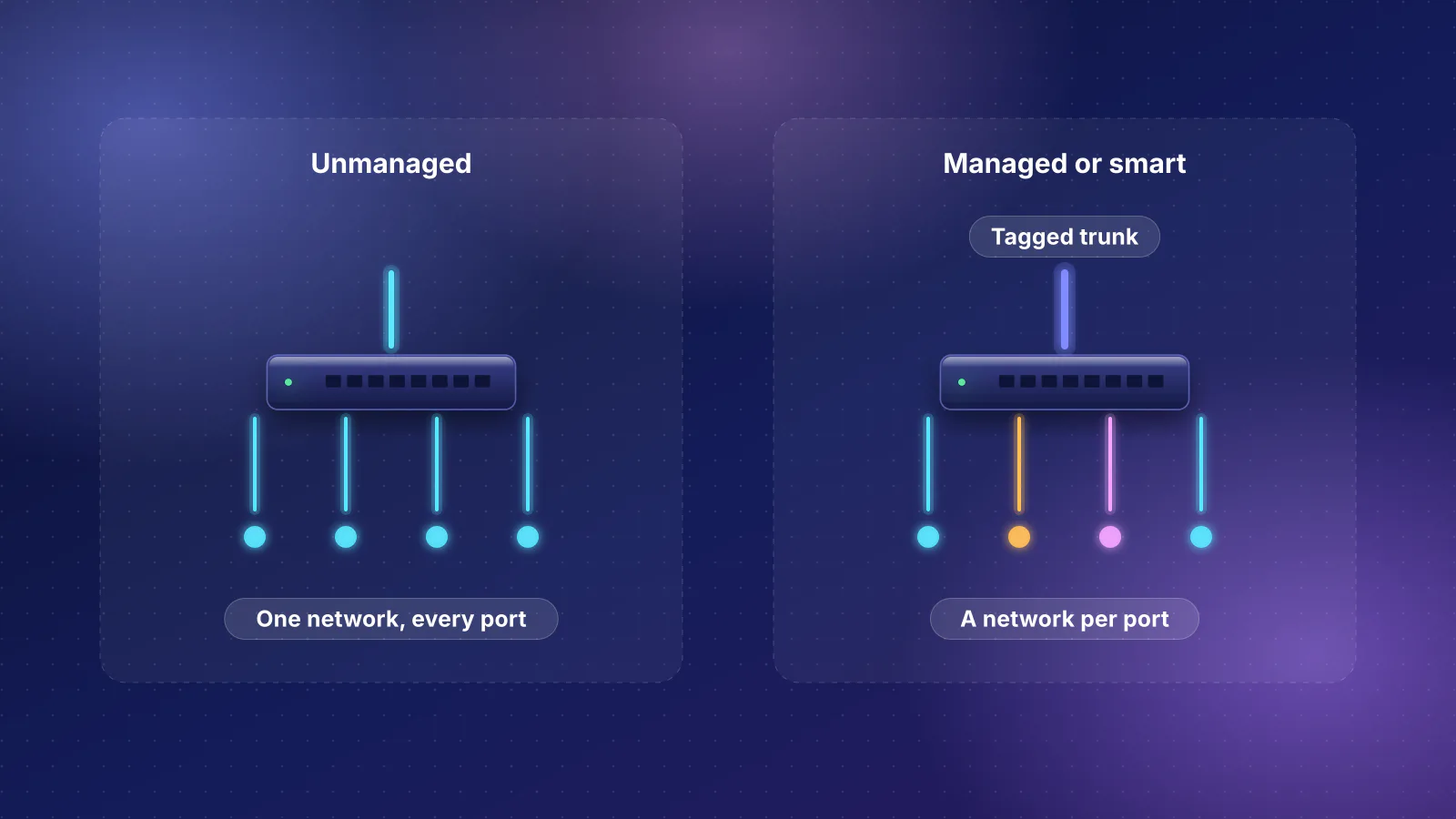
- A PoE switch is justified when the controllers or readers need PoE and your switch has none, too few ports of the type each device's maker lists (a hub listed as PoE++ needs a PoE++ port), or too small a budget. A managed one is needed if you want the access control VLAN described above; an unmanaged switch puts every device on one network.
- A router or gateway with VLANs is justified when you want the access control network separated and your current router can't do it; the small-office router guide lists what to look for.
- A UPS is justified when the doors should keep working through a short power cut and the switch powers them, because otherwise the doors lose power with the switch. Your installer and local requirements may also call for battery backup in the access control panels themselves, which is their decision.
- A console is only needed for on-site systems such as UniFi Access, and only if your existing gateway isn't on the maker's supported list.
When to get professional help
The network side (switch ports, VLANs, firewall rules, a UPS) is work many businesses do themselves or hand to their IT provider. The door side is not: lock type, wiring to the door, fail-safe or fail-secure behavior, fire alarm tie-ins and egress are decided by the installer and the local authority having jurisdiction, and RouterHaus gives no code or egress advice. Access control and fire-related work may also need a licensed contractor where you are.
If the job needs hands on site, such as new cable runs to doors, a network closet or a switch replacement, RouterHaus can connect you with a licensed contractor. Our installer guide has a written scope you can adapt, and you can attach the checklist above to it.
Frequently asked questions
Does door access control need its own internet connection?
No. The makers covered here document ordinary outbound connections (HTTPS on TCP 443, NTP on UDP 123, and DNS) for cloud-managed controllers, and on-site systems such as UniFi Access need a local path to their console. A separate VLAN on your existing connection is the usual way to keep them apart.
Will the doors still work if the internet goes down?
By the makers' own pages, usually for credentials the controller already has: Verkada runs its last known configuration, Avigilon Alta keeps accepting cards until its offline timeout (up to 30 days) and UniFi Access hubs store credentials locally. Changes made during the outage, remote unlocks and cloud links wait until it reconnects.
Do I need to open ports on my router for access control?
Not for the cloud-managed systems covered here. Verkada lists no inbound ports, and Avigilon Alta says inbound port forwarding is unnecessary. Avigilon Alta's Wi-Fi unlock does need TCP 443 reachable on the local network.
Can door controllers run on a PoE+ switch?
Some can. Axis lists its A1610 at PoE Class 4 and Verkada lists its AC12 at up to 28 W on PoE+. Ubiquiti lists its Door Hub and Door Hub Mini as PoE++ devices and its Access Ultra as PoE+. Match the PoE type each maker lists on the device's spec page.
Why won't my access controller connect through our firewall?
One common documented cause is TLS inspection or a proxy. Verkada says its devices are incompatible with LANs that require proxy servers, and Avigilon Alta says it does not allow certificate rewriting or SSL inspection. Verkada says a bypass for its devices is needed.
Sources
Read on November 27, 2026. None of the maker help pages below showed a last-updated date except where noted. The Avigilon Alta help center pages are hosted on Openpath's Confluence wiki at openpath.atlassian.net, not on avigilon.com; they carry Avigilon Alta branding, and Avigilon's own Alta Access administrator guide (December 2024) links to articles in the same help-center space.
- Verkada Help: Access control network settings (ports, hosts, DHCP, DNS, proxy and TLS inspection, Network Tester)
- Verkada Help: Verkada Access offline operation
- Verkada: AC12 One-Door Controller (power by PoE type, reader and relay outputs)
- Verkada: AC42 Door Controller (AC input, reader and relay outputs, backup battery, offline caching)
- Verkada: Networking best practices (April 19, 2021) (separate VLAN, applies to access control)
- Avigilon Alta help center (Openpath wiki, undated): Firewall and Ethernet connection and firewall configuration (ports, dynamic hosts, TLS inspection, Fortinet, video reader upload, static IPs, DMZ for outside readers)
- Avigilon Alta help center (Openpath wiki, undated): What is the Offline Timeout Setting?
- Avigilon: Alta Access fact sheet (PDF, January 2025) (offline operation, 60-day local storage, multi-site management)
- Avigilon: 12/24V 4-Door Core Series Smart Hub
- Ubiquiti Help Center: Getting Started with UniFi Access (hub power, Layer 2 rule, ports)
- Ubiquiti Help Center: Secure, Reliable, and UL 294-Compliant Door Access Control with UniFi Access (local credentials, offline unlocking, PoE, Mission Critical switch, lock types)
- Ubiquiti Help Center: UniFi Consoles with UniFi Access Support
- Ubiquiti tech specs: UA-Hub-Door
- Ubiquiti Help Center: PoE Availability and Modes (PoE labels mapped to IEEE types, power at the device)
- Axis: AXIS A1610 Network Door Controller
- Omada by TP-Link: PoE vs PoE+ vs PoE++ (July 23, 2026) (power at the device per standard, budget sizing)