The short version
- A travel router is a small router that gets its internet from someone else's network. It joins the hotel, dorm or rental Wi-Fi (or plugs into a room's Ethernet port, or tethers to your phone) and gives your devices their own private network behind it. ASUS describes its version, WISP mode, as turning "a wireless router into a WiFi client that connects to an existing hotspot or upstream network."
- The sign-in page is handled once. TP-Link says you "only need to authenticate once" and your devices then get access "without individual authentication". That's why a streaming stick that can't use a sign-in page can still get online behind one.
- It's worth it when you travel with several devices, a streaming stick or console, a room that has only an Ethernet port, or a VPN you want on every device. It isn't worth it for one phone and one laptop that sign in fine on their own.
- A phone hotspot is the simpler fallback when the venue's network is poor. Your carrier sets whether you can tether and how many devices can join.
- It can't speed up a slow venue connection. Everything behind it shares whatever the venue gives you. Test the venue's Wi-Fi on your phone first.
- The venue's terms still apply. Ask the hotel, campus IT or host whether a personal router is allowed, and follow any device limit it sets. This article isn't legal advice.
What a travel router actually does
At home, your router gets its internet from a modem or a fiber terminal. A travel router gets it from whatever is in front of it: someone else's Wi-Fi, an Ethernet jack in the wall, or your phone's cellular data over USB. It then runs its own Wi-Fi network, with your name and password, for your devices.
- Venue's internet Hotel, dorm or rental connection: the speed ceiling for everything below
- Venue's Wi-Fi (or room Ethernet port) Sign-in page, possibly device limits or client isolation
- Travel router Signs in once; optional VPN; firewall between you and the public network
- Your devices Laptop, phone, tablet, streaming stick, console on your own private network
That one change solves several problems at once:
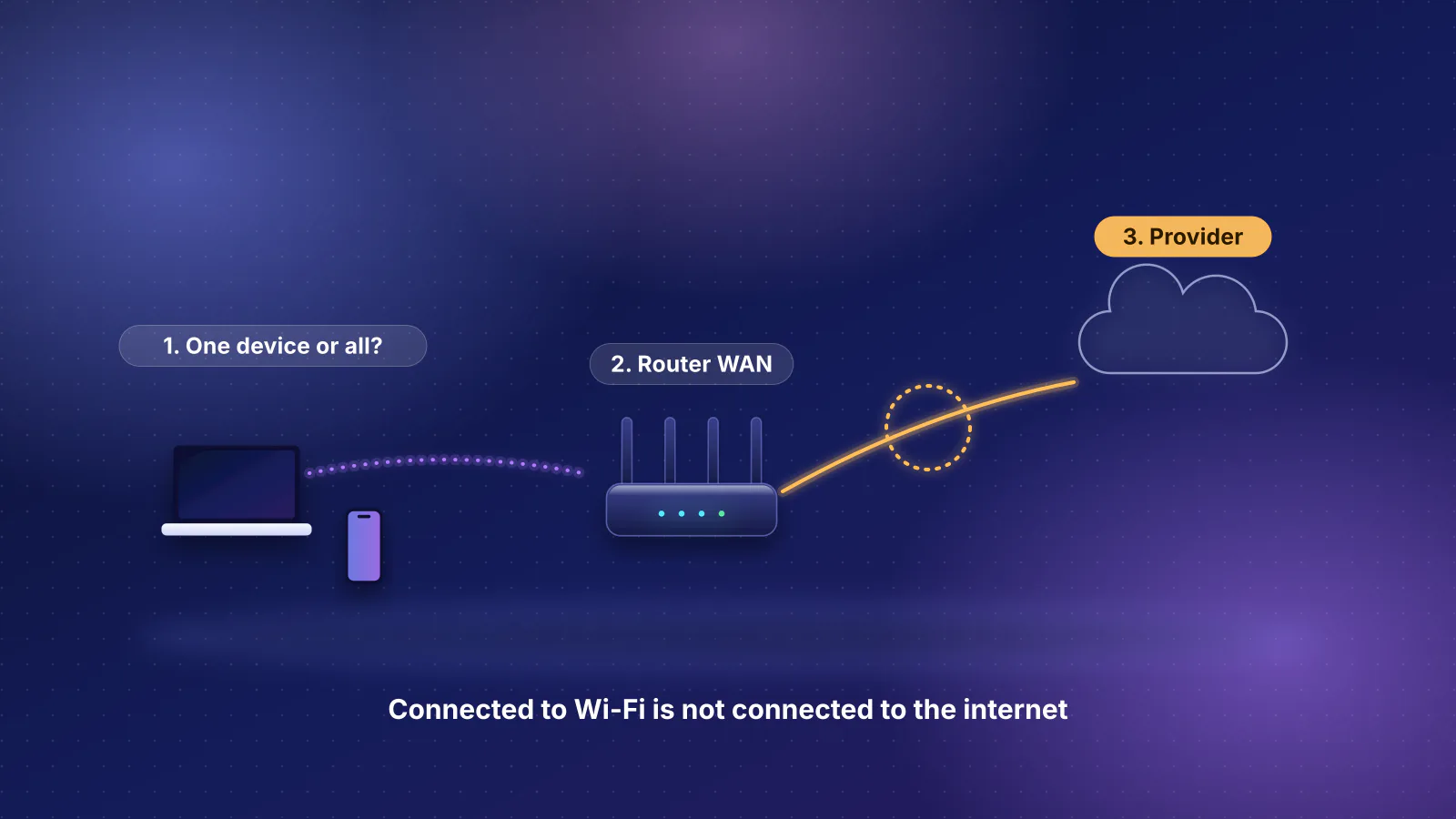
- One sign-in for every device. A captive portal is the page that holds you until you accept terms or enter a room number. RFC 8952, the IETF's captive portal architecture, defines a captive portal network as one that "limits the communication of attached devices to restricted hosts" until you meet its conditions. A travel router completes that page once, and the venue sees one device. GL.iNet's wording: "only the router needs to authenticate through the portal."
- Devices without a browser can get online. Google says its streaming devices "don't support networks requiring connection through a captive portal", and that the same applies to "a guest, hotel, or public network with AP or client isolation." Behind a travel router, the stick joins your own network, where neither problem exists. Roku has its own route, Hotel & Dorm Connect, on models its comparison chart lists; the streaming stick guide's hotels section covers both.
- Casting works again. Venue networks often use client isolation, which stops devices on the network reaching each other, so your phone can't find your own streaming stick. The apartment Wi-Fi guide explains why isolation breaks discovery. On your own network behind the travel router, your devices aren't isolated unless you turn that on.
- A room Ethernet port becomes Wi-Fi. Plug the port into the router's WAN port. GL.iNet's Ethernet guide lists "an Ethernet jack" among the upstream sources and DHCP as "the default and most common protocol"; TP-Link's TL-WR1502X page says it "creates your own private Wi-Fi network from hotel Ethernet, public Wi-Fi, or a phone hotspot."
- A VPN covers everything at once. Many travel routers run a VPN client, so every device behind them goes through the tunnel without each one needing an app. GL.iNet says the router "encrypts traffic for every connected device" and that you can set specific devices to bypass the VPN.
- Your devices already know the network. Because the travel router's name and password stay the same in every hotel, your devices rejoin it on their own, the same way they rejoin a home network after a move (why devices reconnect on their own).
Do you need one? A quick decision table
| Your situation | Travel router? | The simpler option |
|---|---|---|
| Phone and laptop only, short stays, sign-in pages work | Not needed | Sign in on each device; use your phone's hotspot if the Wi-Fi is poor |
| A Chromecast or Google TV Streamer for hotel TVs | Yes: Google says its devices can't use a sign-in page or a network with client isolation, and behind a travel router the stick joins your own network | Use the TV's own apps, if it has them |
| A Roku | Optional | Roku's Hotel & Dorm Connect, if your model supports it |
| A family with many devices, or a long stay | Often worth it: one sign-in, one network your devices already know | Sign in on each device, if the venue allows that many |
| The room has an Ethernet port and weak Wi-Fi | Yes, plugged into the port | A USB Ethernet adapter for a laptop |
| You want a VPN on every device, including ones without VPN apps | Yes, one with a VPN client | A VPN app on each device that supports one |
| The venue's internet is slow on your phone | No: it can't add speed | Your phone's hotspot, if your plan allows tethering |
| A dorm with an 802.1X (enterprise) login | Only if the model supports enterprise networks and your school allows it | Connect each device directly, as campus IT describes |
When a phone hotspot, or nothing, is enough
Your phone can already share its cellular connection. Apple says Personal Hotspot "uses the cellular data connection of an iPhone or iPad (Wi-Fi + Cellular)" and "requires a wireless carrier that supports Personal Hotspot", and that "The number of devices that can join your Personal Hotspot at one time depends on your carrier and iPhone model." Android's help says you can share mobile data "with up to 10 other devices via a Wi-Fi hotspot", and warns that "Some mobile carriers limit or charge extra for tethering."
A hotspot is the better answer when the venue's own internet is the problem, since a travel router can only pass on what the venue gives it. It costs your phone's battery and data: Android suggests you "Plug in your devices while tethering", and Apple says "it's best to turn off Personal Hotspot when you don't need it" to avoid data charges.
Several travel routers can also use your phone as their source, over USB. ASUS lists "4G/5G auto mobile tethering" on the RT-BE58 Go's USB port, and TP-Link lists USB tethering on the TL-WR3002X, with the footnote that USB sharing "is not guaranteed to be compatible with all devices". That gives the stick and console a network they recognize while the phone supplies the internet.
And if you only travel with a phone and a laptop, both of which can open a sign-in page, you may need nothing. The captive portal section of the no-internet guide covers what to do when the sign-in page doesn't appear.
Features to check on the maker's spec page
Travel routers differ less in raw Wi-Fi speed than in how they get online and what they do with the venue's network. Check these on the maker's own product or spec page, not a retailer's listing:
| Feature | Why it matters | What to look for |
|---|---|---|
| Repeater or WISP mode | The mode that joins venue Wi-Fi and runs your network behind it | Named "Repeater", "WISP", "Hotspot" or "Public WiFi" mode |
| Captive portal support | Lets you finish the venue's sign-in page through the router | A documented portal or login mode, and a support page that explains it |
| MAC address clone | GL.iNet and TP-Link document cloning your phone's hardware (MAC) address as a fix when the sign-in page won't load through the router | "Clone MAC" or "custom MAC address" in the settings guide |
| Ethernet WAN port | For rooms with a wall port | A WAN port, plus a LAN port if you want to wire a laptop or console |
| USB tethering | Uses your phone's data when the venue's network is unusable | A USB port listed for tethering, and the maker's compatibility notes |
| VPN client | One VPN for every device | WireGuard or OpenVPN client support, and the maker's own VPN speed figure, if it publishes one |
| Enterprise (802.1X) Wi-Fi | Campus networks such as eduroam use it | Explicit support for your model; it varies |
| Power input | Decides whether a laptop charger or power bank can run it | The input rating (for example 5V/3A over USB-C) |
| Local management | You'll configure it away from home, sometimes before it has internet | A browser admin page as well as an app |
Here is what three makers' own product pages and guides list for one model each, read on November 27, 2026. These are examples to show how spec pages differ, not picks; no brand pays for placement on RouterHaus.
| Model (maker's page) | Ways to get internet | Sign-in page and MAC | VPN client | Ports and power |
|---|---|---|---|---|
| GL.iNet Beryl AX (GL-MT3000) | Repeater, Ethernet WAN; tethering isn't listed as a feature on the product page we read | GL.iNet's repeater guide (not the product page) lists "Login Mode for Public Hotspots" and MAC mode Factory, Clone or Random | OpenVPN and WireGuard; the maker says "OpenVPN speed up to 150 Mbps; WireGuard® speed up to 300 Mbps", from its own tests on a local network | 2.5G WAN, 1G LAN, USB 3.0; USB-C 5V/3A |
| TP-Link TL-WR3002X | Router, Hotspot, USB tethering, USB modem, access point, range extender and client modes | "1-Step Captive Portal Authentication"; TP-Link's portal FAQ (written for the TL-WR1502X) adds a custom MAC address | OpenVPN, WireGuard, PPTP, L2TP; no VPN speed figure on the page | One WAN port ("2.5 Gbps" in TP-Link's feature list; its spec table words it differently), 1G LAN, USB 3.0; USB-C power port, 5V/3A, can run from a 5V/3A power bank, though TP-Link recommends the supplied adapter |
| ASUS RT-BE58 Go | Public WiFi (WISP), repeater, router, access point and other modes; 4G/5G mobile tethering on USB | We couldn't find captive portal or MAC clone settings on the spec page or WISP guide we read | L2TP, OpenVPN, PPTP, WireGuard | 2.5G WAN, 1G LAN, USB-A; ASUS lists 12V/2A and 9V/2A adapter ratings |
ASUS's Go models add a Home/Travel switch: ASUS says two configurations are saved on the device and you switch between them with the multi-function button, for example router mode at home and WISP mode on the road. Its page notes the feature is set up in the web admin page, not the ASUS Router app.
Wi-Fi generation matters less here than at home. Every device shares the venue's connection, so a newer Wi-Fi standard on the travel router can't raise what the hotel line delivers; buy for the modes and features above first.
Setting one up, and signing in at the venue
Do the setup at home, where you have working internet and time:
- Set your own network name and password and an admin password, then join every device you'll travel with, including the streaming stick.
- Update the firmware before you leave. GL.iNet advises "not to upgrade the firmware while traveling to avoid any potential configuration issues."
- Set up the VPN client, if you'll use one, and check which devices should stay outside it.
At the venue:
- Power the router and connect your phone or laptop to it, then open its admin page.
- Choose the venue's network in repeater or WISP mode, or plug the room's Ethernet port into the WAN port.
- Turn the VPN off for now. GL.iNet's captive portal guide says to "Make sure all VPN connections are disabled" while you sign in. Encrypted DNS settings can block a portal for the same reason; see the DNS trade-offs table.
- Complete the sign-in page in your browser. If it doesn't appear, TP-Link says to open any website to be redirected; GL.iNet suggests waiting "a minute" to see whether you're redirected automatically.
- If the sign-in page still won't load, clone the MAC address. Both makers document this as a fix for a sign-in page that doesn't appear through the router. GL.iNet's wording: "clone the MAC address your phone uses to connect to the hotel Wi-Fi to the router". Use the address your phone uses for that network: Apple says iPhones use "a different MAC address for each Wi-Fi network" by default (the private Wi-Fi addresses section explains the setting). This is for completing the venue's own sign-in, not for getting around a device limit; if the venue limits devices, ask it first.
- Turn the VPN back on, and check that each device can load a page.
GL.iNet notes a trade-off in its Login Mode: "some services will be suspended while the DNS mode will be switched to automatic", and its portal guide says this mode "may leak your network activity to the hotspot provider". Sign in, then return to your normal settings.
Security: what it adds and what it doesn't
The FTC's guidance is that "most websites do use encryption to protect your information" and "connecting through a public Wi-Fi network is usually safe", with the advice to look for "a lock symbol or https in the address bar". A travel router adds a layer on top: GL.iNet says that in repeater mode "the router will create its own subnet and act as a firewall to protect you from the public network", which puts a firewall between your devices and the rest of the hotel network. TP-Link says your devices' IP and MAC addresses "stay hidden from the public network."
Two cautions. GL.iNet doesn't recommend its extender or access point modes "unless you trust the WAN source", and repeater mode is the one it describes as creating its own subnet and firewall. And a VPN on the router carries everything, including Wi-Fi calling from your phone; if calls fail only while the VPN is on, see VPNs and Wi-Fi calling.
The limits: speed, device rules and venue terms
It can't make the venue's internet faster
The router shares one upstream connection among all your devices, so it can only pass on what the venue gives it. Roku says the same about its hotel feature: "Streaming results may vary depending on the connection speed at the hotel or college dorm." Before you blame the router, run a speed test on your phone connected straight to the venue's Wi-Fi (how to read a speed test). If that's slow, the travel router will be slow too, and a phone hotspot is the better bet.
The wired port isn't automatically faster either. GL.iNet notes that "some ethernet ports may offer slower speeds than the hotel's Wi-Fi", so test both if the room has a port.
Device limits and the venue's terms
Because the venue's network sees the travel router as one device, it changes how a per-room or per-person device limit applies. One maker markets that: GL.iNet's blog says its router "takes on the role of a single 'client'", letting devices share the network "without tripping device limits imposed by hotels or other providers." RouterHaus doesn't treat that as a reason to buy one. A device limit is the venue's rule for its own network, and hotels, campuses and rental hosts set terms that may cover personal routers, the number of devices, or both. Before you set one up, read the terms on the sign-in page and ask the front desk, campus IT or the host whether a personal router is allowed. If the answer is no, or the venue sets a device limit, follow its rules; your phone's hotspot, within your carrier's terms, is the alternative. This isn't legal advice.
A separate issue is a venue jamming your own hotspot. The FCC's Enforcement Bureau said in a January 27, 2015 advisory (No. 2015-01) that no hotel, convention center or other commercial establishment "may intentionally block or disrupt personal Wi-Fi hot spots on such premises", after an investigation in which, the FCC says, "Marriott admitted that the customers it blocked did not pose a security threat to the Marriott network." That advisory is about deliberate interference with your hotspot, not about a venue's rules for using its own network.
Dorm and campus networks
Campus Wi-Fi often uses an enterprise (802.1X) login instead of a sign-in page. GL.iNet's guide on enterprise networks uses eduroam as its example and says "Some GL.iNet routers support connecting to EAP (Extensible Authentication Protocol) Wi-Fi networks as a repeater", with support that varies by model: it says the Beryl AX and Flint 2 "do not support repeating EAP networks on the default firmware." Check your exact model's documentation, and check your school's IT policy on personal routers, before you buy one for a dorm.
Vacation rentals
In a rental, the host's network may isolate guest devices, which breaks casting from your phone to your own streaming stick. A travel router behind the host's network gives your devices a network of their own. If you're the host rather than the guest, the rental network guide's casting section covers letting guests cast without a travel router.
When buying one is justified
- Buy one if you travel with a streaming stick that can't use sign-in pages, regularly stay somewhere with an Ethernet port and poor Wi-Fi, want one VPN for every device, or travel as a family and are tired of signing each device in.
- Check before you buy that the model documents the modes you need (repeater or WISP, Ethernet WAN, tethering), its captive portal handling, and, for campus use, enterprise Wi-Fi support on your exact model.
- Skip it if your devices sign in fine and the venue's speed is the real problem: use your phone's hotspot, within your carrier's tethering terms, or nothing at all.
When the problem is the venue's network itself (no sign-in page, an Ethernet port with no connection, a campus login that fails), the network's operator is the one who can fix it: the front desk, campus IT or the host. For problems at home, RouterHaus can connect you with a licensed contractor when a job needs hands on site; ask for a network plan.
Frequently asked questions
Do I need a travel router for hotel Wi-Fi?
Not if you travel with a phone and a laptop that can open the sign-in page. It's worth it when you bring a streaming stick or console, many devices, want one VPN for all of them, or the room has only an Ethernet port. It can't make a slow hotel connection faster.
Will a travel router let my Chromecast work in a hotel?
It's one of the clearest cases for one. Google says its streaming devices don't support captive portal networks or hotel networks with client isolation. Behind a travel router, the stick joins your own network instead, after the router has completed the sign-in page.
Is a phone hotspot better than a travel router?
When the venue's internet is slow, yes, because a travel router can only share what the venue provides. Your carrier decides whether tethering is allowed and may charge for it; Android allows up to 10 devices on a hotspot, and Apple says the limit depends on carrier and model.
Does a travel router make public Wi-Fi safe?
It adds a firewall between your devices and the other guests on the network, and it can run a VPN for every device. The FTC says public Wi-Fi is usually safe already because most websites use encryption.
Are travel routers allowed in hotels and dorms?
That's up to the venue's terms for its network, so read them on the sign-in page and ask the front desk, campus IT or the host before you set one up, and follow any device limit it sets. Separately, the FCC said in 2015 that commercial establishments may not intentionally block personal Wi-Fi hotspots. This isn't legal advice.
Sources
Read on November 27, 2026.
- GL.iNet Router Docs 4: Connect to a hotspot with captive portal
- GL.iNet Router Docs 4: Repeater
- GL.iNet Router Docs 4: Ethernet
- GL.iNet Router Docs 4: Connect to EAP network
- GL.iNet: Beryl AX (GL-MT3000) product page
- GL.iNet Blog: Bypass captive portals and device limits with GL.iNet routers (October 17, 2024)
- TP-Link FAQ 4087: How to connect your TP-Link travel router to a hotel or public Wi-Fi captive portal (last updated June 23, 2026)
- TP-Link: TL-WR3002X product page
- TP-Link: TL-WR1502X product page
- ASUS: RT-BE58 Go tech specs
- ASUS FAQ: How to set up a WiFi router as a WISP client (RT-BE58 Go/RT-AX57 Go; last updated June 26, 2026)
- ASUS FAQ: What is Home/Travel mode? (last updated August 10, 2026)
- Apple Support: Connect to the Personal Hotspot of an iPhone or iPad
- Apple Support: Use private Wi-Fi addresses on Apple devices
- Android Help: Share a mobile connection by hotspot or tethering on Android
- Google Streaming Help: Can't connect Chromecast or Google TV Streamer to Wi-Fi
- Roku Support: How do I use Hotel & Dorm Connect to connect to the internet?
- IETF RFC 8952: Captive Portal Architecture (November 2020)
- FTC Consumer Advice: Are public Wi-Fi networks safe? What you need to know
- FCC Enforcement Bureau: Enforcement Advisory No. 2015-01, Warning: Wi-Fi blocking is prohibited (DA 15-113, January 27, 2015)