The short version
- DNS turns a name into an address. Your device asks a resolver, which works through the root, top-level domain and authoritative servers, then caches the answer for as long as its TTL allows.
- A faster resolver shortens the lookup, not the download. Once the address is known, the data comes from that server, not from the DNS server, so your speed test result doesn't change. The one indirect effect: some sites pick a server near the resolver, so a resolver far from you can send you to a farther server.
- Where you set it matters. Cloudflare says setting its resolver on the router "applies the DNS setting to every device on your network", but browsers and phones with their own encrypted DNS can bypass the router's choice.
- Encrypted DNS is often already on. Firefox turned DNS over HTTPS on by default for US desktop users in 2019; Chrome 83 and later upgrade to encrypted DNS when your current provider supports it; Android upgrades to DNS over TLS when the network's server supports it.
- Filtering DNS for families works for devices that use it. Cloudflare's 1.1.1.3 blocks malware and adult content; Firefox steps back from its default encrypted DNS when it detects parental controls, and Chrome does when Windows parental controls are on.
- Measure before you switch.
digon macOS and Linux andResolve-DnsNamewithMeasure-Commandon Windows time a lookup against any server you name. The test is below.
What DNS does
Every time a device opens a site or an app reaches a service by name, it needs that name's IP address. It asks a recursive resolver: your router, your provider's server or a public one such as 1.1.1.1 or 8.8.8.8. Cloudflare describes the resolver's work: it "asks one of the root servers where to find the next link in the chain"; the root servers "return the address of the TLD server responsible for that ending"; the TLD server responds "with the address of the authoritative nameserver that holds the records for that domain."
Most lookups don't take that whole trip, because answers are cached. RFC 1034, the DNS standard, says "The TTL describes how long a RR can be cached before it should be discarded", and that "caches which are shared by multiple processes, users, machines, etc., are more efficient than non-shared caches." Your device keeps its own cache too: on Windows, ipconfig /displaydns shows it, and Microsoft says the DNS Client service uses it "to resolve frequently queried names quickly, before querying its configured DNS servers."
Does changing DNS make the internet faster?
It can make a lookup faster. It can't make the connection faster. The resolver's job ends when it hands back an address; the page, video or download then travels between your device and that address. That's why a speed test result doesn't move when you change DNS.
Where a lookup's time does show is at the start of loading something, especially a page that pulls from many names that aren't cached yet. Google, which runs Google Public DNS, says that when you compare resolvers, "In addition to the ping time, you also need to consider the average time to resolve a name."
There is one indirect way the choice can affect download speed. Many large sites return a different server address depending on where the request seems to come from. Google's FAQ explains the catch: "the name server returns the closest (in network distance) address to the resolver, not the user", and when "the resolver may not be in close proximity to the users", "the browsing experience could be slowed down somewhat." EDNS Client Subnet (ECS), described in RFC 7871, works around this by passing part of your address along; the RFC recommends truncating IPv4 addresses "to 24 bits" and says "56 bits are recommended for IPv6." Resolvers differ here:
- Google Public DNS uses ECS: "This allows resolvers to pass in part of the client's IP address".
- Cloudflare's 1.1.1.1 "does not include client IP information in its queries to authoritative servers" and "does not send the EDNS Client Subnet (ECS) header."
Neither choice is wrong. A resolver that shares less about you can sometimes be matched to a farther server; one that sends part of your address helps the site place you. Which works better on your line is something to measure, not assume.
How to measure lookup time on your network
A lookup-time test compares resolvers on your connection. It takes a few minutes and needs no extra software on macOS or Linux.
- Pick names you actually use: five or six sites and services your household opens, not just one big site everyone has cached.
- On macOS or Linux, time each name against each server.
dig @1.1.1.1 example.comqueries Cloudflare; swap in8.8.8.8, your router's address or your provider's server. dig prints statistics by default (its manual: "The default behavior is to print the query statistics"), including the query time in milliseconds. - On Windows, use PowerShell.
Measure-Command { Resolve-DnsName example.com -Server 1.1.1.1 -DnsOnly }returns how long the lookup took. Microsoft documents-Serveras the servers "to be queried" and-DnsOnlyas "using only the DNS protocol";Measure-Command"times the execution of the operation". Runipconfig /flushdnsfirst to empty the local cache. - Run each query twice. The first may be a cache miss at the resolver; the second shows the resolver answering from its cache. Note both.
- Repeat at a busy time, such as an evening, and on a wired computer if you can, so Wi-Fi delay doesn't blur the comparison.
Record it like this. The figures below are illustrative placeholders, not measurements:
| Resolver | First query (ms) | Repeat query (ms) | Evening repeat (ms) |
|---|---|---|---|
| Router (as your devices use it) | illustrative: 40 | illustrative: 2 | illustrative: 3 |
| Provider's resolver | |||
| 1.1.1.1 | |||
| 8.8.8.8 |
How to read it: if every resolver answers repeat queries within a few milliseconds of each other, switching won't be noticeable. If one is consistently slower on first queries or in the evening, that's a reason to switch. If all of them are slow, the delay is more likely your Wi-Fi or line than DNS; see how to test your home network.
Router-level or device-level DNS
Apple notes the default: "By default, your router uses the DNS server of your internet service provider (ISP)." You can change it in three places:
| Where | What it covers | Good for | Watch out for |
|---|---|---|---|
| Router | Cloudflare: "applies the DNS setting to every device on your network"; "You do not need to change DNS settings on individual phones, computers, or other devices." | Filtering for the whole home; one change instead of many | Devices or browsers with their own encrypted DNS (next section) skip it. |
| Device | That device only, on every network it joins | A laptop that travels; testing one resolver before changing the router | Names your router provides for local devices may stop resolving (below). On hotel or guest Wi-Fi, a fixed resolver can conflict with the sign-in page. |
| Browser | Lookups from that browser | Encrypted DNS without touching the system | Other apps on the device still use the system's DNS |
Before changing the router, Cloudflare suggests writing down the DNS addresses already set and keeping them "in a safe place" so you can put them back.
Encrypted DNS: what your devices already do
Ordinary DNS is unencrypted. Apple says that with the ISP's default, "the names of websites and other servers that your device accesses on the network are unencrypted." Two standards fix that: DNS over HTTPS (DoH, RFC 8484), which maps each query "into an HTTP exchange", and DNS over TLS (DoT, RFC 7858), whose servers listen on port 853. Many devices already use one:
| Platform | Default behaviour | When it steps aside |
|---|---|---|
| Firefox (desktop) | DoH by default for US users since 2019, Canada since 2021, with more countries rolling out. Mozilla: "in the US, the default resolver is Cloudflare." If DoH fails, Firefox falls back to the system's DNS. | When it detects parental controls, a filtering default DNS server or a managed device, and when your network answers the canary domain use-application-dns.net negatively. The canary "does not apply for users who have made the choice to turn on DoH by themselves." |
| Chrome (83 and later; the 2020 rollout started on ChromeOS, Windows and Mac) | Secure DNS: Chrome "will automatically switch to DNS-over-HTTPS if your current DNS provider supports it", keeping you on the same provider, and falls back to that provider's regular DNS | When Windows parental controls are on, or when enterprise policies are present |
| Android (from Android P) | Private DNS: "By default, devices automatically upgrade to DNS over TLS if a network's DNS server supports it." You can enter a hostname to use a provider of your choice. | With a hostname set, Android sends all queries to that server and marks the network "No internet access" if it can't reach it |
| iPhone, iPad, Mac | Apple platforms have supported DoT and DoH natively since 2020, turned on by an app from a DNS provider or by a management profile, not by a switch in Settings | Depends on the app or profile |
| Windows | Microsoft's DNS client documentation (written for Windows Server 2022 and later) offers "Encrypted only", "Encrypted preferred, unencrypted allowed" and "Unencrypted only", for servers on Windows' list of known DoH servers | "Encrypted preferred" falls back to unencrypted; "Encrypted only" doesn't |
RFC 7858 says encryption "eliminates opportunities for eavesdropping and on-path tampering with DNS queries in the network". It doesn't hide the queries from the resolver itself, which still answers every one, so choosing an encrypted resolver means choosing whom you trust with that list. Mozilla also notes that names can still leak through SNI, the site name a browser sends when it opens a secure connection.
Filtering DNS for families
A filtering resolver won't give out working addresses for names on its block list. Cloudflare's free options, set on the router or a device:
| Service | IPv4 | IPv6 | Encrypted (DoH address; DoT hostname) |
|---|---|---|---|
| 1.1.1.1 (no filtering) | 1.1.1.1, 1.0.0.1 | 2606:4700:4700::1111, 2606:4700:4700::1001 | Not listed on the setup page we read |
| Block malware | 1.1.1.2, 1.0.0.2 | 2606:4700:4700::1112, 2606:4700:4700::1002 | https://security.cloudflare-dns.com/dns-query; security.cloudflare-dns.com |
| Block malware and adult content | 1.1.1.3, 1.0.0.3 | 2606:4700:4700::1113, 2606:4700:4700::1003 | https://family.cloudflare-dns.com/dns-query; family.cloudflare-dns.com |
What filtering DNS can and can't do:
- It covers devices that ask it. Set on the router, it covers every device that uses the router's DNS. A device or browser set to its own encrypted resolver doesn't ask the router at all.
- Browsers cooperate by default. Firefox checks "Is the default DNS server filtering potentially malicious content?" and doesn't enable its default DoH if so; Chrome's upgrade keeps you on the provider you set. A user who turns on a different encrypted resolver by hand isn't covered.
- Give both addresses. If your network has IPv6, set the filtering service's IPv6 addresses as well as IPv4, so devices that ask over IPv6 get the same answers. See how to check whether you have IPv6.
Trade-offs, by choice
| Choice | Upside | Downside |
|---|---|---|
| Keep the provider's DNS (the default) | Nothing to set up | Unencrypted, per Apple; you can't choose its policies |
| Public resolver on the router | One change for the home; filtering versions available | CDN matching depends on whether it sends ECS; check the provider's own privacy terms |
| Encrypted DNS with no fallback (Windows "Encrypted only", an Android hostname) | Queries never go out unencrypted | If a network blocks the server, lookups fail: Android marks the network "No internet access". Cisco documents the same problem for its own security client behind a captive portal: "local DNS to the captive portal failing to resolve to the local result." |
| Device or browser DNS that skips the router | Your choice follows the device | Names that only your router knows stop working (below), and router-level filtering no longer applies |
Local names
If your router gives the devices on your network names, those answers live only on your router's resolver. RFC 8375 sets aside home.arpa for this, says such names "are resolved using local resolvers on the homenet", and says the queries "MUST NOT be recursively forwarded to servers outside the logical boundaries of the homenet." A device that asks a public resolver directly can't get them. Mozilla says Firefox falls back to ordinary DNS when it can't resolve a name through DoH, and that for a public domain that resolves differently inside a network, "you should use enterprise settings to disable DoH." If a printer or NAS name stops working after a DNS change, the device skipping the router is the first thing to check.
Frequently asked questions
Will changing my DNS server make my internet faster?
Not your download or upload speed. A faster resolver can shorten the lookup before something starts loading, and a resolver near you can help sites pick a nearby server. Time lookups with dig or Resolve-DnsName against each resolver before you decide.
Should I set DNS on the router or on each device?
On the router if you want one setting, or filtering, for the whole home: Cloudflare says it then applies to every device on the network. On a device if it travels or you want to test first. Browsers and phones with their own encrypted DNS can bypass either.
Is 1.1.1.1 better than 8.8.8.8?
They differ in policy more than speed. Cloudflare's 1.1.1.1 doesn't send EDNS Client Subnet; Google Public DNS does, which helps some sites pick a nearby server. Which answers faster on your line is something to measure.
Does encrypted DNS stop my provider seeing where I go?
It hides the names you look up from the network in between. The resolver you choose still sees every query, and Mozilla notes that names can still leak through SNI when a browser opens a secure connection.
Is DNS filtering enough for parental controls?
It's a useful whole-home layer, but it only covers devices that use it. A device or browser set to its own encrypted resolver bypasses it. Firefox steps back from its default encrypted DNS when it detects parental controls, and Chrome does when Windows parental controls are on.
Why did my printer's name stop working after I changed DNS?
If your router answers for local device names, only devices that ask the router get those answers. If you set a public resolver on the device itself, it no longer asks the router. Set public DNS on the router instead, or use the printer's IP address.
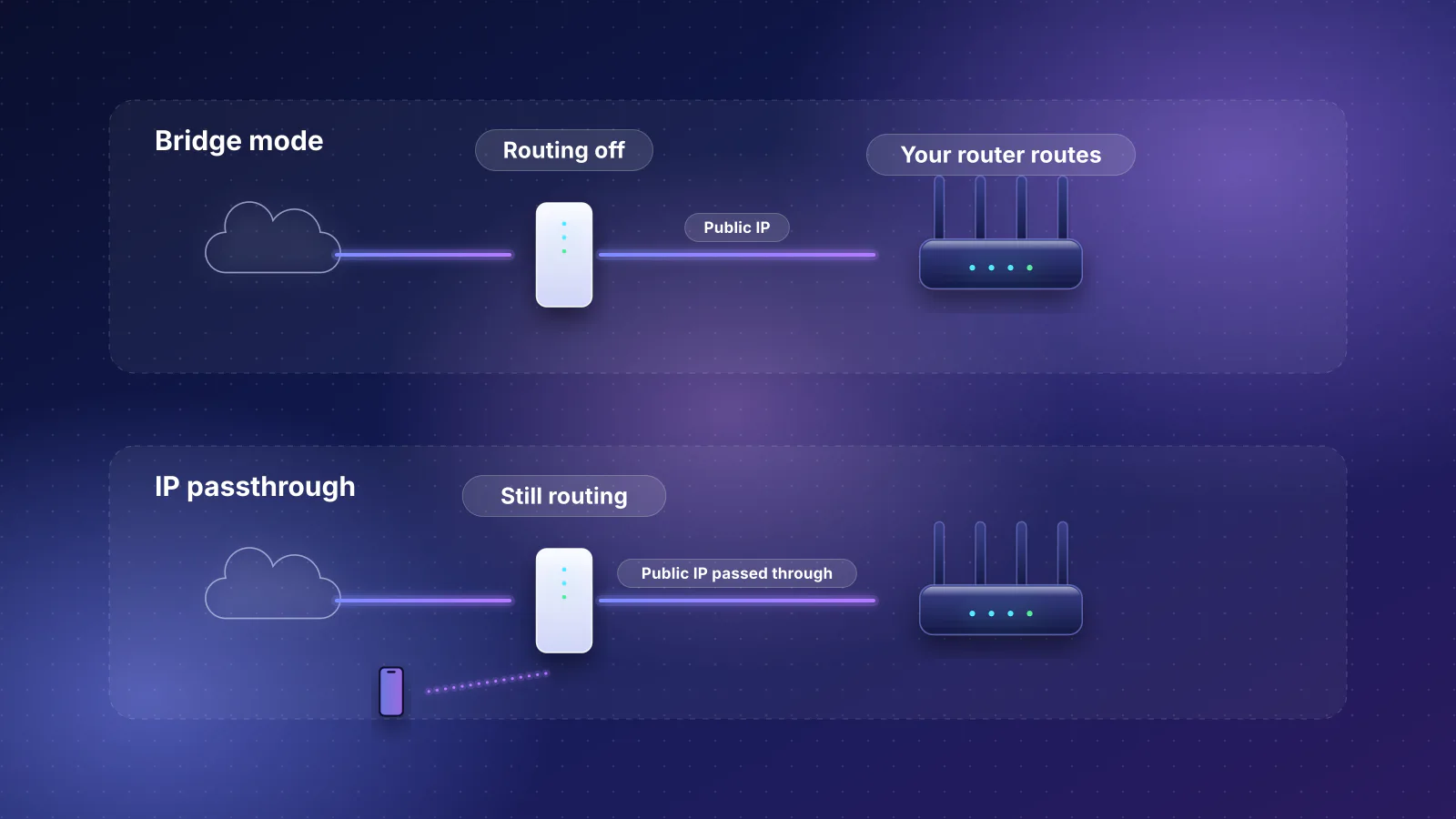
Running your own router behind a provider gateway? DNS settings live on whichever box routes; see bridge mode vs IP passthrough for which that is.
Sources
Read on November 26, 2026.
- IETF RFC 1034: Domain names, concepts and facilities
- IETF RFC 8484: DNS queries over HTTPS (DoH) (October 2018)
- IETF RFC 7858: Specification for DNS over Transport Layer Security (TLS) (May 2016)
- IETF RFC 7871: Client subnet in DNS queries (informational)
- IETF RFC 8375: Special-use domain 'home.arpa.' (May 2018)
- Cloudflare: 1.1.1.1 FAQ, Set up 1.1.1.1 and Router setup
- Google Public DNS: Frequently asked questions
- Apple Support: Recommended settings for Wi-Fi routers and access points (DNS)
- Apple Developer: Enable encrypted DNS (WWDC20)
- Mozilla Support: Firefox DNS over HTTPS, DNS over HTTPS (DoH) FAQs and Canary domain: use-application-dns.net
- Chromium Blog: A safer and more private browsing experience with Secure DNS (May 2020)
- Android Developers Blog: DNS over TLS support in Android P (April 2018)
- Microsoft Learn: Secure DNS client over HTTPS (DoH)
- Microsoft Learn: Resolve-DnsName, Measure-Command and ipconfig
- Debian manual page: dig(1) (BIND 9)
- Cisco Umbrella: Troubleshoot captive portal interaction