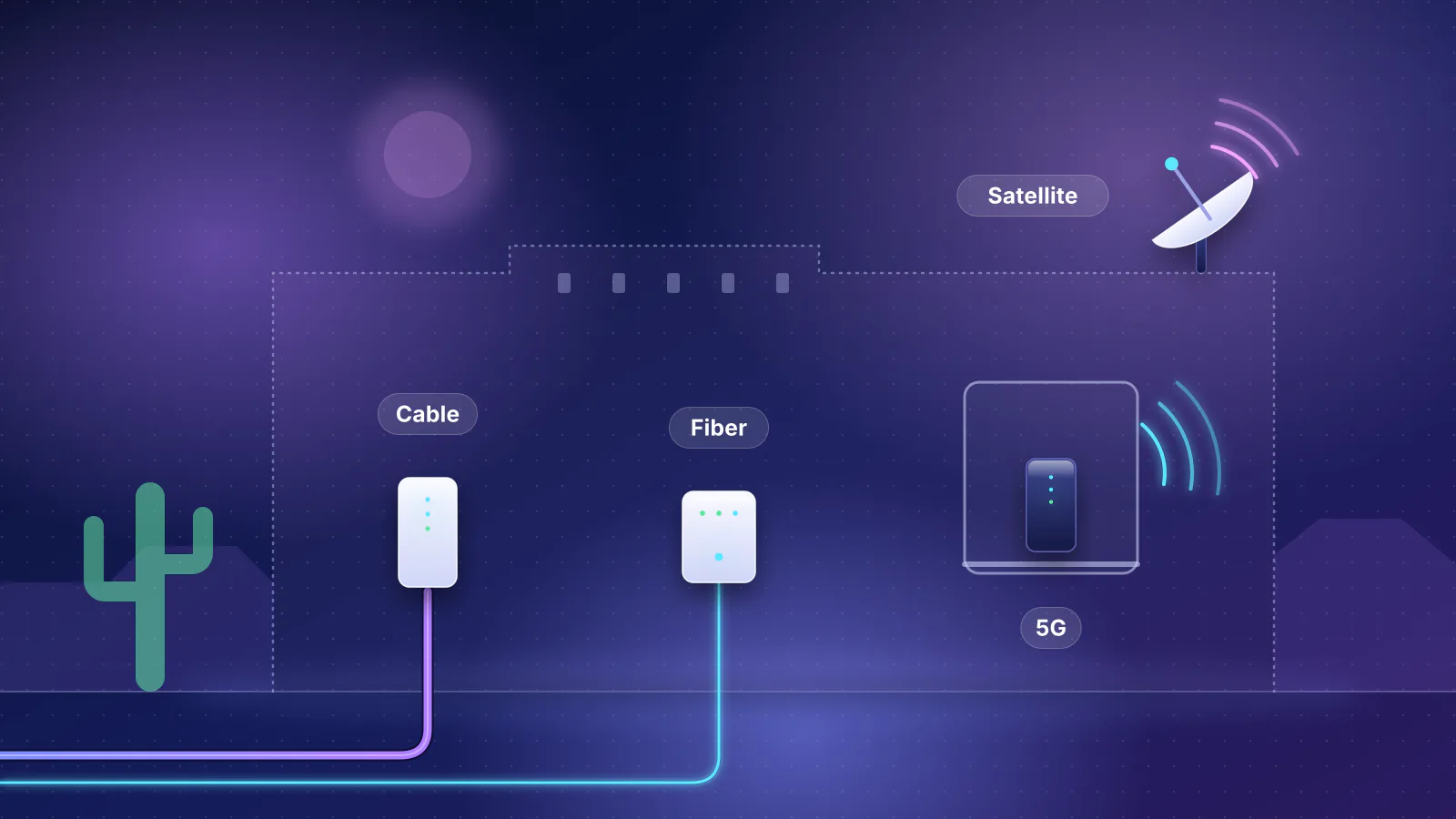
The short version
- Your own router: yes. Spectrum's own-equipment article gives two options for Wi-Fi: "a pre-configured WiFi router (for a monthly fee)" or "You can purchase your own router." It treats the modem and the router as separate devices, so in the usual setup there's no gateway to bridge.
- Your own modem: yes, with limits. It must be authorized for the Spectrum network, it can't carry Spectrum Home Phone, and "Customer-owned modems are only authorized for non-symmetrical speed tiers." Spectrum adds that "only Spectrum-provided equipment is supported by our technicians."
- Buying a modem saves nothing on current plans. Spectrum's national pricing disclosure (revised November 19, 2026) and the Phoenix and Tucson pricing guide both list the modem or gateway lease at "No Charge". The fee a router of your own can remove is the $10 a month for Spectrum's router service, and only on plans that don't include it.
- Spectrum's app features stay with Spectrum's router. Spectrum says its Advanced WiFi router "is included with Spectrum Advanced WiFi", and calls Security Shield "an included feature of Spectrum Advanced WiFi". With your own router you use your router's own app and settings instead.
- Former Cox customers in Arizona: Charter announced on August 20, 2026 that it had completed its purchase of Cox, and says customers in former Cox markets have had Spectrum's products and pricing since mid-September. Cox's transition page says "Your equipment will continue working" and plans don't change unless you change them. It doesn't address modems you own or the Panoramic gateway on a Spectrum plan.
- Fees vary by plan and market. Check the Broadband Facts label for your address before deciding; the decision table lays out the rest.
What Spectrum allows
Spectrum's support article "Using your own equipment on our network" (article 111746) opens with the default: customers "are offered a compliant modem that has passed our full certification testing for optimal performance at no additional charge." Then the alternative: "You may use a modem you already own that is authorized to work on the Spectrum network." Its DOCSIS modem policy sets the bar for a model to be authorized: "it must pass CableLabs certification, FCC certification, and Charter's certification process."
Three conditions apply to a modem you own, all in Spectrum's own words from that article:
- Support: "only Spectrum-provided equipment is supported by our technicians."
- Phone: "Spectrum Home Phone service is not compatible with customer-owned modems."
- Speed tier: customer-owned modems are "only authorized for non-symmetrical speed tiers." Where Spectrum offers equal upload and download speeds, "Those customers must use a Spectrum-provided modem."
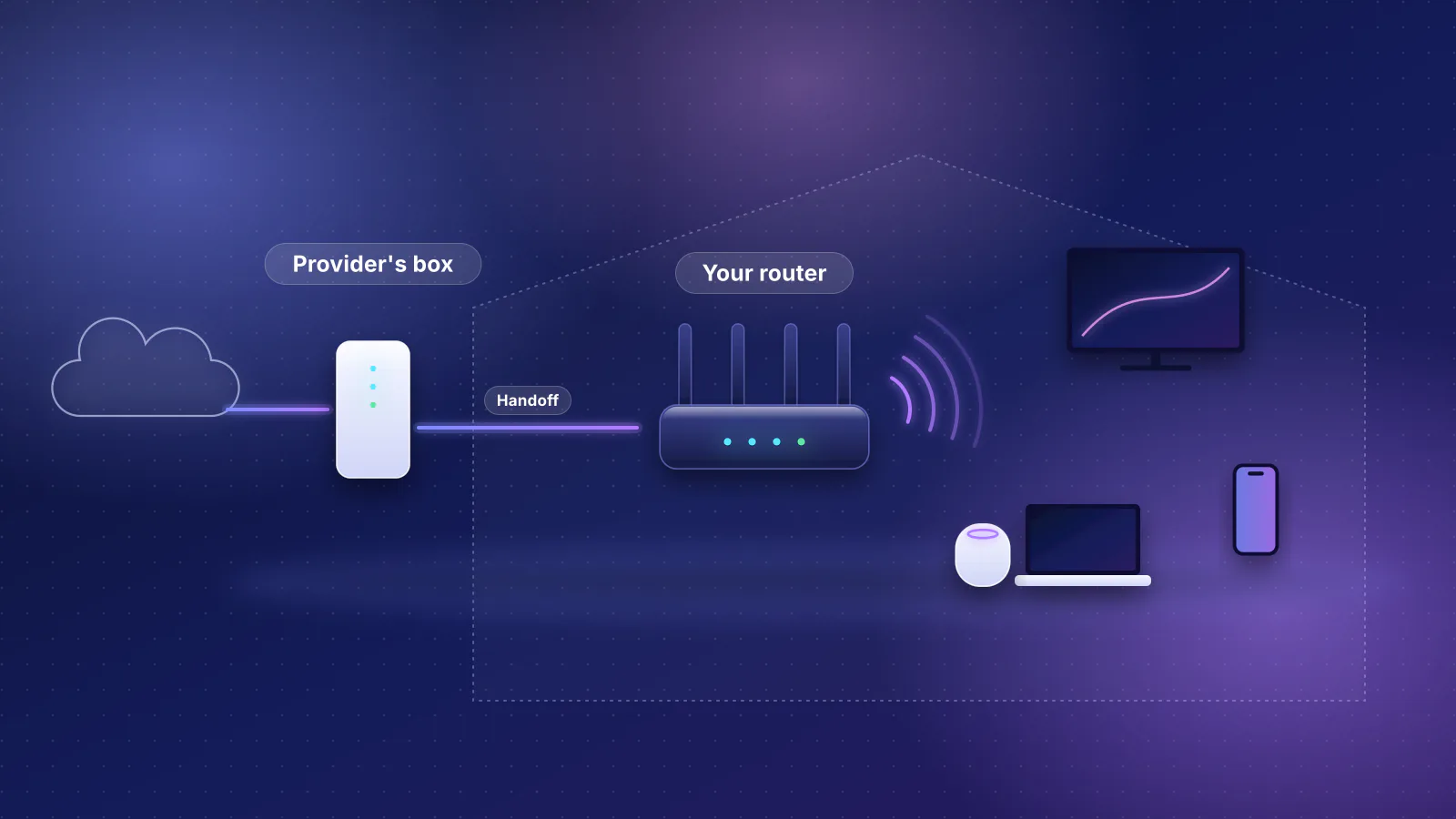
The router is simpler. The same article separates the two boxes ("While a modem establishes an internet connection in your home, a router broadcasts a WiFi signal") and lets you choose Spectrum's router for a monthly fee or buy your own. It gives no list of approved routers.
Former Cox customers in Arizona
Charter, Spectrum's parent company, announced on August 20, 2026 that it had completed its transaction with Cox Communications and "will continue to operate as Spectrum across all markets." Charter's transaction page says that "As of mid-September, customers in former Cox markets have access to Spectrum's products, pricing and packaging", and, for anyone who'd rather not switch, "Current plans, pricing and products stay the same."
Cox's own "Cox is now Spectrum" page tells existing customers "Your equipment will continue working" and "You can continue using your current equipment and apps", and says "There are no changes to your current plan or pricing at this time unless you choose to make them." That page doesn't mention modems, gateways, Panoramic WiFi or customer-owned equipment by name.
The Phoenix and Tucson pricing guide (dated November 2026, hosted on cox.com) shows the split. Its Spectrum section is the current offer; a second set of price lists sits under the heading "Services available before September 16, 2026", which it says are "no longer available for new customers", while existing customers can keep managing them. So in practice:
| You moved to, or ordered, a Spectrum plan | You kept a pre-September 16 plan | |
|---|---|---|
| Modem rules | Spectrum's authorized list, by tier, as described here | Cox's own equipment rules; Cox says your equipment keeps working |
| Equipment charges in the guide | Modem or gateway lease "No Charge"; Panoramic WiFi $10; WiFi extender $5 each; 1 Gig and 2 Gig "(Includes Panoramic WiFi)" | Panoramic WiFi Gateway $15 a month, which the guide says existing internet customers can still add |
| What we couldn't confirm | Whether a Cox-certified modem you own, or a Cox Panoramic gateway, is authorized on a Spectrum plan. Neither Charter's pages nor Cox's transition page says. Ask Spectrum before you change plans or buy a modem. | |
Two practical notes. Spectrum's support site now carries a banner reading "Cox is now Spectrum. Please sign in to see relevant support content for your services and equipment", so sign in before relying on a support article: the support pages we read were served for a default ZIP code outside Arizona. And the Arizona guide lists Spectrum's router service as "Panoramic WiFi" at $10 a month, included with 1 Gig and 2 Gig, where Spectrum's national pages list "Advanced WiFi". For the wider Valley picture, including Cox's bridge mode steps for its Panoramic gateway, see Phoenix providers and your own router.
What Spectrum's equipment costs
The table sets Spectrum's national pages beside the Phoenix and Tucson guide, all read November 27, 2026. These are standard monthly charges; promotions, bundles and your market change what you actually pay, so check the Broadband Facts label for your plan and address. The FCC's glossary says "Provider Monthly Fees" cover things "such as a modem rental," "online security services, wiring or device insurance, or other equipment related fees", and that one-time fees such as "the purchase of a modem or other equipment" are listed too. The FCC also requires providers to make each customer's label available in their online account.
| Item | Spectrum's national pages | Phoenix and Tucson guide (November 2026) |
|---|---|---|
| Modem or gateway lease | "No Charge" (disclosure, rev. 11/19/26), which adds "Customers may use their own modem or gateway". Customers on legacy packages "may still be charged for a modem" but can move to a current offer. | "Modem or gateway lease, if applicable": "No Charge" |
| Spectrum's router service | Advanced WiFi, $10 a month. Included with Internet 1 Gig (plans page, and both 1 Gig labels: "Modem and Advanced WiFi service included") and with 2 Gig (disclosure). On bundles Spectrum's pages disagree: its Internet page says "included with Internet 1 Gig or with any bundle", while its Advanced WiFi page says "$10/mo when bundled with 500 Mbps Internet". | Panoramic WiFi, $10 a month. Internet 1 Gig and 2 Gig "(Includes Panoramic WiFi)". |
| WiFi extender | $5 each; the disclosure lists Whole-Home WiFi at $12 for two | $5 per unit |
| Upgraded Wi-Fi with backup | Invincible WiFi. Spectrum's pages give different prices depending on the plan and the page, so check your label. The plans page lists it as included with Internet 2 Gig. | Lists a service called Unstoppable WiFi; we couldn't confirm it is the same product |
What this means for owning: on an Internet 100 or 500 plan where you pay the $10, your own router removes that charge. On Internet 1 Gig or 2 Gig, Spectrum's router is already included, so your own router only removes extender charges, if you have any. A modem of your own removes nothing on a current plan. For the months-to-pay-off arithmetic, see ISP equipment rental fees.
What Spectrum's router gives you
Spectrum's Advanced WiFi page says you can "manage your in-home WiFi network from anywhere using the My Spectrum App", and that the Advanced WiFi router "is included with Spectrum Advanced WiFi". Across its Advanced WiFi pages, Spectrum lists:
- Security Shield, which Spectrum says "automatically monitors and block[s] threats before they reach your devices" and describes as "an included feature of Spectrum Advanced WiFi".
- Device management in the app: pausing devices by hand or on a schedule, alerts when new devices connect, groups and nicknames.
- Newer Wi-Fi hardware: Spectrum's Internet page says Advanced WiFi is "available with WiFi 7 technology", and its Advanced WiFi page says its routers "can include either 6E or 7 router technology."
So the trade is: with your own router you set things up yourself, in your router's app or web page, and you gain whatever your router offers that Spectrum's pages don't list. Examples, if your router has them, are smart queue management, VLANs or a VPN server. We found no bridge or access point mode for Spectrum's router documented on the Spectrum pages we could read.
Keep, add or replace: the decision table
| Choice | What you pay Spectrum for equipment | Good fit when | Watch out for |
|---|---|---|---|
| Keep Spectrum's modem and router | Nothing for the modem; $10 for the router service unless your plan includes it | Your plan includes the router (1 Gig, 2 Gig; check your label if you have a bundle); you want Security Shield and app management; you have Spectrum Home Phone; you're on an equal-speed tier | You manage the network through Spectrum's app. Coverage problems need Spectrum's extenders or a different layout, not a new plan. |
| Keep Spectrum's modem, use your own router | Nothing for the modem; the $10 stops if you were paying it | You pay the $10, or you want features Spectrum's pages don't list, or your own router or mesh already covers the house better | You lose Spectrum's app features and Security Shield. On 1 Gig, a router with a 1 Gbps internet port caps you below the plan (see the path below). Return the router you no longer use. |
| Replace both | Nothing, the same as with Spectrum's modem, whose lease is already free on current plans; the $10 stops if you were paying it | You already own a modem on Spectrum's list for your tier; you're on a legacy package still charged for a modem | Non-symmetrical tiers only; no Spectrum Home Phone; the modem must be listed for your tier; Spectrum's technicians support only its own equipment. Usually no money saved. |
If the table points to keeping what you have, that's a fine answer: nothing here requires buying anything. The most common reason to change is the $10 charge on an Internet 100 or 500 plan, or a router that can't cover your home. Our guide to owning your home network covers the general case.
The chain on a Spectrum 1 Gig plan
- Spectrum Internet 1 Gig Label typical download: 1,045 Mbps (or 1,159 Mbps on the equal-speed label)
- Modem One listed for tiers up to 1G, with a 2.5 Gbps Ethernet port
- Your router Internet (WAN) port at 1 Gbps: below the plan's typical speed
- Laptop or phone Wi-Fi; Spectrum's disclosure puts the maximum for a wireless device at 4.7 Gbps
Choosing a modem from Spectrum's list
Spectrum's "Authorized Retail Modems" section in article 111746 has three lists:
- "Non-symmetrical Spectrum Internet tiers up to 1G", the list to use for Internet 1 Gig.
- "Non-symmetrical Spectrum Internet tiers up to 500Mbps", a separate list of models authorized only for slower tiers.
- "Minimally qualified modems", a third group. Spectrum's DOCSIS modem policy says Charter "recommends against using Minimally Qualified Modems."
There's no list for 2 Gig. Spectrum's disclosure says 2 Gig is available "In certain locations" and that for symmetrical tiers "Equipment upgrades may be required"; if you're on or ordering 2 Gig, ask Spectrum whether any customer-owned modem is authorized before you buy one. Spectrum's own-equipment article also says that when it upgrades network speeds, "we'll notify you and give you the option to upgrade your equipment if your modem doesn't support the new speed tier."
The lists change, so read Spectrum's current one before you buy. Being on the list isn't the same as being fast enough for your plan: check the maker's spec sheet for the Ethernet port speed (2.5 Gbps matters on 1 Gig) and, if you want Wi-Fi from the same box, whether it's a gateway, a modem with a Wi-Fi router built in. Our cable modem comparison shows which models appear on several providers' lists and their port speeds.
Activating your own modem and connecting your router
Spectrum's step-by-step walkthrough is its support article "How to Self-Install a Modem on the Spectrum Network" (article 111821). The general order for a cable modem:
- Connect the modem. Coax from the wall outlet to the modem, then power.
- Wait for the modem's online light to show it has connected.
- Connect your router. Ethernet from the modem to your router's internet (WAN) port.
- Register the modem with Spectrum by following its self-install article. For a modem you own, have its label handy: cable providers identify a modem by the MAC address printed there.
- Return what you no longer use. Spectrum's price lists include charges for unreturned equipment.
For how activation works at Spectrum and other cable providers, see activating a cable modem.
Bridge mode and double NAT on Spectrum
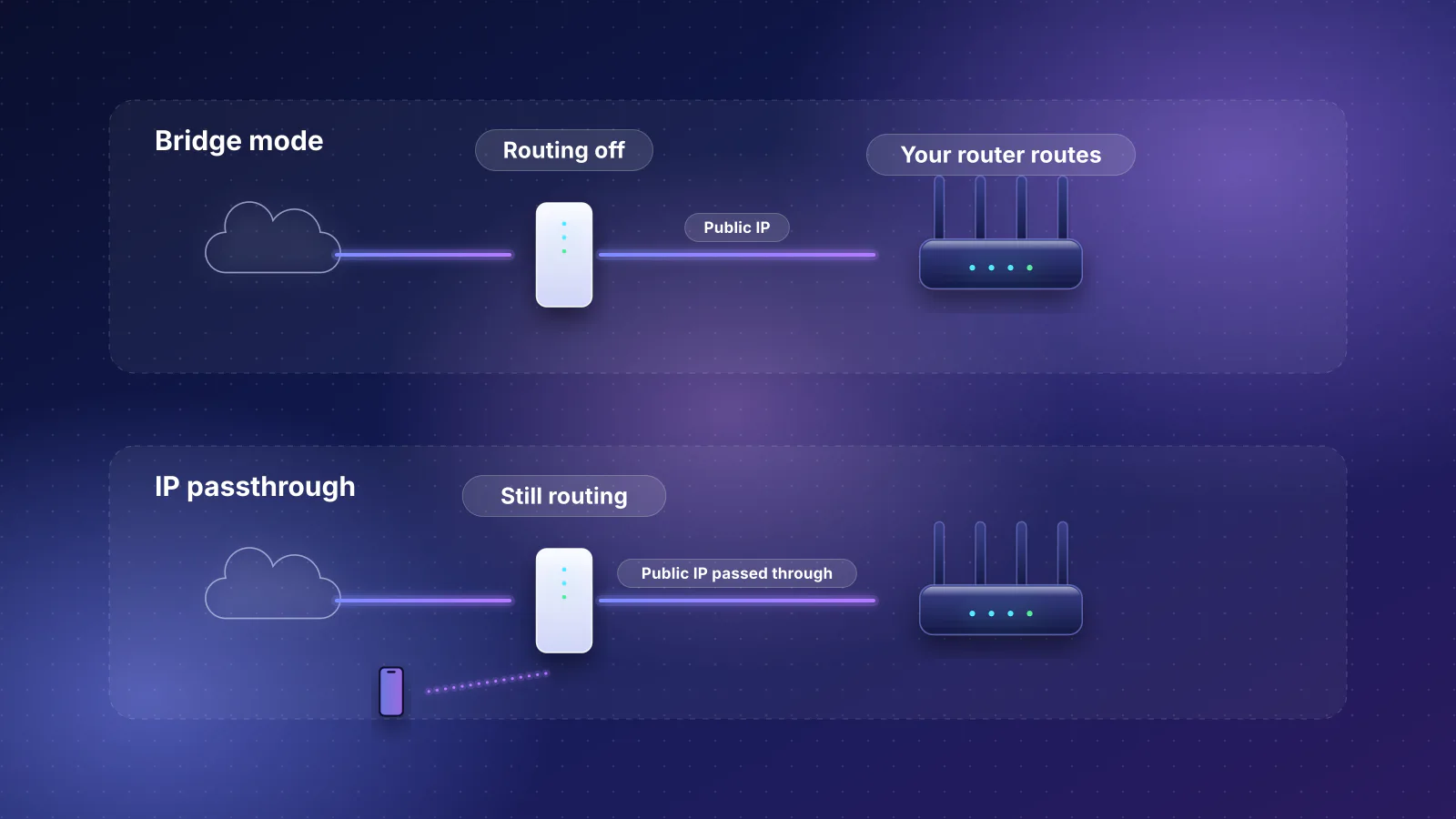
On many ISPs, using your own router means putting the provider's gateway into bridge mode or IP passthrough. Spectrum's own-equipment article treats the modem and the Wi-Fi router as separate devices, so where your Spectrum modem is a plain modem rather than a gateway, there's nothing to bridge: connect your router's internet port to the modem in place of Spectrum's router, and your router is the only one doing NAT. For the difference between the two modes elsewhere, see bridge mode vs IP passthrough.
Where it does come up:
- You keep Spectrum's router and plug yours in behind it. That's two routers in a row, and we found no bridge mode documented for Spectrum's router. Either connect your router to the modem instead of to Spectrum's router, or set your own router to access point mode. Our double NAT guide covers both.
- Your modem is a gateway. If you use a listed modem with built-in Wi-Fi and add a separate router, use the gateway's own bridge setting (check the maker's manual) or don't add the router.
- You're on a legacy Cox plan with a Panoramic gateway. That's a combined modem and router, and its bridge mode is a Cox feature with Cox's limits, covered in the Phoenix providers guide.
IPv6 on Spectrum with your own router
Spectrum's community IPv6 FAQ, posted by a Spectrum employee moderator, says Spectrum uses a dual-stack approach: "IPv4 and IPv6 run concurrently at the network level." On the router side, the standard way a home router gets IPv6 addresses for your network from a provider is DHCPv6 prefix delegation: RFC 8415 defines the IA_PD as "an IA that carries delegated prefixes", and says "A client requests prefix(es) from the server" and might then "assign a subnet from a delegated prefix to one of its interfaces." So turn on IPv6 with prefix delegation in your own router. For customer-owned equipment, Spectrum's FAQ says to "check with the manufacturer to determine if your specific device and operating system will support IPv6."
Asked whether you can opt out of IPv6, the same FAQ answers "No. However, you can disable IPv6 on your device." The pages we read don't give the size of the prefix Spectrum delegates. To see whether IPv6 is working after the swap, use the IPv6 check.
Spectrum fiber and equal-speed tiers
Most Spectrum service is cable: Spectrum's Internet page says it is "powered by fiber and connected to the premises by coaxial lines." Two exceptions change the equipment rules.
- Equal (symmetrical) speeds, which Spectrum offers "In select markets" (own-equipment article) and "In certain locations" (disclosure). Customer-owned modems aren't authorized on these tiers: "Those customers must use a Spectrum-provided modem." The disclosure adds that "Equipment upgrades may be required to optimize download and upload speeds."
- Spectrum Fiber, described on the cox.com page as a "100% fiber optic connection directly to the home" with "Limited availability in Spectrum serviceable areas" and "Multi GIG speeds up to 2 GIG". You get an Optical Network Terminal (ONT), which the page says "Spectrum provides this device free of charge", and "You will still need a router or gateway". It says a technician can connect an existing compatible router or gateway, or you can rent a Panoramic Wifi gateway, and its terms say "ONT device and compatible router required for service." So on fiber the modem question disappears and the router is still your choice.
When new equipment is justified, and when to get help
Buy nothing if Spectrum's router is included in your plan and covers your home. A router of your own is worth it when you pay the $10 a month and your current router or mesh already covers the house, when you need features Spectrum's pages don't list, or when Wi-Fi coverage is the actual problem and you want a mesh or access points you control. A modem of your own is rarely worth buying on Spectrum's current plans, because the lease is free; it makes sense mainly if you already own one on the list for your tier.
If the problem is wiring (a coax outlet in the wrong room, or no Ethernet where the router needs to be), the fix is in the walls rather than the box. RouterHaus can connect you with a licensed contractor when the job needs hands on site; ask for a network plan.
Frequently asked questions
Can I use my own router with Spectrum?
Yes. Spectrum's own-equipment article offers its pre-configured WiFi router for a monthly fee or says you can purchase your own router, and it treats the modem and the router as separate devices. You give up Spectrum's Advanced WiFi app features, such as Security Shield, which Spectrum describes as part of its own router service.
Does Spectrum charge for its modem?
Not on current plans: Spectrum's pricing disclosure (revised November 19, 2026) and the Phoenix and Tucson guide list the modem or gateway lease at no charge. The disclosure says customers on legacy packages may still be charged and can move to a current offering. The $10 monthly charge is for Spectrum's router service, Advanced WiFi (Panoramic WiFi in the Arizona guide), on plans that don't include it. Check your Broadband Facts label for your own plan.
I had Cox in Arizona. Does my equipment still work now that Cox is Spectrum?
Cox's transition page says your equipment will continue working and your plan and pricing don't change unless you choose to. If you move to a Spectrum plan, Spectrum's modem rules apply, and neither Charter nor Cox says whether a Cox-certified modem you own or a Panoramic gateway is authorized on a Spectrum plan, so ask Spectrum first.
Can I use my own modem on Spectrum's 2 Gig or equal-speed tiers?
Not on equal-speed tiers: Spectrum says customer-owned modems are only authorized for non-symmetrical tiers. Spectrum's authorized lists cover tiers up to 1G and up to 500 Mbps and name no modem for 2 Gig, so ask Spectrum before buying one for that tier.
Do I need bridge mode on Spectrum?
Usually not, because Spectrum treats the modem and the router as separate devices: unplug Spectrum's router and connect yours to the modem. We found no bridge mode documented for Spectrum's router, so if you keep it, put your own router in access point mode to avoid double NAT.
Sources
Read on November 27, 2026. Spectrum's support site served its own-equipment article for a default ZIP code outside Arizona, and asks for a full service address in shared service areas; signed-in customers may see content for their own services. Spectrum's national pricing pages aren't specific to Arizona; the Phoenix and Tucson guide is.
- Spectrum: Using your own equipment on our network (article 111746) and DOCSIS modem policy
- Spectrum: How to Self-Install a Modem on the Spectrum Network (article 111821), linked for its steps and not quoted here
- Spectrum: Spectrum Advanced WiFi, Advanced WiFi: benefits and features and The benefits of Spectrum Security Shield
- Spectrum Community: IPv6 frequently asked questions
- Spectrum: Broadband internet services and pricing (rev. November 19, 2026)
- Spectrum: Home internet and WiFi and Internet plans
- Spectrum Broadband Facts: Internet 1 Gig (40 Mbps typical upload) and Internet 1 Gig (1,050 Mbps typical upload)
- Spectrum: Phoenix & Tucson product and pricing guide, November 2026 (PDF, cox.com)
- Spectrum Fiber (cox.com)
- Cox: Cox is now Spectrum (FAQ)
- Charter: Charter and Cox Communications complete transaction (August 20, 2026) and Charter-Cox transaction page
- IETF RFC 8415: Dynamic Host Configuration Protocol for IPv6 (DHCPv6)
- FCC: Glossary of terms used for consumer broadband labels and Broadband labels