The short version
- A NAT type is a reachability grade, not a speed grade. It says which other players your console can connect to directly. Microsoft defines Xbox Strict as "Can connect only with consoles that use Open NAT settings"; Nintendo says NAT Type F "is not optimal for peer-to-peer connections".
- PlayStation Type 2 is normal. Sony's guide describes both Type 2 and Type 3 as "connected to the Internet with a router"; only Type 3 carries the warning that communication with other systems "might be impossible". Type 1 means no router at all.
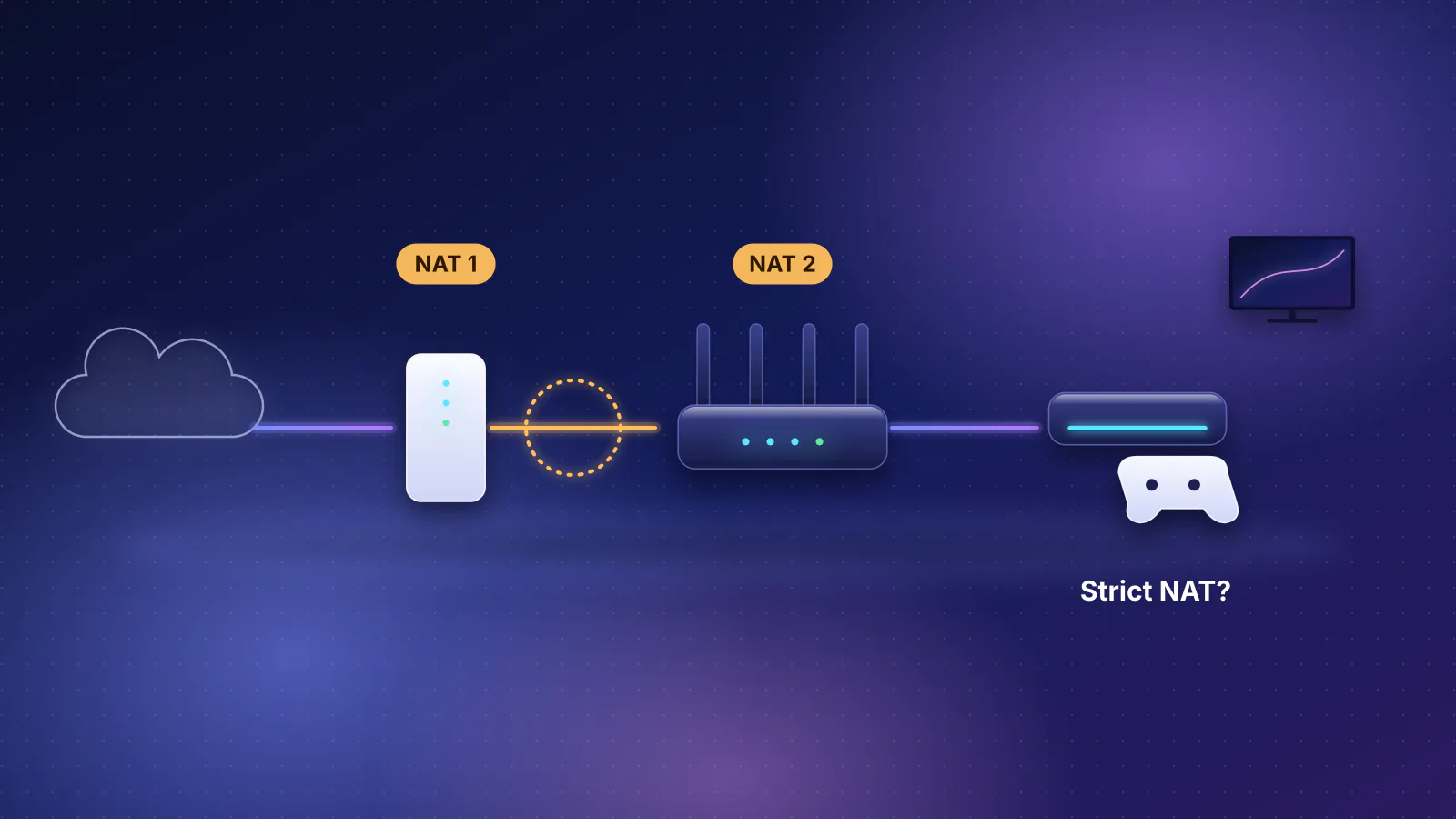
- The cause is usually one of five things: two routers in a row (double NAT), your provider sharing one address among customers (CGNAT), a 5G home gateway that can't forward ports, UPnP turned off, or, on routers that have one, a NAT filtering setting left at its strictest option.
- One check sorts them: read your router's internet (WAN) address. A 192.168, 10 or 172.16 to 172.31 address means a box in front is still routing; 100.64 to 100.127 is the provider's shared space for carrier NAT (RFC 6598).
- Fix in this order: turn UPnP on, get down to one router, forward the specific ports the game lists, and use DMZ only as a last resort. NETGEAR says a DMZ "makes the firewall security less effective".
- Buy nothing until the check says otherwise. Double NAT and UPnP are settings. CGNAT and a 5G gateway that can't change NAT type are provider limits: the fix is a public address or a different service, not a new router.
What each NAT result means, in the makers' own words
Your router lets many devices share one internet address by translating between them (network address translation, NAT). Outgoing connections are easy. The hard part is a connection that starts from outside, such as another player's console trying to reach yours, because the router has to know which device inside should get it. Each console runs a test of how well that works and gives you a grade. Microsoft, Sony and Nintendo each grade it their own way:
| Platform | Result | What the maker's documentation says |
|---|---|---|
| Xbox (Microsoft) | Open | "Can connect with any consoles regardless of their NAT settings." |
| Moderate | "Can connect only with consoles that use Moderate or Open settings." | |
| Strict | "Can connect only with consoles that use Open NAT settings." | |
| PlayStation (Sony) | Type 1 | "The system is connected directly to the Internet." |
| Type 2 | "The system is connected to the Internet with a router." | |
| Type 3 | Also connected with a router, and "communication with other PS4 systems might be impossible, or your PS4 system's network features might be limited." | |
| Nintendo Switch and Switch 2 | A | "preferred and generally indicates that your network environment works well for connecting with other players" |
| B | "compatible with most other NAT types as well" | |
| C | "may have difficulty connecting to some users with more restrictive NAT types" | |
| D | "Generally, players with NAT Type D can only connect to players with NAT Type A." | |
| F | "not optimal for peer-to-peer connections"; Nintendo's connection test guide calls F "unable to complete peer-to-peer communication" |
The Sony wording comes from its PS4 user's guide; Sony's PS5 wording wasn't found on a page that could be read. NETGEAR's guide says the PS5 result "will either be 'Type 1,' 'Type 2,' or 'Type 3,'" and Rockstar's PS5 support page uses the same three types. Nintendo's test range runs from A to F, and its matchmaking help page describes A, B, C, D and F.
There's no official cross-platform conversion, because each maker runs its own test. Rockstar, which publishes GTA Online on both, lines them up by who can play with whom: on PS5, Type 1 "Can play games with any NAT type", Type 2 "Can play games with open or moderate NAT types" and Type 3 "Can only play games with open NAT types". That matches Microsoft's Open, Moderate and Strict wording. What matters in practice: two players who are both on the restrictive grade usually can't connect to each other directly, and the game then has to relay, retry or drop one of you from the lobby or party.
Why games care at all: Microsoft's developer documentation says games built on peer-to-peer connections are "expected to provide their own public IP address and port discovery along with a NAT punching solution for clients that have moderate or strict NAT types." A restrictive result makes that harder, so the symptoms are failed matchmaking, party chat that won't connect, or being unable to host.
How a router handles this is partly standardized. The IETF's NAT behavior rules for UDP (RFC 4787) say "A NAT MUST have an 'Endpoint-Independent Mapping' behavior", meaning it reuses the same outside port for traffic from one inside address and port, whatever the destination, and warn that "Failure to meet REQ-1 will force the use of a UDP relay, which is very often impractical." A console's test is, in effect, checking how close the whole path comes to that.
Step 1: run the console's own test
- PS5: Settings, Network, Connection Status, then Test Internet Connection. Rockstar's PS5 guide points to the same test; Sony's error pages use Settings, Network, Test Internet Connection.
- Xbox Series X|S: NETGEAR's guide says to press the Xbox button, then Profile & system, Settings, General, Network settings; "NAT Type" shows on the right of the network page. Microsoft's own support pages couldn't be read for this check; its developer documentation reaches the console's network options by the same Settings, General, Network settings route.
- Nintendo Switch and Switch 2: System Settings, Internet, Test Connection. Nintendo says to note the NAT type, download and upload speeds, and its matchmaking help also suggests: "Try turning off IPv6 Connection."
- GTA Online on PC: Rockstar's strict NAT page for PC gives one fix only, under a heading about UPnP: turn on network discovery in Windows' advanced sharing settings.
Run the test twice, a few minutes apart, and once more after a router restart. Write the result down before you change anything, so you can tell which change helped. Nintendo recommends testing again "after making any changes to the settings of your network".
Step 2: find the cause
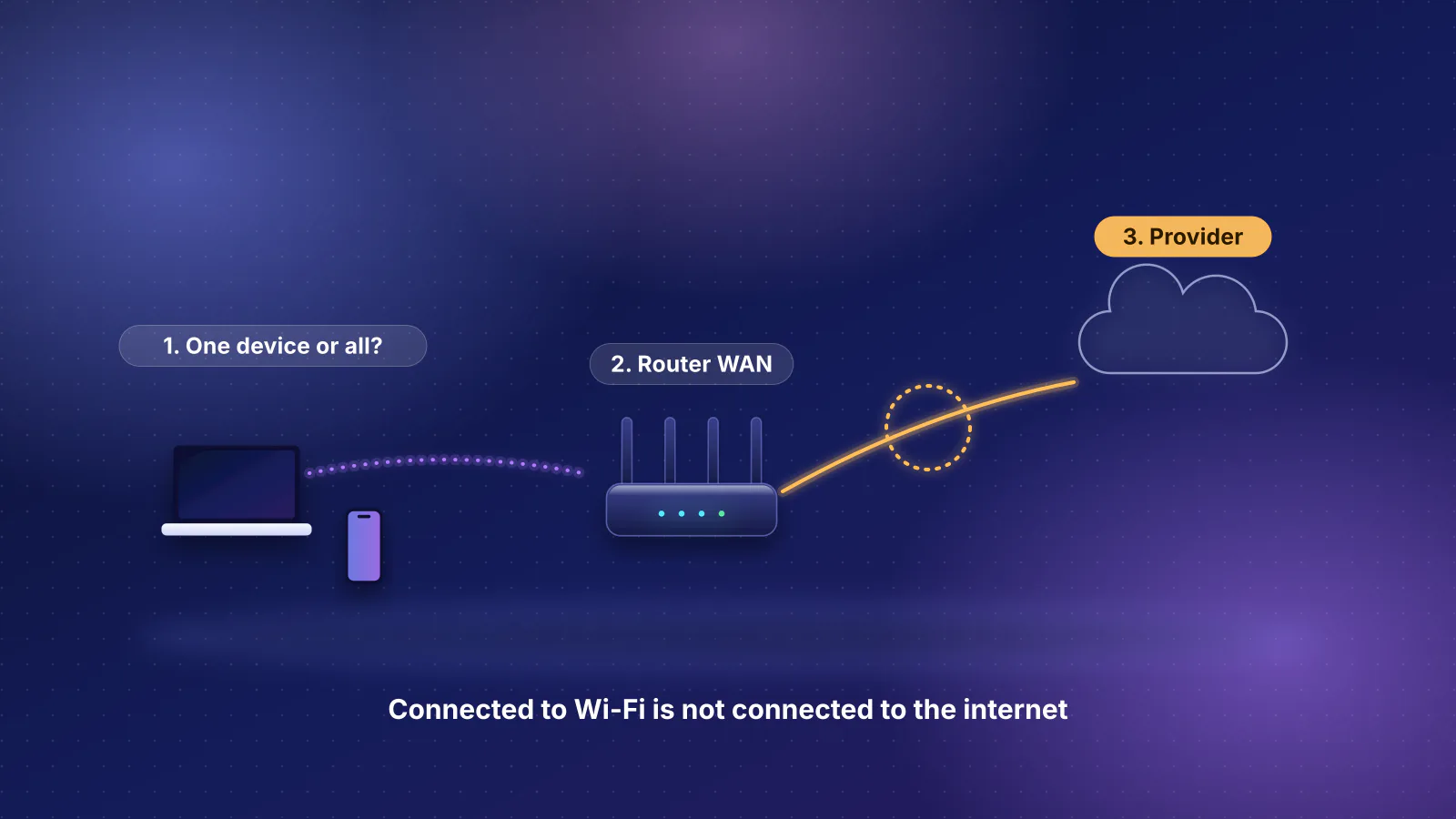
The NAT grade tells you that inbound connections are being blocked, not where. Your router's internet-side address tells you where. Open the router's app or admin page, find the internet or WAN status, and read the address it was given. (If you only have the provider's box, read the address on the box.)
Check your router's internet (WAN) address
- Console Private address from your router
- Your router NAT 1: UPnP and port forwarding work here
- Provider gateway, still routing NAT 2: knows nothing about your router's port rules
- Provider network Possibly NAT 3 (CGNAT), out of your reach
- Other players Can reach you only through every layer
Read the result against this table:
| What you see | What it means | Go to |
|---|---|---|
| Router's WAN address is 10.x, 172.16.x to 172.31.x or 192.168.x | A private address (RFC 1918). The box in front of your router is also routing: double NAT. | Get down to one router |
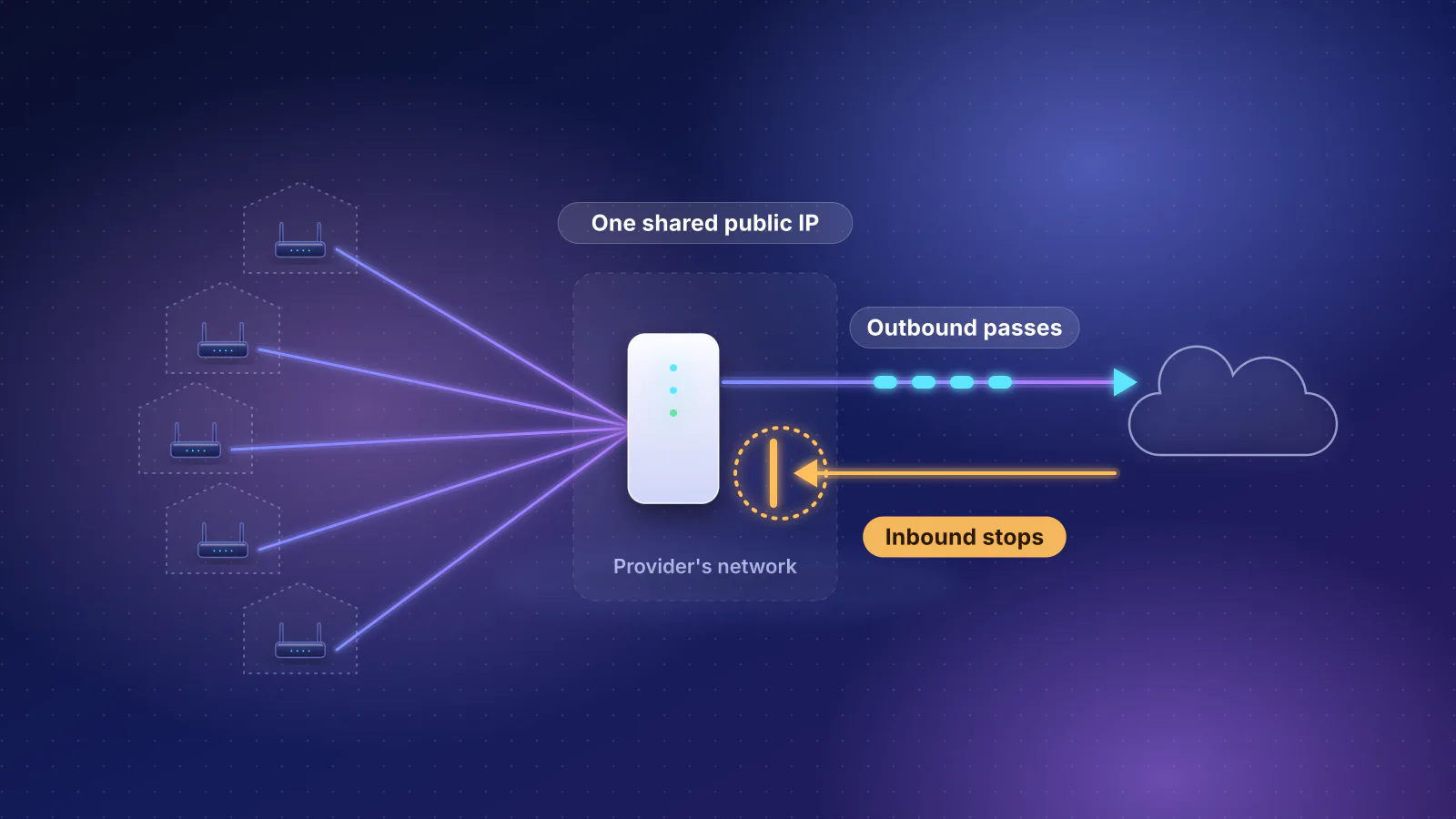
| WAN address is 100.64.x to 100.127.x | The shared address space reserved "to accommodate the needs of Carrier-Grade NAT (CGN) devices" (RFC 6598). Your provider shares a public address among customers. | The provider fix |
| You're on a 5G home gateway | T-Mobile says its gateways "do not have the ability to change NAT type" or to enable port forwarding or bridge mode. Check your own provider's page for its rules. | The provider fix |
| WAN address is public and matches a "what is my IP" site | Only one NAT, your router's. The block is a setting on it. | UPnP, then firewall filtering |
| Two Wi-Fi networks from two boxes, console on the other one | The console may be on the gateway's network while your port rules live on your router. | Get down to one router |
More on each reading: how to check for double NAT and how to tell if you're behind CGNAT. Google's Nest help says double NAT "can also result in performance issues if you play online games or use port forwarding rules and UPnP".
Step 3: the configuration fixes, in order
Turn on UPnP on the router that routes
UPnP (Universal Plug and Play) lets the console ask the router to open the ports it needs while it's using them, then close them. NETGEAR says of its XR gaming routers, "By default, UPnP will be enabled" and "UPnP will open all the necessary ports automatically for you in most cases." If someone turned it off, or your router ships with it off, turning it on is the first change to try. Restart the console and run the test again.
UPnP is a setting on your router, so the ports it opens are opened on your router. With double NAT, the provider's box in front has its own NAT that your router's UPnP doesn't control. Google's Nest help names UPnP among the things double NAT causes trouble for, and NETGEAR's XR guide, for a NAT type that stays closed, points to bridge mode on the provider's modem first, or putting your router in that modem's DMZ.
Get down to one router
If the WAN check showed double NAT, make exactly one device route. Google's own advice is to remove the provider's router where you have a separate modem, or "enable bridge mode on your modem/router combo" where it's one unit. The options, and which providers support which, are in bridge mode vs IP passthrough:
- Bridge mode on the provider's gateway: it stops routing and your router gets the public address.
- IP passthrough where the gateway can't bridge: it hands the public address to your router.
- Access-point mode on your own router, so the gateway does the routing. This gives you one network, but your router's port forwarding and UPnP stop applying, so set them on the gateway instead.
Re-run the WAN check afterwards. A public address on your router, then a fresh NAT test, tells you whether it worked.
Check the router's NAT filtering setting, if it has one
Some routers have a NAT filtering setting separate from UPnP; not every router has one, and the names differ by maker. NETGEAR's documentation for several of its Nighthawk routers calls the two options Secured NAT and Open NAT, and explains the trade-off plainly: "Secured NAT protects computers on the LAN from attacks from the Internet" but can block some games, while "Open NAT provides a much less secured firewall." If your router has such a setting at its strictest option and the WAN address is public, it may be the cause; your router maker's documentation says what its options are called. Change one setting at a time and re-test, so you know which one mattered.
Forward the game's ports, to a fixed address
Port forwarding is a permanent rule: inbound traffic on a given port goes to one device. It works where UPnP doesn't, but it needs two things. The console must keep the same address (a DHCP reservation on the router, or a static address on the console, which Nintendo's guide walks through), and you need the right ports from the game's or console maker's own page.
Worked example: GTA Online on PS5. Rockstar's PS5 connection page (last updated July 5, 2024) lists these ports:
| For | Port | Protocol |
|---|---|---|
| PlayStation Network | 80 | TCP |
| 443 | TCP | |
| 3478 | UDP and TCP | |
| 3479 | UDP and TCP | |
| 3480 | TCP | |
| GTA Online | 6672 | UDP |
| 61455 to 61458 | UDP |
Rockstar's own explanation is that "A more open NAT Type will have fewer conflicts with other player systems and encounter less connectivity issues", and that the change "is caused by opening or forwarding other network ports." The same page also suggests trying a wired connection if you're on Wi-Fi, and lists speed targets of 7.5 Mbps download and 1 Mbps upload (recommended; 0.5 Mbps minimum). Those are reachability and speed basics, not NAT fixes; for lag itself see gaming latency and jitter and Ethernet vs Wi-Fi for gaming.
Other platforms, from their makers:
- Nintendo Switch: Nintendo's port forwarding guide says "this is port 1024 through 65535" and to "Set the protocol as UDP." That's nearly every port, pointed at one device, so treat it as close to a DMZ in what it exposes.
- Xbox: Microsoft's developer documentation calls UDP 3074 "a publicly registered, well-known port for multiplayer network traffic", but says "fallback logic has been introduced" in recent years and users can set the port themselves under Settings, General, Network settings, Advanced settings, Alternate port selection, so games shouldn't assume 3074. Microsoft's own test steps end by setting it back to Automatic, the default.
- Two consoles, one home: a forwarding rule sends a port to only one device. Where two consoles need the same port, UPnP (which hands out ports as needed) is usually the better tool than fixed rules.
With double NAT, forwarding has to be done on both routers, the gateway pointing at your router and your router pointing at the console. Bridge mode or passthrough is less fragile.
DMZ: the last resort
A DMZ (NETGEAR calls it "Default DMZ Server") takes the inbound traffic the router would otherwise discard, anything that isn't a reply to a device inside and has no forwarding rule, and forwards it to one device. NETGEAR warns that a device set as the DMZ server "loses much of the protection of the firewall". Nintendo has a guide for putting a Switch in the router's DMZ, and adds that "it is up to you to determine what security needs you have for your own network". NETGEAR says the DMZ can help games but "makes the firewall security less effective", and its gaming router guide says bridge mode "is preferable over DMZ mode". If you use it, point it at the console only, never a computer, and use a reserved address so the DMZ doesn't land on a different device after a restart.
UPnP vs port forwarding vs DMZ: the security trade-offs
All three let outside connections in. The difference is how much, for how long, and who decides.
| Method | What opens | Upside | The catch |
|---|---|---|---|
| UPnP | Ports a device asks for, while it asks | No setup; works for several consoles; NETGEAR's gaming guide advises keeping it on "in most cases" | Any program on your network can ask. CERT/CC notes that the UPnP protocol "does not by default implement authentication" and that an attacker with access to your network "may utilize UPnP to make changes to the home router's configuration such as opening ports." The NSA's home network guidance (February 2023) says to "Disable Universal Plug-n-Play (UPnP)." |
| Port forwarding | The ports you list, all the time, to one device | Predictable; nothing on your network can add to it | Stays open when you're not playing; needs a fixed address; Nintendo's range is nearly every port |
| DMZ | Everything unsolicited, to one device | Opens the most, so it's the likeliest to clear a block on that router | "makes the firewall security less effective" (NETGEAR): that device has no router firewall in front of it |
A reasonable balance for a home that games: UPnP on, a router whose firmware is current (the NSA guidance says routing devices "should be updated to the latest patches" and replaced when they reach end of support), no remote administration from the internet (the NSA guidance also says to disable it), and a note of what you changed. If you'd rather keep UPnP off, forward only the ports the game's own page lists, to a console with a reserved address. A console in the DMZ is a deliberate choice, not a default.
When the fix is your provider, not your router
Two results can't be fixed from inside your home:
- CGNAT. Your provider's own NAT sits in front of your router, and no setting at home opens it. RFC 7021, a 2013 study of carrier NAT's effect on applications, found that "video gaming" was among the services affected, and recorded two Xbox 360 users behind the same carrier NAT failing to connect because "Both users shared an outside IP address and tried to connect to the same port" (it also notes that a later Xbox update helped for some games). Ask the provider whether it offers a public IPv4 address. See what providers document about public addresses.
- A 5G home gateway that can't forward. T-Mobile says its gateways can't change NAT type, enable port forwarding or switch to bridge mode, and points NAT errors to the console or game maker. Your own router behind it can give you one tidy network ("Third-party routers can be connected to a T-Mobile gateway using the ethernet port"), but not an open NAT, because the gateway's NAT stays.
In both cases the real options are a public address from the provider, a plan or provider that gives one, or living with the restrictive result and joining hosts who have an open one. The tunnels and overlay VPNs in remote access behind CGNAT are built for reaching your own devices; they don't give a console an open NAT for matchmaking with strangers.
When new equipment is actually justified
Rarely, for a NAT problem. Double NAT, UPnP and NAT filtering are settings on equipment you already have, and CGNAT and 5G gateway limits stay the same whatever router you put behind them. A "gaming router" doesn't change that; see gaming routers vs standard routers for what such features do. New gear makes sense only when:
- your router has no UPnP or port forwarding setting at all, or no longer receives firmware updates and you'd be relying on it to hold ports open;
- you're moving to a provider that lets you use your own router in front, and the gateway you have can't bridge or pass through; or
- you're replacing the router for another reason, such as coverage or a faster plan, and want one that documents UPnP, port forwarding and bridge-friendly setup.
When to get help
Nintendo's advice for a persistent Type D or F is to "contact your Internet Service Provider (ISP) or network administrator for further assistance", and Sony's Remote Play guide says the same for checking or changing your NAT type. Call the provider first when the WAN check shows a 100.64 address or you're on a gateway you can't bridge. Ask the console or game maker when the test says Open but one game still fails. If the console can't be wired to the router that routes and the job needs a cable run, RouterHaus can connect you with a licensed contractor when the job needs hands on site; ask for a network plan.
Frequently asked questions
Is PlayStation NAT Type 2 bad?
No. Sony's guide describes Type 2 as a system connected to the internet with a router, which is how most homes are set up. Type 3 is the one Sony warns about, saying communication with other systems might be impossible. Rockstar says Type 2 can play with open or moderate NAT types.
Will a new router fix Strict NAT?
Usually not. Strict NAT comes from double NAT, UPnP or, on some routers, a NAT filtering setting, which are free to change, or from your provider's carrier NAT or a 5G gateway, which no router behind it can open. Check your router's WAN address first: it tells you which one you have.
Is it safe to turn on UPnP?
It's a trade-off. NETGEAR's gaming guide advises keeping it on in most cases; the NSA's home network guidance says to disable it, and CERT/CC notes it has no authentication by default. If you keep it off, forward only the ports the game lists, to a console with a reserved address.
What ports does GTA Online use on PS5?
Rockstar's PS5 page lists UDP 6672 and UDP 61455 to 61458 for GTA Online, plus TCP 80, 443 and 3480 and TCP and UDP 3478 and 3479 for PlayStation Network. Forward them to the console's reserved address on the router that does the routing.
Why is my NAT Strict on T-Mobile Home Internet?
T-Mobile says its gateways can't change NAT type, forward ports or run in bridge mode. Your own router behind the gateway can't open what the gateway blocks. The options are a service that gives you a public address, or joining hosts who have an open NAT.
Sources
Read on November 27, 2026.
- Microsoft Learn: XblNetworkAddressTranslationSetting (Xbox Open, Moderate, Strict)
- Microsoft Learn: Preferred UDP multiplayer port (Microsoft Game Development Kit)
- PlayStation: PS4 User's Guide, Test Internet Connection (NAT types)
- PlayStation Support: How to troubleshoot Remote Play connection issues and PS5 error NP-103172-4
- Nintendo Support: Unable to connect with others online (errors during match-making process), How to use the Internet connection test and NAT related troubleshooting on Nintendo Switch 2 and Nintendo Switch
- Nintendo Support: How to set up a router's port forwarding for a Nintendo Switch console and How to place a Nintendo Switch 2 or Nintendo Switch console into a router's DMZ
- Rockstar Games Support: Grand Theft Auto Online connection troubleshooting for PlayStation 5 (last updated July 5, 2024)
- Rockstar Games Support: How to resolve strict NAT type errors in GTA Online on PC (last updated January 23, 2026)
- NETGEAR: Updated NAT guide for XR routers (June 18, 2025)
- NETGEAR Support: How do I view the WAN settings on my Nighthawk router? (NAT filtering, DMZ) and How do I set up a default DMZ server on my Nighthawk router?
- Google Nest Help: Fix Double NAT when two routers run at the same time
- T-Mobile: Connect your devices to T-Mobile Home Internet
- CERT/CC Vulnerability Note VU#361684: Router devices do not implement sufficient UPnP authentication and security (2015)
- NSA: Best practices for securing your home network (February 2023, PDF)
- IETF RFC 1918: Address allocation for private internets
- IETF RFC 6598: IANA-reserved IPv4 prefix for shared address space (carrier-grade NAT)
- IETF RFC 4787 (BCP 127): NAT behavioral requirements for unicast UDP (January 2007)
- IETF RFC 7021: Assessing the impact of carrier-grade NAT on network applications (September 2013)