The short version
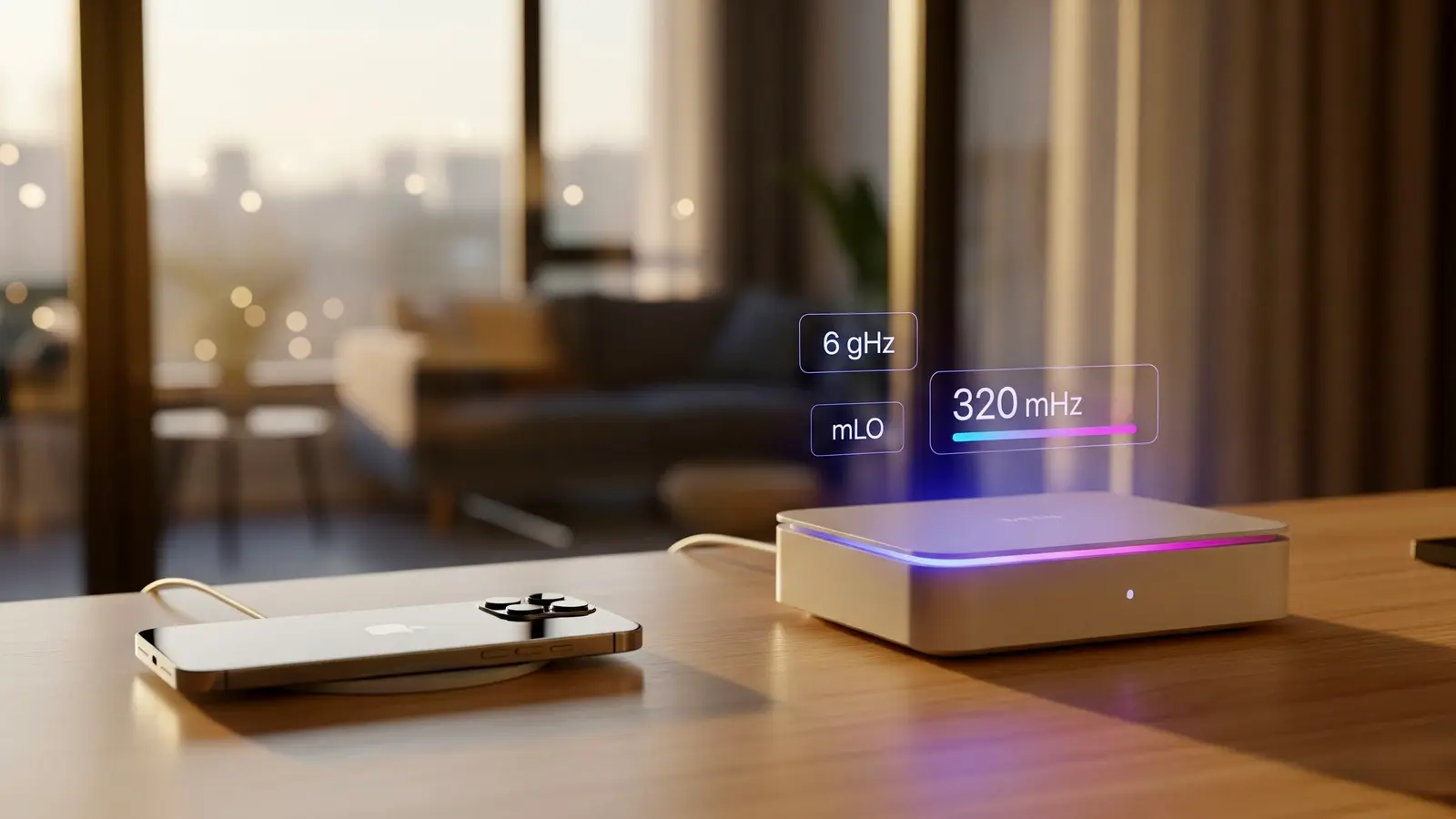
- MLO lets one Wi-Fi 7 device hold links on two or three bands at once under a single connection, so traffic can use whichever band is clearer. It needs Wi-Fi 7 on both the router and the device.
- Documented client hardware doesn't turn MLO into a big speed boost. Intel's BE200 laptop card lists its MLO as eMLSR, which listens on several bands but sends and receives on one at a time. Qualcomm's FastConnect 7800 can use two links at once, but quotes the same 5.8 Gbps peak as a single 320 MHz link. Apple says its recent iPhones and Macs support MLO without saying which mode, and lists the same 2,400 Mbps maximum link rate for an iPhone 17 on Wi-Fi 7 as on Wi-Fi 6E.
- The realistic benefit is steadier connections, not a speed boost. The "BE9300" or "BE19000" on the box is roughly the sum of every band's maximum rate; a two-antenna phone or laptop uses a fraction of it.
- The router side matters as much as the device. 33 of the 77 Wi-Fi 7 products in the RouterHaus catalog have no 6 GHz band. Makers also handle MLO differently: ASUS documents it as on by default, eero and Ubiquiti have you switch it on, and TP-Link puts it on a separate network name that allows only WPA3 or OWE security.
- Check before you pay for it. Windows 11 (version 24H2 or later) shows two bands next to "Network band" when MLO is in use. RouterHaus found no Apple documentation of an equivalent indicator, and Google documents one only for Android's verbose (developer) Wi-Fi mode.
What MLO is
Before Wi-Fi 7, a phone or laptop connected to one band at a time: 2.4, 5 or 6 GHz. Multi-Link Operation, defined in the IEEE 802.11be amendment (approved September 2024, published July 2025), lets a device connect to the router over several bands as one connection. The standard's term for each end is a multi-link device (MLD): the router is an access-point MLD and your laptop is a client MLD, and each band they share is a link.
The device keeps one identity across its links. Microsoft's Windows driver documentation shows how: management frames on each band use that band's own link address, while data frames and the security handshake use a single MLD address. On the network, it appears as one device rather than one per band.
The Wi-Fi Alliance's description of MLO is the most ambitious version: it "allows devices to transmit and receive data simultaneously over multiple links for increased throughput, reduced latency, and improved reliability." Whether a particular device does any of that depends on which MLO mode it implements.
The MLO modes in plain English
802.11be defines several ways a device can run its links, trading hardware cost against flexibility. Single-radio modes switch one radio between links; multi-radio modes run several links at once, either simultaneously (STR) or with restrictions (NSTR). Definitions follow the Carrascosa-Zamacois tutorial on Wi-Fi 7 multi-link operation and the summary table in a 2025 Aalto University thesis; RouterHaus did not read the standard's text itself.
| Mode | What the device does | Throughput | Latency and reliability |
|---|---|---|---|
| MLSR (multi-link single radio) | Set up on several links, but one radio that can listen and send on only one channel at a time. | One link at a time | Limited: it watches only one band at a time |
| EMLSR (enhanced multi-link single radio) | One full radio plus low-capability listeners. It watches two or more bands; when the router starts an exchange on one, the device moves its whole radio there. | No more than one link at a time | Can dodge a busy band without reconnecting |
| Multi-radio, STR (simultaneous transmit and receive) | Separate radios on two bands work independently: it can send on one while receiving on the other. Needs enough frequency separation between the bands, or self-interference cancellation, to avoid interfering with itself. | Can add links together | Uses whichever link frees up first |
| Multi-radio, NSTR (non-simultaneous transmit and receive) | Separate radios, but it can't send on one link while receiving on another, so transmissions on the links must be lined up. | Can combine links, with restrictions | Some gain, less flexible than STR |
The standard's "enhanced" multi-radio mode (EMLMR, in STR or NSTR form) adds the ability to move spatial streams between links on the fly. Routers are multi-radio by design, so the limiting side is usually the phone or laptop. ASUS says its Wi-Fi 7 routers support both STR and eMLSR, with the mode chosen "base[d] on client devices supported modes." TP-Link's June 2026 explainer says "Most consumer hardware today uses EMLSR" and that true STR "is not yet widely available in consumer routers and devices." In 2022 the tutorial's authors expected STR multi-radio designs to be "most likely to be adopted in first-wave Wi-Fi 7 commercial products." The client documentation available now is mixed: Intel documents eMLSR for its BE200, while Qualcomm and MediaTek describe chips that run two bands concurrently.
What phones and laptops actually implement
From manufacturer and operating-system documentation, checked October 21, 2026. "Not published" means the maker's documents we checked don't say.
| Device or chip | MLO documented? | Mode | Maximum link rate (maker) |
|---|---|---|---|
| iPhone 16, 16 Plus, 16 Pro, 16 Pro Max; iPhone 17, 17 Pro, 17 Pro Max; iPhone Air; iPhone 18 Pro, 18 Pro Max; iPhone Duo | Yes (Apple deployment guide; see the note below on the 16 and 16 Plus) | Not published | 2,400 Mbps on 5 or 6 GHz at 160 MHz; 229 Mbps on 2.4 GHz |
| iPhone 16e and 17e | No Wi-Fi 7 | Not applicable | Not applicable |
| MacBook Pro M5 Pro and M5 Max (2026), MacBook Air M5 (2026) | Yes (Apple deployment guide; also listed for iPad Pro M5 and iPad Air M4) | Not published | 2,400 Mbps on 5 or 6 GHz at 160 MHz |
| Intel Wi-Fi 7 BE200 (Windows and Linux laptops, desktop cards) | Yes | eMLSR (Intel product brief) | 5.8 Gbps at 320 MHz, 2x2 |
| Intel Wi-Fi 7 BE201 | Not stated on its spec page | Not published | 5.8 Gbps, 2x2 |
| Qualcomm FastConnect 7800 (phones, laptops) | Yes | "High Band Simultaneous" multi-link across 5 and 6 GHz, or two 5 GHz links | 5.8 Gbps (one 320 MHz channel, or 160 + 160 MHz) |
| MediaTek Filogic 380 (phones, laptops) | Yes ("MLO") | Not named; dual-band, dual-concurrent 2x2 + 2x2 | 6.5 Gbps |
| Google Pixel phones with Wi-Fi 7 | Not stated; Google's spec page lists "Wi-Fi 7 (802.11be) with 2.4GHz, 5GHz, 6GHz, 2x2 MIMO" for several current models | Not published | Not published |
What the operating systems require:
- Windows: Microsoft says "Wi-Fi 7 is available starting with Windows 11, version 24H2," and Intel's driver page says the same for its BE200, BE201 and newer cards. A Wi-Fi 7 laptop on an older Windows version doesn't get MLO.
- Android: Android supports Wi-Fi 7 from Android 13, and network selection takes MLO into account from Android 14. Google's platform documentation says chip vendors "can develop algorithms on how to use the available links," and gives privileged apps a switch between low-latency, high-throughput and low-power MLO behavior. So two Android phones with the same Wi-Fi 7 badge can use links differently.
- Apple: Apple's deployment guide (dated September 17, 2026) lists the iPhone 16 and 16 Plus in the same Wi-Fi 7 and MLO table as the 16 Pro and later models. Its separate Wi-Fi 7 availability page (dated August 25, 2026) names only the "iPhone 16 Pro, iPhone 16 Pro Max, or later (excluding iPhone 16e, iPhone 17e)," the iPhone Air, the M5 Pro and M5 Max MacBook Pro, the M5 MacBook Air, the M5 Pro Mac mini, the M5 Max Mac Studio and recent iPads as devices that "support all of the features of Wi-Fi 7," without saying which features the base iPhone 16 and 16 Plus lack. Apple documents MLO for them, but not whether their Wi-Fi 7 support is complete.
One third-party look at Apple's implementation (a packet capture published on an independent blog, not RouterHaus's and not Apple's): a certified wireless network expert (CWNE) captured an M5 MacBook Pro with Apple's N1 wireless chip joining a Cisco Wi-Fi 7 network. The Mac advertised its 5 and 6 GHz links as a non-simultaneous (NSTR) pair and a "maximum number of simultaneous links" of zero, used 6 GHz and 2.4 GHz together only for uploads, and showed no simultaneous multi-link use for downloads; the author concluded the behavior "appears to be consistent with MLSR." That is one device on enterprise equipment; Apple doesn't publish its mode. For what Wi-Fi 7 changes on an iPhone overall, see iPhone 17 and Wi-Fi 7: do you need a new router?
Box claims vs what a client can use
Router names encode roughly the sum of every band's maximum link rate. GL.iNet's Flint 3 is a clear example: it is sold as "BE9300," and GL.iNet lists 688 Mbps on 2.4 GHz, 2,882 Mbps on 5 GHz and 5,765 Mbps on 6 GHz. Arithmetic: 688 + 2,882 + 5,765 = 9,335 Mbps, rounded to 9300. Its product page says MLO works "by combining multiple radio bands into a single connection." Here is what a two-antenna (2x2) client can use from that router, by the makers' own figures:
| Client | How it uses the router's bands | Best link rate it can reach |
|---|---|---|
| iPhone 17 | Apple lists 2,400 Mbps per 5 or 6 GHz link at 160 MHz and doesn't document using two at once | 2,400 Mbps (Apple) |
| Laptop with Intel BE200 | eMLSR: one link at a time; 6 GHz at 320 MHz is the fastest | 5.8 Gbps (Intel); Intel estimates about 5 Gbps of actual UDP throughput at best |
| Phone or laptop with Qualcomm FastConnect 7800 | Two 160 MHz links at once, or one 320 MHz link | 5.8 Gbps either way (Qualcomm) |
| Hypothetical 2x2 client using 5 and 6 GHz fully at once | STR on both bands | 2,882 + 5,765 = 8,647 Mbps (arithmetic; no client documents this) |
The Qualcomm row shows why "combining bands" rarely means more speed for a two-antenna device. Two 160 MHz links at the same time add up to the same rate as one 320 MHz link (2,882 + 2,882 is about 5,765 Mbps), so Qualcomm quotes 5.8 Gbps either way. MediaTek's 6.5 Gbps figure for the Filogic 380 is higher than any single 2x2 link, so it implies two links at once; MediaTek doesn't say which bands. All of these are link rates, not throughput: real transfers are lower and fall with distance, and your internet plan caps anything from the internet.
eero's own description is the most candid: "One device may favor latency improvements with MLO, while another might favor throughput improvements. This decision is made by the manufacturer during the development of that device."
Router-side reality
Many Wi-Fi 7 routers have no 6 GHz band
In the RouterHaus catalog (checked October 20, 2026), 33 of 77 Wi-Fi 7 products are dual-band, with only 2.4 and 5 GHz: 18 of 42 routers, 11 of 31 mesh systems and all four travel routers. That is a count of the products RouterHaus tracks, not of the whole market. MLO doesn't strictly need 6 GHz; eero, TP-Link and Ubiquiti all say it can run on 2.4 and 5 GHz. But without 6 GHz the router has no third, clean band to offer, and phones like the iPhone 17 can't reach their 6 GHz link at all.
MLO isn't always on, and it isn't always on your main network
- ASUS: MLO is "enabled by default" (Wireless > MLO). ASUS warns that if MLO is on, an older AiMesh node without MLO "will not broadcast 6GHz WiFi," and that MLO backhaul works only on the first node and only between identical models.
- eero: you switch it on in the eero app under Settings > Advanced networking > Multi-link operation, which reboots the whole network. If 6 GHz is present, WPA3 is turned on by default for the MLO bands, which eero says affects the rest of the network too, and eero recommends disabling MLO on networks that mix Wi-Fi 7 and older eero units. MLO isn't available on eero Business networks.
- TP-Link: MLO runs as a separate "MLO network" whose name must differ from your main network's, usually on 5 and 6 GHz, with WPA3 or OWE security only. TP-Link's official community articles say the Archer BE900 doesn't support the MLO network and that the MLO network can't be extended to EasyMesh satellites on most models (as of January 2026, the Archer BE550 V2 is the exception). Devices that stay on your main network name won't use MLO.
- Ubiquiti: in UniFi Network, MLO is a checkbox on each Wi-Fi network (Settings > WiFi), available on Wi-Fi 7 access points and on cloud gateways with built-in Wi-Fi 7.
Security is the other catch. TP-Link's MLO network allows only WPA3 or OWE, and eero turns on WPA3 for the MLO bands when 6 GHz is present. Older devices that only handle WPA2 may need their own network, which is one reason a maker might keep MLO separate.
Catalog routers with documented MLO
Every standalone router in the RouterHaus catalog that has a 6 GHz band and whose catalog entry records maker-documented MLO, cheapest first where a price is published. Specs and prices come from the catalog, the same data as each product page.
| Product | Internet port | Fastest LAN port | Maker's routing, plan or wired-speed figure | Price |
|---|---|---|---|---|
| GL.iNet Flint 3 (GL-BE9300) Router · Wi-Fi 7 |
2.5 Gbps | 2.5 Gbps | Not published | $209.99 Manufacturer store price, checked October 20, 2026 |
| Ubiquiti UniFi Express 7 (UX7) Router · Wi-Fi 7 |
10 Gbps | 2.5 Gbps | Not published | $219.00 Manufacturer store price incl. US store surcharge (list $199.00), checked October 20, 2026 |
| TP-Link Archer BE600 Router · Wi-Fi 7 |
10 Gbps | 2.5 Gbps | Not published | $249.99 Manufacturer price (not re-confirmed), checked October 20, 2026 |
| ASUS TUF Gaming BE9400 (TUF-BE9400) Router · Wi-Fi 7 |
2.5 Gbps | 2.5 Gbps | Not published | $279.99 Manufacturer store price, checked October 20, 2026 |
| ASUS RT-BE92U Router · Wi-Fi 7 |
10 Gbps | 2.5 Gbps | Not published | $289.99 Manufacturer store price, checked October 20, 2026 |
| TP-Link Archer GE650 Router · Wi-Fi 7 |
5 Gbps | 5 Gbps | Not published | $349.99 Launch price, checked October 20, 2026 |
| ASUS ROG Strix GS-BE12000 Router · Wi-Fi 7 |
2.5 Gbps | 2.5 Gbps | Not published | $399.99 Manufacturer store price, checked October 20, 2026 |
| TP-Link Archer BE800 Router · Wi-Fi 7 |
10 Gbps | 2.5 Gbps | Not published | $599.99 Launch price, checked October 20, 2026 |
| TP-Link Archer GE800 Router · Wi-Fi 7 |
10 Gbps | 2.5 Gbps | Not published | $599.99 Launch price, checked October 20, 2026 |
| ASUS RT-BE96U Router · Wi-Fi 7 |
10 Gbps | 10 Gbps | Not published | $629.99 Manufacturer price (not re-confirmed), checked October 20, 2026 |
| ASUS GT-BE98 Pro Router · Wi-Fi 7 |
10 Gbps | 10 Gbps | Not published | $699.99 Manufacturer store price, checked October 20, 2026 |
| D-Link R95 Router · Wi-Fi 7 |
2.5 Gbps | 2.5 Gbps | Not published | Not published |
| TP-Link Archer BE550 Router · Wi-Fi 7 |
2.5 Gbps | 2.5 Gbps | Not published | Not published |
| TP-Link Archer BE700 Router · Wi-Fi 7 |
10 Gbps | 2.5 Gbps | Not published | Not published |
| TP-Link Archer BE670 Router · Wi-Fi 7 |
10 Gbps | 1 Gbps | Not published | Not published |
| ASUS ROG Strix GS-BE18000 Router · Wi-Fi 7 |
2.5 Gbps | 2.5 Gbps | Not published | Not published |
Indoor tri-band mesh systems with documented MLO and a listed price of $450 or less:
| Product | Internet port | Fastest LAN port | Maker's routing, plan or wired-speed figure | Price |
|---|---|---|---|---|
| eero Pro 7 (1-pack) Mesh system · Wi-Fi 7 |
5 Gbps | 5 Gbps | 5 Gbps | $299.99 Manufacturer store price, checked October 20, 2026 |
| MSI Roamii BE Pro Mesh System (MRBE110) (2-pack) Mesh system · Wi-Fi 7 |
2.5 Gbps | 2.5 Gbps | Not published | $299.99 Manufacturer price (not re-confirmed), checked October 20, 2026 |
| ASUS ZenWiFi BT6 (2-pack) Mesh system · Wi-Fi 7 |
2.5 Gbps | 1 Gbps | Not published | $369.99 Manufacturer store price, checked October 20, 2026 |
| Linksys Velop Pro 7 (MBE7000) (1-pack) Mesh system · Wi-Fi 7 |
2.5 Gbps | 1 Gbps | Not published | $399.99 Launch price, checked October 20, 2026 |
| TP-Link Deco BE63 (2-pack) Mesh system · Wi-Fi 7 |
2.5 Gbps | 2.5 Gbps | Not published | $449.99 Manufacturer store price, checked October 20, 2026 |
Wi-Fi 7 models left out of the tables:
- MLO not published by the maker: the ASUS ROG Rapture GT-BE19000AI and NETGEAR's Nighthawk RS100, RS150, RS200, RS300, RS500, RS600 and RS700S.
- MLO needs newer firmware: the ASUS RT-BE96U and ROG Rapture GT-BE98 Pro product pages still say MLO firmware is "in development," but ASUS's MLO support article lists minimum firmware versions for both, so update the firmware first.
- MLO documented for the product family, not by model: Ubiquiti's Dream Router 7 and Dream Router 5G Max spec pages don't mention MLO, but Ubiquiti's MLO help article covers cloud gateways with built-in Wi-Fi 7.
- No MLO: TP-Link's official community article says the Archer BE900 doesn't support the MLO network, and Firewalla documents the Firewalla Orange as having no MLO.
- No 6 GHz band: dual-band Wi-Fi 7 models with MLO, such as the eero 7 and TP-Link Deco BE25.
How to check that MLO is actually working
- Confirm both ends. The device must be on the client list above (or its maker must document Wi-Fi 7 MLO), and the router's MLO setting must be on. On TP-Link, join the MLO network, not the main one.
- Windows 11: run
netsh wlan show driversand look for 802.11be under "Radio types supported." Then open Settings > Network & internet > Wi-Fi > your network's properties. Microsoft says that if "Network band (channel)" shows more than one band, such as 5 GHz and 6 GHz, MLO is supported on that connection. - Android: the platform reports each MLO link to apps, and Android's platform documentation says its Wi-Fi status tracker shows MLO details when Wi-Fi verbose logging (a developer option) is on. RouterHaus found no Google documentation of a standard settings screen for it.
- iPhone, iPad and Mac: RouterHaus found no Apple documentation of an MLO indicator. Seeing a 6 GHz connection doesn't prove MLO, since Wi-Fi 6E uses 6 GHz too.
- If it won't connect: check that the network uses WPA3 and that the device's software is current; eero notes devices without WPA3 support "may have difficulty connecting."
Even when MLO is active, the router can't speed up anything beyond your internet plan, and a single client won't approach the box number. If your goal is steadier gaming, wiring still beats any Wi-Fi mode: see Ethernet vs Wi-Fi 7 for PC and console gaming, and fix internet-side lag with the bufferbloat and SQM guide. For the rest of the buying decision, the router guide's 6 GHz section covers coverage trade-offs.
Frequently asked questions
Does MLO double my Wi-Fi speed?
Usually not. A device only adds bands together if it can transmit on two links at the same time. Intel documents switching between links (eMLSR) for its BE200 card, and Apple doesn't document its mode. Qualcomm's FastConnect 7800 can use two links at once, but a two-antenna device using two 160 MHz links reaches the same link rate as one 320 MHz link.
Do I need 6 GHz for MLO?
No. MLO can run across 2.4 and 5 GHz on a dual-band router, according to eero and TP-Link. But 6 GHz is the band older devices can't use and the only one where Wi-Fi 7 allows 320 MHz channels, so a dual-band router gives MLO less to work with.
Is MLO on by default?
It depends on the maker. ASUS documents MLO as enabled by default. eero has you turn it on in the app, which reboots the network, and UniFi has a checkbox on each Wi-Fi network. TP-Link runs it as a separate MLO network with its own name, which only devices you join to it will use.
Will MLO break my older devices?
It can. TP-Link's MLO network allows only WPA3 or OWE security, and eero turns on WPA3 when 6 GHz is present and warns that devices without WPA3 support may have difficulty connecting. ASUS notes that an older AiMesh node without MLO won't broadcast 6 GHz while MLO is on. Keeping a separate network for older devices, or turning MLO off, avoids both problems.
Does MLO help gaming?
It can reduce stalls when one band gets busy, but published results are mixed: one peer-reviewed simulation found two-link operation much better when both bands were equally busy and sometimes worse at light load when one band was far busier, and a 2025 thesis saw no latency change with commercial Wi-Fi 7 devices in a lab. A cable to the console or PC remains the reliable fix.
Sources
Read on October 21, 2026.
- IEEE Standards Association: IEEE 802.11be-2024
- Wi-Fi Alliance: Wi-Fi Alliance introduces Wi-Fi CERTIFIED 7 (January 8, 2024)
- Carrascosa-Zamacois, Geraci, Galati-Giordano, Jonsson and Bellalta: Understanding multi-link operation in Wi-Fi 7: performance, anomalies, and solutions (IEEE PIMRC 2023; arXiv copy, 2022)
- Carrascosa-Zamacois, Geraci, Knightly and Bellalta: Wi-Fi multi-link operation: an experimental study of latency and throughput (IEEE/ACM Transactions on Networking, vol. 32, no. 1, 2024) and arXiv copy
- Mäntylä, Aalto University: Wi-Fi 7 performance evaluation in private wireless networks (master's thesis, 2025)
- Microsoft Learn: WiFiCx Wi-Fi 7 feature requirements
- Microsoft Support: Faster and more secure Wi-Fi in Windows
- Apple Platform Deployment: Wi-Fi specifications for Apple devices and Apple Support: Wi-Fi 7 availability on Apple devices
- Rasika Nayanajith (CWNE #153), mrncciew.com: Apple N1 chip and Wi-Fi 7 MLO (independent blog, third-party packet capture, September 18, 2026)
- Intel: Wi-Fi 7 BE200 specifications, BE200 product brief (PDF) and Wi-Fi 7 BE201 specifications
- Intel: Wireless Wi-Fi drivers for Windows 10 and Windows 11 (24.80.0)
- Qualcomm: FastConnect 7800
- MediaTek: Filogic 380
- Google: Pixel phone hardware tech specs
- Android Open Source Project: Wi-Fi 7
- GL.iNet: Flint 3 (GL-BE9300)
- ASUS: What is MLO (Multi-Link Operation) and how it works? (minimum firmware by model) and How to ensure WiFi 7 router compatibility with existing ASUS router and connected devices?
- ASUS product pages with the MLO "in development" footnote: RT-BE96U and ROG Rapture GT-BE98 Pro
- eero: What is Multi-Link Operation (MLO)?
- Ubiquiti Help Center: Multi-Link Operation (MLO) in UniFi Network
- Firewalla: Introducing the Firewalla Orange
- TP-Link: Wi-Fi 7 MLO, what is multi-link operation and how does it work? (June 23, 2026), TP-Link Wi-Fi 7 router and Deco FAQ TP-Link Community (official): Introduction and usage of MLO network (last edited January 14, 2026) and TP-Link Community knowledge base: Making the most of the MLO network feature on a Wi-Fi 7 router (January 9, 2026)