The short version
- Jitter is variation in delay, not the delay itself. A connection that answers in 20 ms every time has no jitter; one that swings between 20 and 45 ms has plenty, even though its average looks fine.
- Tests calculate it differently. Cloudflare's speed test averages the change between consecutive latency readings; voice and video apps use a smoothed running estimate defined in RFC 3550; other tools report a spread or a range. Compare jitter only between runs of the same tool.
- What calls ask for: Microsoft's target for Teams is under 30 ms from your device to Microsoft's network, Wi-Fi included, and under 15 ms from the edge of your network. Cloudflare's quality score gives a connection full marks for video calls only under 10 ms and none above 20 ms.
- Calls feel jitter more than games. Call apps hold packets in a jitter buffer and drop the ones that arrive too late. Cloudflare's gaming score leaves jitter out and counts how much latency rises under load instead.
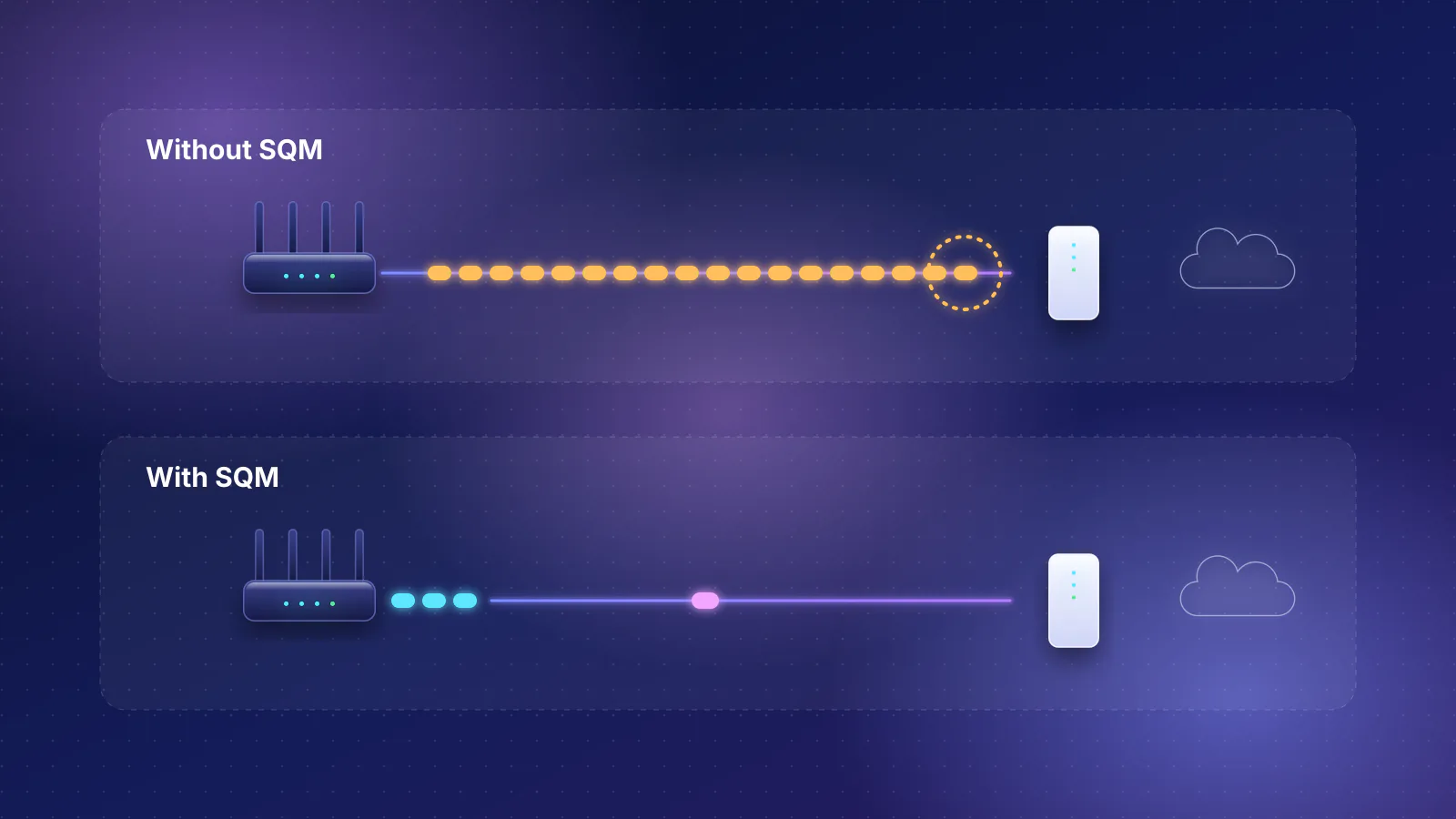
- Find the source before fixing it: jitter that appears only while the line is busy is a queue (smart queue management fixes it); jitter on Wi-Fi but not on a cable is the Wi-Fi hop; jitter on a cable at quiet times points to your provider.
This article is about the number itself. For lag in games specifically, start with the low-lag fixes in order; for why Wi-Fi adds jitter that a cable doesn't, see Ethernet vs Wi-Fi for gaming.
What jitter is, and what it isn't
Cisco's voice-quality documentation puts it in one line: "Jitter is defined as a variation in the delay of received packets." Latency (or ping) is how long a packet takes to make the trip; jitter is how much that time changes from one packet to the next. Packet loss is a third, separate measure: packets that never arrive at all.
The distinction matters because the fixes differ. High but steady latency usually comes from distance to the server, which nothing in your home can shorten. Jitter usually comes from queues and shared radio time, which often can be fixed, and most of it is added somewhere you can test: your Wi-Fi, your router's queue or your provider's line.
Why every test reports a different jitter
There is no single jitter formula. Four in common use, applied to the same six ping readings (20, 22, 21, 45, 20 and 21 ms: steady apart from one spike), give four different answers. The arithmetic is ours; the methods are each source's own.
| Method | Who uses it | Result for the six readings |
|---|---|---|
| Average change between consecutive readings | Cloudflare's speed test: "the average distance between consecutive latency measurements" | Changes of 2, 1, 24, 25 and 1 ms average 10.6 ms |
| Smoothed running estimate | RTP, the protocol under most voice and video calls (RFC 3550): each new change moves the estimate by 1/16 of the difference | The 24 ms jump raises the estimate by only about 1.5 ms; it takes a long run of changes to settle |
| Standard deviation of the readings | A general statistical measure of spread that some tools report | 9.0 ms (population standard deviation) |
| Range above the fastest packet (PDV) | RFC 5481's packet delay variation, used to size jitter buffers | 45 − 20 = 25 ms |
The details behind the table:
- RFC 3550 defines interarrival jitter as "the mean deviation (smoothed absolute value) of the difference D in packet spacing at the receiver compared to the sender for a pair of packets", updated with each packet as J(i) = J(i-1) + (|D(i-1,i)| - J(i-1))/16. The RFC says the 1/16 gain "gives a good noise reduction ratio while maintaining a reasonable rate of convergence". So the number a call app reports reacts slowly to a single spike and reflects sustained wobble. (It compares one-way packet spacing, not round trips; we applied the update rule to ping readings only to show its behavior.)
- RFC 5481, an informational IETF memo, describes "two different formulations of delay variation". Inter-packet delay variation (IPDV) is the difference between consecutive packets' delays; packet delay variation (PDV) is each packet's delay minus the minimum. For jitter buffers the memo says "the range (max-min) or the 99.9th percentile of PDV (pseudo-range) are closely related to the buffer size needed."
- Cloudflare's speed test: the documentation of its open-source measurement engine says the default sequence takes 20 latency samples and reports their median (the 50th percentile) as latency. Cloudflare's own description: "Jitter is the average variation found in consecutive latency measurements."
The practical rule: a jitter figure is only comparable with another from the same tool. A 3 ms reading in a call app's statistics and a 10 ms reading on a speed test can describe the same connection.
How much jitter is too much
No one standard number fits every use, and each threshold below is measured over a different path. These are the published ones:
| Source | What it covers | Jitter threshold |
|---|---|---|
| Microsoft Teams network targets | Your device to Microsoft's network edge, including Wi-Fi and your local network | Packet inter-arrival jitter under 30 ms during any 15-second interval |
| Microsoft Teams network targets | The edge of your network to Microsoft's edge (excludes Wi-Fi and your local network) | Under 15 ms during any 15-second interval |
| Cloudflare AIM score, video calls (2023 rubric) | Speed test results from your device | 10 points under 10 ms, 5 points under 20 ms, none above 20 ms |
| Cisco Meraki, citing Cisco's enterprise QoS design guide | Voice calls | 30 ms or less; above 40 ms "can cause severe degradation in the quality of a call" |
Two things follow. First, Microsoft allows the whole path from your device 30 ms and the part outside your home only 15 ms, so your Wi-Fi and local network shouldn't add much of their own. Second, a result between about 10 and 30 ms on a speed test isn't a failure, but on Cloudflare's rubric it already costs points for video calls. Cloudflare notes its scores "aren't designed to be static", so treat the rubric as a 2023 snapshot; its current documentation (updated April 2026) lists jitter among the metrics but doesn't publish the points.
Microsoft's targets also include latency (under 50 ms one way, under 100 ms round trip from the device) and burst packet loss (under 10% in any 200 ms interval from the device). A connection with low jitter and high loss will still give poor calls.
Why calls and games react differently
Calls buffer. A voice or video app can't play a packet before it arrives, so it holds a short queue of incoming packets, the jitter buffer, and plays them out at a steady pace. Cisco describes the buffer as running "in an adaptive mode where it dynamically adjusts to the amount of jitter present", and says that when packets fall outside it, "the out-of-range packets are discarded and dropouts are heard in the audio." The trade-off follows from RFC 5481's sizing note: a buffer big enough to absorb a 25 ms spread has to hold packets back by about that much, so more jitter means either more delay in the conversation or more dropouts.
Games mostly suffer the spikes. Cloudflare's quality score for gaming is "packet loss + unloaded latency + (loaded latency - unloaded latency difference)": jitter isn't in it, but the rise in latency while the line is busy is. That rise is the signature of bufferbloat. The bufferbloat guide explains the test.
Find where your jitter comes from
Each of these tests removes one suspect. Run the same test tool each time, so the numbers compare.
- Ping your router from the device. This measures only your Wi-Fi or cable hop, with no internet in the path. The five-minute router ping gives the commands. Swings here are local.
- Test idle, then under load. Run a test that reports latency during the download and upload phases (loaded latency), or start a large upload and watch the ping. Jitter that appears only under load is a queue filling at the slowest link.
- Test on a cable. Plug a computer into the router and repeat. If the jitter disappears, the Wi-Fi hop is the cause; if it stays, it's the connection or beyond.
- Test at a quiet time and in the evening. Jitter on a cable that comes and goes with the time of day, while the line is otherwise idle, points to congestion at your provider; see checking the time of day.
| What you see | Likely source | Where to start |
|---|---|---|
| Router ping swings on Wi-Fi, steady on a cable | The Wi-Fi hop: distance, walls, a crowded channel, power saving | Move closer or add a wired access point; see the fixes below |
| Steady when idle, jumps during a download or upload | Bufferbloat at the modem or provider link | Smart queue management on your router |
| Jumps on Wi-Fi only when other devices are busy | Shared airtime on the Wi-Fi channel | The busy-home playbook |
| Wired, idle and still swinging, worse in the evening | Your provider's network or line | What to tell your provider |
| Fine on every test, bad in one app | The app's server or route | Check the service's status page; nothing at home will change it |
RouterHaus's Network Health check runs a speed test that records idle latency, jitter and latency while downloading and uploading, and explains which of these patterns your result points to. Run it once on a cable and once on Wi-Fi in the same spot to split the local hop from the rest of the path.
How to lower jitter, by cause
The Wi-Fi hop. Devices on a channel take turns to transmit, frames lost to interference are resent, and a distant, slow device holds the channel longer, so each packet can wait a different amount (the mechanisms, with their sources). In order of cost:
- Use a cable for the device that matters (a desktop, console or work laptop at a desk). It removes the shared radio hop entirely.
- Get the device closer to an access point, or the access point closer to the device. A strong signal means fewer resends and less time on the air per packet. Measure room by room first.
- Where the signal is strong, use 5 GHz or 6 GHz rather than 2.4 GHz. Apple recommends limiting 2.4 GHz to 20 MHz channels, which it says "helps to avoid performance and reliability issues", and leaving 5 and 6 GHz on automatic widths.
- On mesh systems, wire the backhaul between nodes, so client traffic isn't sharing a wireless hop with the link back to the router; see the hop that halves your speed.
A busy connection. Turn on smart queue management (SQM, often CAKE or fq_codel) on the router that routes your connection, with limits a little below your measured speeds. It keeps the queue short while uploads and downloads run. The SQM guide covers the settings and what it costs in throughput. Device or app "priority" QoS is not the same thing.
The provider. Wired, idle jitter that changes with the time of day isn't something a router setting fixes. Record a few wired results at quiet and busy times, with the time and server, and take them to your provider.
The far end. Distance and the route to a game or call server set a floor you can't lower at home. If everything else checks out, a closer server region is the only lever.
Frequently asked questions
Is 5 ms of jitter good?
Yes, by every published threshold here. It is under Microsoft's 15 ms target for the part of the path outside your home and under the 10 ms that earns full points on Cloudflare's 2023 video-call rubric. Compare it with earlier results from the same tool rather than with another tool's number.
Why does one speed test show 2 ms of jitter and another 12 ms?
They calculate it differently and measure different paths. Cloudflare averages the change between consecutive latency samples to its own server; another test may use a standard deviation, a range, or a different server and number of samples. Run the same test several times and compare like with like.
Does jitter slow down downloads?
Not directly. Downloads are limited by throughput, and a large transfer tolerates variable delay. The causes often overlap, though: a weak Wi-Fi signal lowers throughput and adds jitter at the same time.
Can a faster internet plan fix jitter?
Only when the jitter comes from a saturated connection, and even then smart queue management usually fixes it without a new plan. Jitter from the Wi-Fi hop or from your provider's network doesn't change with plan speed.
Is jitter the same as packet loss?
No. Jitter is variation in delay among packets that arrive; packet loss counts packets that never arrive. Call apps turn severe jitter into loss of their own, because packets that arrive after the jitter buffer has played their slot are discarded.
What jitter does a game need?
Game makers rarely publish a jitter figure. Cloudflare's gaming score doesn't use jitter at all; it weighs packet loss, idle latency and how much latency rises under load. Fix spikes under load first, then the Wi-Fi hop.
Working from home and the calls are the problem? The home office troubleshooting list covers the router and Wi-Fi side. Not sure what's wrong at all? The lag fixer asks a few questions and starts with the free fixes.
Sources
Read on November 26, 2026.
- IETF RFC 3550: RTP, a transport protocol for real-time applications (section 6.4.1, interarrival jitter)
- IETF RFC 5481: Packet delay variation applicability statement (informational, March 2009)
- Microsoft Learn: Understand Teams network requirements (network performance targets)
- Cloudflare: AIM scoring rubric and formulas (April 18, 2023)
- Cloudflare developer documentation: Aggregated Internet Measurement
- Cloudflare: speedtest measurement engine (README: default measurements, latency percentile, jitter)
- Cloudflare: Test your home network performance (May 26, 2020)
- Cloudflare: How does Cloudflare's Speed Test really work? (October 27, 2025)
- Cisco: Understand jitter in packet voice networks (document 18902)
- Cisco Meraki documentation: What is jitter?
- Apple Support: Recommended settings for Wi-Fi routers and access points