
The short version
- Wire the server. Put the NAS, mini PC or desktop on Ethernet at the router or a switch. At home, a stream crosses only your own network, never your internet plan.
- A 1 Gbps (1 GbE) server link is enough for most homes. By the arithmetic below it carries about seven streams even at the Ultra HD Blu-ray maximum of 127.9 Mbps, and dozens at ordinary bitrates. 2.5 GbE matters when the server also takes big file copies or backups while people watch.
- The slow link is often the player. Roku lists its Ultra and Amazon its Fire TV Cube (3rd gen) with 10/100 Ethernet ports, which carry about 95 Mbps: below the highest peaks a full-quality 4K disc copy can reach.
- Away from home, every stream leaves through your upload. A 20 Mbps upload carries at most one 20 Mbps stream. Remote access also needs a connection that accepts incoming traffic: double NAT breaks automatic setup, and carrier-grade NAT (CGNAT) blocks incoming connections outright.
- Caveat for Plex: remote video playback now needs a Plex Pass (on your account or the server owner's) or a Remote Watch Pass. Plex began enforcing this app by app on April 29, 2025, and extended it to Fire TV, smart TVs and consoles on April 29, 2026. Its Relay fallback is capped at 2 Mbps. Jellyfin has no relay: you forward a port, run a reverse proxy, or use a VPN.
Where the server sits and how a stream moves
Both projects describe playback the same way. When the player can handle the file as it is, the server sends it unchanged (direct play). When only the container (the file wrapper, such as MKV) or the audio doesn't suit the player, the server repackages it or converts just the audio (Plex calls both direct stream; Jellyfin calls them remux and direct stream). When the video itself has to change, the server transcodes: it re-encodes the video, which is the heavy work. Plex's overview gives the example of "a 4K source video streamed out at a lower bit rate 720p to reduce the data used".
For the network: direct play sends the file's own bitrate, peaks included, so the network has to carry the original. Only a transcode makes a stream smaller, and it costs server processor or graphics time, not network capacity.
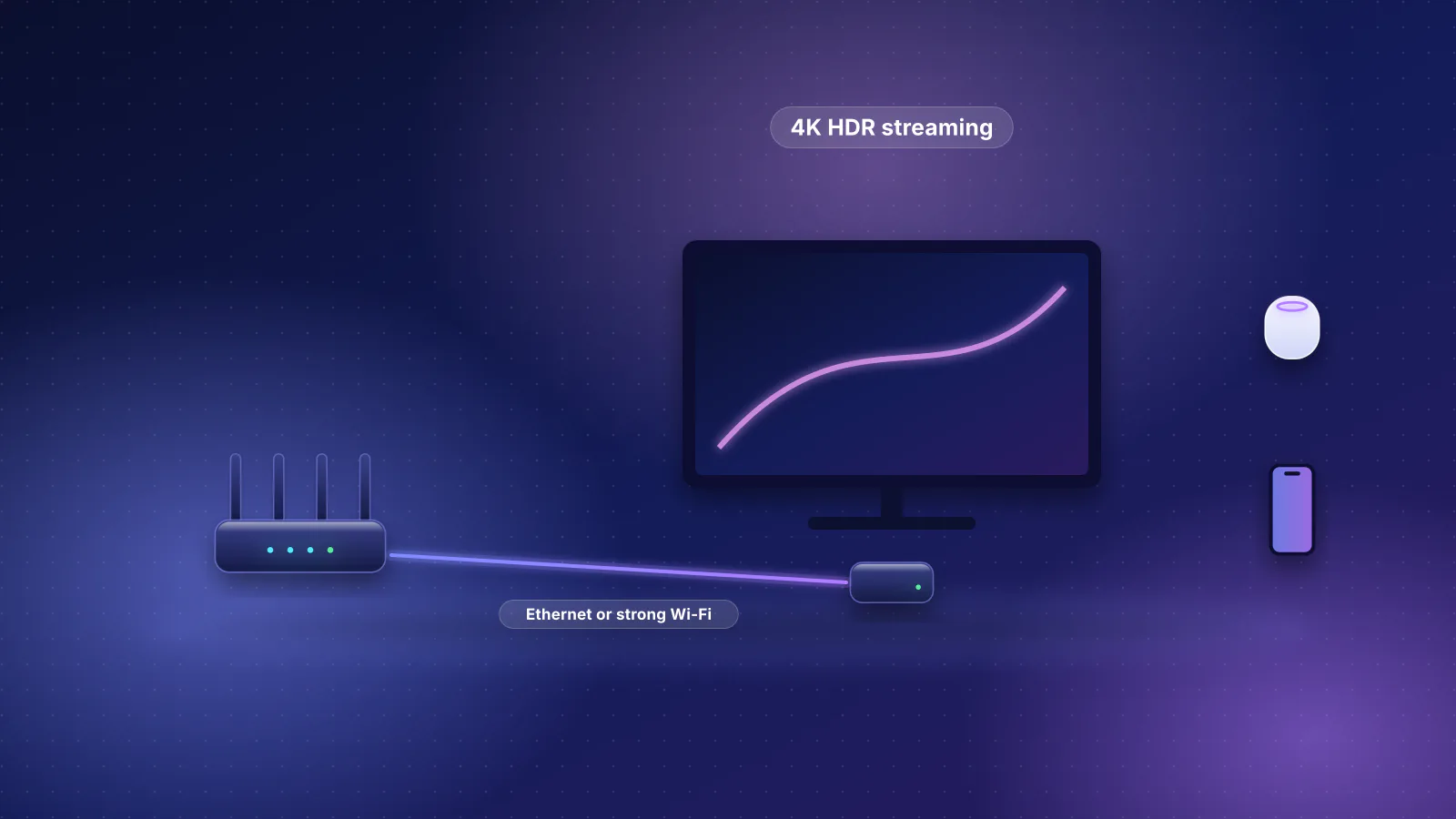
In the home, the stream goes server, router or switch, then the TV; your internet plan isn't in the path, so a faster plan won't fix in-home buffering. The server is the one device that serves every stream, so give it the best link in the house: an Ethernet cable to the router or to a switch in the same closet. If you're planning cable runs, the structured wiring guide covers where to put drops for a network closet and the TV wall.
- Media server 2.5 GbE port
- Router or switch 2.5 GbE LAN port
- Cable to the TV room Cat6 run
- Streaming box 10/100 Ethernet: about 95 Mbps usable
How much bandwidth one stream needs
Neither project publishes a table of bitrates per resolution, because a stream is as big as the file or the transcode you ask for. These are the documented reference points:
| Reference point | Bitrate | Where it comes from |
|---|---|---|
| Ultra HD Blu-ray, highest transport stream rate | 127.9 Mbps | Blu-ray Disc Association: the outer zone of two-zone 66 GB and 100 GB discs; other disc types top out at 64, 81.7 or 109 Mbps |
| Ultra HD Blu-ray, 4K HEVC video alone | 100 Mbps maximum | Same white paper; audio comes on top |
| 1080p AVC (H.264) video on the same format | 40 Mbps maximum | Same white paper |
| What most smart TVs handle in the Plex app | Peaks under 20 Mbps | Plex's smart TV article: "Most devices can handle streams with peak bitrates < 20Mbps" |
| A per-stream cap for remote viewers | 4 Mbps | Plex's own example for its "Limit remote stream bitrate" setting |
| Plex Relay | 2 Mbps maximum | Plex's Relay article |
A full-quality copy of a 4K disc (a remux: the disc's streams in a new container, not re-encoded) can therefore peak near 128 Mbps, while most transcoded or web-sourced files sit far lower. Bitrate peaks matter more than averages, because direct play sends them as they come.
Where hardware transcoding comes in: when a link or a player can't take the original, the server has to transcode, and that's what lets a 2 Mbps relay or a small upload carry anything at all. Plex's hardware-accelerated transcoding requires a Plex Pass except on some specific devices, and Plex warns that transcoding 4K "is a very intensive process". Jellyfin supports hardware acceleration on modern Intel, AMD, Nvidia, Apple and Rockchip graphics, and says that for turning HDR into SDR during a transcode "a GPU is always recommended".
1 GbE or 2.5 GbE for the server
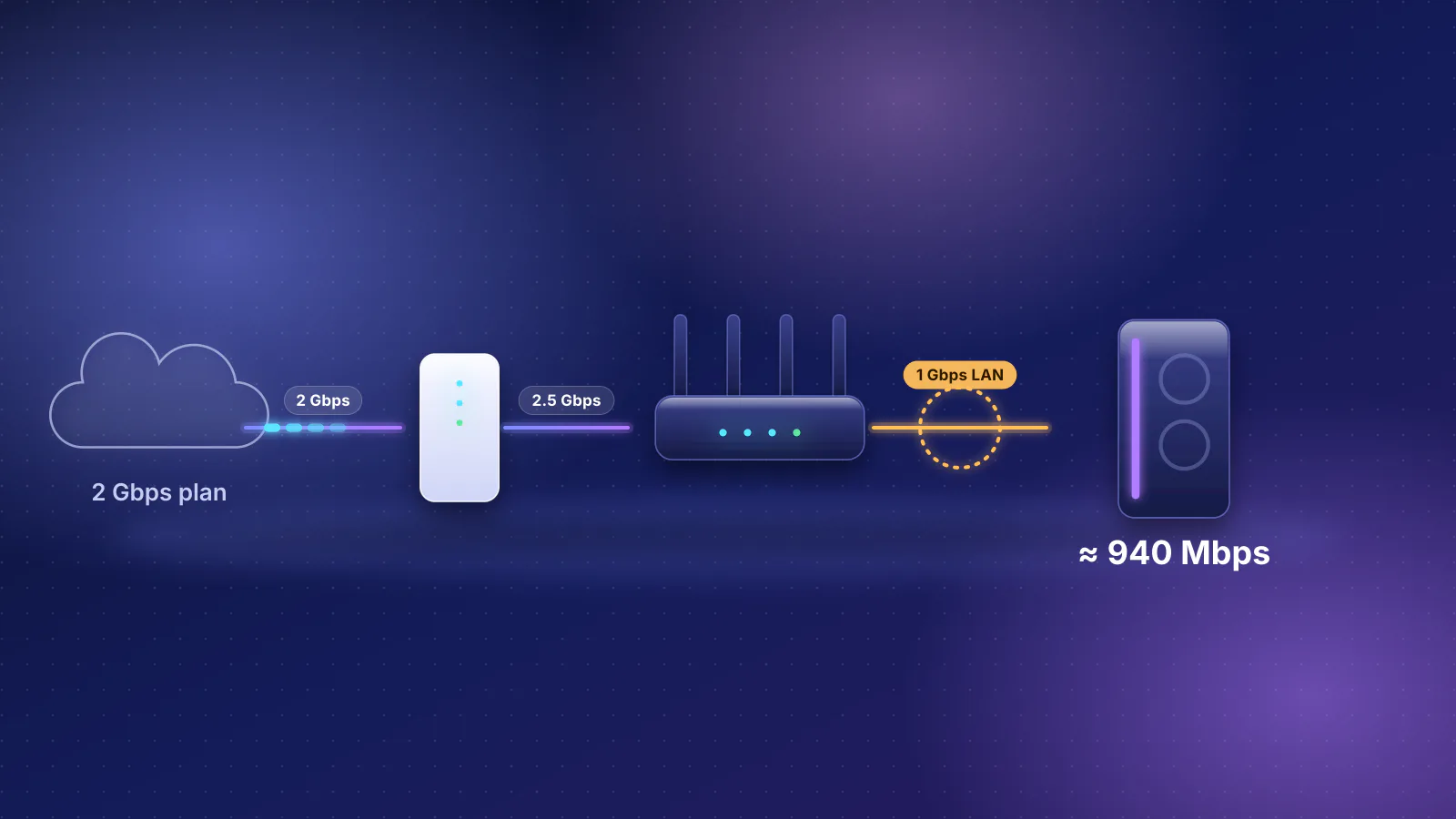
RFC 6349, the IETF's framework for TCP throughput testing, works out the most TCP data a link can carry with standard 1,500-byte packets: 94.9 Mbps on 100 Mbps Ethernet and 949.2 Mbps on 1 GbE. The same overhead gives about 2,373 Mbps on 2.5 GbE. Dividing by the per-stream rates above gives the ceilings below. This is arithmetic, not a measurement: real numbers are lower when the server's disks, other traffic or Wi-Fi get in the way.
| Stream | 100 Mbps port | 1 GbE | 2.5 GbE |
|---|---|---|---|
| 127.9 Mbps (4K disc maximum) | 0 (too slow for one) | 7 | 18 |
| 40 Mbps (1080p disc video maximum) | 2 | 23 | 59 |
| 20 Mbps (Plex's smart TV peak) | 4 | 47 | 118 |
| 4 Mbps (Plex's remote-cap example) | 23 | 237 | 593 |
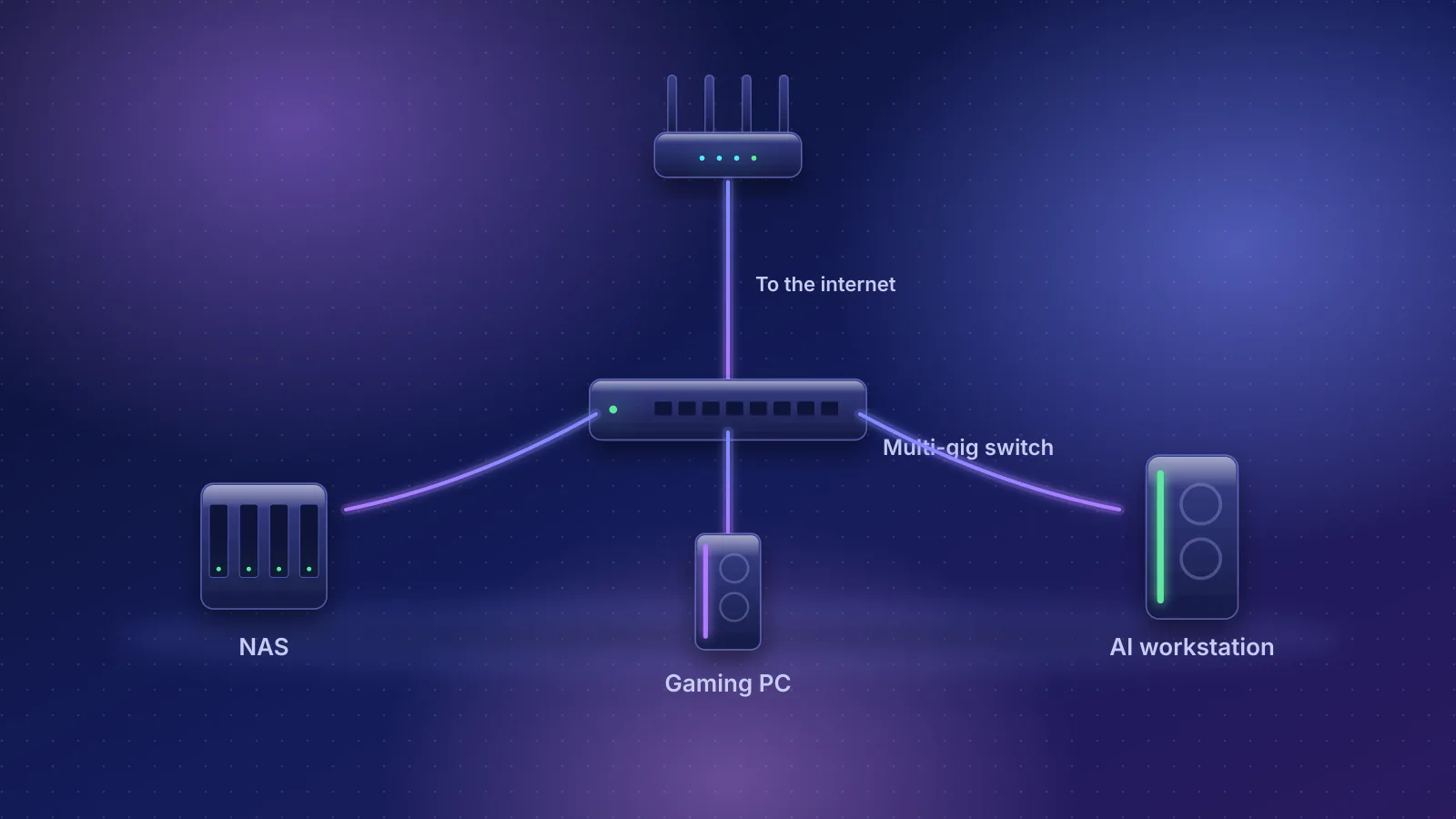
So a 1 GbE server link covers several people watching disc-quality 4K at once. Move the server to 2.5 GbE when the same link also carries file copies to the server, backups or a download client, because those transfers take whatever capacity the streams leave. Both ends need it: a 2.5 GbE port on the server and on the router or switch it plugs into. The NAS, gaming PC and workstation network guide covers sizing those transfers.

If the router is also the switch for the server, its LAN ports set the limit. The table below lists every Wi-Fi router in the RouterHaus catalog with at least three dedicated 2.5 Gbps LAN ports (the server, a second multi-gig computer and an uplink to a switch) and a price of $300 or less confirmed in the maker's own store, including any checkout surcharge; unconfirmed prices are left out. A 2.5 GbE switch next to the router does the same job with any router.
| Product | Internet port | Fastest LAN port | Maker's routing, plan or wired-speed figure | Price |
|---|---|---|---|---|
| GL.iNet Flint 3 (GL-BE9300) Router · Wi-Fi 7 |
2.5 Gbps | 2.5 Gbps | Not published | $209.99 Manufacturer store price, checked October 20, 2026 |
| ASUS RT-BE86U Router · Wi-Fi 7 |
10 Gbps | 2.5 Gbps | Not published | $269.99 Manufacturer store price, checked October 20, 2026 |
| ASUS TUF Gaming BE9400 (TUF-BE9400) Router · Wi-Fi 7 |
2.5 Gbps | 2.5 Gbps | Not published | $279.99 Manufacturer store price, checked October 20, 2026 |
| ASUS RT-BE92U Router · Wi-Fi 7 |
10 Gbps | 2.5 Gbps | Not published | $289.99 Manufacturer store price, checked October 20, 2026 |
TVs, streaming boxes and Wi-Fi
Check the player's Ethernet port before you blame the server. Roku's spec page for the Roku Ultra lists "10/100 Base-T Ethernet" next to Wi-Fi 6, and Amazon's developer specifications for the Fire TV Cube (3rd gen) list "10/100 Ethernet". A 10/100 port carries at most about 95 Mbps of TCP data (RFC 6349's figure), less than the highest peaks of a 4K remux, so the highest-bitrate files can stall when a peak outlasts the player's buffer, or get transcoded. Apple, by contrast, lists Gigabit Ethernet for the current Apple TV 4K, and the 2022 model has Ethernet only on its 128 GB Wi-Fi + Ethernet version; see the Apple TV 4K network setup guide. Smart TV ports vary by model: look for "10/100" or "100BASE-TX" in your model's specifications.
On a player with a 10/100 port, a strong Wi-Fi connection can be the faster path for high-bitrate files. The Wi-Fi link rate a device reports is not throughput: the usable rate depends on signal, walls and how many devices share the airtime, so an access point or mesh unit in the TV room helps. See why range matters and how many devices share Wi-Fi capacity.
Network speed isn't the only reason a player transcodes. Plex's smart TV baseline for direct play is MP4 with H.264 video up to 1080p (HEVC up to 4K on supported models), with more formats on some brands, and Jellyfin's codec table varies by client. A codec or subtitle mismatch looks like a network problem on screen, so check the playback type in the server dashboard before buying hardware.
Keep the server and players on the same network
Plex decides "local" by subnet: playback counts as remote any time the app "cannot make a connection to the Plex Media Server on the same subnet of the same local network". Plex lists common causes inside one house: multiple subnets or "restrictions on devices being able to see each other", DNS rebinding protection, privacy settings that block local connections, containers without host networking, and VPNs. A TV in your living room that Plex classes as remote needs the remote-playback subscription and gets your remote bandwidth limits.
- Separate VLANs or a guest network for TVs: the simplest fix is to put the server and players on the same subnet. Plex's LAN Networks setting lists extra subnets as local, but Plex documents it only for bandwidth limits, not for the remote-playback rule, and it needs a Plex Pass on the server owner's account, which already lets every user of that server play remotely. In Jellyfin, add the TV subnet under Networking, Local Networks, which Jellyfin uses to decide which users and devices count as external.
- DNS rebinding protection: some routers and DNS services block the plex.direct addresses Plex's secure connections use. Plex documents fixes for dnsmasq (
rebind-domain-ok=/plex.direct/) and pfSense, or switching DNS provider. Its default Treat WAN IP As LAN Bandwidth setting keeps local apps that loop out through your public address from being held to remote bandwidth limits. - Discovery and DLNA: Jellyfin's client discovery (UDP 7359) works only in the local subnet, and its DLNA plugin (separate since version 10.9) can't be found from another subnet or used remotely; in Docker it needs host networking. Plex lists its DLNA and discovery ports as local-network only.
How remote access works in each
Plex. Turn it on under Settings, Server, Remote Access with the server signed in to your Plex account. The server first tries to open a port on your router automatically with UPnP or NAT-PMP (protocols that let a device ask the router for a port forward). If that fails, forward a port yourself, which Plex calls "not an inferior configuration": the external port can be 32400 or "any available port in the 20,000 to 50,000 range", but the internal port "must always be 32400" (TCP), pointed at the server's local address, fixed with a DHCP reservation. Then tick Manually specify public port and enter the external port; Plex warns that without it the server keeps trying the automatic method "and will almost certainly fail".
If no direct connection works, Plex falls back to its Relay (in apps that support it; Plex says not all do yet), which tunnels the stream through Plex's servers. Relay is "limited to 2 Mbps maximum for streams" for Plex Pass and Remote Watch Pass subscribers alike, anything bigger is transcoded to fit, and downloads can't use it. Plex says a Relay connection "means that your app was unable to make a direct connection", so remote streams that are always low quality point to a remote-access problem.
Plex's remote-playback subscription now covers most of its apps: its support page lists the mobile apps, desktop apps, web app, Roku, PlayStation, Xbox and supported smart TVs, its blog says Fire TV and TVs from Samsung, LG and Vizio followed on April 29, 2026, and Plex expects "eventually all apps and platforms" to be affected. Music to Plexamp and photos are exempt.
Jellyfin. Its documentation says that because Jellyfin is entirely self-hosted, "you must manually expose it to the internet"; there's no relay. You expose its HTTP or HTTPS port (8096 and 8920 by default); its discovery service "should not be exposed externally". The setup wizard offers automatic port mapping, but because it relies on UPnP the project recommends disabling it "unless it is specifically required". Jellyfin lists four ways in: forwarding its ports directly ("not recommended!"), a reverse proxy, a VPN, or a reverse proxy on a rented server (VPS) that reaches your home.
| Plex | Jellyfin | |
|---|---|---|
| Port to reach | TCP 32400 internally; any external port you map to it | 8096 (HTTP) or 8920 (HTTPS); 80 and 443 when behind a reverse proxy |
| Automatic setup | UPnP or NAT-PMP, tried first | Automatic port mapping via UPnP; the project recommends disabling it |
| Fallback without a reachable port | Relay, 2 Mbps per stream | None |
| HTTPS | Plex-issued certificates (currently Let's Encrypt); "Preferred" by default | Off by default; the project recommends terminating HTTPS on a reverse proxy |
| Cost of remote video | Plex Pass or Remote Watch Pass (phased in from April 29, 2025) | None |
- Media server 1 GbE
- Your router Port forward to the server
- Your internet upload 20 Mbps on a 100/20 plan
- Viewer's network Hotel, office or mobile data
- Phone or tablet Plex or Jellyfin app
Upload speed is the real remote limit
Many plans are asymmetric. The FCC's 2026 broadband report keeps 100 Mbps down and 20 Mbps up as its benchmark for fixed broadband, so a 20 Mbps upload meets the federal benchmark. Dividing upload by stream rate, before anything else in the home uses the upload:
| Upload speed | 4 Mbps streams | 20 Mbps streams | 40 Mbps streams | 127.9 Mbps (4K disc maximum) |
|---|---|---|---|---|
| 20 Mbps (FCC benchmark) | 5 | 1 | 0 | 0 |
| 100 Mbps | 25 | 5 | 2 | 0 |
| 300 Mbps | 75 | 15 | 7 | 2 |
| 1,000 Mbps (symmetric fiber) | 250 | 50 | 25 | 7 |
This is arithmetic on speed-test results, which are already usable throughput. Cloud backups, cameras and video calls share the same upload, so leave room, and remote viewers' own connections can be the tighter limit.
Tell the server what it has. In Plex, set Internet upload speed to no more than a speed test's upload result, and optionally Limit remote stream bitrate so one viewer can't take it all; Plex's example is capping each remote stream at 4 Mbps "thus allowing multiple streams". Both settings require a Plex Pass on the server owner's account. Jellyfin has a per-user Internet streaming bitrate limit (Mbps), a limit per stream "for all out of network devices". Any cap below a file's bitrate means a transcode, so the server has to be able to do it.
When remote access fails: check in this order
- Compare addresses. Plex's troubleshooting article gives the test: find the WAN (internet) IPv4 address on your router's status page, then check your public address on a "what is my IP" site. If they match, nothing in front of your router is translating addresses. If they don't, you probably have double NAT.
- Look for carrier-grade NAT. A WAN address from 100.64.0.0 to 100.127.255.255 is RFC 6598's shared address space for carrier-grade NAT: the provider shares one public address among customers, and no forward on your router can open it. Starlink, for example, says its default IPv4 setup uses CGNAT, "does not allow inbound traffic", and that public IPv4 is an option on its Local and Global Priority plans. Plex's advice for CGNAT is to check whether your provider offers, or sells, a static public IP address.
- Fix double NAT by making one device route: bridge mode or IP passthrough on the provider's gateway, or access-point mode on your router. See double NAT and bridge mode vs IP passthrough; the provider table shows which providers support which. Plex says double NAT interferes with its automatic setup; forwarding the port on both devices can also work.
- Prefer a manual forward to UPnP. CISA says "threat actors can use UPnP to spread malware to devices in your network and control them remotely" and recommends turning it off once devices are set up. A manual forward of one port to a reserved address does the same job without leaving UPnP on.
- Check firewalls and provider security features. Plex says advanced firewalls such as pfSense can block the plex.tv servers that test whether your server is reachable, and that Xfinity's xFi Advanced Security often blocks Remote Access with no way to add a lasting exception.
- Turn off jumbo frames (packet sizes over 1,500 bytes) on the server if you set them. Plex says they cause Remote Access problems, including a green "successful" status while the server still isn't reachable.
- For Jellyfin behind a reverse proxy, add the proxy's address under Known Proxies. Otherwise Jellyfin sees every visitor as the proxy, can't tell local from remote, and "all limitations for external access will not work".
If you're stuck behind CGNAT, the documented ways out are a public IPv4 address from the provider, a mesh VPN that doesn't need an inbound port (Jellyfin's documentation covers Tailscale for exactly this case), a reverse proxy on a rented server, or for Plex, the 2 Mbps Relay. IPv6 can reach a server directly when both ends have it, but it needs a firewall rule on your router allowing the connection, and neither project documents it as a CGNAT fix. Starlink, for example, gives every customer an IPv6 prefix, but says its own routers "do not support port forwarding or firewall rules for IPv4 or IPv6", so that route needs your own router.
Exposing a server safely
An open port lets anyone on the internet reach the media server itself. Jellyfin's networking guide puts it directly: "Opening a port directly to the Internet is therefore insecure and not recommended." What each project's documentation asks for:
- Plex: forward one port, not the whole server. Plex "very strongly" recommends against letting its additional ports (DLNA, discovery, Roku control) through when the server has a public address or sits in the router's DMZ (a setting that sends all unsolicited traffic to one device).
- Plex: keep sign-in and secure connections on. Leave secure connections at the default "Preferred" (Plex advises against "Required", which locks out apps without secure-connection support), and keep the "allowed without auth" list empty: Plex warns that any device on it "will be treated as the admin/owner".
- Keep the server updated. Plex Media Server 1.41.7 through 1.42.0 had a flaw that could hand the server owner's credentials to someone with only a low-privilege login (CVE-2025-34158, rated 8.5 out of 10 by the CVE's assigner, fixed in 1.42.1).
- Jellyfin: a reverse proxy, not port 8096. Forward 80 and 443 (plus UDP 443 for HTTP/3) to the proxy. The project recommends Caddy for ease, a certificate from a trusted authority such as Let's Encrypt rather than a self-signed one, WebSocket support on the proxy, and care with proxy logs, because Jellyfin can put credentials (an
api_keyparameter) in URLs. Remote access can also be turned off globally or per user (Users, Edit User, "Allow remote connections to this server").
A VPN instead of an open media port. A WireGuard server at home (some routers have one built in) listens on a UDP port that each phone or laptop connects to, so it still needs a forwarded port and a reachable public address; what's exposed is one encrypted VPN port rather than the media server. Tailscale, a WireGuard-based service, needs no open port: devices try to connect directly using NAT traversal, and when that fails they go through a relay, either a peer relay in your own network or Tailscale's DERP servers, which Tailscale says "are generally slower than direct connections and may offer lower maximum throughput". Jellyfin's Tailscale page lists the trade-offs: no router changes and no public IP needed, but every client needs the Tailscale app and an account with a third party. Plex lists VPNs among the causes of remote classification, so its subscription rule may still apply; its Custom server access URLs setting tells apps how to reach a server over a VPN or reverse proxy.
Frequently asked questions
Does Plex or Jellyfin use my internet connection when I watch at home?
Not for the video itself when the app connects locally: the stream crosses only your home network. Jellyfin says it doesn't need an internet connection to run at all, though metadata such as artwork won't load without one. A Plex app at home that is classed as remote, for example on a separate VLAN, falls under Plex's remote rules.
Is Plex Relay good enough for remote viewing?
Mainly for phones and other small screens. Plex caps Relay at 2 Mbps per stream for every subscriber, transcodes anything bigger to fit, and doesn't allow downloads over Relay. If your streams are always at Relay quality, direct Remote Access isn't working; start with the address check in the troubleshooting list above.
Should I put the media server in my router's DMZ to make remote access work?
No. A DMZ exposes every port on the server, including the local-only ones Plex very strongly recommends keeping closed. Forward the one port each project needs, or use a reverse proxy or VPN.
Can I use the WireGuard server built into my router instead of opening a Plex or Jellyfin port?
Yes, if your connection has a public IPv4 address that reaches the router (with double NAT, forward the VPN port on the provider's gateway too): the router listens on one UDP port and your devices connect to it, then reach the server as if they were home. By the same logic it won't help behind carrier-grade NAT, because nothing from outside can reach that port; a mesh VPN such as Tailscale, which doesn't need an inbound port, is the documented option there. On Plex, VPN connections may still count as remote.
Sources
Read on October 21, 2026.
- Plex: Remote Streaming (Setting Up Remote Access)
- Plex: Troubleshooting Remote Access
- Plex: Accessing a Server through Relay
- Plex: Requirements for Remote Playback of Personal Media and Important 2025 Plex Updates (with the April 29, 2026 update)
- Plex: Network settings
- Plex: What network ports do I need to allow through my firewall?
- Plex: How to Use Secure Server Connections
- Plex: Direct Play, Direct Stream, Transcoding Overview and Streaming Media: Direct Play and Direct Stream
- Plex: What media formats are supported on Smart TVs?
- Plex: Using Hardware-Accelerated Streaming
- NIST National Vulnerability Database: CVE-2025-34158 (Plex Media Server)
- Jellyfin: Networking, Reverse Proxy and Tailscale
- Jellyfin: Setup Wizard Walkthrough and Managing Users
- Jellyfin: Transcoding, Codec Support and DLNA
- Blu-ray Disc Association: White paper, Ultra HD Blu-ray Audio Visual Application Format Specifications for BD-ROM Version 3.0 (July 2015, PDF, Internet Archive copy)
- RFC 6349: Framework for TCP throughput testing (maximum TCP throughput per Ethernet speed)
- RFC 6598: Shared address space for carrier-grade NAT (100.64.0.0/10)
- Roku: Roku Ultra specifications
- Amazon: Device specifications, Fire TV Cube
- Apple: Apple TV 4K technical specifications and Apple TV 4K (3rd generation) tech specs
- Starlink: What IP address does Starlink provide?
- FCC: 2026 Section 706 Report (FCC 26-55, PDF)
- CISA: Project Upskill, Module 5: Securing your home Wi-Fi
- WireGuard: Quick start
- Tailscale: Connection types
.jpg)