The short version
- Using a model needs almost no bandwidth. A chat answer streams as text, roughly kilobytes per second, so phones and laptops on Wi-Fi are fine. When one machine runs the model from its own SSD, 10GbE won't make it answer faster.
- Moving model files is where link speed shows. The downloads in our table run from about 5 GB (a small 4-bit model) to about 690 GB (DeepSeek-V3). At line rate, a 145 GB model takes 19 minutes over 1 Gbps and under 2 minutes over 10 Gbps.
- The disks often decide first. Even a fast 32 TB NAS hard drive is rated at about 2.3 Gbps at best, and a SATA SSD at about 4.5 Gbps, so a 10GbE link to a hard-drive NAS mostly waits on the drives. 10GbE pays off when both ends have NVMe or a fast multi-drive array.
- 2.5GbE is the better-value step when your storage is hard drives, when files move occasionally, or when the cabling is Cat5e. Go to 10GbE when you copy large models between fast machines often, or when you link machines to run one model.
- The internet plan limits the first download, not your LAN. Download once, keep the files on the network, and copy them locally.
What crosses the network when you run a model
When you type a prompt into a model served on another machine, the request is a few kilobytes of text and the answer comes back as text. Ollama, a popular local model server, streams its answer as a series of small JSON objects, each carrying a piece of text. The streaming example in its API documentation is 101 bytes with the spaces removed for the generate endpoint, and 145 bytes for the chat endpoint. The documentation's sample generate run produced 259 tokens (word pieces) in about 4.2 seconds, around 61 per second.
Arithmetic, not a measurement: 61 objects a second at 100 to 145 bytes each is about 6 to 9 KB/s, under 0.1 Mbps before network overhead. Even if real responses were ten times bigger, a Wi-Fi phone would not notice. A generated 1024 × 1024 image is about 3 MB uncompressed (1024 × 1024 pixels × 3 bytes), smaller once saved. Images you send to a vision model go in the request as base64 text, so they're about a third bigger than the file, but still only megabytes.
So speed between the AI box and the people using it is rarely the issue. Two things are big:
- Model files, each time you download, copy or load one from another machine.
- Datasets, checkpoints and backups, if you fine-tune models or back up the workstation to a NAS (network storage box).
One network setting matters for serving: Ollama listens only on the machine itself (127.0.0.1) by default. To reach it from other devices you set its OLLAMA_HOST variable to a network address, which also makes it reachable by everything on that network, so keep it off guest networks and away from port forwards.
How big model files really are
A model's download is roughly its parameter count times the bytes stored per parameter. The sizes below are the totals of the weight files in each maker's repository on Hugging Face, checked October 21, 2026. All of these repositories are public, so you can check them without an account. GB here means a billion bytes, the unit Hugging Face and drive makers use.
| Model (publisher) | Format | Files | Total size |
|---|---|---|---|
| Qwen2.5-7B-Instruct (Qwen) | GGUF, Q4_K_M (4-bit) | 2 | 4.68 GB |
| Stable Diffusion XL base 1.0 (Stability AI) | Single safetensors checkpoint | 1 | 6.94 GB |
| Qwen2.5-7B-Instruct (Qwen) | safetensors, BF16 (16-bit) | 4 | 15.23 GB |
| Qwen2.5-72B-Instruct (Qwen) | GGUF, Q4_K_M (4-bit) | 12 | 44.01 GB |
| Qwen2.5-72B-Instruct (Qwen) | safetensors, BF16 (16-bit) | 37 | 145.41 GB |
| DeepSeek-V3 (DeepSeek) | safetensors, FP8 (8-bit) | 163 | 688.59 GB |
The rule of thumb holds up. Qwen lists its 72B model at 72.7 billion parameters; at 2 bytes each that's 145.4 GB, matching the repository. Its 4-bit Q4_K_M build is a little larger than a pure 4-bit estimate (36 GB): 44.01 GB × 8 ÷ 72.7 billion works out to about 4.8 bits per weight, because the format keeps some parts at higher precision. DeepSeek says it publishes only FP8 weights and that the 685B total includes 14B of extra prediction-module weights. Image models are smaller: the SDXL file is 6.94 GB.
Transfer times at 1, 2.5, 5 and 10 Gbps
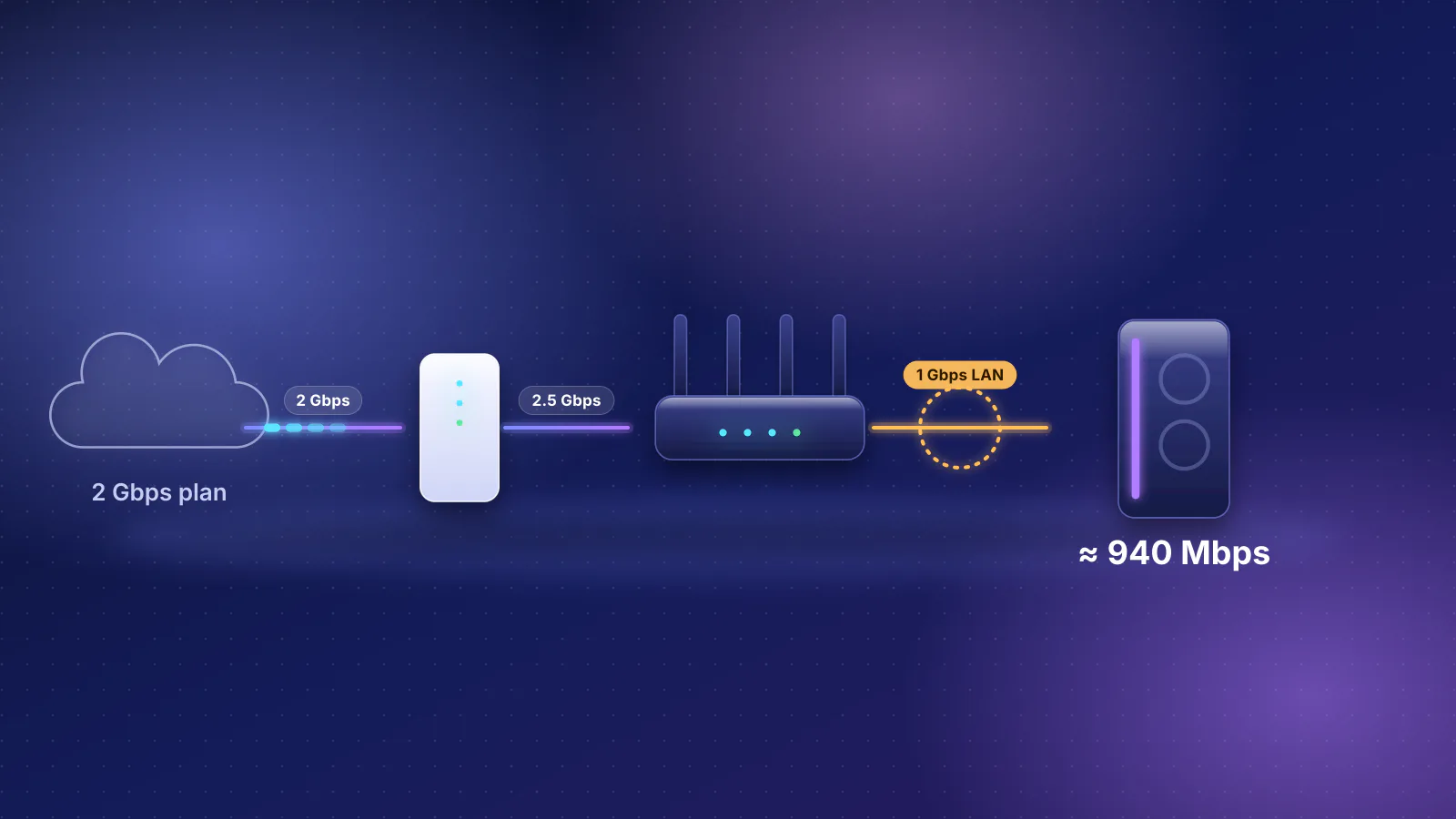
This is arithmetic, not a measurement: size in bits divided by the link rate. Real copies are slower. A 1 Gbps link typically delivers about 940 Mbps of real throughput (see our router guide), file-sharing protocols add their own overhead, and the disks at both ends have to keep up (next section).
| File | 1 Gbps | 2.5 Gbps | 5 Gbps | 10 Gbps |
|---|---|---|---|---|
| 7B, 4-bit (4.68 GB) | 37 s | 15 s | 7 s | 4 s |
| SDXL base (6.94 GB) | 56 s | 22 s | 11 s | 6 s |
| 7B, 16-bit (15.23 GB) | 2 min 2 s | 49 s | 24 s | 12 s |
| 72B, 4-bit (44.01 GB) | 5 min 52 s | 2 min 21 s | 1 min 10 s | 35 s |
| 72B, 16-bit (145.41 GB) | 19 min 23 s | 7 min 45 s | 3 min 53 s | 1 min 56 s |
| DeepSeek-V3 (688.59 GB) | 1 h 32 min | 37 min | 18 min | 9 min 11 s |
Read it as a question of how often you wait. Copying a 4-bit 7B model once a month is a non-event even at 1 Gbps. Moving 16-bit 70B-class models between a NAS and a workstation several times a week is where 10GbE turns minutes into seconds, if the storage keeps up.
The disks usually decide first
A network link can only go as fast as the slower disk at either end. Converting makers' published sequential figures to network units (MB/s × 8 ÷ 1,000 = Gbps) shows which link each can fill:
| Storage | Maker's figure | In Gbps | Fastest link it can fill |
|---|---|---|---|
| One NAS hard drive (Seagate IronWolf Pro 32TB) | 285 MB/s max sustained, outer tracks | 2.3 | About 2.5 Gbps, only at best |
| SATA SSD (Samsung 870 EVO) | 560 MB/s read | 4.5 | 5 Gbps, nearly |
| 4-bay NAS (Synology DS925+) | 522 MB/s read, 565 MB/s write | 4.2 / 4.5 | 5 Gbps, nearly |
| 8-bay NAS (Synology DS1825+) | 2,239 MB/s read, 1,573 MB/s write | 17.9 / 12.6 | 10 Gbps, with room to spare |
| PCIe 4.0 NVMe SSD (Samsung 990 PRO 2TB) | 7,450 MB/s read | 59.6 | Any home link |
These are the makers' best-case figures. Seagate's is for the outer edge of the platters, and Synology says its NAS figures come from internal testing and vary with configuration. Three practical consequences:
- Storage limited to one hard drive's speed can't quite fill a 2.5 Gbps link, so a 10 Gbps link mostly waits. Multi-drive arrays read faster, as Synology's figures show, but the speed depends on the array and the file.
- The Synology DS925+ has two 2.5GbE ports and no 10GbE option on its product page; its 522 MB/s figure is above what one 2.5 Gbps port carries (312.5 MB/s). The larger DS1825+ also ships with two 2.5GbE ports but lists 10GbE and 25GbE add-in cards, and its figures exceed a 10 Gbps link (1,250 MB/s).
- NVMe on both ends is the case where 10GbE is the limit, and the table above applies almost directly.
When 2.5 or 5GbE is the better buy
2.5GBASE-T and 5GBASE-T (IEEE 802.3bz, 2016) were designed for existing cabling. IEEE's objectives target 2.5 Gbps over 100 m of Cat5e and 5 Gbps over 100 m of Cat6, with Cat5e for 5 Gbps on defined use cases. Choose them over 10GbE when:
- Your NAS is hard drives or a DS925+-class box. Its own figures sit at or below 5 Gbps.
- Files move occasionally. A 44 GB 4-bit 72B model takes 2 min 21 s at 2.5 Gbps by the arithmetic above, against 35 s at 10 Gbps. Done once a week, the difference is small.
- The walls hold Cat5e. 10GBASE-T isn't specified for it (next section).
- Ports are already there. 2.5 Gbps ports are common on current routers and NAS units, and 2.5GbE switches cost less. In the RouterHaus catalog, the Zyxel XMG-108 has eight 2.5 Gbps ports and a 10G SFP+ uplink for $89.99 (Zyxel US store), and the Ubiquiti Switch Flex Mini 2.5G has five 2.5 Gbps ports for $54 with Ubiquiti's US surcharge ($49 before it), both checked October 20, 2026.
What 10GbE needs end to end
Every link between the two machines has to run at 10 Gbps: both network adapters, the switch ports, and the cable or module in between.
Adapters
Some AI-oriented machines include it. Apple's Mac Studio spec page lists 10Gb Ethernet that also runs at 1, 2.5 and 5 Gb, and NVIDIA's hardware guide lists a 10 GbE RJ-45 port on DGX Spark. For a PC, a PCIe card does the job; Intel's X550-T2, for example, is a two-port card that Intel lists at 10, 5, 2.5 and 1 Gbps. Multi-speed support is what lets you buy the adapter now and the switch later: an adapter that supports 2.5GBASE-T links at 2.5 Gbps to a 2.5 Gbps switch port, but one that doesn't falls back to 1 Gbps. Check the operating system too. Intel's X550-T2 page notes "NBASE-T support in Linux Only", so on Windows that card may connect to a 2.5 Gbps port at only 1 Gbps.

Switch
Ten-gigabit switches in the RouterHaus catalog, with the maker's price and power figures, checked October 20, 2026:
- QNAP QSW-2104-2T-R2: two 10GBASE-T ports plus four 2.5 Gbps ports, unmanaged and fanless, 18 W maximum. $119 on QNAP's US store. Two 10G ports are exactly enough for a workstation and a NAS.
- MikroTik CRS304-4XG-IN: four 10GBASE-T ports plus a 1 Gbps management port, 21 W maximum (15 W without anything attached). MikroTik's suggested price is $199.
- QNAP QSW-3205-5T: five 10GBASE-T ports, unmanaged and fanless, 36 W maximum. $279 on QNAP's US store.
- Ubiquiti Switch Flex XG: four 10GbE ports and one 1 GbE port, managed in UniFi, 25 W maximum. $329 on Ubiquiti's US store with its surcharge ($299 before it).
- MikroTik CRS305-1G-4S+IN: four SFP+ cages (slots for 10G modules or cables) plus one 1 Gbps port, 18 W maximum (10 W without modules). Suggested price $149.
For comparison, the eight-port 2.5 Gbps Zyxel XMG-108 lists 9.12 W maximum. The four 10GBASE-T switches above list 18 to 36 W, roughly two to four times that, for fewer ports, so expect a warmer box, and give fanless models open air around them.
Cable or module
| Connection | Reach at 10 Gbps | Notes |
|---|---|---|
| 10GBASE-T on Cat6A | 100 m | IEEE 802.3an (2006) specifies 10GBASE-T for up to 100 m of structured cabling; Intel lists Cat6A up to 100 m for the X550-T2. |
| 10GBASE-T on Cat6 | About 37 m assured; up to 55 m | IEEE's 10GBASE-T objectives set at least 55 m on Cat6-class (Class E) cabling, and Intel lists 55 m for the X550-T2. Industry guidance (TIA TSB-155, as quoted by Fluke Networks) says it should work to 37 m, and from 37 to 55 m depending on crosstalk between neighboring cables. |
| 10GBASE-T on Cat5e | Not specified | IEEE's 10GBASE-T objectives cover Cat6-class and better cabling only. Use 2.5 or 5GBASE-T instead. |
| SFP+ direct-attach copper (DAC) | 0.5 to 3 m (Ubiquiti's 10G DAC lengths) | A fixed cable with SFP+ ends, for gear in the same rack or on the same desk. |
| SFP+ to RJ45 module | 30 m (MikroTik S+RJ10) | Lets an SFP+ port use ordinary cable. MikroTik notes passively cooled devices may need extra cooling with it. |
For in-wall runs, see the Cat6 vs Cat6A section of our pre-wiring guide.
Router
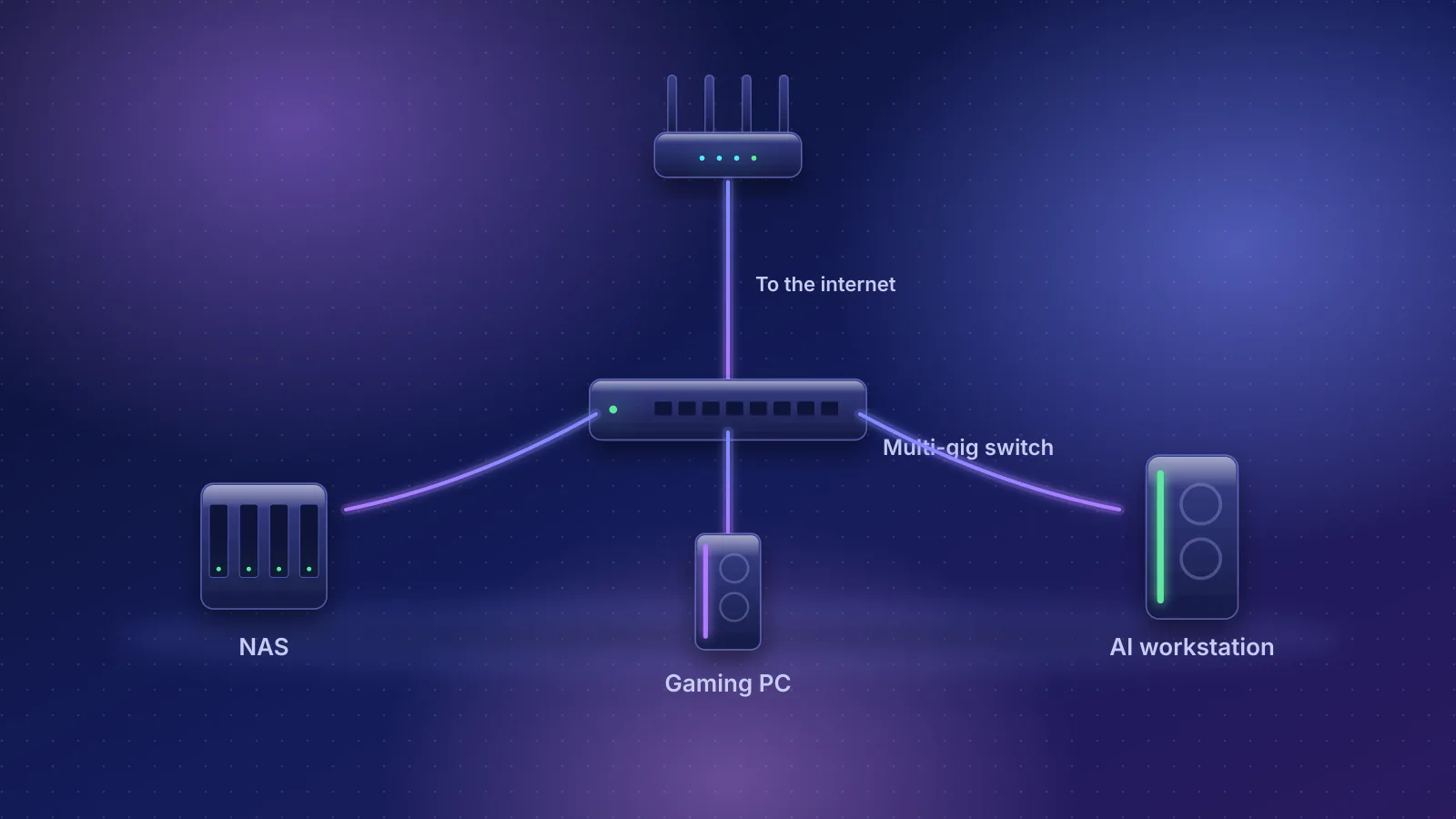
Traffic between a workstation and a NAS on the same switch goes straight between them, because a switch forwards each packet only to the port where the destination device sits (as Cisco's switch documentation puts it). The router isn't in that path (how to connect a NAS, gaming PC and AI workstation explains switching and routing). A router's 10 Gbps LAN port helps when one 10G machine also needs fast internet, or as a 10G uplink to a switch. These are every current router and gateway in our catalog with a 10 Gbps LAN port and a price of $600 or less, counting Ubiquiti's US surcharge (mesh systems left out):
| Product | Internet port | Fastest LAN port | Maker's routing, plan or wired-speed figure | Price |
|---|---|---|---|---|
| Ubiquiti UniFi Cloud Gateway Fiber (UCG-Fiber) Gateway (no Wi-Fi) · no Wi-Fi |
10 Gbps | 10 Gbps | Not published | $307.00 Manufacturer store price incl. US store surcharge (list $279.00), checked October 20, 2026 |
| Ubiquiti UniFi Gateway Fiber (UXG-Fiber) Gateway (no Wi-Fi) · no Wi-Fi |
10 Gbps | 10 Gbps | Not published | $307.00 Manufacturer store price incl. US store surcharge (list $279.00), checked October 20, 2026 |
| Ubiquiti UniFi Dream Machine Pro (UDM-Pro) Gateway (no Wi-Fi) · no Wi-Fi |
10 Gbps | 10 Gbps | Not published | $417.00 Manufacturer store price incl. US store surcharge (list $379.00), checked October 20, 2026 |
| NETGEAR Nighthawk RS600 Router · Wi-Fi 7 |
10 Gbps | 10 Gbps | Not published | $499.99 Manufacturer store price, checked October 20, 2026 |
| eero PoE Gateway Gateway (no Wi-Fi) · no Wi-Fi |
10 Gbps | 10 Gbps | Not published | $499.99 Manufacturer store price, checked October 20, 2026 |
| Ubiquiti UniFi Dream Machine Special Edition (UDM-SE) Gateway (no Wi-Fi) · no Wi-Fi |
10 Gbps | 10 Gbps | Not published | $549.00 Manufacturer store price incl. US store surcharge (list $499.00), checked October 20, 2026 |
| NETGEAR Nighthawk RS700S Router · Wi-Fi 7 |
10 Gbps | 10 Gbps | Not published | $599.99 Manufacturer store price, checked October 20, 2026 |
Two details the table doesn't show. On the four UniFi gateways the 10 Gbps LAN port in Ubiquiti's default port setup is SFP+, so it needs a module or DAC; on the NETGEAR routers and the eero PoE Gateway it's RJ45. And each has one 10 Gbps LAN port by default, which serves one device: a workstation and a NAS both at 10 Gbps still need a switch.
The internet side: downloads run at plan speed
The first copy of a model comes from the internet, so your plan, not your LAN, sets that time. At line rate, the 145 GB Qwen 72B download takes 1 h 5 min on a 300 Mbps plan, 19 minutes on 1 Gbps and 9 min 42 s on 2 Gbps (arithmetic; real downloads also depend on the server). To get a multi-gig plan to the workstation, every link from the modem to the machine has to keep up; see multi-gig bottlenecks and choosing a router for multi-gig fiber.
After that, avoid downloading the same file twice:
- Hugging Face tools keep downloads in a cache you can move with
HF_HUB_CACHE. Hugging Face's documentation names a NAS shared across machines as a use case, and suggestsHF_HUB_DISABLE_SYMLINKS=1when machines with different operating systems share it.HF_HUB_OFFLINE=1stops the tools contacting the Hub and uses only cached files. - Ollama stores models in one folder, which you can move with
OLLAMA_MODELS. - Keep the copy you load locally. Pointing either tool at a network share means every load reads the whole file across the network: 2 min 21 s per load of a 44 GB model at 2.5 Gbps by the arithmetic above. Store the library on the NAS and copy the models you use often to the workstation's NVMe.
Data caps can matter too. Xfinity's 1.2 TB monthly limit now applies only to its older (legacy) plans, but on one of those a single DeepSeek-V3 download (688.59 GB) is 57% of the month.
Linking machines to run one model
Splitting one model across machines changes the picture, because the machines then exchange data while they work. Keep expectations modest: the projects below don't publish how much traffic that is per answer, so we don't estimate it.
- llama.cpp's RPC backend offloads computation to other machines running its RPC server, for distributed inference. Its README calls the feature proof-of-concept, "fragile and insecure", and says never to run the RPC server on an open network. It offers a local cache so large tensors (model data) don't have to cross the network again, which the README says can speed up model loading significantly with large models. It can also use RDMA (a direct memory-transfer mode) instead of TCP for lower latency and higher throughput, over RoCE-capable network cards on Linux or Thunderbolt 5 between Apple silicon Macs.
- Thunderbolt networking links two computers with a Thunderbolt cable. Intel lists 32 Gbps for Thunderbolt 4 and 64 Gbps for Thunderbolt 5 as maximum theoretical figures, with full-speed Thunderbolt 5 cables up to 2 m. On a Mac it appears as the Thunderbolt Bridge network service, which Apple documents for connecting two Macs.
- Faster Ethernet exists for this. NVIDIA's DGX Spark has a ConnectX-7 adapter with two QSFP ports, each rated up to 200 Gbps, and NVIDIA says two units connect with a direct QSFP cable, no switch required (four need a 200 GbE switch). On the storage side, Synology lists a 25GbE card for the DS1825+.
These direct links are point to point and short. They sit alongside your home network, not in place of it: the machines still need ordinary Ethernet for the internet and everything else.
Frequently asked questions
Will 10GbE make my local model answer faster?
Not when one machine runs the model and loads it from its own SSD. Then how fast it answers depends on that machine, not on the network. The answer crosses the network as text, at kilobytes per second, which any wired or Wi-Fi link carries.
Should I run models straight from my NAS?
You can point Ollama (OLLAMA_MODELS) or Hugging Face tools (HF_HUB_CACHE) at a network share, but every load then reads the whole model over the network. For models you use often, keep the library on the NAS and a working copy on the workstation's own SSD.
Is Cat6 good enough for 10GbE?
For short runs, usually. Intel lists 55 m on Cat6 for its 10GBASE-T card, and industry guidance cited by Fluke Networks expects it to work to 37 m, and to 55 m depending on interference between cables. For new runs or anything longer, use Cat6A, which supports 100 m.
Can two machines connect directly without a switch?
Yes, for a two-machine link. Apple documents connecting two Macs with a Thunderbolt cable (Thunderbolt Bridge), and NVIDIA says two DGX Spark units link with one QSFP cable and no switch. That link only joins those two machines, so each still needs its normal network connection.
Does Wi-Fi matter for an AI workstation?
Only for the devices that talk to it, and they need little bandwidth. Put the workstation itself, the NAS and any second model machine on cable, because that's where the large files move.
Sources
Read on October 21, 2026. Catalog prices were checked by RouterHaus on October 20, 2026.
- Hugging Face: Qwen2.5-7B-Instruct-GGUF files and Qwen2.5-7B-Instruct files
- Hugging Face: Qwen2.5-72B-Instruct-GGUF model card and files (72.7B parameters) and Qwen2.5-72B-Instruct files
- Hugging Face: Stability AI, stable-diffusion-xl-base-1.0 files
- Hugging Face: DeepSeek-V3 model card and files
- Hugging Face: huggingface_hub environment variables
- Ollama: API documentation (streaming responses) and FAQ (OLLAMA_HOST, OLLAMA_MODELS)
- llama.cpp: RPC backend README
- Seagate: IronWolf Pro 32TB, 30TB and 28TB data sheet (PDF)
- Samsung: 870 EVO SATA SSD 1TB and 990 PRO NVMe SSD 2TB
- Synology: DS925+ and DS1825+
- IEEE 802.3: 2.5G/5GBASE-T (802.3bz) objectives, March 2015 (PDF) and IEEE 802.3bz-2016
- IEEE 802.3an-2006 (10GBASE-T) and 10GBASE-T Study Group objectives, 2003 (PDF)
- Fluke Networks: 10GBASE-T field testing requirements
- Intel: Ethernet Converged Network Adapter X550-T2 specifications
- Ubiquiti: 10G Direct Attach Cable
- MikroTik: S+RJ10
- Apple: Mac Studio technical specifications and Use IP over Thunderbolt to connect Mac computers
- NVIDIA: DGX Spark (clustering and QSFP ports) and DGX Spark user guide, hardware overview (10 GbE RJ-45 port)
- Intel: Thunderbolt 5 technology brief (PDF)
- Cisco: Catalyst 9200 system management guide, MAC address table (a switch forwards to the destination's port only)
- Xfinity: Internet 1.2 TB data plan FAQs
- RouterHaus catalog: switch ports, power and prices (makers' pages for the QNAP, MikroTik, Ubiquiti and Zyxel switches named above)