The short version
- The season has fixed dates. The National Weather Service's Phoenix office (in its 2025 season review) and APS both put Arizona's monsoon season at June 15 through September 30. Get ready before it starts, not after the first storm.
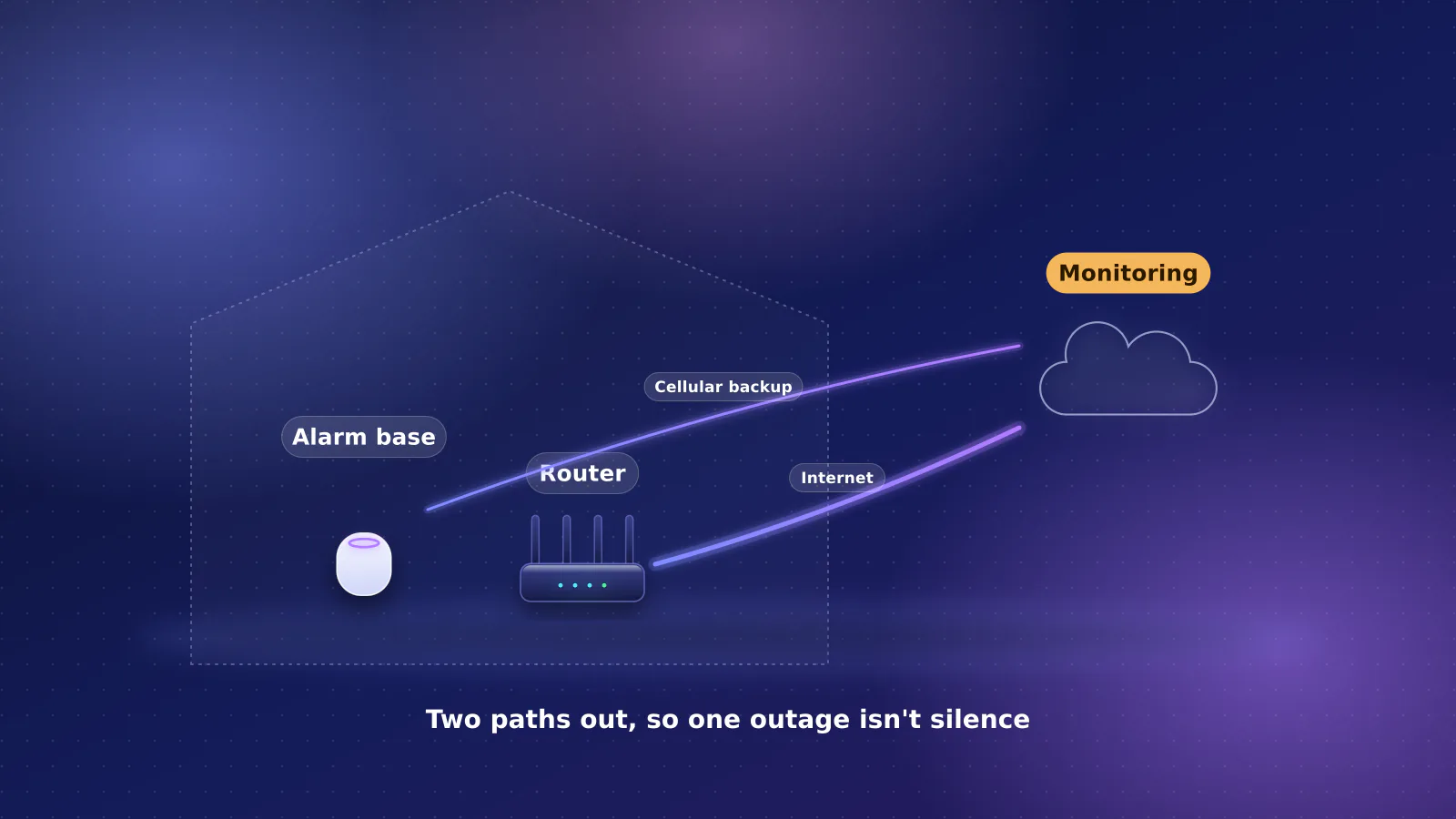
- A storm hits a network in four ways, each with its own fix: a power blink (a battery backup rides through it), a longer power outage (battery backup plus a plan for what stays on), a surge (surge protection, and unplugging before the storm), and a provider outage while your power is fine (a second line, or your phone).
- Find out whose outage it is first. House dark: check your utility's outage map from your phone. House lit but modem not online: the provider's line. Modem online but no Wi-Fi or internet on your devices: your own router or settings.
- Surge protectors help but have limits. ESFi says "No surge protection can handle a direct lightning strike", and the NWS says "Typical surge protectors will not protect equipment from a lightning strike." Unplug what you can spare before a storm arrives, never during one.
- When power returns, go in order. APS says to wait 5 to 10 minutes before turning major appliances back on. Then start the modem first, let it come online, then the router, as NETGEAR's own power-cycle steps describe.
- Buy only for the failure you actually have. If blinks reboot your network, a small UPS is the fix. If your provider's line goes down while the power stays on, a battery won't help and a second line might. If storms rarely touch your network, you may need nothing new.
This is the season plan. The details live in their own guides: what size UPS you need, dual-WAN and 5G failover, what a smart home does without internet and what an alarm does in an outage.
What a monsoon storm does to a home network
The NWS Phoenix office's monsoon safety page describes the hazards that come with the season: thunderstorm wind gusts in the Southwest "almost always exceed 40 mph", "The strongest wind gusts can exceed 100 mph", and a dust storm arrives as "an advancing wall of dust and debris which may be miles long and several thousand feet high." Its review of the 2025 season describes an August 25 dust storm that "traveled from the Tucson area, up through Phoenix", with "numerous areas experiencing near-zero visibility". APS warns that loose backyard items can be "swept up by high monsoon winds and end up in power lines, causing outages."
For your network, that comes down to four separate events. They need different answers, so it's worth knowing which one you're planning for:
| What happens | What you notice | What helps | Read more |
|---|---|---|---|
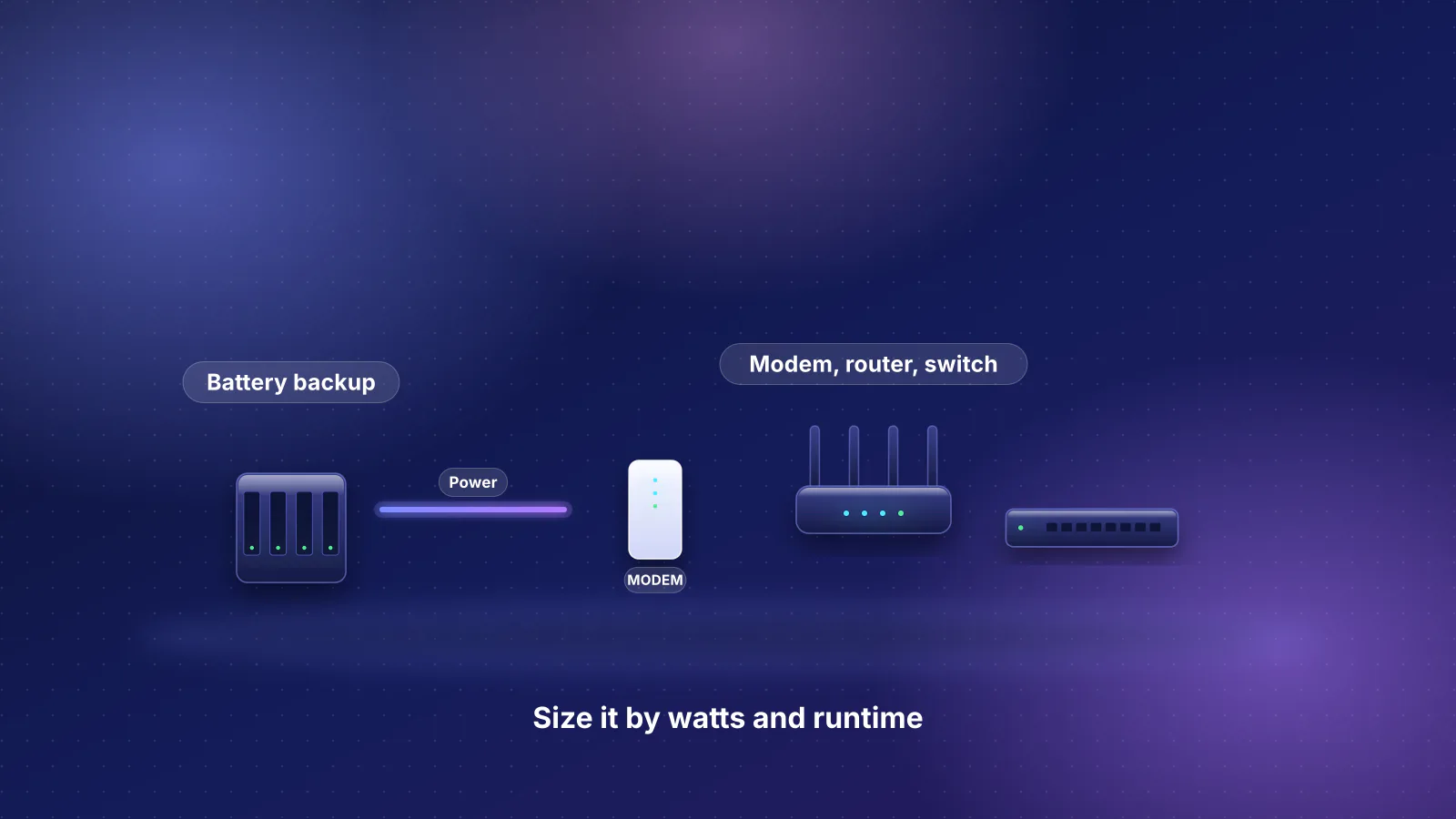
| A power blink | Clocks blink; the modem and router reboot and the internet is gone for a few minutes | A small UPS on the modem and router keeps them running through it | UPS runtime |
| A longer power outage | The house is dark; Wi-Fi, cameras and the smart home hub go down with it | A UPS sized for the time you want to cover, and a short list of what must stay on | What has to stay on |
| A surge | Sometimes nothing; sometimes a device, a port or a power adapter that no longer works after the storm | Surge protection on power and, where the protector offers it, on the coax, phone or Ethernet line; unplugging before a storm | Surges and lightning, below |
| A provider outage | The house has power, the router is on, but the modem or fiber box shows no connection | A battery does nothing here. A second line on a different technology, or your phone's hotspot | Choosing the second line |
TEP, Tucson's utility, explains why blinks are so common: "Short service disruptions can be caused by temporary electric faults or voltage irregularities", and power returns "either right away or within 15 seconds." A few seconds without power is enough to restart a modem and router that aren't on battery. TEP's own advice: customers "can help protect any particularly sensitive electronics by using uninterruptible power supplies".
Whose outage is it? A safe check
When the internet drops during a storm, these checks tell you where the fault is before you restart anything or call anyone. None of them needs tools, and you can do the first two from a phone on cellular data.
- Is the house powered? If not, it's a power outage. Check your utility's outage map or app from your phone: APS and SRP both offer an outage map, SRP's shows "estimated restoration times", and TEP takes reports through its mobile app. Reporting helps: TEP says it "helps us locate the potential problem so that we can begin repairs."
- Power on: look at the modem or fiber box. If its lights show it isn't connected to the provider, the fault is most likely on the provider's side or its line to your home. Light meanings differ by model, so read them against your model's own guide, then check the provider's outage page or app over cellular before you call.
- Modem connected, but no internet on your devices. The line is up and the problem is between the modem and your devices: the router, a mesh unit that hasn't rejoined, or a device. Connected but no internet walks through it.
- Some devices work, some don't. After an outage, devices rejoin at different speeds. Give smart home devices and cameras a few minutes before troubleshooting them one by one.
| What you see | What it means | What to do |
|---|---|---|
| House dark; utility map shows an outage in your area | Power outage | Report it if the map doesn't show your address; save UPS runtime for what matters (see during the outage) |
| House lit; modem or fiber box not connected; provider reports an outage | Provider outage | Wait it out or switch to your backup line or phone hotspot; restarting your own gear won't fix it |
| House lit; modem not connected; no provider outage listed | Your line, or the modem | Restart the modem once; if it still won't connect, report it to the provider |
| Modem connected; no internet on any device | Your router or mesh | Restart the router after the modem is online (see when the power comes back) |
Before the season: a checklist for June
Everything here is free or uses gear you already have. Do it before June 15.
- Sign up for your utility's outage alerts. APS tells customers to "Subscribe to APS outage alerts to receive text/email updates about power outages." SRP says "All SRP customers with a mobile number or email on file are automatically enrolled in outage alerts." Save your utility's outage map on your phone; SRP suggests customers "Bookmark the SRP outage map".
- Plan to charge phones before a storm. FEMA's power outage sheet says to "Keep mobile phones and other electronic equipment charged before a power outage", and SRP's monsoon tips say "Keep your mobile phone charged during an outage." Your phone is also your outage map, your provider's status page and, possibly, your backup internet.
- Write down what has to stay on. FEMA: "Plan to prioritize the things you will need to plug in" and "You may not be able to power all appliances at one time." For the network, that's every box between the provider's line and the devices you need, which the UPS guide lays out.
- Test the UPS if you have one. Batteries wear out, faster in heat. Run the maker's self-test and pull the plug once with the network on it, as setting it up and testing it describes.
- Check your surge protectors. Eaton says an illuminated "Protected" light shows a protector is working, and that "If the protection indicator turns off or the outlets stop providing power, the surge protector should be replaced."
- Test your backup line, if you have one. Unplug the main line and watch what fails over and what doesn't; the failover test plan has the steps.
- Find out what your smart home does without internet. Unplug the cable from the modem to the router and try each device. The offline test explains how to read the results. For an alarm, use its maker's own test, not a real alarm.
- Move the network gear out of the heat if you can. Monsoon season runs through the summer, and gear in a garage or closed closet runs closer to its makers' temperature limits; see the Arizona garage.
Surges and lightning: what protection can and can't do
Where surges come from. ESFi, the Electrical Safety Foundation International, says surges "can also originate from electric utilities or lightning", but cites the National Electrical Manufacturers Association's estimate "that 60-80% of surges originate from internal sources", such as large appliances like air conditioners turning on and off. Eaton's surge page says the same: "most power surges originate inside buildings due to normal electrical activity."
How lightning gets in. Among the main ways lightning enters a building, the NWS names "a direct strike" and "wires or pipes that extend outside", and says that once inside it "can travel through the electrical, phone, plumbing, and radio/television reception systems." Your network has two of those paths: the power outlet, and the provider's line (coax, phone line or fiber box power) coming in from outside.
What a plug-in surge protector does. ESFi says point-of-use protectors are easy to use ("just plug in"), but that a protector "Only protects electronics plugged into the device" and "Must be replaced over time or after a major surge event." It also warns that "Power strips and surge protectors are not the same. Not all power strips offer surge protection." What the makers' ratings mean, by Eaton's own definitions:
| On the box | What Eaton says it means |
|---|---|
| Joule rating | "how much energy a surge protector can absorb before it fails"; "Higher joule ratings generally indicate greater protection capacity" |
| UL 1449 voltage let-through rating | "how much voltage can pass through the surge protector after suppression"; Eaton lists common levels of 330, 400, 500 and 600 volts, lower being stronger protection |
| Protection indicator light | When it goes out, or the outlets stop giving power, replace the protector; also replace it after "discoloration, cracking or melting" |
| Data line protection | "Many modern surge protectors also extend protection to data lines, including Ethernet, telephone and coaxial cables", against surges that "can enter through communication lines" |
Eaton also says "repeated surges and spikes, even small ones, will eventually cause a surge protector to lose its capacity to protect", so an old protector that has been through several summers may not be doing much. Two setup rules from Eaton: don't plug one surge protector into another ("an unsafe practice"), and don't plug a surge protector into a UPS. APC gives the matching rule for its Back-UPS Pro: plug it straight into the wall, as the UPS guide's Arizona section quotes.
The limit. ESFi: "No surge protection can handle a direct lightning strike." The NWS: "Typical surge protectors will not protect equipment from a lightning strike." No surge protector or UPS guarantees that a device survives a storm. Treat protection as lowering the odds, not removing them.
Unplugging: before the storm, never during
The advice to unplug is consistent, and so is the timing:
- ESFi: "Unplug electronic equipment before the storm arrives and avoid contact with electrical equipment or cords during storms." Its surge page adds: "Disconnect sensitive electronics if you suspect a surge is coming."
- FEMA's power outage sheet: "Unplug appliances and electronics to avoid damage from electrical surges."
- The NWS: "Do not unplug equipment during a thunderstorm as there is a risk you could be struck", and "Don't touch electrical equipment such as computers, TVs, or cords."
For a network, that's a trade-off. Unplugging the modem and router means no internet for the storm. A practical split: unplug what you can spare (a desktop computer, a game console, a NAS that isn't recording) when a storm is forecast, and leave the network on its UPS or surge protector if you need it to stay up. Once the storm has arrived, leave the cords alone.
Whole-home surge protection is an electrician's job
ESFi describes three types of surge protective device. Type 1 and Type 2 are "Permanently connected", with Type 2 "installed in, or next to, breaker box"; Type 3 is point-of-use, which ESFi says "Must be used in conjunction with Type 1 or Type 2 SPD to meet 2020 code requirements", and it recommends using all three "for the best level of protection." ESFi says whole-home protection "Must be installed by a qualified electrician" and protects against larger surges than plug-in devices. Whether your home needs it, which type, and how the provider's line and any metal enclosure are grounded are decisions for a licensed electrician, and for the provider where its own entry equipment is concerned.
During the storm and the outage
- Stay off corded phones and away from cords. The NWS: "Stay off corded phones. You can use cellular or cordless phones."
- Make the battery last. If the network is on a UPS, unplug from it anything that doesn't need to stay on. Fewer watts means more runtime, as the maker's runtime chart shows.
- Use your phone for status, not guesses. Check the utility's map for power and the provider's status page for the line. If the provider's network is down, restarting your own gear won't bring it back.
- Your phone can be the backup line. Some routers can use a phone's hotspot as a backup connection; the second-line options cover which, and the data each uses.
- A generator goes outside, always. The CPSC: "Never use a portable generator inside homes, garages, basements, crawlspaces, sheds or other enclosed areas, even if doors or windows are open", and "Operate generators outdoors only, at least 20 feet from homes and buildings." FEMA adds that a generator must never be plugged into "a wall outlet or main electrical panel". The CPSC also advises working CO alarms, "battery-operated or with battery backup", on every level.
- Stay away from downed lines. APS says to stay at least 100 feet away from lines on the ground and to "always treat a downed line as energized." Call 911 first, then your utility. A low or fallen cable on your house is not something to move yourself; let the utility or provider deal with it.
When the power comes back
Power coming back is its own risk. APS says to "Turn off and unplug electrical equipment and appliances to avoid electrical spikes when power is restored" and to wait 5 to 10 minutes after power returns before turning major appliances back on. SRP says to "turn off lights and appliances to avoid a power surge when your power comes back on", and its storm tips say turning off equipment like computers and TVs protects it from "voltage fluctuations and circuit overloads when power returns." TEP recommends turning the air conditioner off during an outage, because units left on all start at once when power returns, which can "trigger reliability problems that cause another outage."
Then bring the network back in order. NETGEAR's power-cycle steps, for a separate modem and router:
- Modem first. Turn it on and let it boot. NETGEAR says to wait about 5 minutes while it connects to the provider, and that this "might take longer". Its lights should settle as your model's guide describes.
- Then the router. Once the modem is connected to the provider, turn on the router.
- Then everything else. NETGEAR's last step is to turn on the wired and wireless devices. If you have mesh units or access points that didn't come back on their own, check those too.
If the modem has its own backup battery, NETGEAR notes "you must remove the backup battery to completely turn off your modem" when you power-cycle it. If you have a provider gateway that is both modem and router, there's no separate router step.
Check for damage. Look at each surge protector's indicator light. If a device stays dark after the power is back, try it on another outlet that you know works, with its own power adapter, before deciding it's dead. A router that powers on but has a port that no longer links, or a camera that won't come back, may have been damaged; check the maker's warranty terms before replacing it.
Smart home devices that don't come back are usually a rejoin problem, not damage. Give them a few minutes; if a device still shows offline with the internet up, the offline test results and the smart home fixer cover the next steps.
Cameras and the smart home through a storm
Cameras and smart home gear fail in a storm for the same reasons as the rest of the network, plus one: a camera can be powered but have nowhere to send video.
- PoE cameras go down with their switch. If cameras get power from a PoE switch, the UPS has to carry the switch and every camera on it; the UPS guide's PoE section has the load arithmetic.
- Battery cameras and doorbells stay on but lose the Wi-Fi when the router goes dark. What each records locally, and what waits for the internet, depends on the maker; see what camera makers document offline.
- Remote alerts need the internet. In a provider outage, the cameras and hub may keep working inside the house while nothing reaches your phone. An alarm with cellular backup is the exception, depending on the plan; which path survives which outage has the details.
When new equipment is justified
| If this happens to you | What's justified | What isn't |
|---|---|---|
| Blinks restart the modem and router a few times a season | A small UPS for the modem, router and any switch; TEP recommends a UPS for sensitive electronics | A second internet line: the line wasn't the problem |
| Power outages are long and you need to work or watch cameras through them | A UPS sized from the maker's runtime chart for the hours you want; a cellular backup if the provider's network also goes down in your area | Assuming any battery will last the whole outage: no utility page we read gives a typical outage length |
| Your provider's line goes down while the power stays on | A second line on a different technology, or a router that can use your phone's hotspot | A bigger UPS |
| Your surge protectors are old, have no indicator, or the light is out | Replacing them; one with coax or Ethernet protection where the provider's line comes in | Stacking protectors or plugging one into a UPS, which Eaton warns against |
| You've lost equipment to surges more than once | A conversation with a licensed electrician about whole-home protection and grounding | A more expensive plug-in protector alone: none handles a direct strike |
| Storms rarely affect your network, or a short outage doesn't matter to you | Nothing. The free checklist above is enough | Buying for a failure you don't have |
If you're choosing a provider as well, cable or fiber in Arizona compares what the providers publish on their broadband labels.
When to get professional help
- An electrician for whole-home surge protection, grounding, a new outlet for the network indoors, or anything at the breaker panel. Don't open the panel yourself.
- Your utility for downed power lines (after 911), and for an outage that its map doesn't show at your address.
- Your internet provider for a damaged line or box outside, or a modem that won't connect after the area outage has cleared.
- A low-voltage installer for moving the network out of a hot garage or wiring PoE cameras so the switch can live on one UPS. When the job needs hands on site, RouterHaus can connect you with a licensed contractor through a consultation request.
Frequently asked questions
When is monsoon season in Phoenix?
The National Weather Service's Phoenix office and APS both give June 15 through September 30. Do the pre-season checks, like testing a UPS and checking surge protector lights, before June 15.
Should I unplug my router during a monsoon storm?
Before the storm, if you can do without it: ESFi says to unplug electronic equipment before the storm arrives. Once the storm is overhead, don't: the NWS says not to unplug equipment during a thunderstorm because of the risk of being struck. If you need the internet through a storm, keep the network on a UPS or surge protector instead.
Will a surge protector protect my modem from lightning?
Not from a direct strike. ESFi says no surge protection can handle a direct lightning strike, and the NWS says typical surge protectors won't protect equipment from a lightning strike. A protector with coax or Ethernet protection covers more of the paths a surge can take, but nothing guarantees a device survives.
Why does my internet go out when the power only blinks?
A blink of a few seconds is enough to restart a modem and router that aren't on battery, and they take minutes to reconnect. TEP says power returns from short disruptions either right away or within 15 seconds, and suggests a UPS for sensitive electronics.
My power is on but the internet is down after a storm. What should I do?
Check the modem or fiber box lights. If it isn't connected and your provider lists an outage, restarting your own gear won't help; use a backup line or your phone. If no outage is listed, restart the modem once, then report it to the provider.
Sources
All read on November 27, 2026. Pages marked undated show no publication or update date, so treat their statements as of that day.
- National Weather Service Phoenix: Monsoon safety (undated on the page; wind gusts, dust storms)
- National Weather Service Phoenix: 2025 Monsoon Season Review (undated; season dates, August 25 dust storm)
- National Weather Service: Lightning indoors (created January 30, 2023; how lightning enters, surge protectors, unplugging, corded phones)
- APS: How to prepare for, stay safe and keep informed during monsoon season (June 1, 2021; season dates, outage map and alerts, restoration times, downed lines)
- APS: Power outage preparedness tips for summer emergencies (June 24, 2021; unplugging before power returns, waiting 5 to 10 minutes, outage alerts)
- SRP: Power outages and storm safety (undated; outage map, app, alerts, surge protectors, powering down)
- SRP: 5 ways to stay prepared during monsoons (April 28, 2026; surge protectors, phone charging, turning off equipment, outage map)
- TEP: Outage FAQs (undated; short disruptions, uninterruptible power supplies, reporting)
- TEP: Monsoon safety (undated; surge strips, air conditioner after an outage)
- FEMA / Ready.gov: Be prepared for a power outage (V-1008, December 2023, PDF) (unplugging, surge protection, charging, priorities, generators)
- FEMA: Lost power due to the storm? (undated; generator placement, never into a wall outlet)
- CPSC: Generator, carbon monoxide and fire hazards (May 27, 2026)
- ESFi: Surge protection, keeping your electronics and home safe (modified August 13, 2021; sources of surges citing NEMA, point-of-use versus whole-home, direct strikes)
- ESFi: Surge protective devices (modified February 20, 2025; Type 1, 2 and 3)
- ESFi: Lightning safety (modified May 4, 2022; unplugging before a storm, corded phones)
- Eaton: Surge protection explained (undated; joules, UL 1449 let-through rating, indicators, data line protection, replacement)
- Eaton: Surge protector dos and don'ts (undated; capacity loss, daisy-chaining, surge protector and UPS)
- NETGEAR Support: How do I power cycle my home network? (updated July 7, 2025)