The short version
- If there's a TV coax outlet near both ends and no satellite TV on it, use MoCA. The MoCA Alliance lists MoCA 2.5 at "2.5 Gbps Actual" with under 2.5 ms average one-way latency, the only published latency figure we found for any of the three options. Check the adapter's Ethernet port: some MoCA 2.5 adapters have a 1 Gbps port.
- Cable internet and MoCA can share the coax, with two conditions. Retail adapters use 1125 to 1675 MHz, above the 1002 MHz most cable modems stay under. Add a MoCA point-of-entry filter (Hitron puts it on the provider's line before the first splitter; goCoax's diagram differs, see below) and use splitters rated to 1675 MHz. Some DOCSIS 3.1 modems reach 1218 MHz, which overlaps MoCA.
- No usable coax? Try powerline. The "2000 Mbps" on an AV2 powerline box is a physical-layer rate. TP-Link says actual throughput is "typically 20–30% of the declared powerline rate", and both TP-Link and NETGEAR say to plug adapters into a wall outlet, not a power strip or surge protector.
- Radio is the indoor fallback and the outdoor answer. A mesh unit's wireless link needs no extra hardware but shares airtime. Between buildings with a clear line of sight, a point-to-point bridge such as Ubiquiti's UniFi Building Bridge acts like a long cable.
- The headline numbers aren't comparable. MoCA's 2.5 Gbps is a MAC-layer figure, powerline's 2000 Mbps a PHY rate, a bridge's a radio's maximum data rate. Each adapter's Ethernet port caps the link anyway.
If you can run a cable, that's still the best link: how to run Ethernet in an existing home covers the routes. This article is for the rooms where you can't. If you haven't chosen between mesh and access points yet, start with extender vs mesh vs access point.
Which one fits your home
RouterHaus's decision table, built from the makers' and providers' documentation cited below. Read down the first column until a row matches your home.
| Your home | Best option | Why | Caveats |
|---|---|---|---|
| Coax outlets near the router and near the room; cable, fiber or no TV service on the coax | A pair of MoCA 2.5 adapters | The higher documented rate of the two wired options, a published latency figure, and a wire of its own, separate from the electrical wiring and from Wi-Fi airtime | Needs a point-of-entry filter and splitters rated to 1675 MHz; buy 2.5 Gbps Ethernet ports if the plan or local traffic is above 1 Gbps |
| Your provider's equipment already speaks MoCA (Hitron says Xfinity's XB6, XB7 and XB8 gateways do; Verizon's Fios Extender uses MoCA 2.5 for its wired backhaul) | One MoCA adapter at the far end, or the provider's own MoCA extender | Hitron says one adapter is enough when the router "has built-in MoCA and is connected to a live coax outlet" | Check the gateway's settings for MoCA; we found no Xfinity support page that documents its MoCA support or version |
| DirecTV, Dish or another satellite service on the coax | Powerline or a wireless link | goCoax: standard MoCA and satellite TV "cannot operate together on the same coaxial network" | ScreenBeam, Hitron and Verizon all exclude satellite coax; Hitron says satellite-wired homes "often isolate coax lines" anyway |
| No usable coax, both outlets on the same circuit, modest needs (a TV, a work laptop) | A pair of HomePlug AV2 powerline adapters | Plugs into outlets you already have | Not guaranteed: TP-Link's 20–30% rule, wall outlets only, motors and chargers add noise, AFCI breakers and GFCI outlets can hurt it |
| Apartment or condo, coax shared with the building or out of reach | Powerline with a private key, or a mesh unit's wireless link | You can't install a filter on a line you don't control; Hitron says MoCA works in multi-unit buildings but that where units share one coax network you may need to consult building management to avoid interfering with other tenants' MoCA links | NETGEAR says the default powerline key is shared by every adapter and a private key is "especially relevant" in apartment buildings |
| The room is one strong wireless hop from the router | A mesh unit linked wirelessly | No adapters or wiring at all | The wireless hop shares airtime; some tri-band kits can keep one band for the link |
| A detached garage, studio or second building with a clear line of sight | A point-to-point wireless bridge | Ubiquiti lists 500 m for its UniFi Building Bridge; eero lists 1,000 ft for the Outdoor 7's point-to-point bridge | Needs a clear line of sight and power at both ends; the Building Bridge's Ethernet port is 1 Gbps |
| A ceiling access point with no cable to it | MoCA, plus a PoE injector at the ceiling | The coax carries the data | Our catalog records no PoE output on any of its four MoCA adapters, so the access point needs its own power at that spot |
For mesh backhaul, one check applies to every row: of the six mesh makers in our wired-backhaul comparison, ASUS is the only one we found documenting MoCA, by selling its own adapter. After setup, confirm in the mesh app that the far unit reports a wired link.
MoCA: Ethernet over the TV coax
MoCA (Multimedia over Coax Alliance) is a standard for carrying network traffic over the coaxial cable that feeds TV outlets. The Alliance approved MoCA 2.5 in April 2016 as "capable of up to 2.5 Gbps actual data rates" and "backward interoperable with MoCA 2.0 and MoCA 1.1". Its current pages list MoCA 2.5 at "2.5 Gbps 2.5 MAC", "< 2.5 Ms One-Way Avg Latency" and "400 – 1675 MHz Usable Spectrum" (the headline on its MoCA Home 2.5 page says "Less than 5ms Latency"; the specification line on both pages says under 2.5 ms). The retail adapters in our catalog use the top of that range, 1125 to 1675 MHz; Hitron says "Most MoCA 2.5 adapters operate within the frequency range of 1125 MHz to 1675 MHz".
Three details decide what you actually get:
- The 2.5 Gbps is shared. Hitron describes MoCA 2.5 as "Up to 2.5 Gbps of shared bandwidth over coax". Two backhaul links and a TV adapter on the same coax share it the way devices share one Ethernet switch uplink.
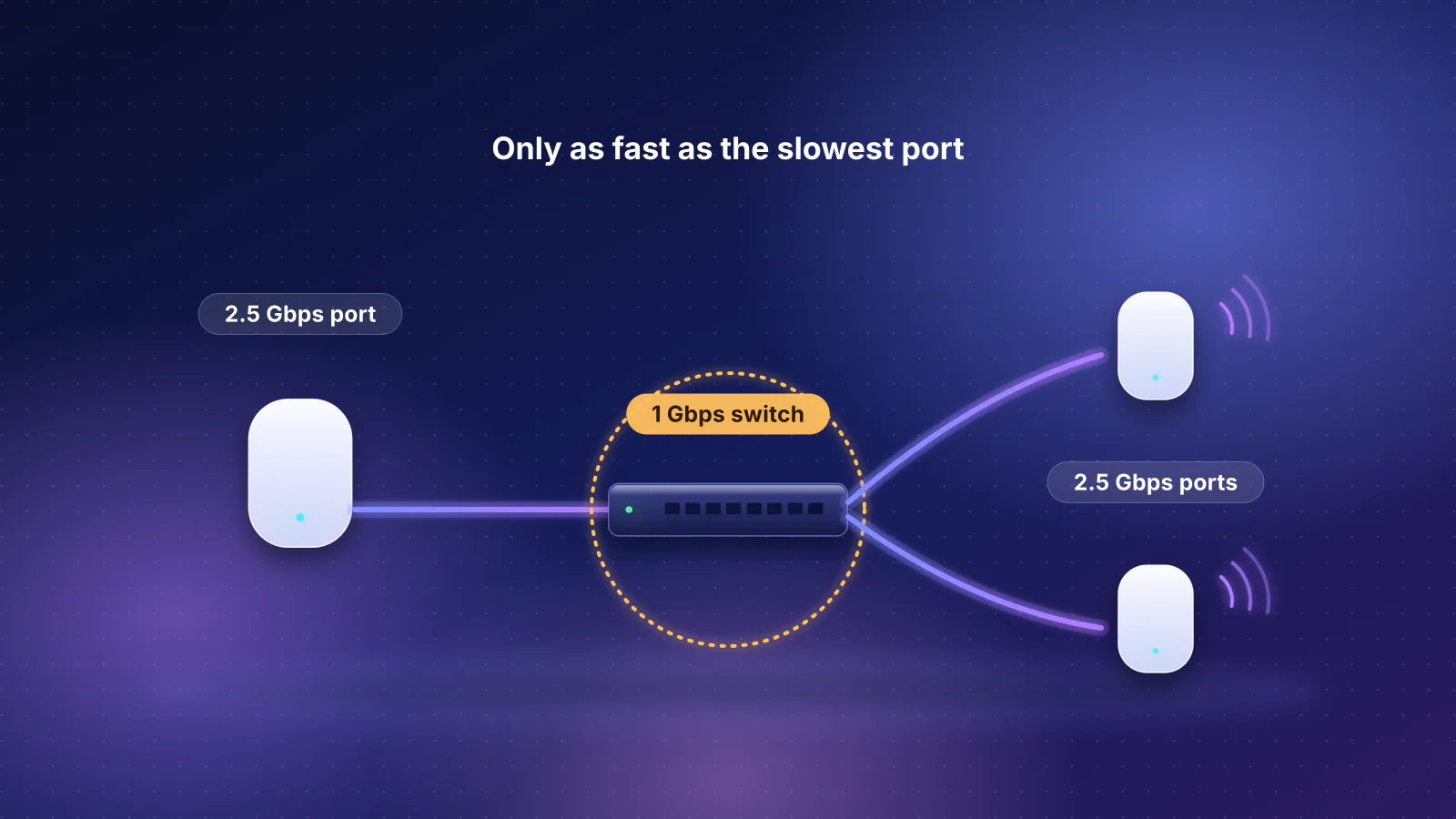
- The Ethernet port caps each adapter. Hitron's HTEM4 is a MoCA 2.5 adapter with a 1 Gbps port, and Hitron says "1 Gbps is the maximum throughput to end devices". The other three adapters in our catalog have 2.5 Gbps ports. A 2.5 Gbps port carries about 2.35 Gbps of data after protocol overhead (the arithmetic is in our multi-gig bottleneck guide).
- You need an adapter at both ends unless your router already speaks MoCA. Hitron: "you need a MoCA adapter at both ends of the connection, unless your router already has MoCA built in", and "Most routers don't." Verizon documents MoCA 2.5 as a wired backhaul for its Fios Extender, and a MoCA expansion module for its Wi-Fi Access Point that "uses the MoCA 2.5 LAN standard". Hitron says Xfinity's XB6, XB7 and XB8 gateways "include built-in MoCA support" and that Spectrum-provided equipment "often" doesn't.
- Router or main mesh unit LAN port
- MoCA adapter Ethernet port: 1 Gbps on the HTEM4, 2.5 Gbps on the others
- In-wall coax and splitters Splitters rated to 1675 MHz; up to 2.5 Gbps shared by every adapter on the coax
- MoCA adapter Same Ethernet-port limit at this end
- Mesh unit, access point, TV or desk Sees an ordinary Ethernet link
Cable internet, TV and MoCA on one coax
Cable internet and MoCA share the wire by using different frequencies. Hitron: "Most cable modems (low-split or mid-split DOCSIS 3.0/3.1) operate below 1002 MHz, which does not overlap with MoCA. In these cases, MoCA and DOCSIS work together normally on the same coax lines." The exceptions are newer:
- DOCSIS 3.1 modems that reach 1218 MHz. Hitron says high-split modems "can operate up to 1218 MHz, which can overlap the MoCA band and cause interference". goCoax's fix is to set every adapter to "D-band High" (1350 to 1675 MHz), above the overlap; ScreenBeam warns that DOCSIS 3.1 modems "might conflict (frequency overlap) and cause random disconnects". Not every adapter offers a band setting, so check the manual. Our cable modem guide explains the DOCSIS generations.
- DOCSIS 4.0 extended spectrum. CableLabs says DOCSIS 4.0 is being developed "to include Extended Spectrum DOCSIS (up to 1.8 GHz)". Since 1.8 GHz is above MoCA's 1675 MHz ceiling, a line using the full extended spectrum would, on paper, overlap the whole band retail adapters use (RouterHaus's reading). The MoCA Alliance points to SCTE 235 for DOCSIS 3.1 coexistence (SCTE's summary says its analysis covers MoCA 1.1 and 2.0); we found no consumer guidance for extended-spectrum DOCSIS 4.0. If your provider moves you to a DOCSIS 4.0 modem, ask whether in-home MoCA is supported.
- Satellite TV. goCoax: "normal MoCA and Satellite TV cannot operate together on the same coaxial network due to interference." Verizon's MoCA module "does not support satellite TV devices or home networks based off of satellite TV", and ScreenBeam and Hitron exclude satellite and AT&T U-verse coax.
The point-of-entry (POE) filter. Hitron says a MoCA POE filter "serves two critical purposes": it "Ensures DOCSIS high-split downstream signals do not overlap or degrade the MoCA 2.5 band", and it "Keeps MoCA signals confined inside the home for better speed and security." Where it goes matters more than which one you buy:
- On the provider's incoming line, "before it connects to any splitter".
- Only one: Hitron says to make sure "there are no additional POE filters inside the home".
- Not on the modem's branch, says Hitron: "Never place the POE filter on the modem's leg of the splitter." A modem that loses sync after a MoCA install "usually means the filter is in the wrong place".
The makers don't fully agree on that last point. For a cable modem whose upper frequency is 1218 MHz, goCoax's instructions say "just before the cable modem, please install a PoE filter to separate DOCSIS and MoCA signals", alongside its D-band High setting. SCTE 235, the cable industry's operational practice for DOCSIS 3.1 and MoCA coexistence, says filters are needed in most layouts to keep MoCA signals from bridging to a nearby residence and to prevent overload of DOCSIS and MoCA receivers, and that "Filter locations can be at the consumer premises equipment (CPE) and/or at the point of entry (PoE)", so both makers' diagrams have a basis. Follow your adapter maker's own diagram. If the modem loses its connection afterwards, Hitron's fix is to move the filter to the entry; if that doesn't restore it, take the filter out and ask the adapter maker or your provider which filter and location suit your modem.
A filter may already be on the line (step 2 of the checklist below); the RouterHaus planner lists one for MoCA plans "if your provider doesn't install one". On fiber, the coax may carry no internet at all; if it still connects to a cable line outside, the filter's second job, keeping your MoCA signals inside, still applies.
The MoCA adapters in our catalog
Makers' figures, not measurements:
| Adapter | Ethernet port | Maker's speed claim | What the maker says the figure is |
|---|---|---|---|
| Hitron HTEM4 | 1 Gbps | "2.5 Gbps MoCA to MoCA (Max 5 Channels)", "1 Gbps MoCA to Ethernet (Full duplex)" | "1 Gbps is the maximum throughput to end devices"; the same footnote calls the throughput numbers "theoretical PHY throughput for MoCA 2.5" |
| Hitron HTEM5 | 2.5 Gbps | Datasheet: "2.5Gbps MoCA to MoCA (Maximum of 5 Channels)", "500+ Mbps per MoCA Channel", "2.5Gbps MoCA to Ethernet (Full duplex)" | The HTEM5 product page carries the HTEM4's footnote ("1 Gbps is the maximum throughput to end devices"), which contradicts the datasheet; our catalog records the conflict |
| ScreenBeam ECB7250 | 2.5 Gbps | "up to 2.5 Gbps" | "based on maximum, theoretical PHY throughput for MoCA 2.5"; actual speeds "will vary depending on the condition and noise found on the coaxial wiring" |
| goCoax MA2500D | 2.5 Gbps | "real traffic throughput of up to 2.5Gbps" with bonded MoCA channels | Not qualified further; the page has no spec table |
The same 2.5 Gbps is an actual MAC-layer rate to the MoCA Alliance, real traffic throughput to goCoax and a theoretical PHY figure to ScreenBeam and Hitron. None of them is a promise about your coax.
How to check your coax before you buy adapters
Half of the six fixes in Hitron's MoCA troubleshooting guide are about the wiring, not the adapters: outlets that aren't connected, a splitter that blocks MoCA frequencies, an amplifier or filter in the way. A walk around the house with a flashlight answers most of them before you buy anything. Steps from Hitron's and goCoax's guidance, in the order that saves the most time:
- Find where the coax enters. Hitron lists the usual places: an exterior wall box, a utility room, or near the modem. That's where the filter goes.
- Look for a filter already on the line. Check what's screwed onto the incoming cable before the first splitter. If a fitting is there and you can't tell what it is, the provider can tell you whether it's a MoCA filter; if it is, you don't need another. If a filter sits on a wall outlet or the modem's cable instead, Hitron's guidance is a single filter at the entry.
- Read every splitter. Splitters print their frequency range on the case. Hitron says to use "a MoCA-rated splitter (5–1675 MHz or 5–2300 MHz)" because "Lower-frequency splitters may block MoCA". A splitter marked 5–1002 MHz or similar has to be replaced. Hitron also advises avoiding daisy-chained splitters: "use a single centralized splitter if possible."
- Look for an amplifier. A coax amplifier is usually a box on the line with its own power supply. Hitron lists "coax amplifiers or filters" among the things that stop MoCA and says to remove them. If your provider installed the amplifier for TV reception, ask the provider before taking it out.
- Confirm both outlets are on the same coax tree. Hitron: "MoCA requires that all coax outlets be on the same continuous coax network", with every outlet "connected to a central splitter". Follow the cables from the splitter, or check that each outlet you plan to use is live (a modem or TV signal there).
- Check for satellite service. If the coax you want to use serves a satellite TV receiver, standard MoCA won't work on those lines.
- Check your cable modem. goCoax suggests looking the modem up on CableLabs' certification list, whose "DS Freq Range" column gives its upper frequency; Hitron suggests the spec sheet or the provider. If it reaches 1218 MHz, plan on the filter and, if your adapters offer it, the D-band High setting.
- Test before you rearrange anything. Hitron's test: plug both adapters into two different coax outlets, connect power and Ethernet, and "If the MoCA light turns on on both units, the network is MoCA-compatible."
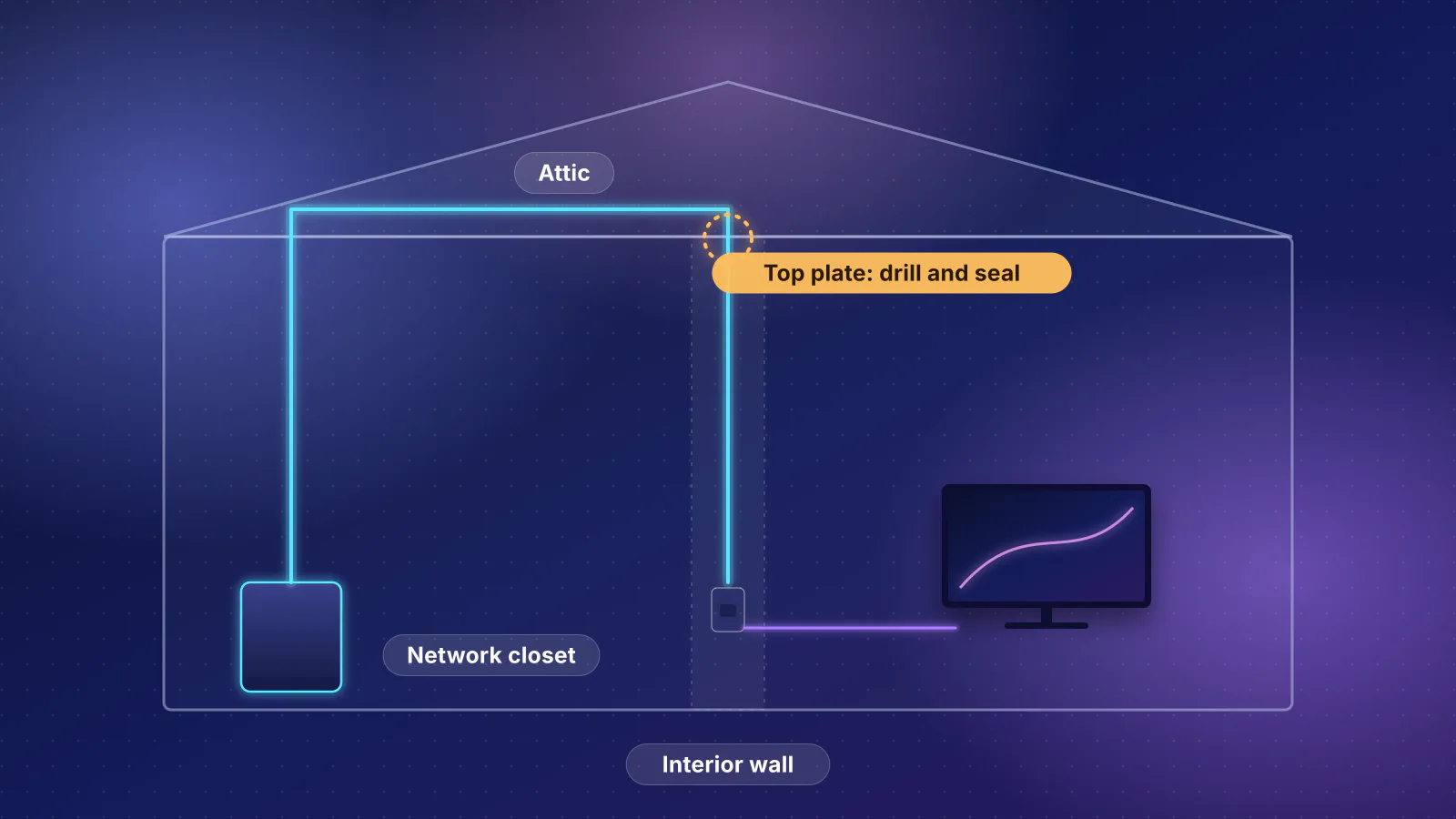
If the coax is in the right rooms but the splitters are buried in a wall or attic you can't reach, that's a job for a low-voltage installer; our retrofit guide covers following old coax runs, including pulling Ethernet beside them.
Powerline: Ethernet over the electrical wiring
Powerline adapters send data over the home's electrical wiring. The two AV2000 adapters whose documentation RouterHaus read, TP-Link's TL-PA9020P and NETGEAR's PLP2000, follow HomePlug AV2 and list IEEE 1901, the IEEE's broadband-over-power-line standard (the 2010 edition says "Transmission frequencies below 100 MHz are used"; NETGEAR gives the PLP2000's band as 2–86 MHz).
The number on the box is a physical-layer rate. TP-Link's footnote on its AV2000 kit says "AV2000" and "2000Mbps" "refer to the theoretical maximum physical-layer data transfer rate". Its support page is blunter: the box speed "is the maximum powerline rate at the physical layer", "not the actual throughput speed you will experience", and "the actual conversion rate is typically 20–30% of the declared powerline rate, depending on your home's electrical wiring." It adds that HomePlug AV2 adapters using MIMO "typically have a lower conversion rate than standard HomePlug AV adapters".
What both makers say affects it:
- Wall outlets only. TP-Link: adapters "should always be plugged directly into a wall outlet", because "using a power strip or surge protector can significantly reduce the powerline rate." NETGEAR: "Do not plug PowerLINE products into a power strip, extension cord, or surge protector." Adapters with a pass-through socket let you keep the outlet: NETGEAR's manual shows a power strip plugged into the adapter's filtered socket, and TP-Link says its built-in noise filter "helps to eliminate electrical signal noise". NETGEAR's safety notes add that major appliances (it lists air conditioners, space heaters, hair dryers and refrigerators among them) must not be plugged into that socket or into a power strip attached to it.
- The same circuit. TP-Link says adapters "must be deployed in a set of two or more and be connected to the same electrical circuit", and NETGEAR that "Outlets must be electrically connected". TP-Link's powerline page and NETGEAR's datasheet both say AFCI circuit breakers and adapters on separate circuits can reduce performance, and TP-Link says a GFCI outlet "will affect performance of all brands' PLC products".
- Noise. TP-Link names "air conditioners, washing machines, fans, kitchen appliances" and the chargers for phones and laptops; NETGEAR names washers, dryers and refrigerators.
- Security. NETGEAR: "All PowerLINE networks start with the same default encryption key", and without a private key "anyone nearby with a PowerLINE network can potentially use his or her connection to gain access to your network". Press the pairing buttons to set a private key, especially in shared buildings.
NETGEAR's own status light shows where it sets expectations. On the PLP2000, sold as a 2000 Mbps adapter, the Pick A Plug LED is red for a link rate below 50 Mbps ("good"), amber for 50 to 80 Mbps ("better") and green above 80 Mbps ("best").
A few mesh kits build powerline in: TP-Link's Deco P9 combines Wi-Fi with "AV1000 Gigabit Powerline" between its units. With any other mesh system, a powerline pair is just an Ethernet link, with the same check in the app afterwards.
Wireless: a mesh hop or a point-to-point bridge
If neither wire works, radio is left, in two forms:
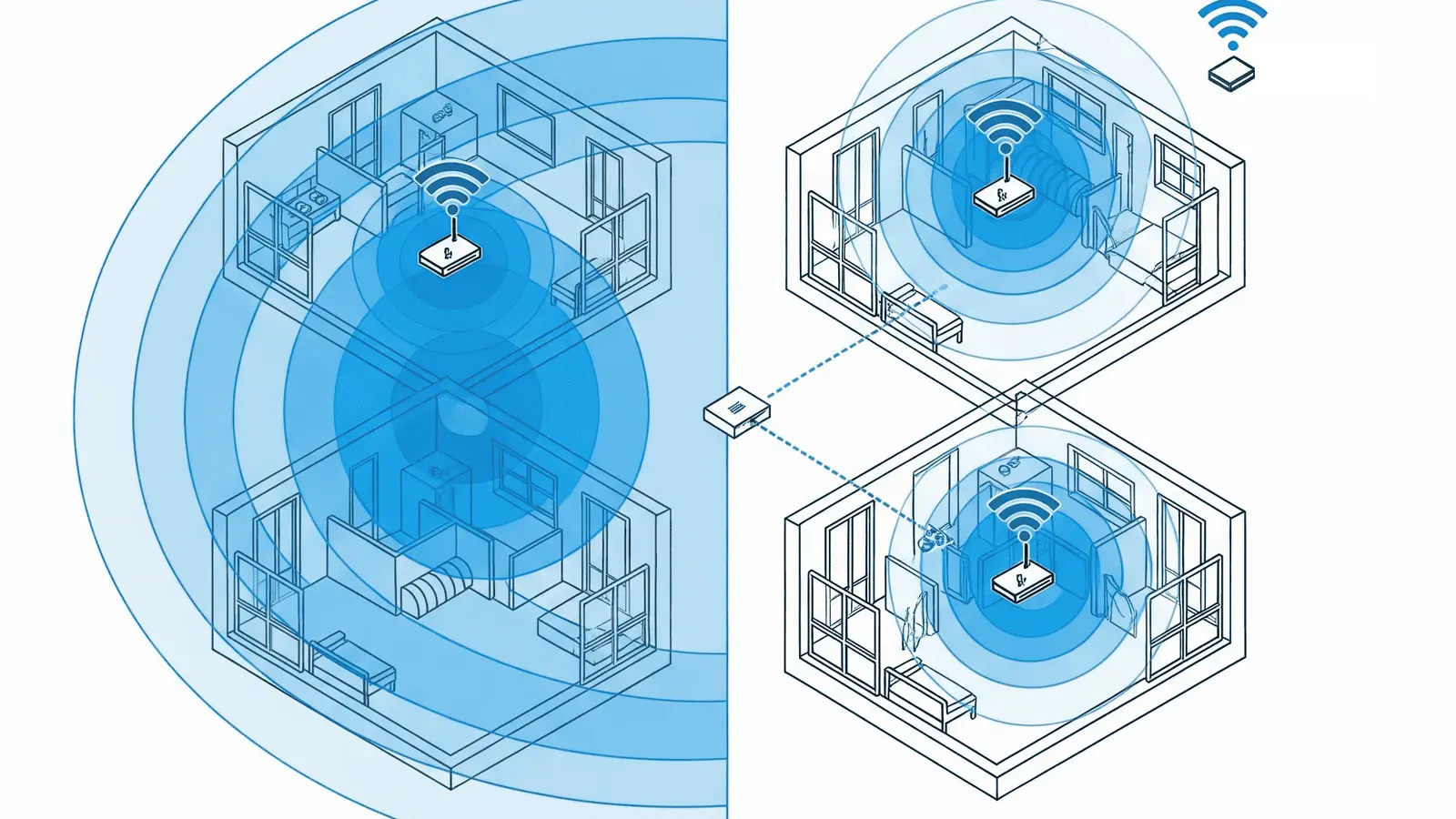
- A mesh unit's wireless backhaul is what a mesh kit does by default. It costs nothing extra, but the link shares airtime with your devices; why mesh Wi-Fi doesn't fix every slow room explains the penalty and how to place units for one strong hop.
- A point-to-point bridge is a pair of directional radios that behave like a long Ethernet cable. Ubiquiti's UniFi Building Bridge (UBB) uses 60 GHz with a 5 GHz backup radio and lists a 1.7 Gbps maximum data rate at 60 GHz and a 500 m (1,640 ft) range. Its datasheet warns that "60 GHz is highly directional and any obstacle in the line of sight – even rain – can drop signal levels", which is why it can fall back to 5 GHz (866.6 Mbps maximum data rate). Each unit has one gigabit Ethernet port and comes with a PoE adapter. The Building Bridge XG lists 6 Gbps at 60 GHz and adds a 10G SFP+ port.
- eero's Outdoor 7 can do the same within an eero network: eero says that "For communication between eero devices, the eero Outdoor 7 can reach a radius of 1000 ft via Point-to-Point wireless bridge". It has one 2.5 GbE port that also powers it; eero says it needs PoE+ (802.3at) or better because standard 802.3af PoE "will not provide a large enough power budget", and that it "is designed to work exclusively with other eero wifi products".
Bridges are built for outdoor runs between buildings, not for reaching a bedroom through interior walls. For a detached garage or casita, our outbuilding comparison sets a bridge against buried cable in conduit.
The numbers on the box, side by side
"2.5 Gbps MoCA" and "2000 Mbps powerline" measure different things. Each maker's own figure, what the source says it describes, and the port that caps it:
| Technology and product | Headline figure | What it measures, per the source | Port that caps it |
|---|---|---|---|
| MoCA 2.5 (MoCA Alliance) | 2.5 Gbps | MAC layer, "Actual"; shared by every adapter on the coax | Each adapter's Ethernet port |
| MoCA 2.5 adapters in our catalog | Up to 2.5 Gbps | Labels differ: goCoax "real traffic throughput", ScreenBeam "theoretical PHY throughput" (see the adapter table) | 2.5 Gbps, or 1 Gbps on the HTEM4 |
| HomePlug AV2 (TP-Link TL-PA9020P kit) | 2000 Mbps | "theoretical maximum physical-layer data transfer rate"; actual "typically 20–30%" of the declared rate | 1 Gbps |
| HomePlug AV2 / IEEE 1901 (NETGEAR PLP2000) | 2000 Mbps | "Up to 2000 Mbps with real throughput greater than 500 Mbps"; "Actual data throughput and data over distance will vary" | 1 Gbps |
| 60 GHz bridge (Ubiquiti UniFi Building Bridge) | 1.7 Gbps | "Max. Data Rate" of the 60 GHz radio | 1 Gbps |
| 60 GHz bridge (Ubiquiti Building Bridge XG) | 6 Gbps | "Max. Data Rate" of the 60 GHz radio | 10 Gbps SFP+ |
| eero Outdoor 7 (point-to-point) | 1,000 ft radius; wireless up to 2.1 Gbps | eero doesn't say what layer the 2.1 Gbps figure describes | 2.5 Gbps |
A worked example: what TP-Link's own rule allows an AV2000 pair. RouterHaus's arithmetic, using only TP-Link's figures: 2000 Mbps × 20% = 400 Mbps, and 2000 Mbps × 30% = 600 Mbps. That range is the ceiling TP-Link's rule sets for a line that negotiates the full box rate. TP-Link says the rule "basically applies to all HomePlug AV products" and that AV2 adapters using MIMO typically convert at a lower rate, so for an AV2000 pair the real ceiling is lower still. NETGEAR's claim of "real throughput greater than 500 Mbps" for its own 2000 Mbps adapter falls in the upper half of the same range. On real wiring, start from the rate your adapters actually negotiate, which TP-Link's tpPLC utility shows, and replace the 2000 with that number.
Two things the documents don't give you: a latency figure for powerline (neither powerline maker we checked publishes one; the MoCA Alliance does), and how any of these links performs on your wiring, which is the only number that counts. Test with a wired laptop at the far end, then confirm in the mesh app that the unit reports a wired link.
Frequently asked questions
Can cable internet and MoCA share the same coax?
Yes, in most homes. Retail MoCA 2.5 adapters use 1125 to 1675 MHz, and Hitron says most cable modems operate below 1002 MHz. Add a point-of-entry filter on the incoming line and splitters rated to 1675 MHz. For DOCSIS 3.1 modems that reach 1218 MHz, goCoax's fix is to set every adapter to D-band High, 1350 to 1675 MHz.
Why does my 2000 Mbps powerline adapter test so much slower?
Because 2000 Mbps is a physical-layer rate, not throughput. TP-Link says actual throughput is typically 20 to 30 percent of the declared powerline rate, lower for AV2 MIMO adapters, and the gigabit Ethernet port caps it anyway. Plug both adapters into wall outlets on the same circuit, away from motors and chargers.
Will MoCA work with satellite TV?
Not standard MoCA. goCoax says MoCA and satellite TV can't operate together on the same coax network, Verizon's MoCA module doesn't support homes wired for satellite TV, and ScreenBeam and Hitron say their adapters don't work on satellite coax. Use powerline or a wireless link instead.
Is a wireless bridge a good way to reach a bedroom?
Rarely. Point-to-point bridges such as Ubiquiti's UniFi Building Bridge are built for outdoor links between buildings with a clear line of sight; Ubiquiti warns that any obstacle in the 60 GHz path, even rain, can drop the signal. Inside a house, a mesh unit placed one strong hop away does the same job with no extra hardware.
Sources
Read on November 7, 2026.
- MoCA Alliance: MoCA for Wi-Fi backhaul (2.5 Gbps actual, 2.5 Gbps MAC, under 2.5 ms one-way average latency, 400–1675 MHz usable spectrum)
- MoCA Alliance: MoCA Home 2.5 specifications (same figures; SCTE 235 for DOCSIS 3.1 coexistence; MoCASec link security)
- MoCA Alliance: MoCA approves MoCA 2.5 specification (April 13, 2016)
- SCTE: SCTE 235 2017, Operational Practice for the Coexistence of DOCSIS 3.1 Signals and MoCA Signals in the Home Environment (summary page: MoCA 1.1 and 2.0, why filters are needed, filter locations at the CPE and/or point of entry; the document itself is behind SCTE's login)
- Hitron Support: How to set up the HTEM4 MoCA adapter with a MoCA POE (point-of-entry) filter (purpose, placement, splitter ratings, troubleshooting)
- Hitron Support: Troubleshooting MoCA interference: do I need a POE filter? (1002 MHz and 1218 MHz modems, where the filter goes)
- Hitron Support: How to check if your coax wiring is MoCA-compatible, Why your HTEM4 MoCA connection isn't working: 6 common fixes and When do I need a MoCA splitter?
- Hitron Support: Do I need one or two HTEM4 MoCA adapters?, HTEM4 speeds explained (shared bandwidth, 1 Gbps port) and Can I use HTEM5 MoCA adapters in an apartment or multi-dwelling unit?
- Hitron: Can I use a MoCA adapter with Xfinity or Spectrum internet? (Xfinity XB6, XB7 and XB8; Spectrum equipment)
- Hitron: HTEM4 MoCA 2.5 adapter, HTEM5 product page and HTEM5 datasheet (PDF, 2023)
- goCoax: MA2500D (1125–1675 MHz, cable modem frequencies, POE filter, splitters, satellite TV) and Change your MoCA adapter to D-band High mode (updated September 25, 2025)
- ScreenBeam: ECB7250 MoCA 2.5 network adapter (PHY footnote, DOCSIS 3.1 and satellite non-compatibility)
- Verizon: MoCA Expansion Module FAQs and Fios Extender (MoCA 2.5 wired backhaul)
- CableLabs: DOCSIS 4.0 technology (Extended Spectrum DOCSIS up to 1.8 GHz)
- IEEE SA: IEEE 1901-2020, Standard for broadband over power line networks (listed as active; the page also names 1901-2026 as superseding it) and IEEE 1901-2010 (frequencies below 100 MHz)
- TP-Link: Powerline adapter speed vs actual speed explained (updated July 6, 2026)
- TP-Link: Slow powerline adapter speed: 4 considerations (updated June 24, 2026) and GFCI outlet will badly affect performance of PLC products
- TP-Link: What is Powerline? (same circuit, HomePlug AV and AV2), TL-PA9020P KIT AV2000 specifications and Deco P9 hybrid mesh
- NETGEAR: PLP2000 Powerline 2000 data sheet (PDF) and PLP2000 user manual (PDF, December 2017) (placement, Pick A Plug thresholds, default key, 2–86 MHz, real-throughput claim)
- Ubiquiti: UniFi Building Bridge datasheet (PDF), UniFi Building Bridge tech specs and Building Bridge XG tech specs
- eero: eero Outdoor 7 and eero Outdoor 7 frequently asked questions (point-to-point radius, PoE+, eero-only)
- RouterHaus catalog (MoCA adapter ports, claims and PoE, checked October 20, 2026) and planner 2026.11.2 (MoCA plans when coax is answered yes)