The short version
- You can't replace AT&T's gateway, but you can add your own router behind it. AT&T's All-Fi page answers "Can I replace the AT&T Wi-Fi Gateway with my own Wi-Fi router?" with "The simple answer is no", and says "you can tether a third-party mesh network behind our gateway."
- The reason is authentication. AT&T's support page on bridge mode, written for its gateways in general, says AT&T "requires all gateways to have 802.1x proprietary authentication", and that "Bridged mode is not possible on the AT&T platform." This guide doesn't cover ways around that, and RouterHaus doesn't publish them.
- IP passthrough is AT&T's documented way to hand your router the public address. AT&T publishes the steps for its BGW210 and BGW320 gateways. We found no AT&T page with passthrough steps for the newer BGW620 or BGW720, so ask AT&T if you have one.
- The gateway stays in the path. With passthrough it still signs in, still routes anything else plugged into it, and still has its own Wi-Fi to switch off. Your router becomes the firewall for everything behind it.
- On 5 GIG, the gateway's port is the limit to plan around. The BGW320's blue ports run "up to 5Gbps" and the BGW620's "up to 10Gbps", and AT&T states a "single device wired speed maximum" of 4.7 Gbps on 5 GIG. Your router needs a multi-gig internet port that links at the gateway port's speed.
- Replacing nothing saves no fee. AT&T's fee schedule says plans currently sold "do not carry an Equipment Fee". Add your own router for coverage or control, not to cut the bill.
This guide answers the AT&T Fiber question from AT&T's own pages, read November 27, 2026. How passthrough compares with bridge mode in general is in bridge mode vs IP passthrough. If your fiber is Quantum Fiber, which AT&T now owns but whose equipment works differently, read using your own router with Quantum Fiber instead.
Why the AT&T gateway has to stay
Three AT&T pages make the point:
- All-Fi page (undated): "The simple answer is no", because the gateway is "required to access the network." It adds that "You can however, elect to use a router behind a router configuration", but warns that "it'll likely negate the use of the mesh network" AT&T provides, and that "AT&T won't be able to assist with troubleshooting issues with other extenders."
- Bridge Mode with AT&T (small-business support, updated December 7, 2022): "Bridged mode is not possible on the AT&T platform", and bridged mode isn't compatible because AT&T "requires all gateways to have 802.1x proprietary authentication". The page is written for DSL and broadband gateways in general and doesn't name AT&T Fiber. For a third-party router, it links to AT&T's IP passthrough article instead.
- Equipment overview (updated October 15, 2026): AT&T provides the gateway, and you return it and its power supply when you cancel.
802.1X is the IEEE standard for "Port-Based Network Access Control": the network lets a device use a port only after it proves it's authorized. On AT&T, the gateway is the device that proves it. That's why every supported setup keeps the gateway connected to the fiber and puts your equipment behind it.
Some guides online describe removing the gateway altogether. They break AT&T's stated requirement, AT&T doesn't support them, and they aren't covered here. Everything below is a setup AT&T documents.
Bridge mode does appear on AT&T's site, but only for older DSL equipment: its "Enable Bridge Mode" business article covers Westell DSL modems, where the modem hands the PPP sign-in to your router. We found no AT&T page that offers bridge mode on a fiber gateway.
Which gateway you have, and where the fiber terminal is
AT&T's equipment page lists "Common models" for AT&T Fiber and AT&T Internet: BGW720, BGW620, BGW320, BGW210, Pace 5268, NVG599 and NVG589. It describes the optical network terminal (ONT) as the box that changes "fiber light waves back to electrical waves" and sends the signal over Ethernet to the gateway, and says it may be outside, in a garage, a closet or a utility area. The model name is on the gateway's label. What AT&T documents about each current model:
| Gateway | How it connects to the fiber | Fastest port (AT&T's figure) | Passthrough steps on AT&T's site |
|---|---|---|---|
| BGW210 | Not described on its page; AT&T's equipment page says the ONT feeds the gateway over Ethernet | AT&T's BGW210 page we read doesn't list port speeds | Yes |
| BGW320 | Either a cable from a separate ONT to the red ONT port, or a "fiber bridge" plugged into its SFP port (a small pluggable fiber module), so no separate box | Blue ports "up to 5Gbps", also 2.5 Gbps and 1 Gbps; yellow ports 1 Gbps | Yes |
| BGW620 | Varies by install: AT&T's page gives moving steps for a "Red and white ONT cable" to the AT&T service box and for a "Green and white fiber cable", without saying which installs get which | Blue ports "up to 10Gbps", also 2.5 Gbps and 1 Gbps (AT&T doesn't list 5 Gbps); the red port runs up to 10 Gbps for a device when the ONT isn't on it; yellow ports 1 Gbps | No |
| BGW720 | Not documented on the pages we found | Not documented; AT&T's only BGW720 document we found is a lights guide dated July 15, 2026 | No |
Two practical points follow. Don't unplug the red ONT port's cable: both port pages say to leave it connected. And if your BGW320 has a fiber bridge in its SFP port, the fiber goes straight into the gateway, so there's no separate ONT box you could plug anything else into.
- AT&T fiber line To a separate ONT, to a fiber bridge in a BGW320's SFP port, or, on some BGW620 installs, a fiber cable into the gateway
- AT&T gateway (BGW320, BGW620 or newer) Signs in to AT&T with 802.1X; in passthrough it hands its internet address to one device
- Gateway port to your router's internet port Blue port: 5 Gbps on the BGW320, 10 Gbps on the BGW620. Yellow ports and 1 Gbps router ports cap the link at 1 Gbps
- Your router or mesh Routes, firewalls and runs Wi-Fi for everything behind it
- Your devices On your router's Wi-Fi and ports, not the gateway's
IP passthrough, as AT&T documents it
AT&T's consumer article "Get help with DMZ+ zone devices" (updated January 9, 2023) gives these steps for the BGW210 and BGW320:
- Connect your router's internet (WAN) port to the gateway with an Ethernet cable, using a blue port on a BGW320, and set the router's internet connection to get its address automatically (DHCP).
- From a computer on the gateway's network, open the gateway's settings at 192.168.1.254 and go to Firewall, then Advanced. Enter the Device Access Code from the gateway's sticker if asked.
- Turn off all the options under Firewall Advanced, as AT&T's steps say.
- Open IP Passthrough. Set Allocation Mode to Passthrough and Passthrough Mode to DHCPS-fixed (the page spells it "Passthough Mode").
- Enter your router's MAC address in the "Passthrough Fixed MAC address" field. Use the address of its internet port, which is usually on the router's label or status page.
- Save, then restart the gateway. AT&T notes you may need to reboot your computer and the gateway to force a new address.
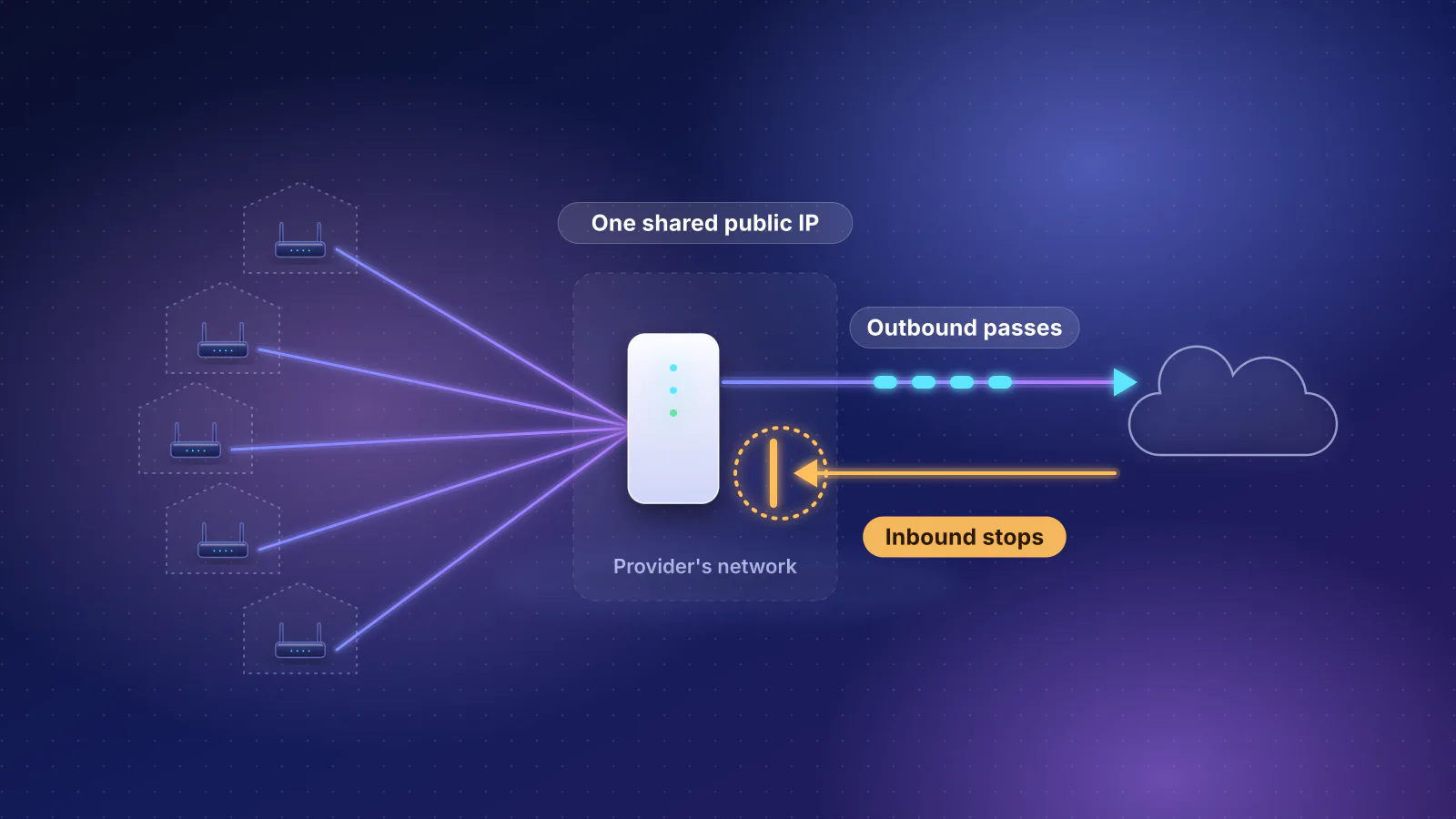
The first step is ours (AT&T's article starts at the settings page); the rest are AT&T's. Two details from AT&T's business article "Configuring IP Passthrough and DMZplus" (updated December 7, 2022, written for older Motorola and 2Wire/Pace gateways but using the same option names) explain the choices. DHCPS-fixed gives the internet address to the device with the MAC address you enter, and AT&T recommends it when more than one device connects directly to the gateway; DHCPS-dynamic gives it to the first device that asks. The same article says "the AT&T provided gateway shares its Dynamic WAN IP address with a single device", that only one device can be in passthrough, and that the passthrough device loses the gateway's firewall protection. Your router's firewall is then the one protecting your home, so leave it on.
BGW620, BGW720 and anything newer: AT&T's passthrough article doesn't cover them, and their support pages we read don't mention passthrough. We're not filling in steps AT&T hasn't published; ask AT&T support how to set passthrough on your model.
To confirm it worked, open your router's status page: its internet address should now be a public address, not one starting 192.168.1. The double NAT check walks through what each result means.
What the gateway still does with passthrough on
- It signs in and routes. Passthrough isn't a bridge: the gateway authenticates with AT&T and passes your traffic on. Anything else plugged into it, or on its Wi-Fi, stays on the gateway's own network, so those devices are behind two routers if they need to reach anything on yours. Plug only your router into the gateway. More on how the gateway keeps tracking sessions is in what IP passthrough does.
- Its Wi-Fi stays on until you turn it off. Two networks in one home lead devices to join the wrong one. On the BGW620, AT&T's page says "You can turn your Wi-Fi on or off by pressing the Wi-Fi button on the front of your All-Fi Hub", and that doing so "will disconnect all devices connected to your All-Fi Hub", which is the point once your own router runs the Wi-Fi. For the BGW320 and BGW210 we found no AT&T page with steps to turn the Wi-Fi off: AT&T's gateway settings page lists Wi-Fi security and hiding your network information, not switching Wi-Fi off. Ask AT&T how to do it on those models rather than relying on steps from elsewhere.
- Don't expect AT&T to troubleshoot your gear. AT&T measures its speed claims from "a wired connection" and says it won't be able to help troubleshoot other extenders. Before you call about a slow line, test with a computer wired to the gateway, so you know whether the problem is the line or your own network.
If you skip passthrough, your router still works behind the gateway, with its internet port on the gateway's private network. That's double NAT: fine for browsing and streaming, a problem for some games, VPNs and port forwarding. What double NAT breaks and how to check for it covers it in full.
Ports and plan speeds on 1 GIG and 5 GIG
AT&T's June 3, 2026 announcement says that from June 7 customers can choose from four AT&T Fiber speeds: 300 Mbps, 500 Mbps, 1 GIG and 5 GIG, and AT&T's fiber plans page lists those four. AT&T's pages don't fully agree: its gigabit internet page still says "AT&T offers gigabit plans with speeds up to 1 GIG, 2 GIG and 5 GIG" where available, and its All-Fi page still names a 2 GIG tier. Neither the announcement nor the plans page says what happens to existing 2 GIG plans; if you have one, use a blue port and a router internet port of 2.5 Gbps or faster. AT&T's fiber page says "For 5 GIG, single-device wired speed maximum is 4.7 Gbps", and that speeds "are based on a wired connection". What that means for the link from the gateway to your router:
| Plan | Gateway port to use | Your router's internet port |
|---|---|---|
| 300 Mbps, 500 Mbps | Any | 1 Gbps is enough |
| 1 GIG | Any; a blue port leaves room | 1 Gbps carries about 940 Mbps, which is normal on a 1 Gig plan; 2.5 Gbps gives a little more |
| 5 GIG on a BGW320 | Blue (up to 5 Gbps) | A port that links at 5 Gbps. A 10 Gbps port that can't run at 5 Gbps falls back to 2.5 Gbps or slower |
| 5 GIG on a BGW620 | Blue (up to 10 Gbps) | 10 Gbps. AT&T lists the blue ports' speeds as 1, 2.5 and 10 Gbps, not 5 Gbps, so whether a 5 Gbps router port links there at 5 Gbps isn't documented |
The 940 Mbps figure is Ethernet overhead arithmetic, not a measurement. Your router also has to route and firewall at the plan's speed and pass it to a fast port on your side, or one device on Wi-Fi will never see 5 GIG. Those numbers, and which routers meet them, are in routers for 5 Gbps plans; why a 10 Gbps internet port can still link at 2.5 Gbps behind a BGW320 is explained in what your provider hands you. AT&T doesn't document which gateway a new 5 GIG install gets, so check the label before you buy for a 5 Gbps or 10 Gbps port.
IPv6, static IPs and public addresses
- IPv6: AT&T's "IPv6 and AT&T Internet services" article (updated February 27, 2023) lists the BGW210 and BGW320 among its "IPv6 capable" equipment; the BGW620 and BGW720 aren't listed. It doesn't say how IPv6 reaches a router behind the gateway, and tells owners of third-party routers they "need to contact the manufacturer" about compatibility. Whether your router gets IPv6 through passthrough isn't documented, so check on your own line with the IPv6 check.
- Public IPv4: the passthrough article says the gateway shares its "Dynamic WAN IP address". AT&T doesn't say on these pages whether that address is ever behind carrier-grade NAT; if your router's internet address after passthrough falls between 100.64.0.0 and 100.127.255.255, see the CGNAT check.
- Static IPs: AT&T's consumer "About Static IP Addresses" article (updated March 8, 2024) lists blocks of 8, 16, 32 and 64 with 5, 13, 29 and 61 usable addresses, says you contact AT&T to set one up, and gives no price. Its text doesn't mention fiber, so ask AT&T whether your fiber plan can add a block. AT&T's business version adds a 128-address block.
Equipment fees: what your own router saves
Usually nothing. AT&T's consumer fee schedule (effective January 30, 2025) says "Home Internet Service Plans currently offered for sale do not carry an Equipment Fee", and that "Certain older AT&T Internet and/or AT&T Fiber plans may carry a monthly Equipment Fee of $2, $4, $7 or $10". AT&T's fiber page says service "includes a Wi-Fi gateway at no extra cost". Because the gateway stays either way, your own router can't remove even an older plan's fee.
The fees that do matter: the same schedule lists a $150 charge if you don't return the gateway or All-Fi Hub after cancelling, and $65 for each AT&T Wi-Fi extender not returned. AT&T's All-Fi page lists its Extended Wi-Fi Coverage Service, which adds AT&T extenders, as a $12 a month add-on on 1 GIG and slower tiers, and at no extra cost on the 2 GIG and 5 GIG tiers it names. To read your own plan's monthly fees, find its broadband label as described in reading your broadband label.
Keep, add or replace
"Replace" isn't one of the options on AT&T Fiber. The real choice is whether to keep AT&T's gateway doing everything or add your own equipment behind it:
| Your situation | What to do | What you give up |
|---|---|---|
| Coverage and speed are fine on the gateway's Wi-Fi | Keep it. Buy nothing. | Nothing |
| Weak Wi-Fi in parts of the home, nothing else wrong | Compare AT&T's extenders with your own mesh. Your own mesh can run in access-point mode on the gateway's network, which needs no passthrough | With your own mesh, AT&T's help with Wi-Fi beyond the gateway |
| You want your own router's firewall, VPN server, VLANs, parental controls or smart queue management | Add your router on IP passthrough, gateway Wi-Fi off | AT&T's support past the gateway; the gateway's firewall for your router |
| Games, cameras or remote access fail with your router behind the gateway | Set up passthrough, then run the double NAT and CGNAT checks | Nothing until you know the cause |
| 5 GIG plan | Router on a blue port, with an internet port that links at that port's speed | Nothing, if your router already has the port |
| BGW620, BGW720 or another model without published passthrough steps | Ask AT&T for the passthrough settings before you buy a router for it | Nothing |
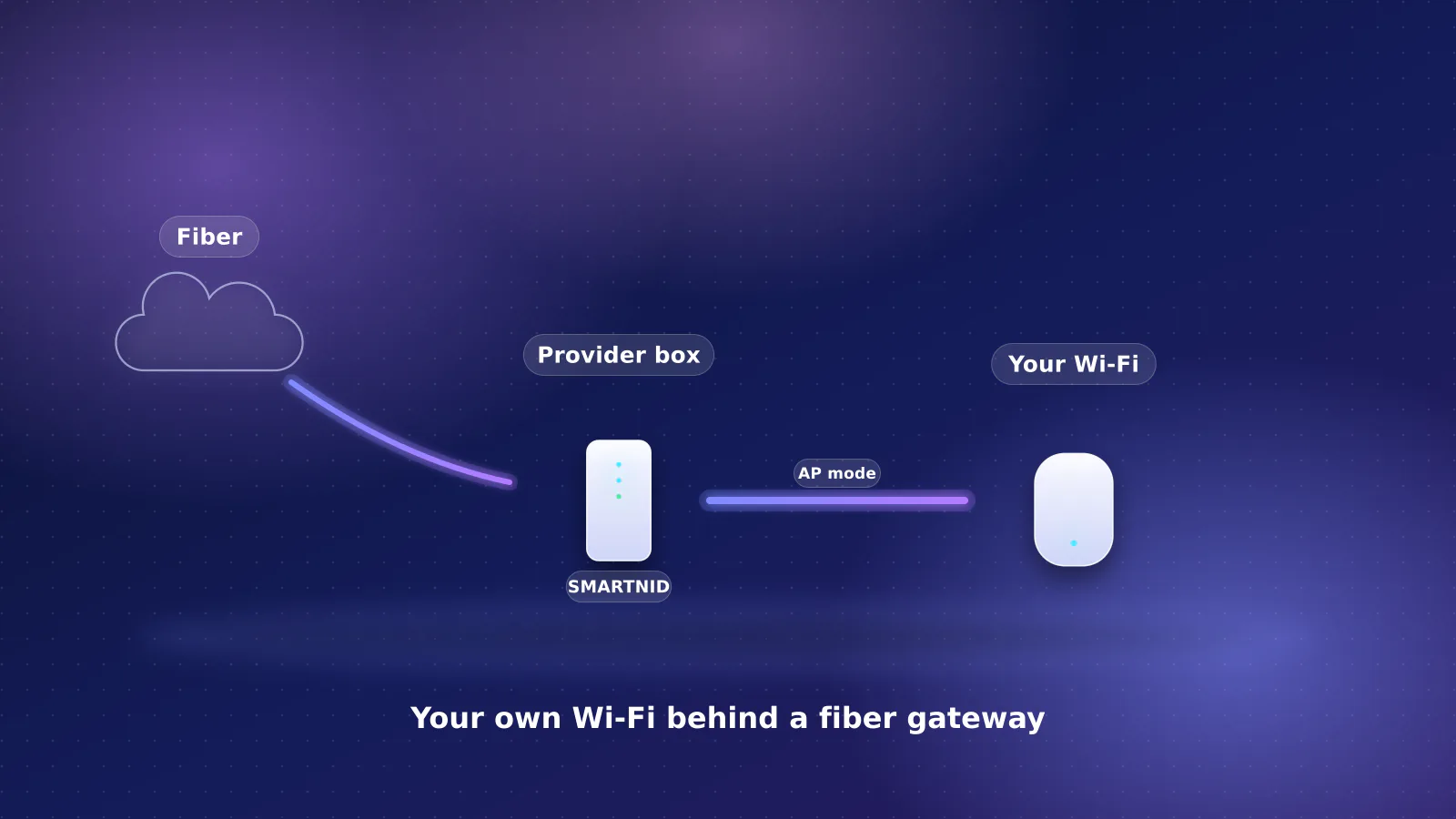
Access-point mode is worth a second look if all you want is better Wi-Fi: the gateway keeps routing, your mesh only extends the network, and there's one NAT. It's the setup Quantum Fiber asks for behind its SmartNID, described in our Quantum guide. AT&T's pages don't describe access-point mode for third-party gear, so treat it as your setup rather than one AT&T documents, and the gateway's own Wi-Fi stays on until you turn it off.
In Arizona: AT&T Fiber or Quantum Fiber?
AT&T's newsroom announced on February 2, 2026 that it "has closed its previously announced transaction to acquire substantially all of Lumen's Mass Markets fiber business", and Lumen's release the same day says the sale covers its fiber-to-the-home business in "eleven states, including Quantum Fiber". Neither release lists the eleven states. Lumen kept its copper-based consumer services. AT&T's Quantum page now says "Quantum Fiber is now part of the AT&T family", and AT&T's Phoenix page sells AT&T Fiber with "Limited availability".
So in the Valley, check which service your bill and equipment say you have. An AT&T BGW gateway means this guide applies. A Quantum SmartNID on the wall means Quantum's rules apply, which are different (the SmartNID routes, and Quantum asks for your gear in access-point mode): see using your own router with Quantum Fiber. For every provider in the Phoenix area, see Phoenix internet providers and your own router.
When new equipment is justified, and when to get help
- Justified: you're on 5 GIG and your router's internet port is 1 Gbps or can't link at the gateway port's speed; parts of the home have no usable Wi-Fi after the gateway is in a central spot; or you need router features the gateway doesn't have.
- Not justified: buying a router to remove an equipment fee (current plans have none, and the gateway stays anyway); buying one to make the line faster, when a computer wired to the gateway already shows the slow speed; or buying for a BGW620 or BGW720 before AT&T has told you how passthrough works on it.
- Where it should sit: the gateway can only move as far as its fiber or Ethernet cable reaches, and AT&T's BGW320 page says moving it farther needs a technician appointment. If the gateway is at the edge of the home, a cable from it to a central router or to access points often helps more than a more powerful router.
- Professional help: when the fix is running that cable, or wiring access points, RouterHaus can connect you with a licensed contractor when the job needs hands on site. Ask for a network plan.
Frequently asked questions
Can I replace my AT&T Fiber gateway with my own router?
No. AT&T's All-Fi page answers that question with "The simple answer is no", and an AT&T support page says all gateways need AT&T's 802.1X authentication. You can put your own router or mesh behind the gateway, using IP passthrough so your router gets the public address.
Does AT&T Fiber have a bridge mode?
Not according to AT&T. Its Bridge Mode with AT&T support page says "Bridged mode is not possible on the AT&T platform" and points to IP passthrough instead. AT&T's bridge mode steps cover only older DSL modems.
How do I set up IP passthrough on a BGW620?
AT&T hasn't published BGW620 steps on the support pages we read; its passthrough article covers the BGW210 and BGW320. Ask AT&T support for the settings on your model rather than guessing.
Will my router get the full 5 GIG speed behind AT&T's gateway?
Only on a blue port, with a router port that links at that port's speed: up to 5 Gbps on a BGW320 and up to 10 Gbps on a BGW620. AT&T states a single-device wired maximum of 4.7 Gbps on 5 GIG, and Wi-Fi alone won't reach it.
Do I save money using my own router with AT&T Fiber?
Usually not. AT&T's fee schedule says plans currently sold carry no equipment fee, and because the gateway stays, your router can't remove an older plan's fee either. Buy your own router for coverage or features.
Sources
Read on November 27, 2026. Dates are the "last updated" dates the pages showed when we read them; the All-Fi and plan pages show none.
- AT&T: What is AT&T All-Fi? (replacing the gateway, router behind a router, Extended Wi-Fi Coverage)
- AT&T Business: Bridge Mode with AT&T (802.1X, updated December 7, 2022) and How do I set up Home Networking and Enable Bridge Mode? (Westell DSL, updated December 7, 2022)
- AT&T: Get help with DMZ+ zone devices (BGW210/BGW320 IP Passthrough steps, updated January 9, 2023)
- AT&T Business: Configuring IP Passthrough and DMZplus (updated December 7, 2022)
- AT&T: Learn about AT&T internet equipment (models and ONT, updated October 15, 2026)
- AT&T: BGW320 FAQ (ports, SFP fiber bridge, moving the gateway, updated February 8, 2023) and Learn about your All-Fi Hub (BGW620) (ports, cable types, Wi-Fi button, updated September 23, 2026)
- AT&T: BGW720 lights guide (PDF, dated July 15, 2026) and Get started with your BGW210 (updated April 30, 2025)
- AT&T: Gateway User Interface for Wi-Fi gateways (updated April 30, 2025)
- AT&T: IPv6 and AT&T Internet services (updated February 27, 2023)
- AT&T: About Static IP Addresses (updated March 8, 2024) and AT&T Business: Static IP Addresses (updated December 7, 2022)
- AT&T: Internet fee schedule (consumer, effective January 30, 2025)
- AT&T: Launches simple fiber plans (June 3, 2026), AT&T Fiber plans, AT&T: Our fastest gigabit internet plans (still names 2 GIG) and Home internet in Phoenix, AZ
- AT&T: AT&T completes acquisition of Lumen's Mass Markets fiber business (February 2, 2026), Lumen: completes sale of consumer fiber business to AT&T (February 2, 2026, filed with the SEC) and AT&T: Quantum Fiber is now part of the AT&T family
- IEEE 802.1X: Port-Based Network Access Control