The short version
- First, confirm the phone can use 6 GHz. Apple lists the iPhone 15 Pro, 15 Pro Max and later models, plus the iPhone Duo, but not the iPhone 15, 15 Plus, 16e or 17e. Outside regions that allow 6 GHz Wi-Fi, a supported iPhone uses only 2.4 and 5 GHz.
- iOS doesn't show which band you're on. Apple documents no band or channel readout on iPhone. The reliable check is your router's list of connected devices, where the maker shows it. A speed test can't tell you, because Apple lists the same 2,400 Mbps maximum on a 160 MHz channel at 5 GHz as at 6 GHz.
- Most failures come from the router's settings. 6 GHz requires WPA3, so a router set to WPA2 either keeps the band off or runs WPA3 on it alone. Different names for each band trigger Apple's "limited compatibility" prompt, and tapping Join there moves the phone to 5 GHz. Some mesh systems have shipped with 6 GHz reserved for links between units, and some tie it to an MLO setting.
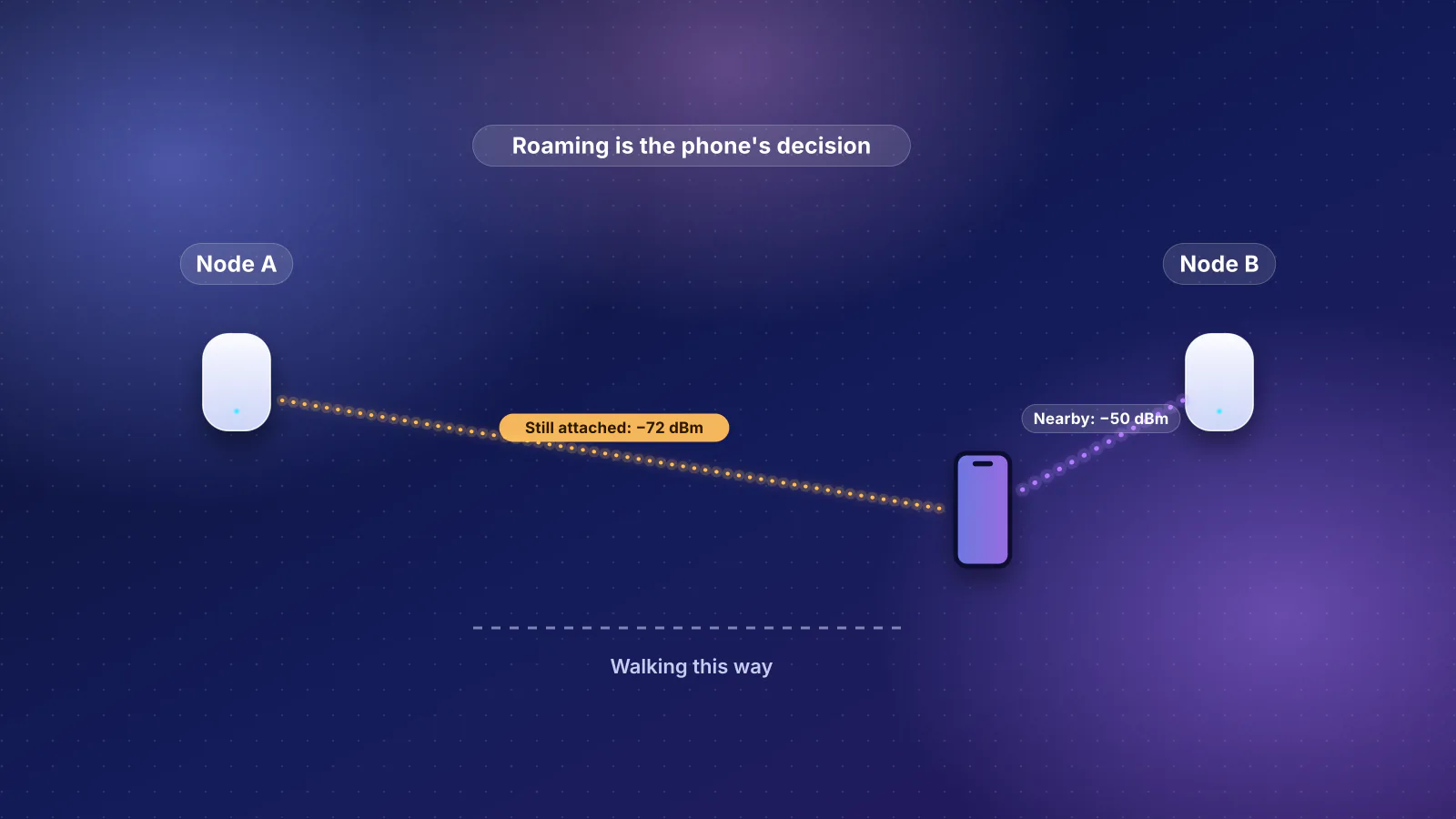
- Staying on 5 GHz is sometimes normal. Apple's roaming guide says an iPhone holds on to its current access point until the signal falls to about −70 dBm, and router makers say 6 GHz has a shorter range than 5 GHz. A phone that joined on 5 GHz in another room can stay there after you walk back next to the router.
Before anything else: can this iPhone use 6 GHz?
Apple's support page for 6 GHz networks lists the iPhones that can join them: "iPhone 15 Pro, iPhone 15 Pro Max, or later (excluding iPhone 15, iPhone 15 Plus, iPhone 16e, iPhone 17e)", plus the iPhone Duo. Our iPhone and Wi-Fi 7 guide has the full model table, including which models also do Wi-Fi 7 and MLO. If your phone isn't on the list, no router setting will put it on 6 GHz. One Apple page muddies this: the deployment guide's Wi-Fi specifications list the iPhone 15 and 15 Plus twice, in the 15 Pro's table with 6 GHz rates and in the Wi-Fi 6 table without them. Their tech specs pages settle it: the iPhone 15 and 15 Plus list "Wi-Fi 6 (802.11ax)", while the 15 Pro and 15 Pro Max list "Wi-Fi 6E (802.11ax)".
Apple's current page names no minimum iOS version, but its router-settings guide says to "install the latest software updates for your Apple devices" before you change router settings. Update the phone and the router's firmware first; that removes one variable.
Location matters too. Apple says the 6 GHz features "are available only in regions that permit unlicensed Wi-Fi use in that spectrum", and that elsewhere the iPhone "uses only the 2.4 GHz and 5 GHz bands". In the US, the FCC opened 1,200 MHz from 5.925 to 7.125 GHz to unlicensed use in April 2020. The Wi-Fi Alliance's regulations map counts 114 countries that have opened 6 GHz, some only the lower part (up to 6,425 MHz). Apple's deployment guide notes that Wi-Fi 6E isn't available in mainland China, and Wi-Fi 7 there doesn't use 6 GHz.
Apple also asks you to keep Location Services on for Wi-Fi networking "because regulations in each country or region define the Wi-Fi channels and wireless signal strength allowed there" (Settings > Privacy & Security > Location Services > System Services > Networking & Wireless). Apple doesn't say that turning it off blocks 6 GHz specifically, but it's a one-tap check.
How to tell which band your iPhone is using
This is the question most people start with, and the honest answer is that the iPhone doesn't tell you. RouterHaus found no Apple documentation of a band, channel or frequency readout in iOS Settings. Pages that say you can read the channel by tapping the network name don't cite Apple, and a reply on Apple's community forum says that you normally can't tell which band the phone is using.
- The router's client list is the dependable check. eero documents it: tap a device in the eero app and its page "shows which eero your device is currently connected to and which wifi frequency it's using (2.4, 5, or 6 GHz)". Other makers' apps and web pages often show a band next to each client, but RouterHaus didn't find that documented for TP-Link, ASUS or NETGEAR, so look for it in yours.
- The "Wi-Fi 6E mode" row isn't proof. Apple says it appears "only when your supported device is connected to a Wi-Fi 6E or Wi-Fi 7 network". That tells you the network has a 6 GHz band, not that the phone is using it at that moment.
- A speed test isn't proof either. Apple's specifications list the same 2,400 Mbps maximum link rate at 160 MHz on 5 GHz and on 6 GHz for every iPhone that supports 6 GHz. A fast result could be either band.
Why an iPhone stays on 5 GHz: Apple's own rules
With one network name across all bands (Apple's recommended setup), you don't choose the band. The phone does, using rules Apple publishes in its deployment guides for IT departments. Read together, they explain most cases of a phone that "won't" move to 6 GHz:
| What Apple documents | What it means at home |
|---|---|
| Finding 6 GHz: in a roam scan, the iPhone checks 2.4 GHz, 5 GHz and the "primary scanning channels in 6 GHz", and also discovers 6 GHz networks "out-of-band by listening for the Reduced Neighbor Report" in 2.4 and 5 GHz beacons. Apple's specifications page says its devices can join Wi-Fi 6E networks "discoverable on 2.4 GHz or 5 GHz channels, and on 6 GHz Preferred Scanning Channels". | A 6 GHz band that shares a name with your 2.4 and 5 GHz bands gets announced on those bands. A 6 GHz-only network on a channel outside the preferred scanning channels (PSCs) may simply not be found; this is RouterHaus's reading of Apple's wording. Setting the router to a PSC removes the doubt. |
| Joining: for networks "broadcast on 2.4 GHz and 5 GHz or 6 GHz bands", Apple's auto-join rule is that "preference is given to either 5 GHz or 6 GHz when the received signal strength indicator is greater than –68 dBm for macOS, and greater than –65 dBm for iOS and iPadOS". | This is a rule for choosing 5 or 6 GHz over 2.4 GHz when the signal is strong. RouterHaus's reading: it doesn't rank 6 GHz above 5 GHz, so where both are strong, either can win. |
| Scoring candidates: Apple's systems use network information on "channel utilization and quantity of associated clients", along with "received signal strength measurements to score candidate networks", and prefer Wi-Fi 7 over Wi-Fi 6 and 160 MHz over narrower channels. Apple also lists "the frequency band" among the factors in a roam decision. | If your 5 GHz band runs a 160 MHz Wi-Fi 7 channel, it matches 6 GHz on the standard and width criteria. Apple doesn't say how much weight it gives the band itself, so signal and congestion can decide it. Landing on 5 GHz isn't necessarily a fault. |
| Roaming: iPhones "monitor and maintain the basic service set identifier (BSSID)'s connection until the received signal strength indicator (RSSI) exceeds –70 dBm" (that is, until the signal falls to about −70 dBm). A candidate then needs "an RSSI that's 8 dB stronger" if the phone is transmitting data, or 12 dB stronger if it's idle. | RouterHaus's reading: on a typical tri-band router each band is a separate access point identity (BSSID), so moving from 5 to 6 GHz is a roam under these rules. Apple doesn't spell out that case. If the 5 GHz signal is good, the phone has no reason to look. Our sticky-clients section covers the same rule between mesh units. |
| Choosing between known networks with different names: Apple ranks the "most preferred network" first (a network's score rises each time you connect to it manually), then private networks, where "the most recently joined network has highest priority", and only later the band (6 GHz, then 5 GHz, then DFS 5 GHz, then 2.4 GHz). | If your bands have different names, the 5 GHz name you joined last can beat the 6 GHz name every time. |
Router makers say the same from their side. NETGEAR's support article says some devices "might roam off of the 6 GHz band to the 5 GHz band when they are out of the 6 GHz range and might not automatically reconnect to the 6 GHz band when they are back in range", and that this "is dependent on the individual device and not the router". TP-Link says its Deco XE75 "won't suggest a client to switch from one frequency to another".
Diagnosis and fix order
Work down the list in order. The early steps are quick checks on the phone; the later ones change router settings that affect every device at home.
| # | Symptom | Check | Fix |
|---|---|---|---|
| 1 | No 6 GHz on any router, anywhere | Model on Apple's list? In a region that allows 6 GHz? Location Services on for Networking & Wireless? | Nothing on the router will help an unsupported model or region. Turn Location Services on for networking and update iOS. |
| 2 | Phone shows a "limited compatibility" prompt for your network | Does the router use a different name on 6 GHz than on 2.4 and 5 GHz? | Give all bands one name. If you tapped OK or Join, Apple says the phone moved to "the 5 GHz network without some benefits of Wi-Fi 6E or Wi-Fi 7"; turn off Auto-Join for that 5 GHz name or forget it. |
| 3 | Phone is on a Wi-Fi 6E or 7 network but never uses 6 GHz | Tap the network name in Settings > Wi-Fi. Is Wi-Fi 6E mode set to Off? | Switch it back on. Apple says that with it off, the phone no longer uses that network's 6 GHz band; other networks aren't affected. |
| 4 | Router app shows the 6 GHz band off, or nothing ever connects on 6 GHz | Is 6 GHz enabled for devices, not only for mesh links? Is MLO on with an older mesh node? | Turn on the 6 GHz band for clients (see the brand table). On ASUS AiMesh, a node without MLO "will not broadcast 6GHz WiFi" while MLO is on. |
| 5 | 6 GHz is on, but no device can join it, or the band disappears after a security change | Is the network's security WPA2 only? | Set 2.4 and 5 GHz to WPA2/WPA3 (transition or "hybrid") and 6 GHz to WPA3, or WPA3 everywhere. |
| 6 | Phone keeps asking for the password, or says it's wrong, near the router | Different security on 6 GHz (WPA3) than on the other bands (WPA2)? | eero describes exactly this and suggests Hybrid (WPA2 + WPA3) on 2.4 and 5 GHz. Then forget the network on the phone and rejoin. |
| 7 | Phone only sees a separate 6 GHz-only network name intermittently | Is the 6 GHz channel a preferred scanning channel (PSC)? Is the name hidden? | Turn on the router's PSC option or pick a PSC channel, and stop hiding the name (Apple recommends setting Hidden network to Disabled). |
| 8 | 6 GHz works in the same room, then the phone drops to 5 GHz and stays there | Where is the phone when it joins? Is the router in a closet or basement? | Expected behavior (see range). Rejoin near the router, or add a mesh node or access point closer to where you use the phone. |
| 9 | Everything above is right and it still fails | Firmware current on the router? Changes made since the phone first joined? | Update router firmware, forget and rejoin the network, then, as a last resort, reset network settings on the phone. |
Two notes on the heavier steps. Apple's guide to forgetting networks warns that "forgetting a Wi-Fi network on one device causes the other devices to forget the network as well" when they share an Apple Account with iCloud Keychain, so have the password handy. And Reset Network Settings (Settings > General > Transfer or Reset iPhone > Reset) "resets all Wi-Fi networks and passwords, cellular settings, and VPN and APN settings"; Apple says to use it "only if other solutions fail".
The router settings that keep an iPhone off 6 GHz
Security: WPA3 is not optional on 6 GHz
The Wi-Fi Alliance says WPA3's "use is mandatory in the 6 GHz band". Its WPA3 specification (version 4.0, October 2026) spells out what that means for the band. A 6 GHz network "shall not be configured in WPA3-Personal Transition Mode" (the WPA2/WPA3 mix) and must require Protected Management Frames (PMF). A device joining on 6 GHz must not use WPA2-style pre-shared keys (PSK) or "Open System authentication without encryption"; password-free networks there use Enhanced Open (OWE). Cisco's WPA3 deployment guide shows how one maker applies this: "per 6 GHz standard", a network configured with WPA2, including a WPA2+WPA3 mix, isn't broadcast on 6 GHz, and its newer controller software sends only the WPA3 settings to that band instead.
Home routers handle this in one of two ways. Some, like eero, always run WPA3 on 6 GHz whatever you choose for the other bands: eero's 6 GHz setting is "Enhanced (WPA3) only" while 2.4 and 5 GHz default to WPA2. NETGEAR's support article states the other outcome: if the router "is set up to use a different WPA security version, devices cannot connect to the 6 GHz band". Either way, a WPA2-only setup is the first thing to change.
Apple's recommendation fits the rule: "Set to WPA3 Personal for better security, or set to WPA2/WPA3 Transitional for compatibility with older devices." NETGEAR recommends the same split: WPA3 on 6 GHz and WPA2/WPA3 on 2.4 and 5 GHz, under one name. Apple says WPA3 Personal "works with all devices that support Wi-Fi 6 (802.11ax), and some older devices", so the iPhone isn't the problem; older gadgets at home sometimes are, which is why makers keep WPA2 available on the lower bands.
Network names: one name, or a separate 6 GHz name?
Apple says to use "a single, unique name (case-sensitive) for all bands", and that a Wi-Fi 6E network with different names gets flagged as having limited compatibility. NETGEAR agrees as a default, but offers a separate 6 GHz name as a way to "force your devices to connect to the faster 6 GHz band". On an iPhone that trade has a cost: Apple says the phone flags the network as having limited compatibility and offers to move you to the 5 GHz network, its auto-join order favors the network you chose most recently over the band, and its roam scan checks for access points that support "the currently associated ESSID" (network name). If you go this way, turn off Auto-Join for the 5 GHz name on the phone. The catch: with Auto-Join off, the phone won't move to 5 GHz on its own when you walk out of 6 GHz range; you'll have to pick it yourself.
Smart Connect and band steering
Band-steering features merge bands under one name and nudge devices between them. They don't all include 6 GHz: TP-Link's Smart Connect article describes assigning devices to "the 2.4GHz or 5GHz Wi-Fi band", while ASUS says its Smart Connect "allows all WiFi bands to use the same WiFi name and password". ASUS also warns that a phone's "built-in WiFi network preferences settings" can make its steering rules "ineffective". Given Apple's documented rules, the phone has the final say, so steering is no substitute for getting security and names right.
Preferred scanning channels
Phones don't scan the whole 6 GHz band; NETGEAR explains that 6 GHz devices "scan PSCs for efficient connectivity". NETGEAR routers default to PSC 37 or pick a PSC automatically. ASUS offers a PSC checkbox next to the control channel, and says that with it on, "only those channels with higher connectivity will be kept for channel selection". If you set the 6 GHz channel by hand, keep that option on.
MLO and mesh settings
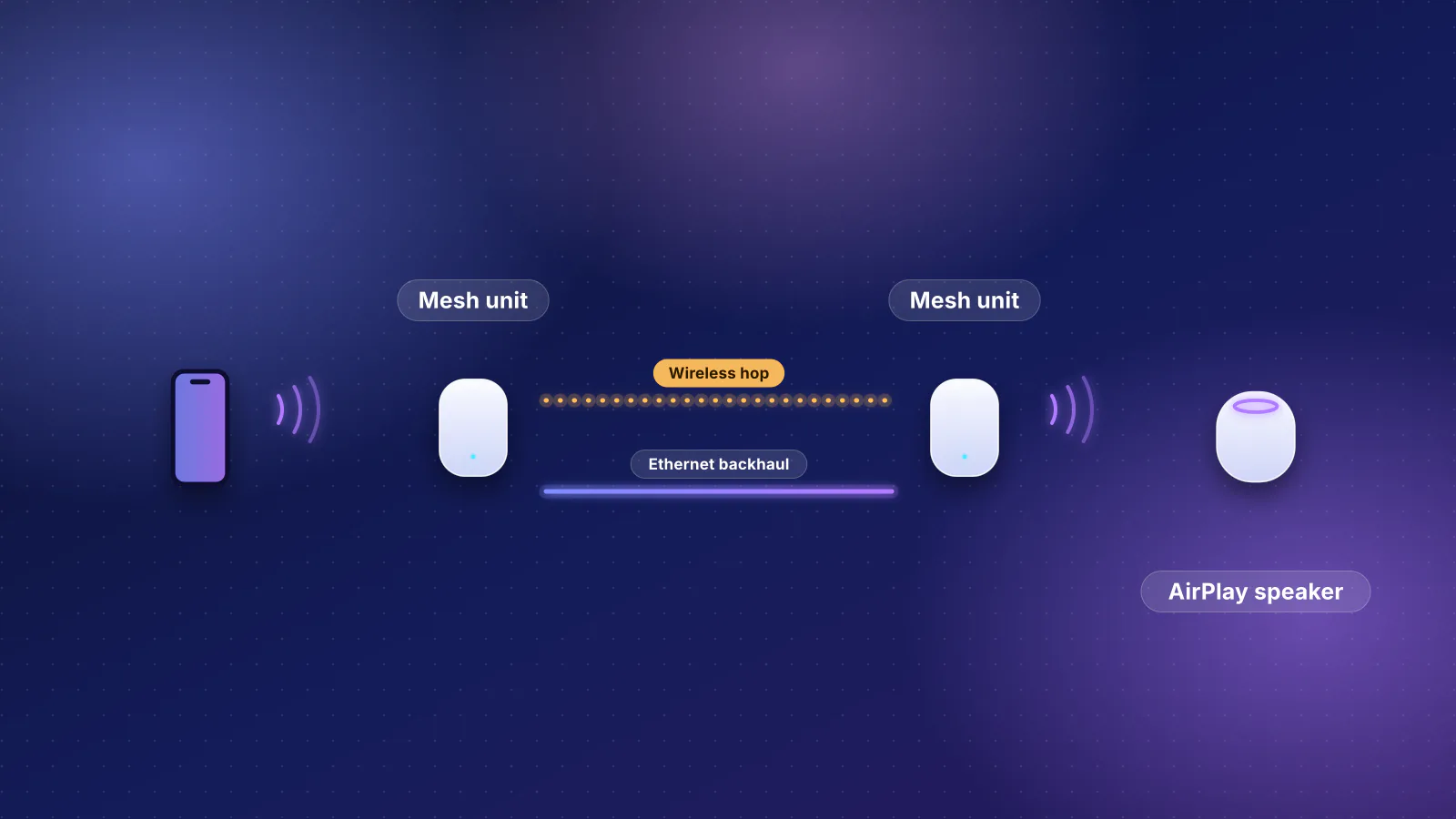
Multi-Link Operation changes the 6 GHz setup on several brands, and our MLO explainer covers each in detail. The parts that affect whether an iPhone reaches 6 GHz: eero turns on WPA3 "for all the MLO capable bands" when 6 GHz is present; TP-Link runs MLO as a separate network whose name must differ from your main one, with "Only WPA3 and OWE"; and ASUS enables MLO by default, which silences 6 GHz on AiMesh nodes that lack it. TP-Link also said in 2022 that on its Deco XE75 mesh, 6 GHz "acts as a dedicated backhaul by default", meaning only for links between Deco units until you enable it for devices in the Deco app. Its current Deco 6E FAQ (updated June 2024) no longer says that, but still says the setting that opens the 6 GHz network to devices "can be found in the Deco app".
Where the settings live, by brand
From each maker's support pages, checked November 7, 2026. "Not documented" means RouterHaus found no official page for it; the setting may still exist in your app. Menus change with firmware, so treat paths as a starting point.
| Brand | Security per band | Names and steering | 6 GHz channel (PSC) | MLO | Band shown per device |
|---|---|---|---|---|---|
| eero | App: Settings > Network settings > Encryption. 2.4 and 5 GHz: Standard (WPA2), Hybrid or Enhanced (WPA3); 6 GHz fixed at Enhanced (WPA3) | One name for all bands; eero says there is "no way to permanently separate" them | Not documented | Settings > Advanced networking > Multi-link operation (reboots the network) | Yes: device page shows 2.4, 5 or 6 GHz |
| TP-Link (Archer, Deco) | Not documented for the main 6 GHz network; the MLO network allows only WPA3 or OWE | Archer Smart Connect (2.4 and 5 GHz): web Advanced > Wireless > Wireless Settings, or Tether More > Wi-Fi Settings. Deco XE75: 6 GHz was backhaul-only by default (2022) | Not documented | Deco app > Wi-Fi Settings > Enable MLO Network; Archer web Advanced > Wireless > Wireless settings > Enable MLO network. Needs its own name | Not documented |
| ASUS | WPA3 supported on all AX and BE models. Network > Main network profile > Authorization method (WPA3-Personal or WPA2/WPA3-Personal); on firmware before 3.0.0.6.102_35404, Wireless > General | Smart Connect: one name for all bands. Network > Main network profile, select all bands; on older firmware, Wireless > General > Enable Smart Connect | Wireless > General > "Control Channel" PSC checkbox | Wireless > MLO, on by default; AiMesh nodes without MLO stop broadcasting 6 GHz | Not documented |
| NETGEAR (Nighthawk) | routerlogin.net > Wireless > Security Options (NETGEAR's WPA3 article shows the 2.4 and 5 GHz sections); recommends WPA3 on 6 GHz, WPA2/WPA3 on 2.4 and 5 GHz | Same name recommended; a separate 6 GHz name is NETGEAR's documented way to force 6 GHz | Defaults to PSC 37 or an automatic PSC; manual choice in the web interface | Not covered in the articles RouterHaus used | Not documented |
Shopping rather than troubleshooting? Check the spec sheet for a 6 GHz band before anything else. Several Wi-Fi 7 models have none, among them the eero 7, TP-Link Deco BE25 and NETGEAR Nighthawk RS100, and no setting adds one.
Range: why 6 GHz fades first
eero, NETGEAR and TP-Link all say the same thing. eero: the 6 GHz band's "connectivity range is even shorter than 5 GHz". NETGEAR: "The 6 GHz band has a shorter range than the 5 GHz band", so routers and satellites "must be positioned close to where you actually require the high-speed 6 GHz connection", not in a basement, attic or closet. TP-Link: signal quality at 6 GHz decreases "much faster than older bands such as 5GHz". The physics and power rules behind this are in 6 GHz vs 5 GHz range.
Combine that with Apple's −70 dBm roam trigger and the pattern is predictable. Near the router, 6 GHz is clean and fast. A room or two away, the phone drops to 5 GHz, and it may not come back until the 5 GHz signal weakens or you rejoin. If you want 6 GHz in the rooms where you actually use the phone, the fix is a closer access point or mesh node, ideally wired. Our dead-zone guide shows how to measure room by room, and the planner estimates how many units your home needs.
When 5 GHz is good enough
Getting onto 6 GHz is worth some effort, but don't chase it at any cost. Apple lists the same 2,400 Mbps maximum link rate at 160 MHz on 5 GHz as on 6 GHz for every iPhone that supports 6 GHz. What 6 GHz adds is a less crowded band and dependable wide channels. eero notes that a 160 MHz channel on 5 GHz has to use DFS (radar-shared) channels and drops to 80 MHz after a "DFS strike", while 6 GHz channels "aren't subject to DFS strikes". If your phone reaches a strong 5 GHz signal and your internet plan is the limit anyway, being on 5 GHz costs you little. Our Wi-Fi 6, 6E or 7 guide explains what the band adds, and the iPhone upgrade guide shows when the router is the bottleneck.
Frequently asked questions
Why doesn't my iPhone show a separate 6 GHz network?
Because with Apple's recommended setup it shouldn't. When a router uses one network name on 2.4, 5 and 6 GHz, the iPhone shows one network and picks the band itself. A separate 6 GHz entry appears only if the router gives that band its own name, which Apple flags as limited compatibility.
Can I force my iPhone onto 6 GHz?
Apple documents no iPhone setting for choosing a band. The only documented way to force it is on the router: NETGEAR suggests a separate name for the 6 GHz band. On an iPhone that brings Apple's limited-compatibility prompt, and Apple's auto-join order can put the 5 GHz name you joined last ahead of the 6 GHz name, so turn off Auto-Join for the 5 GHz name if you try it. The trade-off is that the phone then won't move to 5 GHz on its own when you leave 6 GHz range.
Does the iPhone 15 support 6 GHz Wi-Fi?
Only the iPhone 15 Pro and 15 Pro Max. Apple's list of devices that can join 6 GHz networks excludes the iPhone 15 and 15 Plus, as well as the later iPhone 16e and 17e.
Should I turn off Wi-Fi 6E mode on my iPhone?
Only as a troubleshooting step. Apple offers the setting for networks where you have problems; turning it off stops the phone using that network's 6 GHz band and doesn't affect other networks. If the phone never uses 6 GHz at home, check that the setting isn't already off.
Is 6 GHz faster than 5 GHz on an iPhone?
Not in maximum link rate. Apple lists the same 2,400 Mbps at 160 MHz on both bands for every iPhone that supports 6 GHz. The 6 GHz band is usually less crowded and isn't subject to radar-related channel changes, which helps consistency close to the router, but its range is shorter.
Sources
Read on November 7, 2026.
- Apple Support: Use Wi-Fi 6E or Wi-Fi 7 networks with Apple devices (supported iPhones, limited compatibility, Wi-Fi 6E mode)
- Apple Support: Wi-Fi 7 availability on Apple devices (regional availability of 6 GHz)
- Apple Platform Deployment: Wi-Fi and Ethernet specifications for Apple devices (link rates, preferred scanning channels, mainland China)
- Apple tech specs: iPhone 15, iPhone 15 Plus, iPhone 15 Pro and iPhone 15 Pro Max
- Apple Platform Deployment: How Apple devices join Wi-Fi networks (−65 dBm auto-join band preference)
- Apple Platform Deployment: Wi-Fi roaming support in Apple devices (−70 dBm roam trigger, candidate scoring, Reduced Neighbor Report)
- Apple Support: How Apple devices decide which known wireless networks to auto-join
- Apple Support: Recommended settings for Wi-Fi routers and access points
- Apple Support: Forget a Wi-Fi network or prevent your device from automatically joining it
- Apple Support: If you can't connect to Wi-Fi on your iPhone or iPad (reset network settings)
- FCC: FCC adopts new rules for the 6 GHz band, unleashing 1,200 megahertz of spectrum for unlicensed use (news release, April 23, 2020, PDF)
- Wi-Fi Alliance: Regulations enabling 6 GHz Wi-Fi (country map)
- Wi-Fi Alliance: WPA3 deployment options (PDF)
- Wi-Fi Alliance: WPA3 Specification, version 4.0 (October 21, 2026, PDF) (section 12.2, constraints in the 6 GHz band)
- Cisco: WPA3 deployment guide (updated October 6, 2025) (6 GHz security requirements; enterprise maker documentation)
- eero Support: What is encryption in the eero app?, What device information can I see with eero?, Can I set my eeros to use the 2.4, 5, or 6 GHz frequency?, What is Multi-Link Operation (MLO)? and What are wifi channels, and why does channel size matter?
- NETGEAR Support: Why can't my device detect the 6 GHz wireless band? and How do I enable WPA3 security on my NETGEAR router?
- ASUS Support: What is PSC (Preferred Scanning Channel)?, What is MLO (Multi-Link Operation) and how it works?, How to configure the Smart Connect in ASUS Router? and What is WPA3?
- TP-Link: TP-Link Smart Connect: what it is and how to enable it, Common questions regarding Wi-Fi 6E Deco, What is Wi-Fi 6E? (February 2022), Community knowledge base: Device failed to detect 6GHz band of Wi-Fi 6E routers and Community (official): Introduction and usage of MLO network (last edited January 14, 2026)
- Context only: Apple Community: iPhone Air can't see 6 ghz band supported by router (user forum)