The short version
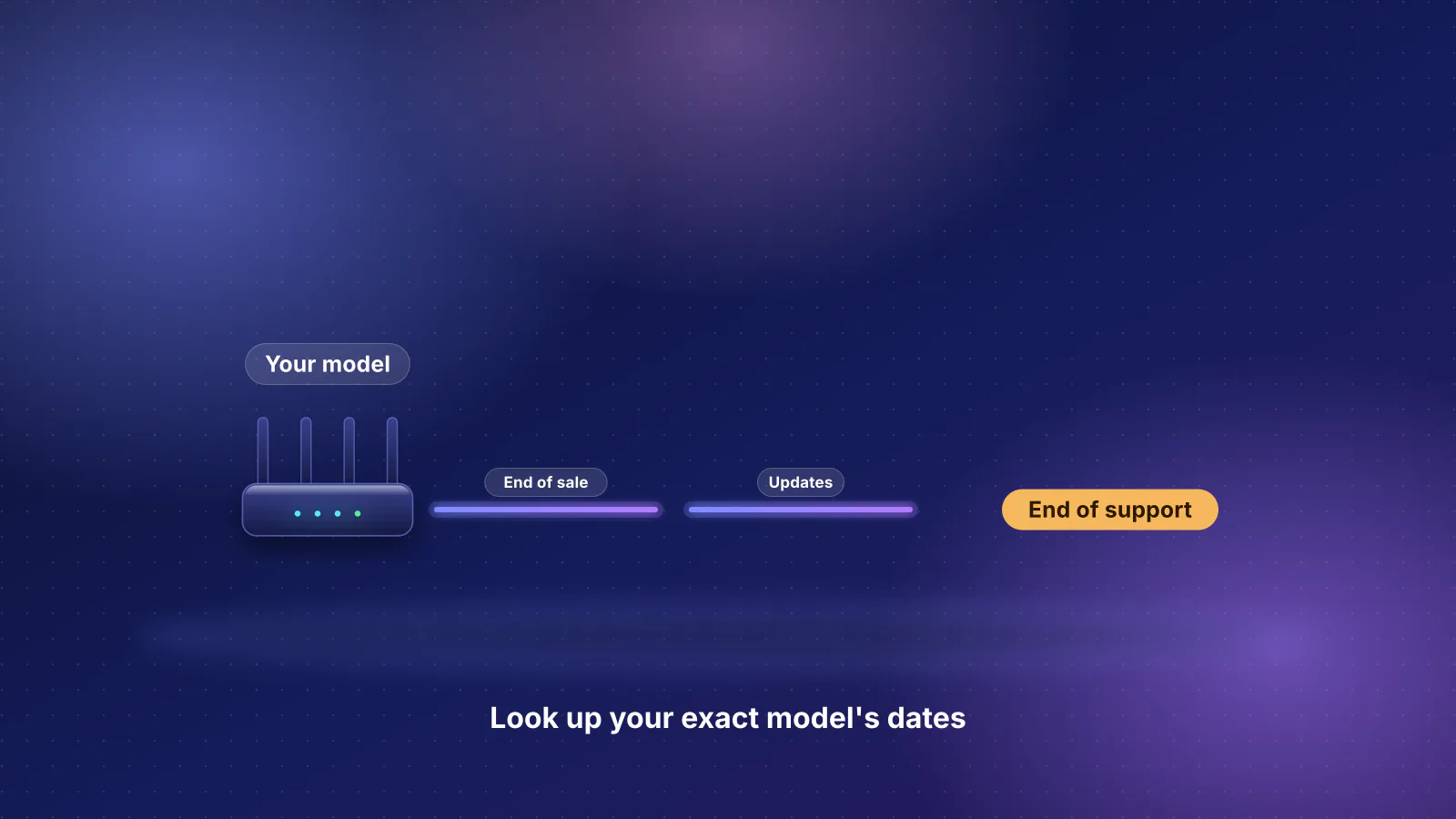
- Check support before price. Get the exact model, hardware version and serial number from the label, then look the model up on the maker's end-of-life list. ASUS says an end-of-life product stops getting "Firmware and Security Update (including security vulnerability fixes)". A cheap router that no longer gets fixes is not a bargain.
- "Refurbished" means different things. A maker's own refurbished unit comes with the maker's warranty: one year for eero-approved factory refurbished units and Google Store refurbished hardware, 90 days at NETGEAR and TP-Link, three months at ASUS. A unit "refurbished" by anyone else, or bought used, usually gets no maker warranty: NETGEAR says its warranties "are not transferable", and eero says giving someone your eero "voids the warranty for them".
- The seller has to let go of it. Many mesh systems and routers are linked to the owner's app account. eero, ASUS and NETGEAR document a step the previous owner takes in the app or account. UniFi says its physical reset button "does not remove the device from any applications it was adopted to".
- Skip provider equipment. eero says units it sells to internet providers "should not be used outside of ISP-managed networks", and Verizon asks Fios customers to "return rented equipment within 30 days of the service disconnection date". A provider's gateway on a resale site may not be the seller's to sell.
- Buy new when a check fails and can't be fixed before you pay: the model is out of support, the seller won't show the serial, or the previous owner can't release it.
Five checks before you pay
All five can be done from the listing and a message to the seller, before any money changes hands. Each is explained in the sections below.
- Ask for a photo of every unit's label. You need the model, the hardware version and the serial number. A mesh kit has a label on each unit.
- Look up the model and hardware version on the maker's own support or end-of-life page (below).
- Ask who refurbished it and where it was first bought. That decides whether any maker warranty is left (below).
- Ask the seller to remove it from their app account before they hand it over, and confirm they still can (below).
- Make sure it isn't a provider's box, rented or leased from an internet provider (below).
The FTC's advice for buying on online marketplaces applies too: "Check the seller's ratings and read comments from recent buyers", read the site's refund policy before you buy, and "Buy from a seller or site that accepts safer payment methods like credit cards". It also warns that scammers ask for payment "in ways that make it tough to get your money back."
Firmware support, by exact model and hardware version
Support status is the check most likely to change the answer, and it depends on details a listing often leaves out. NETGEAR's end-of-service page asks for the model and the hardware version, and TP-Link publishes firmware for each hardware version, so two routers sold under the same name may not be in the same position.
- NETGEAR: "You can check your product's model and hardware version on the label on the product"; if no version is shown, it is version 1. NETGEAR says products that reach End of Service "no longer receive firmware updates, including important security updates", and that this "In general" happens "three years after the last sale date."
- TP-Link: "the hardware version is printed on a label on the bottom or back of the device", and TP-Link warns that "Downloading firmware or drivers meant for a different hardware version can cause compatibility issues."
- ASUS: its page on confirming end of life (updated November 4, 2026) points to its end-of-life product list and says an end-of-life product may also only work on the local network, lose functions, or stop working entirely.
How to read each maker's list, what each lifecycle term means, and the support policies of eero, Google, Ubiquiti and Linksys are in how to check your router's support status. Two things matter more for a used purchase than for a router you already own:
- The listing's age doesn't tell you the support status. A model sold as "like new" can be on an end-of-life list. Look it up by the label, not the listing title.
- You'll own it for years, so the remaining support is what you're buying. A model close to the end of its maker's support period has less time left than its condition suggests. Compare that with a new model's published support policy before you decide.
Maker-refurbished, seller-refurbished and used
Three kinds of listing look alike and aren't:
- Maker-refurbished: reworked and resold by the maker or under its program, with the maker's warranty. NETGEAR says its certified refurbished units are "inspected, tested, reset, and certified before it's approved for resale" and are sold from the NETGEAR Store (page updated September 1, 2026). Google says Google Refurbished products get "a thorough inspection, including testing and a data wipe" when needed, are "in full working condition, but may show minor cosmetic imperfections", and carry a Google Refurbished label.
- Seller-refurbished: reworked by a store or reseller that isn't the maker. Whatever warranty comes with it is the seller's, on the seller's terms. Read them before you buy.
- Used: sold as-is by a previous owner. The FTC notes that state laws create implied warranties covering "almost everything you buy", but a seller may sell a product "as is" "if your state law allows that." Check your state's rules and the marketplace's policy.
What each maker's own warranty page says, read on November 27, 2026:
| Maker | Its own refurbished units | Bought used, or from someone else |
|---|---|---|
| eero (warranty last updated 09/2025) | The one-year warranty covers "eero-approved factory refurbished Products" | Coverage runs to "the original purchaser" buying from Amazon.com, eero.com or an authorized eero reseller. eero's support page says "Giving someone else your eero voids the warranty for them", though eero support can still help them troubleshoot. |
| NETGEAR | Certified refurbished: "Every certified refurbished unit comes with a 90-day warranty." The warranty page says two different things about where: a note says refurbished products "regardless of where purchased" get 90 days, while its refurbished warranty section covers units bought from netgear.com or an authorized reseller, "if the purchaser registers the refurbished device online with NETGEAR." Buy from NETGEAR or an authorized reseller and register it, and both readings are met. | "All NETGEAR limited warranties, including lifetime warranties, are not transferable." Products from unauthorized sellers "do not carry a warranty from NETGEAR". NETGEAR's registration page adds that remaining coverage "does not transfer to the new account." |
| TP-Link (US) | A "90-day limited warranty" on eligible refurbished products bought in the US, valid only for those sold in the continental US by TP-Link USA, for the original purchaser; not purchases from auction sites or person-to-person sales | The standard warranty "does not apply to refurbished products or products resold by unauthorized resellers", and "Second-hand goods, such as products sold as "used," "as is," or "open box", are generally not covered" |
| ASUS (US, last updated 2022/04/14) | Refurbished products are warranted "for a period of three (3) months from the date of purchase", and the warranty applies "ONLY" to "THE ORIGINAL UNIT AND ORIGINAL PURCHASER" | Same original-purchaser limit on the refurbished warranty; keep the original invoice |
| Refurbished hardware from the Google Store: "one year from the date of original retail purchase", for products bought "from Google or its authorized resellers" in the US or Canada | The refurbished warranty is written for the buyer who purchased from Google or an authorized reseller; its wording refers to purchase "by you", and we couldn't find terms for later owners on that page | |
| Ubiquiti (warranty updated October 9, 2020) | We couldn't find a refurbished sales program on its warranty page; Ubiquiti may replace a defective product with "a new or refurbished version" | Coverage is for products bought from "an authorized UBIQUITI distributor or reseller or from an official Ubiquiti webstore"; others "do not carry a warranty from UBIQUITI" |
Two practical points follow. If a maker warranty matters to you, buy the maker's own refurbished unit from the maker's store or a reseller it authorizes, and keep the receipt: TP-Link requires "A valid proof of purchase and a complete product serial number" for any service, and the FTC notes a receipt proves "that you're the original product owner." And if you buy used from a person, assume there is no maker warranty and price the risk in. Several makers' pages also warn that products from unauthorized sellers "may be counterfeit, used, defective, or may not be designed for use in your country" (NETGEAR's and Ubiquiti's wording).
Removing the previous owner's account, maker by maker
A factory reset clears settings. On some systems it doesn't clear the link to the previous owner's app account, and that link can stop you setting the unit up. This is the step to arrange with the seller before you pay, because afterwards they may be unreachable. What each maker documents:
| System | What the previous owner does | What you do | If it's still tied to them |
|---|---|---|---|
| eero | "If you received this eero secondhand, the previous owner can remove it from their network in the eero app." | Hard reset: hold the reset button until the light flashes red (about 15 seconds), release, wait for it to flash blue, then set it up in the app. Not for an ISP-supplied eero (below) | The app says "Already registered", which eero says appears when the eero "is already associated with another eero network". eero: "A hard reset removes the eero from its previous network" |
| Google Nest Wifi and Google Wifi | Factory reset from the Google Home or Google Wifi app, which Google says will "remove your router and Wifi point from your Google Account" | Button reset: hold 10 seconds (12 on Nest Wifi Pro); don't unplug it during the reset, which Google says can take up to 10 minutes (up to 5 on Nest Wifi Pro) | A button-only reset deletes the device's settings and data, but Google says the data it holds for cloud services remains, and the device still appears in the previous owner's Google Home app until they remove it there |
| TP-Link Deco | "Reset the Deco product and delete the Deco network, then the account will be unbound." Or Change Network Owner in the Deco app, which sends the network to your TP-Link ID; the owner's phone must be on the Deco's Wi-Fi during the transfer, and TP-Link says some models don't support this yet | Create a TP-Link ID in the Deco app first if they're transferring it to you | The page doesn't cover an owner you can't reach; ask TP-Link support |
| TP-Link routers (Archer) | Unbind their TP-Link ID in the web page (Advanced, TP-Link ID) or the Tether app | TP-Link: "Performing a factory reset will remove the TP-Link ID binding" | Reset it yourself |
| NETGEAR Orbi and Nighthawk | Unregister it at my.netgear.com (Products, My Registered Products, Unregister Product) | Reset: hold the reset button until the Orbi's power light blinks amber, then set it up again in the app or a browser. NETGEAR says Armor and Smart Parental Controls must be reactivated manually after a reset | Ask NETGEAR support; the warranty won't move to your account either way |
| ASUS | Unbind with Account in the ASUS Router app. ASUS says a router "can only be bound to a social account at the same time" | Reset: hold the reset button 5 to 10 seconds until the power light flashes, or Restore in Administration on the web page. ASUS: "All current settings will be deleted" | ASUS's binding page (updated June 15, 2026) doesn't say whether a reset unbinds; ask ASUS |
| UniFi | Remove the device in the app (its Manage settings), or transfer a UniFi OS console with Transfer Ownership in Console Settings | Reset: hold the reset button 5 to 10 seconds, depending on the device, with it powered on, then adopt it | The device may show "Managed by Other". Ubiquiti lists factory resetting and re-adopting it as one fix; for an inherited setup whose owner is unavailable, it says to factory reset all devices and set UniFi up as new |
The UniFi case is the clearest warning: Ubiquiti says the physical reset button "does not remove the device from any applications it was adopted to", and that if the owner's credentials can't be recovered, "there is no way of recovering the current UniFi deployment." For a single device, Ubiquiti's documented route is to reset it and adopt it fresh; a console's old setup and settings don't come with it.
The first hour after it arrives
- Reset it, even if the seller says they did, using the maker's steps above.
- Update the firmware before you rely on it. A safe manual update, step by step covers how, and whether the model updates itself.
- Set your own admin credentials. CISA: "Change default log-in passwords and usernames", because "These default credentials are not secure". The FTC says to change the default administrative username, password and network name "to something unique."
- Turn off remote management you don't use. CISA: "Turn this feature off to guard against unauthorized individuals accessing and changing your router's configuration."
- Secure the app account it's now tied to, with two-factor where the maker offers it: securing your router app account goes maker by maker.
- Moving your devices over from an old router? Replace your router without re-pairing devices gives the swap order.
Provider-owned gateways and ISP units
Resale listings include equipment that an internet provider rented or leased to a customer. It may not be the seller's to sell, and it may not work anywhere else.
- ISP-supplied eeros. eero says units it sold to partner internet providers "are considered the property of the organization that purchased them, and should not be used outside of ISP-managed networks." On another network one may fail setup with an "Unauthorized eero" error, and eero says one that is connected to your network "may become unusable if it is hard reset." eero says ISP units sometimes appear on auction sites such as eBay and suggests avoiding those and the Amazon Marketplace (as distinct from Amazon's own store pages). It advises checking the serial number, and strongly advises against buying if a seller won't give it. eero support says it can't resolve ownership disputes over these units.
- Rented gateways. Verizon asks Fios customers to "return rented equipment within 30 days of the service disconnection date to avoid an unreturned equipment fee." T-Mobile's return page, which covers its internet gateways and coverage devices, says that if it doesn't receive your device within 30 days of starting the return, "you must pay the replacement cost."
- Cable modems. Some providers won't activate a modem bought used; Cox's and Sparklight's warnings are in used modems, expiring certificates and old models.
If a listing shows a provider's logo, a provider's model name, or is described as "from Xfinity", "from Spectrum" or similar, treat it as provider equipment and skip it. If you're returning your own provider's box, returning the provider's equipment lists the deadlines.
Reading the listing: buy, ask, or walk away
| What you find | What it means | What to do |
|---|---|---|
| Maker's own refurbished unit, sold by the maker or an authorized reseller, model still supported | The maker's refurbished warranty applies (90 days to one year, by maker) | Reasonable buy. Keep the receipt and register it where the maker asks. |
| Used, model still supported, seller sends label photos and will release the account | No maker warranty, but nothing blocks setup | Reasonable if the price reflects no warranty. Have them remove it from their app before you pay. |
| "Refurbished" by a third party | Any warranty is the seller's | Read the seller's terms and return policy; treat it as used if there are none. |
| Model or hardware version on the maker's end-of-life list | No security updates promised | Walk away, whatever the price. |
| Seller won't give the serial number or a label photo | You can't check support, warranty or ISP ownership | Walk away; eero strongly advises against buying in this case. |
| Previous owner can't be reached or can't release it | You may be stuck at "Already registered", "Managed by Other" or a bound account | Walk away unless the maker's steps show you can reset and set it up as new (retail eeros, TP-Link routers, UniFi devices). |
| Provider logo, provider model, or "from" a provider | Likely the provider's property | Walk away. |
Mesh kits add one more question: how many units you need. Buying one or two used units to add to a system you already own can be cheaper than a full kit, and how many mesh nodes you need works out the count before you shop.
When buying new is justified
Start with buying nothing. If your current router is still supported and its ports keep up with your plan, a used upgrade may not change much: when to replace your router has the checks. Buy new rather than used when:
- The used model is out of support, or close to it, on the maker's own list. A current model has its maker's support policy still ahead of it.
- You can't complete the five checks before you pay: no label photo, no serial, no answer about the account.
- You want a warranty longer than the refurbished terms. eero's own warranty page lists three years for some new, unopened models (including eero 7, Pro 7 and Max 7) against one year for refurbished units; NETGEAR, TP-Link and ASUS give their refurbished units 90 days or three months.
- The listing is provider equipment, which you shouldn't buy at all.
Otherwise a maker-refurbished unit of a supported model, or a used one whose seller has released it, is a fair way to spend less.
When to get professional help
Most of this is reading labels and pages, and a reset you can do yourself. If you're buying used units to extend a system across a larger home, need cable runs for wired backhaul, or want the whole network set up and checked in person, RouterHaus can connect you with a licensed contractor when the job needs hands on site; ask here.
Frequently asked questions
Is it safe to buy a used router?
It can be, if the model is still getting security updates from its maker, you factory reset it and update its firmware, and you set your own admin password. Check the exact model and hardware version on the maker's end-of-life list first. If the maker has stopped security updates for that model, don't buy it at any price.
Does the original warranty transfer to me if I buy a router used?
Usually not. NETGEAR says its warranties are not transferable, TP-Link says second-hand goods are generally not covered, ASUS's refurbished warranty applies only to the original purchaser, and eero says giving someone your eero voids the warranty for them. A maker's own refurbished unit, bought from the maker or an authorized reseller, comes with a new refurbished warranty.
Will a factory reset remove the previous owner's account?
It depends on the maker. TP-Link says a reset removes the TP-Link ID from its routers, and a Deco is unbound once it's reset and its network deleted. eero says a hard reset removes a retail eero from its previous network, or the previous owner can remove it in the eero app; Google says only an app reset removes it from the Google Account, and Ubiquiti says the reset button doesn't remove a UniFi device from apps it was adopted to.
Can I buy a used provider gateway and use it with my service?
Avoid it. Provider gateways are often rented: Verizon asks Fios customers to return rented equipment within 30 days of disconnection, and eero says the units it sells to internet providers shouldn't be used outside the provider's network and may stop working after a hard reset. Buy retail equipment instead.
Is a manufacturer-refurbished router as good as new?
Makers describe what they do rather than promise that. NETGEAR says its certified refurbished units are inspected, tested, reset and certified; Google says its refurbished products are in full working condition but may show minor cosmetic imperfections. The warranty is usually shorter than for new: 90 days at NETGEAR and TP-Link, three months at ASUS, one year at eero and Google.
Sources
Read on November 27, 2026. Pages without a date showed none.
- eero: Limited warranty (last updated 09/2025), Can I purchase used eeros for my network?, Can I give someone my extra eeros? and Why does my eero app say "Already registered"?
- NETGEAR: What is the NETGEAR Certified Refurbished program? (updated September 1, 2026), Hardware warranty and End of Service products and policy
- NETGEAR Support: How do I unregister a NETGEAR product from my NETGEAR account? (updated July 7, 2025) and How do I reset my Orbi WiFi System to factory default settings? (updated November 18, 2025)
- TP-Link: Refurbished warranty policy and Replacement and warranty
- TP-Link Support: How to unbind a TP-Link ID from a TP-Link router or Deco (updated June 23, 2026), How to transfer Deco ownership (updated April 17, 2026) and How to find the hardware version on your TP-Link device (shows "last updated" January 17, 2008, though it covers current Deco units)
- ASUS: Refurbish warranty (updated April 14, 2022), How do I confirm whether the product lifecycle has ended (EOL)? (updated November 4, 2026), How to bind a trust account to my ASUS router (updated June 15, 2026) and How to reset the router to factory default settings (updated February 23, 2026)
- Google: Google Consumer Refurbished Hardware Limited Warranty, What is Google Refurbished? and Factory reset your Wifi device
- Ubiquiti: Warranty (updated October 9, 2020), How to reset UniFi devices to factory defaults and UniFi password recovery and ownership transfer
- Verizon: How to return Fios equipment FAQs
- T-Mobile: Return a T-Mobile coverage device or internet gateway
- CISA: Home network security
- FTC Consumer Advice: Buying from an online marketplace (November 2024), Warranties and How to secure your home Wi-Fi network