The short version
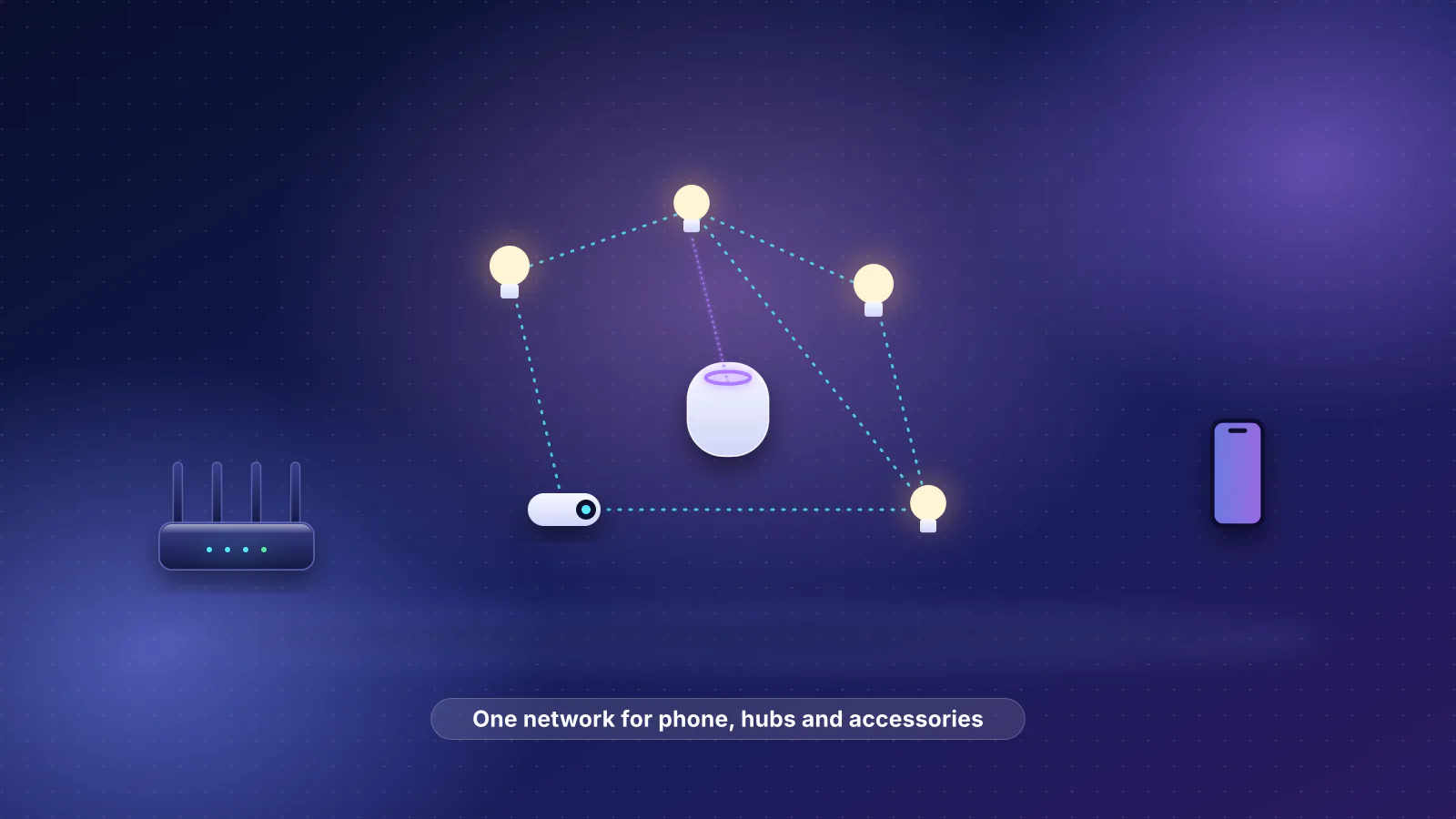
- Find which link failed before changing anything. A Thread accessory reaches your phone through three links: its radio path to a Thread router, the mesh to a border router, and your home network from the border router to your phone or hub. One accessory failing points at the first; every Thread accessory failing at once points at the border router or your router's settings.
- Several Thread networks in one home is normal, and it costs you. Home Assistant's documentation says each vendor "forms their own Thread network when you start using their products", and devices "can't roam between the Thread networks". A border router from another brand only adds coverage or redundancy if it's on the same network as your accessories.
- Thread 1.4 is the fix on paper, and it's arriving unevenly. Samsung documents Thread 1.4 with credential sharing on its SmartThings hubs, and Amazon lists exactly one Echo on 1.4. Apple and Google don't state a version in their support pages. Press reports (on Apple TV beta software in 2025, and on Google's TV Streamer and, from user posts, Nest devices in 2026) say 1.4 is arriving; neither company has confirmed it.
- Two or more border routers on the same network, near the accessories, plus mains-powered Thread devices between them. Battery-powered devices never extend the mesh.
- You can look. Home Assistant's Thread panel groups every border router it finds by network, the Eve and Nanoleaf apps show their own devices' Thread network, and a DNS-SD browser lists the border routers on your Wi-Fi, with each one's network name on OpenThread-based models.
This is the diagnosis companion to our Apple Home, Matter and Thread setup guide, which covers how Thread works, which Apple devices are border routers and the router settings that cause "No Response". This article applies to Google Home, Alexa, SmartThings and Home Assistant as well.
The three links between your phone and a Thread accessory
Our Apple Home guide explains what a border router does. The detail that matters for troubleshooting is in the Thread Group's border router white paper: accessories register with a border router, and border routers on the same mesh "respond on behalf of all the devices on the mesh" when your phone looks for them.
- Phone or smart-home hub app Must be on the same network as the border router
- Wi-Fi router or access point Must pass IPv6 route announcements and mDNS between devices
- Thread border router HomePod mini, Nest Hub, Echo, eero, Home Assistant; on Wi-Fi or Ethernet
- Thread router A mains-powered plug, bulb or switch relaying on 2.4 GHz IEEE 802.15.4
- Battery-powered accessory A sleepy end device: wakes now and then to check its parent for messages
Diagnosis order: symptom, cause, check, fix
Read across for your symptom. The checks are ordered so the free, fast ones come first. Where a fix is a maker's own instruction, the maker is named.
| Symptom | Likely cause | Check | Fix |
|---|---|---|---|
| One accessory "No Response", others fine | Its radio path: no Thread router in range, or its parent device was moved or unplugged | Is it battery-powered? Where is the nearest mains-powered Thread device or border router? In the Eve, Nanoleaf or Home Assistant views, is it listed? | Apple's steps: restart it and check its firmware in the maker's app. If it still drops, add a mains-powered Thread device between it and the rest of the mesh |
| Every Thread accessory fails at once; Wi-Fi accessories still work | Border routers offline, or none of them reachable from your phone or hub | Are the border routers powered and on your main Wi-Fi? In Apple Home, Home Settings, Home Hubs & Bridges should show one hub as active. Does a DNS-SD browser list any _meshcop._udp service? | Restart the border routers (Nanoleaf: unplug each for at least 2 minutes), then wait: Apple allows 10 minutes for a Thread network "to stabilize" |
| Accessories work from the hub or one phone, but not from another phone | That phone isn't hearing the border router's IPv6 route or mDNS: guest network, client isolation, multicast filtering, a VLAN, or a VPN app | Phone and border routers on the same network name? VPN or security app running? Router settings below | Same network for phones, hubs and border routers; isolation and multicast "optimization" off; pause VPNs (Apple's step) |
| Problems started after a new router or mesh system | Hubs on a different network name, or the new router filters IPv6 or multicast | Every hub and border router on the new network? Isolation, IPv6 and multicast settings? | Rejoin hubs to the main network; see the router settings table |
| Locks, blinds and sensors respond seconds late; plugs and bulbs are instant | Battery devices are sleepy end devices that only wake "on occasion to poll for messages from its parent" (OpenThread) | Is the slow device battery-powered? Is its parent close, or several walls away? | Some delay is by design. Put a mains-powered Thread device near it so its parent link is strong, and keep its firmware current |
| Many devices slow or dropping, worse when Wi-Fi is busy | 2.4 GHz interference: the Thread channel sits under your 2.4 GHz Wi-Fi channel | Home Assistant's logs: frequent ChannelAccessFailure. Your 2.4 GHz Wi-Fi channel and width against the channel table | Set 2.4 GHz Wi-Fi to 20 MHz; move the Wi-Fi channel away from the Thread channel, or change the Thread channel where your border router allows it |
| Two or more Thread networks listed; a new border router didn't help | Fragmentation: brands formed separate networks | Home Assistant's Thread panel, or the network name (nn) each border router advertises | Consolidate onto one network (below) |
| Pairing gets to the last step and fails | The phone lacks the network's credentials, multicast is filtered, or (Home Assistant) the host has no working IPv6 | Home Assistant: is your phone's preferred network the one your border router uses? Is the phone close to the border router? | Sync credentials to the phone (Home Assistant's "Send credentials to phone"); check multicast filtering; Home Assistant lists host IPv6 checks |
| "Thread Border Router Required" on an iPhone | No Thread-capable hub, the wrong Apple TV model, or a hub the phone can't reach | Apple's list of Thread-enabled devices; a device signed in to the Apple Account that set up the home | Apple's steps: restart the hub; move an Ethernet-connected Apple TV to the same Wi-Fi as your phone |
| Everything slow for a while after a power cut or restart | The mesh is re-forming | How long since power returned? | Wait before resetting anything: Apple says 10 minutes; Nanoleaf says it "can take up to 30 minutes" |
If you'd rather follow a sequence, test after each step: update the phone, border routers and accessory firmware (Nanoleaf starts with border router firmware); confirm the hub (one active under Home Hubs & Bridges in Apple Home; elsewhere, a model on the maker's list in the ecosystem table); check the network (same network name, no guest network, isolation or VPN); restart in Apple's order (modem and router, then hubs and border routers, then accessories) and wait; look at the mesh with the tools below; and only then change hardware, with a mains-powered Thread device near the weak spot or a second border router on the same network.
Why you have more than one Thread network
A Thread network is defined by its credentials, not its brand. Home Assistant's documentation says "you can end up having a Home Assistant, an Apple, and a Google Thread network in your home", each with its own credentials. The Thread Group's Thread 1.4 white paper explains the mechanism. A new border router can only join an existing network if the app setting it up can get that network's credentials. When it can't, "setting up a new Thread Border Router is possible but would typically cause the forming of an entirely new Thread network, in a home where one already exists." It names the cost: "This fragmentation of Thread devices over multiple networks could weaken the overall mesh network resilience and connectivity."
What that means for reliability:
- Each network has fewer routers. Your Apple accessories can't relay through a plug that sits on the Google network, so each mesh is thinner than the devices in the house suggest.
- Redundancy is per network. Two HomePods on Apple's network and a Nest Hub on Google's is one backup for the Apple accessories, not two.
- Moving a device between networks usually means re-adding it. eero's support article says that to move to a new eero Thread network "you'll need to reset any third-party devices and reconfigure" them. Google warns that if your credentials are kept only on a phone you lose or replace, "a factory reset might be needed" to set devices up again.
Home Assistant states the goal plainly: "In theory, it would be better to join all Thread networks into a single network to increase the size of the mesh network."
What Thread 1.4 changes, and who has shipped it
Thread 1.4, released September 4, 2024, adds standard credential sharing, which the white paper lists under "Avoiding Network Fragmentation". When a user starts it on a 1.4 border router (or its app), the border router shows a one-time QR code or nine-digit code that gives another app temporary access to the network's credentials, so a new border router or device joins instead of starting a new network. Our Apple Home guide summarizes the other 1.4 features.
Credential sharing only helps when the border router you already have supports it. Here's what each maker documents, checked November 7, 2026:
| Ecosystem | Border routers (maker's list) | Thread version, per the maker | How it shares or joins networks |
|---|---|---|---|
| Apple Home | HomePod mini, HomePod (2nd gen), Apple TV 4K (2nd gen) and the 3rd gen Wi-Fi + Ethernet model; newer devices in our Apple table | Not stated. Unconfirmed press report: in June 2025 MacRumors, citing Matter Alpha's analysis of tvOS 26 beta software, said tvOS 26 would bring Thread 1.4 to Apple TV. tvOS 26 has shipped, and Apple's support pages still name no version | iCloud Keychain holds a "preferred network"; third-party border routers that use Apple's ThreadNetwork framework store their credentials there. Apple says a "compatible third-party Thread border router" can serve Apple Home. Apple doesn't document whether its hubs join a network another brand formed |
| Google Home | Google Home Speaker (2026), Nest Hub (2nd gen), Nest Hub Max, Nest Wifi Pro, Google TV Streamer (4K) | Not stated in Google's support pages or Wi-Fi release notes. Unconfirmed press reports: 9to5Google (June 2026) said the Google TV Streamer's update added Thread 1.4 and a "Share Thread network credentials" option in its settings; Android Authority (August 2026) relayed Reddit users' reports of 1.4 on Nest Hubs and Nest Wifi Pro, noting Google hadn't announced it | Android stores credentials and syncs them to your Google Account by default; Google's developer documentation says apps try the "preferred credentials" first so devices end up "connected to a single Thread network when possible". On iPhone, credentials are in iCloud |
| Amazon Alexa and eero | Echo (4th Gen), Echo Hub, Echo Show 8 (3rd Gen, 2025), Echo Show 15 (2nd Gen), Echo Show 16 (2026), Echo Studio (1st Gen and newer) and other recent Echos; eero 6 and later models, eero Pro and eero Beacon | Listed per device: Echo (4th Gen) on 1.1; the other 12 listed Echos and all listed eeros on 1.3; only Echo Show 16 (2026) on 1.4 (Amazon developer documentation, modified November 5, 2026) | Alexa add-ons get credentials from Amazon's own credential store (Credential Locker). Nanoleaf's support FAQ (last updated April 2025) says Alexa can't read or write the iOS/Android Thread credential store; Amazon doesn't address this. The eero app writes eero's credentials to that store, on by default |
| SmartThings | SmartThings Hub (2018), Aeotec Smart Home Hub, Aeotec Smart Home Hub 2 | Thread 1.4 with "Thread Credentials Sharing" in hub firmware 0.58.10 (September 2025). TVs and other built-in hubs aren't covered by that release | Manage Thread network menu in the app can "unify the Hub's Thread network with nearby Thread networks" |
| Home Assistant | Any OpenThread border router it manages (it can use others but configures only OpenThread ones) | Depends on the OpenThread build; not stated per release in the Thread docs | Joins an existing network from another vendor; imports Apple or Google credentials through the Companion app; "Send credentials to phone" |
| Nanoleaf | Shapes, Elements and Lines controllers | Not stated | Uses ecosystem credentials already on the phone, or shares its own if none exist; can't reach Amazon networks' credentials (Nanoleaf, April 2025) |
What this means today. Until your border routers are on 1.4 and your apps use it, joining brands onto one network still depends on the phone's credential store. If Nanoleaf's April 2025 description still holds, Alexa doesn't use that store, so apps that rely on it can't join Amazon's networks.
Getting back to one network
- See what you have. Use the tools below to list each border router and the network it's on.
- Pick the network to keep. Usually your main ecosystem's network, the one with the most mains-powered Thread devices on it. Everything else joins that one.
- Bring the other border routers over, using each maker's join path. Nanoleaf controllers use credentials already on the phone. In Home Assistant, follow its "existing network" steps to join another vendor's network and make it preferred. SmartThings hubs on 0.58.10 use Manage Thread network to unify with a nearby network. Before you start, make sure the phone you use has the kept network's credentials: Home Assistant notes that "the preferred network of the mobile device is being used" when you add devices.
- Re-add accessories stranded on the old network, one at a time: reset each by the maker's instructions and add it again. Espressif's write-up of a SmartThings migration notes one exception: devices already on the SmartThings hub's own network are told to move automatically when the hub migrates.
- Don't regenerate credentials to tidy up. eero says regenerating "creates a new Thread network", and that devices on the old one "may continue to use the old network details".
Where a brand can't join (an Echo on 1.3, for example, if Nanoleaf's account of Alexa above is current), it's often simpler to leave that border router alone and add accessories to the network you kept. A second network costs coverage only if accessories are on it.
Your router: IPv6, multicast and the same network
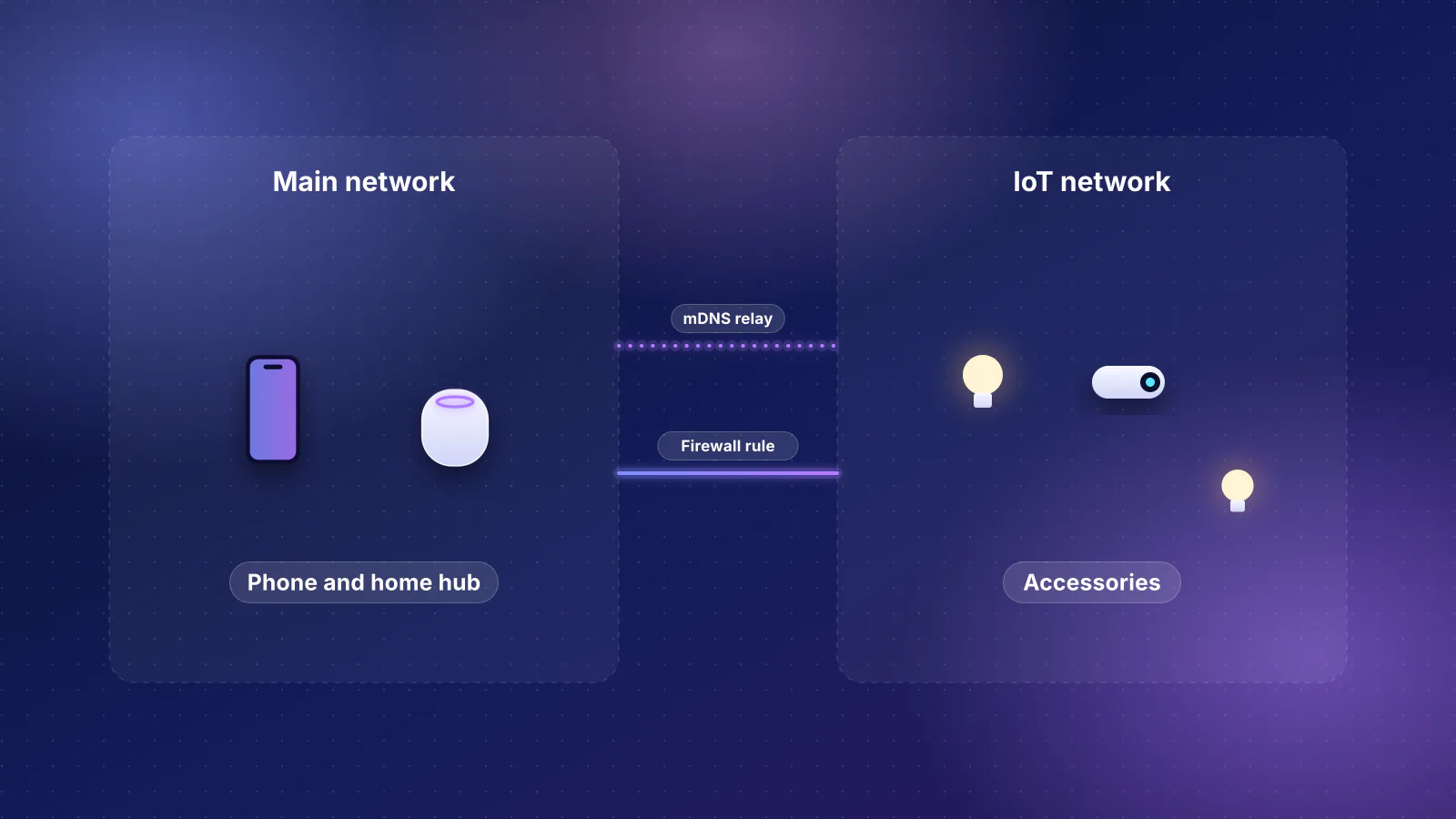
This is where Thread trouble that looks like a radio problem often turns out to be a Wi-Fi setting. The last link rests on two things that stay on one network segment, as our Apple Home guide explains: the border router's IPv6 Router Advertisements, which carry the route to the Thread network as a Route Information Option (RFC 4191), and mDNS discovery. Three consequences:
- IPv6 inside the home, not from your provider. If no router on your network is advertising an IPv6 prefix, OpenThread's documentation says the border router "generates a ULA on-link prefix" (a local-only one) and advertises it, so an IPv4-only internet connection doesn't stop Thread. What breaks it is anything that drops IPv6 between devices on your network. Nanoleaf's checklist still asks you to make sure IPv6 is enabled on the router, which is a harmless step to take.
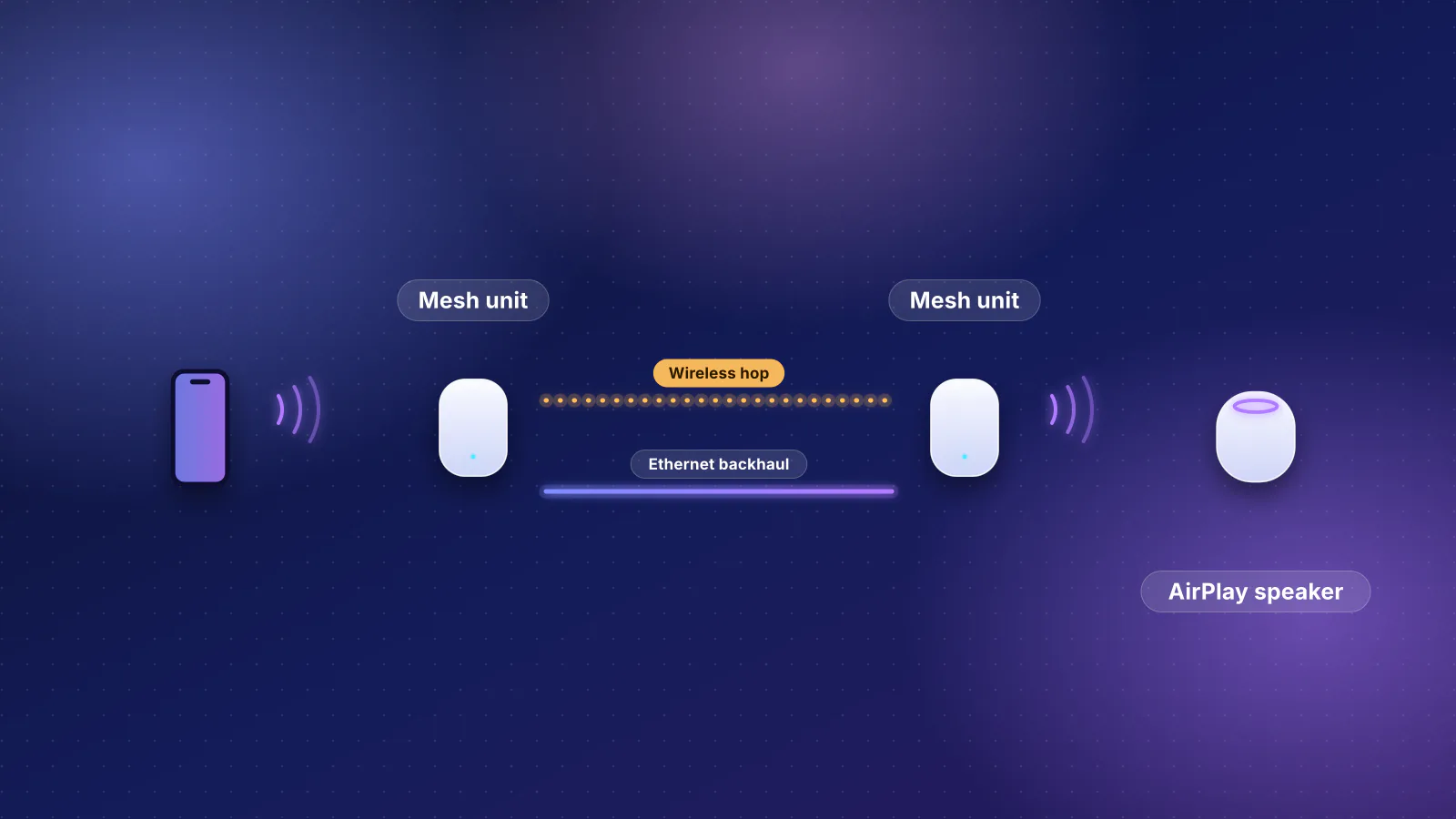
- Multicast must flow. Home Assistant warns that "Some mesh Wi-Fi systems aggressively filter multicast traffic on Wi-Fi", which "can prevent your phone from discovering the border router via mDNS", and says to check settings "related to multicast, IGMP snooping, or mDNS."
- One flat network. Home Assistant's Matter documentation says to keep the network "as simple and flat as possible" and to keep border routers on the same VLAN as the Home Assistant host. An mDNS proxy between VLANs relays discovery but not the Router Advertisements; our VLAN guide for HomeKit and Matter covers why.
The setting-by-setting table (guest networks, client isolation, VLANs, multicast optimization, double NAT, VPN apps) is in our Apple Home guide, and double NAT has its own fix. Home Assistant users have one more case: if Thread devices "join the network but cannot be reached", its troubleshooting points at missing IPv6 support in the host, any hypervisor or Docker layer, or the router.
The mesh itself: routers, sleepy devices and channels
Which devices extend the mesh
Google's Thread page puts it simply: always-on devices "plugged into power, like smart plugs or speakers" act as mesh extenders, while battery-powered devices "can 'sleep'" and don't. Eve says mains-powered devices such as Eve Energy "can act as router nodes within your Thread network and relay data packets", while battery devices "represent endpoints". Google adds that if a device goes offline, "the network automatically heals itself by finding a new path", but not instantly: that's why makers give waiting times after restarts (see the last row of the diagnosis table).
Thread and 2.4 GHz Wi-Fi channels
Thread uses IEEE 802.15.4 channels 11 to 26 in the 2.4 GHz band, the same band as 2.4 GHz Wi-Fi. Silicon Labs, which makes Thread chips, describes "16 non-overlapping 2 MHz bandwidth channels at 5 MHz spacing", and notes that in the US, channels 25 and 26 "require reduced transmit power levels". Home Assistant's Thread documentation says "Thread channels 11 through 24 can overlap with 2.4 GHz Wi-Fi, including common Wi-Fi channels like 1, 6, and 11", and "Thread channel 26 is the least likely to experience Wi-Fi interference."
RouterHaus's calculation of where each Thread channel falls, from the published center frequencies (Thread channel k at 2,405 + 5(k − 11) MHz, as in OpenThread's source; Wi-Fi channel n at 2,407 + 5 × n MHz) and a 20 MHz-wide Wi-Fi channel:
| Thread channels | Center frequencies | Relative to 20 MHz Wi-Fi on 1, 6 or 11 |
|---|---|---|
| 11–14 | 2,405–2,420 MHz | Inside Wi-Fi channel 1 (2,402–2,422 MHz) |
| 15 | 2,425 MHz | In the gap between Wi-Fi 1 and 6, next to both |
| 16–19 | 2,430–2,445 MHz | Inside Wi-Fi channel 6 (2,427–2,447 MHz) |
| 20 | 2,450 MHz | In the gap between Wi-Fi 6 and 11, next to both |
| 21–24 | 2,455–2,470 MHz | Inside Wi-Fi channel 11 (2,452–2,472 MHz) |
| 25–26 | 2,475–2,480 MHz | Above Wi-Fi channel 11 (Wi-Fi channel 13, used outside the US, would cover both) |
The gap channels are neighbors, not refuges. Silicon Labs measured its own 802.15.4 chip (running Zigbee, which uses the same radio as Thread) against Wi-Fi transmitting nonstop on channel 1: with Wi-Fi arriving at −30 dBm, it could still receive signals down to −87 dBm on channel 15, against −96 dBm on channels 17 to 26. It adds that strong Wi-Fi can also block an 802.15.4 radio from transmitting by making the channel look busy. A 40 MHz Wi-Fi channel on 2.4 GHz covers twice as much of the band; Apple recommends 20 MHz on 2.4 GHz to avoid problems "near other Wi-Fi networks and 2.4 GHz devices".
What you can change depends on the border router. Home Assistant's OpenThread border router has a Change channel option (Settings, Connectivity, Thread, then the border router's menu); it schedules the switch "approximately five minutes later" and warns that "Some Thread devices might not move to the new channel automatically." We found no documented way to choose the channel on Apple, Google or Amazon border routers. On those, the lever you control is your Wi-Fi: keep 2.4 GHz at 20 MHz, and if your Thread network's channel is known (Home Assistant shows it under Network information when it has the credentials), pick whichever of Wi-Fi channels 1, 6 and 11 is farthest from it; Silicon Labs says 802.15.4 performance improves with more frequency separation from Wi-Fi.
How many border routers, and where
We found no maker that publishes a number of border routers per home size. This table is RouterHaus guidance built on three documented points: the Thread Group's statement that border routers on a shared mesh back each other up if one fails (quoted in our Apple Home guide), Home Assistant's advice to have a border router "nearby" the Thread devices, and the fact that only border routers on the same network count.
| Your home | Border routers | Why |
|---|---|---|
| A few Thread accessories, one main living area | One works; two is better | One border router is a single point of failure for every Thread accessory's link to your phone |
| Thread accessories you rely on (locks, sensors, thermostats) | At least two on the same network, in different rooms | The redundancy the Thread Group describes only exists within one network |
| Several floors, or a detached garage or outbuilding | One near each cluster of accessories, plus mains-powered Thread devices between | Border routers placed side by side add redundancy but not reach |
| Border routers from several brands | Count only those on your accessories' network | A border router on its own network adds neither reach nor backup |
More isn't always better on older firmware. The Thread 1.4 white paper says 1.4 reduces the size of the mesh's routing data to prevent "routing issues caused by the network data reaching its size limit when the number of Border Routers increases." We found no published figure for how many border routers is too many on a 1.3 network, so add them for coverage where accessories are, not by habit.
If you're replacing your Wi-Fi anyway, some mesh systems put a border router in every unit: eero says "Each Thread-capable eero acts as a border router" (Thread 1.3.0, per eero and Amazon) on models such as the eero 7 and eero Pro 7, and Google lists the Nest Wifi Pro. Like other brands' border routers, they typically start their own network unless you bring them onto yours, so they help most when the mesh router's network is the one your accessories use. Don't buy a router to fix Thread: a border router on the right network, in the right room, does the same job.
Tools to see your Thread network
Apple's Home app shows which hub is active, but we found no Apple documentation of a Thread network view in Home. These tools fill the gap:
| Tool | Where | What it shows |
|---|---|---|
| Home Assistant Thread panel | Settings, Connectivity, Thread | "Lists all Thread border routers and groups them by the Thread network", found from their mDNS announcements, whichever brand made them. Network details, including the channel, where Home Assistant has the credentials |
| Eve app | Settings, Thread Network | Which nodes your Thread devices use to communicate, and whether adding or moving a mains-powered Eve device would help, per Eve |
| Nanoleaf app | More (•••), Thread Network | Whether your Nanoleaf Thread devices are listed and on the same network as your active home hub, per Nanoleaf's troubleshooting |
| DNS-SD browser | Mac Terminal: dns-sd -B _meshcop._udp local; Linux: avahi-browse -r -t _meshcop._udp; phone apps such as Discovery (iOS) or Network Tools (Android), which the Thread Group suggests | Every border router advertising on your network. In OpenThread's implementation (which Home Assistant says almost all commercial border routers are based on), its record includes the network name (nn), extended PAN ID (xp) and Thread version (tv). Different network names mean different networks |
| SmartThings app | Manage Thread network menu | The hub's Thread network, unify and reset options (hub firmware 0.58.10 and app 1.8.37 on Android or 1.7.37 on iOS, or later) |
| Android settings | Settings, Google services and preferences, All services, Thread networks | Where Android keeps Thread credential preferences, including whether they sync to your Google Account |
The quickest fragmentation check. If you have a Mac, run the dns-sd command above on your home Wi-Fi, then resolve each result with dns-sd -L "<name>" _meshcop._udp local. Two different nn or xp values mean two Thread networks. No results at all, with border routers powered on and the computer on the same Wi-Fi, points at multicast filtering or isolation.
Frequently asked questions
Why does Home Assistant show several Thread networks?
Because each brand formed its own. Home Assistant's documentation says each vendor forms their own Thread network when you start using their products, so a home can have Home Assistant, Apple and Google networks side by side with different credentials. Devices can't roam between them. Join border routers to one network where the maker allows it, and add new accessories to that network.
Does adding another border router always make Thread more reliable?
Only if it joins the network your accessories are on and sits near them. A border router that forms its own network adds neither coverage nor backup. The Thread Group says the mesh's routing data can reach its size limit as the number of border routers increases, which Thread 1.4 addresses, so on older networks add them where accessories are, not by habit.
How can I tell which Thread version my border router runs?
Makers rarely say. Amazon lists a version for each Echo and eero in its developer documentation; Apple and Google don't publish one in their support pages. In OpenThread's implementation, a border router's mDNS record includes a tv key with its Thread version, which a DNS-SD browser on the same Wi-Fi can show.
Why are my battery-powered Thread devices slower than my plugs?
Battery-powered Thread devices are usually sleepy end devices: they keep their radio off and wake on occasion to check with their parent for messages, so commands wait for the next wake-up. Plugs and bulbs stay awake and relay for others. A strong parent nearby and current firmware help; some delay is by design.
Should I change my Thread channel to 25 or 26?
Only if interference is the problem and your border router lets you. Home Assistant says Thread channel 26 is the least likely to see Wi-Fi interference and lets its OpenThread border router change channel, but warns some devices may not follow and need adding again. We found no documented channel setting on Apple, Google or Amazon border routers; with those, set your 2.4 GHz Wi-Fi to 20 MHz on whichever of channels 1, 6 and 11 is farthest from the Thread channel instead.
Sources
Read on November 7, 2026.
- Thread Group: Thread 1.4 Features white paper (September 2024, PDF) (fragmentation, credential sharing, Thread over infrastructure, network data size, Eve topology view)
- Thread Group: Thread 1.4 release announcement (September 4, 2024)
- Thread Group: Thread Border Router white paper (July 2022, PDF) (device roles, redundancy, service discovery,
_meshcop._udpcheck) - OpenThread: OpenThread Border Router, Node roles and types, Border Routing Manager and mDNS discovery
- OpenThread source: border agent TXT record keys and channel-to-frequency conversion
- Home Assistant: Thread integration documentation and Matter integration documentation
- Apple Support: If you see a "Thread Border Router Required" or "Needs Thread Network" alert and If your HomeKit or Matter accessory isn't responding in the Home app, If HomePod has a "Network Issue" or "No Internet" (signal bars) and Recommended settings for Wi-Fi routers and access points (20 MHz on 2.4 GHz)
- Apple Developer: ThreadNetwork framework and Managing Thread network credentials
- Google Nest Help: How Google products use Thread in a smart home, Connect Thread smart home devices with your Android device and Wifi software versions and release notes
- Google Home Developers: Thread Network SDK for Android
- Android Authority (press, August 7, 2026): Nest devices getting Thread 1.4, per user reports and 9to5Google (press, June 10, 2026): Google TV Streamer's new update turns it into a better smart home device
- MacRumors (press, June 13, 2025): Apple TV Thread 1.4 update coming in tvOS 26
- Amazon Developer: Understand Smart Home Thread Support (Echo and eero border routers and Thread versions)
- eero: What is Thread? (border routers, Thread 1.3.0, credential syncing, regenerating credentials)
- SmartThings: Hub firmware release notes 0.58.10 (September 19, 2025)
- Espressif Developer Portal: Thread network credentials sharing (January 6, 2026)
- Nanoleaf: Nanoleaf Thread Border Routers FAQ (updated April 9, 2025) and Thread devices going unreachable or disconnecting and Thread device reachable in the Nanoleaf app, not responding in Apple Home
- Eve: Discover Thread (Thread Network view, routers and endpoints)
- Silicon Labs: Wi-Fi impact on Bluetooth and 802.15.4 radios and Unmanaged coexistence
- MathWorks WLAN Toolbox: WLAN radio frequency channels (2.4 GHz channel numbering)
- RFC 4191: Default Router Preferences and More-Specific Routes