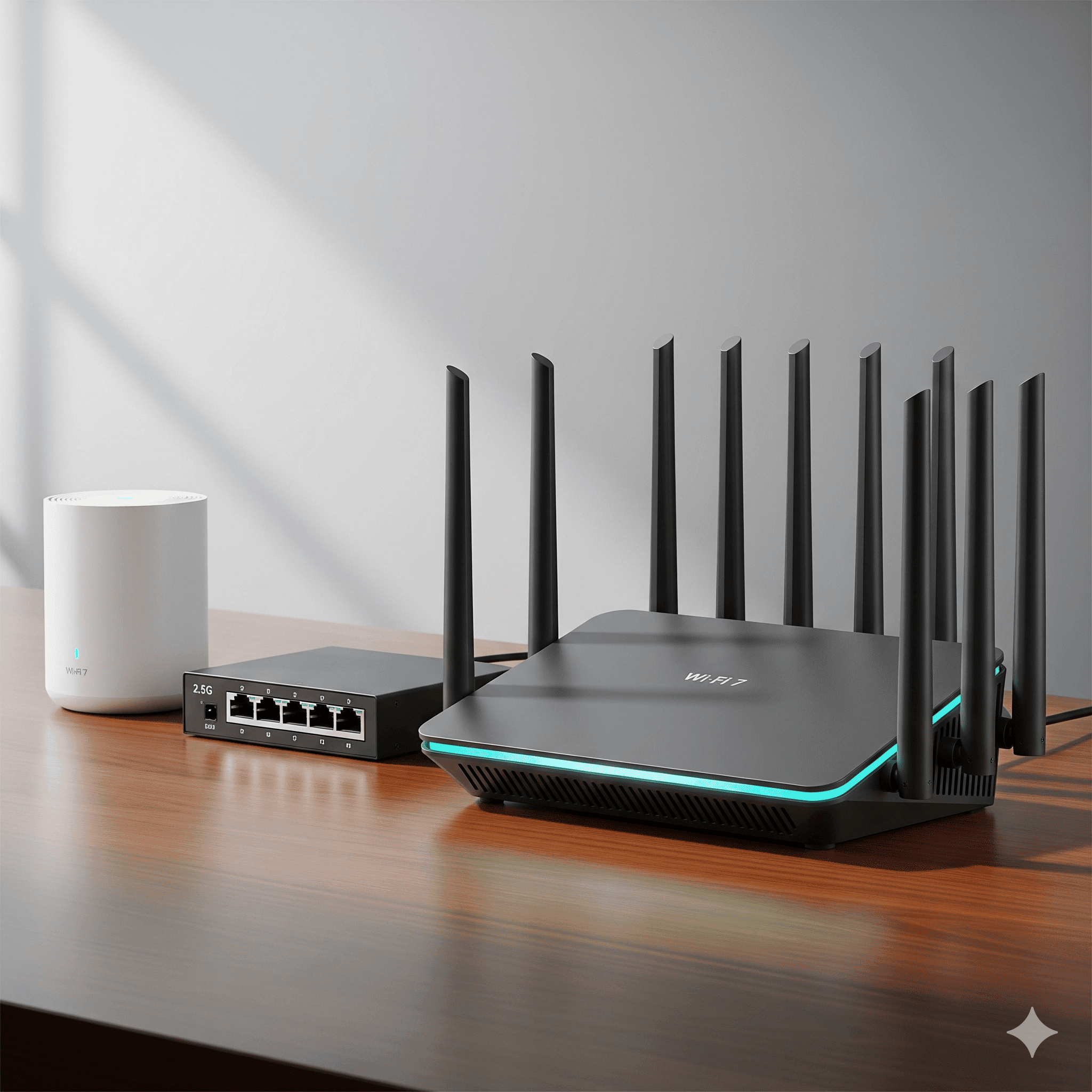
TL;DR — How to pick a router fast
- Home size: ≤1,800 ft² single-story → single router. Bigger/multi-floor → mesh (prefer wired backhaul).
- Wi-Fi gen: New devices or multi-gig? Choose Wi-Fi 7 (with 6 GHz + MLO). Otherwise 6/6E can work.
- Ports: Get 2.5G WAN at minimum; 2.5G/10G LAN helps for NAS/editing.
- Security: Use WPA3; avoid legacy compatibility modes when possible.
- Placement: Central, high, open. Don’t bury it in a closet or media cabinet.
Router anatomy: what each piece does
- WAN port: Connects to your modem/ONT. 2.5G+ avoids capping fast plans.
- LAN switch: Ports for wired devices and backhaul to mesh/APs.
- Radios & bands: 2.4 GHz (range/IoT), 5 GHz (workhorse), 6 GHz (clean air, Wi-Fi 6E/7).
- CPU/RAM: Impacts routing/NAT, VPN, QoS. More headroom = steadier under load.
- Software: Band-steering, QoS, security, parental controls, VLANs (on some brands).
Wi-Fi 6, 6E, and 7 — what changes
| Gen | Bands | Key features | Who should choose |
|---|---|---|---|
| Wi-Fi 6 | 2.4/5 GHz | OFDMA, better scheduling | Budget or older devices |
| Wi-Fi 6E | + 6 GHz | Clean spectrum at close range | Modern laptops/phones with 6E |
| Wi-Fi 7 | 2.4/5/6 GHz | MLO, wider channels, lower latency | Best now + future-proof |
Single router vs mesh
- Single router: Simple, strong near the unit; can struggle across floors/wings.
- Mesh: Two or more nodes to cover large/complex layouts. Wire the nodes if possible; otherwise pick Wi-Fi 7 mesh with MLO backhaul.
- How many nodes? ~2,000–2,500 ft² per capable node (very rough). Dense walls/stories reduce that.
Ports & backhaul (don’t bottleneck yourself)
- 2.5G WAN: Ideal baseline for today/tomorrow’s plans.
- 2.5G/10G LAN: Great for NAS, gaming PCs, or multi-gig LAN transfers.
- Backhaul: Ethernet wins. If wireless, Wi-Fi 7 + MLO helps stability.
Radios, channels, and “320 MHz” hype
- 160 vs 320 MHz: 320 is a Wi-Fi 7 feature but mostly benefits laptops/APs today; many phones still use 160.
- Channel planning: Auto usually works; avoid DFS issues if your area triggers radar events.
- Antenna count: More isn’t always better — placement and noise floor matter more.
6 GHz & Wi-Fi 7 in the real world
- Strength: Super clean and fast nearby; great for new phones/laptops.
- Trade-off: Weaker through walls; supplement with mesh for whole-home.
- MLO: Using multiple bands at once smooths throughput and latency spikes.
Security settings that won’t trip you up
- WPA3-Personal if all your devices support it; else WPA2/WPA3 transition as a bridge.
- Separate guest network (rate-limit optional). Consider IoT VLAN if your gear supports it.
- Firmware auto-updates (or a monthly check) to patch bugs and improve performance.
Placement: free performance
- Central, high, open. Avoid closets, cabinets, aquariums, and metal racks.
- For mesh, place the primary where the ISP enters (or home’s center) and nodes halfway to dead zones.
- Keep APs away from microwaves, baby monitors, and thick masonry when you can.
Two-minute setup checklist
- Update firmware; enable WPA3.
- Use one SSID for all bands; keep 6 GHz on.
- Turn on band-steering and fast roaming; avoid legacy b/g compatibility modes.
- Wire mesh nodes; if not, ensure strong backhaul signal and enable MLO where available.
- Run speed + latency tests in 3–5 rooms; adjust node placement once.
Quick troubleshooting
- Random slowdowns: Check for channel congestion/DFS hits; try a different 5 GHz channel.
- Great speed, bad calls: Look at latency/jitter; reduce interference, move nodes, wire backhaul.
- Old IoT won’t join: Temporarily enable 2.4-only SSID for setup; then re-hide or isolate on an IoT VLAN.
Buying guide by home type
Apartment / Small Home
- Single Wi-Fi 7 or strong Wi-Fi 6E router
- 2.5G WAN minimum
- Keep it out in the open
Large / Multi-Floor
- Wi-Fi 7 mesh with wired backhaul
- 2.5G/10G aggregation if you have many APs
- Guest SSID + IoT isolation
Gaming / Creator
- Wi-Fi 7 with 160–320 MHz + low-latency features
- 10G LAN for NAS/editing rigs
- Prioritize Ethernet where possible
Mini-glossary
- MLO: Multi-Link Operation — uses more than one band at once.
- Backhaul: The link between router and nodes/APs (wire it if you can).
- DFS: Radar-shared channels; your router may vacate them mid-day.
FAQ
Do I need Wi-Fi 7 right now?
If you have modern devices or want the most stable performance under load, yes. Otherwise Wi-Fi 6/6E can be fine short-term.
Mesh or single router?
Over ~1,800–2,000 ft² or multi-floor → mesh. Wire the nodes for best results.
Which ports matter?
2.5G WAN at minimum; 2.5G/10G LAN if you move big files locally.
Is 6 GHz coverage worse?
It’s strongest nearby and attenuates more through walls. Use mesh for whole-home.